 acebond/reversesocks5
Proxy reverso SOCKS5 de executável único escrito em Golang.

Proxy SOCKS5 reverso em Golang.
Usage of ReverseSocks5.exe:
  -cert string
        Certificate file if using TLS on the server
  -connect string
        Connect address for socks agent address:port
  -k
        Skip TLS certificate verification when using -tls (insecure)
  -key string
        Private key file if using TLS on the server
  -listen string
        Listen address for socks agents address:port (default ":10443")
  -password string
        Password used for SOCKS5 authentication. No authentication required if not configured.
  -psk string
        Pre-shared key for encryption and authentication between the agent and server (default "password")
  -socks string
        Listen address for socks server address:port (default "127.0.0.1:1080")
  -tls
        Connect with TLS instead of TCP, the server must be using certificates
  -username string
        Username used for SOCKS5 authentication
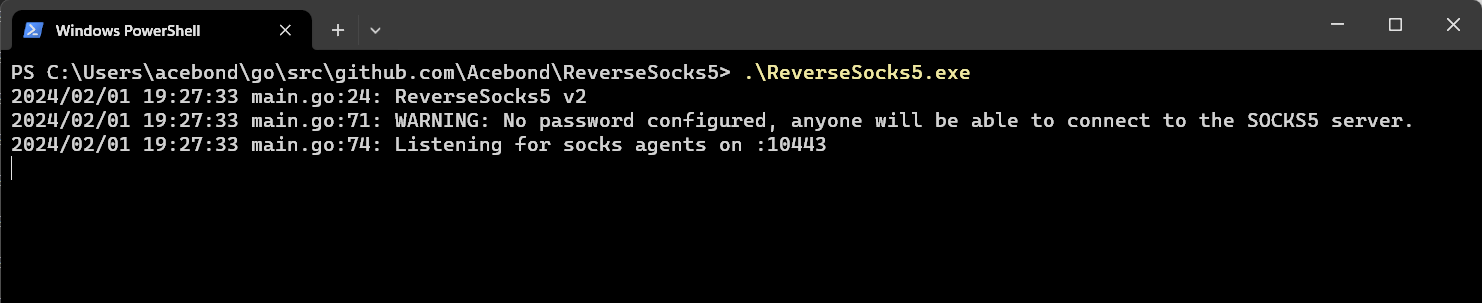 Isso abrirá a porta SOCKS5 em
 127.0.0.1:1080 e escutará por um agente em :10443. Observe que a porta SOCKS5 só ficará acessível depois que um agente se conectar.
 Isso se conectará ao servidor e será o ponto de saída para o tráfego SOCKS5, expondo efetivamente a rede interna do agente a qualquer pessoa que consiga acessar a porta SOCKS5 no servidor.
Para conectar com TLS ignorando a verificação de certificado, use:
ReverseSocks5.exe -connect server:10443 -tls -k
A verificação de certificado está habilitada por padrão. A flag -k afeta apenas as conexões TLS do agente.
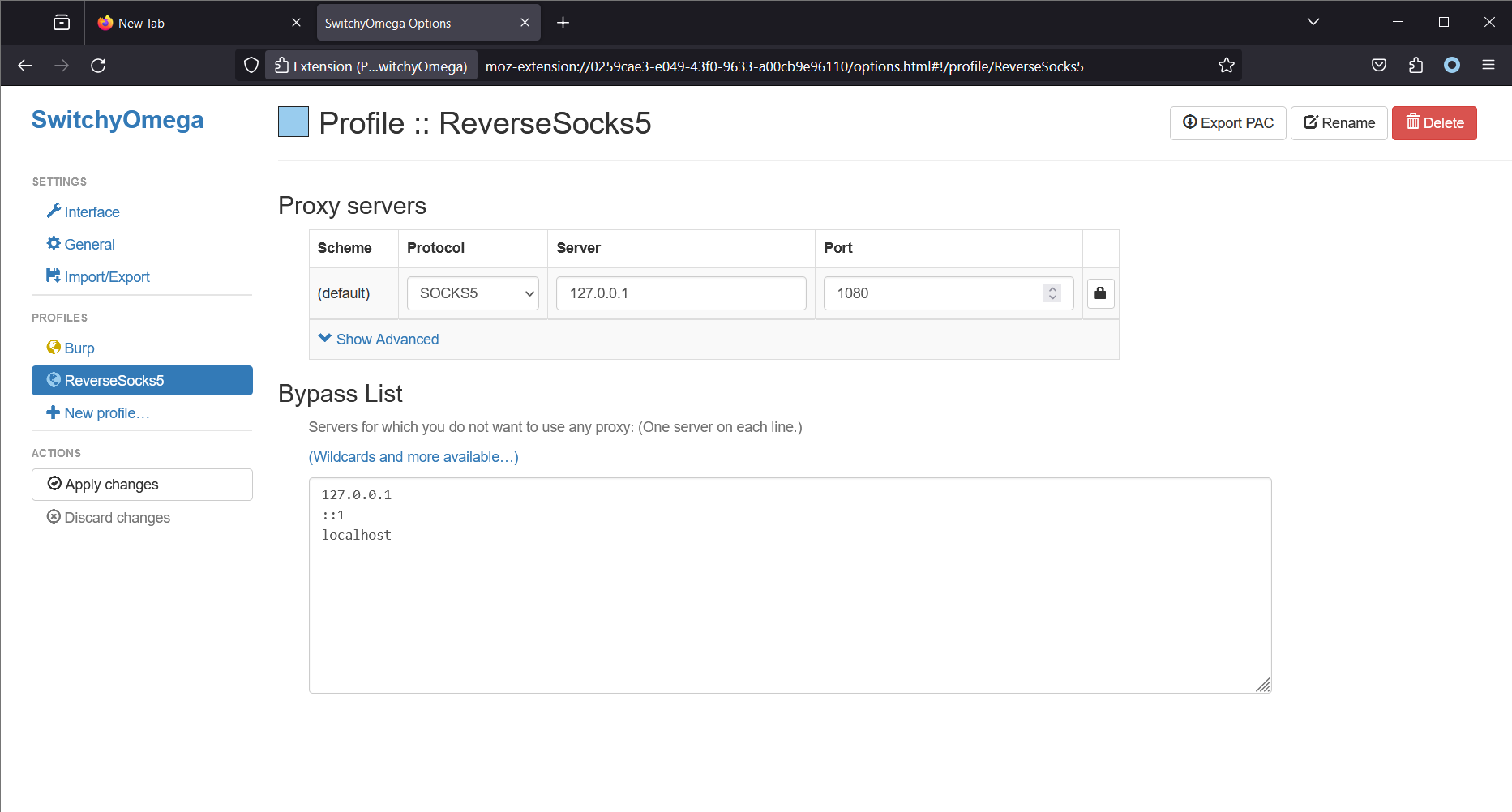
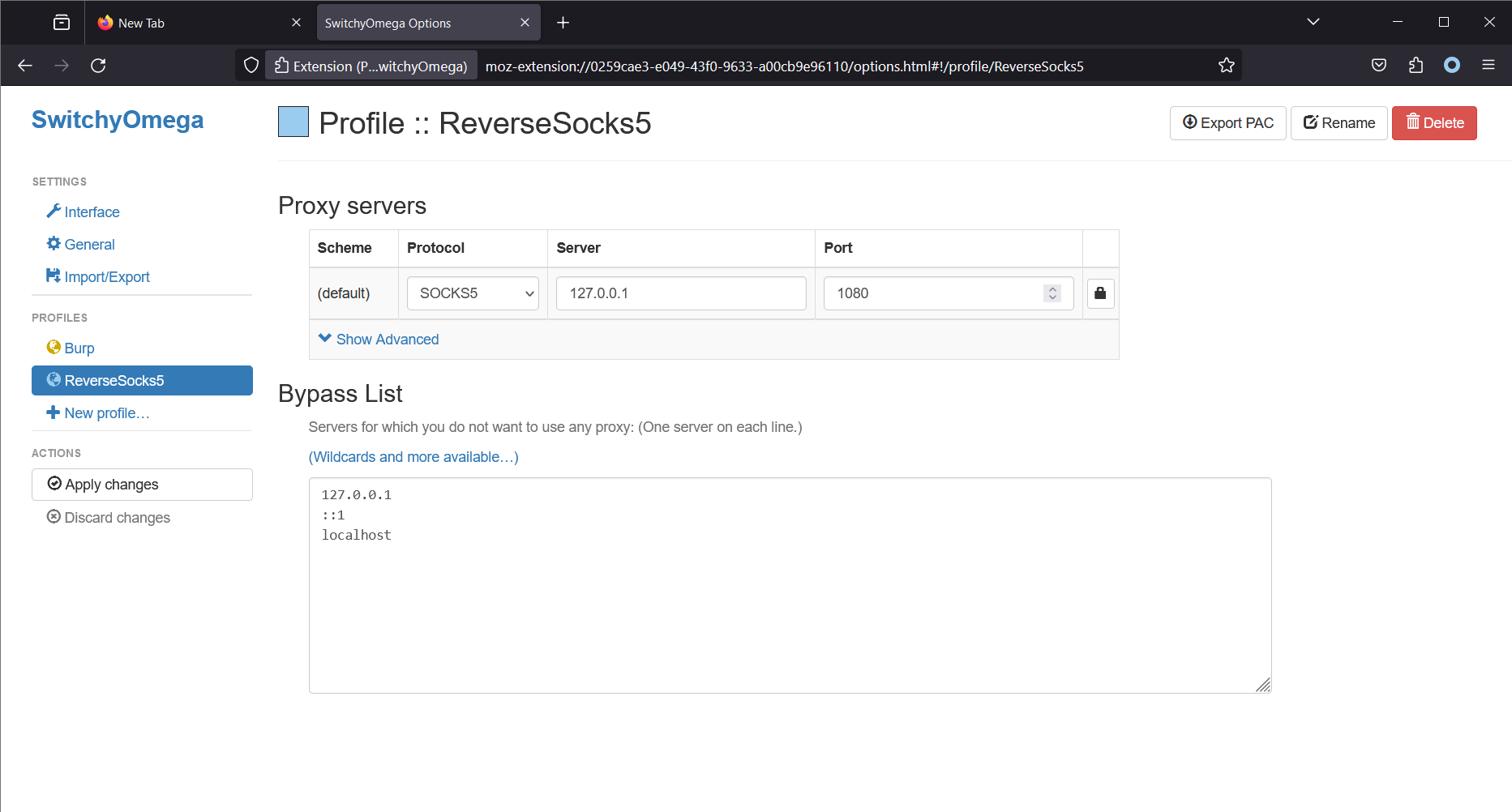 Observe que o Firefox está sendo executado na mesma máquina que o servidor SOCKS5. Isso fará com que o Firefox (usando a extensão Proxy SwitchyOmega) faça todas as conexões através do servidor SOCKS5. No Linux, uma ferramenta comum para acessar o proxy SOCKS5 é o
 proxychains4.
