 thelicato/friman
Frida バージョン管理ツール




あなたは、目的に合った正しいFridaバージョンを見つけることが、針に糸を通すようなものだと感じたことはありませんか? プロジェクト、デバイス、デバッグシナリオごとに特定のビルドが必要となるため、Fridaのバージョンを把握しておくことは、すぐに退屈でバランスの取れた作業になりがちです。friman(発音は「free man」)は、まさにこの問題を解決するために設計されています。
異なる環境では最新リリースで常に同じ動作をするとは限らないため、Fridaのバージョンを切り替えることはよくあります。対象とする環境によっては、特定のバージョンだけが安定して動作することもあります。よくある理由は次のとおりです:
v16 と v17 の間で多くのAPIが変更されました)。Frida は急速に進化しており、プロジェクトやデバイスによって異なるバージョンが必要になることがよくあります。手動で切り替えると、複数の環境、サーバーバイナリ、ガジェットを同時に扱う場合に特に、エラーが発生しやすくなります。
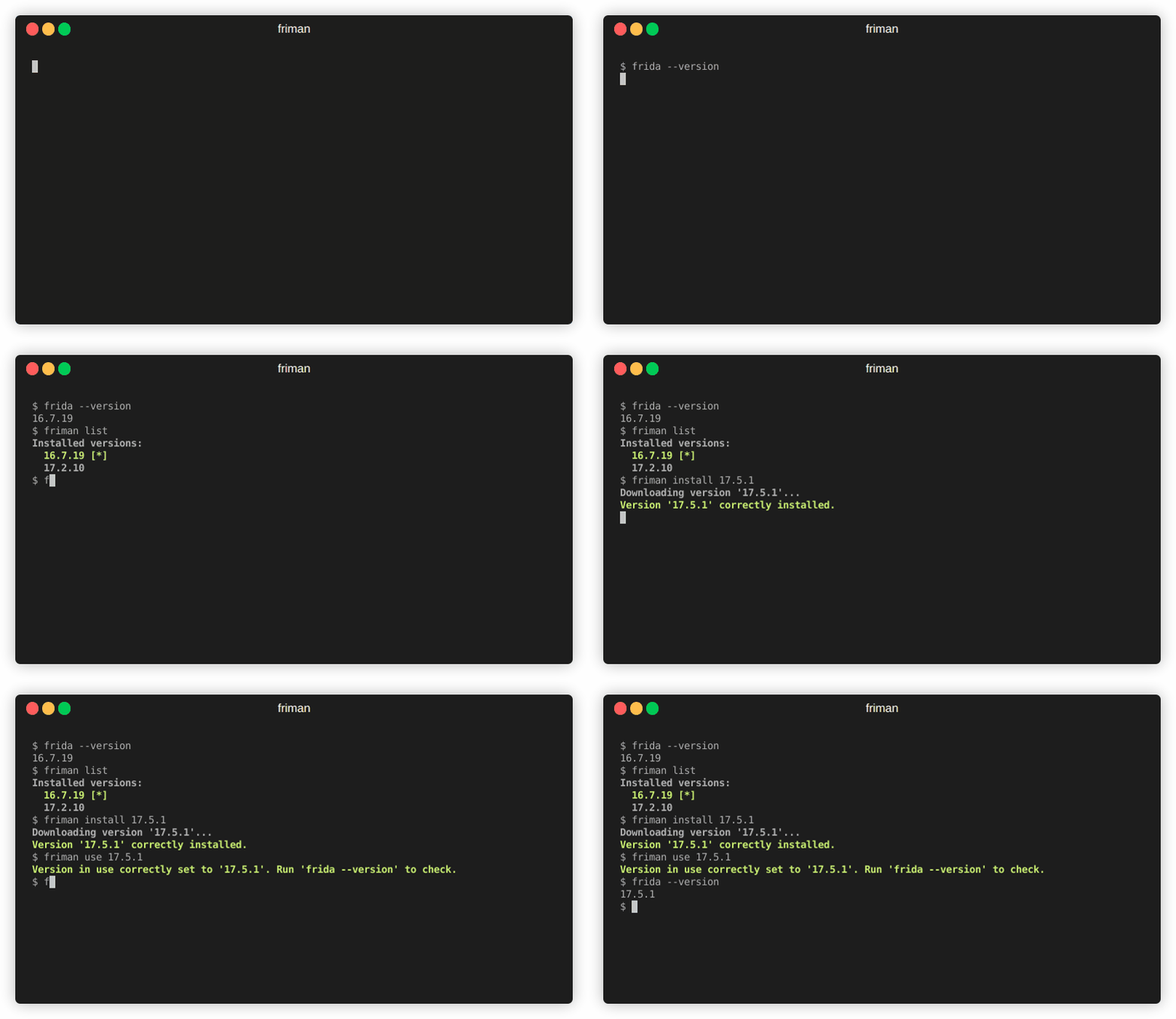
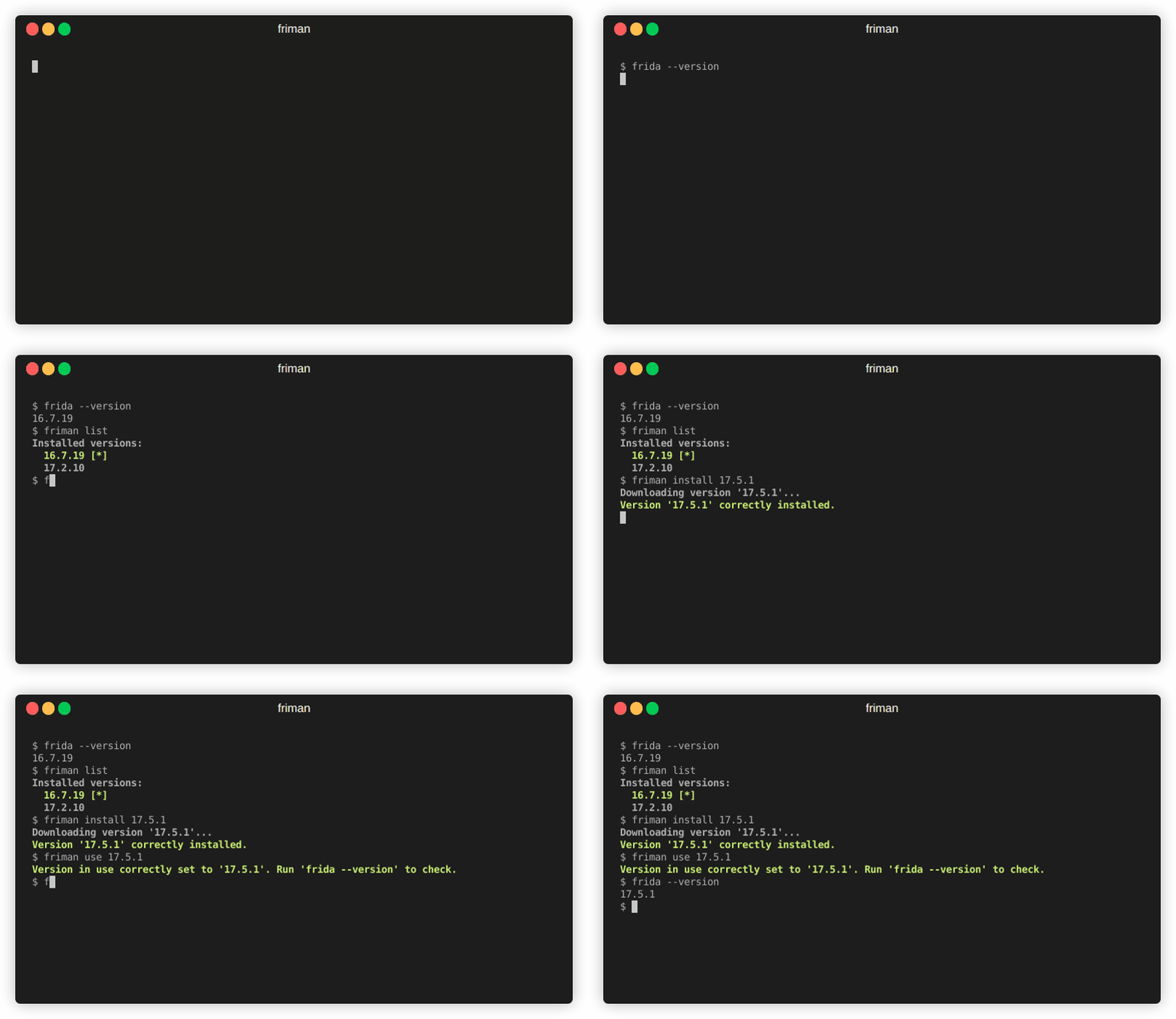
friman が提供するもの:
$HOME/.friman)frida-gadget と frida-server アセット)その目標は、Frida のバージョン管理を可能な限りシームレスにすることです。
推奨されるインストール方法は、GitHub から直接行う方法です。
# With pipx (recommended)
pipx install git+https://github.com/thelicato/friman

# Or with pip
pip install git+https://github.com/thelicato/friman
インストール後、以下を実行してください:
friman ensurepath # Setup PATH for the currently selected Frida environment
friman update # Update the local list of available Frida versions and compatibility matrix
friman は、Fridaの複数バージョンのインストール、切り替え、管理のためのコマンドラインインターフェースを提供します。以下はメインヘルプの出力です:
Usage: friman [OPTIONS] COMMAND [ARGS]...

Options:
  -v, --version  Show the application's version and exit.
  -d, --debug    Show debug output.
  -h, --help     Show this message and exit.

Commands:
  update       Update the local list of available Frida versions.
  install      Install a <version> of Frida.
  uninstall    Uninstall a <version> of Frida.
  use          Use <version>.
  disable      Disable friman.
  current      Display the currently activated version of Frida.
  list         List all the installed versions.
  ensurepath   Ensure friman directories are correctly set.
  download     Download a specific release file (only server and gadget)...
  push-server  Pushes a the Frida server into the selected ANDROID device.
各コマンドの詳細なヘルプは以下のセクションにあります。
update コマンド
update コマンドUsage: friman update [OPTIONS]
Update the local list of available Frida versions.
Options:
-h, --help Show this message and exit.
install コマンド
install コマンドUsage: friman install [OPTIONS] version
Install a <version> of Frida.
Arguments:
version The version of Frida to install \[required]
Options:
-f, --force Force install.
--list Show all the installable versions and exit.
-h, --help Show this message and exit.
uninstall コマンド
uninstall コマンドUsage: friman uninstall [OPTIONS] version
Uninstall a <version> of Frida.
Arguments:
version The version of Frida to uninstall \[required]
Options:
-h, --help Show this message and exit.
use コマンド
use コマンドUsage: friman use [OPTIONS] version
Use <version>.
Arguments:
version The version of Frida to use \[required]
Options:
-h, --help Show this message and exit.
disable コマンド
disable コマンドUsage: friman disable [OPTIONS]
Disable friman.
Options:
-h, --help Show this message and exit.
current コマンド
current コマンドUsage: friman current [OPTIONS]
Display the currently activated version of Frida.
Options:
-h, --help Show this message and exit.
list コマンド
list コマンドUsage: friman list [OPTIONS]
List all the installed versions.
Options:
-h, --help Show this message and exit.
ensurepath コマンド
ensurepath コマンドUsage: friman ensurepath [OPTIONS]
Ensure friman directories are correctly set.
Options:
-h, --help Show this message and exit.
download コマンド
download コマンドUsage: friman download [OPTIONS] type platform
Download a specific release file (only server and gadget) for the current
version.
Arguments:
type The selected asset type \[required]
platform The platform to use \[required]
Options:
-o, --output TEXT Select the folder where to download the file.
-h, --help Show this message and exit.
push-server コマンド
push-server コマンドUsage: friman push-server [OPTIONS] device_id platform
Pushes a the Frida server into the selected ANDROID device.
Arguments:
device_id The selected ANDROID device \[required]
platform The platform of the device \[required]
Options:
--list Show all the USB devices and exit.
-h, --help Show this message and exit.
プルリクエストを歓迎します! 大きな変更については、先にIssueを開いてご相談ください。
friman は MIT LICENSE の下でリリースされています。
