 telekom-security/explo
人間と機械が読み取り可能なWeb脆弱性テスト形式

exploは、人間と機械の両方が読み取り可能な形式でWebセキュリティ問題を記述するためのシンプルなツールです。
リクエスト/条件ワークフローを定義することで、exploはスクリプトを書くことなくセキュリティ問題を悪用できます。これにより、複雑な脆弱性をシンプルで読み取り可能かつ実行可能な形式で共有できます。
CSRFトークンを抽出し、フォームで使用する例:
name: get_csrf
description: extract csrf token
module: http
parameter:
    url: http://example.com/contact
    method: GET
    header:
        user-agent: Mozilla/5.0
    extract:
        csrf: [CSS, "#csrf"]
---
name: exploit
description: exploits sql injection vulnerability with valid csrf token
module: http
parameter:
    url: http://example.com/contact
    method: POST
    body:
        csrf: "{{get_csrf.extracted.csrf}}"
        username: "' SQL INJECTION"
    find: You have an error in your SQL syntax
この定義ファイルの例では、セキュリティ問題は上から下に実行される2つのステップを実行してテストされます。最後のステップは、文字列「You have an error in your SQL syntax」が見つかるかどうかに応じて成功または失敗を返します。
pip install explo
git clone https://github.com/dtag-dev-sec/explo
cd explo
python setup.py install
explo [--verbose|-v] testcase.yaml
explo [--verbose|-v] examples/*.yaml
examples/フォルダにはいくつかのテストケース例があります。
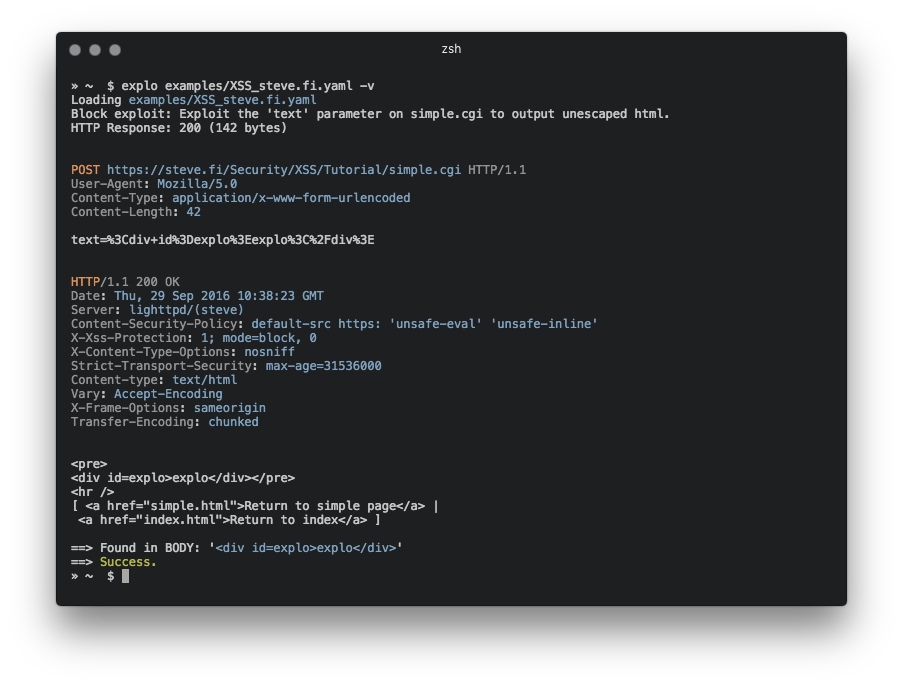
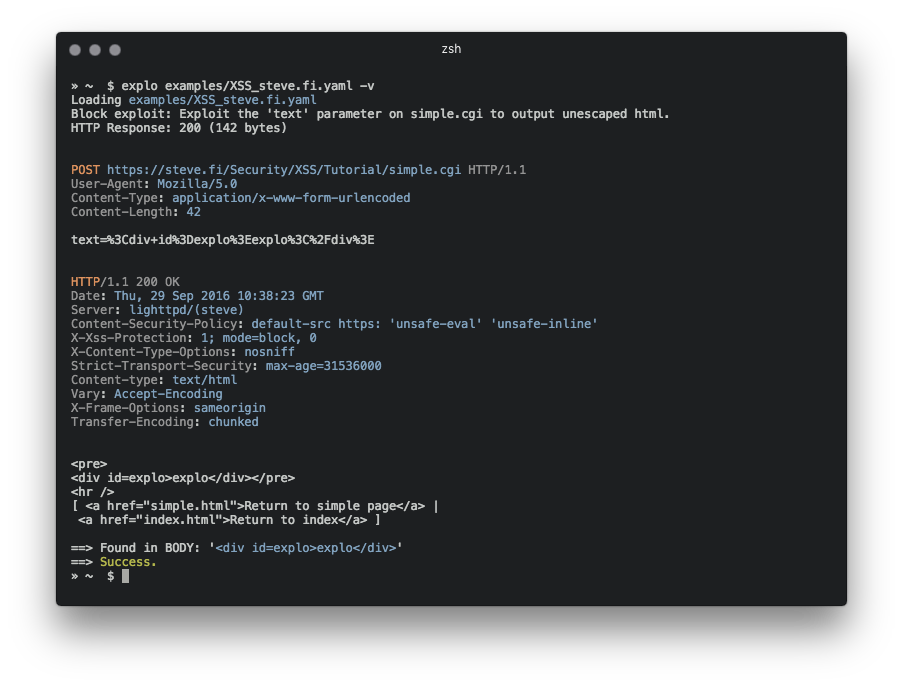
$ explo examples/SQLI_simple_testphp.vulnweb.com.yaml
exploをPythonライブラリとして組み込むこともできます:
from explo.core import from_content as explo_from_content
from explo.core import ExploException, ProxyException

def save_log(msg):
    print(msg)

try:
    result = explo_from_content(explo_yaml_file, save_log)
except ExploException as err:
    print(err)
HTTP/HTTPSプロキシとリクエストのタイムアウトは環境変数で設定できます。デフォルトのタイムアウトは15秒です。
$ export http_proxy=http://proxy:8089
$ export https_proxy=https://proxy:8090
$ export timeout=10
$ explo ...
モジュールを追加して、機能やセキュリティ問題のクラスを拡張できます。
httpモジュールは、HTTPリクエストを行い、コンテンツを抽出し、検索/検証することを可能にします。
以下のデータが後続のステップで利用可能になります:
stepname.response.contentstepname.response.cookiesresponse.extracted.variable_namefind_regexパラメータが設定されている場合、レスポンスボディに対して正規表現マッチが実行されます。これに失敗すると、このモジュールは失敗を返し、現在のワークフロー(およびすべてのステップ)の実行を停止します。
正規表現で抽出する場合は、マッチグループextractを使用して抽出する値をマークします(以下の例を参照)。
クッキーを参照するには、クッキーを取得する前のステップの名前を参照します(cookies: the_other_step.response.cookies)。
パラメータ例:
parameter:
    url: http://example.com
    method: GET
    allow_redirects: True
    headers:
        User-Agent: explo
        Content-Type: abc
    cookies: stepname.response.cookies
    body:
        key: value
    find: search for string
    find_regex: search for (reg|ular)expression
    find_in_headers: searchstring in headers
    expect_response_code: 200
    extract:
        variable1: [CSS, '#csrf']
        variable2: [REGEX, '<input(.*?)value="(?P<extract>.*?)"']
http_headerモジュールは、レスポンスが指定されたヘッダー(および値)のセットを欠いているかどうかをチェックします。その他のパラメータはhttpモジュールと同一です。
以下のデータが他のモジュールで利用可能になります:
stepname.response.contentstepname.response.cookiesパラメータ例:
parameter:
    url: http://example.com
    method: GET
    allow_redirects: True
    headers:
        User-Agent: explo
        Content-Type: abc
    body:
        key: value
    headers_required:
        X-XSS-Protection: 1
        Server: .               # all values are valid
sqli_blindモジュールは、時間ベースのブラインドSQLインジェクションを識別できます。
以下のデータが他のモジュールで利用可能になります:
stepname.response.contentstepname.response.cookiesパラメータ例:
parameter:
    url: http://example.com/vulnerable.php?id=1' waitfor delay '00:00:5'--
    method: GET
    delay_seconds: 5
5秒(delay_seconds)のしきい値を超えると、チェックはtrueを返し(したがって成功となります)。
メタデータブロックは、.yamlファイルの最初のブロックとして追加できる特別なブロックで、脆弱性にメタデータを追加して後処理に使用します。これは、exploがライブラリとして使用され、各脆弱性の説明のメタデータをmeta_from_content(content)で読み取ることができる場合に便利です。このモジュールには名前や説明は必要ありません。
例:
module: metadata
parameter:
    cvss: 8.9
    author: Robin Verton
---
name: login
description: login with test credentials
module: http
parameter:
    url: http://testphp.vulnweb.com/userinfo.php
    method: POST
    body:
        uname: test
        pass: test
