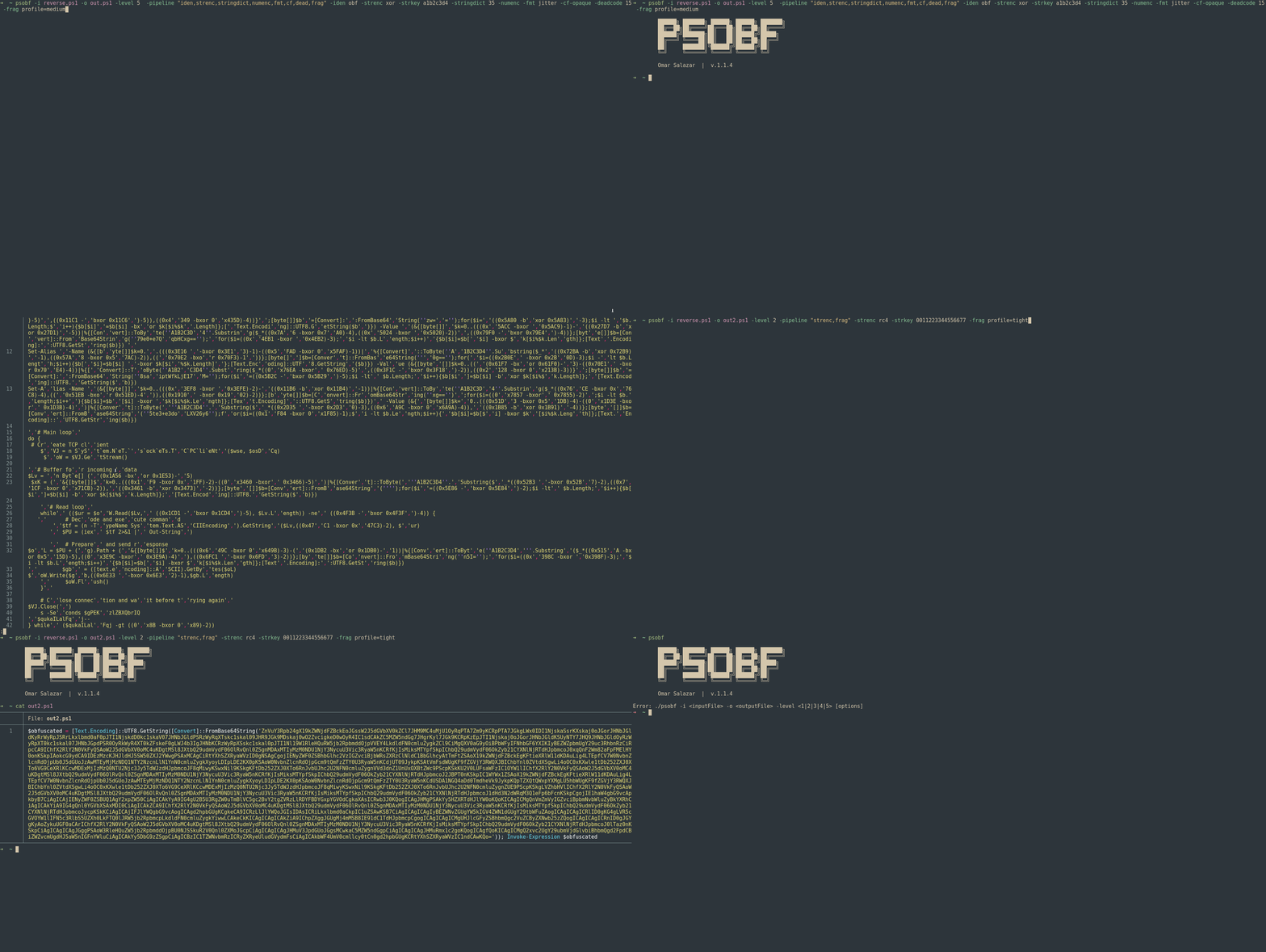
その目標は、コードを変換して解析や静的シグネチャを妨害することであり、ラボや許可されたレッドチーム/ペネトレーションテストの活動において有用です。
難読化の6段階に加えて、文字列トークン化、軽量リテラル暗号化、数値マスキング、識別子モーフィング、フォーマット「ジッター」、制御フローの見た目調整、デッドコード注入、フラグメンテーションプロファイル、決定論的プロファイルなどの手法を積み重ねることができる変換/パイプラインアーキテクチャをサポートしています。
⚠️ 責任ある使用:このツールは研究および許可されたテストのみを目的としています。 悪意のある目的で使用しないでください。```powershell
./psobf -h
██████╗ ███████╗ ██████╗ ██████╗ ███████╗
██╔══██╗██╔════╝██╔═══██╗██╔══██╗██╔════╝
██████╔╝███████╗██║ ██║██████╔╝█████╗
██╔═══╝ ╚════██║██║ ██║██╔══██╗██╔══╝
██║ ███████║╚██████╔╝██████╔╝██║
╚═╝ ╚══════╝ ╚═════╝ ╚═════╝ ╚═╝
Omar Salazar
v.2.0.0
Usage: psobf -i -o -level <1|2|3|4|5|6> [options]
Obfuscation Levels: 1 - Char join encoding 2 - Base64 encoding 3 - Base64 encoding (alternate) 4 - GZip + Base64 compression 5 - Script fragmentation 6 - AES-256 CTR encryption (NEW in 2.0.0)
Transform Pipeline Options (use with -pipeline): iden - Identifier morphing (use with -iden obf) strenc - String encryption (use with -strenc xor|rc4) stringdict - String tokenization (use with -stringdict N) numenc - Number encoding fmt - Format jitter (use with -fmt jitter) cf - Control flow obfuscation (use with -cf-opaque, -cf-shuffle) dead - Dead code injection (use with -deadcode N) hexenc - Hex string encoding (NEW) alias - Cmdlet alias substitution (NEW) unicode - Unicode character encoding (NEW) antidebug - Anti-debugging/VM detection (NEW) iexobf - Invoke-Expression obfuscation (NEW)
Examples:
psobf -i script.ps1 -o out.ps1 -level 2
psobf -i script.ps1 -o out.ps1 -level 6 -profile heavy
psobf -i script.ps1 -o out.ps1 -level 4 -pipeline "iden,alias,hexenc,antidebug,iexobf" -iden obf
psobf -i script.ps1 -o out.ps1 -level 4 -pipeline "strenc" -strenc rc4 -strkey 0011223344556677
## 特徴
<h1 align="center">
<img src="https://assets.kitploit.com/production/public/readmes/6598/11956ab9f65e8dc1b0460652042c601f70d28bb67e9fd6f0a89813ed5369997f.gif" alt="psobf" width="700px"></a>
<br>
</h1>
<h1 align="center">
<img src="https://raw.githubusercontent.com/taurusomar/psobf/HEAD/static/poc2.gif" alt="psobf" width="700px"></a>
<br>
</h1>
---
## インストール```bash
go install github.com/TaurusOmar/psobf/v2/cmd/[email protected]
psobf -i input.ps1 -o out.ps1 -level 1..6 [options] psobf -h # full help
## 特徴
<h1 align="center">
<img src="https://assets.kitploit.com/production/public/readmes/6598/11956ab9f65e8dc1b0460652042c601f70d28bb67e9fd6f0a89813ed5369997f.gif" alt="psobf" width="700px"></a>
<br>
</h1>
<h1 align="center">
<img src="https://raw.githubusercontent.com/taurusomar/psobf/HEAD/static/poc2.gif" alt="psobf" width="700px"></a>
<br>
</h1>
---
## インストール```bash
go install github.com/TaurusOmar/psobf/cmd/[email protected]
psobf -i input.ps1 -o out.ps1 -level 1..6 [options] psobf -h # full help
---
## 完全なフラグリファレンス
| フラグ | 型 / 値 | デフォルト | 説明 | 例 | | |
| ------------- | ----------------- | ---------------: | ---------------------------------------- | ------------------------------------------------------------ | ------------------------ | ------------------- |
| `-i` | string | — | 入力PS1(パイプから読み込む場合は`-stdin`を使用) | `-i script.ps1` | | |
| `-o` | string | `obfuscated.ps1` | 出力(STDOUTに書き込む場合は`-stdout`を使用) | `-o out.ps1` | | |
| `-level` | 1..6 | 1 | 最終パッカー(Levelsを参照) | `-level 4` | | |
| `-noexec` | bool | false | ペイロードのみ出力(`Invoke-Expression`なし) | `-noexec` | | |
| `-stdin` | bool | false | STDINからPSを読み込む | `-stdin` | | |
| `-stdout` | bool | false | 結果をSTDOUTに書き込む | `-stdout` | | |
| `-seed` | int64 | random | 再現可能な乱数 | `-seed 42` | | |
| `-q` | bool | false | 静か(バナーなし) | `-q` | | |
| `-pipeline` | csv | — | 順に適用する変換 | `-pipeline "iden,strenc,stringdict,numenc,fmt,cf,dead,frag"` | | |
| `-iden` | `keep`/`obf` | `keep` | 識別子の変形(変数と関数) | `-iden obf` | | |
| `-strenc` | `off`/`xor`/`rc4` | `off` | 文字列リテラルの暗号化 | `-strenc rc4` | | |
| `-strkey` | hex | — | `-strenc`の鍵 | `-strkey 0011223344556677` | | |
| `-stringdict` | 0..100 | 0 | 長い文字列をトークン化;リテラルごとの確率 | `-stringdict 40` | | |
| `-numenc` | bool | false | 数値を算術PS式としてエンコード | `-numenc` | | |
| `-fmt` | `off`/`jitter` | `off` | 空白/改行のランダム化 | `-fmt jitter` | | |
| `-cf-opaque` | bool | false | `if(1 -eq 1){...}`でラップ | `-cf-opaque` | | |
| `-cf-shuffle` | bool | false | **関数ブロック**の並び替え | `-cf-shuffle` | | |
| `-deadcode` | 0..100 | 0 | デッドコードを注入する確率 | `-deadcode 20` | | |
| `-frag` | \`profile=tight | medium | loose\` | — | フラグメンテーションプロファイル(レベル5) | `-frag profile=medium` |
| `-minfrag` | int | 10 | 最小フラグメントサイズ(レベル5) | `-minfrag 8` | | |
| `-maxfrag` | int | 20 | 最大フラグメントサイズ(レベル5) | `-maxfrag 16` | | |
| `-profile` | \`light | balanced | heavy\` | — | パイプライン/シードなどのプリセット | `-profile heavy` |
| `-fuzz` | int | 0 | N個のバリアントを生成(異なるシード) | `-fuzz 5` | | |
| `-poly` | int | 0 | 変換ごとの多態的バリアント | `-poly 3` | | |
> **パイプライン**は、最終的な**`-level`**パッキングの**前**に実行されます。
---
## サンプル入力スクリプト(安全)
例を安全に保つため、以下を使用します:```powershell
Write-Host "Hello, World!"
$answer = 42
function Greet($name) { Write-Host ("Hi, " + $name) }
Greet "Ada"
以下は出力(スニペット)の形状を示しています。実際のペイロードは異なります。
psobf -i sample.ps1 -o out.ps1 -level 1
**出力(スニペット):**```powershell
$obfuscated = $([char[]](87,114,105,116,101,45,72,111,115,116,32,34,72,101,108,108,111,44,32,87,111,114,108,100,33,34,10,36,97,110,115,119,101,114,32,61,32,52,50,10,102,117,110,99,116,105,111,110,32,71,114,101,101,116,40,36,110,97,109,101,41,32,123,32,87,114,105,116,101,45,72,111,115,116,32,40,34,72,105,44,32,34,32,43,32,36,110,97,109,101,41,32,125,10,71,114,101,101,116,32,34,65,100,97,34,10) -join ''); Invoke-Expression $obfuscated
psobf -i sample.ps1 -o out.ps1 -level 2
**出力(スニペット):**```powershell
$obfuscated = [Text.Encoding]::UTF8.GetString([Convert]::FromBase64String('V3JpdGUtSG9zdCAiSGVsbG8sIFdvcmxkISIKJGFuc3dlciA9IDQyCmZ1bmN0aW9uIEdyZWV0KCRuYW1lKSB7IFdyaXRlLUhvc3QgKCJIaSwgIiArICRuYW1lKSB9CkdyZWV0ICJBZGEiCg==')); Invoke-Expression $obfuscated
psobf -i sample.ps1 -o out.ps1 -level 3
**出力(スニペット):**```powershell
$e = [Convert]::FromBase64String('V3JpdGUtSG9zdCAiSGVsbG8sIFdvcmxkISIKJGFuc3dlciA9IDQyCmZ1bmN0aW9uIEdyZWV0KCRuYW1lKSB7IFdyaXRlLUhvc3QgKCJIaSwgIiArICRuYW1lKSB9CkdyZWV0ICJBZGEiCg=='); $obfuscated = [Text.Encoding]::UTF8.GetString($e); Invoke-Expression $obfuscated
psobf -i sample.ps1 -o out.ps1 -level 4
**出力(スニペット):**```powershell
$compressed = 'H4sIAAAAAAAA/wovyixJ1fXILy5RUPJIzcnJ11EIzy/KSVFU4lJJzCsuTy1SsFUwMeJKK81LLsnMz1NwL0pNLdFQyUvMTdVUqFZA0q+h5JGpo6CkoK0Ala3lAitWUHJMSVTiAgQAAP//m+Ey2GoAAAA='; $bytes = [Convert]::FromBase64String($compressed); $ms = New-Object IO.MemoryStream(,$bytes); $gz = New-Object IO.Compression.GzipStream($ms,[IO.Compression.CompressionMode]::Decompress); $sr = New-Object IO.StreamReader($gz); $obfuscated = $sr.ReadToEnd(); Invoke-Expression $obfuscated
psobf -i sample.ps1 -o out.ps1 -level 5
**出力(スニペット):**```powershell
$fragments = @('Write-Host "Hello',', World!"
$','answer = 42','
function G','reet($name)',' { Write-Ho','st ("Hi, " ','+ $name) }
','Greet "Ada"','
'); $script = $fragments -join ''; Invoke-Expression $script
psobf -i sample.ps1 -o out.ps1 -level 6
**出力 (スニペット):**```powershell
$k=[Convert]::FromBase64String('...base64key...');$iv=[Convert]::FromBase64String('...base64iv...');$e=[Convert]::FromBase64String('...base64ciphertext...');$a=New-Object Security.Cryptography.AesManaged;$a.Key=$k;$a.IV=$iv;$d=$a.CreateDecryptor();$bytes=$d.TransformFinalBlock($e,0,$e.Length);$dec=[Text.Encoding]::UTF8.GetString($bytes);Invoke-Expression $dec
-noexecを使用して、ペイロードを実行せずに検査します。
-iden)__$ を付けて保護します。コマンド```bash psobf -i sample.ps1 -o out.ps1 -level 4 -pipeline "iden" -iden obf -seed 11
**出力(スニペット)**```powershell
$WguE = 42
function QhZy($Chx){ Write-Host ("Hi, " + $Chx) }
QhZy "Ada"
-strenc xor|rc4)文字列リテラルのみを暗号化します(API改変は行いません)。実行時にその場で復号します。
フラグ: -strenc xor|rc4, -strkey <16進数>。
コマンド```bash psobf -i sample.ps1 -o out.ps1 -level 4 -pipeline "strenc" -strenc xor -strkey a1b2c3d4 -seed 42
**出力(スニペット)**```powershell
$b=[Convert]::FromBase64String('EwAB...'); for($i=0;$i -lt $b.Length;$i++){$b[$i]=$b[$i] -bxor 0xA1}; [Text.Encoding]::UTF8.GetString($b)
コマンド```bash psobf -i sample.ps1 -o out.ps1 -level 2 -pipeline "strenc" -strenc rc4 -strkey 0011223344556677 -seed 7
**出力(スニペット)**```powershell
function __decGWREVT($k,[byte[]]$d){ $s=0..255; $j=0; for($i=0;$i -lt 256;$i++){ $j=($j+$s[$i]+$k[$i%$k.Length])%256; $t=$s[$i];$s[$i]=$s[$j];$s[$j]=$t } $i=0;$j=0; for($x=0;$x -lt $d.Length;$x++){ $i=($i+1)%256;$j=($j+$s[$i])%256; $t=$s[$i];$s[$i]=$s[$j];$s[$j]=$t; $d[$x]=$d[$x] -bxor $s[($s[$i]+$s[$j])%256] } [Text.Encoding]::UTF8.GetString($d) }
...
( __decGWREVT ([byte[]](0..(8-1)|%{[Convert]::ToByte('0011223344556677'.Substring($_*2,2),16)})) ([Convert]::FromBase64String('m7m7...')) )
-stringdict)長い文字列を $D 配列にトークン化し、ランタイムで再構築します。反復的なシグネチャを削減します。
フラグ: -stringdict <0..100>
コマンド```bash psobf -i sample.ps1 -o out.ps1 -level 3 -pipeline "stringdict" -stringdict 40 -seed 1
**出力 (スニペット)**```powershell
$D=@('Hello',', World','!','Hi, ', 'Ada');
Write-Host ($D[0]+$D[1]+$D[2])
function Greet($name){ Write-Host ($D[3] + $name) }
Greet $D[4]
-numenc)プレーンな数値を、同等の算術/ビット演算式に置き換えます(文字列の外側)。
コマンド```bash psobf -i sample.ps1 -o out.ps1 -level 2 -pipeline "numenc" -numenc -seed 1337
**出力 (snippet)**```powershell
$answer = ((0x2A -bxor 0x00)+0)
注意: 2>&1 のようなリダイレクトはそのままにしておく必要があります。ソース内で引用符で囲まれていないリダイレクトがあり問題が発生している場合は、-numenc を無効にするか、それらのリダイレクトをソース内の文字列で囲んでください。
-fmt)スペースと改行をランダム化します。
コマンド```bash psobf -i sample.ps1 -o out.ps1 -level 2 -pipeline "fmt" -fmt jitter -seed 20
**出力(スニペット)**```powershell
Write-Host "Hello, World!"
$answer=42
function Greet($name) { Write-Host ("Hi, "+$name) }
Greet "Ada"
-cf-opaque, -cf-shuffle)-cf-opaque: スクリプト全体を決して偽にならない分岐でラップします。-cf-shuffle: 関数ブロック の順序を並べ替えます(単一のステートメントではありません)。スクリプトが関数を定義している場合にのみ変更がわかります。コマンド```bash psobf -i sample.ps1 -o out.ps1 -level 4 -pipeline "cf" -cf-opaque -cf-shuffle -seed 77
**出力(スニペット)**```powershell
if(1 -eq 1){
function Greet($name){ Write-Host ("Hi, " + $name) }
Write-Host "Hello, World!"
$answer = 42
Greet "Ada"
}
-deadcode)何もしない関数、0回のループ、無害な文字列などを注入します。確率によって制御されます。 フラグ: -deadcode <0..100> (スニペット注入確率)。
コマンド```bash psobf -i sample.ps1 -o out.ps1 -level 4 -pipeline "dead" -deadcode 25 -seed 5
**出力(スニペット)**```powershell
function __dummyzQJxJk { return }
for($i=0;$i -lt 0;$i++){Start-Sleep -Milliseconds 0}
$x='canary';$y=$x+$x|Out-Null
Write-Host "Hello, World!"
...
-frag, -minfrag, -maxfrag)レベル5(文字列フラグメント + ランタイム結合)のみに影響します。
プロファイル:
profile=tight → 小さなチャンク(約6–10個)profile=medium → 中程度のチャンク(約10–18個)profile=loose → 大きなチャンク(約14–28個)または -minfrag / -maxfrag で調整します。
コマンド```bash
psobf -i sample.ps1 -o out.ps1 -level 5 -frag profile=loose -seed 9
psobf -i sample.ps1 -o out.ps1 -level 5 -minfrag 8 -maxfrag 16 -seed 9
**出力(スニペット)**```powershell
$fragments=@('Write-Host "Hello,',' World!"',"`n", '$answer = 42',"`n",'function Greet($','name){ Write-Host ("Hi, "+$name)}',"`n",'Greet "Ada"');
$script=$fragments -join ''; Invoke-Expression $script
hexenc)文字列リテラルを16進数としてエンコードします。```bash psobf -i sample.ps1 -o out.ps1 -level 2 -pipeline "hexenc" -seed 42
**出力(スニペット):**```powershell
[Text.Encoding]:https://raw.githubusercontent.com/taurusomar/psobf/HEAD/:UTF8.GetString(%5BConvert%5D::FromHexString(%2748656C6C6F%27))
alias)PowerShellコマンドレットを短いエイリアスに置き換えます。```bash psobf -i sample.ps1 -o out.ps1 -level 2 -pipeline "alias" -seed 42
**出力(スニペット):**```powershell
# Write-Host → echo/write/outright
# Get-ChildItem → dir/ls/gci
# ForEach-Object → foreach/%
unicode)文字列の文字を [char]0xNNNN 形式に変換します。```bash
psobf -i sample.ps1 -o out.ps1 -level 2 -pipeline "unicode" -seed 42
**出力(スニペット):**```powershell
"H[char]0x0065[char]0x006C[char]0x006Co"
antidebug)サンドボックス/VM/デバッガ検出スニペットを注入します。```bash psobf -i sample.ps1 -o out.ps1 -level 4 -pipeline "antidebug" -seed 42
**出力(スニペット):**```powershell
if($env:COMPUTERNAME -match '^(SANDBOX|MALWARE|VIRUS)'){ exit }
if((Get-WmiObject Win32_ComputerSystem).Model -match '^(VirtualBox|VMware)'){ exit }
# ... original script ...
iexobf)Invoke-Expression を代替形式で置き換えます。```bash
psobf -i sample.ps1 -o out.ps1 -level 2 -pipeline "iexobf" -seed 42
**出力(スニペット):**```powershell
# Invoke-Expression → IEX or .
. $code # instead of Invoke-Expression $code
プリセットは便利な開始点です。明示的に指定したフラグはプリセットを上書きします。明示的に指定したフラグはプロファイルよりも優先されます。
-seed N → 指定された設定に対する決定論的な出力。-seed なし → 暗号論的にシードされた乱数性。-fuzz N → N 個のバリアント(out.ps1.v1.ps1、out.ps1.v2.ps1、...)を生成。多様性テストに最適。例```bash psobf -i sample.ps1 -o out.ps1 -level 4 -profile heavy -fuzz 3
---
## STDIN/STDOUT と `-noexec`
* **パイプ入力/出力** ```bash
cat sample.ps1 | psobf -stdin -stdout -level 2 > out.ps1
目的は、許可された環境での研究のために、アーティファクトを多様化し、安定したシグネチャを減らすことです。
2. **最大多様性 (format + fragmentation + dead code)**```bash
psobf -i sample.ps1 -o out.ps1 -level 5 \
-pipeline "fmt,frag,dead" -fmt jitter -frag profile=loose -deadcode 15 \
-fuzz 5
4. **静的IOC(数字+辞書)の削減**```bash
psobf -i sample.ps1 -o out.ps1 -level 2 -pipeline "numenc,stringdict" -numenc -stringdict 35 -seed 9
---
## ベストプラクティスと防御メモ
* ビルドごとに **`-strkey`** と **`-seed`** をローテーションします。
* レイヤーの組み合わせを推奨: `-strenc` + `-stringdict` + `-fmt jitter` + 断片化。
* 検出テスト用に `-fuzz` を使用してバリアントのファミリを生成します。
* クリーンで良性のベースラインを維持し、変換の前後でサンドボックス下での機能同等性を検証します。
* スクリプトが繊細なPS構文(例:リダイレクト)に依存している場合は、引用符内に保持するか、`-numenc` を無効にします。
---
## アーキテクチャ図```
┌──────────────┐
│ input.ps1 │
└──────┬───────┘
│ read (-i / -stdin)
▼
┌──────────────┐
│ Pipeline │ order you choose
│ iden │ rename vars/funcs
│ strenc │ XOR/RC4 literals
│ stringdict │ tokenize + rejoin
│ numenc │ numeric masking
│ fmt │ whitespace jitter
│ cf │ opaque/shuffle
│ dead │ harmless noise
└──────┬───────┘
│ mutated script
▼
┌──────────────┐
│ Level 1..5 │ final packing
└──────┬───────┘
│ + Invoke-Expression (unless -noexec)
▼
┌──────────────┐
│ out.ps1 │
└──────────────┘
psobf -i sample.ps1 -o out.ps1 -level 2 -seed 123
psobf -i sample.ps1 -o out.ps1 -level 4 -pipeline "strenc" -strenc rc4 -strkey 0011223344556677
psobf -i sample.ps1 -o out.ps1 -level 3 -pipeline "stringdict,numenc" -stringdict 40 -numenc
psobf -i sample.ps1 -o out.ps1 -level 5
-pipeline "iden,strenc,stringdict,numenc,fmt,cf,dead,frag"
-iden obf -strenc xor -strkey a1b2c3d4 -stringdict 35 -numenc
-fmt jitter -cf-opaque -deadcode 15 -frag profile=medium -seed 777
psobf -i sample.ps1 -o out.ps1 -level 6 -profile heavy -seed 999
psobf -i sample.ps1 -o out.ps1 -level 4 -pipeline "antidebug,alias,hexenc" -seed 42
psobf -i sample.ps1 -o out.ps1 -level 6
-pipeline "iden,alias,hexenc,unicode,antidebug,iexobf,strenc"
-iden obf -strenc rc4 -strkey 0011223344556677 -seed 42
psobf -i sample.ps1 -o payload.txt -level 4 -noexec
---
## 法的免責事項
このプロジェクトは**教育目的**および**許可されたテスト**のみを対象としています。あなた自身の使用に対する責任はすべてあなたにあります。著者および貢献者は、直接的または間接的な損害について一切の責任を負いません。
