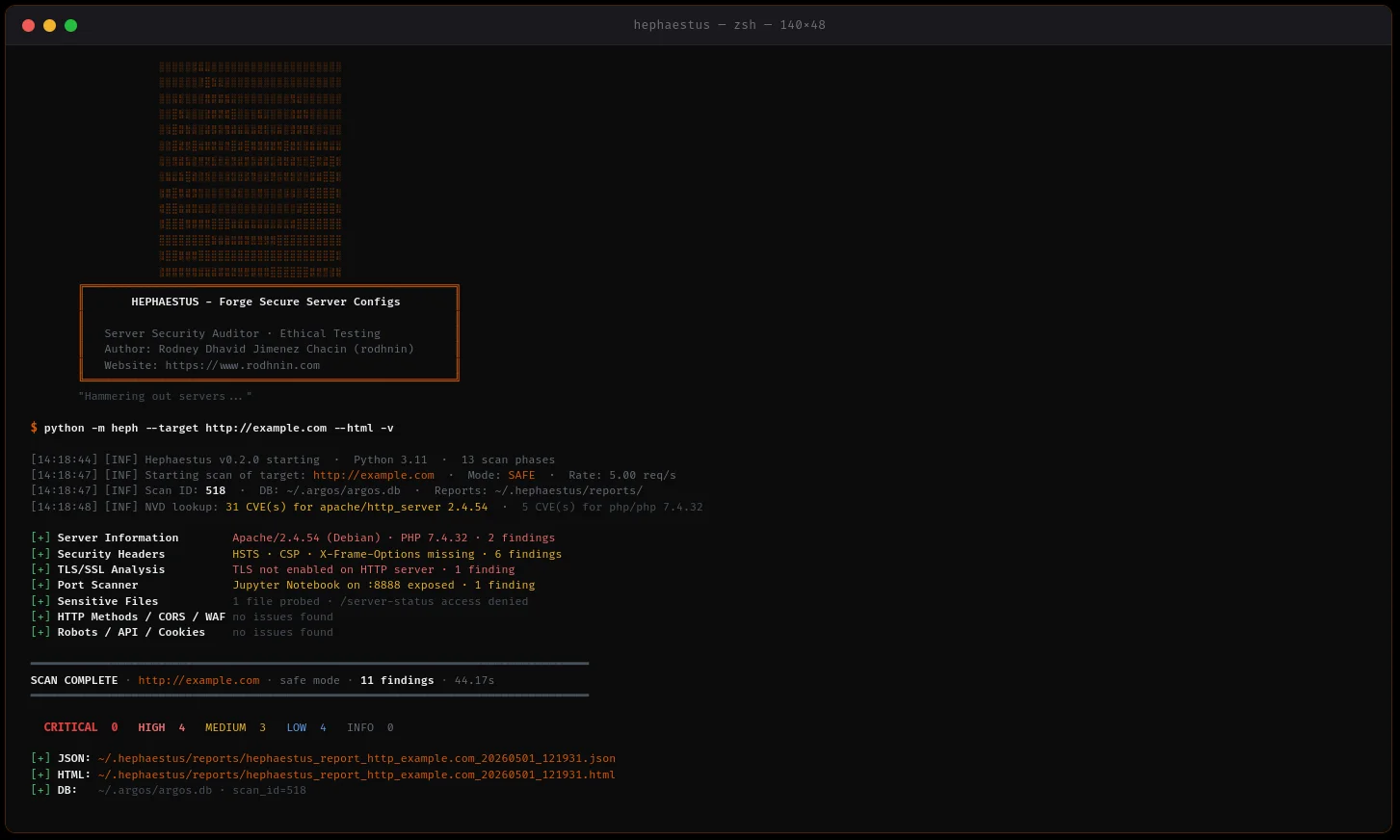

Apache、Nginx、IISの設定をスキャンし、AIによる強化ガイドとプロフェッショナルなレポートを提供するサーバーセキュリティ監査ツール。
Apache、Nginx、IIS 向けサーバーセキュリティ監査ツール — 13のスキャンフェーズ、70以上の検出コード、AI搭載の強化ガイド。
クイックスタート · ドキュメント · Docker · AI分析 · GitHubでスター
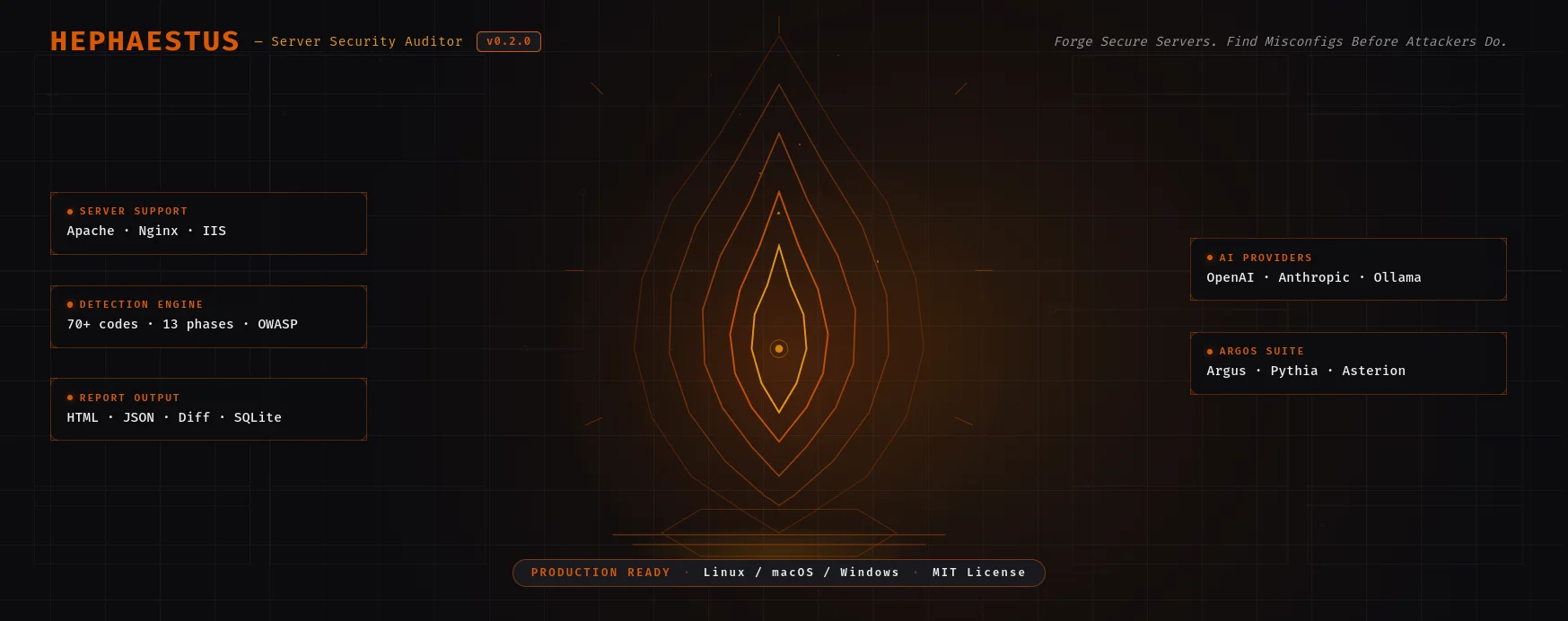
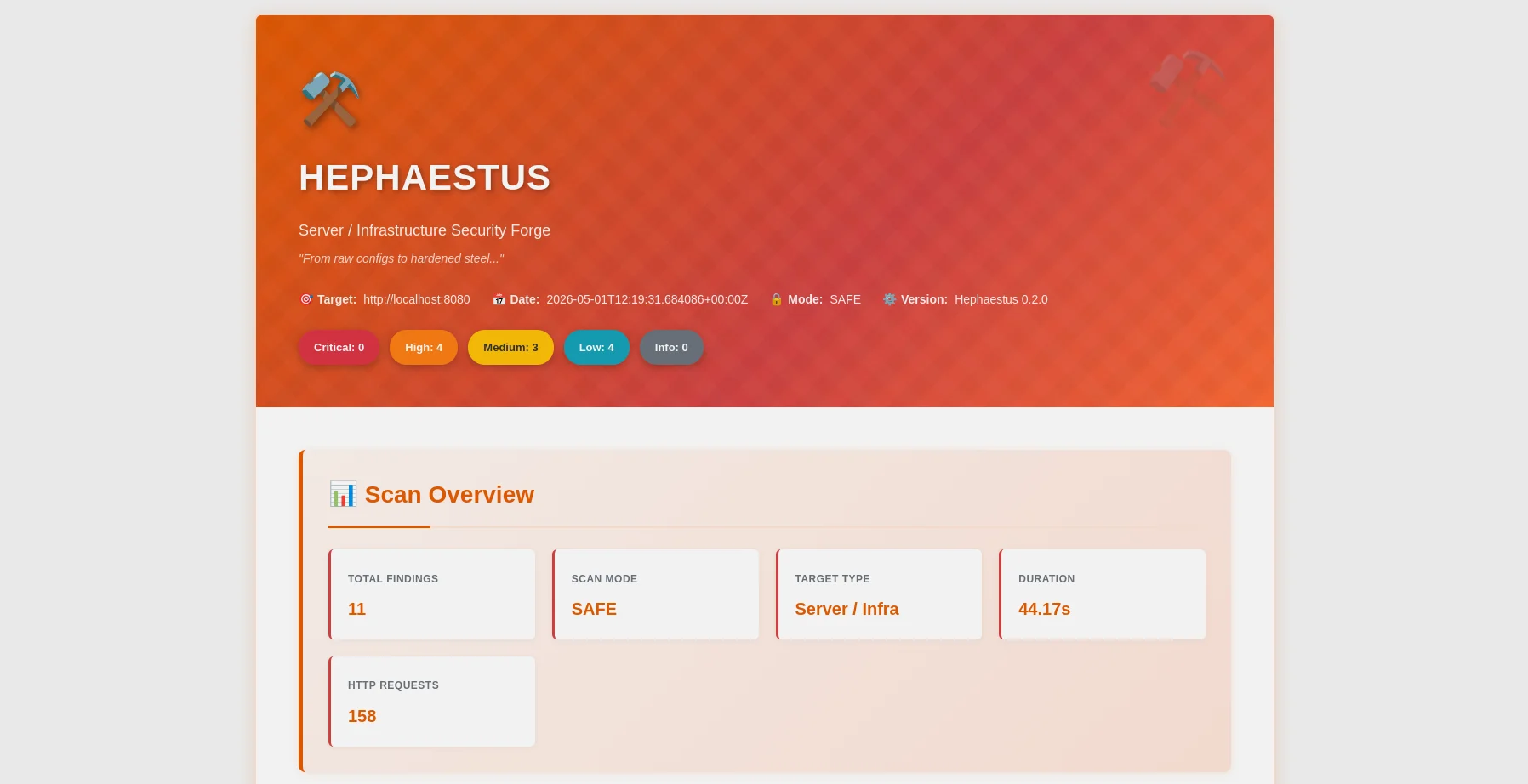
HTMLレポート — 重大度の内訳、OWASPマッピング、フィルターバー |
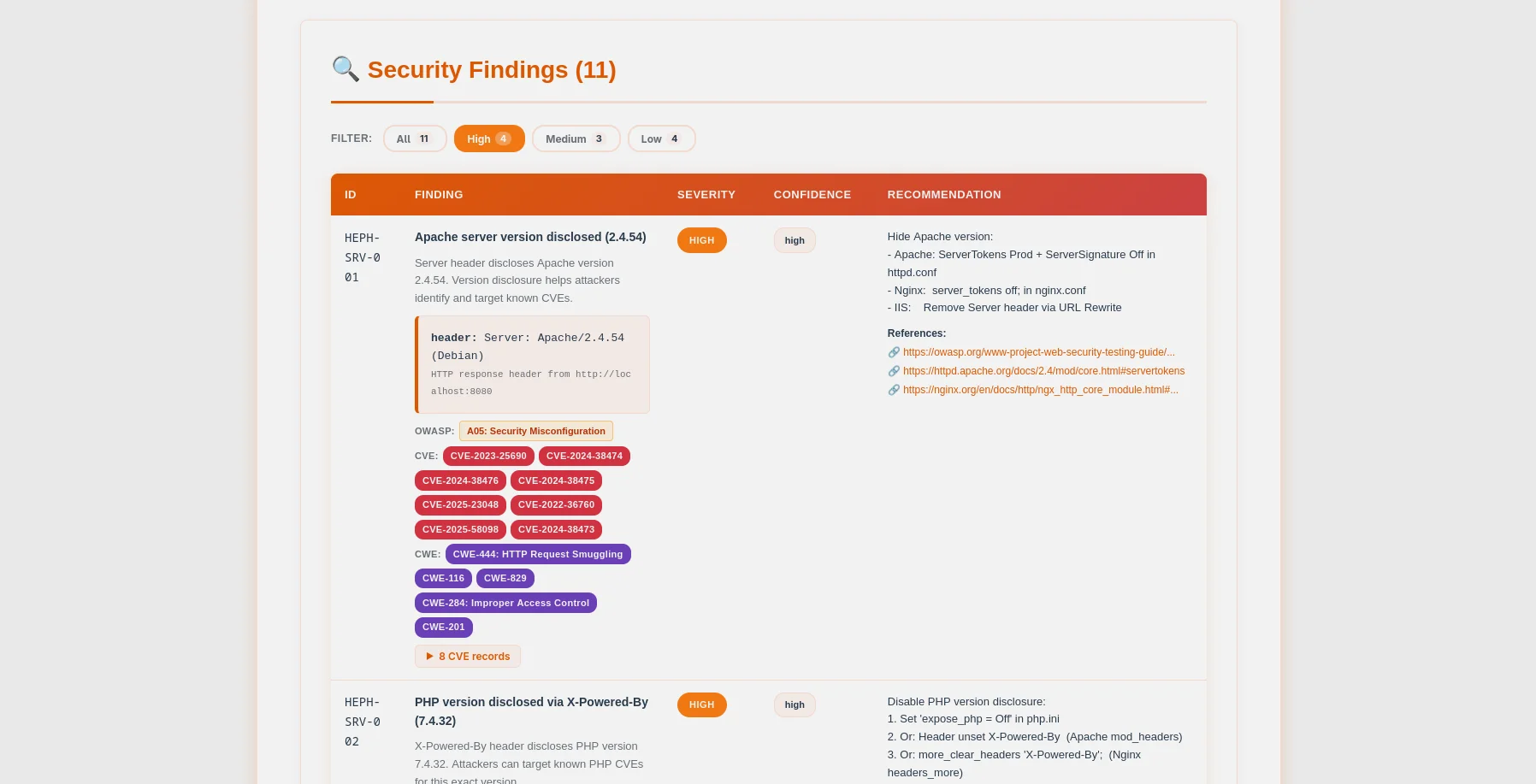
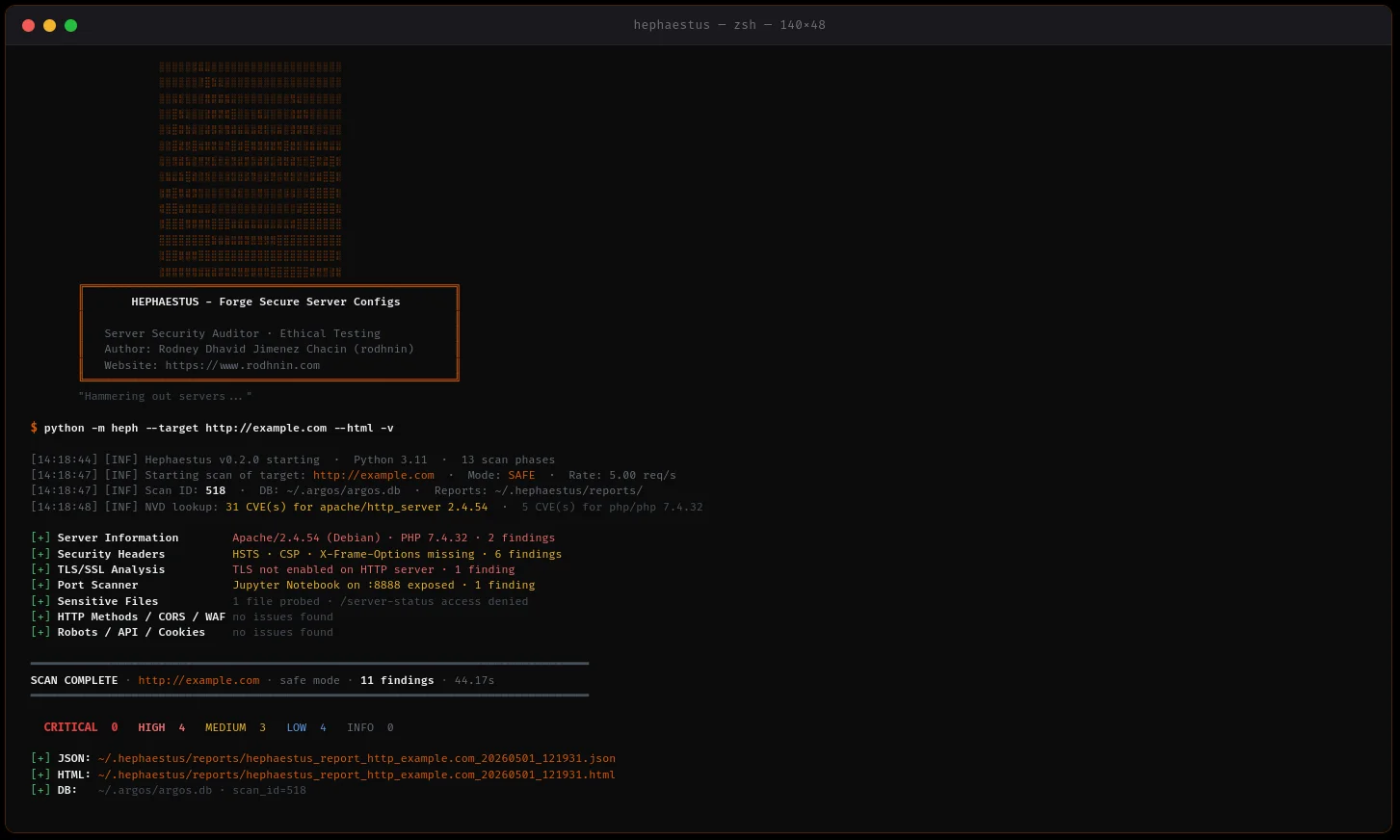
検出テーブル — CVE/CWEバッジ、展開可能な証拠、設定スニペット |
Hephaestusは、倫理を最優先する本番環境対応サーバーセキュリティ監査ツールです。システム管理者、DevOpsエンジニア、ペネトレーションテスター向けに構築されており、攻撃者に悪用される前にWebサーバー設定(Apache、Nginx、IIS)をスキャンして重大な設定ミスを特定します。
~/.argos/argos.db)python -m heph --target https://example.com --html
- **マルチサーバーサポート**: Apache, Nginx, IISの検出と強化
- **同時スキャン**: スレッドプール + レート制限による高速かつ配慮のあるスキャン
- **証拠収集**: HTTPレスポンス、ヘッダー、ファイル内容を保存
- **グレースフルエラーハンドリング**: タイムアウト、DNS障害、接続拒否を堅牢に処理
### 🤖 AI搭載の強化ガイド
ニーズに応じてAIプロバイダを選択してください:
| プロバイダ | 最適用途 | 速度 | コスト | プライバシー |
| -------------------- | ------------------ | --------------- | ------------- | --------------- |
| **OpenAI GPT-4** | 本番品質 | ⚡ 高速 (35秒) | 💰 $0.25/スキャン | 🔒 標準 |
| **Anthropic Claude** | プライバシー重視 | ⚡ 高速 (45秒) | 💰 $0.30/スキャン | 🔒 強化 |
| **Ollama (Local)** | 完全なプライバシー | 🐢 低速 (28分) | 💰 無料 | 🔐 100% オフライン |
**2つの分析モード:**
- **テクニカル**: Apache/Nginx設定のスニペット、CLIコマンド、ステップバイステップの強化
- **エグゼクティブ**: 利害関係者や経営陣向けの平易なリスク評価
### 📊 プロフェッショナルレポート
**JSONレポート** (機械可読)```json
{
"tool": "hephaestus",
"version": "0.2.0",
"target": "https://example.com",
"mode": "safe",
"summary": {
"critical": 3,
"high": 2,
"medium": 5,
"low": 3,
"info": 0
},
"findings": [...],
"diff": {...}
}
HTML レポート (人間向け)
アグレッシブスキャンとAI分析には 所有証明 が必要です:```bash
python -m heph --gen-consent example.com
echo "verify-abc123..." > .well-known/verify-abc123.txt
python -m heph --verify-consent http --domain example.com --token verify-abc123
python -m heph --target https://example.com --aggressive --use-ai
### 💾 データベースの永続化
SQLiteデータベース **Argosスイートと共有** (`~/.argos/argos.db`):
- **スキャン履歴**: 日付、期間、発見件数、深刻度の内訳
- **発見リポジトリ**: 検索可能な脆弱性データベース(1159以上の発見を保存)
- **検証済みドメイン**: 有効期限付きの同意トークンの追跡
- **クロスツール統合**: Argus、Pythia、および将来のツールとシームレスに連携```bash
# Query recent scans
sqlite3 ~/.argos/argos.db "SELECT * FROM scans WHERE tool='hephaestus' ORDER BY scan_id DESC LIMIT 10"
# Find critical issues
sqlite3 ~/.argos/argos.db "SELECT * FROM findings WHERE severity='critical' AND tool='hephaestus'"
Hephaestus v0.2.0 は、Dockerベースの管理された脆弱性ラボ(Apache および Nginx)を使用して実証的に検証されています。
テストカバレッジ(13フェーズ):
主な発見事項:
--diff last)がスキャン履歴全体で動作判定: Hephaestus はサーバーセキュリティ評価において本番運用可能です。
1. リポジトリをクローン```bash git clone https://github.com/rodhnin/hephaestus-server-forger.git cd hephaestus-server-forger
**2.(オプション)まだ利用可能でない場合は `venv` をインストールしてください**```bash
# Debian/Ubuntu
sudo apt update && sudo apt install -y python3-venv
# Fedora/RHEL
sudo dnf install python3-virtualenv
# macOS (via Homebrew)
brew install [email protected]
3. 仮想環境の作成と有効化```bash python3 -m venv .venv source .venv/bin/activate
**4. pip のアップグレード**```bash
python -m pip install --upgrade pip
5. 依存関係のインストール```bash python -m pip install -r requirements.txt
**6. APIキーの設定(クラウドAIを使用する場合)**```bash
# OpenAI
export OPENAI_API_KEY="sk-..."
# Anthropic
export ANTHROPIC_API_KEY="sk-ant-..."
7. インストールの確認```bash python -m heph --version
### 初めてのスキャン```bash
# Basic scan (safe mode, no consent required)
python -m heph --target https://example.com
# With HTML report
python -m heph --target https://example.com --html
# With AI hardening guide (requires consent)
python -m heph --target https://example.com --use-ai --html
cd docker && ./deploy.sh
docker compose exec hephaestus python -m heph --target http://vulnerable-apache
🎉 成功! ~/.hephaestus/reports/ でレポートを確認してください。
python -m heph --target https://example.com
python -m heph --target https://example.com --html
python -m heph --target https://example.com -vv
python -m heph --target https://example.com -q
### 高度なスキャン```bash
# Control scan speed (1-20 req/s)
python -m heph --target https://example.com --rate 10
# Control concurrency (1-20 threads)
python -m heph --target https://example.com --threads 8
# Custom timeout (useful for slow servers)
python -m heph --target https://example.com --timeout 60
# Custom output directory
python -m heph --target https://example.com --report-dir ./my-reports
# Custom User-Agent
python -m heph --target https://example.com --user-agent "MyBot/1.0"
# Disable SSL verification (testing only)
python -m heph --target https://self-signed.badssl.com --no-verify-ssl
ステップ1: プロバイダを設定する
config/defaults.yaml を編集:```yaml
ai:
langchain:
provider: "openai" # Options: openai, anthropic, ollama
model: "gpt-4o-mini-2024-07-18"
temperature: 0.3
**ステップ2: セットアップをテストする**```bash
# Verify AI provider works
python -m heph.core.ai openai
ステップ3: AI搭載スキャンを実行する```bash
python -m heph --target https://example.com
--use-ai
--ai-tone technical
--html
python -m heph --target https://example.com
--use-ai
--ai-tone non_technical
--html
python -m heph --target https://example.com
--use-ai
--ai-tone both
--html
python -m heph --target https://example.com
--use-ai
--ai-stream
--html
python -m heph --target https://example.com
--use-ai
--ai-compare openai,anthropic
--html
python -m heph --target https://example.com
--use-ai
--ai-agent
--html
python -m heph --target https://example.com
--use-ai
--ai-budget 0.50
--html
### アグレッシブモード (同意が必要)```bash
# Step 1: Generate consent token
python -m heph --gen-consent example.com
# Output: Token: verify-a3f9b2c1d8e4...
# Step 2: Place token on your server
# Create: https://example.com/.well-known/verify-a3f9b2c1d8e4.txt
# Content: verify-a3f9b2c1d8e4
# Step 3: Verify consent
python -m heph --verify-consent http \
--domain example.com \
--token verify-a3f9b2c1d8e4
# Step 4: Run aggressive scan (deeper checks, higher rate limit)
python -m heph --target https://example.com --aggressive
Hephaestus は LangChain 1.0.0 を使用し、複数の AI プロバイダーをサポートしています。
最適: 本番運用
#### Anthropic Claude
**最適な用途: 強化されたプライバシー**
- ⭐ 品質: 優秀 (5/5)
- ⚡ 速度: ~45秒
- 💰 コスト: スキャンあたり ~$0.30
- 🔒 プライバシー: 強化 (Anthropicのプライバシー第一のアプローチ)```bash
export ANTHROPIC_API_KEY="sk-ant-..."
python -m pip install langchain-anthropic==1.0.0
最適:完全なプライバシー
ollama pull llama3.2 python -m pip install "langchain-ollama>=0.3.0,<0.4.0"
### プライバシーとセキュリティ
**自動サニタイズ**
AIプロバイダーに送信する前に、Hephaestusは自動的に以下を削除します:
- ✅ 同意トークン
- ✅ APIキーと認証情報
- ✅ 秘密鍵と証明書
- ✅ 内部IPアドレス
- ✅ データベース認証情報
**オプトインのみ**
- AI分析には明示的な `--use-ai` フラグが必要です
- 積極的なスキャンには確認済みの同意トークンが必要です
- どのプロバイダーがあなたのデータを見るかを制御できます
**最大のプライバシーのために**:ローカルでOllamaを使用してください。
---
## 🧪 安全なテストラボ
**⚠️ 書面による許可なしに本番サイトをスキャンしないでください!**
Dockerラボを使用して安全に練習してください:
### テスト環境のセットアップ
### オプション1: インタラクティブスクリプト(推奨)```bash
# Run the interactive deployment script
cd docker && ./deploy.sh
スクリプトは5つのオプションを提供します:
テストラボのみ:```bash
docker compose -f docker/compose.testing.yml up -d
sleep 15
docker compose -f docker/compose.testing.yml ps curl -I http://localhost:8080 # Apache curl -I http://localhost:8081 # Nginx
**本番スキャナー:**```bash
# Start Hephaestus scanner service
docker compose -f docker/compose.yml up -d
# Run a scan
docker compose -f docker/compose.yml exec hephaestus heph --target https://example.com
# View reports
ls -lh docker/reports/
両方の環境:```bash
docker compose -f docker/compose.yml up -d docker compose -f docker/compose.testing.yml up -d
python -m heph --target http://localhost:8080 --html python -m heph --target http://localhost:8081 --html
### ラボをスキャンする```bash
# Scan Apache lab (from host)
python -m heph --target http://localhost:8080 --html
# Scan Nginx lab (from host)
python -m heph --target http://localhost:8081 --html
# AI-powered analysis (requires OPENAI_API_KEY)
python -m heph --target http://localhost:8080 --use-ai --html
# OR from inside production container (using container name)
docker compose -f docker/compose.yml exec hephaestus python -m heph --target http://hephaestus-vulnerable-apache --html
Apache ラボ (localhost:8080):
Nginx ラボ (localhost:8081):
サービスを停止:```bash
cd docker && ./deploy.sh # Choose option 4 (Stop All)
docker compose -f docker/compose.yml down docker compose -f docker/compose.testing.yml down
**すべてを削除 (警告: データとレポートが削除されます):**```bash
# Using script (with confirmation)
cd docker && ./deploy.sh # Choose option 5 (Remove All)
# OR manually
docker compose -f docker/compose.yml down -v
docker compose -f docker/compose.testing.yml down -v
rm -rf docker/data docker/reports
Hephaestus は 2 つの Docker デプロイメントオプションを提供します:
プロダクションスキャナサービス:```bash
docker compose -f docker/compose.yml up -d
docker compose -f docker/compose.yml exec hephaestus heph --target https://example.com --html
ls -lh docker/reports/
docker compose -f docker/compose.yml down
**テストラボ(脆弱なサーバー):**```bash
# Start Apache + Nginx vulnerable servers
docker compose -f docker/compose.testing.yml up -d
# Scan from host
python -m heph --target http://localhost:8080 --html
# Stop lab
docker compose -f docker/compose.testing.yml down
インタラクティブデプロイスクリプト:```bash
cd docker && ./deploy.sh
### オプション 2: Docker 直接実行
**イメージをビルドする:**```bash
docker build -f docker/Dockerfile -t hephaestus:0.2.0 .
一回限りのスキャンを実行:```bash
docker run --rm
-v $(pwd)/docker/reports:/reports
-v $(pwd)/docker/data:/data
hephaestus:0.2.0
--target https://example.com
--html
**AI分析を使用:**```bash
docker run --rm \
-v $(pwd)/docker/reports:/reports \
-e OPENAI_API_KEY="$OPENAI_API_KEY" \
hephaestus:0.2.0 \
--target https://example.com \
--use-ai \
--ai-tone both \
--html
ローカルテストラボをスキャン:```bash
docker compose -f docker/compose.testing.yml up -d
docker run --rm
--network hephaestus-lab
hephaestus:0.2.0
--target http://hephaestus-vulnerable-apache
---
## 📊 レポートの理解
### レポート構造```
~/.hephaestus/
├── reports/
│ ├── hephaestus_report_example_20251021_143022.json
│ └── hephaestus_report_example_20251021_143022.html
└── (shared with Argos)
~/.argos/
├── argos.db # Shared database
└── logs/
└── hephaestus.log
HEPH-SRV-001: Server version disclosed (Apache/Nginx/IIS) HEPH-SRV-004: Server disclosed in error page HEPH-SRV-016: PHP version disclosed in Server header HEPH-SRV-017: OpenSSL version disclosed in Server header HEPH-FILE-001: Environment file exposed (.env) HEPH-FILE-002: Git repository exposed HEPH-FILE-003: PHP information page exposed HEPH-FILE-004: Apache server-status exposed HEPH-HTTP-003: Unsafe HTTP method in OPTIONS (TRACE) HEPH-HTTP-008: TRACE method enabled (XST vulnerability) HEPH-HDR-001: Missing security header: HSTS HEPH-HDR-002: Missing security header: CSP HEPH-HDR-003: Missing security header: X-Frame-Options HEPH-HDR-004: Missing security header: X-Content-Type-Options HEPH-HDR-005: Missing security header: Referrer-Policy HEPH-HDR-006: Missing security header: Permissions-Policy HEPH-CFG-001: Directory listing enabled HEPH-TLS-000: TLS not enabled HEPH-TLS-001: Weak TLS protocol (SSLv3, TLS 1.0) HEPH-TLS-002: Weak cipher suite enabled COR-001 to COR-006: CORS misconfiguration findings ROB-001/002/003: Robots.txt intelligence findings WAF-001/002: WAF detection findings API-001 to API-005: API discovery findings COO-001 to COO-005: Cookie security findings PHP-001 to PHP-009: phpinfo() dangerous settings
### 重要度マッピング
- **クリティカル**: .env 露出, .git アクセス可能, phpinfo, server-status, SQL ダンプ
- **高**: サーバーバージョン開示, 弱いTLS, TLS欠落, 安全でないHTTPメソッド
- **中**: 重要なヘッダー欠落 (HSTS, CSP, X-Frame-Options), ディレクトリリスティング, エラーページ開示
- **低**: マイナーヘッダー (X-Content-Type-Options, Referrer-Policy, Permissions-Policy)
- **情報**: 情報提供 (サーバー検出, TLS 1.2 OK)
---
## 📁 プロジェクト構造```
hephaestus-server-forger/
│
├── heph/ # Main application package
│ ├── checks/ # Security check modules (13 phases)
│ │ ├── __init__.py
│ │ ├── api_discovery.py # Phase 11: Swagger/OpenAPI/GraphQL exposure
│ │ ├── config.py # Phase 5: Directory listing detection
│ │ ├── config_file.py # Phase 14: Offline httpd.conf/nginx.conf parser
│ │ ├── cookies.py # Phase 12: HttpOnly/Secure/SameSite analysis
│ │ ├── cors.py # Phase 8: CORS wildcard & reflection probes
│ │ ├── files.py # Phase 2: 70+ sensitive file paths
│ │ ├── headers.py # Phase 4: Security headers analysis
│ │ ├── http_methods.py # Phase 3: Unsafe HTTP methods (PUT/DELETE/TRACE)
│ │ ├── phpinfo.py # Phase 13: phpinfo() dangerous settings
│ │ ├── ports.py # Phase 7: 37-port scanner with banner grabbing
│ │ ├── robots.py # Phase 9: robots.txt disallowed path analysis
│ │ ├── server_info.py # Phase 1: Apache/Nginx/IIS fingerprinting
│ │ ├── tls.py # Phase 6: Deep TLS/SSL + CVE correlation
│ │ └── waf.py # Phase 10: 13 WAF signatures detection
│ │
│ ├── core/ # Core infrastructure
│ │ ├── __init__.py
│ │ ├── ai.py # LangChain AI (GPT-4/Claude/Ollama) + cost tracking
│ │ ├── config.py # Configuration loader
│ │ ├── consent.py # Consent token system (HTTP + DNS)
│ │ ├── cve_lookup.py # NVD CVE API integration
│ │ ├── db.py # SQLite — shared with Argos suite (~/.argos/argos.db)
│ │ ├── diff.py # Scan diff engine (--diff last / --diff <id>)
│ │ ├── http_client.py # Token-bucket rate-limited HTTP client
│ │ ├── logging.py # Structured logging
│ │ ├── owasp.py # HEPH-* code → OWASP Top 10 2021 mapper
│ │ └── report.py # JSON + HTML report generation
│ │
│ ├── __init__.py # Package metadata
│ ├── __main__.py # Entry point
│ ├── cli.py # CLI (30+ flags incl. --use-ai, --diff, --config-file)
│ └── scanner.py # Orchestrator — 13 parallel phases
│
├── assets/
│ └── ascii.txt # Hephaestus braille ASCII art
│
├── config/ # Configuration files
│ ├── defaults.yaml # Default settings
│ └── prompts/ # AI prompt templates
│ ├── technical.txt # Technical hardening prompt
│ └── non_technical.txt # Executive summary prompt
│
├── db/
│ └── migrate.sql # Shared database schema (Argos suite)
│
├── docker/ # Docker deployment
│ ├── vulnerable-apache/ # Vulnerable Apache lab (port 8080/8443)
│ │ └── docker-entrypoint.sh
│ ├── vulnerable-nginx/ # Vulnerable Nginx lab (port 8081/8444)
│ │ └── docker-entrypoint.sh
│ ├── compose.yml # Production stack
│ ├── compose.testing.yml # Vulnerable lab stack
│ ├── deploy.sh # Interactive deployment script
│ └── Dockerfile # Production image
│
├── docs/ # Documentation
│ ├── media/ # README visual assets
│ │ ├── hephaestus-banner.webp # Banner 1280×400
│ │ ├── hephaestus-hero.webp # Hero 1600×640
│ │ ├── console.webp # Terminal scan output
│ │ ├── report_html.webp # HTML report header
│ │ └── report_findings.webp # Findings table with CVE badges
│ ├── AI_INTEGRATION.md # AI providers setup guide
│ ├── CONSENT.md # Consent system details
│ ├── DATABASE_GUIDE.md # Shared database reference
│ ├── ETHICS.md # Ethical use guidelines
│ ├── REPORT_FORMAT.md # JSON/HTML report specification
│ ├── ROADMAP.md # v0.3.0 tickets and priorities
│ └── TESTING_GUIDE.md # Safe testing practices
│
├── schema/
│ └── report.schema.json # JSON report schema (OWASP + CVE fields)
│
├── scripts/
│ └── cli-examples.md # CLI usage examples
│
├── templates/
│ └── report.html.j2 # HTML report template — forge theme
│
├── CHANGELOG.md # Version history
├── CODE_OF_CONDUCT.md # Community guidelines
├── CONTRIBUTING.md # Contribution guide
├── LICENSE # MIT License
├── README.md # This file
├── requirements.txt # Python dependencies
└── setup.py # Package installer
ステータス: 🎉 リリース済み (v0.2.0により置き換え)
~/.argos/argos.db)ステータス: 🎉 リリース済み
--config-file): httpd.conf/nginx.confのオフライン分析--ai-budget): 予算制限、costs.json、ai_costsテーブル--ai-stream): トークン単位のリアルタイム出力--ai-compare): 2つのプロバイダーを並列実行--ai-agent): NVD CVE検索機能を備えたLangChainエージェント--diff last / --diff SCAN_ID): 新規/修正/永続的な所見焦点: ユーザビリティ、スケーラビリティ、インタラクティブAI
heph --show-options、heph --set)heph db scans list、heph db findings search)焦点: 機械学習、自動化、高度なAI
企業向け商用製品
処理中
詳細な機能説明については、ROADMAP.md を参照してください。
自分が所有するか、明示的な書面による許可を得たシステムのみをスキャンしてください。
Hephaestusは不正利用を防ぐための技術的管理を実装しています:
ほとんどの法域では、コンピュータシステムへの不正アクセスは違法です:
完全な倫理ガイドラインについては、docs/ETHICS.md を参照してください。
コントリビューションを歓迎します。以下のようなもの:
git checkout -b feature/amazing-feature)git commit -m 'Add amazing feature')git push origin feature/amazing-feature)git clone https://github.com/YOUR-USERNAME/hephaestus-server-forger.git cd hephaestus-server-forger
python -m pip install -r requirements.txt python -m pip install pytest black flake8 mypy
black heph/
flake8 heph/ mypy heph/
pytest tests/
### 問題の報告
バグを発見しましたか?機能リクエストがありますか?
**Issueを開く**: https://github.com/rodhnin/hephaestus-server-forger/issues
以下を含めてください:
- Hephaestus バージョン (`python -m heph --version`)
- Python バージョン (`python --version`)
- オペレーティングシステム
- 再現手順(バグの場合)
- 期待される動作と実際の動作
---
## 📚 ドキュメント
包括的なドキュメントは `docs/` ディレクトリにあります:
| 文書 | 説明 |
| -------------------------------------------- | --------------------------------------------- |
| [AI_INTEGRATION.md](https://github.com/rodhnin/hephaestus-server-forger/blob/HEAD/docs/AI_INTEGRATION.md) | 完全なAI設定ガイド(全3プロバイダ) |
| [CONSENT.md](https://github.com/rodhnin/hephaestus-server-forger/blob/HEAD/docs/CONSENT.md) | 同意トークンシステムの技術詳細 |
| [DATABASE_GUIDE.md](https://github.com/rodhnin/hephaestus-server-forger/blob/HEAD/docs/DATABASE_GUIDE.md) | SQLiteスキーマ、クエリ、管理 |
| [ETHICS.md](https://github.com/rodhnin/hephaestus-server-forger/blob/HEAD/docs/ETHICS.md) | 法的枠組みと倫理ガイドライン |
| [REPORT_FORMAT.md](https://github.com/rodhnin/hephaestus-server-forger/blob/HEAD/docs/REPORT_FORMAT.md) | JSONスキーマとHTML仕様 |
| [TESTING_GUIDE.md](https://github.com/rodhnin/hephaestus-server-forger/blob/HEAD/docs/TESTING_GUIDE.md) | Dockerラボによる安全なテスト |
| [ROADMAP.md](https://github.com/rodhnin/hephaestus-server-forger/blob/HEAD/docs/ROADMAP.md) | 将来の機能と開発計画 |
### クイックリンク
- **変更履歴**: [CHANGELOG.md](https://github.com/rodhnin/hephaestus-server-forger/blob/HEAD/CHANGELOG.md)
- **ライセンス**: [LICENSE](https://github.com/rodhnin/hephaestus-server-forger/blob/HEAD/LICENSE)
- **CLIの例**: [scripts/cli-examples.md](https://github.com/rodhnin/hephaestus-server-forger/blob/HEAD/scripts/cli-examples.md)
---
## ⚖️ ライセンス
このプロジェクトは **MITライセンス** の下でライセンスされています - 詳細は [LICENSE](https://github.com/rodhnin/hephaestus-server-forger/blob/HEAD/LICENSE) ファイルを参照してください。```
MIT License
Copyright (c) 2026 Rodney Dhavid Jimenez Chacin
Permission is hereby granted, free of charge, to any person obtaining a copy
of this software and associated documentation files (the "Software"), to deal
in the Software without restriction, including without limitation the rights
to use, copy, modify, merge, publish, distribute, sublicense, and/or sell
copies of the Software, and to permit persons to whom the Software is
furnished to do so, subject to the following conditions:
The above copyright notice and this permission notice shall be included in all
copies or substantial portions of the Software.
THE SOFTWARE IS PROVIDED "AS IS", WITHOUT WARRANTY OF ANY KIND, EXPRESS OR
IMPLIED, INCLUDING BUT NOT LIMITED TO THE WARRANTIES OF MERCHANTABILITY,
FITNESS FOR A PARTICULAR PURPOSE AND NONINFRINGEMENT.
重要: 本ツールは認可されたセキュリティテスト専用です。
Hephaestus を使用することにより、あなたは以下を理解し同意したものとみなします。
Hephaestus を使用して脆弱性を発見した場合:
スキャンしないでください。 許可があるかどうかわからない場合は、おそらく許可はありません。
Hephaestus は巨人の肩の上に立っています:
倫理的ハッキングを実践し推進するすべてのセキュリティ研究者に特に感謝します。
Rodney Dhavid Jimenez Chacin (rodhnin)
ご質問、ご意見、コラボレーションのお問い合わせは、rodhnin.com からご連絡ください。
| チェックカテゴリ | 詳細 |
|---|
| サーバー情報 | ヘッダー&エラーページを介したApache/Nginx/IISのバージョン開示 |
| 機密ファイル | .env、.git、phpinfo.php、server-status、バックアップ、設定ファイル(70以上のパス) |
| HTTPメソッド | 安全でないメソッド(PUT、DELETE、TRACE、OPTIONS) |
| セキュリティヘッダー | HSTS、CSP、X-Frame-Options、X-Content-Type-Options、Referrer-Policy、Permissions-Policy |
| TLS/SSL設定 | 深層分析:暗号スイート、プロトコルバージョン、証明書の有効性、CVE相関 |
| ディレクトリリスティング | 機密ディレクトリで有効化されたApache/Nginxのautoindex |
| CORS検出 | ワイルドカード、nullオリジン、リフレクションプローブ(COR-001 ~ COR-006) |
| Robots.txt | 禁止パス分析、アグレッシブモードでのライブアクセシビリティプローブ |
| WAF検出 | Cloudflare、Sucuri、ModSecurity、AWS WAF、Impervaを含む13のシグネチャ |
| API発見 | Swagger/OpenAPI仕様の露出、GraphQLイントロスペクション、認証されていないエンドポイント |
| クッキーセキュリティ | 認証パス全体でのクッキーごとのHttpOnly/Secure/SameSite分析 |
| phpinfo()分析 | 9つの危険なPHP設定:display_errors、allow_url_include、open_basedi、など |
| 設定ファイルパーサー | httpd.conf / nginx.confのオフライン分析による設定ミスの特定 |
| ポートスキャナー | 37の一般的なポートに対するバナーグラブとCVEエンリッチメント |
| メトリクス | 結果 |
|---|
| テストスイート | 55/55 テスト合格(13フェーズ) |
| Apache 検出 | 全13スキャンフェーズで42件の検出結果 |
| Nginx 検出 | 全13スキャンフェーズで25件の検出結果 |
| 適合率 | 100%(偽陽性ゼロ) |
| 再現率 | 100%(偽陰性ゼロ) |
| F1スコア | 100%(完璧なバランス) |
| 平均スキャン時間 | 30~35秒 |
| データベース操作 | 80件のスキャンを追跡、1159件以上の検出結果を保存 |
| モード | チェック | 同意必須 | レート制限 |
|---|
| セーフ | 非侵入的 | ❌ いいえ | 5 req/s |
| アグレッシブ | 深いプロービング | ✅ はい | 12 req/s |
| AI分析 | 強化ガイド | ✅ はい | N/A |