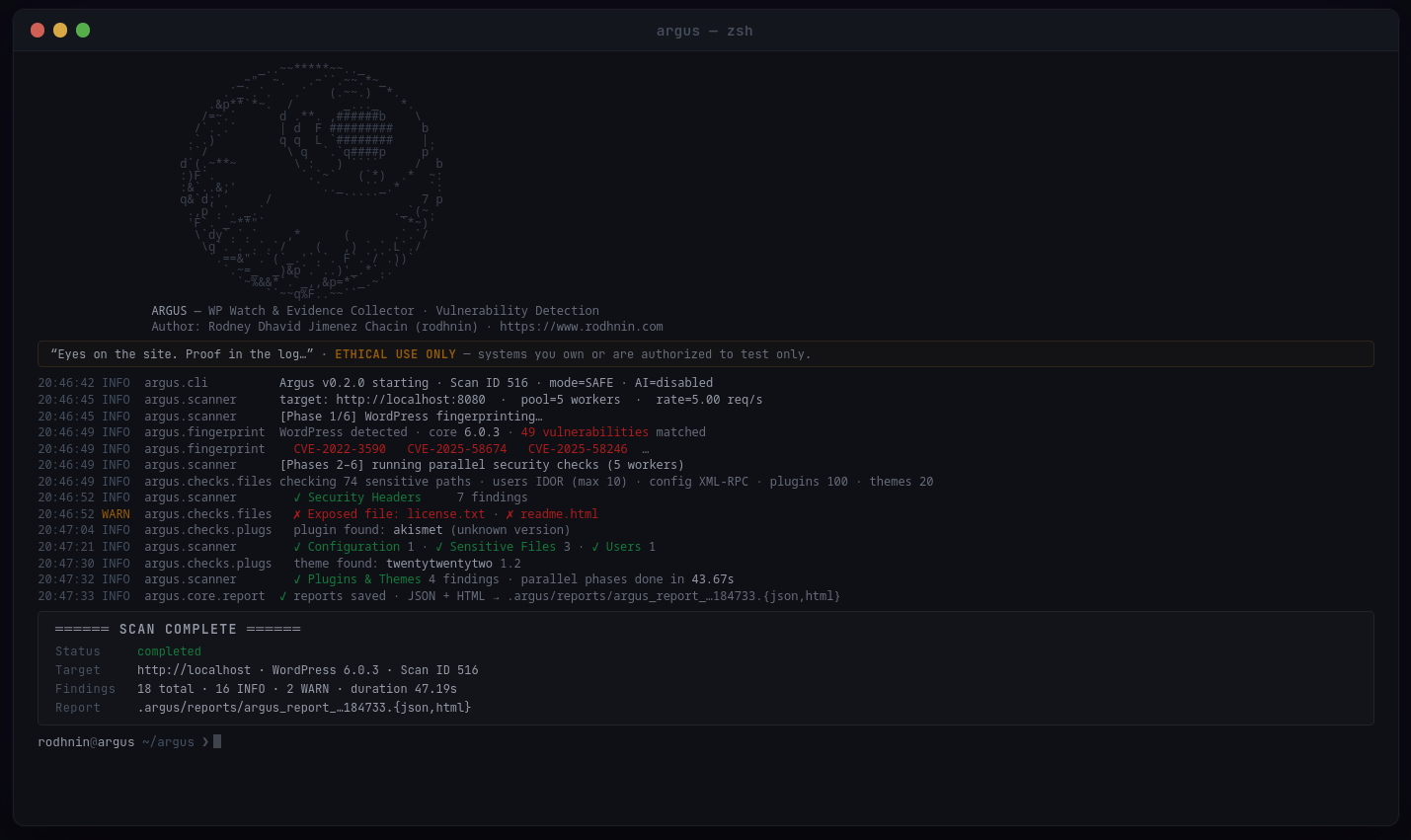





倫理的なWordPress脆弱性スキャナー — リアルタイムCVE相関、OWASPマッピング、AI駆動解析、同意ベースのテスト。
クイックスタート · ドキュメント · Docker · AI機能 · GitHubでスター
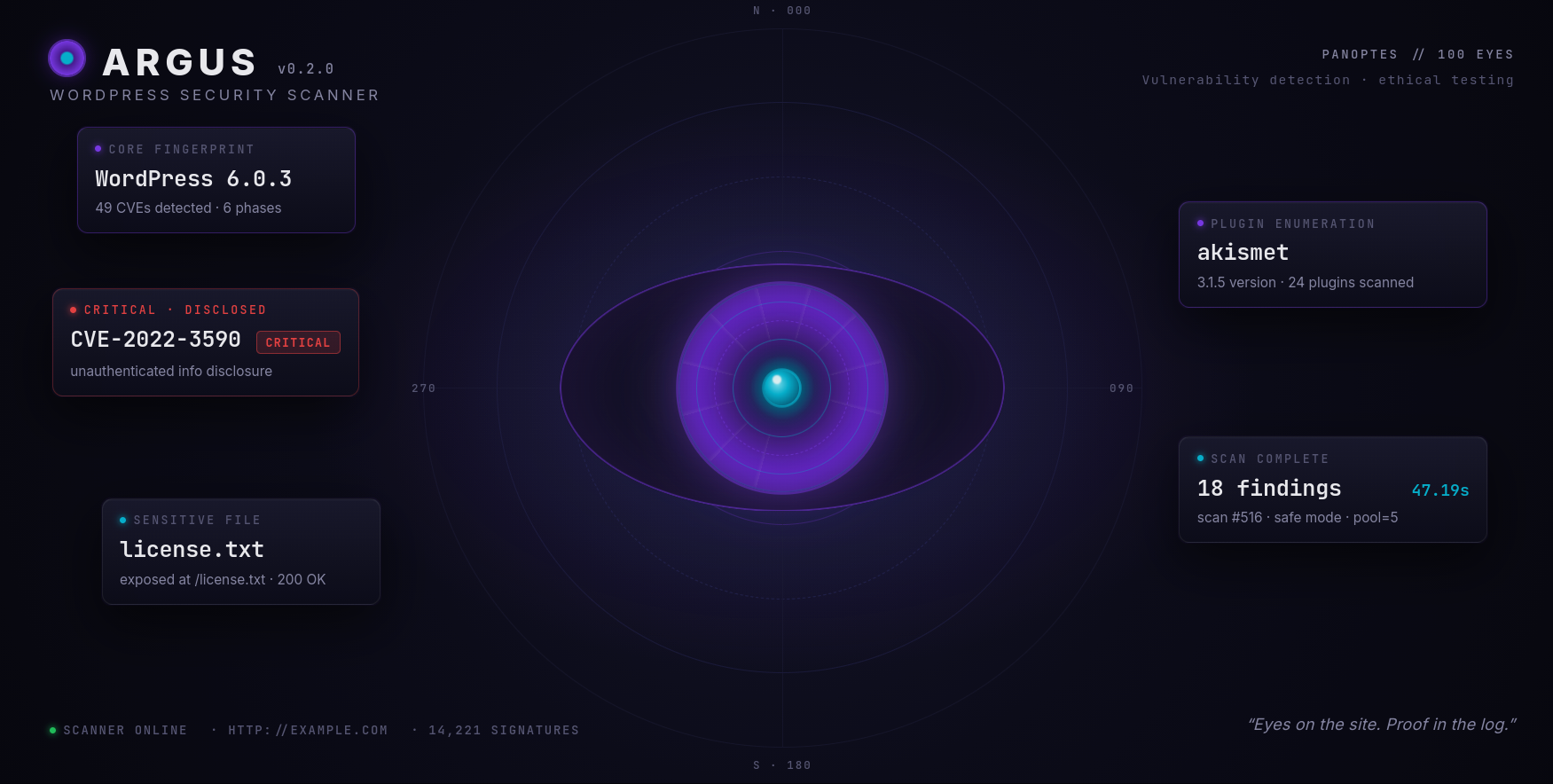
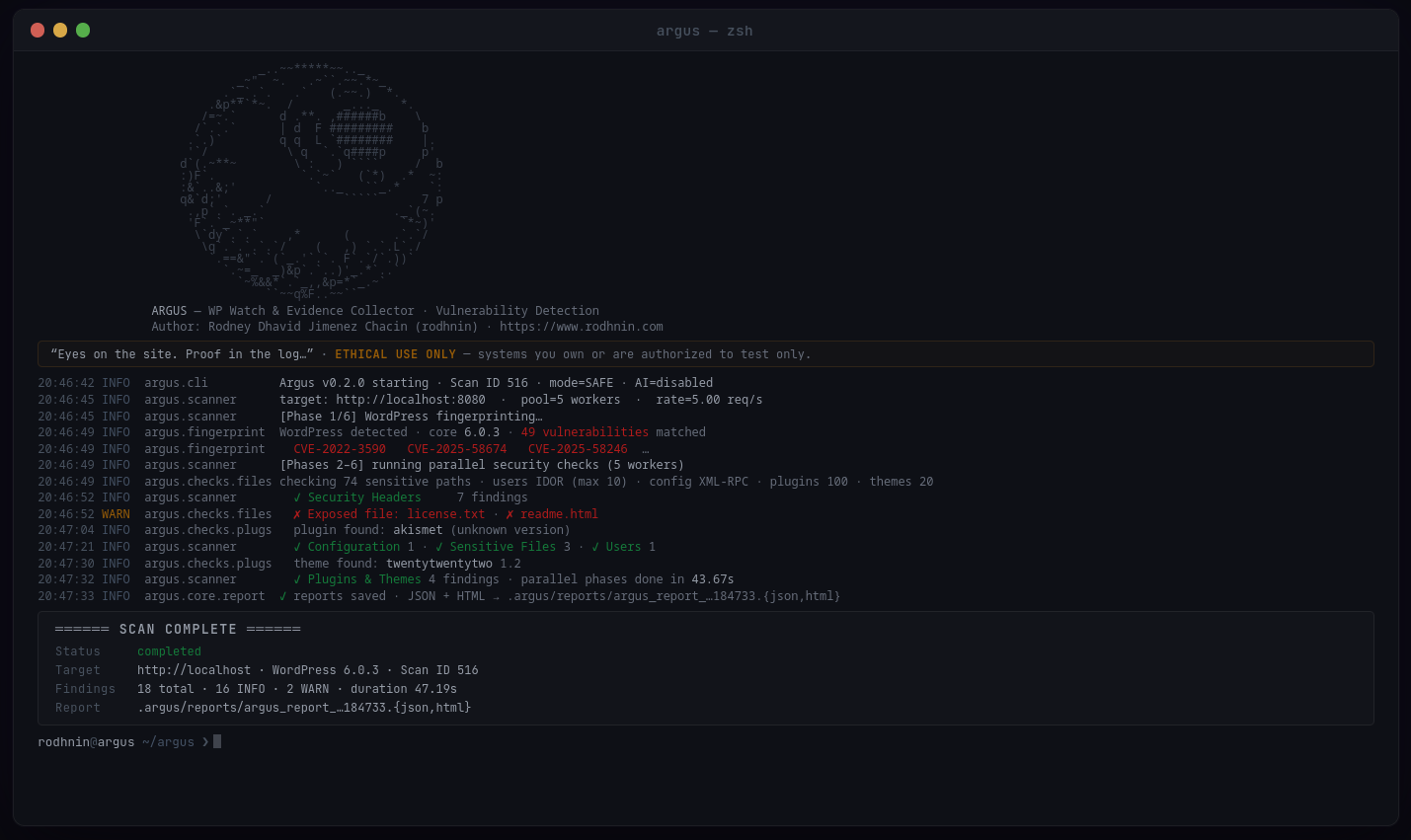
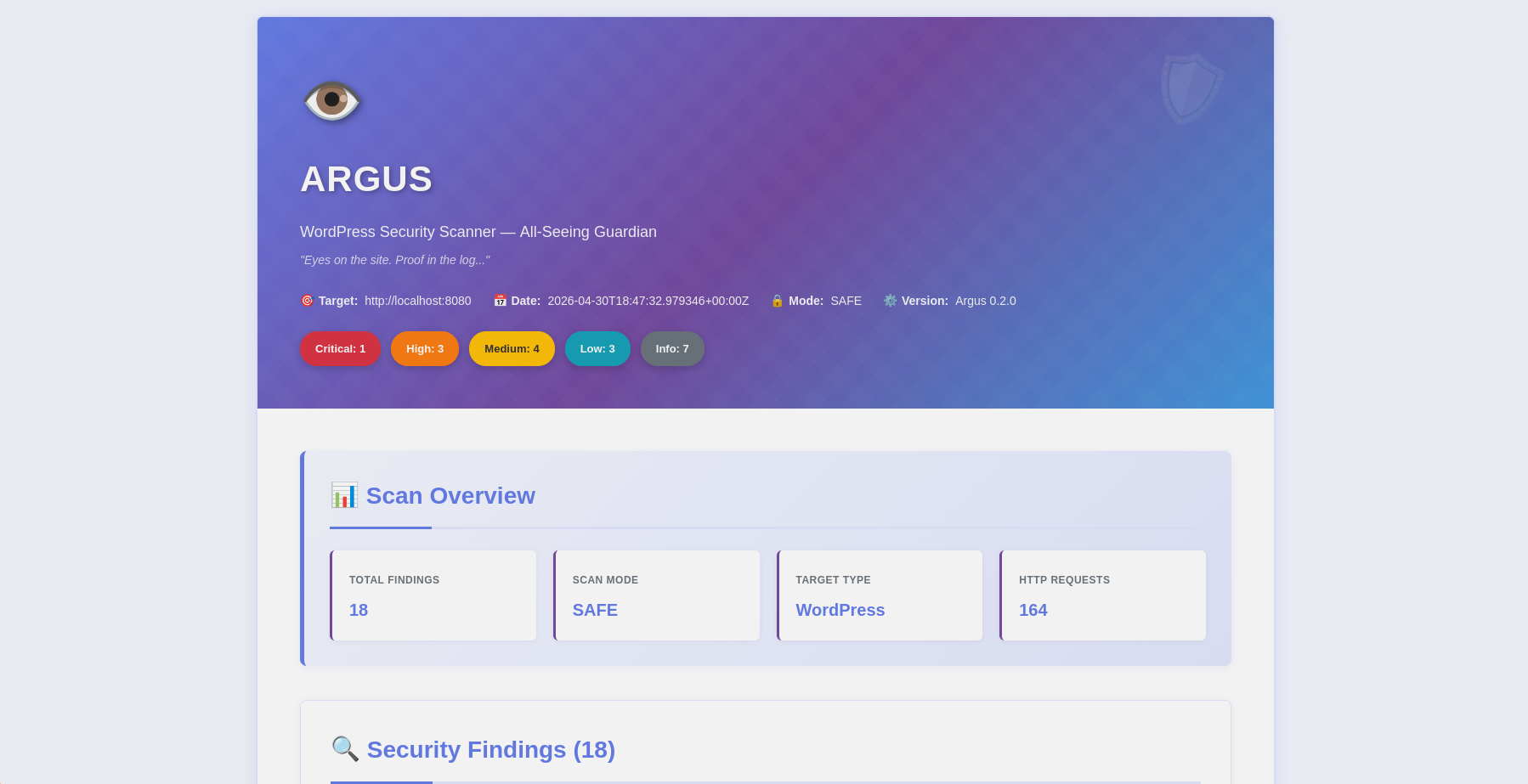
スキャン概要 · 深刻度内訳 |
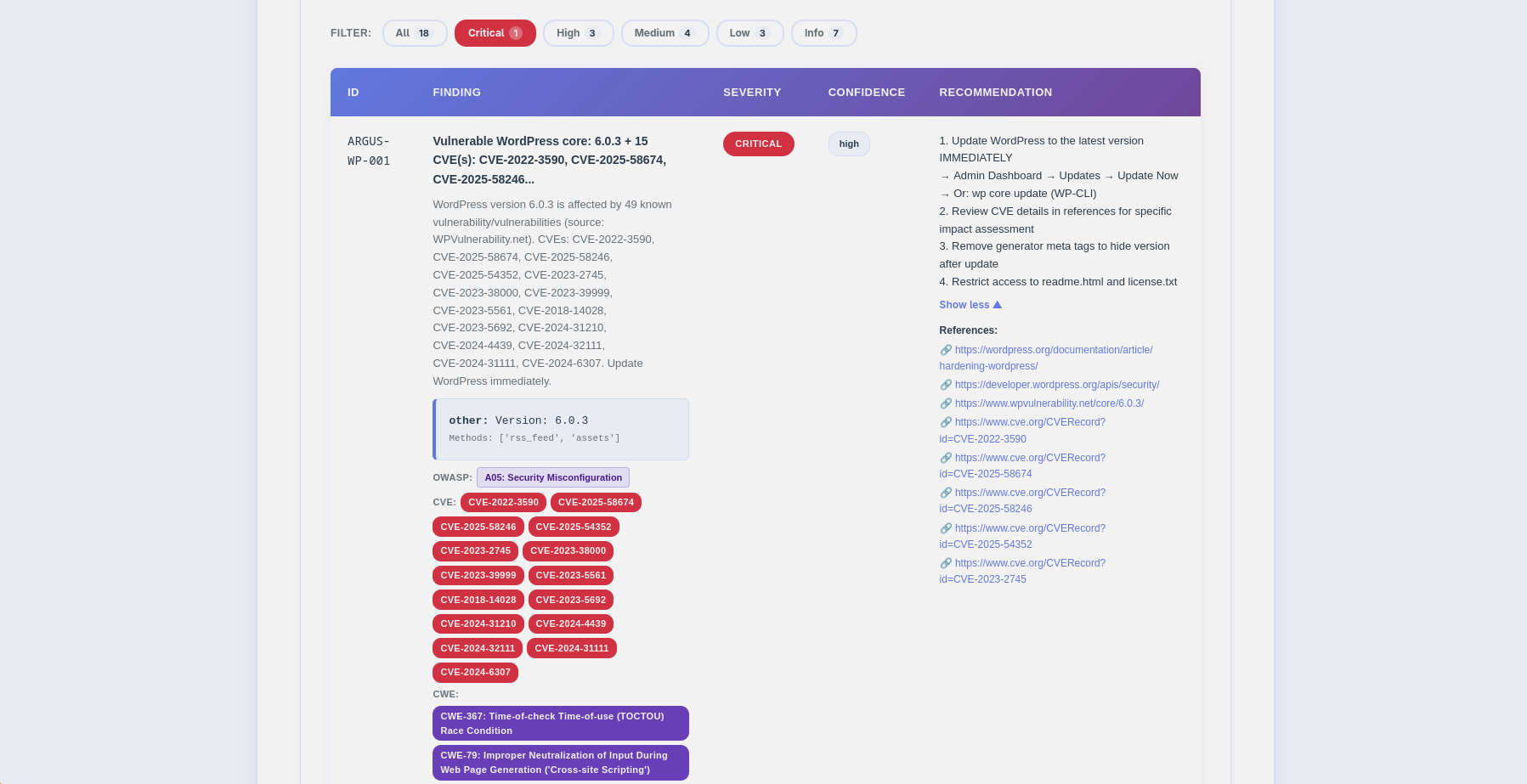
指摘 · CVE/OWASPバッジ · フィルターバー |
Argusは本番環境対応のWordPressセキュリティスキャナーで、倫理を最優先しています。ペネトレーションテスター、セキュリティ研究者、WordPress管理者向けに開発され、従来の脆弱性スキャンと最先端のAI分析を組み合わせ、実用的な洞察を提供します。
--diff last でスキャンを比較し、修正進捗を追跡| チェックカテゴリ | セーフモード | アグレッシブ | 詳細 |
|---|---|---|---|
| WordPress Detection | ✅ | ✅ | メタタグ、readme、RSS、アセットによるバージョンフィンガープリント |
| Plugins & Themes | 100プラグイン | 447プラグイン | バージョン検出(4種類) + リアルタイムCVE/CVSS相関 |
| Sensitive Files | 74パス | 437パス | wp-configバックアップ、.env、SQLダンプ、.git、デバッグログ、PHPツール |
| User Enumeration | 3方法 | 6方法 | 著者IDOR、REST API、HTML解析 + oEmbed、ログインエラー、XML-RPC |
| Security Headers | ✅ | ✅ | HSTS, CSP, X-Frame-Options, Referrer-Policy, Permissions-Policy |
| Misconfigurations | ✅ | ✅ | XML-RPC、デバッグモード、ディレクトリリスティング、ファイルエディタ |
| Login Security | ❌ | ✅ | 2FA、CAPTCHA、ブルートフォース対策、オープン登録、パスワードポリシー |
| Web Crawl | ❌ | ✅ | robots.txt、sitemap.xml、HTMLコメント、リンク発見(深さ1) |
python -m argus --target https://example.com --html
- **マルチメソッドフィンガープリンティング**: 偽陽性ゼロでWordPress 4.x~6.xを検出
- **リアルタイムCVE相関**: 検出されたすべてのプラグイン、テーマ、コアバージョンをWPVulnerability.net(無料、APIキー不要)に対してチェック
- **CVSSスコアリング**: 各CVEのスコアをNVDから取得(クリティカル≥9.0、高≥7.0、中≥4.0)
- **最新バージョン検出**: WordPress.org APIが、検出されたバージョンと併せて現在の安定バージョンを表示
- **OWASP Top 10 2021**: すべての検出項目をOWASPカテゴリ(A01~A10)にマッピング
- **同時スキャン**: スレッドプール+レート制限により、高速かつリスペクトのあるスキャンを実現
- **スマート検出**: WordPressでないサイトは早期に中止(99%高速な拒否)
- **証拠収集**: HTTPレスポンス、ヘッダー、ファイルコンテンツを保存

### 📈 スキャン差分レポート(v0.2.0)

スキャン間の修正進捗を追跡:```bash
# Compare this scan against the previous one
python -m argus --target https://example.com --html --diff last

# Or reference a specific scan ID
python -m argus --target https://example.com --html --diff 42
The diff section shows:
Choose your AI provider based on your needs:
| Provider | Best For | Speed | Cost/scan | Privacy |
|---|---|---|---|---|
| OpenAI gpt-4o-mini (default) | Best value | ⚡ ~40s | 💰 ~$0.006 | 🔒 Standard |
| OpenAI gpt-4o | Production quality | ⚡ ~40s | 💰 ~$0.05 | 🔒 Standard |
| Anthropic claude-3-5-haiku | Privacy-focused | ⚡ ~55s | 💰 ~$0.02 | 🔒 Enhanced |
| Ollama (Local) | Complete privacy | 🐢 ~28min | 💰 Free | 🔐 100% Offline |
Analysis Modes:
--ai-agent): Enriched with live NVD CVE data and WPVulnerability.net lookups (free APIs)--ai-compare): Side-by-side analysis from multiple providers in parallel--ai-stream): Real-time token output as the AI generates--ai-budget): Cost cap enforcement with configurable abort thresholdJSON Reports (Machine-Readable)```json { "tool": "argus", "version": "0.2.0", "target": "https://example.com", "summary": {"critical": 3, "high": 5, "medium": 8, "low": 6, "info": 5}, "findings": [ { "id": "ARGUS-WP-012", "title": "Vulnerable plugin: elementor v3.5.0 (31 CVEs)", "severity": "critical", "owasp": {"id": "A06", "name": "Vulnerable and Outdated Components"}, "latest_version": "3.28.1", "cve": ["CVE-2022-1329", "CVE-2022-29455"], "vulnerabilities": [ {"title": "Elementor < 3.4.8 — Authenticated RCE", "cvss": 8.8, "cve_id": "CVE-2022-1329"} ] } ], "diff": {"ref_scan_id": 41, "new": [...], "fixed": [...], "persisting": [...]} }
**HTML Reports** (人間に優しい, v0.2.0)

- 🎨 インライン CSS によるレスポンシブデザイン(外部依存なし)
- 🏷️ 色分けされた重大度バッジ + インタラクティブフィルターバー
- 🔴 NVD にリンクする CVE バッジ、紫色の CWE バッジ(重複排除済み)
- 🟣 各検出結果に対する OWASP Top 10 2021 バッジ
- 🟢 脆弱なコンポーネントの最新安定版バッジ
- 📊 CVE ごとの色分けされた CVSS スコアバッジ(赤/橙/黄/緑)
- 📝 展開可能な CVE 詳細パネル、展開可能な推奨事項
- 🔧 セキュリティヘッダー設定スニペット(Apache / Nginx / WordPress)
- 📈 差分セクション(新規/修正/永続)とモード不一致警告
- 🤖 タブ付き AI 分析(経営層向け / 技術向け / エージェント)
- 📱 モバイル対応

### 🔐 同意トークンシステム

Argus はテクノロジーを通じて倫理的なハッキングを推進します。積極的なスキャンと AI 分析には **所有権の証明** が必要です:```bash
# 1. Generate token
python -m argus --gen-consent example.com

# 2. Place token on your server
echo "verify-abc123..." > .well-known/verify-abc123.txt

# 3. Verify ownership
python -m argus --verify-consent http --domain example.com --token verify-abc123

# 4. Now you can use aggressive mode
python -m argus --target https://example.com --aggressive --use-ai
SQLiteデータベースがすべてを追跡します:
finding_codeインデックス付きの検索可能な脆弱性データベースai_costsテーブルを使用した分析ごとのコスト追跡(v0.2.0以降)--diff比較が可能```bashsqlite3 ~/.argos/argos.db "SELECT * FROM v_recent_scans LIMIT 10"
sqlite3 ~/.argos/argos.db "SELECT * FROM v_critical_findings"
---

## 🚀 クイックスタート

### 前提条件

- **Python 3.11+** (3.12推奨)
- **pip** (Pythonパッケージマネージャー)
- **Docker** (オプション、コンテナ化スキャン用)

### インストール

**1. リポジトリをクローン**```bash
git clone https://github.com/rodhnin/argus-wp-watcher.git
cd argus-wp-watcher
2. (オプション)venv がまだ利用できない場合はインストールする。```bash
sudo apt update && sudo apt install -y python3-venv
sudo dnf install python3-virtualenv
brew install [email protected]
**3. 仮想環境を作成して有効化する**```bash
python3 -m venv .venv
source .venv/bin/activate
# You should see (.venv) in your terminal prompt
4. pip をアップグレード```bash python -m pip install --upgrade pip
**5. 依存関係のインストール**```bash
python -m pip install -r requirements.txt
6. APIキーを設定する(クラウドAIを使用する場合)```bash
export OPENAI_API_KEY="sk-..."
export ANTHROPIC_API_KEY="sk-ant-..."
**7. インストールの確認**```bash
python -m argus --version
# Output: Argus v0.2.0
python -m argus --target https://example.com
python -m argus --target https://example.com --html
python -m argus --target https://example.com --use-ai --html
**🎉 成功!** レポートは `~/.argos/reports/` を確認してください。

---

## 📘 使い方ガイド

### 基本スキャン```bash
# Safe mode (default) - Non-intrusive checks
python -m argus --target https://example.com

# Generate HTML report
python -m argus --target https://example.com --html

# Increase verbosity for debugging
python -m argus --target https://example.com -vv
python -m argus --target https://example.com --rate 10
python -m argus --target https://example.com --threads 8
python -m argus --target https://example.com --timeout 60
python -m argus --target https://example.com --report-dir ./my-reports
### AIを活用した分析

**ステップ1: APIキーを設定する**```bash
export OPENAI_API_KEY="sk-..."
Step 2: セットアップをテストする```bash
python -m argus.core.ai openai
**ステップ3: AI搭載スキャンを実行**```bash
# Both analyses in one scan (~$0.006 with default model)
python -m argus --target https://example.com --use-ai --html

# Technical only (for security teams)
python -m argus --target https://example.com --use-ai --ai-tone technical --html

# Executive only (for management)
python -m argus --target https://example.com --use-ai --ai-tone non_technical --html

# Override model or provider at runtime
python -m argus --target https://example.com --use-ai --ai-model gpt-4o --html
python -m argus --target https://example.com --use-ai --ai-provider anthropic --html

# Stream output in real time
python -m argus --target https://example.com --use-ai --ai-stream

# Agent mode with NVD CVE lookup (free)
python -m argus --target https://example.com --use-ai --ai-agent --html

# Compare two providers side by side
python -m argus --target https://example.com \
  --use-ai --ai-compare openai,anthropic --html

# Budget cap ($0.05 max)
python -m argus --target https://example.com --use-ai --ai-budget 0.05
python -m argus --gen-consent example.com
python -m argus --verify-consent http
--domain example.com
--token verify-a3f9b2c1d8e4
python -m argus --target https://example.com --aggressive
---

## 🤖 AIによる分析

Argusは、複数のAIプロバイダーをサポートする**LangChain 1.0.0**を使用しており、セキュリティ、プライバシー、予算の要件に基づいて柔軟に選択できます。

### サポートされているプロバイダー

#### OpenAI GPT-4 Turbo

**最適な用途: 本番環境**

- ⭐ 品質: 優れている (5/5)
- ⚡ 速度: 約35秒
- 💰 コスト: 約0.25ドル/スキャン
- 🔒 プライバシー: 標準 (データは転送中に暗号化)```bash
export OPENAI_API_KEY="sk-..."
python -m pip install langchain-openai==1.0.0
用途: 強化されたプライバシー
#### Ollama(ローカルモデル)

**最適: 完全なプライバシー**

- ⭐ 品質: 良好 (3/5)
- 🐢 速度: 約28分(CPU)または約75秒(GPU)
- 💰 コスト: 無料
- 🔐 プライバシー: 100%オフライン(データがマシンから出ることはありません)```bash
# Install Ollama: https://ollama.ai
ollama pull llama3.2
python -m pip install "langchain-ollama>=0.3.0,<0.4.0"
自動サニタイゼーション AIプロバイダーにデータを送信する前に、Argusは自動的に以下を削除します:
オプトインのみ
--use-ai フラグが必要です最大のプライバシーのために Ollamaをローカルで使用します。遅くて精度は劣りますが、スキャンデータはマシンから外部に出ることはありません。
オプションA — CLIフラグ(実行時のオーバーライド、ファイル編集不要)```bash
python -m argus --target https://example.com --use-ai --ai-provider anthropic --ai-model claude-3-5-haiku-20241022
python -m argus --target https://example.com --use-ai --ai-provider ollama --ai-model llama3.2
**オプションB — `config/defaults.yaml` (永続的なデフォルトを変更)**```yaml
ai:
    langchain:
        provider: "ollama" # Changed from "openai"
        model: "llama3.2" # Ollama model
        ollama_base_url: "http://localhost:11434"
v0.3.0で登場予定: 対話的な設定メニュー (Metasploitスタイル)```bash
argus --show-options argus --set ai.provider=anthropic argus --save-profile privacy-mode
---

## 🧪 安全なテストラボ

**⚠️ 書面による許可なしに本番サイトを絶対にスキャンしないでください!**

Dockerラボを使用して安全に練習してください:

### テスト環境のセットアップ```bash
# Navigate to docker directory
cd docker

# Option 1: Use interactive script
./deploy.sh
# Select option 2 (Testing Lab)

# Option 2: Manual deployment
docker compose -f compose.testing.yml up -d

# Wait for services to start (~60-90 seconds)
docker compose -f compose.testing.yml logs -f wordpress

# Setup WordPress
# Open http://localhost:8080 in your browser
# Complete WordPress installation
# Username: admin
# Password: (choose a strong password)

# Create vulnerable conditions for testing
docker compose -f compose.testing.yml exec wordpress bash -c \
  "cp /var/www/html/wp-config.php /var/www/html/wp-config.php.bak"
cd ..
python -m argus --target http://localhost:8080 --html
python -m argus --target http://localhost:8080 --use-ai --html
### クリーンアップ```bash
cd docker
docker compose -f compose.testing.yml down -v  # -v removes all data
詳細なテストシナリオについては、docs/TESTING_GUIDE.mdを参照してください。
自分が所有している、または明示的な書面による許可を得たシステムのみをスキャンすること。
Argusは悪用を防ぐために技術的な制御を実装しています。
| モード | チェック | 同意の必要性 | レート制限 |
|---|---|---|---|
| Safe | 非侵入的 | ❌ 不要 | 5 req/s |
| Aggressive | 深いスキャン | ✅ 必要 | 10 req/s |
| AI分析 | 脆弱性分析 | ✅ 必要 | N/A |
コンピュータシステムへの不正アクセスは、ほとんどの管轄区域で違法です。
完全な倫理ガイドラインについては、docs/ETHICS.mdを参照してください。
Argusはインタラクティブスクリプトを介して3つのデプロイメントモードを提供します。
インタラクティブデプロイメントスクリプトを使用します。```bash cd docker ./deploy.sh
**メニューオプション:**

- `1` → プロダクションスキャナーのみ
- `2` → テストラボ(WordPress + MariaDB)のみ
- `3` → 両方の環境
- `4` → すべてのサービスを停止
- `5` → すべてのコンテナとデータを削除(リセット)

---

### オプション 1: プロダクションスキャナー

外部のWordPressサイトをスキャンするため、Argusスキャナーのみをデプロイします。```bash
cd docker
./deploy.sh
# Select option 1
または手動で:```bash docker compose up -d
**ターゲットをスキャンする:**```bash
docker compose exec argus python -m argus --target https://example.com
AI分析を使用:```bash docker compose exec argus python -m argus --target https://example.com --use-ai
**停止:**```bash
docker compose down
⚠️ 警告: この環境はテスト目的で意図的に脆弱になっています。 公開インターネットにさらさないでください!
テストラボをデプロイ:```bash cd docker ./deploy.sh
**または手動で:**```bash
docker compose -f compose.testing.yml up -d
展開されるもの:
アクセス:
テスト環境をスキャンする:```bash
python -m argus --target http://localhost:8080
**停止して削除:**```bash
docker compose -f compose.testing.yml down -v
本番スキャナーとテストラボを一緒にデプロイ:```bash cd docker ./deploy.sh
**デプロイされるもの:**

- ✅ 本番Argusスキャナー
- ✅ MariaDBデータベース
- ✅ WordPress 6.0 (脆弱)
- ✅ 本番スキャナーとテストネットワーク間の接続

**本番スキャナーから外部サイトをスキャン:**```bash
docker compose exec argus python -m argus --target https://example.com
本番スキャナーからテストラボをスキャンする:```bash docker compose exec argus python -m argus --target http://wordpress
**すべて停止:**```bash
cd docker
./deploy.sh
# Select option 4
~/.argos/ ├── reports/ │ ├── argus_report_example_20251020_143022.json # Machine-readable │ └── argus_report_example_20251020_143022.html # Human-friendly ├── argos.db # SQLite database └── logs/ └── argus.log # Scan logs
### JSON レポート Schema```json
{
    "tool": "argus",
    "version": "0.2.0",
    "target": "https://example-wp-site.com",
    "date": "2026-04-15T18:45:30Z",
    "mode": "safe",
    "summary": {
        "critical": 1,
        "high": 2,
        "medium": 4,
        "low": 3,
        "info": 5
    },
    "findings": [
        {
            "id": "ARGUS-WP-012",
            "title": "Vulnerable plugin: contact-form-7 v5.3.1 (6 CVEs)",
            "severity": "critical",
            "confidence": "high",
            "owasp": { "id": "A06", "name": "Vulnerable and Outdated Components" },
            "latest_version": "5.9.8",
            "cve": ["CVE-2021-39346", "CVE-2020-35489"],
            "vulnerabilities": [
                {
                    "title": "Contact Form 7 < 5.3.2 — Unrestricted File Upload",
                    "cvss": 9.8,
                    "cve_id": "CVE-2020-35489",
                    "cwe": ["CWE-434"]
                }
            ],
            "description": "Plugin 'contact-form-7' v5.3.1 has 6 known CVEs. Highest CVSS: 9.8 (Critical).",
            "evidence": {
                "type": "path",
                "value": "https://example-wp-site.com/wp-content/plugins/contact-form-7/readme.txt",
                "context": "Version detected via readme.txt"
            },
            "recommendation": "Update contact-form-7 to 5.9.8 (latest stable). Immediate action required.",
            "affected_component": "contact-form-7 5.3.1"
        },
        {
            "id": "ARGUS-WP-030",
            "title": "wp-config.php backup exposed",
            "severity": "critical",
            "confidence": "high",
            "owasp": { "id": "A05", "name": "Security Misconfiguration" },
            "description": "WordPress configuration file backup is publicly accessible.",
            "evidence": {
                "type": "url",
                "value": "https://example-wp-site.com/wp-config.php.bak",
                "context": "HTTP 200, Size: 2847 bytes"
            },
            "recommendation": "Remove immediately and rotate all credentials.",
            "affected_component": "wp-config.php.bak"
        },
        {
            "id": "ARGUS-WP-050",
            "title": "Missing security header: HSTS",
            "severity": "medium",
            "confidence": "high",
            "owasp": { "id": "A02", "name": "Cryptographic Failures" },
            "description": "HSTS header is not set.",
            "evidence": {
                "type": "header",
                "value": "Strict-Transport-Security: [not set]",
                "context": "Header missing in HTTP response"
            },
            "recommendation": "Add: Strict-Transport-Security: max-age=31536000; includeSubDomains; preload"
        }
    ],
    "diff": {
        "ref_scan_id": 41,
        "ref_date": "2026-04-10T10:00:00Z",
        "ref_mode": "safe",
        "current_mode": "safe",
        "mode_mismatch": false,
        "new": [{ "id": "ARGUS-WP-012", "title": "Vulnerable plugin: contact-form-7...", "severity": "critical" }],
        "fixed": [],
        "persisting": [{ "id": "ARGUS-WP-050", "title": "Missing security header: HSTS", "severity": "medium" }]
    },
    "notes": {
        "scan_duration_seconds": 26.4,
        "requests_sent": 312,
        "rate_limit_applied": true,
        "scope_limitations": "Scan limited to publicly accessible pages.",
        "false_positive_disclaimer": "Manual verification recommended before remediation."
    }
}
完全なスキーマリファレンスについては、docs/REPORT_FORMAT.md と
schema/report.schema.jsonを参照してください。
argus-wp-watcher/ │ ├── argus/ # Main application package │ ├── checks/ # Security check modules │ │ ├── config.py # Configuration auditing (XML-RPC, debug, editor) │ │ ├── crawl.py # Web crawl checks (robots, sitemap, comments) [v0.2.0] │ │ ├── files.py # Sensitive file detection (74 safe / 437 aggressive paths) │ │ ├── fingerprint.py # WordPress detection + CVE check for core │ │ ├── headers.py # Security headers analysis │ │ ├── login.py # Login security checks (2FA, CAPTCHA, brute-force) [v0.2.0] │ │ ├── plugins.py # Plugin/theme enumeration + CVE correlation [v0.2.0] │ │ └── users.py # User enumeration │ │ │ ├── core/ # Core infrastructure │ │ ├── ai.py # AI integration (LangChain, streaming, agent, compare) │ │ ├── config.py # Configuration management │ │ ├── consent.py # Consent token system │ │ ├── db.py # SQLite database interface │ │ ├── diff.py # Scan diff computation (new/fixed/persisting) [v0.2.0] │ │ ├── http_client.py # Rate-limited HTTP client │ │ ├── logging.py # Structured logging │ │ ├── owasp.py # OWASP Top 10 2021 mapping for all finding IDs [v0.2.0] │ │ ├── report.py # Report generation (JSON + HTML) │ │ └── vuln_db.py # CVE lookup (WPVulnerability.net + NVD) [v0.2.0] │ │ │ ├── main.py # Entry point │ ├── cli.py # CLI argument parser │ └── scanner.py # Main scan orchestrator │ ├── config/ # Configuration files │ ├── defaults.yaml # Default settings │ └── prompts/ # AI prompt templates │ ├── technical.txt # Technical analysis prompt │ └── non_technical.txt # Executive summary prompt │ ├── db/ │ └── migrate.sql # Database schema │ ├── assets/ │ └── ascii.txt # ASCII art branding │ ├── docker/ # Docker deployment │ ├── compose.yml # Production scanner compose │ ├── compose.testing.yml # Vulnerable WordPress lab │ ├── deploy.sh # Interactive deployment script │ ├── setup-lab.sh # Automated vulnerable lab setup [v0.2.0] │ └── Dockerfile # Production image │ ├── docs/ # Documentation │ ├── AI_INTEGRATION.md # AI setup guide │ ├── CONSENT.md # Consent system details │ ├── DATABASE_GUIDE.md # Database reference │ ├── ETHICS.md # Ethical guidelines │ ├── REPORT_FORMAT.md # Report specification │ ├── ROADMAP.md # Development roadmap │ └── TESTING_GUIDE.md # Safe testing practices │ ├── schema/ │ └── report.schema.json # JSON report schema │ ├── scripts/ │ └── cli-examples.md # CLI usage examples │ ├── templates/ │ └── report.html.j2 # HTML report template │ ├── CHANGELOG.md # Version history ├── LICENSE # MIT License ├── README.md # This file ├── requirements.txt # Python dependencies └── setup.py # Package installer
---

## 🗺️ ロードマップ

### v0.1.0 — 初期リリース ✅ (2025年11月)

**ステータス:** 🎉 **リリース済み**

- ✅ 完全なWordPressセキュリティスキャナー(130以上のチェック)
- ✅ AI搭載分析(OpenAI、Anthropic、Ollama)
- ✅ 同意トークンシステム(HTTP + DNS検証)
- ✅ プロフェッショナルなレポート(JSON + HTML)
- ✅ SQLiteの永続化とスキャン履歴
- ✅ 脆弱性ラボ付きDockerサポート
- ✅ 包括的なエラーハンドリングと回復力

### v0.2.0 — 検出機能の強化とAI ✅ (2026年5月)

**ステータス:** 🎉 **リリース済み**

- ✅ **プラグインバージョン検出**: 4方式のカスケード(HTML ?ver=、readme.txt、changelog、PHPヘッダー)
- ✅ **リアルタイムCVE連携**: WPVulnerability.net(無料、キー不要)でプラグイン、テーマ、WPコアを対象
- ✅ **CVSSスコアリング**: NVD API — CVEごとに重要度別(Critical/High/Medium/Low)のカラーバッジ
- ✅ **最新バージョン**: WordPress.org APIにより、検出されたバージョンとともに現在の安定バージョンを表示
- ✅ **OWASP Top 10 2021マッピング**: すべての検出結果をA01~A10にマッピングし、HTMLレポートにバッジ表示
- ✅ **強化されたHTMLレポート**: CVE/CWE/OWASP/CVSSバッジ、フィルターバー、設定スニペット、展開可能パネル
- ✅ **スキャン差分レポート**: `--diff last` / `--diff ID` で新規・修正・継続中の差分を表示、モード不一致警告
- ✅ **アグレッシブモード**: 447プラグイン、437パス、ログインセキュリティ(2FA/CAPTCHA/ブルートフォース)、Webクロール
- ✅ **AIコスト管理**: 予算制限、`~/.argos/costs.json`、データベースのコスト記録(`ai_costs`テーブル)
- ✅ **AIストリーミング**: `--ai-stream` によるリアルタイムトークン出力
- ✅ **マルチLLM比較**: `--ai-compare openai,anthropic` — 並行サイドバイサイド分析
- ✅ **AIエージェント**: `--ai-agent` によるライブNVD + WPVulnerability.netのツールコール

### v0.3.0 — エンタープライズ機能 (2026年第3四半期)

**焦点:** ユーザビリティ、スケール、対話型AI

- 🔜 **対話型設定管理**: Metasploitスタイルのインターフェース(`--show-options`、`--set`)
- 🔜 **データベースCLI**: SQL不要(`argus db scans list`、`argus db findings search`)
- 🔜 **マルチサイトスキャン**: ファイルからの一括処理
- 🔜 **AIチャットインターフェース**: 対話型脆弱性分析
- 🔜 **CI/CD統合**: GitHub Actions、Jenkins、GitLabテンプレート
- 🔜 **REST APIサーバー**: FastAPIベースの自動化API

**計画中の改善点:**

- 動的プロバイダー切り替えのための対話型設定(`--set`、`--show-options`)
- フェーズ完了追跡と進捗インジケーター
- データベースCLI管理(SQL不要)

### v0.4.0 — インテリジェンスと自動化 (2027年第1四半期)

**焦点:** ML、自動化、高度なAI

- 🔜 **自動修復**: WP-CLI統合による自動修正
- 🔜 **MLベース検出**: 異常検出、誤検知削減
- 🔜 **分散スキャン**: 大規模運用のためのワーカーノード
- 🔜 **高度なAIエージェント**: 自律スキャン計画、エクスプロイト生成

### Proトラック

**企業向け商用製品**

**開発中**

詳細な機能説明については、[ROADMAP.md](https://github.com/rodhnin/argus-wp-watcher/blob/main/ROADMAP.md)を参照してください。

---

## 🤝 コントリビューション

コントリビューションを歓迎します。以下のようなものがあります:

- 🐛 バグ報告
- 💡 機能リクエスト
- 📝 ドキュメントの改善
- 🔧 コードの提供

### コントリビューションの方法

1. **リポジトリをフォーク**
2. **機能ブランチを作成** (`git checkout -b feature/amazing-feature`)
3. **変更を加える**
4. **テストを記述/更新**(該当する場合)
5. **変更をコミット** (`git commit -m 'Add amazing feature'`)
6. **ブランチにプッシュ** (`git push origin feature/amazing-feature`)
7. **プルリクエストを開く**

### 開発環境のセットアップ```bash
# Clone your fork
git clone https://github.com/YOUR-USERNAME/argus-wp-watcher.git
cd argus-wp-watcher

# Install development dependencies
python -m pip install -r requirements.txt
python -m pip install pytest black flake8 mypy

# Run code formatting
black argus/

# Run linting
flake8 argus/
mypy argus/

# Run tests (when available)
pytest tests/
バグを発見しましたか?機能リクエストがありますか?
以下を含めてください:
python -m argus --version)python --version)包括的なドキュメントは docs/ ディレクトリにあります:
| ドキュメント | 説明 |
|---|---|
| AI_INTEGRATION.md | 完全なAI設定ガイド(全3プロバイダー) |
| CONSENT.md | 同意トークンシステムの技術詳細 |
| DATABASE_GUIDE.md | SQLiteスキーマ、クエリ、管理 |
| ETHICS.md | 法的枠組みと倫理ガイドライン |
| REPORT_FORMAT.md | JSONスキーマとHTML仕様 |
| TESTING_GUIDE.md | Dockerラボを使用した安全なテスト |
| ROADMAP.md | 将来の機能と開発計画 |
このプロジェクトはMITライセンスの下でライセンスされています。詳細はLICENSEファイルを参照してください。``` MIT License
Copyright (c) 2025 Rodney Dhavid Jimenez Chacin
Permission is hereby granted, free of charge, to any person obtaining a copy of this software and associated documentation files (the "Software"), to deal in the Software without restriction, including without limitation the rights to use, copy, modify, merge, publish, distribute, sublicense, and/or sell copies of the Software, and to permit persons to whom the Software is furnished to do so, subject to the following conditions:
The above copyright notice and this permission notice shall be included in all copies or substantial portions of the Software.
THE SOFTWARE IS PROVIDED "AS IS", WITHOUT WARRANTY OF ANY KIND, EXPRESS OR IMPLIED, INCLUDING BUT NOT LIMITED TO THE WARRANTIES OF MERCHANTABILITY, FITNESS FOR A PARTICULAR PURPOSE AND NONINFRINGEMENT.
---

## ⚠️ 免責事項

**重要:** このツールは**許可されたセキュリティテスト専用**です。

### 法的通知

Argusを使用することにより、あなたは以下を認識し同意したものとみなされます:

1. ✅ あなたは**自分が所有するシステム**、または**明示的な書面による許可**を得たシステムのみをスキャンします
2. ✅ あなたは**すべての適用される法律**および規制を遵守します
3. ✅ **無許可アクセスは違法**であることを理解しています(CFAA、Computer Misuse Actなど)
4. ✅ 作者および貢献者は、誤用に関する**一切の責任を負いません**
5. ✅ 本ソフトウェアは、いかなる種類の**保証なしで「現状のまま」**提供されます

### 責任ある開示

Argusを使用して脆弱性を発見した場合:

- 📧 まずサイト所有者に非公開で連絡してください
- ⏰ 修正に合理的な時間を与えてください(通常90日間)
- 🤝 開示のタイムラインを調整してください
- 📝 発見事項を専門的に文書化してください

### 疑わしい場合

**スキャンしないでください。** 許可があるかどうか不明な場合は、おそらくありません。

---

## 🙏 謝辞

Argusは巨人の肩の上に立っています:

- **WordPress.org** — ドキュメントとベストプラクティスを提供するセキュリティチーム
- **WPScan** — 脆弱性研究とデータベース
- **OWASP** — セキュリティ標準(Top 10、テストガイド)
- **LangChain** — インテリジェント分析を支えるAIフレームワーク
- **Anthropic & OpenAI** — 脆弱性分析のためのAIモデル
- **Ollama** — プライバシー重視のスキャン向けローカルAI推論
- **Python Community** — 素晴らしいライブラリとツール

倫理的ハッキングを実践し推進するすべてのセキュリティ研究者に特別な感謝を捧げます。

---

## 👤 著者

**Rodney Dhavid Jimenez Chacin (rodhnin)**

- 🌐 ウェブサイト&連絡先: [rodhnin.com](https://rodhnin.com)
- 💼 GitHub: [@rodhnin](https://github.com/rodhnin)
- 🔗 Project: [argus-wp-watcher](https://github.com/rodhnin/argus-wp-watcher)

質問、フィードバック、コラボレーションのお問い合わせは、[rodhnin.com](https://rodhnin.com)にアクセスしてご連絡ください。

---

## 💬 コミュニティ

- **議論**: [GitHub Discussions](https://github.com/rodhnin/argus-wp-watcher/discussions)
- **課題**: [GitHub Issues](https://github.com/rodhnin/argus-wp-watcher/issues)
- **リリース**: [GitHub Releases](https://github.com/rodhnin/argus-wp-watcher/releases)

---

<div align="center">

**倫理的ハッカーと世界中のWordPress管理者のために❤️を込めて制作**

⭐ 役に立ったら**このリポジトリにスター**を! ⭐

[バグを報告](https://github.com/rodhnin/argus-wp-watcher/issues) • [機能リクエスト](https://github.com/rodhnin/argus-wp-watcher/issues) • [ドキュメント](https://github.com/rodhnin/argus-wp-watcher/blob/main/docs)

---

_Argus v0.2.0 — 2026年5月_

</div>