 qustavo/httplab
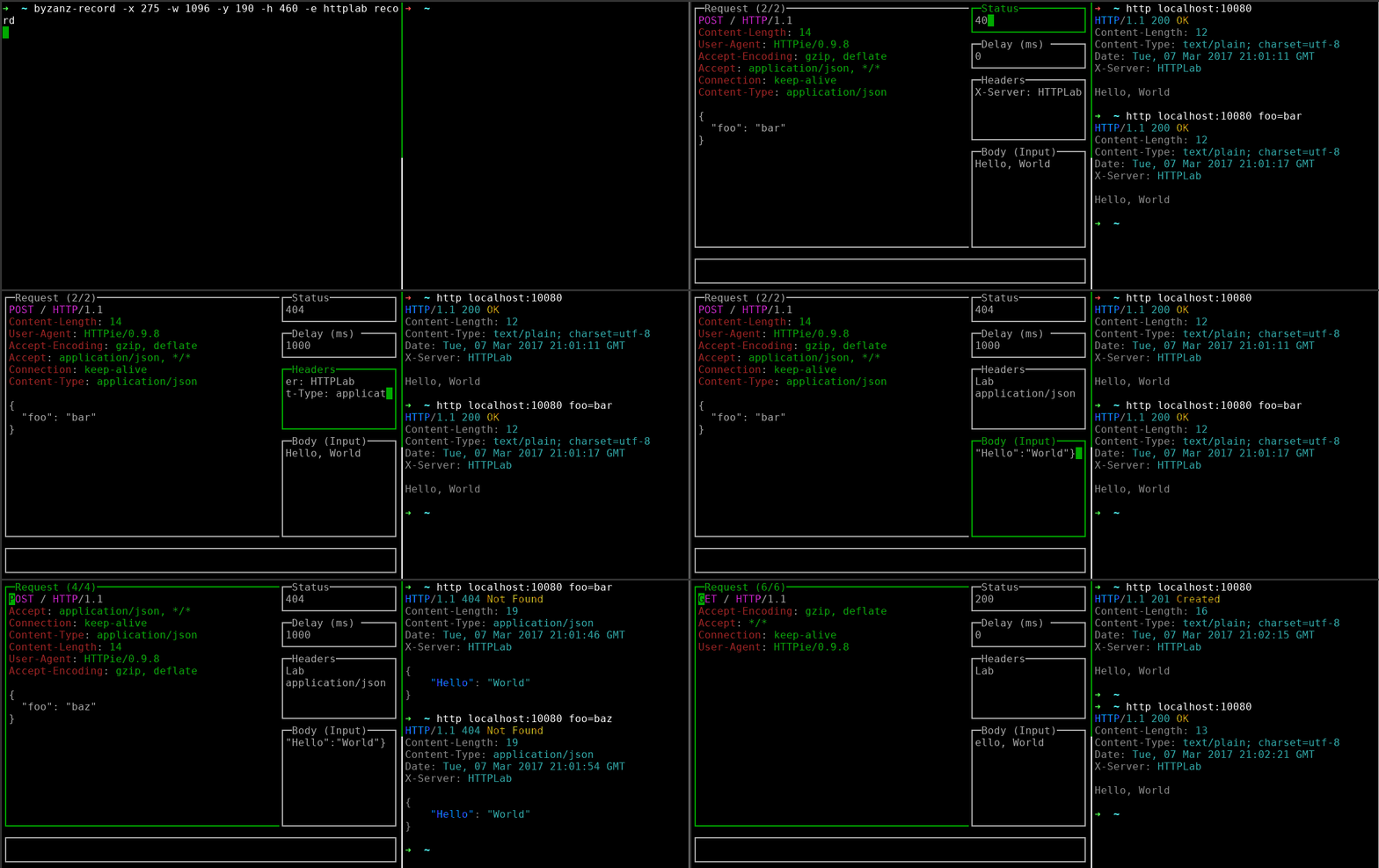
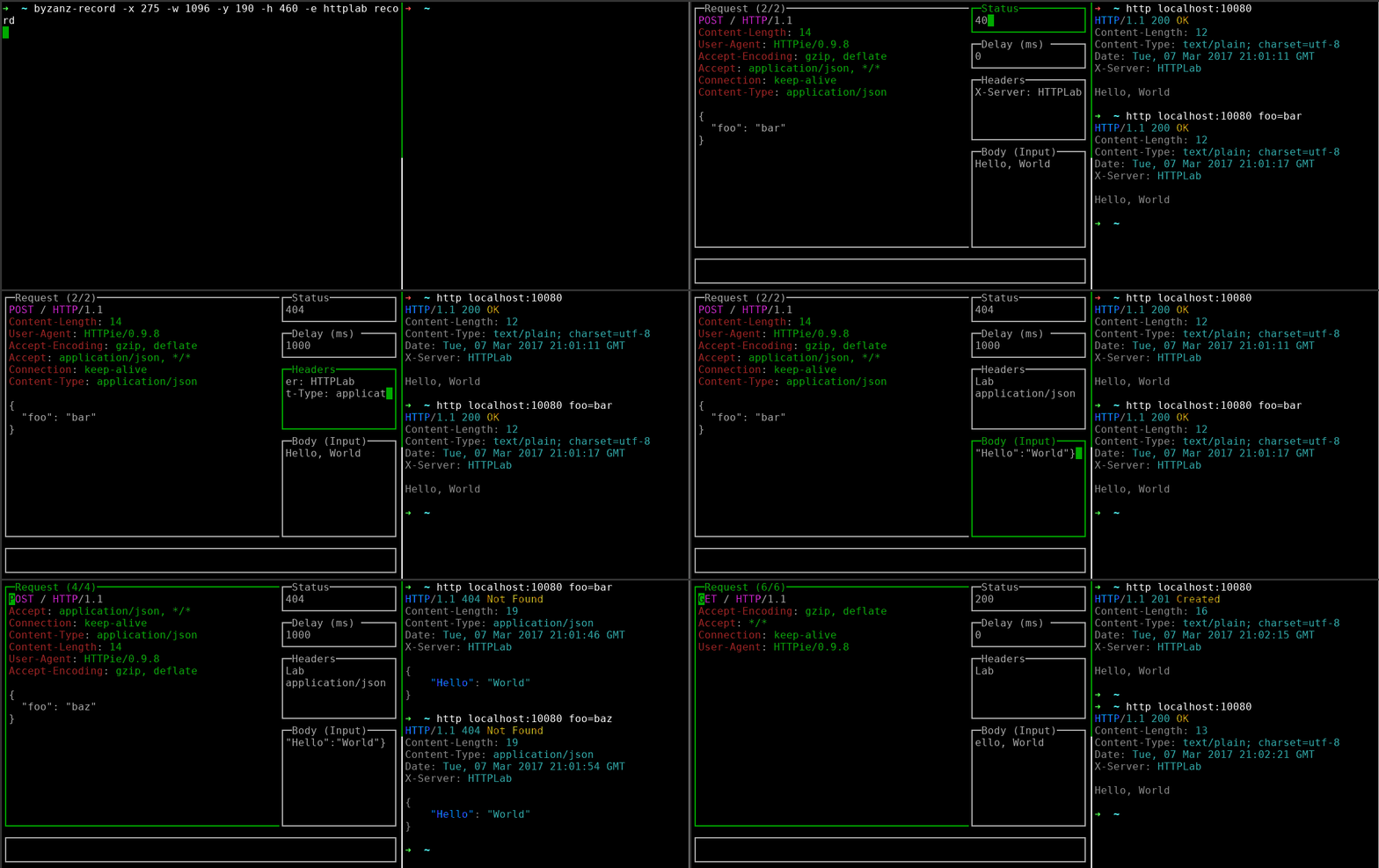
HTTPリクエストの検査とレスポンスの偽装を行うインタラクティブなウェブサーバーで、リアルタイムなデバッグとAPIテストのためのターミナルUIを備えています。




対話型Webサーバー。
HTTPLabsを使うと、HTTPリクエストを検査し、レスポンスを作成できます。
go install github.com/gchaincl/httplab/cmd/httplab@latest
yaourt httplab
スナップがサポートされているシステムでは:
snap install httplab
各リリースでは、さまざまなアーキテクチャ向けのビルド済みバイナリを提供しています。こちらからダウンロードできます: https://github.com/gchaincl/httplab/releases/latest
Usage of httplab:
  -a, --auto-update       Auto-updates response when fields change. (default true)
  -b, --body string       Specifies the inital response body. (default "Hello, World")
  -c, --config string     Specifies custom config path.
      --cors              Enable CORS.
      --cors-display      Display CORS requests. (default true)
  -d, --delay int         Specifies the initial response delay in ms.
  -H, --headers strings   Specifies the initial response headers. (default [X-Server:HTTPLab])
  -p, --port int          Specifies the port where HTTPLab will bind to. (default 10080)
  -s, --status string     Specifies the initial response status. (default "200")
  -v, --version           Prints current version.
| キー | 説明 |
|---|---|
| Tab | 次の入力 |
| Shift+Tab | 前の入力 |
| Ctrl+a | レスポンスの変更を適用 |
| Ctrl+r | リクエスト履歴をリセット |
| Ctrl+s | レスポンスを名前を付けて保存 |
| Ctrl+f | リクエストを名前を付けて保存 |
| Ctrl+l | レスポンス一覧の表示切替 |
| Ctrl+t | レスポンスビルダーの表示切替 |
| Ctrl+o | ボディファイルを開く |
| Ctrl+b | ボディモードの切り替え |
| Ctrl+h | ヘルプの表示切替 |
| Ctrl+w | 行の折り返しの切り替え |
| q | ポップアップを閉じる |
| PgUp | 前のリクエスト |
| PgDown | 次のリクエスト |
| Ctrl+c | 終了 |
HTTPLabは、事前定義されたレスポンスを保存するためにファイルを使用します。カレントディレクトリにある .httplab というファイルを探し、見つからない場合は $HOME にフォールバックします。
サンプルファイルはこちらにあります。
HTTPLabはwuzzから多大な影響を受けています。
