
複数の検索エンジンを使用して、インターネット上で露出したホストを迅速に発見します。
機能 • インストール • 使い方 • 設定 • Uncoverの実行 • Discordに参加
uncover は、よく知られた検索エンジンのAPIを使用して、インターネット上の露出したホストを素早く発見するGoラッパーです。自動化を念頭に置いて構築されているため、クエリを実行し、その結果を現在のパイプラインツールで利用できます。
uncover を正常にインストールするには go1.21 が必要です。次のコマンドを実行してリポジトリを取得します -
go install -v github.com/projectdiscovery/uncover/cmd/uncover@latest
uncover -h
これによりツールのヘルプが表示されます。サポートされているすべてのフラグは次のとおりです。
Usage:
./uncover [flags]
Flags:
INPUT:
-q, -query string[] 検索クエリ。stdin、file、config入力をサポート (例: -q 'example query', -q 'query.txt')
-e, -engine string[] クエリする検索エンジン (shodan,shodan-idb,fofa,censys,quake,hunter,zoomeye,netlas,criminalip,publicwww,hunterhow,google,driftnet,daydaymap) (デフォルト: shodan)
-asq, -awesome-search-queries string[] 素晴らしい検索クエリを使用して、インターネット上の露出したアセットを発見 (例: -asq 'jira')
SEARCH-ENGINE:
-s, -shodan string[] shodanの検索クエリ (例: -shodan 'query.txt')
-sd, -shodan-idb string[] shodan-idbの検索クエリ (例: -shodan-idb 'query.txt')
-ff, -fofa string[] fofaの検索クエリ (例: -fofa 'query.txt')
-cs, -censys string[] censysの検索クエリ (例: -censys 'query.txt')
-qk, -quake string[] quakeの検索クエリ (例: -quake 'query.txt')
-ht, -hunter string[] hunterの検索クエリ (例: -hunter 'query.txt')
-ze, -zoomeye string[] zoomeyeの検索クエリ (例: -zoomeye 'query.txt')
-ne, -netlas string[] netlasの検索クエリ (例: -netlas 'query.txt')
-cl, -criminalip string[] criminalipの検索クエリ (例: -criminalip 'query.txt')
-pw, -publicwww string[] publicwwwの検索クエリ (例: -publicwww 'query.txt')
-hh, -hunterhow string[] hunterhowの検索クエリ (例: -hunterhow 'query.txt')
-gg, -google string[] googleの検索クエリ (例: -google 'query.txt')
-on, -onyphe string[] onypheの検索クエリ (例: -onyphe 'query.txt')
-df, -driftnet string[] driftnetの検索クエリ (例: -driftnet 'query.txt')
-ddm, -daydaymap string[] daydaymapの検索クエリ (例: -daydaymap 'query.txt')
CONFIG:
-pc, -provider string プロバイダ設定ファイル (デフォルト "$CONFIG/uncover/provider-config.yaml")
-config string フラグ設定ファイル (デフォルト "$CONFIG/uncover/config.yaml")
-timeout int タイムアウト(秒) (デフォルト 30)
-rl, -rate-limit int 1秒あたりに送信するHTTPリクエストの最大数
-rlm, -rate-limit-minute int 1分あたりに送信するリクエストの最大数
-retry int 失敗したリクエストを再試行する回数 (デフォルト 2)
-proxy string uncoverで使用するHTTPプロキシ
OUTPUT:
-o, -output string 結果を書き込む出力ファイル
-f, -field string 出力に表示するフィールド (ip,port,host) (デフォルト "ip:port")
-j, -json JSONL(ines)形式で出力を書き込む
-r, -raw リモートAPIから受信した生の出力を書き込む
-l, -limit int 返す結果の数を制限 (デフォルト 100)
-nc, -no-color 出力の色を無効にする
DEBUG:
-silent 出力に結果のみを表示
-version プロジェクトのバージョンを表示
-v 詳細な出力を表示
uncoverをライブラリとして使用する例は、examples ディレクトリにあります。
デフォルトのプロバイダ設定ファイルは $CONFIG/uncover/provider-config.yaml に配置する必要があり、例として次の内容が含まれています。
注: APIキーが必要であり、uncoverを実行する前に設定する必要があります。
shodan:
- SHODAN_API_KEY_1
- SHODAN_API_KEY_2
censys:
- CENSYS_API_TOKEN_1:CENSYS_ORGANIZATION_ID_1
- CENSYS_API_TOKEN_2:CENSYS_ORGANIZATION_ID_2
fofa:
- FOFA_EMAIL_1:FOFA_KEY_1
- FOFA_EMAIL_2:FOFA_KEY_2
quake:
- QUAKE_TOKEN_1
- QUAKE_TOKEN_2
hunter:
- HUNTER_API_KEY_1
- HUNTER_API_KEY_2
zoomeye:
- ZOOMEYE_API_KEY_1
- ZOOMEYE_API_KEY_2
netlas:
- NETLAS_API_KEY_1
- NETLAS_API_KEY_2
criminalip:
- CRIMINALIP_API_KEY_1
- CRIMINALIP_API_KEY_2
publicwww:
- PUBLICWWW_API_KEY_1
- PUBLICWWW_API_KEY_2
hunterhow:
- HUNTERHOW_API_KEY_1
- HUNTERHOW_API_KEY_2
google:
- GOOGLE_API_KEY_1:Google_API_CX_1
- GOOGLE_API_KEY_2:Google_API_CX_2
onyphe:
- ONYPHE_API_KEY_1
- ONYPHE_API_KEY_2
driftnet:
- DRIFTNET_API_KEY_1
- DRIFTNET_API_KEY_2
daydaymap:
- DAYDAYMAP_API_KEY_1
- DAYDAYMAP_API_KEY_2
nerdydata:
- NERDYDATA_API_KEY_1
- NERDYDATA_API_KEY_2
設定ファイル内で同じプロバイダに複数のキー/資格情報が指定されている場合、実行ごとにランダムなキーが使用されます。
あるいは、bashプロファイルでAPIキーを環境変数として設定することもできます。
export SHODAN_API_KEY=xxx
export CENSYS_API_TOKEN=xxx
export CENSYS_ORGANIZATION_ID=xxx
export FOFA_EMAIL=xxx
export FOFA_KEY=xxx
export QUAKE_TOKEN=xxx
export HUNTER_API_KEY=xxx
export ZOOMEYE_API_KEY=xxx
export NETLAS_API_KEY=xxx
export CRIMINALIP_API_KEY=xxx
export PUBLICWWW_API_KEY=xxx
export HUNTERHOW_API_KEY=xxx
export GOOGLE_API_KEY=xxx
export GOOGLE_API_CX=xxx
export ONYPHE_API_KEY=xxx
export DRIFTNET_API_KEY=xxx
export DAYDAYMAP_API_KEY=xxx
export NERDYDATA_API_KEY=xxx
必要なAPIキーは、以下のプラットフォームにサインアップして取得できます。Shodan、Censys、Fofa、Quake、Hunter、ZoomEye、Netlas、CriminalIP、Publicwww、Google [1]、[2]、Onyphe、Driftnet、DayDayMap、NerdyData。
uncover は、stdin または q フラグを使用したクエリを含む複数の方法をサポートしています。エンジンが指定されていない場合、デフォルトで shodan エンジンが検索に使用されます。
echo 'ssl:"Uber Technologies, Inc."' | uncover
__ ______ _________ _ _____ _____
/ / / / __ \/ ___/ __ \ | / / _ \/ ___/
/ /_/ / / / / /__/ /_/ / |/ / __/ /
\__,_/_/ /_/\___/\____/|___/\___/_/ v0.0.9
projectdiscovery.io
[WRN] Use with caution. You are responsible for your actions
[WRN] Developers assume no liability and are not responsible for any misuse or damage.
[WRN] By using uncover, you also agree to the terms of the APIs used.
107.180.12.116:993
107.180.26.155:443
104.244.99.31:443
161.28.20.79:443
104.21.8.108:443
198.71.233.203:443
104.17.237.13:443
162.255.165.171:443
12.237.119.61:443
192.169.250.211:443
104.16.251.50:443
uncover を ファイル 入力(1行に複数の検索クエリを含む)で実行します。
cat dorks.txt
ssl:"Uber Technologies, Inc."
title:"Grafana"
uncover -q dorks.txt
__ ______ _________ _ _____ _____
/ / / / __ \/ ___/ __ \ | / / _ \/ ___/
/ /_/ / / / / /__/ /_/ / |/ / __/ /
\__,_/_/ /_/\___/\____/|___/\___/_/ v0.0.9
projectdiscovery.io
[WRN] Use with caution. You are responsible for your actions
[WRN] Developers assume no liability and are not responsible for any misuse or damage.
[WRN] By using uncover, you also agree to the terms of the APIs used.
107.180.12.116:993
107.180.26.155:443
104.244.99.31:443
161.28.20.79:443
104.21.8.108:443
198.71.233.203:443
2607:7c80:54:3::74:3001
104.198.55.35:80
46.101.82.244:3000
34.147.126.112:80
138.197.147.213:8086
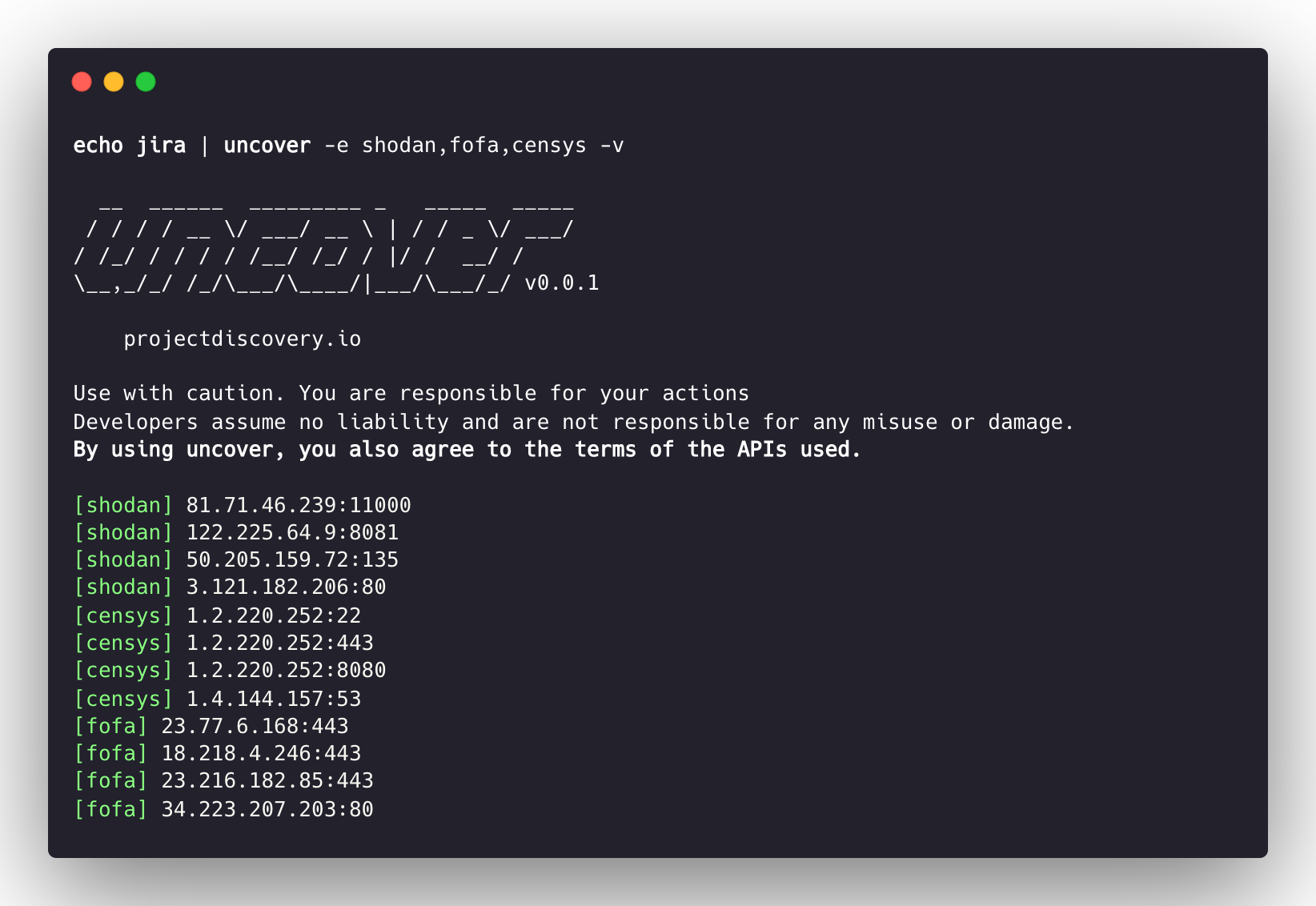
uncover は複数の検索エンジンをサポートしており、デフォルトでは shodan が使用されます。-e フラグを使用して、同じクエリを任意のまたはすべての検索エンジンに対して実行できます。
echo jira | uncover -e shodan,censys,fofa,quake,hunter,zoomeye,netlas,criminalip,driftnet,daydaymap
__ ______ _________ _ _____ _____
/ / / / __ \/ ___/ __ \ | / / _ \/ ___/
/ /_/ / / / / /__/ /_/ / |/ / __/ /
\__,_/_/ /_/\___/\____/|___/\___/_/ v0.0.9
projectdiscovery.io
[WRN] Use with caution. You are responsible for your actions
[WRN] Developers assume no liability and are not responsible for any misuse or damage.
[WRN] By using uncover, you also agree to the terms of the APIs used.
176.31.249.189:5001
13.211.116.80:443
43.130.1.221:631
192.195.70.29:443
52.27.22.181:443
117.48.120.226:8889
106.52.115.145:49153
13.69.135.128:443
193.35.99.158:443
18.202.109.218:8089
101.36.105.97:21379
42.194.226.30:2626
uncover -shodan 'http.component:"Atlassian Jira"' -censys 'services.software.product=`Jira`' -fofa 'app="ATLASSIAN-JIRA"' -quake 'Jira' -hunter 'Jira' -zoomeye 'app:"Atlassian JIRA"' -netlas 'jira' -criminalip 'Jira' -driftnet 'field=product-tag:jira' -daydaymap 'Jira'
__ ______ _________ _ _____ _____
/ / / / __ \/ ___/ __ \ | / / _ \/ ___/
/ /_/ / / / / /__/ /_/ / |/ / __/ /
\__,_/_/ /_/\___/\____/|___/\___/_/ v0.0.9
projectdiscovery.io
[WRN] Use with caution. You are responsible for your actions
[WRN] Developers assume no liability and are not responsible for any misuse or damage.
[WRN] By using uncover, you also agree to the terms of the APIs used.
104.68.37.129:443
162.222.160.42:443
34.255.84.133:443
52.204.121.166:443
23.198.29.120:443
136.156.180.95:443
54.194.233.15:443
104.117.55.155:443
149.81.4.6:443
54.255.218.95:443
3.223.137.57:443
83.228.124.171:443
23.202.195.82:443
52.16.59.25:443
18.159.145.227:443
104.105.53.236:443
uncover は shodan-internetdb API をサポートしており、指定されたIP/CIDR入力に対して利用可能なポートを取得します。
shodan-idb は、入力が IP/CIDR の場合に デフォルト エンジンとして使用されます。それ以外の場合は shodan 検索エンジンが使用されます。
echo 51.83.59.99/24 | uncover
__ ______ _________ _ _____ _____
/ / / / __ \/ ___/ __ \ | / / _ \/ ___/
/ /_/ / / / / /__/ /_/ / |/ / __/ /
\__,_/_/ /_/\___/\____/|___/\___/_/ v0.0.9
projectdiscovery.io
[WRN] Use with caution. You are responsible for your actions
[WRN] Developers assume no liability and are not responsible for any misuse or damage.
[WRN] By using uncover, you also agree to the terms of the APIs used.
51.83.59.1:53
51.83.59.1:10000
51.83.59.2:53
51.83.59.3:25
51.83.59.3:80
51.83.59.3:389
51.83.59.3:443
51.83.59.3:465
51.83.59.3:587
51.83.59.3:993
uncover は driftnet API を使用して、指定されたIP/CIDR入力に対するオープンポートの高速検索をサポートしています。
echo 8.8.8.8/20 | uncover -e driftnet
__ ______ _________ _ _____ _____
/ / / / __ \/ ___/ __ \ | / / _ \/ ___/
/ /_/ / / / / /__/ /_/ / |/ / __/ /
\__,_/_/ /_/\___/\____/|___/\___/_/ v0.0.9
projectdiscovery.io
[WRN] Use with caution. You are responsible for your actions
[WRN] Developers assume no liability and are not responsible for any misuse or damage.
[WRN] By using uncover, you also agree to the terms of the APIs used.
...
8.8.4.4:443
8.8.4.4:53
8.8.4.4:853
8.8.6.29:443
8.8.6.40:443
8.8.6.70:443
8.8.6.94:443
8.8.11.1:22
8.8.11.253:22
8.8.11.64:443
8.8.8.8:443
8.8.8.8:53
8.8.8.8:853
...
-f, -field フラグを使用して、返すフィールドを指定できます。現在、ip、port、host がサポートされており、目的のフィールドを返すために使用できます。
uncover -q jira -f host -silent
ec2-44-198-22-253.compute-1.amazonaws.com
ec2-18-246-31-139.us-west-2.compute.amazonaws.com
tasks.devrtb.com
leased-line-91-149-128-229.telecom.by
74.242.203.213.static.inetbone.net
ec2-52-211-7-108.eu-west-1.compute.amazonaws.com
ec2-54-187-161-180.us-west-2.compute.amazonaws.com
185-2-52-226.static.nucleus.be
ec2-34-241-80-255.eu-west-1.compute.amazonaws.com
uncover には -f, -field フラグがあり、出力形式をカスタマイズするために使用できます。たとえば、uncover -f https://ip:port/version の場合、ip:port は出力内の結果に置き換えられ、定義された形式が維持されます。既知のスキーム/パス/ファイルを指定して、出力をパイプライン内の他のツールにすぐに入力として渡せるように準備するためにも使用できます。
echo kubernetes | uncover -f https://ip:port/version -silent
https://35.222.229.38:443/version
https://52.11.181.228:443/version
https://35.239.255.1:443/version
https://34.71.48.11:443/version
https://130.211.54.173:443/version
https://54.184.250.232:443/version
uncover の出力は、stdin を入力として受け付けるワークフロー内の他のプロジェクトにパイプで渡すことができます。例:
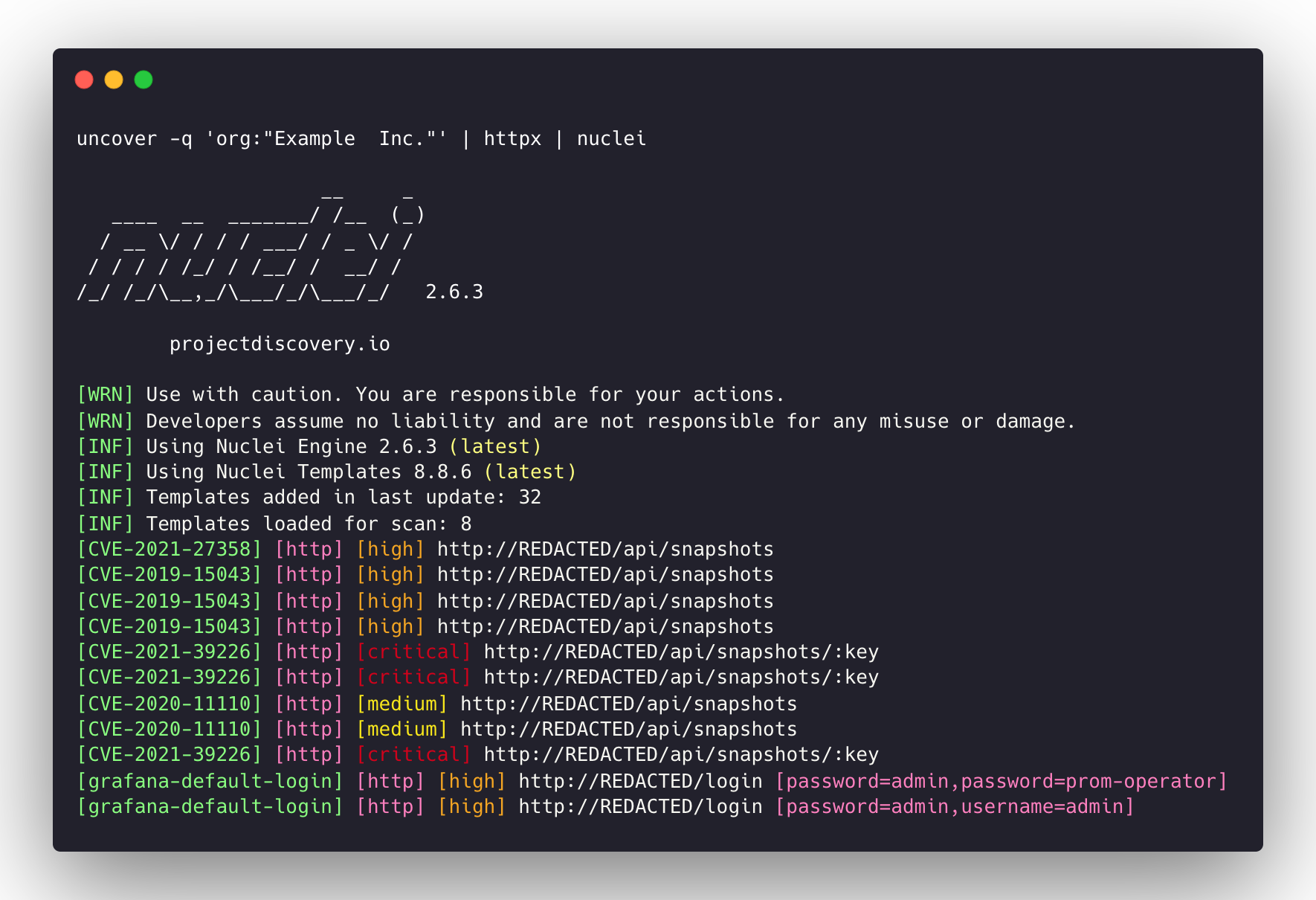
uncover -q example -f ip | naabu - 見つかったホストに対してポートスキャンを行う naabu を実行します。uncover -q title:GitLab | httpx - 見つかった結果に対してWebサーバープロービングを行う httpx を実行します。uncover -q 51.83.59.99/24 | httpx - shodan-internetdb から取得したホスト/ポートに対して httpx を実行します。uncover -q http.title:GitLab -silent | httpx -silent
https://15.185.150.109
https://139.162.137.16
https://164.68.115.243
https://135.125.215.186
https://163.172.59.119
http://15.236.10.197
https://129.206.117.248

query フラグは 検索エンジンでサポートされているすべてのフィルターのみ をサポートします。100 に制限されており、limit フラグで増やすことができます。shodan-idb API は API キーを必要とせず、そのまま動作します。shodan-idb API は、入力として IP/CIDR が指定された場合の デフォルト エンジンとして使用されます。uncover は projectdiscovery チームによって 🖤 を込めて作られています。



