
 projectdiscovery/dnsx
dnsxは、高速で多目的なDNSツールキットであり、ユーザーが指定したリゾルバのリストを使用して、任意の複数のDNSクエリを実行できます。
<h1 align="center">
  <img src="https://assets.kitploit.com/production/public/readmes/3923/abdf7c5ef50e7d740b96aad5a151b9ac75700de029a681a6b3dc6b51efe45b7d.png" alt="dnsx" width="200px">
  <br>
</h1>

<h4 align="center">DNSクエリの実行のために設計された、高速で多目的なDNSツールキット</h4>

<p align="center">
<a href="https://goreportcard.com/report/github.com/projectdiscovery/dnsx"><img src="https://goreportcard.com/badge/github.com/projectdiscovery/dnsx"></a>
<a href="https://github.com/projectdiscovery/dnsx/issues"><img src="https://img.shields.io/badge/contributions-welcome-brightgreen.svg?style=flat"></a>
<a href="https://github.com/projectdiscovery/dnsx/releases"><img src="https://img.shields.io/github/release/projectdiscovery/dnsx"></a>
<a href="https://twitter.com/pdiscoveryio"><img src="https://img.shields.io/twitter/follow/pdiscoveryio.svg?logo=twitter"></a>
<a href="https://discord.gg/projectdiscovery"><img src="https://img.shields.io/discord/695645237418131507.svg?logo=discord"></a>
</p>

<p align="center">
  <a href="#features">機能</a> •
  <a href="#installation-instructions">インストール</a> •
  <a href="#usage">使用方法</a> •
  <a href="#running-dnsx">`dnsx`の実行</a> •
  <a href="#wildcard-filtering">ワイルドカード</a> •
  <a href="#-notes">注意事項</a> •
  <a href="https://discord.gg/projectdiscovery">Discordに参加</a>
</p>


---

`dnsx`は、[retryabledns](https://github.com/projectdiscovery/retryabledns)ライブラリを通じて様々なプローブを実行するために設計された、高速で多目的なDNSツールキットです。複数のDNSクエリ、ユーザー指定のリゾルバ、[shuffledns](https://github.com/projectdiscovery/shuffledns)のようなDNSワイルドカードフィルタリングなどをサポートしています。


# 機能

<h1 align="left">
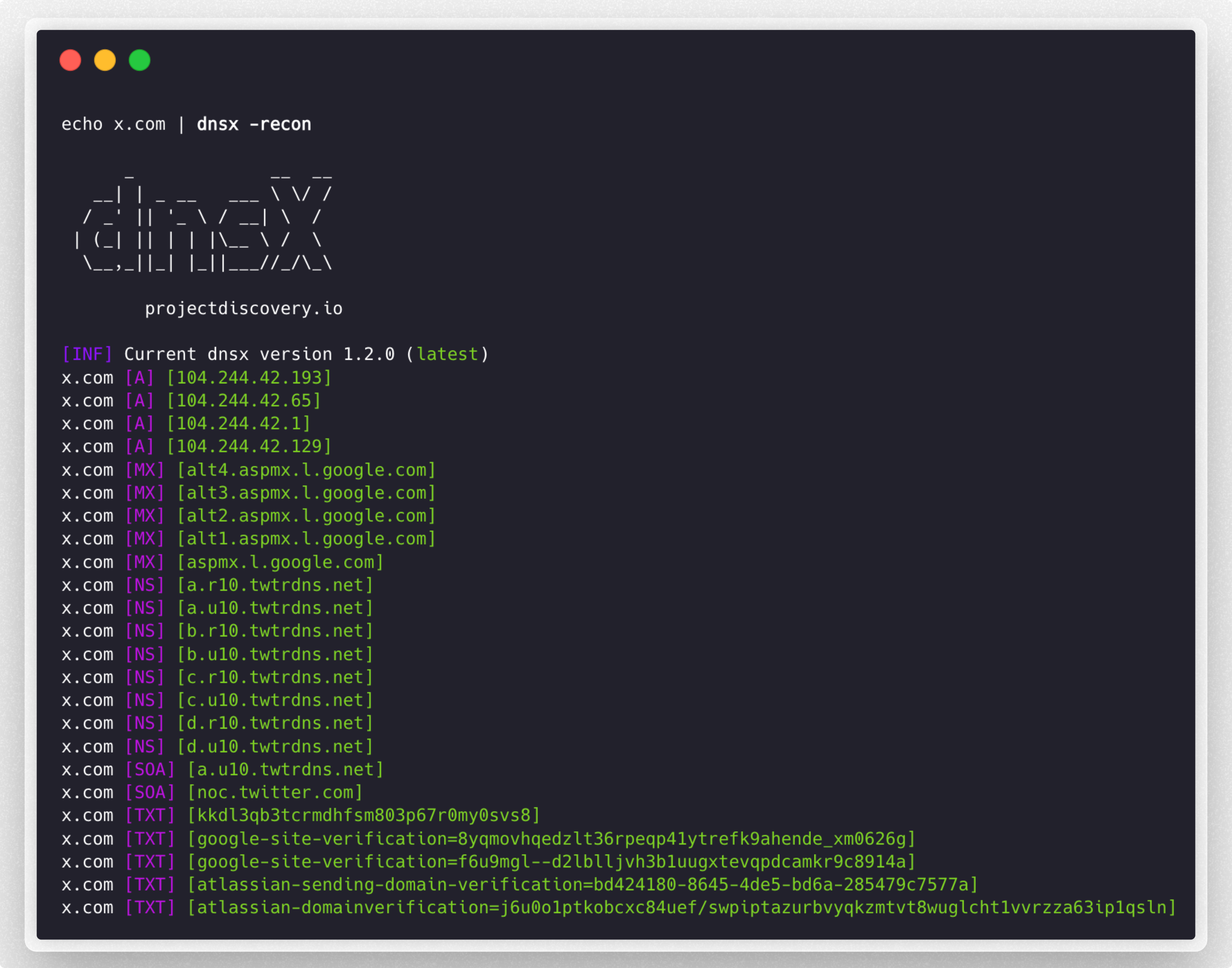
  <img src="https://assets.kitploit.com/production/public/readmes/3923/e0be49be16e94055f8ca00845ffa701135d23cba6aca284260e6208fa8c20026.png" alt="dnsx" width="700px"></a>
  <br>
</h1>


 - DNSレコードをクエリするためのシンプルで便利なユーティリティ。
 - **A, AAAA, CNAME, PTR, NS, MX, TXT, SRV, SOA**クエリのサポート
 - DNS**解決** / **ブルートフォース**のサポート
 - カスタム**リゾルバ**入力のサポート
 - 複数のリゾルバ形式**(TCP/UDP/DOH/DOT)**のサポート
 - **stdin**および**stdout**のサポート
 - 自動**ワイルドカード**処理のサポート

# インストール手順


`dnsx`を正常にインストールするには**go1.21**が必要です。最新バージョンをインストールするには、以下のコマンドを実行してください:

```sh
go install -v github.com/projectdiscovery/dnsx/cmd/dnsx@latest
```

# 使用方法

```sh
dnsx -h
```

これにより、ツールのヘルプが表示されます。以下はサポートされているすべてのスイッチです。

```console
INPUT:
   -l, -list string      list of sub(domains)/hosts to resolve (file or stdin)
   -d, -domain string    list of domain to bruteforce (file or comma separated or stdin)
   -w, -wordlist string  list of words to bruteforce (file or comma separated or stdin)

QUERY:
   -a                       query A record (default)
   -aaaa                    query AAAA record
   -cname                   query CNAME record
   -ns                      query NS record
   -txt                     query TXT record
   -srv                     query SRV record
   -ptr                     query PTR record
   -mx                      query MX record
   -soa                     query SOA record
   -any                     query ANY record
   -axfr                    query AXFR
   -caa                     query CAA record
   -recon                   query all the dns records (a,aaaa,cname,ns,txt,srv,ptr,mx,soa,axfr,caa)
   -e, -exclude-type value  dns query type to exclude (a,aaaa,cname,ns,txt,srv,ptr,mx,soa,axfr,caa) (default none)

FILTER:
   -re, -resp          display dns response
   -ro, -resp-only     display dns response only
   -rc, -rcode string  filter result by dns status code (eg. -rcode noerror,servfail,refused)

PROBE:
   -cdn  display cdn name
   -asn  display host asn information

RATE-LIMIT:
   -t, -threads int      number of concurrent threads to use (default 100)
   -rl, -rate-limit int  number of dns request/second to make (disabled as default) (default -1)

UPDATE:
   -up, -update                 update dnsx to latest version
   -duc, -disable-update-check  disable automatic dnsx update check

OUTPUT:
   -o, -output string           file to write output
   -j, -json                    write output in JSONL(ines) format
   -omit-raw, -or               omit raw dns response from jsonl output
   -ot, -output-template string custom output template (e.g. -ot '{{host}} {{a}}')

DEBUG:
   -hc, -health-check  run diagnostic check up
   -silent             display only results in the output
   -v, -verbose        display verbose output
   -raw, -debug        display raw dns response
   -stats              display stats of the running scan
   -version            display version of dnsx
   -nc, -no-color      disable color in output

OPTIMIZATION:
   -retry int                number of dns attempts to make (must be at least 1) (default 2)
   -hf, -hostsfile           use system host file
   -trace                    perform dns tracing
   -trace-max-recursion int  Max recursion for dns trace (default 32767)
   -resume                   resume existing scan
   -stream                   stream mode (wordlist, wildcard, stats and stop/resume will be disabled)
   -timeout value            maximum time to wait for a DNS query to complete (default 3s)

CONFIGURATIONS:
   -auth                         configure projectdiscovery cloud (pdcp) api key (default true)
   -r, -resolver string          list of resolvers to use (file or comma separated)
   -wt, -wildcard-threshold int  wildcard filter threshold (default 5)
   -aw, -auto-wildcard           automatically detect wildcard domains for filtering
   -wd, -wildcard-domain string  domain name for manual wildcard filtering (mutually exclusive with -auto-wildcard; other flags will be ignored - json output recommended)
```

## dnsxの実行

### DNS解決

様々なソースから取得したパッシブサブドメインのリストから、アクティブなホスト名をフィルタリングします:

```console
subfinder -silent -d hackerone.com | dnsx -silent

a.ns.hackerone.com
www.hackerone.com
api.hackerone.com
docs.hackerone.com
mta-sts.managed.hackerone.com
mta-sts.hackerone.com
resources.hackerone.com
b.ns.hackerone.com
mta-sts.forwarding.hackerone.com
events.hackerone.com
support.hackerone.com
```

指定されたサブドメインのリストの**A**レコードを表示します:

```console
subfinder -silent -d hackerone.com | dnsx -silent -a -resp

www.hackerone.com [104.16.100.52]
www.hackerone.com [104.16.99.52]
hackerone.com [104.16.99.52]
hackerone.com [104.16.100.52]
api.hackerone.com [104.16.99.52]
api.hackerone.com [104.16.100.52]
mta-sts.forwarding.hackerone.com [185.199.108.153]
mta-sts.forwarding.hackerone.com [185.199.109.153]
mta-sts.forwarding.hackerone.com [185.199.110.153]
mta-sts.forwarding.hackerone.com [185.199.111.153]
a.ns.hackerone.com [162.159.0.31]
resources.hackerone.com [52.60.160.16]
resources.hackerone.com [3.98.63.202]
resources.hackerone.com [52.60.165.183]
resources.hackerone.com [read.uberflip.com]
mta-sts.hackerone.com [185.199.110.153]
mta-sts.hackerone.com [185.199.111.153]
mta-sts.hackerone.com [185.199.109.153]
mta-sts.hackerone.com [185.199.108.153]
gslink.hackerone.com [13.35.210.17]
gslink.hackerone.com [13.35.210.38]
gslink.hackerone.com [13.35.210.83]
gslink.hackerone.com [13.35.210.19]
b.ns.hackerone.com [162.159.1.31]
docs.hackerone.com [185.199.109.153]
docs.hackerone.com [185.199.110.153]
docs.hackerone.com [185.199.111.153]
docs.hackerone.com [185.199.108.153]
support.hackerone.com [104.16.51.111]
support.hackerone.com [104.16.53.111]
mta-sts.managed.hackerone.com [185.199.108.153]
mta-sts.managed.hackerone.com [185.199.109.153]
mta-sts.managed.hackerone.com [185.199.110.153]
mta-sts.managed.hackerone.com [185.199.111.153]
```

指定されたサブドメインのリストの**A**レコードを抽出します:

```console
subfinder -silent -d hackerone.com | dnsx -silent -a -resp-only

104.16.99.52
104.16.100.52
162.159.1.31
104.16.99.52
104.16.100.52
185.199.110.153
185.199.111.153
185.199.108.153
185.199.109.153
104.16.99.52
104.16.100.52
104.16.51.111
104.16.53.111
185.199.108.153
185.199.111.153
185.199.110.153
185.199.111.153
```

指定されたサブドメインのリストの**CNAME**レコードを抽出します:

```console
subfinder -silent -d hackerone.com | dnsx -silent -cname -resp

support.hackerone.com [hackerone.zendesk.com]
resources.hackerone.com [read.uberflip.com]
mta-sts.hackerone.com [hacker0x01.github.io]
mta-sts.forwarding.hackerone.com [hacker0x01.github.io]
events.hackerone.com [whitelabel.bigmarker.com]
```
指定されたサブドメインのリストの**ASN**レコードを抽出します:
```console
subfinder -silent -d hackerone.com | dnsx -silent  -asn

b.ns.hackerone.com [AS13335, CLOUDFLARENET, US]
a.ns.hackerone.com [AS13335, CLOUDFLARENET, US]
hackerone.com [AS13335, CLOUDFLARENET, US]
www.hackerone.com [AS13335, CLOUDFLARENET, US]
api.hackerone.com [AS13335, CLOUDFLARENET, US]
support.hackerone.com [AS13335, CLOUDFLARENET, US]
```

指定された(サブ)ドメインのリストに対して[dnsステータスコード](https://github.com/projectdiscovery/dnsx/wiki/RCODE-ID-VALUE-Mapping)を使用してプローブします:

```console
subfinder -silent -d hackerone.com | dnsx -silent -rcode noerror,servfail,refused

ns.hackerone.com [NOERROR]
a.ns.hackerone.com [NOERROR]
b.ns.hackerone.com [NOERROR]
support.hackerone.com [NOERROR]
resources.hackerone.com [NOERROR]
mta-sts.hackerone.com [NOERROR]
www.hackerone.com [NOERROR]
mta-sts.forwarding.hackerone.com [NOERROR]
docs.hackerone.com [NOERROR]
```

`PTR`クエリを使用して、指定されたネットワーク範囲からサブドメインを抽出します:

```console
echo 173.0.84.0/24 | dnsx -silent -resp-only -ptr

cors.api.paypal.com
trinityadminauth.paypal.com
cld-edge-origin-api.paypal.com
appmanagement.paypal.com
svcs.paypal.com
trinitypie-serv.paypal.com
ppn.paypal.com
pointofsale-new.paypal.com
pointofsale.paypal.com
slc-a-origin-pointofsale.paypal.com
fpdbs.paypal.com
```

`PTR`クエリを使用して、指定されたASNからサブドメインを抽出します:
```console
echo AS17012 | dnsx -silent -resp-only -ptr

apiagw-a.paypal.com
notify.paypal.com
adnormserv-slc-a.paypal.com
a.sandbox.paypal.com
apps2.paypal-labs.com
pilot-payflowpro.paypal.com
www.paypallabs.com
paypal-portal.com
micropayments.paypal-labs.com
minicart.paypal-labs.com
```
---------

### カスタム出力形式

`-output-template` (`-ot`) フラグを使用すると、デフォルトのブラケット形式(例:`example.com [A] [104.20.23.154]`)の代わりに、テンプレートを使用して出力形式をカスタマイズできます。テンプレートをコマンドラインで直接指定して、解決されたデータの表示方法を制御します。

テンプレート変数は、JSONL出力(`-json`)で使用されるものと同じフィールド名にマッピングされるため、以下のいずれも`{{field}}`として参照できます:

`host`、`a`、`aaaa`、`cname`、`ns`、`txt`、`mx`、`srv`、`ptr`、`soa`、`caa`、`ttl`、`resolver`、`status_code`、`cdn-name`、`cdn-type`、`asn`、`query-time`。便利な`{{ip}}`エイリアスは、`A`と`AAAA`レコードを結合したものを保持します。

複数の値を持つレコード(例:複数の`A`レコード)は、単一のフィールド内でカンマ結合されます。

```console
echo example.com | dnsx -silent -a -ot '{{host}} {{a}}'

example.com 104.20.23.154,172.66.147.243
```

```console
echo example.com | dnsx -silent -a -ot '{{ip}} - {{host}}'

104.20.23.154,172.66.147.243 - example.com
```

> [!NOTE]
> 指定されたフィールドが存在しないか、値が含まれていない場合、出力から単に省略されます。`-output-template`は`-json`または`-raw`と組み合わせることはできません。

---------

### DNSブルートフォース

`d`および`w`フラグを使用して、指定されたドメインまたはドメインのリストのサブドメインをブルートフォースします:

```console
dnsx -silent -d facebook.com -w dns_worldlist.txt

blog.facebook.com
booking.facebook.com
api.facebook.com
analytics.facebook.com
beta.facebook.com
apollo.facebook.com
ads.facebook.com
box.facebook.com
alpha.facebook.com
apps.facebook.com
connect.facebook.com
c.facebook.com
careers.facebook.com
code.facebook.com
```

`d`または`w`フラグはファイルまたはカンマ区切りのキーワード入力を受け付けるため、単一または複数のキーワード入力を使用して対象のサブドメインをブルートフォースします:

```console
dnsx -silent -d domains.txt -w jira,grafana,jenkins

grafana.1688.com
grafana.8x8.vc
grafana.airmap.com
grafana.aerius.nl
jenkins.1688.com
jenkins.airbnb.app
jenkins.airmap.com
jenkins.ahn.nl
jenkins.achmea.nl
jira.amocrm.com
jira.amexgbt.com
jira.amitree.com
jira.arrival.com
jira.atlassian.net
jira.atlassian.com
```

すべての入力タイプ(`-list`、`-domain`、`-wordlist`)で**stdin**からの値が受け付けられます。`-list`フラグはデフォルトで`stdin`になりますが、パラメータとして`-`(ダッシュ)を追加することで他の入力タイプでも同様のことができます:

```console
cat domains.txt | dnsx -silent -w jira,grafana,jenkins -d -

grafana.1688.com
grafana.8x8.vc
grafana.airmap.com
grafana.aerius.nl
jenkins.1688.com
jenkins.airbnb.app
jenkins.airmap.com
jenkins.ahn.nl
jenkins.achmea.nl
jira.amocrm.com
jira.amexgbt.com
jira.amitree.com
jira.arrival.com
jira.atlassian.net
jira.atlassian.com
```

#### プレースホルダーベースのワードリストを使用したDNSブルートフォース

```bash
$ cat tld.txt

com
by
de
be
al
bi
cg
dj
bs
```

```console
dnsx -d google.FUZZ -w tld.txt -resp

      _             __  __
   __| | _ __   ___ \ \/ /
  / _' || '_ \ / __| \  /
 | (_| || | | |\__ \ /  \
  \__,_||_| |_||___//_/\_\ v1.1.2

      projectdiscovery.io

google.de [142.250.194.99]
google.com [142.250.76.206]
google.be [172.217.27.163]
google.bs [142.251.42.35]
google.bi [216.58.196.67]
google.al [216.58.196.68]
google.by [142.250.195.4]
google.cg [142.250.183.131]
google.dj [142.250.192.3]
```

### ワイルドカードフィルタリング

`dnsx`の特別な機能は、**マルチレベルのDNSベースのワイルドカード**を処理する能力であり、非常に少ないDNSリクエスト数でそれを実現します。時にはすべてのサブドメインが解決され、出力に大量のゴミが発生することがあります。`dnsx`がこれを処理する方法は、IPを指すサブドメインの数を追跡し、サブドメインの数が特定のしきい値を超えて増加した場合、そのIPのホストのすべてのレベルでワイルドカードを反復的にチェックすることです。

```console
dnsx -l subdomain_list.txt -wd airbnb.com -o output.txt
```

選択した出力モードを維持しながら、単一の実行で複数のドメインにわたってワイルドカードDNSを自動的に検出およびフィルタリングするには:

```console
dnsx -l subdomain_list.txt -auto-wildcard -o output.txt
```

`-auto-wildcard`と`-wd` / `-wildcard-domain`は相互排他的です。既存の手動単一ドメインワイルドカードフィルタリングフローを使用したい場合は`-wd`を使用し、混合ドメイン入力にわたってdnsxがワイルドカードルートを自動的に検出するようにしたい場合は`-auto-wildcard`を使用してください。

---

### ライブラリとしてのDnsx

golangプログラムでライブラリを直接使用することが可能です。以下のコードスニペットは、golangプログラムでの使用例です。詳細なパッケージ設定と使用方法については[こちら](https://pkg.go.dev/github.com/projectdiscovery/[email protected]/libs/dnsx)を参照してください。

```go
package main

import (
	"fmt"

	"github.com/projectdiscovery/dnsx/libs/dnsx"
)

func main() {
	// Create DNS Resolver with default options
	dnsClient, err := dnsx.New(dnsx.DefaultOptions)
	if err != nil {
		fmt.Printf("err: %v\n", err)
		return
	}

	// DNS A question and returns corresponding IPs
	result, err := dnsClient.Lookup("hackerone.com")
	if err != nil {
		fmt.Printf("err: %v\n", err)
		return
	}
	for idx, msg := range result {
		fmt.Printf("%d: %s\n", idx+1, msg)
	}

	// Query
	rawResp, err := dnsClient.QueryOne("hackerone.com")
	if err != nil {
		fmt.Printf("err: %v\n", err)
		return
	}
	fmt.Printf("rawResp: %v\n", rawResp)

	jsonStr, err := rawResp.JSON()
	if err != nil {
		fmt.Printf("err: %v\n", err)
		return
	}
	fmt.Println(jsonStr)

	return
}
```

# 📋 注意事項

- デフォルトでは、`dnsx`は**A**レコードをチェックします。
- デフォルトでは、`dnsx`はGoogle、Cloudflare、Quad9の[リゾルバ](https://github.com/projectdiscovery/dnsx/blob/43af78839e237ea8cbafe571df1ab0d6cbe7f445/libs/dnsx/dnsx.go#L31)を使用します。
- カスタムリゾルバリストは`r`フラグを使用してロードできます。
- `-auto-wildcard`は、単一の実行で複数の登録可能なルートにわたってワイルドカードドメインを自動的に検出します。
- ドメイン名(`-wd`)は手動ワイルドカードフィルタリングにのみ必要であり、`-auto-wildcard`と一緒に使用することはできません。
- `-wd`で手動ワイルドカードフィルタリングを使用する場合、他のDNSレコードフラグは無視され、JSON出力が推奨されます。
- DNS解決(`l`)とDNSブルートフォース(`w`)は一緒に使用できません。
- VPN事業者は高いDNS/UDPトラフィックをフィルタリングする傾向があるため、ツールはパケットロスを経験する可能性があります(例:[Mullvad VPN](https://github.com/projectdiscovery/dnsx/issues/221))。[この潜在的な解決策](https://github.com/projectdiscovery/dnsx/blob/dev/MULLVAD.md)を確認してください。

`dnsx`は[projectdiscovery](https://projectdiscovery.io)チームによって🖤を込めて作られました。