 projectdiscovery/alterx
DSLを使用した高速かつカスタマイズ可能なサブドメインワードリストジェネレーター




特徴 • インストール • 使い方 • AlterX の実行 • Discordに参加
DSLを使用した、高速でカスタマイズ可能なサブドメインワードリストジェネレーター。
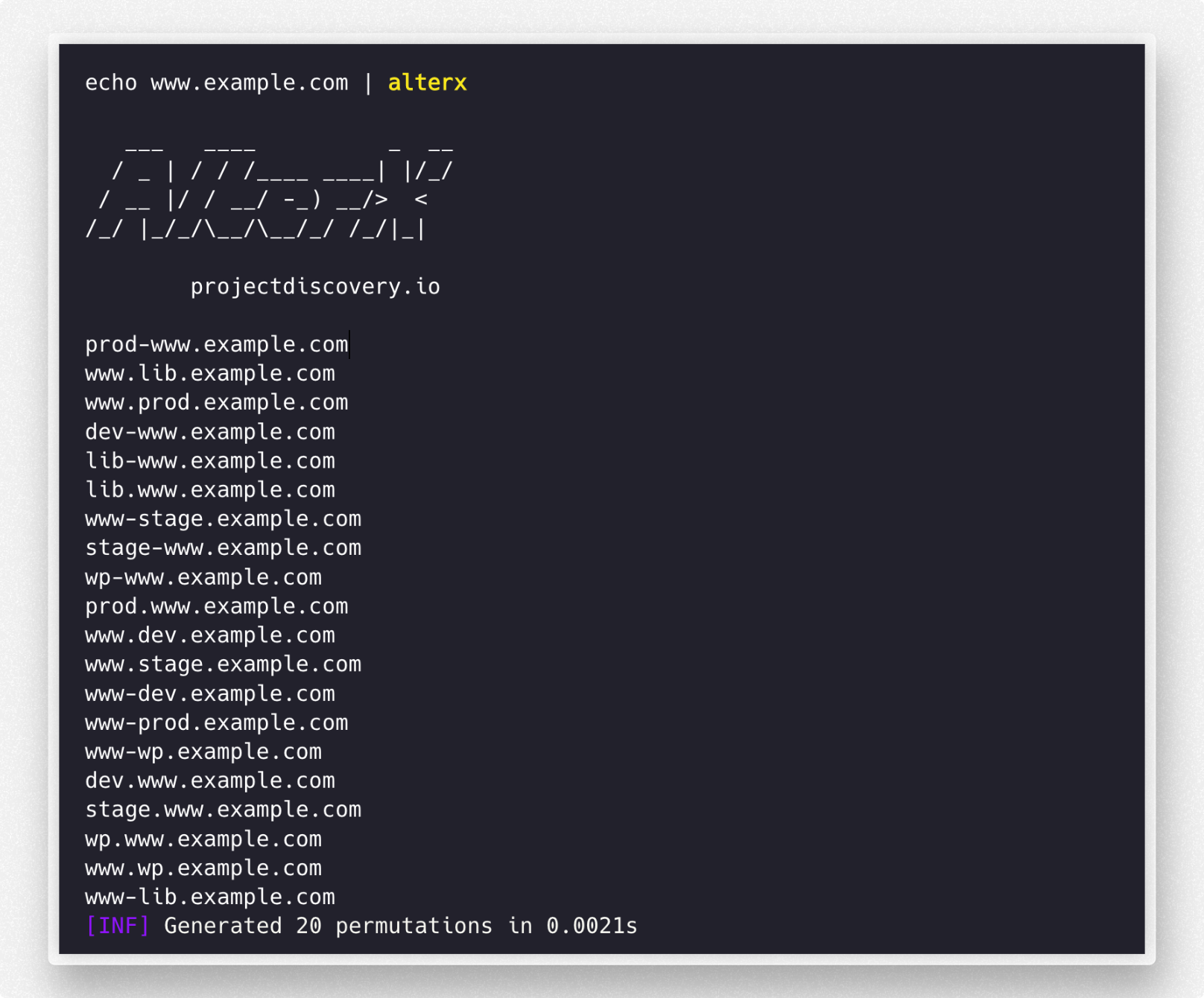
alterx をインストールするには、システムに Golang 1.19 がインストールされている必要があります。Golang は こちら からダウンロードできます。Golang のインストール後、以下のコマンドで alterx をインストールできます:
go install github.com/projectdiscovery/alterx/cmd/alterx@latest
# Clone the repository
git clone https://github.com/projectdiscovery/alterx.git
cd alterx

# Build using Makefile
make build

# Or build manually
go build ./cmd/alterx
利用可能な Makefile ターゲット:
make help          # Show all available targets
make build         # Build the binary
make test          # Run tests
make test-coverage # Run tests with coverage
make lint          # Run linter
make fmt           # Format code
make clean         # Clean build artifacts
make install       # Install to $GOPATH/bin
利用可能なフラグとオプションを確認するには、次のコマンドを使用します:
Fast and customizable subdomain wordlist generator using DSL.

Usage:
  ./alterx [flags]

Flags:
INPUT:
   -l, -list string[]     subdomains to use when creating permutations (stdin, comma-separated, file)
   -p, -pattern string[]  custom permutation patterns input to generate (comma-seperated, file)
   -pp, -payload value    custom payload pattern input to replace/use in key=value format (-pp 'word=words.txt')

OUTPUT:
   -es, -estimate      estimate permutation count without generating payloads
   -o, -output string  output file to write altered subdomain list
   -ms, -max-size int  Max export data size (kb, mb, gb, tb) (default mb)
   -v, -verbose        display verbose output
   -silent             display results only
   -version            display alterx version

CONFIG:
   -config string  alterx cli config file (default '$HOME/.config/alterx/config.yaml')
   -en, -enrich    enrich wordlist by extracting words from input
   -ac string      alterx permutation config file (default '$HOME/.config/alterx/permutation_v0.0.1.yaml')
   -limit int      limit the number of results to return (default 0)

UPDATE:
   -up, -update                 update alterx to latest version
   -duc, -disable-update-check  disable automatic alterx update check
alterx なのか??alterx が goaltdns などの他のサブドメイン順列ツールと異なる点は、その scripting 機能です。alterx はパターンを入力として受け取り、そのパターンに基づいてサブドメインの順列ワードリストを生成します。これは nuclei が fuzzing-templates で行うのと似ています。
アクティブサブドメイン列挙 を困難にしているのは、実際に存在するドメインを見つける確率です。可能性のあるサブドメインの発見をスケールで表すと、次のようになります。
Using Wordlist < generate permutations with subdomains (goaltdns) < alterx
ほとんどすべての一般的なサブドメイン順列ツールはハードコードされたパターンを持っており、そのようなツールを実行すると、何百万ものサブドメインを含むワードリストが作成されます。これにより、dnsx などのツールでのブルートフォースの実現可能性が低下します。サブドメインの命名には実際の慣習がなく、通常はサブドメインを登録する人に依存します。alterx を使用すると、パッシブサブドメイン列挙 の結果に基づいてパターンを作成できるため、サブドメインを見つける確率とブルートフォースの実現可能性が高まります。
alterx は nuclei-templates に似た変数ライクな構文を使用します。これらの変数を使用して独自のパターンを書くことができます。ドメインが入力として渡されると、alterx は入力を評価し、そこから変数を抽出します。
{{sub}}     :  subdomain prefix or left most part of a subdomain
{{suffix}}  :  everything except {{sub}} in subdomain name is suffix
{{tld}}     :  top level domain name (ex com,uk,in etc)
{{etld}}    :  also know as public suffix (ex co.uk , gov.in etc)
| 変数 | api.scanme.sh | admin.dev.scanme.sh | cloud.scanme.co.uk |
|---|---|---|---|
{{sub}} | api | admin | cloud |
{{suffix}} | scanme.sh | dev.scanme.sh | scanme.co.uk |
{{tld}} | sh | sh | uk |
{{etld}} | - | - | co.uk |
{{sld}}  :   second-level domain  (ex for api.scanme.sh => {{sld}} is scanme)
{{root}}  :  also known as eTLD+1 i.e only root domain (ex for api.scanme.sh => {{root}} is scanme.sh)
{{subN}}  :  here N is an integer (ex {{sub1}} , {{sub2}} etc) .

// {{subN}} is advanced variable which exists depending on input
// lets say there is a multi level domain cloud.nuclei.scanme.sh
// in this case {{sub}} = cloud and {{sub1}} = nuclei`
| 変数 | api.scanme.sh | admin.dev.scanme.sh | cloud.scanme.co.uk |
|---|---|---|---|
{{sld}} | scanme | scanme | scanme |
{{root}} | scanme.sh | scanme.sh | scanme.co.uk |
{{sub1}} | - | dev | - |
{{sub2}} | - | - | - |
パターンは、簡単に言うと、alterx がどのようなタイプのパターンを生成すべきかを記述する テンプレート と考えることができます。
// Below are some of example patterns which can be used to generate permutations
// assuming api.scanme.sh was given as input and variable {{word}} was given as input with only one value prod
// alterx generates subdomains for below patterns

"{{sub}}-{{word}}.{{suffix}}" // ex: api-prod.scanme.sh
"{{word}}-{{sub}}.{{suffix}}" // ex: prod-api.scanme.sh
"{{word}}.{{sub}}.{{suffix}}" // ex: prod.api.scanme.sh
"{{sub}}.{{word}}.{{suffix}}" // ex: api.prod.scanme.sh
以下は、必要に応じて簡単にカスタマイズできるパターン設定ファイルの例です - https://github.com/projectdiscovery/alterx/blob/main/permutations.yaml
この設定ファイルは、カスタマイズ可能なパターンと動的ペイロードを使用して、セキュリティ評価やペネトレーションテスト用のサブドメイン順列を生成します。パターンには、ダッシュベース、ドットベースなどがあります。ユーザーは、特定のニーズに合わせて、単語、地域識別子、数字などのカスタムペイロードセクションを作成できます。
例えば、ユーザーは prod や dev などの値を持つ新しいペイロードセクション env を定義し、{{env}}-{{word}}.{{suffix}} のようなパターンで使用して、prod-app.example.com や dev-api.example.com のようなサブドメインを生成できます。この柔軟性により、独自のテストシナリオや対象環境に合わせたサブドメインリストを作成できます。
生成に使用されるデフォルトのパターン設定ファイルは $HOME/.config/alterx/ ディレクトリに保存され、-ac オプションを使用してカスタム設定ファイルを使用することもできます。
tesla.com の既存のパッシブサブドメインリストに対して alterx を実行した例では、dnsx を使用して解決された さらに10個の新しい かつ 有効なサブドメイン が得られました。
$ chaos -d tesla.com | alterx | dnsx


   ___   ____          _  __
  / _ | / / /____ ____| |/_/
 / __ |/ / __/ -_) __/>  <
/_/ |_/_/\__/\__/_/ /_/|_|

      projectdiscovery.io

[INF] Generated 8312 permutations in 0.0740s
auth-global-stage.tesla.com
auth-stage.tesla.com
digitalassets-stage.tesla.com
errlog-stage.tesla.com
kronos-dev.tesla.com
mfa-stage.tesla.com
paymentrecon-stage.tesla.com
sso-dev.tesla.com
shop-stage.tesla.com
www-uat-dev.tesla.com
同様に、-enrich オプションを使用すると、既知のサブドメインをワード入力として取り込み、ターゲットを認識した順列 を生成できます。
