 p0dalirius/extractbitlockerkeys
ドメインからBitLockerの回復キーを自動的に抽出するシステム管理またはポストエクスプロイトスクリプト。


ドメインからBitLocker回復キーを自動的に抽出するためのシステム管理またはポストエクスプロイテーションスクリプト。



[!WARNING] このバックアップをドメインのオンラインSMB共有に保存しないでください。印刷して物理的に安全な金庫に保管することをお勧めします。
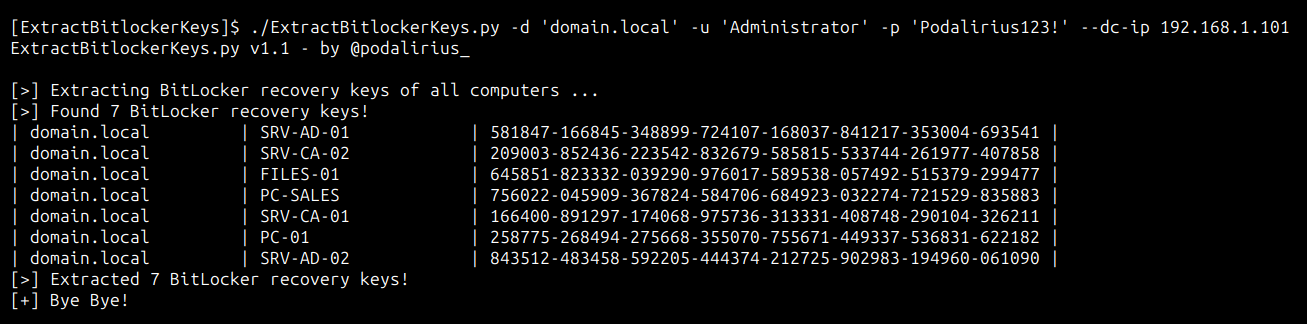
ドメインdomain.localのすべてのコンピュータからBitLocker回復キーを抽出するには、次のコマンドを使用します。
./ExtractBitlockerKeys.py -d 'domain.local' -u 'Administrator' -p 'Podalirius123!' --dc-ip 192.168.1.101
次のような出力が得られます。
ドメインdomain.localのすべてのコンピュータからBitLocker回復キーを抽出するには、次のコマンドを使用します。
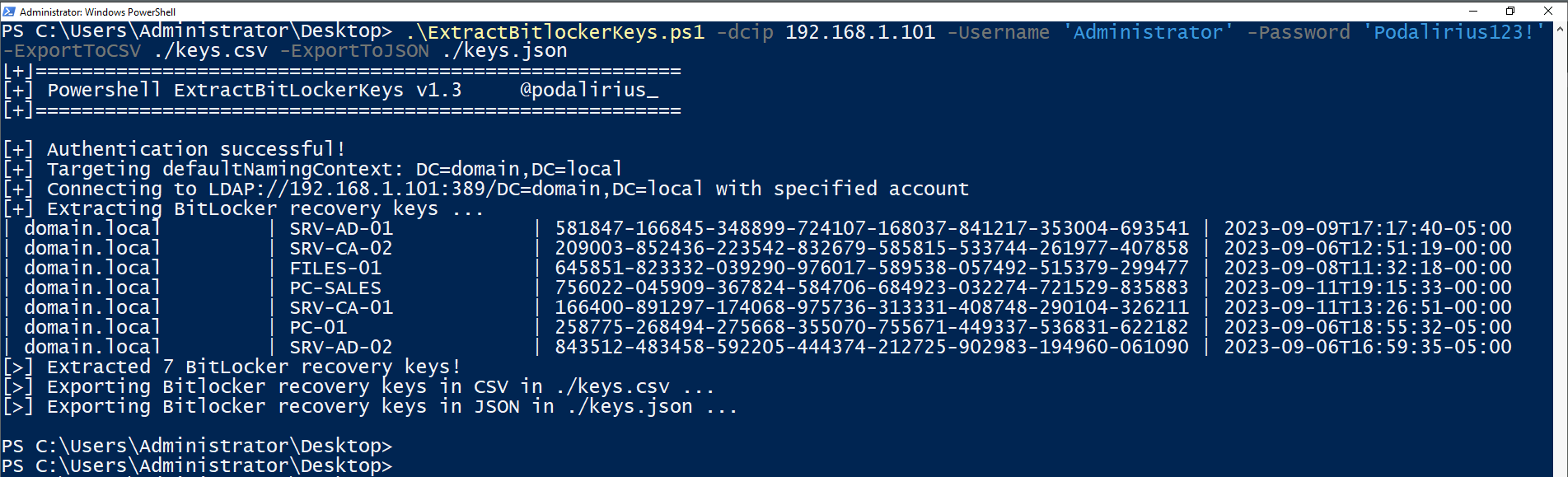
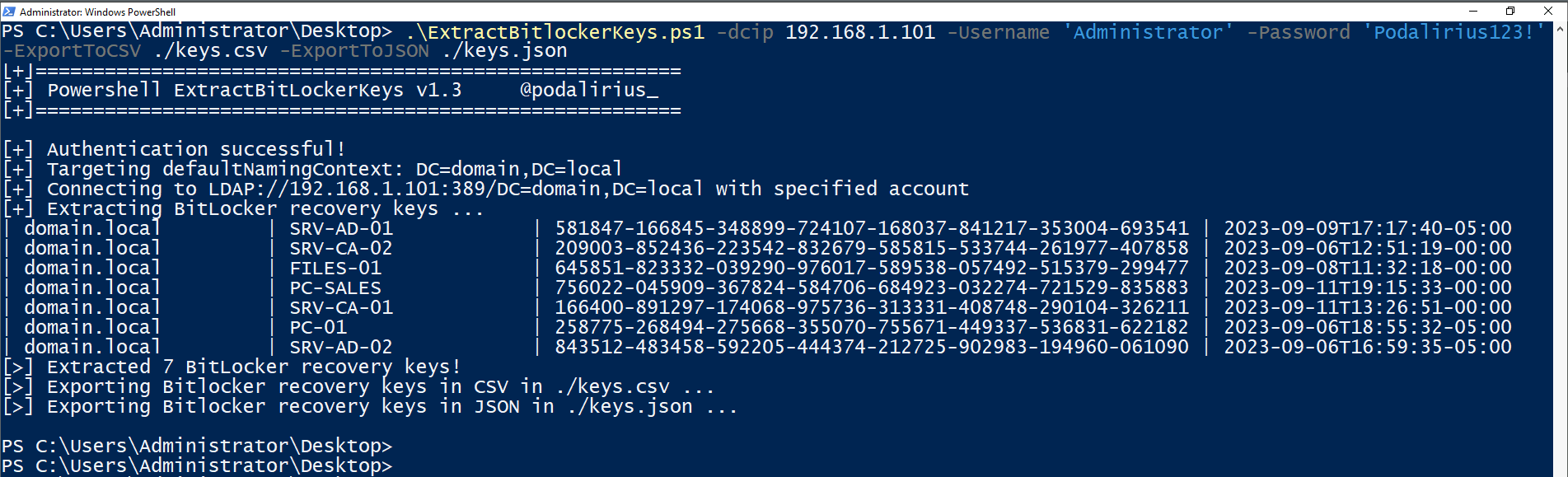
.\ExtractBitlockerKeys.ps1 -dcip 192.168.1.101 -ExportToCSV ./keys.csv -ExportToJSON ./keys.json
次のような出力が得られます。
$ ./ExtractBitlockerKeys.py -h
ExtractBitlockerKeys.py v1.1 - by Remi GASCOU (Podalirius)

usage: ExtractBitlockerKeys.py [-h] [-v] [-q] [-t THREADS] [--export-xlsx EXPORT_XLSX] [--export-json EXPORT_JSON] [--export-sqlite EXPORT_SQLITE] --dc-ip ip address [-d DOMAIN] [-u USER]
                               [--no-pass | -p PASSWORD | -H [LMHASH:]NTHASH | --aes-key hex key] [-k]

options:
  -h, --help            show this help message and exit
  -v, --verbose         Verbose mode. (default: False)
  -q, --quiet           Show no information at all.
  -t THREADS, --threads THREADS
                        Number of threads (default: 4).

Output files:
  --export-xlsx EXPORT_XLSX
                        Output XLSX file to store the results in.
  --export-json EXPORT_JSON
                        Output JSON file to store the results in.
  --export-sqlite EXPORT_SQLITE
                        Output SQLITE3 file to store the results in.

Authentication & connection:
  --dc-ip ip address    IP Address of the domain controller or KDC (Key Distribution Center) for Kerberos. If omitted it will use the domain part (FQDN) specified in the identity parameter
  -d DOMAIN, --domain DOMAIN
                        (FQDN) domain to authenticate to
  -u USER, --user USER  user to authenticate with

Credentials:
  --no-pass             Don't ask for password (useful for -k)
  -p PASSWORD, --password PASSWORD
                        Password to authenticate with
  -H [LMHASH:]NTHASH, --hashes [LMHASH:]NTHASH
                        NT/LM hashes, format is LMhash:NThash
  --aes-key hex key     AES key to use for Kerberos Authentication (128 or 256 bits)
  -k, --kerberos        Use Kerberos authentication. Grabs credentials from .ccache file (KRB5CCNAME) based on target parameters. If valid credentials cannot be found, it will use the ones specified in the command line.
プルリクエストを歓迎します。他の機能を追加したい場合は、issueを開いてください。
