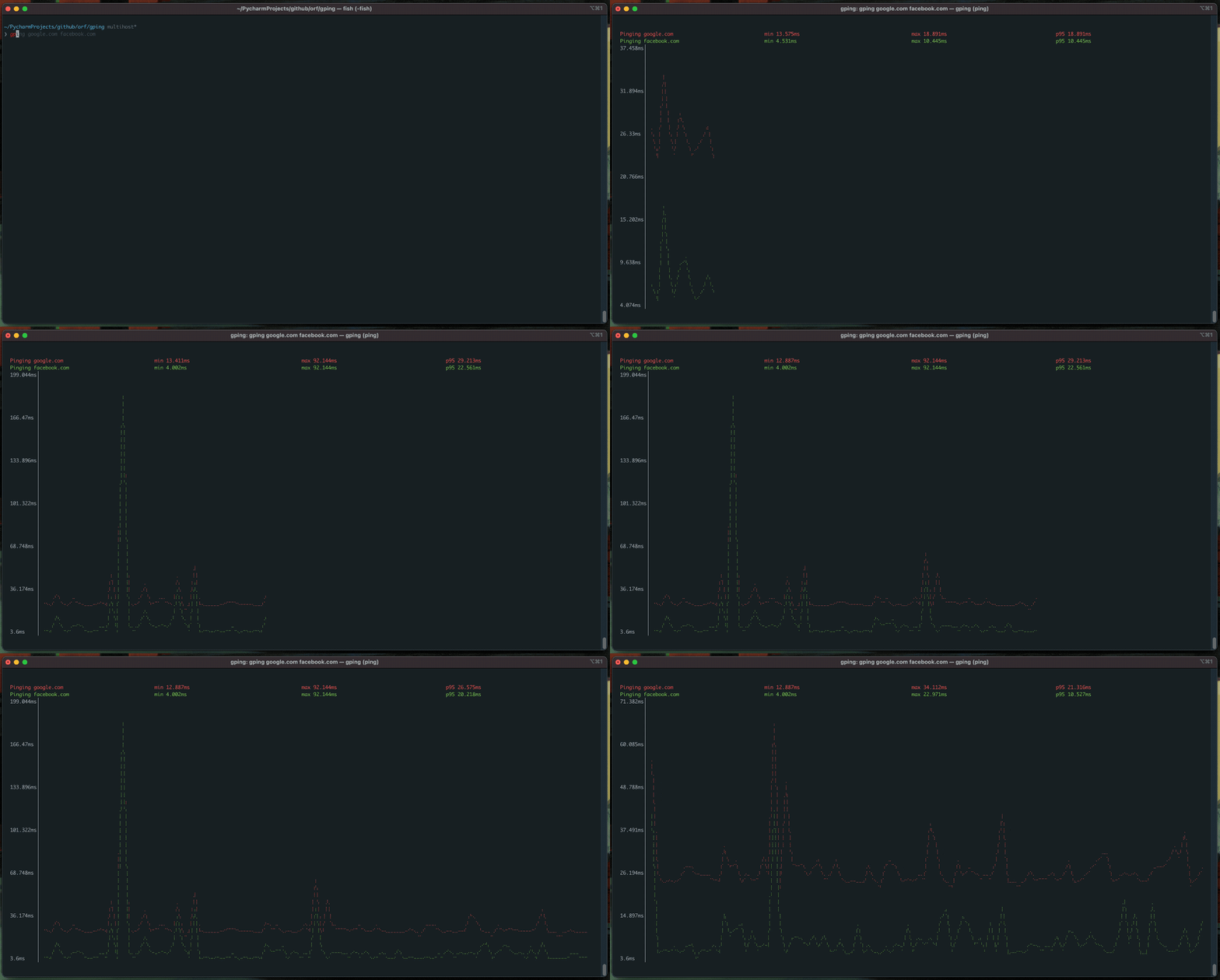



Pingの結果をグラフ化。
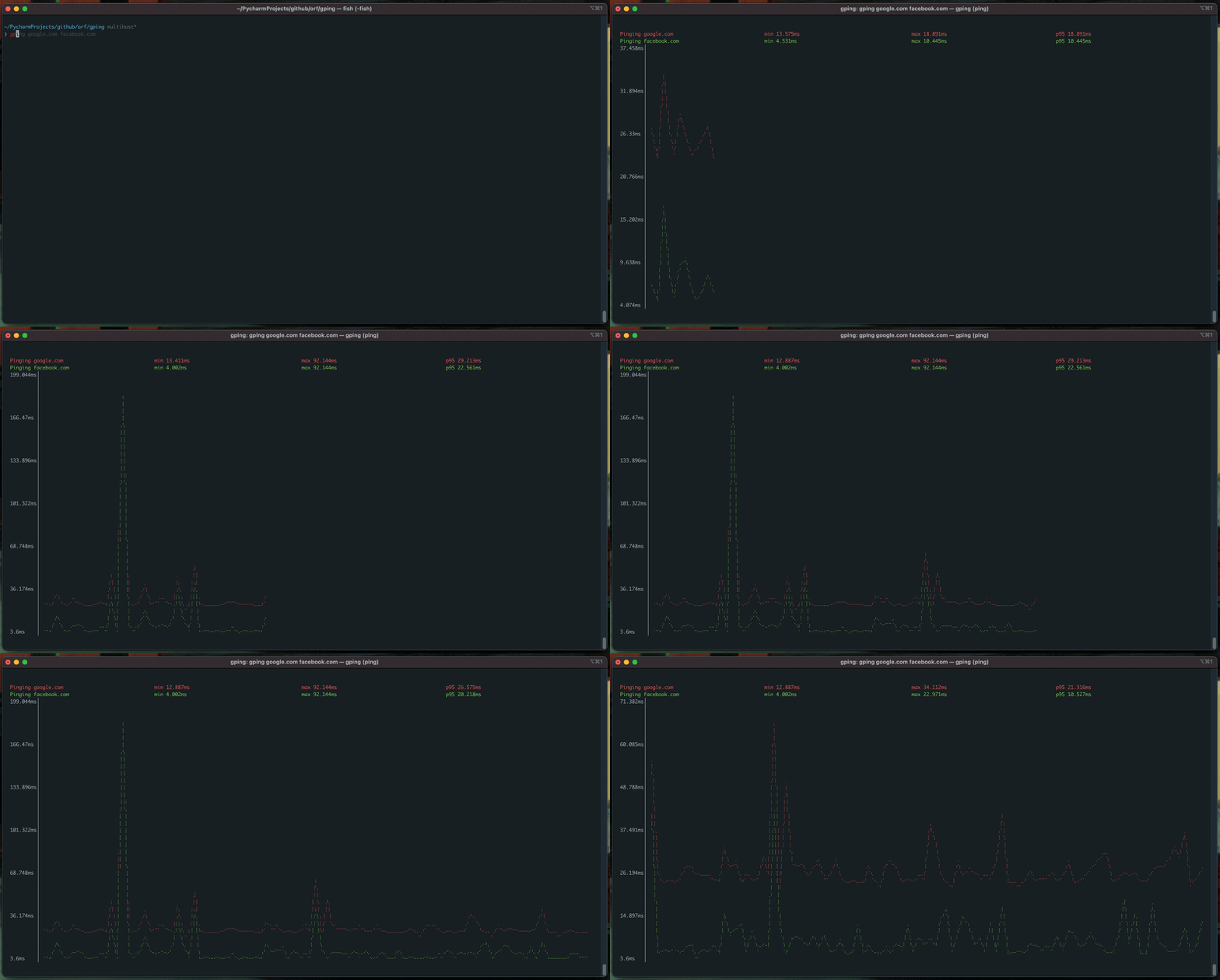
以下のスーパーパワーを備えています:
--cmd フラグを使うとコマンドの 実行時間 をグラフ化
brew install gpingscoop install gpingchoco install gpingsudo dnf copr enable atim/gping -y && sudo dnf install gpingrustc バージョン 1.67.0 以上が必要です): cargo install gpingpacman -S gpingapk add gpingapt install gpingecho 'deb [signed-by=/usr/share/keyrings/azlux.gpg] https://packages.azlux.fr/debian/ bookworm main' | sudo tee /etc/apt/sources.list.d/azlux.list
sudo apt install gpg curl
curl -s https://azlux.fr/repo.gpg.key | gpg --dearmor | sudo tee /usr/share/keyrings/azlux.gpg > /dev/null
sudo apt update
sudo apt install gping
sudo eselect repository enable dm9pZCAq
sudo emerge --sync dm9pZCAq
sudo emerge net-misc/gping::dm9pZCAq
# すべてのオプションを確認
docker run --rm -ti --network host ghcr.io/orf/gping:gping-v1.15.1 --help
# google.com にping
docker run --rm -ti --network host ghcr.io/orf/gping:gping-v1.15.1 google.com
# Flox環境内で
flox install gping
gah install gping
gping [host] を実行するだけです。--cmd フラグを使用すると、host は curl google.com のようなコマンドにできます。また、aws:eu-west-1 や aws:ca-central-1 のような省略形を使用して、特定のクラウドリージョンにpingを送ることもできます。現在は aws のみサポートされています。
$ gping --help
Ping, but with a graph.

Usage: gping [OPTIONS] [HOSTS_OR_COMMANDS]...

Arguments:
  [HOSTS_OR_COMMANDS]...  Hosts or IPs to ping, or commands to run if --cmd is provided. Can use cloud shorthands like aws:eu-west-1.

Options:
      --cmd
          Graph the execution time for a list of commands rather than pinging hosts
  -n, --watch-interval <WATCH_INTERVAL>
          Watch interval seconds (provide partial seconds like '0.5'). Default for ping is 0.2, default for cmd is 0.5.
  -b, --buffer <BUFFER>
          Determines the number of seconds to display in the graph. [default: 30]
  -4
          Resolve ping targets to IPv4 address
  -6
          Resolve ping targets to IPv6 address
  -i, --interface <INTERFACE>
          Interface to use when pinging
  -s, --simple-graphics
          Uses dot characters instead of braille
      --vertical-margin <VERTICAL_MARGIN>
          Vertical margin around the graph (top and bottom) [default: 1]
      --horizontal-margin <HORIZONTAL_MARGIN>
          Horizontal margin around the graph (left and right) [default: 0]
  -c, --color <color>
          Assign color to a graph entry. This option can be defined more than once as a comma separated string, and the order which the colors are provided will be matched against the hosts or commands passed to gping. Hexadecimal RGB color codes are accepted in the form of '#RRGGBB' or the following color names: 'black', 'red', 'green', 'yellow', 'blue', 'magenta','cyan', 'gray', 'dark-gray', 'light-red', 'light-green', 'light-yellow', 'light-blue', 'light-magenta', 'light-cyan', and 'white'
  -h, --help
          Print help information
  -V, --version
          Print version information
      --clear
          Clear the graph from the terminal after closing the program

