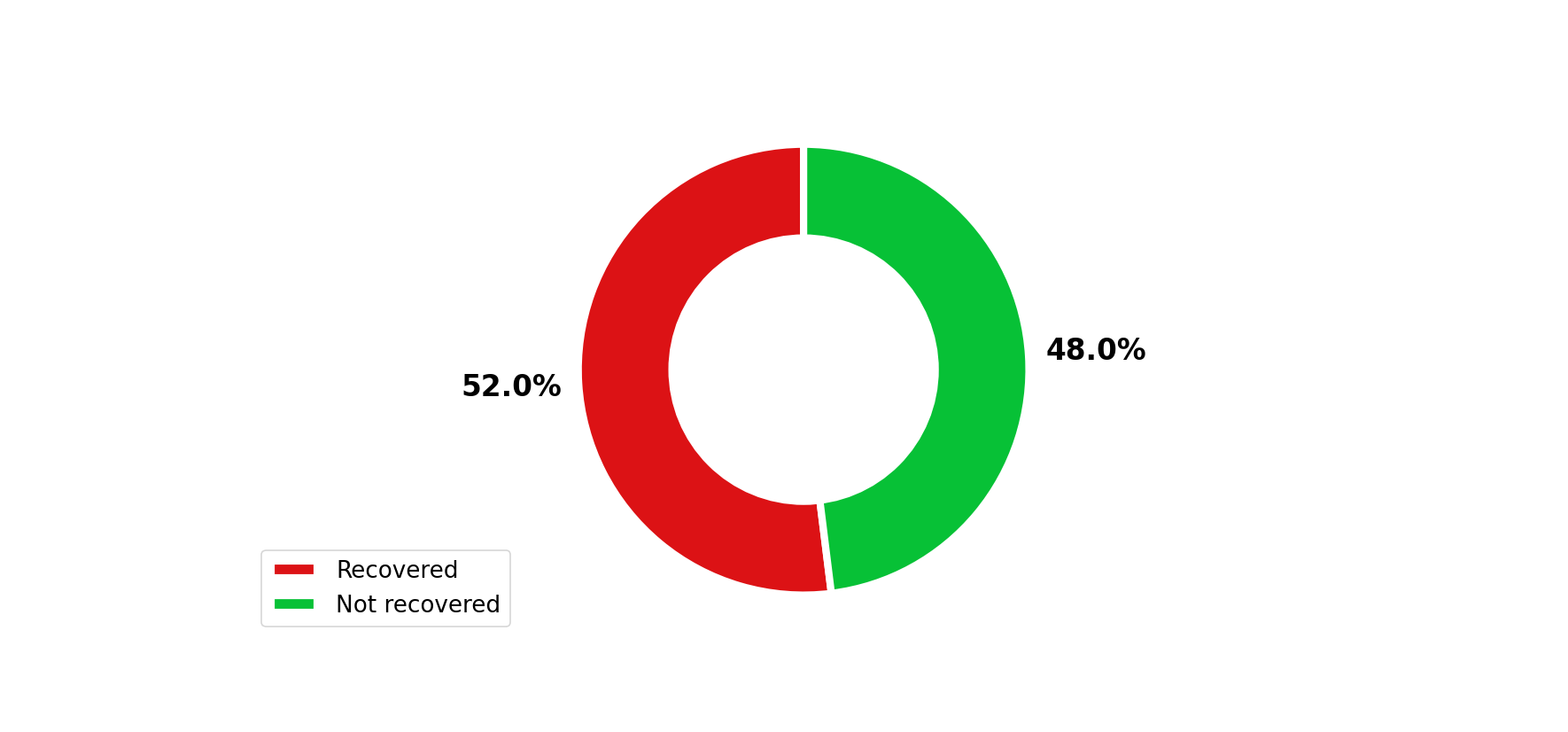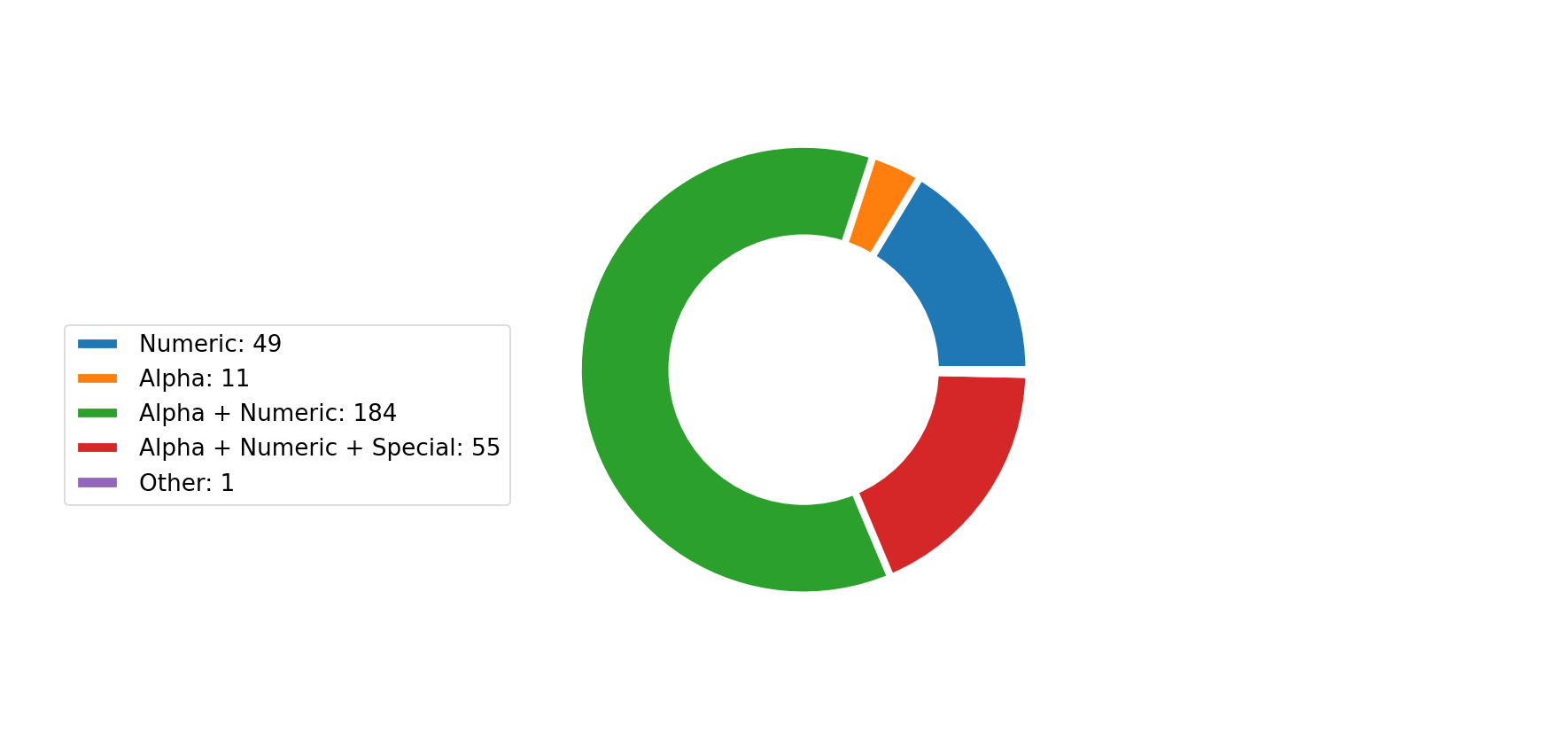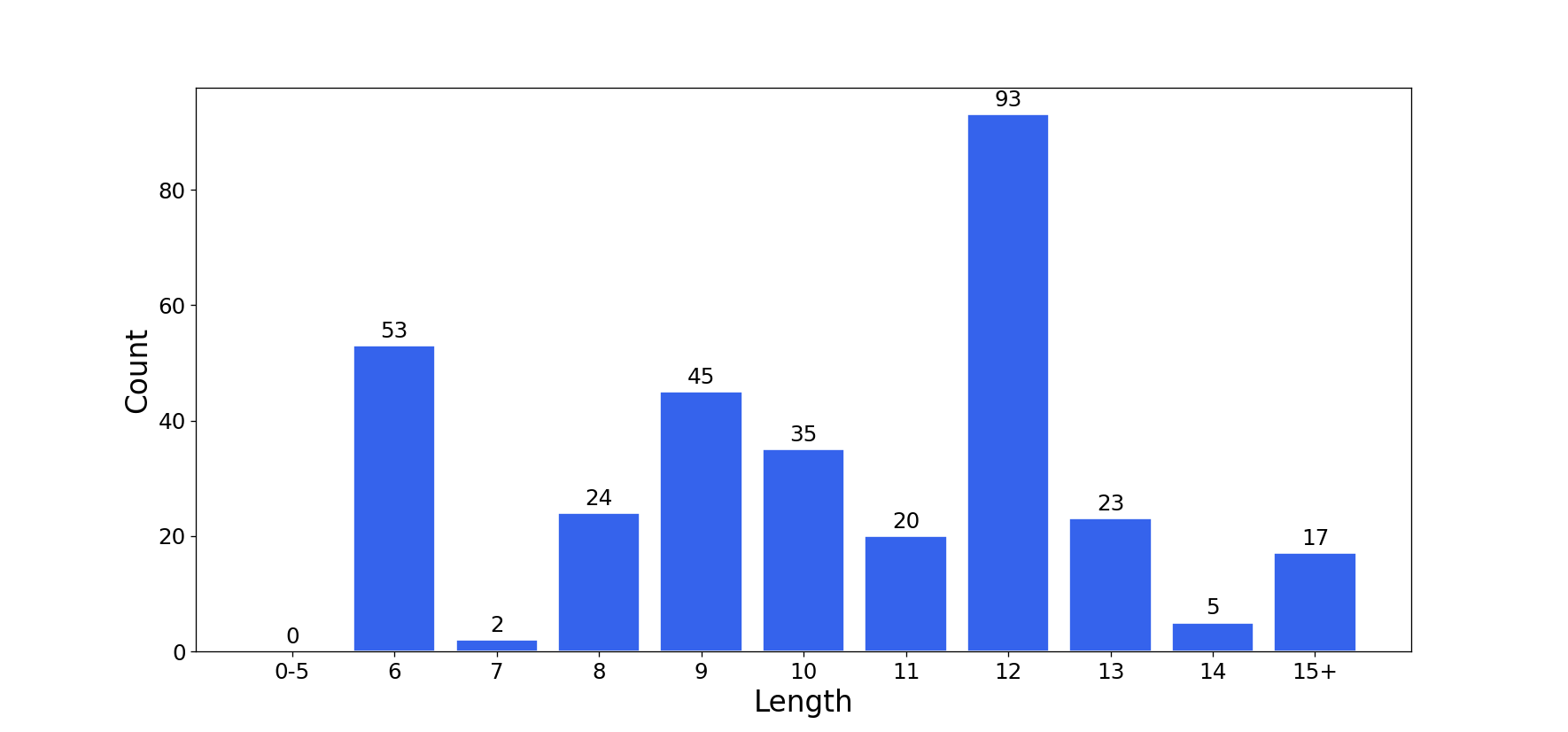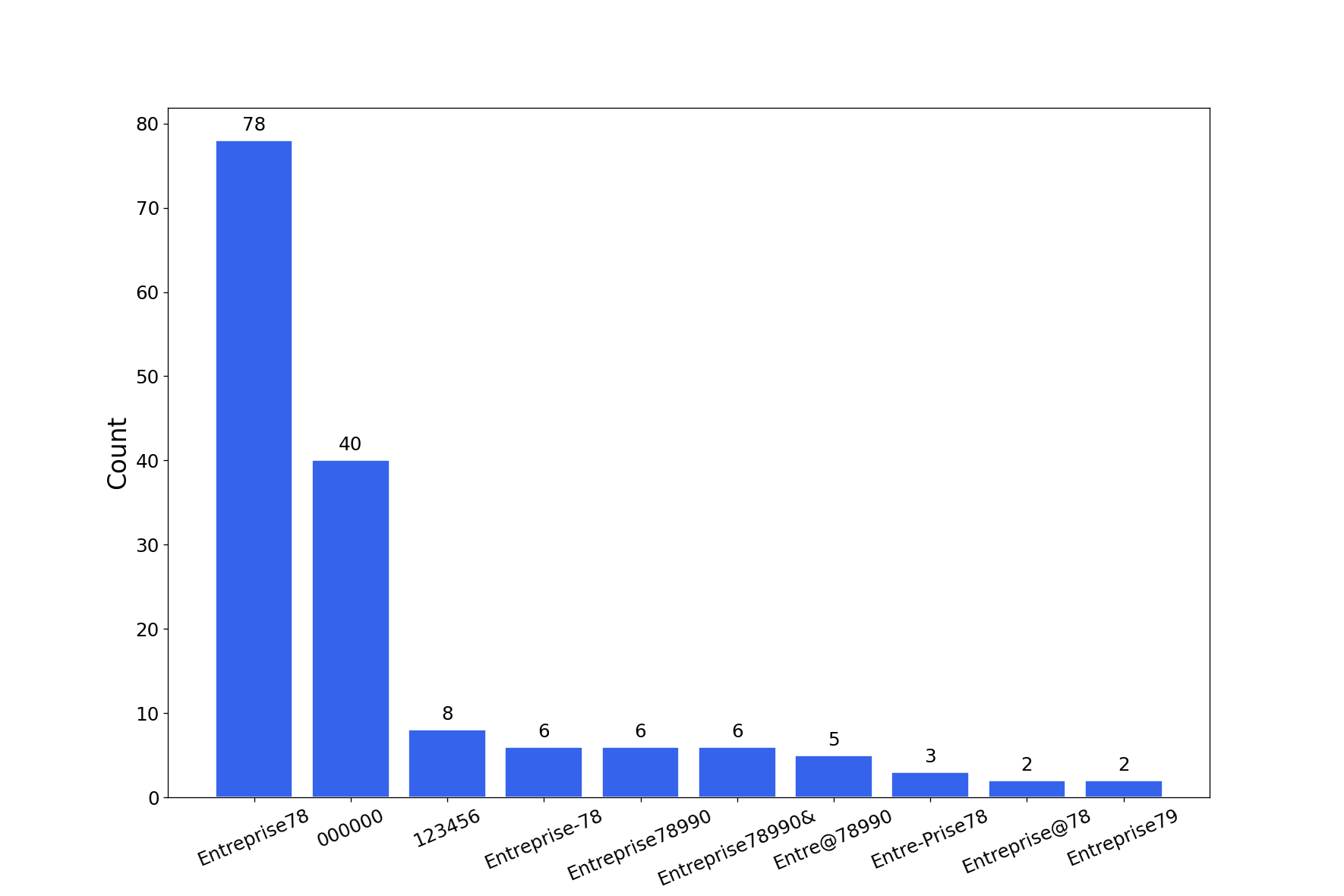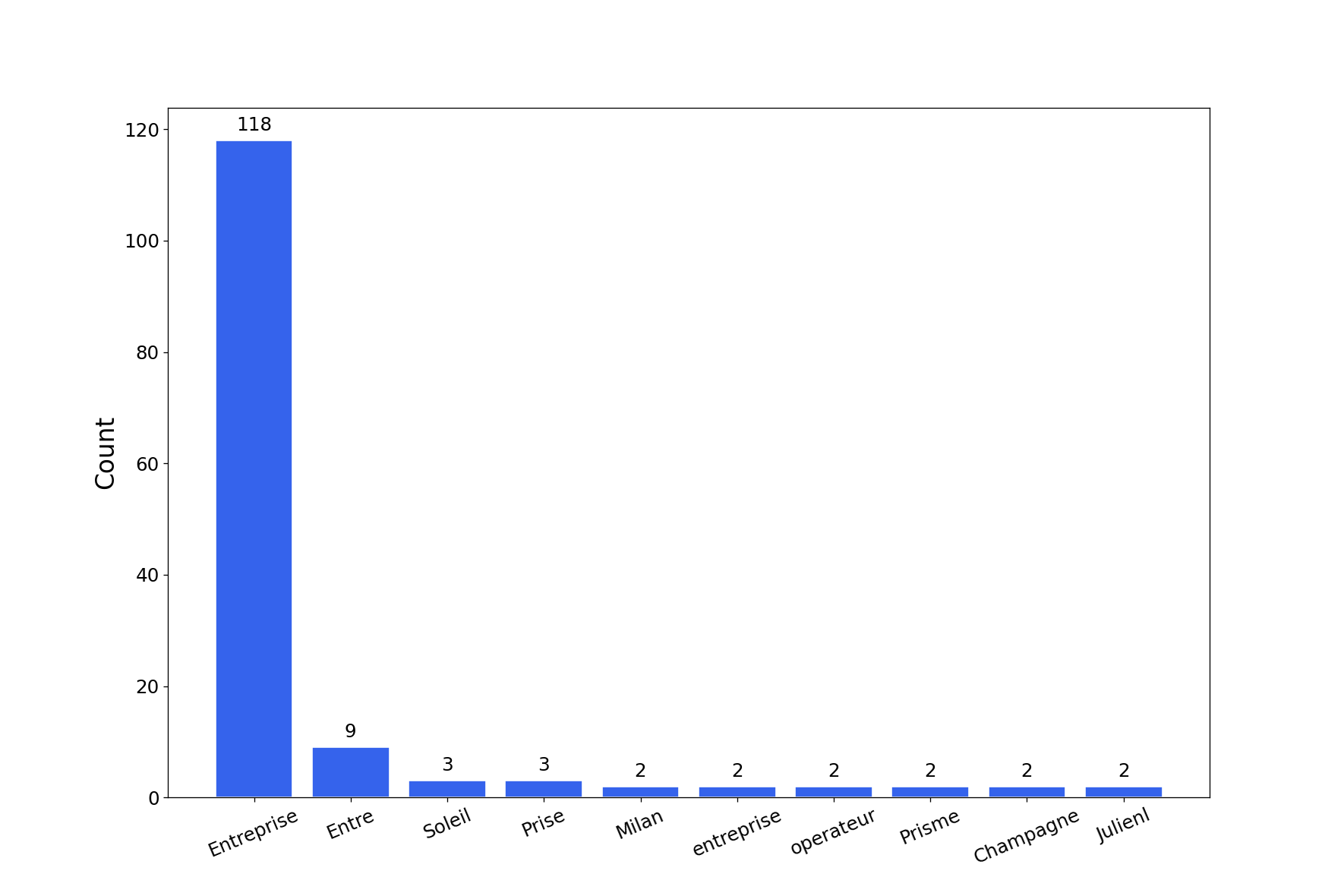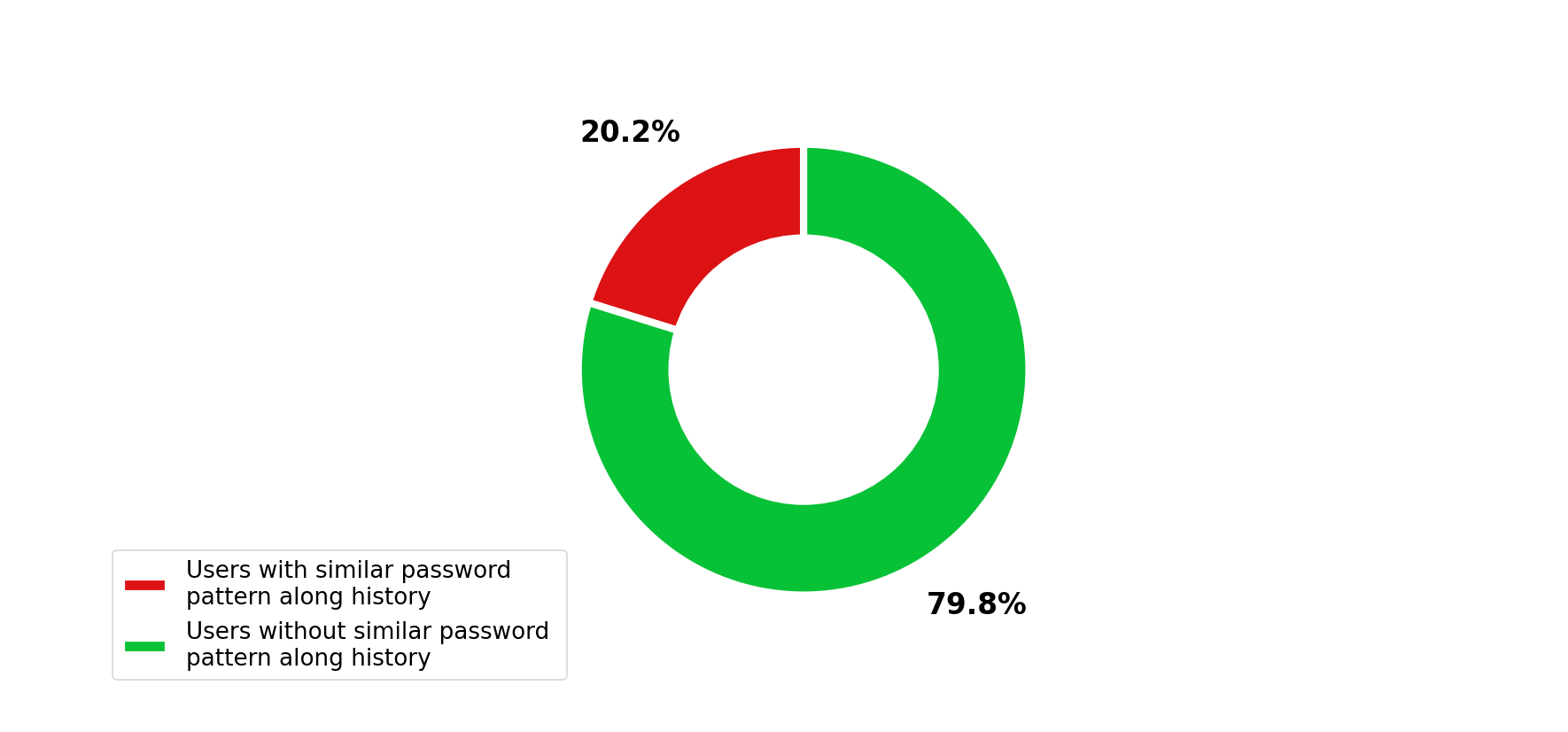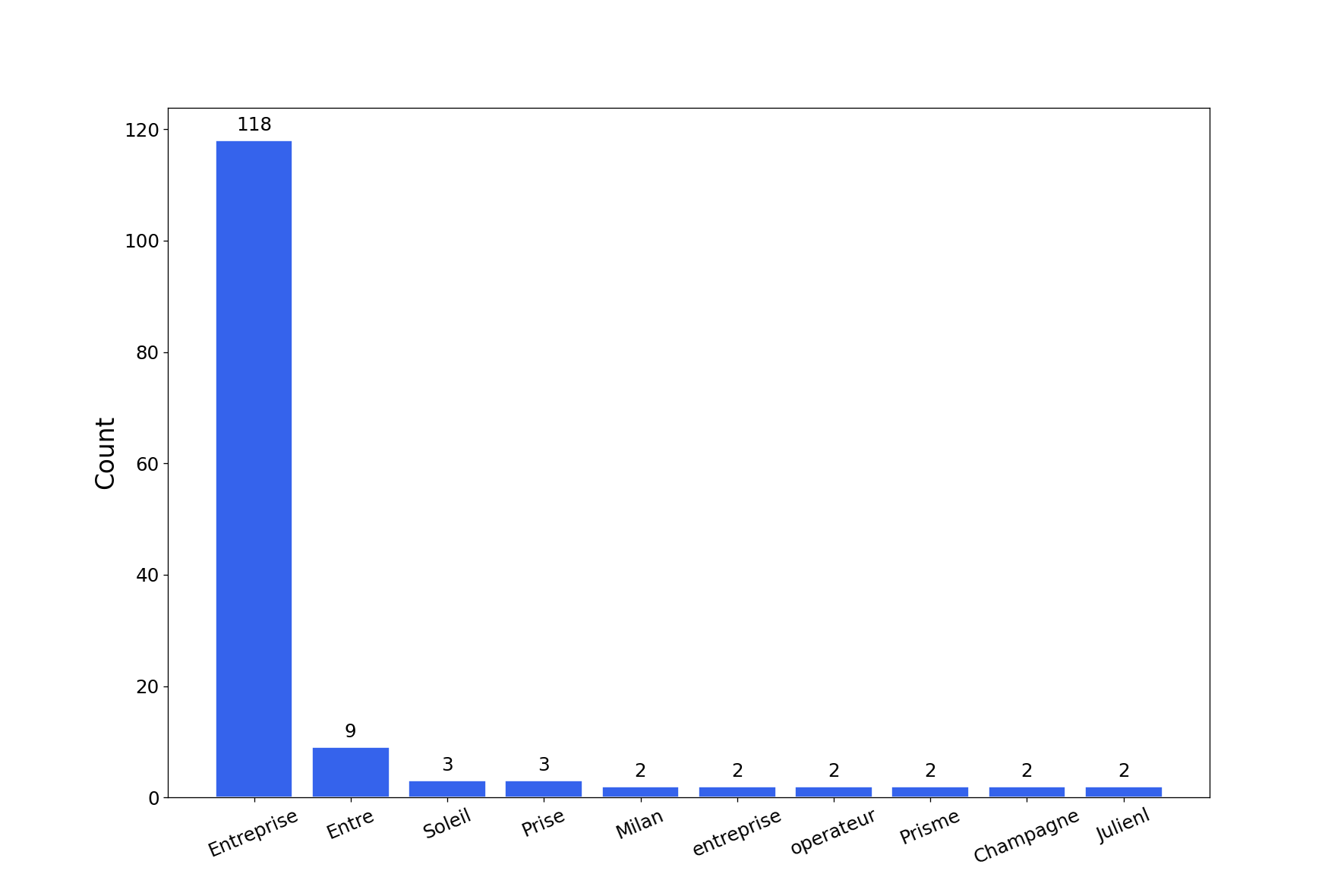

hashcat(および john)の potfile と ntds からグラフやチャートを生成するシンプルなスクリプトです。
git clone https://github.com/Orange-Cyberdefense/graphcat
cd graphcat
pip install .
$ graphcat.py -h
usage: graphcat.py [-h] -potfile hashcat.potfile -hashfile hashfile.txt [-john] [-format FORMAT] [-export-charts] [-output-dir OUTPUT_DIR] [-debug]

Password Cracking Graph Reporting

options:
  -h, --help            show this help message and exit
  -potfile hashcat.potfile
                        Hashcat Potfile
  -hashfile hashfile.txt
                        File containing hashes (one per line)
  -john                 John potfile
  -format FORMAT        hashfile format (default 3): 1 for hash; 2 for username:hash; 3 for secretsdump (username:uid:lm:ntlm)
  -export-charts        Output also charts in png
  -output-dir OUTPUT_DIR
                        Output directory
  -debug                Turn DEBUG output ON
Graphcat は、-potfile で potfile(デフォルトは hashcat ですが、-john を使用して john の potfile を指定することもできます)と、-hashfile で hashfile を指定するだけで動作します。hashfile は、3 つの利用可能なフォーマット のいずれかで、-format フラグで指定します。デフォルトは Secretsdump です。
このツールは、複数のパスワードクラッキングチャートを含むレポートを生成します。-export-charts フラグを指定すると、チャートを png 形式で出力することもできます。
$ graphcat.py -hashfile entreprise.local.ntds -potfile hashcat.pot
[-] Parsing potfile
[-] 164 entries in potfile
[-] Parsing hashfile
[-] 1600 entries in hashfile
[-] Generating graphs...
[-] Generating report...
[-] Report available at graphcat_1672941324.pdf
1: ハッシュのみ
aad3b435b51404eeaad3b435b51404ee
aad3b435b51404eeaad3b435b51404ee
aad3b435b51404eeaad3b435b51404ee
2: ユーザー名 + ハッシュ
test1:aad3b435b51404eeaad3b435b51404ee
test2:aad3b435b51404eeaad3b435b51404ee
test3:aad3b435b51404eeaad3b435b51404ee
3: Secretsdump
waza.local\test1:4268:aad3b435b51404eeaad3b435b51404ee:aad3b435b51404eeaad3b435b51404ee:::
waza.local\test2:4269:aad3b435b51404eeaad3b435b51404ee:aad3b435b51404eeaad3b435b51404ee:::
waza.local\test3:4270:aad3b435b51404eeaad3b435b51404ee:aad3b435b51404eeaad3b435b51404ee:::
ハッシュファイル内で同じハッシュが複数回出現する場合、その回数分カウントされます。
さらに、secretsdump をパスワード履歴付きで(secretsdump コマンドに -history を指定して)提出した場合、パスワード履歴内の類似性を分析します。