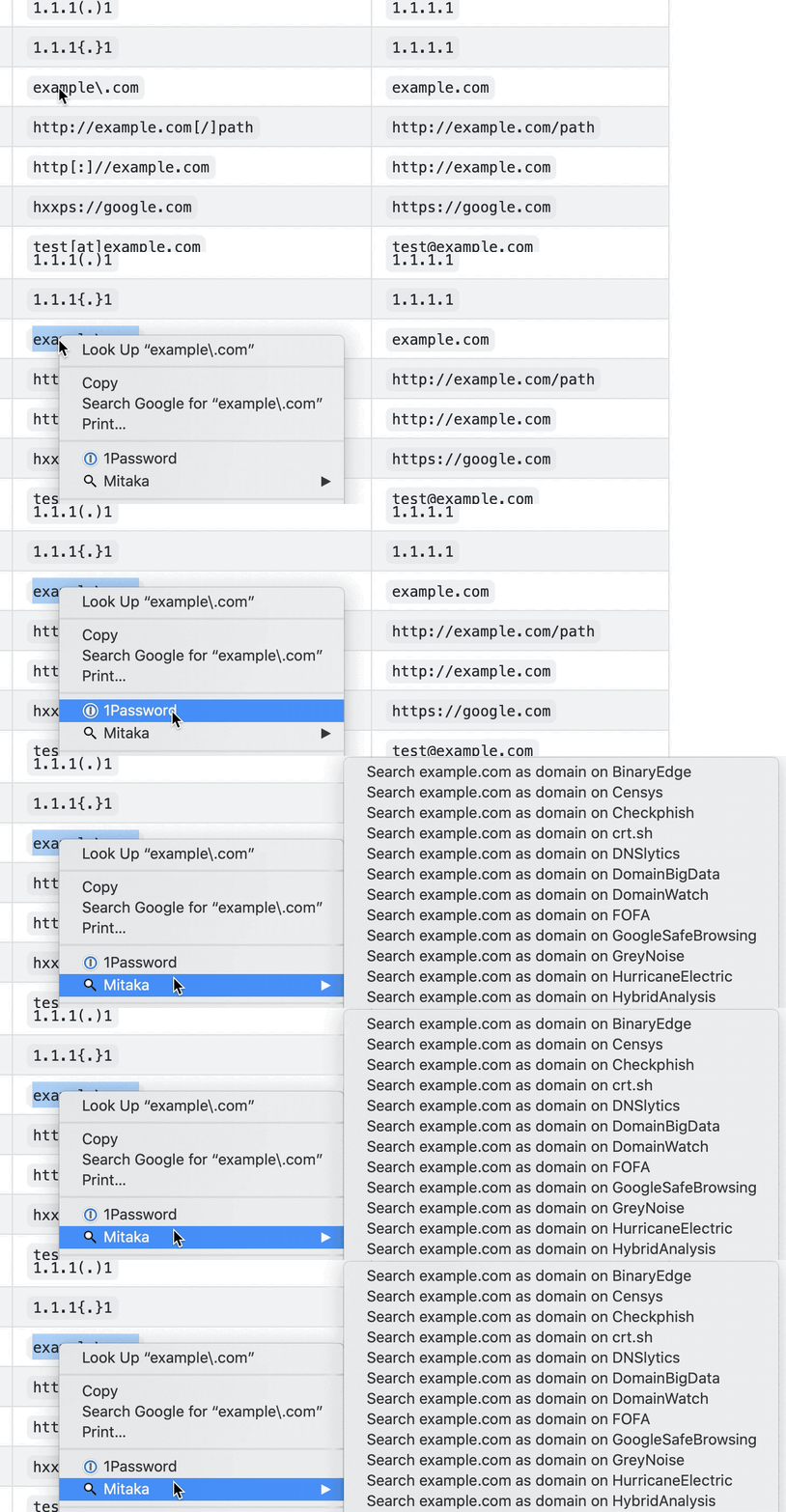
 ninoseki/mitaka
OSINT検索とIoC分析のためのブラウザ拡張機能。侵害インジケータを自動検出してリファングし、65以上の脅威インテリジェンスおよびセキュリティサービスに照会して迅速なエンリッチメントを実現します。

# Mitaka
[link-cws]: https://chromewebstore.google.com/detail/mitaka/bfjbejmeoibbdpfdbmbacmefcbannnbg
[link-amo]: https://addons.mozilla.org/en-US/firefox/addon/mitaka/
[](https://github.com/ninoseki/mitaka/actions?query=workflow%3A%22Node.js+CI%22)
[](https://www.codefactor.io/repository/github/ninoseki/mitaka)
[](https://coveralls.io/github/ninoseki/mitaka)
Mitaka は、OSINT(オープンソースインテリジェンス)の検索・スキャンをより簡単にするブラウザ拡張機能です。
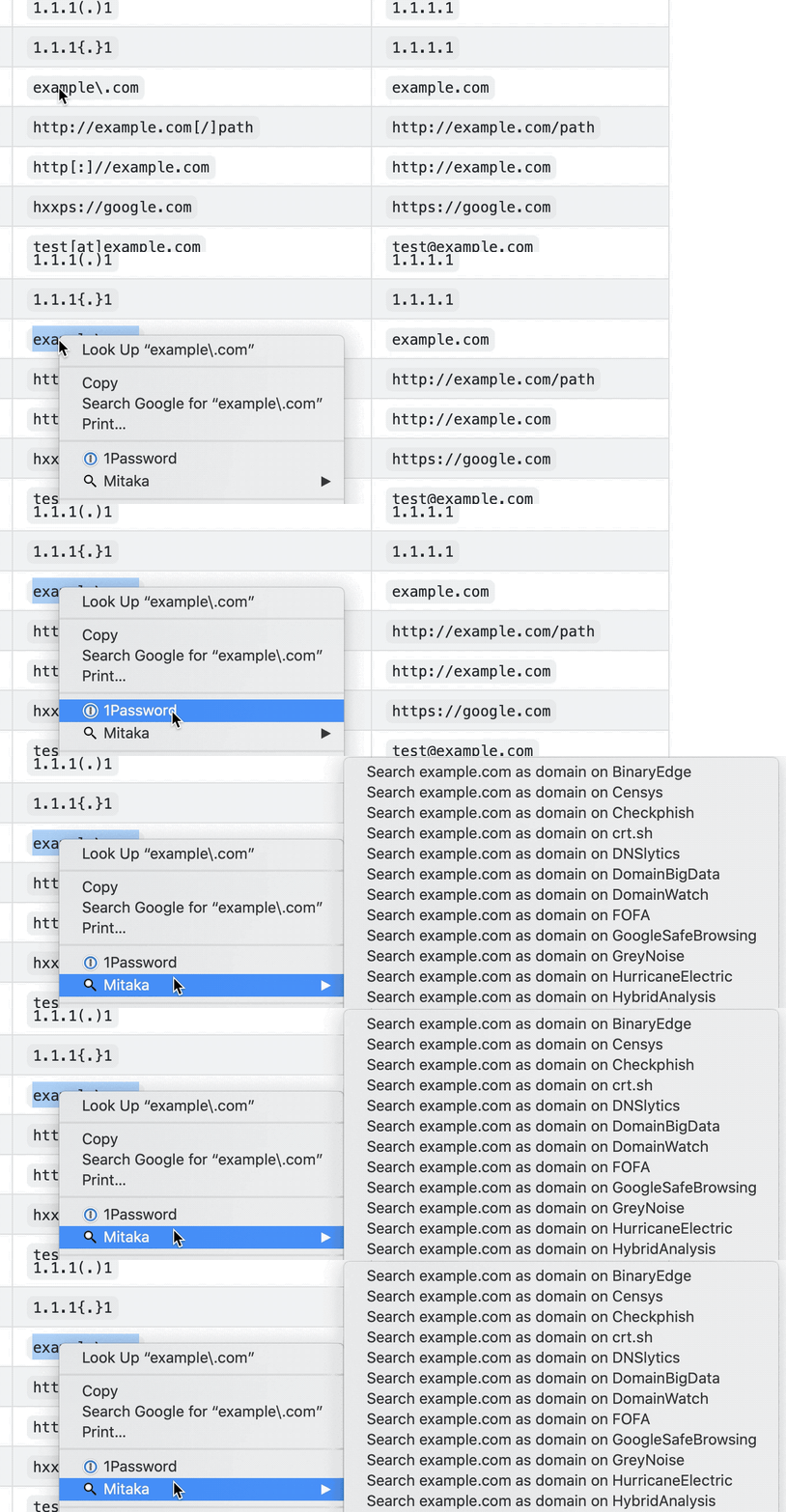
- 主な機能:
- refanging(無害化された表記の復元)対応の IoC(侵害指標)自動選択。
- 例:`example[.]com` を `example.com` に、`test[at]example.com` を `[email protected]` に、`hxxp://example.com` を `http://example.com` に変換など。
- 65以上のサービスに対応。
## インストール
<img src="https://raw.githubusercontent.com/alrra/browser-logos/90fdf03c/src/chrome/chrome.svg" width="48" alt="Chrome" valign="middle"> [<img valign="middle" src="https://img.shields.io/chrome-web-store/v/bfjbejmeoibbdpfdbmbacmefcbannnbg.svg">][link-cws] [<img valign="middle" src="https://img.shields.io/chrome-web-store/users/bfjbejmeoibbdpfdbmbacmefcbannnbg.svg">][link-cws]
<img src="https://raw.githubusercontent.com/alrra/browser-logos/90fdf03c/src/firefox/firefox.svg" width="48" alt="Firefox" valign="middle"> [<img valign="middle" src="https://img.shields.io/amo/v/mitaka.svg">][link-amo] [<img valign="middle" src="https://img.shields.io/amo/users/mitaka.svg">][link-amo]
## 機能
### 対応 IoC(侵害指標)
| 名前 | 説明 | 例 |
| :-------- | :-------------------------- | :------------------------------------------- |
| ANS | ASN | `AS13335` |
| BTC | BTCアドレス | `1A1zP1eP5QGefi2DMPTfTL5SLmv7DivfNa` |
| CVE | CVE番号 | `CVE-2018-11776` |
| Domain | ドメイン名 | `github.com` |
| Email | メールアドレス | `[email protected]` |
| ETH | イーサリアムアドレス | `0x32be343b94f860124dc4fee278fdcbd38c102d88` |
| GaPubID | Google Adsense パブリッシャー ID | `pub-9383614236930773` |
| GaTrackID | Google Analytics トラッカー ID | `UA-67609351-1` |
| Hash | MD5、SHA1、SHA256 | `44d88612fea8a8f36de82e1278abb02f` |
| IP | IPv4アドレス | `8.8.8.8` |
| URL | URL | `https://github.com` |
### 対応検索エンジン
| 名前 | URL | 対応タイプ |
| :------------------- | :--------------------------------------- | :----------------------------- |
| AbuseIPDB | <https://www.abuseipdb.com> | IP |
| AnyRun | <https://app.any.run> | Hash |
| archive.org | <https://archive.org> | URL |
| Blockchain.com | <https://www.blockchain.com> | BTC |
| BlockCypher | <https://live.blockcypher.com> | BTC |
| Censys | <https://censys.io> | IP, domain, ASN, email |
| Checkphish | <https://checkphish.ai> | IP, domain |
| Coalition | <https://ess.coalitioninc.com> | CVE |
| crt.sh | <https://crt.sh> | Domain |
| CVE | <https://cve.org> | CVE |
| DNS Coffee | <https://dns.coffee> | Domain |
| DNSlytics | <https://search.dnslytics.com> | IP, domain |
| DomainTools | <https://www.domaintools.com> | IP, domain |
| EmailRep | <https://emailrep.io> | Email |
| Google Safe Browsing | <https://transparencyreport.google.com> | Domain, URL |
| GreyNoise | <https://viz.greynoise.io> | IP, domain, ASN, CVE |
| Host.io | <https://host.io> | Domain |
| Hurricane Electric | <https://bgp.he.net/> | IP, domain, ASN |
| HybridAnalysis | <https://www.hybrid-analysis.com> | IP, domain, hash |
| Intezer | <https://analyze.intezer.com> | Hash |
| IPinfo | <https://ipinfo.io> | IP, ASN |
| Joe Sandbox | <https://www.joesandbox.com> | Hash |
| Maltiverse | <https://www.maltiverse.com> | Domain, hash |
| MalwareBazaar | <https://bazaar.abuse.ch> | Hash |
| NVD | <https://nvd.nist.gov> | CVE |
| OOCPR | <https://data.occrp.org> | Email |
| OpenTIP | <https://opentip.kaspersky.com> | Hash |
| OTX | <https://otx.alienvault.com> | IP, domain, CVE, URL, hash |
| Pulsedive | <https://pulsedive.com> | IP, domain, URL, hash |
| Radar | <https://radar.cloudflare.com> | IP, domain |
| Robtex | <https://www.robtex.com> | IP, domain |
| SecurityTrails | <https://securitytrails.com> | IP, domain |
| Shodan | <https://www.shodan.io> | IP, domain, ASN |
| Sploitus | <https://sploitus.com> | CVE |
| SpyOnWeb | <https://spyonweb.net> | IP, domain, gaPubID, gaTrackID |
| Talos | <https://talosintelligence.com> | IP, domain |
| ThreatBook | <https://threatbook.io> | IP, domain |
| ThreatConnect | <https://app.threatconnect.com> | IP, domain, email |
| ThreatMiner | <https://www.threatminer.org> | IP, domain, hash |
| TIP | <https://threatintelligenceplatform.com> | IP, domain |
| Triage | <https://tria.ge> | Hash, URL |
| URLhaus | <https://urlhaus.abuse.ch> | IP, domain |
| urlscan.io | <https://urlscan.io> | IP, domain, ASN, URL |
| URLVoid | <https://www.urlvoid.com> | Domain |
| ViewDNS | <https://viewdns.info> | IP, domain, email |
| VirusTotal | <https://www.virustotal.com> | IP, domain, URL, hash |
| VMRay | <https://www.vmray.com> | Hash |
| Vulmon | <https://vulmon.com> | CVE |
| WebCheck | <https://web-check.xyz> | Domain |
| X-Force Exchange | <https://exchange.xforce.ibmcloud.com> | IP, domain, hash |
| ZoomEye | <https://www.zoomeye.ai> | IP |
### 対応スキャンエンジン
| 名前 | URL | 対応タイプ |
| :------------- | :-------------------------------- | :-------------- |
| Browserling | <https://www.browserling.com> | URL |
| HybridAnalysis | <https://www.hybrid-analysis.com> | URL |
| urlscan.io | <https://urlscan.io> | IP, domain, URL |
| VirusTotal | <https://www.virustotal.com> | URL |
## 使い方
- [Mitaka でブラウザ内 OSINT を実行してマルウェア、不審なサイト、怪しいメールなどを特定する](https://null-byte.wonderhowto.com/how-to/use-mitaka-perform-browser-osint-identify-malware-sketchy-sites-shady-emails-more-0216352/)
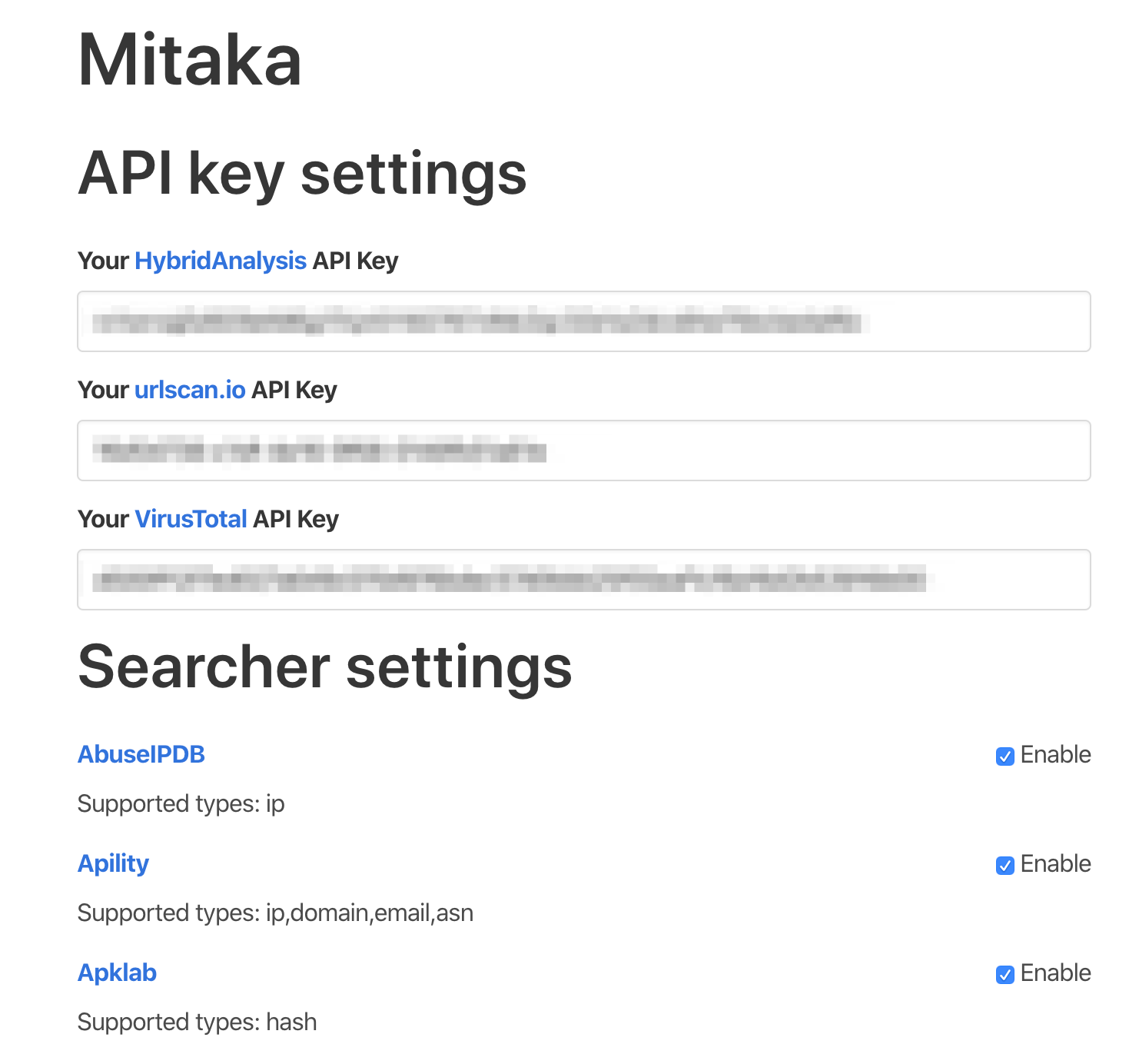
**注:** HybridAnalysis、urlscan.io、VirusTotal のスキャンを有効にするには、オプションで API キーを設定してください。
## オプション
オプションページでは、好みに応じて検索エンジンを有効/無効にできます。
> [!NOTE]
> 基本設定は [storage.sync](https://developer.chrome.com/docs/extensions/reference/api/storage) に保存されます。そのため、デバイス間で同期されます。
> ただし、API キーは `storage.local` に保存されます。API キーはデバイスごとに設定する必要があります。
## 権限
> [!NOTE]
> ユーザーから情報を収集することはなく、今後も収集することはありません。ソースコードを確認することで検証できます。
### Firefox
「すべてのウェブサイトのデータへのアクセス」権限を許可してください。そうしないと、この拡張機能は動作しません。
<img width="703" alt="スクリーンショット 2023-07-15 8 27 26" src="https://assets.kitploit.com/production/public/readmes/363/2d324ac3709c0f0d03a7a8e252d3e0ddc3b1d1c373d9d44357235e8479f62eac.png">
## プライバシーポリシー
- [拡張機能のプライバシーポリシー](https://ninoseki.github.io/chrome-webstore/privacy-policy/)
## よくある質問
- Q. コンテキストメニューが表示されません。
- A. コンテキストメニューが表示されるまでに時間がかかることがあります。または、コンテキストメニューの更新中に何か問題が発生することもあります。この不具合は、少し待つことで解決できます。選択した後、ひと呼吸置いてから右クリックしてください。
## 代替ツール・類似ツール
- [CrowdScrape](https://chromewebstore.google.com/detail/crowdscrape/jjplaeklnlddpkbbdbnogmppffokemej)
- [Gotanda](https://github.com/HASH1da1/Gotanda)
- [SOC Multi-tool](https://github.com/zdhenard42/SOC-Multitool)
- [Sputnik](https://github.com/mitchmoser/sputnik)
- [ThreatConnect Integrated Chrome Extension](https://chromewebstore.google.com/detail/threatconnect-integrated/lblgcphpihpadjdpjgjnnoikjdjcnkbh)
- [ThreatPinch Lookup](https://github.com/cloudtracer/ThreatPinchLookup)
- [VTchromizer](https://chromewebstore.google.com/detail/vtchromizer/efbjojhplkelaegfbieplglfidafgoka)
## 仕組み
```mermaid
flowchart LR
CS[Content Script] --> |1 - Send Selection| BSW[Background Service Worker]
BSW --> |2 - Create Context Menus| CS
CS --> |3 - Click Context Menu| BSW
BSW --> |4 - Search/Scan| T[New Tab]
```
## コントリビュート
コントリビューションガイドを読み、[コントリビューター](https://github.com/ninoseki/mitaka/graphs/contributors) に参加してください。