
  ____         _       __    ___              __
 / __ \ __ __ (_)____ / /__ / _ ) __ __ ____ / /__
/ /_/ // // // // __//  '_// _  |/ // // __//  '_/
\___\_\\_,_//_/ \__//_/\_\/____/ \_,_/ \__//_/\_\

Nextron Systems GmbH
このリポジトリの目的は、ランサムウェアに対するAVの保護を確認するためのシンプルで無害な方法を提供することです。
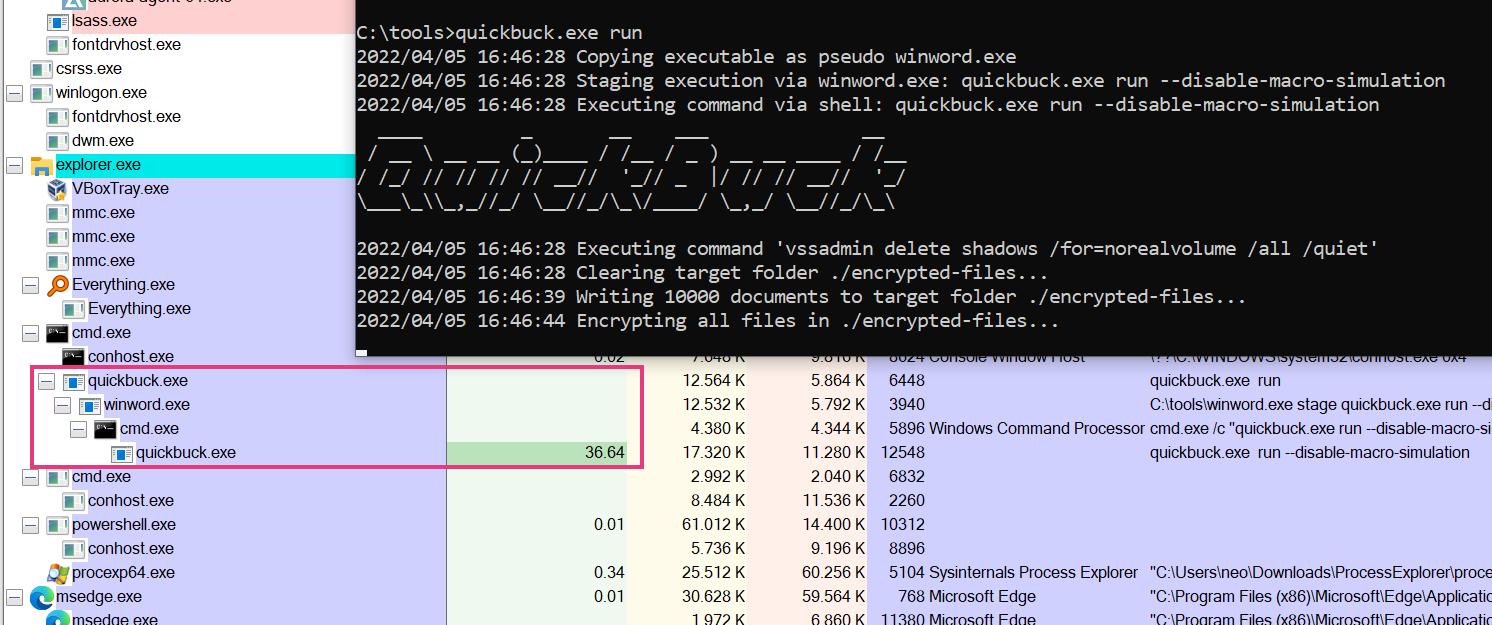
このツールは、典型的なランサムウェアの動作をシミュレートします。例えば:
ランサムウェアシミュレーターは、デバイス上の既存のファイルを実際に暗号化したり、Volume Shadow Copyを削除したりするアクションは一切実行しません。ただし、そのような動作を監視するAV製品があれば、トリガーされることが期待されます。
上記の各ステップは、コマンドラインフラグを使用して無効にすることもできます。これにより、AVが以前のステップを検出した場合でも、後続のステップへの応答を確認できます。
Ransomware Simulator

Usage:
ransomware-simulator [command]

Examples:
ransomware-simulator run

Available Commands:
help        Help about any command
run         Run ransomware simulator

Flags:
-h, --help   help for ransomware-simulator

Use "ransomware-simulator [command] --help" for more information about a command.
実行コマンド:
Run Ransomware Simulator

Usage:
ransomware-simulator run [flags]

Flags:
    --dir string                     Directory where files that will be encrypted should be staged (default "./encrypted-files")
    --disable-file-encryption        Don't simulate document encryption
    --disable-macro-simulation       Don't simulate start from a macro by building the following process chain: winword.exe -> cmd.exe -> ransomware-simulator.exe
    --disable-note-drop              Don't drop pseudo ransomware note
    --disable-shadow-copy-deletion   Don't simulate volume shadow copy deletion
-h, --help                           help for run
    --note-location string           Ransomware note location (default "C:\\Users\\neo\\Desktop\\ransomware-simulator-note.txt")