
Skip to content
KitploitKITPLOIT
ツールブログ
提出
ツールブログ
提出

ハッキング、侵入テスト、サイバーセキュリティツールをあなたのセキュリティアーセナルに!

Kitploitはハッキング、サイバーセキュリティ、ペネトレーションテストのツールディレクトリです。最新のプロジェクトアップデートを見つけて、脆弱性の発見、システム分析、テストの自動化、セキュリティの強化を行いましょう。

··フィード·お問い合わせ·プライバシー·© 2026 Kitploit

ツールディレクトリ

カテゴリ

すべてのカテゴリを見る
Loading categories
scrounger — モバイルアプリケーションテストツールキット | Kitploit
ツール/GitHubGitHub/nettitude/scrounger
AndroidセキュリティエクスプロイトフレームワークiOSセキュリティ脆弱性分析ペネトレーションテストモバイルセキュリティ
GitHubnettitude/scrounger

scrounger

モバイルアプリケーションテストツールキット

リポジトリを見る
248547年前Kitploit レビュー済み

人気

すべて見る →

コミュニティで最も使われているツールを見つけましょう。

すべてのツールを探索

ツールコレクションを閲覧

すべてのツールを見る →
共有

Description

Scrounger - 他人から借りたり、他人に頼って生きる人。

このツールにこれ以上ふさわしい説明はありません。その理由は主に2つあります。第一に、このツールは既に公開されている多くの他のツールからインスピレーションを得ているからです。第二に、モバイルアプリケーションの脆弱性に寄生しているからです。
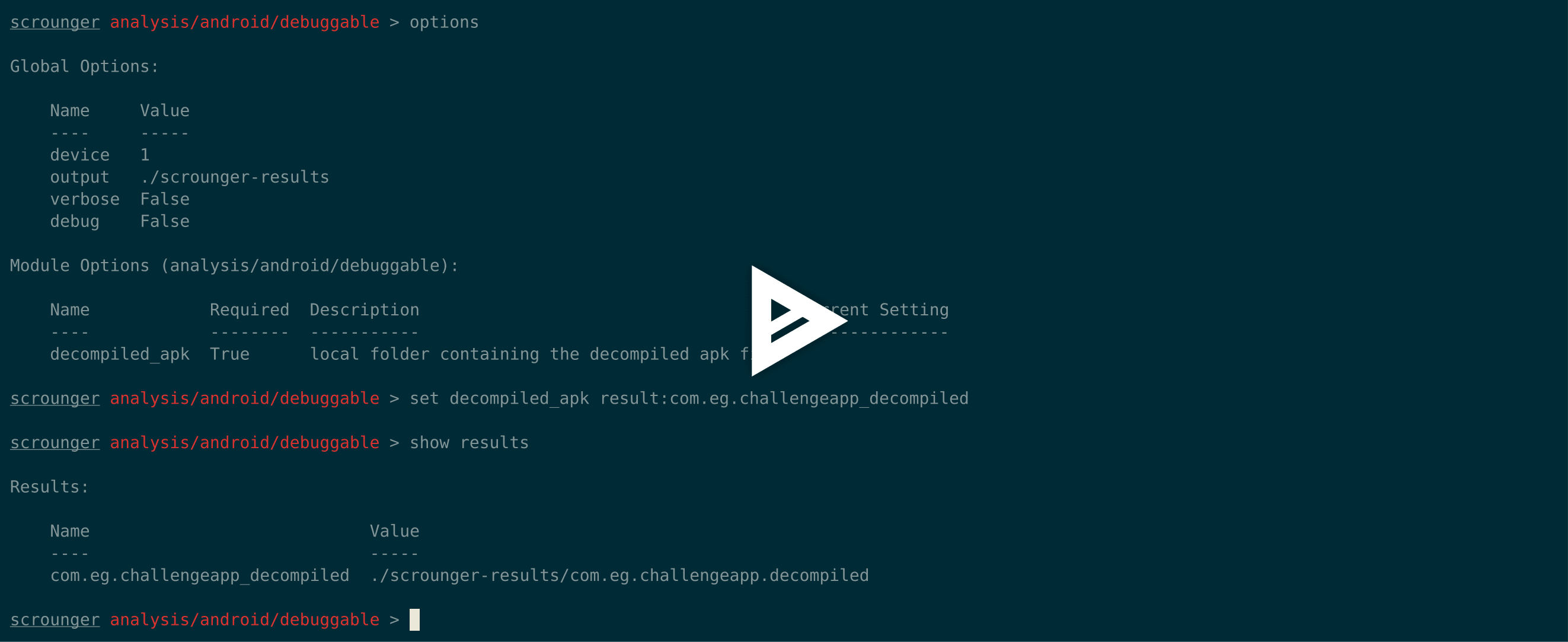
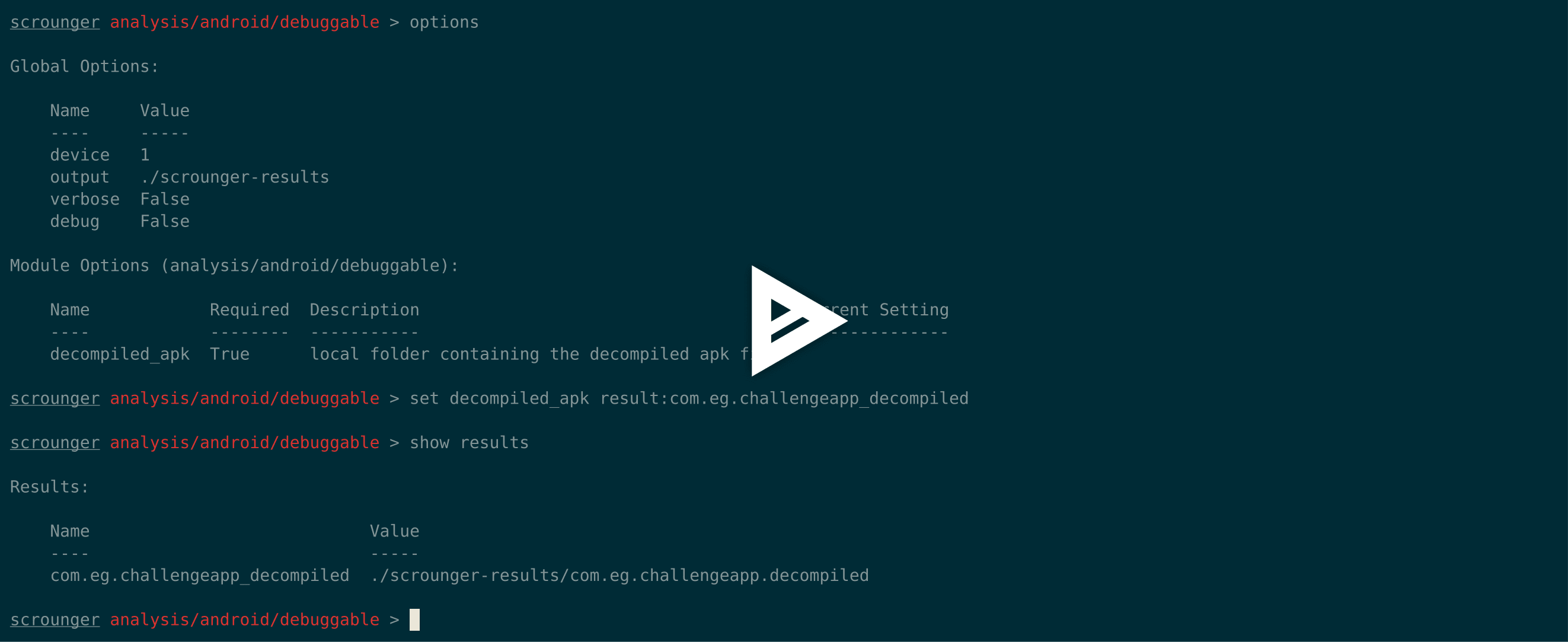
asciicast

Why

他のモバイルアプリケーション分析ツールがいくつか開発されていますが、AndroidとiOSの両方で使用でき、すべてのモバイルアプリケーション評価で「標準」として使用すべきと言えるツールは1つもありません。

Scroungerの背後にあるアイデアは、ペネトレーションテスターの作業を代わりに行うのではなく、すべての評価で実行する必要のある日常的なタスクを実行することでテスターの評価を支援する、Metasploitのようなツールを作ることです。

The Difference

Scroungerが提供する他のツールにはない主な機能:

  • AndroidとiOSで動作する
  • Metasploitのようなコンソールとモジュール
  • ペネトレーションテスターに開始点を提供するためのさまざまなモジュールを提供
  • 簡単に拡張可能

Inspiration / Thanks

Scroungerは他のツールからインスピレーションを受けています。以下の開発者に多大な感謝を捧げます:

  • Drozer (https://github.com/mwrlabs/drozer);
  • Needle (https://github.com/mwrlabs/needle); and
  • iOS Application Analysis (https://github.com/timb-machine/ios-application-analyser).

Technical

免責事項として、Scroungerによって特定されたすべての発見事項は、常に手動で再確認する必要があります。

AndroidまたはiOSデバイスを必要とするモジュールを使用する場合、ScroungerはそれぞれRoot化またはJailbreakされたデバイスが必要です。

ScroungerはiOS 11とAndroid 8.1で動作することが確認されています。

Scroungerはpython 2.7専用に構築されています。

Install```

git clone https://github.com/nettitude/scrounger.git cd scrounger bash setup.sh pip install -r requirements.txt python setup.py install

root@kitploit:~
## 開発```
git pull https://github.com/nettitude/scrounger.git
cd scrounger
bash setup.sh
pip install -r requirements.txt
python setup.py develop

更新```

cd scrounger git pull python setup.py install --upgrade

root@kitploit:~
## 必要なバイナリ

### Androidモジュール用
* java (<http://www.oracle.com/technetwork/java/javase/downloads/index.html>)
* jd-cli (<https://github.com/kwart/jd-cmd>)
* apktool (<https://ibotpeaches.github.io/Apktool/>)
* d2j-dex2jar (<https://github.com/pxb1988/dex2jar>)
* adb (<https://developer.android.com/studio/releases/platform-tools>)
* その他 (オプション):
    * avdmanager (<https://developer.android.com/studio/#downloads>)


### iOSモジュール用
* jtool (Linux) (<http://www.newosxbook.com/tools/jtool.html>)
* otool (MacOS) (<https://developer.apple.com/xcode/>)
* ldid (<https://github.com/daeken/ldid.git>)
* iproxy (パッケージ: libimobiledevice)
* lsusb (パッケージ: usbutils)
* unzip

### iOSバイナリ
* バンドルされたバイナリ:
    * dump_backup_flag
    * dump_file_protection
    * dump_keychain
    * dump_log
    * listapps
* Cydia Karenのリポジトリ (https://cydia.angelxwind.net) (オプション):
    * AppSync Unified (パッケージ: net.angelxwind.appsyncunified)
    * appinst (パッケージ: com.linusyang.appinst)
* Cydia Shmoo419のリポジトリ (https://shmoo419.github.io/) (オプション):
    * uncrypt11 (パッケージ: com.shmoo.uncrypt11)
    * gdb (パッケージ: gdb71050)
* Cydia Ichitasoのリポジトリ (http://cydia.ichitaso.com/) (オプション):
    * clutch (パッケージ: com.kjcracks.clutch2)

## インストールスクリプト

### Linux```
# install iproxy lsusb
sudo apt-get install libimobiledevice usbutils

# install jd-cli
if [ ! -x "$(which jd-cli)" ]; then
    curl -L -o /tmp/jdcli.zip https://github.com/kwart/jd-cmd/releases/download/jd-cmd-0.9.2.Final/jd-cli-0.9.2-dist.zip
    unzip /tmp/jdcli.zip /usr/local/share/jd-cli
    ln -s /usr/local/share/jd-cli/jd-cli /usr/local/bin/jd-cli
    ln -s /usr/local/share/jd-cli/jd-cli.jar /usr/local/bin/jd-cli.jar
    rm -rf /tmp/jdcli.zip
fi

# install apktool
if [ ! -x "$(which apktool)" ]; then
    mkdir /usr/local/share/apktool
    curl -L -o /usr/local/share/apktool/apktool https://raw.githubusercontent.com/iBotPeaches/Apktool/master/scripts/osx/apktool
    curl -L -o /usr/local/share/apktool/apktool.jar https://bitbucket.org/iBotPeaches/apktool/downloads/apktool_2.3.3.jar
    chmod +x /usr/local/share/apktool /usr/local/share/apktool/apktool.jar
    ln -s /usr/local/share/apktool /usr/local/bin/apktool
    ln -s /usr/local/share/apktool.jar /usr/local/bin/apktool.jar
fi

# install dex2jar
if [ ! -x "$(which d2j-dex2jar)" ]; then
    curl -L -o /tmp/d2j.zip https://github.com/pxb1988/dex2jar/files/1867564/dex-tools-2.1-SNAPSHOT.zip
    unzip /tmp/d2j.zip -d /tmp/d2j
    dirname=$(ls --color=none /tmp/d2j)
    mv /tmp/d2j/$dirname /usr/local/share/d2j-dex2jar
    ln -s /usr/local/share/d2j-dex2jar/d2j-dex2jar.sh /usr/local/bin/d2j-dex2jar.sh
    ln -s /usr/local/share/d2j-dex2jar/d2j-apk-sign.sh /usr/local/bin/d2j-apk-sign.sh
    rm -rf /tmp/d2j.zip
fi

if [ ! -x "$(which d2j-dex2jar)" ]; then
    ln -s /usr/local/bin/d2j-dex2jar.sh /usr/local/bin/d2j-dex2jar
fi

# install adb
if [ ! -x "$(which adb)" ]; then
    curl -L -o /tmp/platform-tools.zip https://dl.google.com/android/repository/platform-tools-latest-linux.zip
    unzip /tmp/platform-tools.zip -d /tmp/pt
    mv /tmp/pt/platform-tools /usr/local/share/
    ln -s /usr/local/share/platform-tools/adb /usr/local/bin/adb
    ln -s /usr/local/share/platform-tools/fastboot /usr/local/bin/fastboot
fi

# install ldid
if [ ! -x "$(which ldid)" ]; then
    git clone https://github.com/daeken/ldid.git /tmp/ldid
    cd /tmp/ldid
    ./make.sh
    mv ldid /usr/local/bin/
    cd /tmp
    rm -rf /tmp/ldid
fi

# install jtool
if [ ! -x "$(which jtool)" ]; then
    curl -L -o /tmp/jtool.tar http://www.newosxbook.com/tools/jtool.tar
    mkdir /tmp/jtool
    tar xvf /tmp/jtool.tar -C /tmp/jtool
    mv /tmp/jtool/jtool.ELF64 /usr/local/bin/jtool
    rm -rf /tmp/jtool.tar /tmp/jtool
fi

# install scrounger
git clone [email protected]:nettitude/scrounger.git
cd scrounger
pip install -r requirements.txt
python setup.py install

macOS```

install iproxy ldid lsusb

brew tap jlhonora/lsusb && brew install lsusb libimobiledevice ldid

install jd-cli

if [ ! -x "$(which jd-cli)" ]; then curl -L -o /tmp/jdcli.zip https://github.com/kwart/jd-cmd/releases/download/jd-cmd-0.9.2.Final/jd-cli-0.9.2-dist.zip unzip /tmp/jdcli.zip /usr/local/share/jd-cli ln -s /usr/local/share/jd-cli/jd-cli /usr/local/bin/jd-cli ln -s /usr/local/share/jd-cli/jd-cli.jar /usr/local/bin/jd-cli.jar rm -rf /tmp/jdcli.zip fi

install apktool

if [ ! -x "$(which apktool)" ]; then mkdir /usr/local/share/apktool curl -L -o /usr/local/share/apktool/apktool https://raw.githubusercontent.com/iBotPeaches/Apktool/master/scripts/osx/apktool curl -L -o /usr/local/share/apktool/apktool.jar https://bitbucket.org/iBotPeaches/apktool/downloads/apktool_2.3.3.jar chmod +x /usr/local/share/apktool /usr/local/share/apktool/apktool.jar ln -s /usr/local/share/apktool /usr/local/bin/apktool ln -s /usr/local/share/apktool.jar /usr/local/bin/apktool.jar fi

install dex2jar

if [ ! -x "$(which d2j-dex2jar)" ]; then curl -L -o /tmp/d2j.zip https://github.com/pxb1988/dex2jar/files/1867564/dex-tools-2.1-SNAPSHOT.zip unzip /tmp/d2j.zip -d /tmp/d2j dirname=$(ls --color=none /tmp/d2j) mv /tmp/d2j/$dirname /usr/local/share/d2j-dex2jar ln -s /usr/local/share/d2j-dex2jar/d2j-dex2jar.sh /usr/local/bin/d2j-dex2jar.sh ln -s /usr/local/share/d2j-dex2jar/d2j-apk-sign.sh /usr/local/bin/d2j-apk-sign.sh rm -rf /tmp/d2j.zip fi

if [ ! -x "$(which d2j-dex2jar)" ]; then ln -s /usr/local/bin/d2j-dex2jar.sh /usr/local/bin/d2j-dex2jar fi

install adb

if [ ! -x "$(which adb)" ]; then curl -L -o /tmp/platform-tools.zip https://dl.google.com/android/repository/platform-tools-latest-darwin.zip unzip /tmp/platform-tools.zip -d /tmp/pt mv /tmp/pt/platform-tools /usr/local/share/ ln -s /usr/local/share/platform-tools/adb /usr/local/bin/adb ln -s /usr/local/share/platform-tools/fastboot /usr/local/bin/fastboot fi

install Xcode / command line tools

xcode-select --install

install scrounger

git clone [email protected]:nettitude/scrounger.git cd scrounger pip install -r requirements.txt python setup.py install

root@kitploit:~
## カスタムモジュールの追加

アプリケーションをインストールすると、`~/.scrounger` フォルダが作成されます。
`~/.scrounger` の中に、デフォルトの scrounger モジュールと同じ構造を持つ `modules/custom` というフォルダが作成されます(例:`analysis/android/module_name`)。

新しいカスタムモジュールを作成するには、希望のモジュール名の新しいファイルを追加するだけで、次回 scrounger を起動したときに含まれます。

### 例

次のモジュールを追加しました(`~/.scrounger/modules/custom/misc/test.py`):```
from scrounger.core.module import BaseModule

class Module(BaseModule):
    meta = {
        "author": "RDC",
        "description": """Just a Test module""",
        "certainty": 100
    }

    options = [
        {
            "name": "output",
            "description": "local output directory",
            "required": False,
            "default": None
        },
    ]

    def run(self):

        print("This is a print from the custom module")

        return {
            "print": "This will be print by scrounger's console."
        }

実行```

$ scrounger-console Starting Scrounger console...

scrounger > list custom/misc

Module Certainty Author Description


custom/misc/test 100% RDC Just a Test module

scrounger > use custom/misc/test

scrounger custom/misc/test > options

Global Options:

root@kitploit:~
Name    Value
----    -----
device
output  /tmp/scrounger-app

Module Options (custom/misc/test):

root@kitploit:~
Name    Required  Description             Current Setting
----    --------  -----------             ---------------
output  False     local output directory  /tmp/scrounger-app

scrounger custom/misc/test > run This is a print from the custom module [+] This will be print by scrounger's console.

scrounger custom/misc/test >

root@kitploit:~
## 使用例

### モジュールの一覧表示 / 検索```
$ scrounger-console
Starting Scrounger console...

> help

Documented commands (type help <topic>):
========================================
add_device  devices  list     print  results  set   unset
back        help     options  quit   run      show  use


> help list
Lists all available modules

> list ios

Module                                  Certainty Author Description
------                                  --------- ------ -----------
analysis/ios/app_transport_security     90%       RDC    Checks if there are any Application Transport Security misconfigurations
analysis/ios/arc_support                90%       RDC    Checks if a binary was compiled with ARC support
analysis/ios/backups                    90%       RDC    Checks the application's files have the backup flag on
analysis/ios/clipboard_access           75%       RDC    Checks if the application disables clipboard access
analysis/ios/debugger_detection         75%       RDC    Checks if the application detects debuggers
analysis/ios/excessive_permissions      90%       RDC    Checks if the application uses excessive permissions
analysis/ios/file_protection            90%       RDC    Checks the application's files specific protection flags
analysis/ios/full_analysis              100%      RDC    Runs all modules in analysis and writes a report into the output directory
analysis/ios/insecure_channels          50%       RDC    Checks if the application uses insecure channels
analysis/ios/insecure_function_calls    75%       RDC    Checks if the application uses insecure function calls
analysis/ios/jailbreak_detection        60%       RDC    Checks if the application implements jailbreak detection
analysis/ios/logs                       60%       RDC    Checks if the application logs to syslog
analysis/ios/passcode_detection         60%       RDC    Checks if the application checks for passcode being set
analysis/ios/pie_support                100%      RDC    Checks if the application was compiled with PIE support
analysis/ios/prepared_statements        60%       RDC    Checks if the application uses sqlite calls and if so checks if it also uses prepared statements
analysis/ios/ssl_pinning                60%       RDC    Checks if the application implements SSL pinning
analysis/ios/stack_smashing             90%       RDC    Checks if a binary was compiled stack smashing protections
analysis/ios/third_party_keyboard       65%       RDC    Checks if an application checks of third party keyboards
analysis/ios/unencrypted_communications 80%       RDC    Checks if the application implements communicates over unencrypted channels
analysis/ios/unencrypted_keychain_data  70%       RDC    Checks if the application saves unencrypted data in the keychain
analysis/ios/weak_crypto                60%       RDC    Checks if the application uses weak crypto
analysis/ios/weak_random                50%       RDC    Checks if a binary uses weak random functions
analysis/ios/weak_ssl_ciphers           50%       RDC    Checks if a binary uses weak SSL ciphers
misc/ios/app/archs                      100%      RDC    Gets the application's available architectures
misc/ios/app/data                       100%      RDC    Gets the application's data from the remote device
misc/ios/app/entitlements               100%      RDC    Gets the application's entitlements
misc/ios/app/flags                      100%      RDC    Gets the application's compilation flags
misc/ios/app/info                       100%      RDC    Pulls the Info.plist info from the device
misc/ios/app/start                      100%      RDC    Launches an application on the remote device
misc/ios/app/symbols                    100%      RDC    Gets the application's symbols out of an installed application on the device
misc/ios/class_dump                     100%      RDC    Dumps the classes out of a decrypted binary
misc/ios/decrypt_bin                    100%      RDC    Decrypts and pulls a binary application
misc/ios/install_binaries               100%      RDC    Installs iOS binaries required to run some checks
misc/ios/keychain_dump                  100%      RDC    Dumps contents from the connected device's keychain
misc/ios/local/app/archs                100%      RDC    Gets the application's available architectures
misc/ios/local/app/entitlements         100%      RDC    Gets the application's entitlements from a local binary and saves them to file
misc/ios/local/app/flags                100%      RDC    Gets the application's compilation flags using local tools. Will look for otool and jtool in the PATH.
misc/ios/local/app/info                 100%      RDC    Pulls the Info.plist info from the unzipped IPA file and saves an XML file with it's contents to the output folder
misc/ios/local/app/symbols              100%      RDC    Gets the application's symbols out of an installed application on the device
misc/ios/local/class_dump               100%      RDC    Dumps the classes out of a decrypted binary
misc/ios/pull_ipa                       100%      RDC    Pulls the IPA file from a remote device
misc/ios/unzip_ipa                      100%      RDC    Unzips the IPA file into the output directory

雑多モジュールの使用```

$ scrounger-console Starting Scrounger console...

use misc/android/decompile_apk

misc/android/decompile_apk > options

Global Options:

root@kitploit:~
Name   Value
----   -----
device
output /tmp/scrounger-app

Module Options (misc/android/decompile_apk):

root@kitploit:~
Name   Required Description                Current Setting
----   -------- -----------                ---------------
output True     local output directory     /tmp/scrounger-app
apk    True     local path to the APK file

misc/android/decompile_apk > set output scrounger-demo-output

misc/android/decompile_apk > set apk ./a.apk

misc/android/decompile_apk > options

Global Options:

root@kitploit:~
Name   Value
----   -----
device
output /tmp/scrounger-app

Module Options (misc/android/decompile_apk):

root@kitploit:~
Name   Required Description                Current Setting
----   -------- -----------                ---------------
output True     local output directory     scrounger-demo-output
apk    True     local path to the APK file ./a.apk

misc/android/decompile_apk > run 2018-05-01 10:29:53 - decompile_apk : Creating decompilation directory 2018-05-01 10:29:53 - decompile_apk : Decompiling application 2018-05-01 10:29:59 - manifest : Checking for AndroidManifest.xml file 2018-05-01 10:29:59 - manifest : Creating manifest object [+] Application decompiled to scrounger-demo-output/com.eg.challengeapp.decompiled

root@kitploit:~
### 他のモジュールからの結果を使用する```
misc/android/decompile_apk > show results

Results:

    Name                             Value
    ----                             -----
    com.eg.challengeapp_decompiled scrounger-demo-output/com.eg.challengeapp.decompiled

misc/android/decompile_apk > use analysis/android/permissions

analysis/android/permissions > options

Global Options:

    Name   Value
    ----   -----
    device
    output /tmp/scrounger-app

Module Options (analysis/android/permissions):

    Name           Required Description                                        Current Setting
    ----           -------- -----------                                        ---------------
    decompiled_apk True     local folder containing the decompiled apk file
    permissions    True     dangerous permissions to check for, seperated by ; android.permission.GET_TASKS;android.permission.BIND_DEVICE_ADMIN;android.permission.USE_CREDENTIALS;com.android.browser.permission.READ_HISTORY_BOOKMARKS;android.permission.PROCESS_OUTGOING_CA

analysis/android/permissions > print option permissions

Option Name: permissions
Value: android.permission.GET_TASKS;android.permission.BIND_DEVICE_ADMIN;android.permission.USE_CREDENTIALS;com.android.browser.permission.READ_HISTORY_BOOKMARKS;android.permission.PROCESS_OUTGOING_CALLS;android.permission.READ_LOGS;android.permission.READ_SMS;android.permission.READ_CALL_LOG;android.permission.RECORD_AUDIO;android.permission.MANAGE_ACCOUNTS;android.permission.RECEIVE_SMS;android.permission.RECEIVE_MMS;android.permission.WRITE_CONTACTS;android.permission.DISABLE_KEYGUARD;android.permission.WRITE_SETTINGS;android.permission.WRITE_SOCIAL_STREAM;android.permission.WAKE_LOCK

analysis/android/permissions > set decompiled_apk result:com.eg.challengeapp_decompiled

analysis/android/permissions > options

Global Options:

    Name   Value
    ----   -----
    device
    output /tmp/scrounger-app

Module Options (analysis/android/permissions):

    Name           Required Description                                        Current Setting
    ----           -------- -----------                                        ---------------
    decompiled_apk True     local folder containing the decompiled apk file    result:com.eg.challengeapp_decompiled
    permissions    True     dangerous permissions to check for, seperated by ; android.permission.GET_TASKS;android.permission.BIND_DEVICE_ADMIN;android.permission.USE_CREDENTIALS;com.android.browser.permission.READ_HISTORY_BOOKMARKS;android.permission.PROCESS_OUTGOING_CA

analysis/android/permissions > run
2018-05-01 10:54:58 -                       manifest : Checking for AndroidManifest.xml file
2018-05-01 10:54:58 -                       manifest : Creating manifest object
2018-05-01 10:54:58 -                    permissions : Analysing application's manifest permissions
[+] Analysis result:
The Application Has Inadequate Permissions
    Report: True
    Details:
* android.permission.READ_SMS

デバイスの使用```

$ scrounger-console Starting Scrounger console...

show devices

Added Devices:

root@kitploit:~
Scrounger ID Device OS Identifier
------------ --------- ----------

add_device android ios

add_device android 00cd7e67ec57c127

show devices

Added Devices:

root@kitploit:~
Scrounger ID Device OS Identifier
------------ --------- ----------
1            android   00cd7e67ec57c127

set global device 1

options

Global Options:

root@kitploit:~
Name   Value
----   -----
device 1
output /tmp/scrounger-app

use misc/list_apps

misc/list_apps > options

Global Options:

root@kitploit:~
Name   Value
----   -----
device 1
output /tmp/scrounger-app

Module Options (misc/list_apps):

root@kitploit:~
Name   Required Description            Current Setting
----   -------- -----------            ---------------
output False    local output directory /tmp/scrounger-app
device True     the remote device      1

misc/list_apps > unset output

misc/list_apps > options

Global Options:

root@kitploit:~
Name   Value
----   -----
device 1
output /tmp/scrounger-app

Module Options (misc/list_apps):

root@kitploit:~
Name   Required Description            Current Setting
----   -------- -----------            ---------------
output False    local output directory
device True     the remote device      1

misc/list_apps > run [+] Applications installed on 00cd7e67ec57c127:

com.android.sharedstoragebackup com.android.providers.partnerbookmarks com.google.android.apps.maps com.google.android.partnersetup de.codenauts.hockeyapp ...

root@kitploit:~
### コマンドラインヘルプ```
$ scrounger --help
usage: scrounger [-h] [-m analysis/ios/module1;analysis/ios/module2]
                 [-a argument1=value1;argument1=value2;]
                 [-f /path/to/the/app.[apk|ipa]] [-d device_id] [-l] [-o]
                 [-p /path/to/full-analysis.json] [-V] [-D]

   _____
  / ____|
 | (___   ___ _ __ ___  _   _ _ __   __ _  ___ _ __
  \___ \ / __| '__/ _ \| | | | '_ \ / _` |/ _ \ '__|
  ____) | (__| | | (_) | |_| | | | | (_| |  __/ |
 |_____/ \___|_|  \___/ \__,_|_| |_|\__, |\___|_|
                                     __/ |
                                    |___/

optional arguments:
  -h, --help            show this help message and exit
  -m analysis/ios/module1;analysis/ios/module2, --modules analysis/ios/module1;analysis/ios/module2
                        modules to be run - seperated by ; - will be run in order
  -a argument1=value1;argument1=value2;, --arguments argument1=value1;argument1=value2;
                        arguments for the modules to be run
  -f /path/to/the/app.[apk|ipa], --full-analysis /path/to/the/app.[apk|ipa]
                        runs a full analysis on the application
  -d device_id, --device device_id
                        device to be used by the modules
  -l, --list            list available devices and modules
  -o, --options         prints the required options for the selected modules
  -p /path/to/full-analysis.json, --print-results /path/to/full-analysis.json
                        prints the results of a full analysis json file
  -V, --verbose         prints more information when running the modules
  -D, --debug           prints more information when running scrounger

コマンドラインの使用```

$ scrounger -o -m "misc/android/decompile_apk"

Module Options (misc.android.decompile_apk):

root@kitploit:~
Name   Required Description                Default
----   -------- -----------                -------
output True     local output directory     None
apk    True     local path to the APK file None

$ scrounger -m "misc/android/decompile_apk" -a "apk=./a.apk;output=./cli-demo" Excuting Module 0 2018-05-01 11:17:42 - decompile_apk : Creating decompilation directory 2018-05-01 11:17:42 - decompile_apk : Decompiling application 2018-05-01 11:17:46 - manifest : Checking for AndroidManifest.xml file 2018-05-01 11:17:46 - manifest : Creating manifest object [+] Application decompiled to ./cli-demo/com.eg.challengeapp.decompiled

root@kitploit:~
## TODO

* scrounger-consoleが起動するたびに実行されるinitファイルを追加する
* セッション結果が文字列でない場合の保存を修正する
ツールをダウンロード