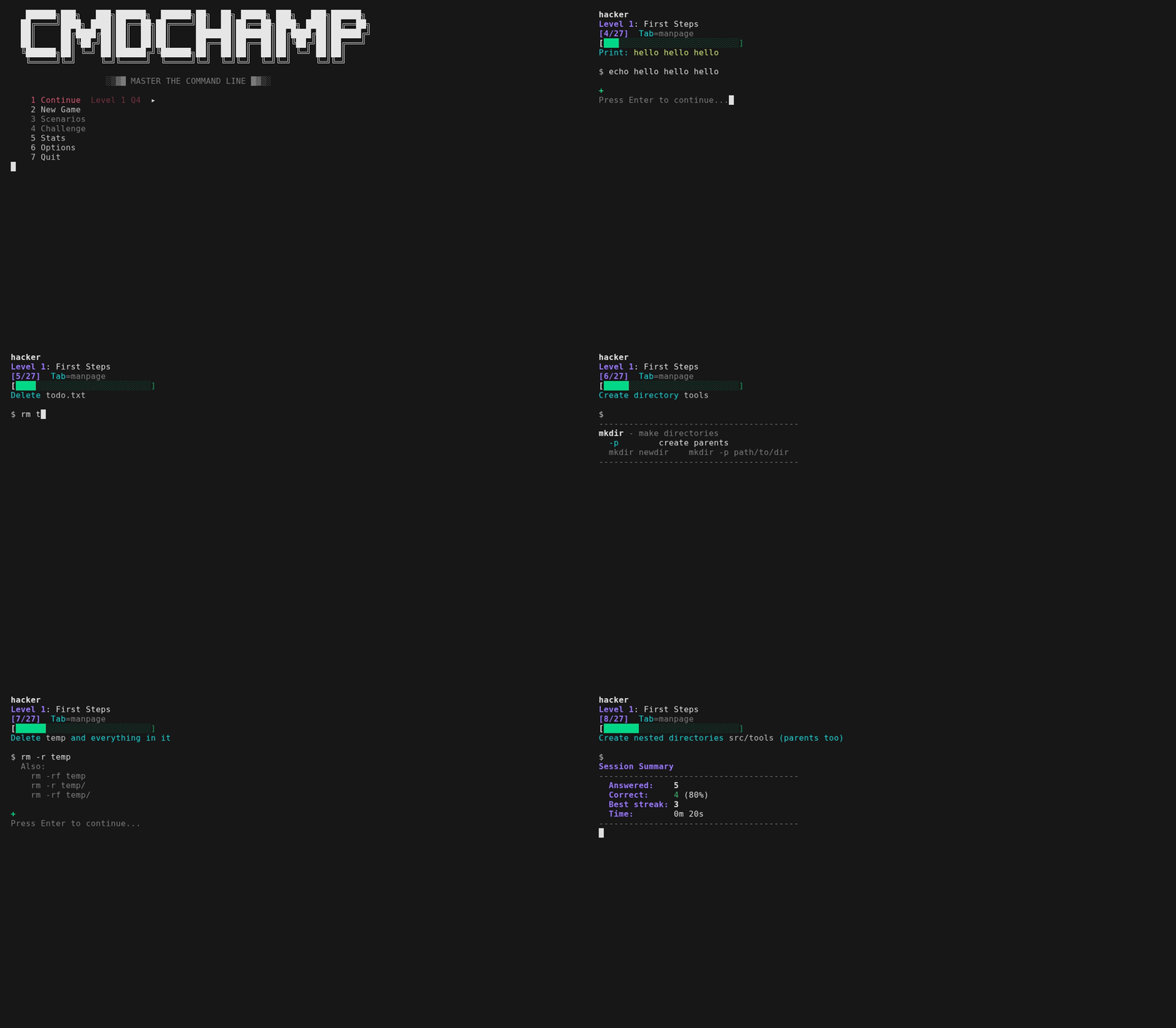


bash CLI トレーナー — lsから権限昇格までの30レベル
# cmdchamp
Bash CLIトレーナー — `ls`から権限昇格までの30レベル。
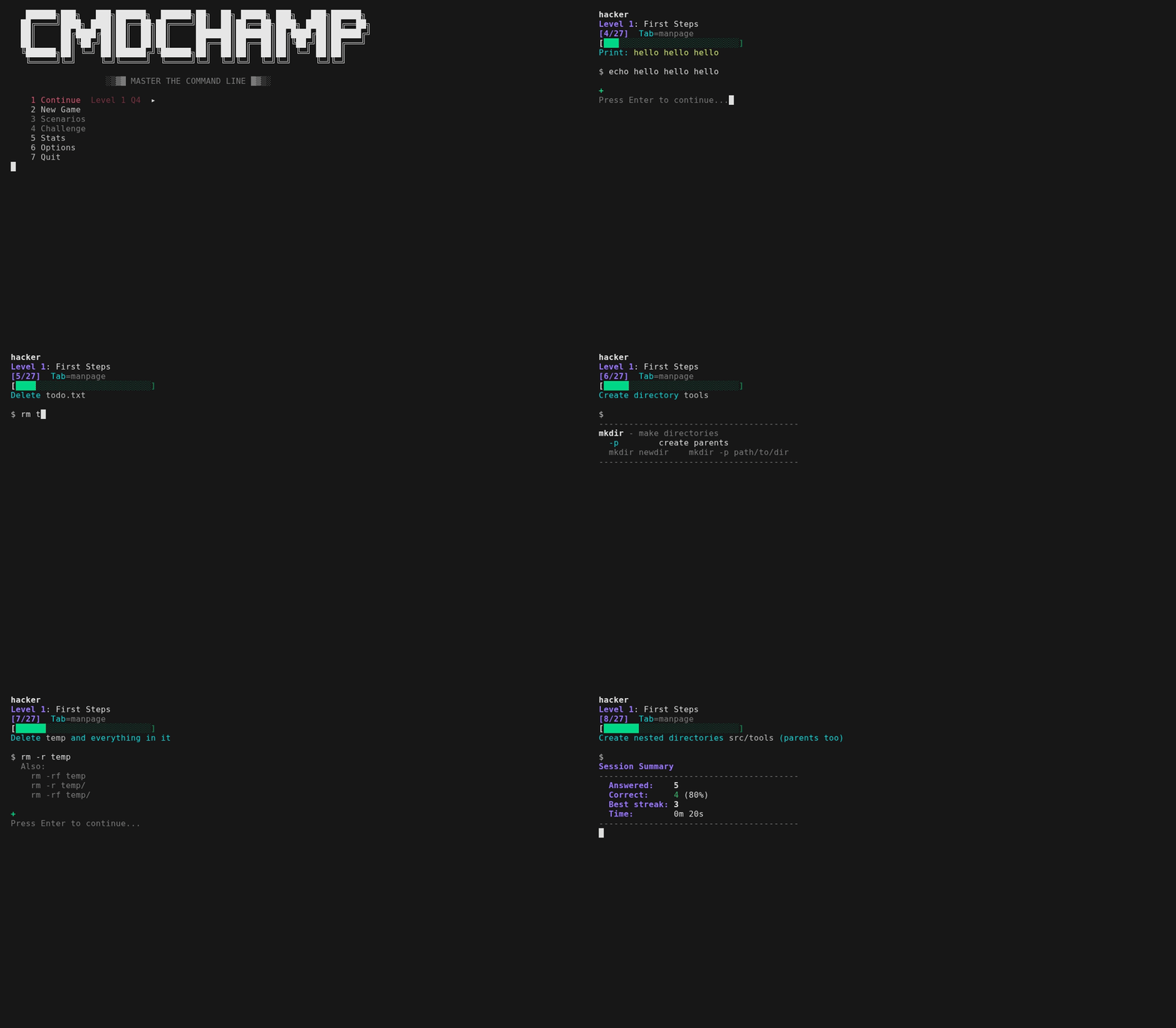
すべての問題で実際のコマンドを入力します — 即座にフィードバックが返り、先へ進めます。間違えると、答えが表示されるだけでなく、YOURコマンドの出力と期待された出力の違い、パイプラインの場合は各段階の行数が表示されるため、どこで失敗したかがわかります。テキスト一致の問題では、あなたの回答に最も近い正解と、抜けていた正確なフラグが示されます。遠回りな方法で正解すると、短い方法も表示されます — `cat f | grep -c X` と入力すると `Shorter: grep -c X f` が表示され、文字数が少ない場合だけでなく、パイプラインの段階が少ない場合にもトリガーされます。節約できたプロセスこそが教訓だからです。多くはサンドボックス内の実際のファイルに対して実行され、すべてが複数の有効な構文(`sort -u` または `sort | uniq`)を受け入れます。Tabキーでマニュアルページを切り替えられます — 回答が実行するすべてのコマンドの簡潔なページと、それが依存するシェル構文(`x=$(cmd)`、`${var:-default}`、`${path##*/}`)が含まれるため、問題内の何も推測する必要はありません。順序は毎回ランダム化されるため、暗記はできません。習得度はあなたの知識を追跡します: 問題に2回正解するとマスター、間違えると降格してより早く再出題されます。5問連続正解でファイアモードが発動 — ミスするまで続くバナーが表示されます。
各レベルはボスラウンドで終了します — マニュアルページなし、30秒のタイマー、4/5で合格。失敗した場合は、ボスをすぐに再試行するか、練習に戻ることができます。30レベルすべてをクリアすると **チャレンジモード** がアンロックされます — エンドゲームの試練: ゲーム全体のツールを1つのパイプラインに組み合わせる複数コマンドのチェーンです。各30秒、ライフは1つ、マニュアルページなし、ベストスコアが記録となります。各チェーンはサンドボックス内の実際の出力で評価されるため、*任意の*正しいパイプラインが合格します。各実行では**新しいランダム化されたサンドボックス**も構築されます — 異なるIP、カウント、ホスト、ログデータ — そして50以上のチェーンテンプレートから、区切り文字、ソート順、集計を変えて抽出されるため、最も忙しいIP、トップURL、最高カウントが2度と同じになることはありません。最初の実行には短いチュートリアルと、既知のレベルをスキップできるプレースメントテストが含まれます。
[bubblewrap](https://github.com/containers/bubblewrap) を使用すると、コマンドは実際のサンドボックス化されたファイルシステムで実行され、実際の出力で評価されます。内部のボックスは合成です — ユーザー `sandbox`、ホスト `sandbox`、独自の `/etc/passwd` とカーネルコマンドライン — そのため、入力したものが実際のユーザー名、マシン名、ディスクレイアウトを画面に表示することはできず、`id`、`whoami`、`hostname` はどこでも同じ答えを返します。これはフォレンジック層にも及びます: レベル28では実際のサンプルバイナリ(`samples/target.bin`)が渡され、フラグ、外部送信ドメイン、漏洩したAPIキーを実際に抽出したかどうかが評価されます — 実際のJSONに対する `jq` の問題も同様です。エンドゲームの試練は、これらの抽出を時間制限付きチェーンに組み合わせます。レベル24〜25も実際に実行されるようになりました: 回答の実行中に、サンドボックス独自のネットワーク名前空間内の `localhost:8080` で小さなHTTPサービスが起動し、3つのポートがリッスンするため、`curl`、HTTP経由の `jq`、`ss`、`nmap` は実際に返した内容で評価されます。あなたのマシンには何も公開されません — 名前空間はすべての送信接続をブロックし、ポートは外部からは見えません。サンドボックスで実際に実行できないツール(wifi/RF、ライブキャプチャ、大容量メモリ/ディスクフォレンジック)のみがテキスト一致のままです。検索レベル(16〜17)は `rg`/`fd` と `grep`/`find` の両方の構文を受け入れます。Vi行編集が組み込まれています — モーション、オペレータ、カウント、レジスタ、アンドゥ、ビジュアルモード(`v`/`V`、`o` で端を交換)、完全なマップは `?` で表示されます。
## インストール
**Arch(AUR):**
```bash
paru -S cmdchamp # または: yay -S cmdchamp
```
**どこでも(単一ファイル):**
```bash
mkdir -p ~/.local/bin && curl -sL https://raw.githubusercontent.com/mellen9999/cmdchamp/main/cmdchamp -o ~/.local/bin/cmdchamp && chmod +x ~/.local/bin/cmdchamp
```
必要に応じて `~/.local/bin` をPATHに追加: `echo 'export PATH="$HOME/.local/bin:$PATH"' >> ~/.bashrc`
**またはクローン:**
```bash
git clone https://github.com/mellen9999/cmdchamp.git
cd cmdchamp && make install
```
**要件:** bash 4.4+、coreutils、awk
**macOS:** bash 3.2が同梱 — 最初にbash 4.4+をインストール: `brew install bash`
**オプション:** [bubblewrap](https://github.com/containers/bubblewrap)(`bwrap`)サンドボックスモード用(Linuxのみ)— ほとんどのデスクトップディストリビューションに含まれています。これがない場合、回答はテキスト一致のみになります
**オプション:** `python3` — サンドボックスのlocalhost HTTPサービスを提供するため、レベル24〜25の `live api` / `live box` の問題は実際の出力で評価されます。これがない場合、これらの問題はテキスト一致にフォールバックします。他は変更されません
**アクセシビリティ:** `NO_COLOR` と `TERM=dumb` を尊重します。レイアウトは `COLUMNS` / `tput cols` に適応します。習得度バーは色と `✓` / `~` / `x` 記号の両方を備えています — 色なしでも読み取れます。
**ターミナル:** エミュレータだけでなく、実際のシリアルターミナルでも動作します。cmdchampはターミナルが実際に表示できるものをプローブし、3つのレンダリング層のいずれかを選択します — Unicode、DEC ACS線描画、または純粋なASCII — そのため、VT100/VT220/VT320/VT420やWyseでもフレームはそのまま維持されます。モノクロ画面では、色の区別は太字/反転として再エンコードされます。`CMDCHAMP_ASCII=1` または `CMDCHAMP_UNICODE=1` で層を強制します。`./test_terminals.sh` で検証します。
## 使用方法
```bash
cmdchamp # ゲームメニューを起動
cmdchamp explain 'CMD' # 任意のコマンドを説明 - すべてのフラグと、その周囲のシェル構文
cmdchamp autopsy # 自分のシェル履歴を読み取り、カリキュラムにマッピング
cmdchamp daily # 今日のデイリーガントレットをプレイ(全員が同じ実行)
cmdchamp daily 2026-02-16 # 特定の日の実行をリプレイ(友達と競争)
cmdchamp play # フリープレイサンドボックス: 任意のコマンドを入力して実行を確認
cmdchamp --no-sandbox # サンドボックスを無効化(テキスト一致のみ)
cmdchamp reset # すべての進行状況をクリア
cmdchamp test # セルフテストを実行
cmdchamp version # バージョンを表示
cmdchamp help # ヘルプを表示
```
`cmdchamp explain`(または `cmdchamp x`)はTabパネルのスタンドアロンツール版です: 約300のコマンドとその周囲のシェル構文の手書きページ、オフライン、ネットワーク不要、依存関係なし。引用符で囲まれたコマンドまたは裸の単語を受け取り、どちらも指定されていない場合はstdinを読み取ります — そのため `history | tail -1 | cmdchamp x` は実行したばかりのコマンドを説明します。コマンドを認識した場合は終了コード0、認識しない場合は1を返します。
`cmdchamp autopsy` はシェル履歴を読み取ります — `$HISTFILE`、次に `~/.bash_history`、次に `~/.zsh_history`、または指定したファイル、または `-` でstdin — そしてそれを30レベルにマッピングします: 実際に使用するもの、各項目の横に自分のカウントを付けて捨てる価値のある習慣(`grep` への `cat`、`-print0` なしの `xargs` への `find`、`chmod 777`、`curl | sh`)、ゲームが教えるコマンドのうち実行したことのある数、そしてギャップのある最も早いレベル。**パターンとカウントのみ**を出力します — 履歴からの行、断片、「例」は決して出力しません。履歴には引数として入力されたトークンやパスワードが含まれるためです。何もマシンから出ることはなく、履歴をエchoするフラグもありません。
メニューには、続行、新しいゲーム、シナリオ、チャレンジ、デイリー、練習、統計、オプション、ヘルプ、終了が固定ホットキー `1`〜`9` と `0` にあります。アンロックされていない行は非表示ではなくグレーアウトされるため、ラベルの横の数字は進行しても移動しません。`j`/`k` または矢印で移動、Enterで選択、`q`(またはEsc)で終了します。プレイグラウンドは**シナリオ**リストの先頭にあります — ロックされることのない唯一のエントリです。**ヘルプ**はリファレンスで、3ページあります: すべてのキー、各モードのコストとアンロック条件、スコアリングと減衰の仕組み、統計マークの意味、回答の判定方法、すべての環境変数。初回チュートリアルは最後のページからワンキープレスでアクセスできます。
**デイリー**(ROOT後)は日付シードのガントレット実行です — シードはチェーンとランダム化されたサンドボックスの両方を駆動するため、その日は誰もがどこでもバイト単位で同一の問題*と*データを取得し、1回のスコア付き試行、連続日数ストリーク、共有可能なコピー可能なスコアが得られます。**練習**は到達した任意のレベル(習得度%付き)をヒント付きでタイマーなしでドリルし、メインの進行状況には触れません。**プレイグラウンド**は実際のシェルで分解する侵害されたボックスです: 誰かが侵入し、使用し、後片付けを試みましたが、すべての動きがディスクに痕跡を残しました。コマンドはサンドボックスで実際に実行され、何も評価されません。最大8つの `flag{...}` トークンがツリー全体に配置され(レベルをクリアするにつれてさらにアンロック)、`map` は侵入をフェーズごとにレイアウトし、現在位置を示し、`learn` はその背後にある8モジュールのセキュリティシラバス、`hint` は尋ねるたびに1層深くなり、Tabは入力した内容を説明します。ヘッダーは常に探しているフェーズとそれが残したファイルを名前で示すため、コマンドをどこに向ければよいかわからないプロンプトに直面することはありません — そして6つのコマンドが何も見つからずに過ぎた場合、最初のヒントが自動的に届きます。
## 統計
2ページあります。1ページ目は30のレベルバー — どれだけ進んだか。2ページ目は同じ習得度を**コマンド**に投影したもので、弱い順に表示されます。レベルはドリルするにはあまりに粗いバケットだからです: レベル13だけでも `cp`、`mv`、`ln`、`chmod`、ACL、`du`、`tar`、`diff` を教え、1本の赤いバーではどれを間違え続けているかわかりません。到達したレベルだけがカウントされ、グリッドは1画面に制限されます — スクロールが必要なワークリストはワークリストではありません。その下に、最も弱い3つのコマンドが、それぞれを教えるレベルとともに名前で示されるため、ページは練習が始まるところで終わります — レベル名はテーマ的であり、`xargs 0/4` は、バッチ操作がどこにあるかを推測しなければならない場合、行き止まりです。
## レベル
| # | 名前 | 焦点 |
|---|------|-------|
| | **基礎** | |
| 1 | 最初の一歩 | pwd, ls, echo, cd, mkdir |
| 2 | ファイルの基本 | cp, mv |
| 3 | 作業を保存 | >, >>, tee |
| 4 | ファイルを読む | cat, head, tail, less |
| 5 | 基本的なパイプ | pipes, grep, wc, sort, uniq |
| 6 | 入力とヒア文字列 | <, <<<, tr, cut, rev, bc |
| 7 | エラー処理 | 2>, 2>&1, &>, /dev/null |
| 8 | 論理ゲート | &&, \|\| |
| 9 | 変数 | `$VAR`, 代入, 展開 |
| 10 | 特殊変数 | `$$`, `$?`, `$!`, `$#`, `$@`, `$0` |
| 11 | ジョブ制御 | bg, fg, jobs, &, Ctrl+Z, nice, ulimit |
| 12 | テスト条件 | -f, -d, -z, -n, -eq, -lt |
| 13 | コアファイルツール | cp, mv, ln, chmod, ACLs, du, tar, diff |
| 14 | システム管理 | ping, df, free, ss, systemctl, ip, sysctl, lsblk, getent |
| 15 | マルチプレクサ | tmux: セッション, ウィンドウ, ペイン |
| 16 | テキスト検索 | grep, ripgrep, regex |
| 17 | ファイル検索 | find, fd, 名前/サイズ/時間/タイプ別 |
| 18 | データ処理 | sort, uniq, cut, awk, tr, comm, join, numfmt |
| 19 | 文字列と配列 | パラメータ展開, 配列 |
| 20 | 制御フロー | if/else, ループ, case, 関数 |
| 21 | バッチ操作 | find -exec, xargs, sed -i, crontab |
| 22 | 高度な正規表現 | 先読み, sed, awk |
| | **DevOpsとセキュリティ** | |
| 23 | Git | ブランチ, リモート, リベース, スタッシュ, bisect |
| 24 | ネットワークツール | tshark, curl, jq, sshトンネル, openssl, SMB, ライブHTTPエンドポイント |
| 25 | ネットワークスキャン | nmap, サービス検出, スクリプト, ライブターゲット |
| 26 | WiFiとRF | aircrack-ng, netcat, tcpdump, ワイヤレス偵察 |
| 27 | ハッシュクラッキング | hashcat, john, hydra, エンコーディング |
| 28 | フォレンジック | strings, readelf, binwalk, volatility, exiftool |
| 29 | 権限昇格 | SUID, ケーパビリティ, GTFOBins, 列挙 |
| 30 | ROOT | 緊急リカバリ, chroot, オフラインサバイバル |
## シナリオ
多段階のサンドボックスチャレンジ — 状態はステップ間で保持されます。アンロックボスをクリアすると**シナリオ**メニューから利用可能になり、プレイグラウンドの下にアンロック順でリストされます。以下の番号はシナリオIDで、変更されることはありません。
| # | 名前 | アンロック条件 | ステップ |
|---|------|-----------|-------|
| 1 | 権限ロックアウト | L13ボス | 6 |
| 2 | アーカイブと抽出 | L13ボス | 6 |
| 3 | 針を見つける | L16ボス | 7 |
| 4 | 乱雑なCSV | L18ボス | 4 |
| 5 | インシデント | L18ボス | 5 |
| 6 | 壊れたデプロイ | L21ボス | 7 |
| 7 | ログ緊急事態 | L21ボス | 5 |
| 8 | 設定手術 | L21ボス | 5 |
| 9 | Gitレスキュー | L23ボス | 6 |
| 10 | バッチリファクタリング | L21ボス | 6 |
| 11 | フォレンジックスイープ | L22ボス | 6 |
| 12 | ワイルドカードバックアップ | L29ボス | 4 |
| 13 | PATHハイジャック | L29ボス | 4 |
シナリオ12〜13はエクスプロイトボックスです: 実際のtarチェックポイントインジェクション / PATHハイジャックを仕掛け、それが生成するアーティファクト(ファイルが出現、秘密が外部送信される)で評価されます。エクスプロイトの*効果*はサンドボックス内で実際に実行されます。特権境界はシミュレートされます — 実際のrootとしては何も実行されません。
## プレースメントテスト
初回チュートリアルの後、先に進むためにプレースメントテストを受けるかどうか尋ねられます。受けると、レベルごとに2問、各30秒、マニュアルページなしで実行されます。1問でも間違えると、それが開始レベルになります。
## イースターエッグ
8つの隠し実績。統計画面で見つけた数を確認できます。
## コントロール
| キー | アクション |
|-----|--------|
| Enter | 回答を送信 |
| Tab | マニュアルページを切り替え |
| Ctrl+d | 終了(セッションサマリー) |
| Esc | Viノーマルモード |
| ? | すべてのキーバインド(ノーマルモード) |
## データ
進行状況は `${XDG_DATA_HOME:-~/.local/share}/cmdchamp/` に保存されます。
## ライセンス
MIT