 jsa2/caoptics
CA Optics - Azure AD 条件付きアクセスのギャップ分析ツール

開発優先順位の変更と、コミュニティ活動を他の分野(PoC、他のツール、デモ/プレゼンテーション)に集中させるため、プロジェクトはアーカイブされ、読み取り専用に設定されました。
Azure AD Conditional Access Gap Analyzer は、複雑な Azure Active Directory 条件付きアクセス ポリシー構成内に存在する可能性のあるギャップをスキャンするためのソリューションです。
条件付きアクセスに初めて触れる場合は、次の Microsoft の記事を確認することをお勧めします: https://docs.microsoft.com/en-us/azure/active-directory/conditional-access/overview
このツールを実行するためのワンライナー:(これだけを読む予定で、インストールが完了している場合)
node ./ca/main.js --mapping --skipObjectId=259fcf40-ff7c-4625-9b78-cd11793f161f --clearPolicyCache --clearTokenCache --clearMappingCache
前提条件を完了し、この README ファイルを読んだら、以下を検討してください:
reportOnly ポリシーは終了条件として考慮されません:
参照: scope
各スキャンを --clearPolicyCache 付きで実行してください
ポリシーに関連するグループ/ユーザーに変更を加えた場合は、各スキャンを --clearMappingCache 付きで実行してください
ユーザーとアプリを対象とするポリシーのみがスコープに含まれます(これは最も一般的なスコープですが、たとえばセキュリティ登録ポリシーは評価されないことを意味します)
参照: scope
まずテスト環境から始めて、ツールの仕組みについて経験を積み、期待値を設定できるようにしてください
ポリシーから除外されている既知のグループまたはユーザーがいる場合は、除外を確認したい場合を除き、--skipObjectIds でスキャンから除外するオブジェクトを定義してください
複数の環境でスキャンを実行する場合は、新しいスキャンを実行する前にログインとキャッシュを削除してください
参照:parameters
- AZ CLI をインストールしている場合は、az account clear で AZ CLI のキャッシュをクリアしてから、スキャン予定の環境に対して az login で新しいログインを実行してください
参照 その他の重要な注意事項
Release notes: 0.7.1
- Updated depedencies and report text outputs
Release notes: 0.7
- Uses beta endpoint now by default, --expand option now expands the results to report regardless of the use of --allTerminations
Release notes: 0.6.9
- using --expand=9c06d103-f5b0-4404-bb25-aec4636912cd,47087cd3-64e9-470b-980a-5662f498e016 and expand 10 group members to for separate inspection.
Release notes: 0.6.8
- When you update policy with any guest conditions in GUI that policy will be only available from the beta endpoint after the update (during preview).
- This update brings normalization for policies that are transfered to beta endpoint due to this behavior.
- The policy will be evaluated like the previous guest conditions, as long as the following conditions are included "internalGuest,b2bCollaborationGuest,b2bCollaborationMember" and no tenants are excluded from the policy. In order to evaluate transferred policies,
- use '--allowPreviewPolicies' when running CaOptics to account for this behavior

Release notes: 0.6.6-7 beta
- Allow use of different login endpoints for login and graph with params: --altLogin --altGraph
- Allow use of custom filtering for policies (this only recommended, when the policies do not adhere to expected schema)

Release notes: 0.6.5 beta
- Added counter to reporting when high number of permutations is also added to report (default is to add only unterminated)
- Minor code fixes changing <var> to <let>
- Report filename now includes day, month, year and tenantId e.g. report_day_4_month_9_year_2022-tenant_48f55450-183a-45d6-a9ce-68f3cbc68947.csv

Release notes: 0.6.4 beta
- Get more groups per single call (less batching)
- Fix race condition detected when generally using for await loops
- Enclose values with "" between delimitters (CSV)

Release notes: 0.6.3 beta
- Optimizations to way the mapped objects are handled.
  - Mapped objects are cached. You can recreate the object mapping by using parama 'clearMappingCache'
  - Lookup keys will start from 'user/group/role' conditions always first
  - Added possibility to populate usermap with random UUID's to test for performance impact (this just debug option, and not really something that would be in non-beta versions)

Release notes: 0.6.2 beta
- Separated cache params into separate functions -> (clearTokenCache and ClearPolicyCache)
- Added possibility of running pre-optimized algorithm on permutations with param --aggressive (High memory consumption, only here for A/B testing)
- merge completed.

Release notes: 0.6.1 beta
- Basic version of CSV reporting added
- Streamlined permutation generation to ensure essential permutations are generated, and some permutations are are terminated earlier on the lookups

Release notes: 0.6 beta (first non "silent" release)
- App displayNames added to MD report. Object type added to the user type

Release notes: 0.5.2,0.5.1,0.5 beta  (see previous branches for release notes)
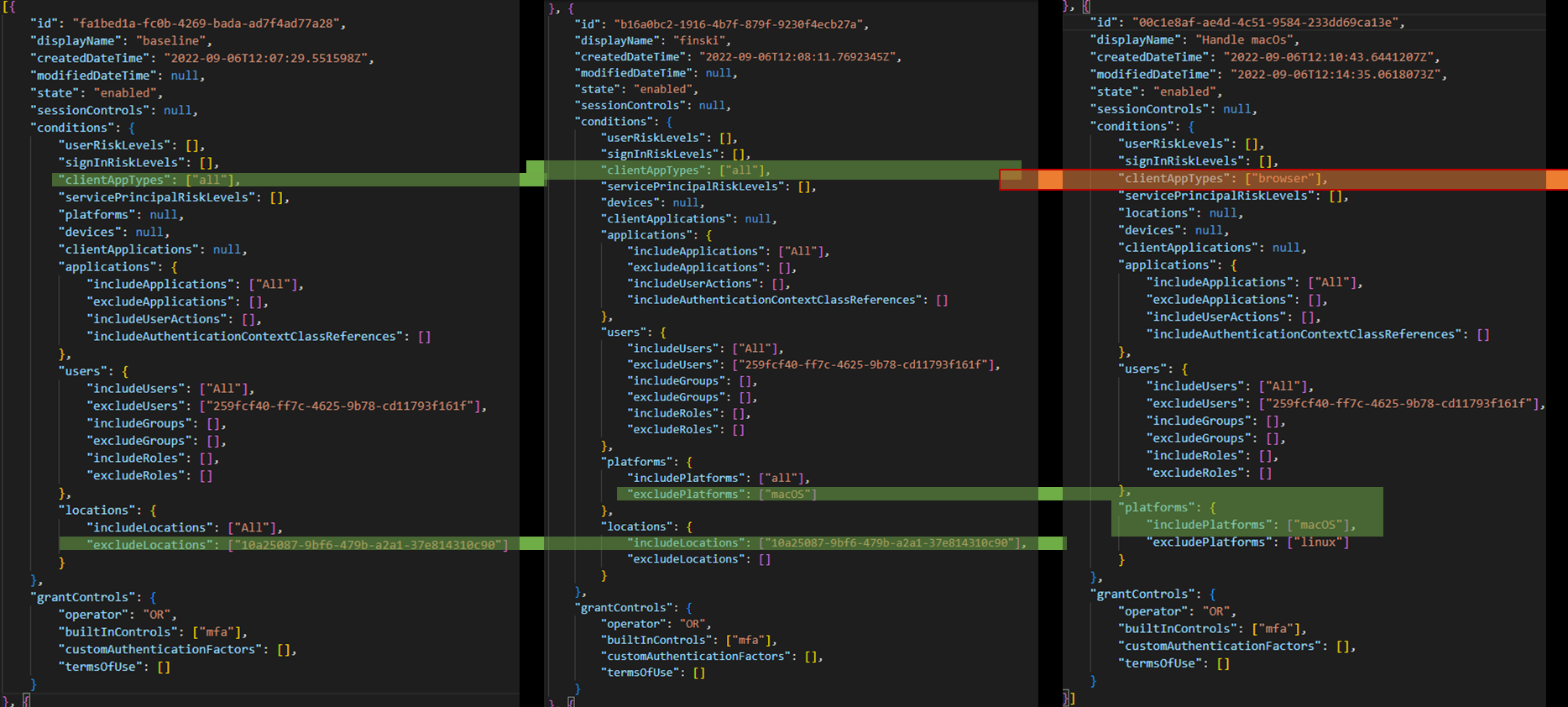
クロスポリシー検出の例
❌ 値が 0 の順列は、その特定の条件の組み合わせに対して終了したポリシーがないことを意味します。
| ポリシー | 終了数 | ルックアップ |
|---|---|---|
| All | 0 | Applications:88cc92be-d474-4d95-a57d-7b3ef701f510 -> Locations:finland -> users:GuestsOrExternalUsers |
| All | 0 | Applications:88cc92be-d474-4d95-a57d-7b3ef701f510 -> Locations:finland -> users:Jane Doe |
| All | 0 | Applications:88cc92be-d474-4d95-a57d-7b3ef701f510 -> Locations:finland -> users:John Doe |
✅ 検出の詳細な説明は docs/example.md でお読みください
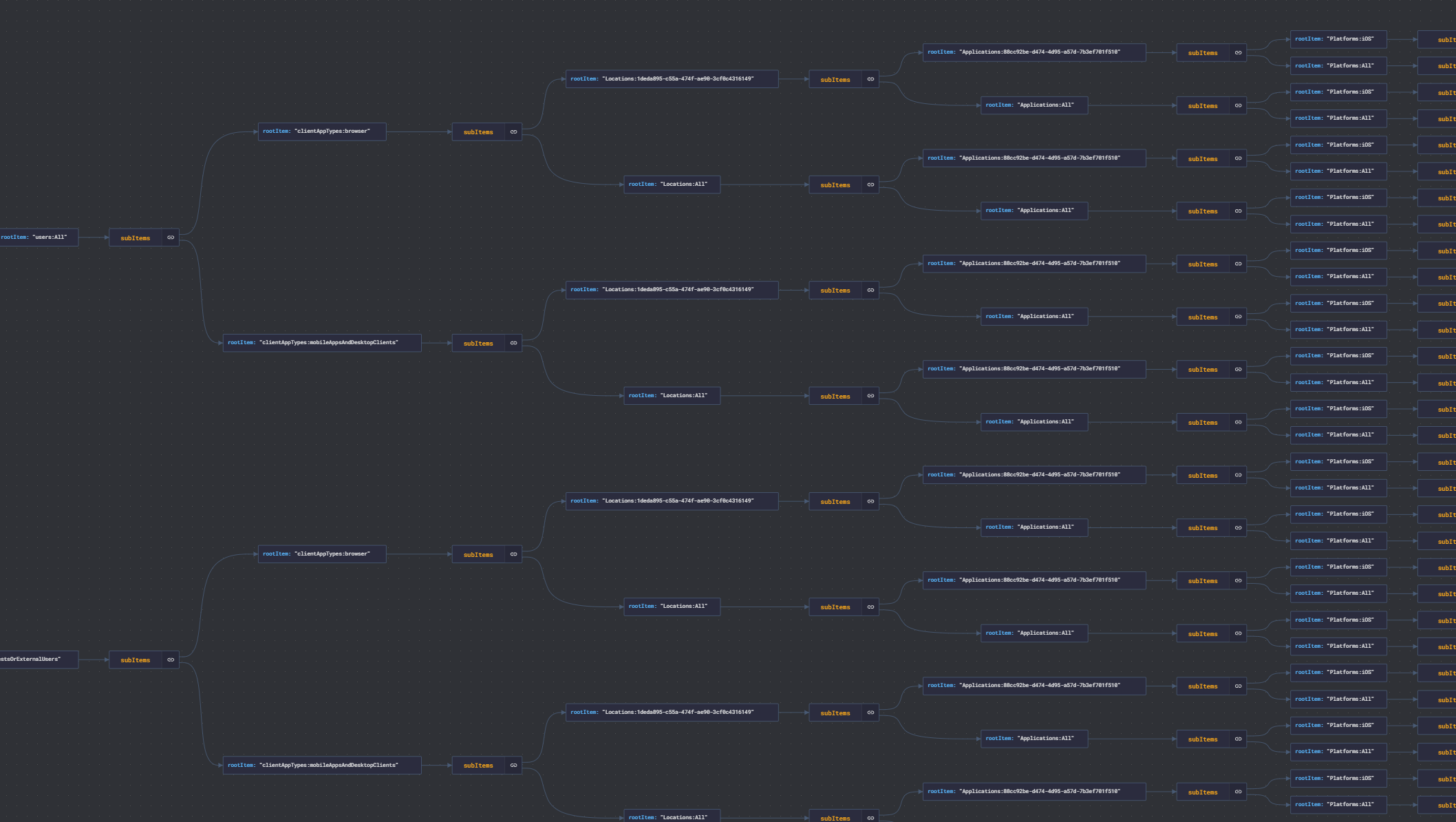
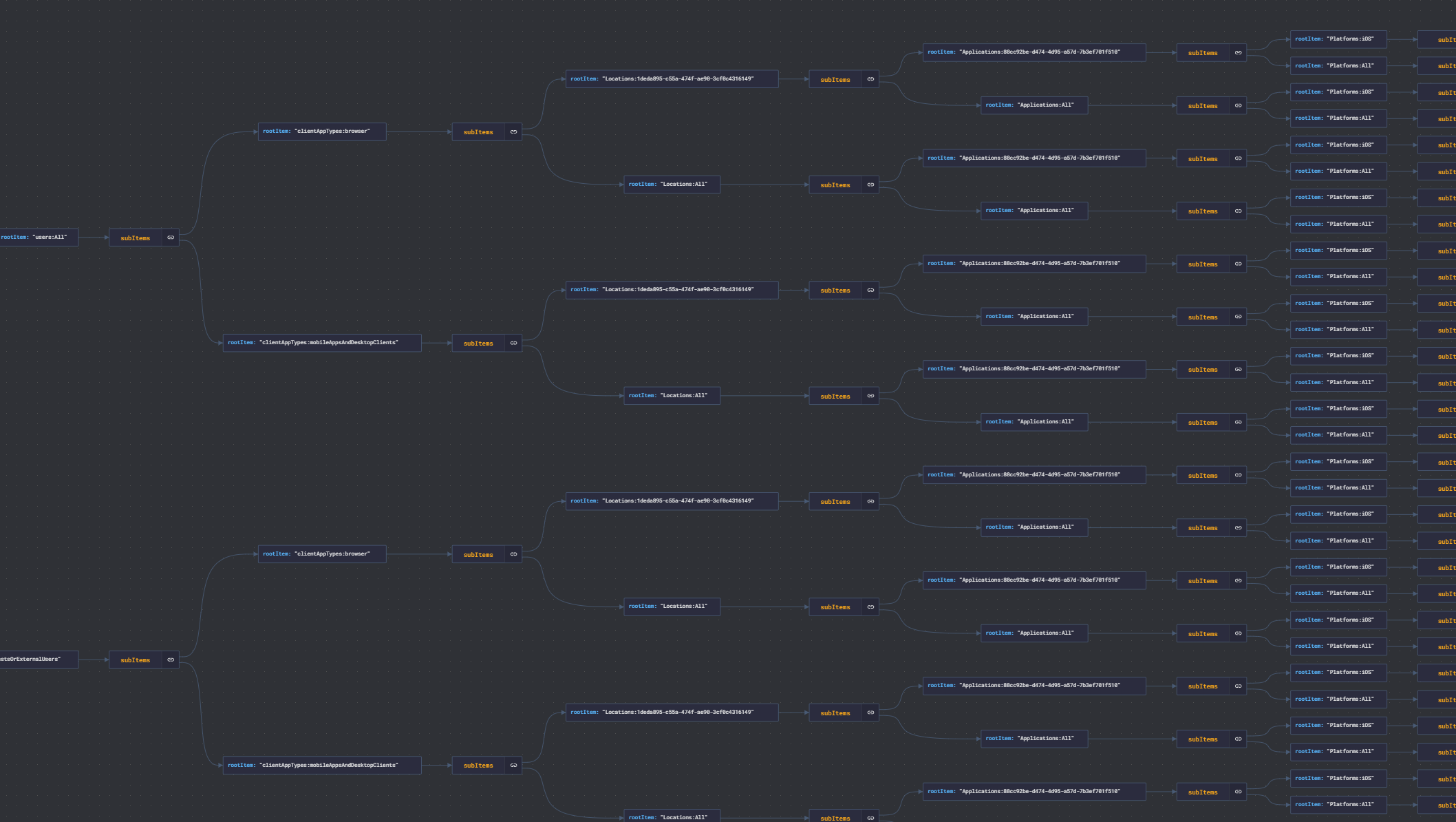
順列は getPol2.js によって生成されます
(視覚化: https://jsoncrack.com/)
ランタイム