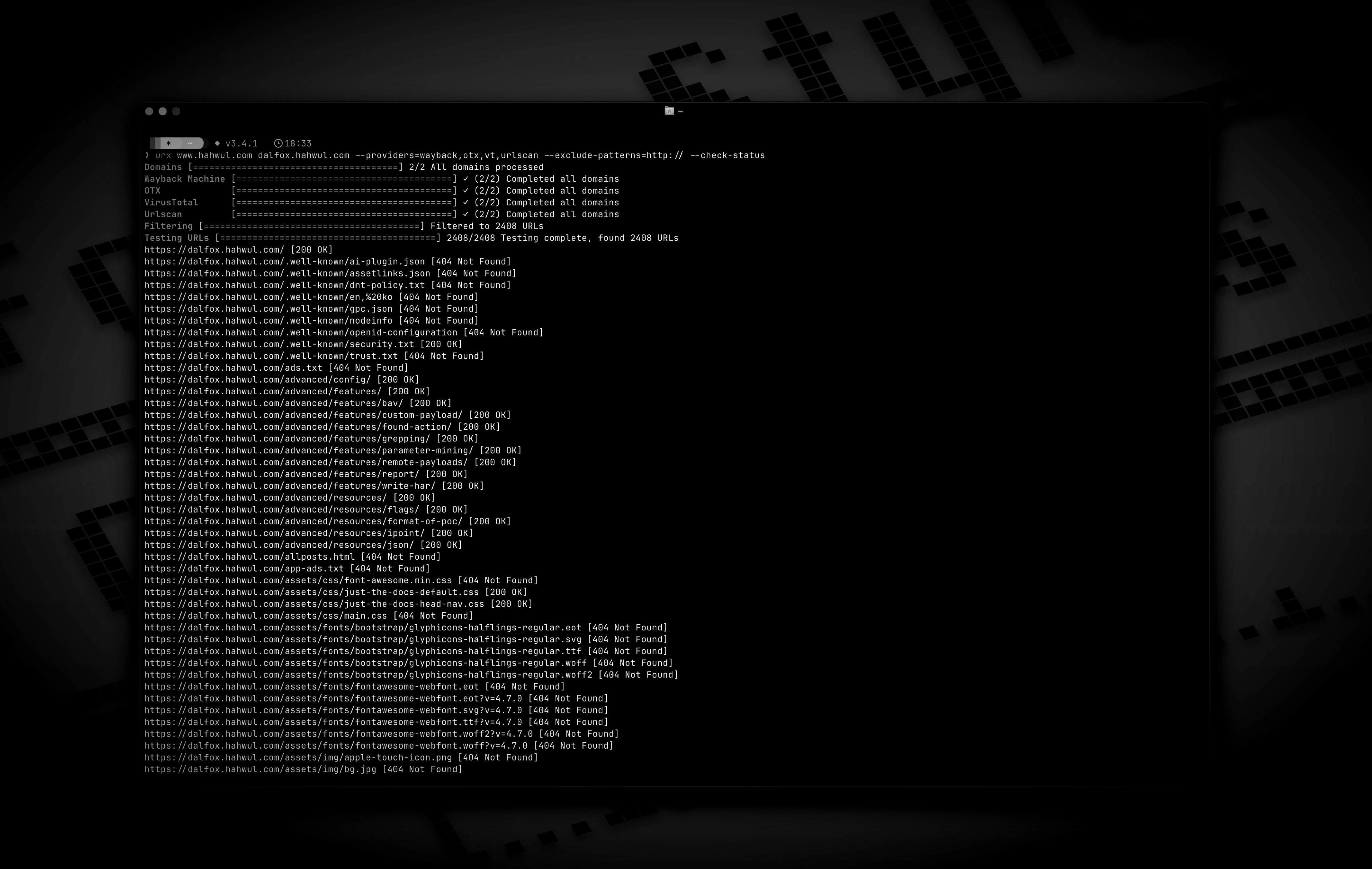


OSINTアーカイブからURLを抽出し、セキュリティインサイトを得る。




Urxは、Wayback MachineやCommon CrawlなどのOSINTアーカイブからURLを収集するために設計されたコマンドラインツールです。効率性を重視してRustで構築されており、非同期処理を活用して複数のデータソースを迅速にクエリします。このツールは、指定されたドメインのURL情報を収集するプロセスを簡素化し、セキュリティテストや分析など様々な目的に使用できる包括的なデータセットを提供します。
--cdx-endpoint URLでプラグイン可能 — コード変更は不要-H、--cookie、--user-agentは、urxがターゲットに対して行うすべてのリクエスト(--check-status、--extract-links、--extract-js-endpoints、--expand-specs)に適用され、アーカイブには意図的に一切送信されない--match-regex / --filter-regex)で結果をフィルタリング--meta-*):収集後に、最初/最後のキャプチャ日時、記録されたMIMEタイプ、記録されたステータスをすべてのプロバイダーで統一的にフィルタリングurx example.com/shopはスコープをCDXクエリ自体にプッシュする(url=example.com/shop*)ため、大規模サイトのサブツリーはインデックス全体のごく一部のコストで済み、クライアント側でフィルタリングされることがない--scope-file):プログラム自身の*.example.com / !admin.example.comリストをそのまま使用し、繰り返し可能で和集合として扱われ、除外が常に優先される--dedup-similar)wordlist — ターゲットが構築されるパスセグメントとパラメータ名を、id、ハッシュ、日付を除いて出力--params(ターゲット全体のパラメータインベントリ)、--params-by-endpoint(どのエンドポイントが何を受け取るか)、--fuzz-placeholder FUZZ(パラメータシグネチャごとに1つのテンプレート化されたURL、ffufやdalfoxですぐに使用可能)first_seen、last_seen、mime、archive_status、digestが、CDXアーカイブが報告したすべてのURLとともに、追加のネットワークコストなしで返される--stream):各プロバイダーがURLを報告するたびに書き出されるため、パイプラインは最も遅いアーカイブを待つことなく即座に動作を開始する--archive-body)するため、もはや存在しないページでも含まれていたリンクを明らかにする — CDXダイジェストの重複排除により、異なるボディごとに1リクエスト--extract-js-endpointsを使用すると、アーカイブされたJavaScriptもマイニングする:ビルドハッシュで命名されたバンドルはサイトが再デプロイされた瞬間に404になるが、アーカイブはそのAPIサーフェスがまだ存在する唯一の場所である--archive-body-dir)し、リンク抽出器が探さないもの — 開発者コメント、インライン化された認証情報、内部ホスト名 — をgrepするためのコーパスとして、追加リクエストなしで利用--expand-specs):OpenAPI 3.x、Swagger 2.0、GraphQLイントロスペクションドキュメント(JSONまたはYAML)を、それらが記述するすべてのルートに変換 — 1リクエストでドキュメント化されたサーフェス全体を取得--check-statusはLocation、Content-Length、Content-Typeも記録し、--check-titleはHTMLの<title>を追加--archived-discovery):Wayback Machineが保持するすべての異なるバージョンにより、2015年のDisallow:が、サイトがその後言及しなくなったパスを今でも示すurx cacheサブコマンドでキャッシュを検査および保守:stats、list、prune、drop <domain>、clear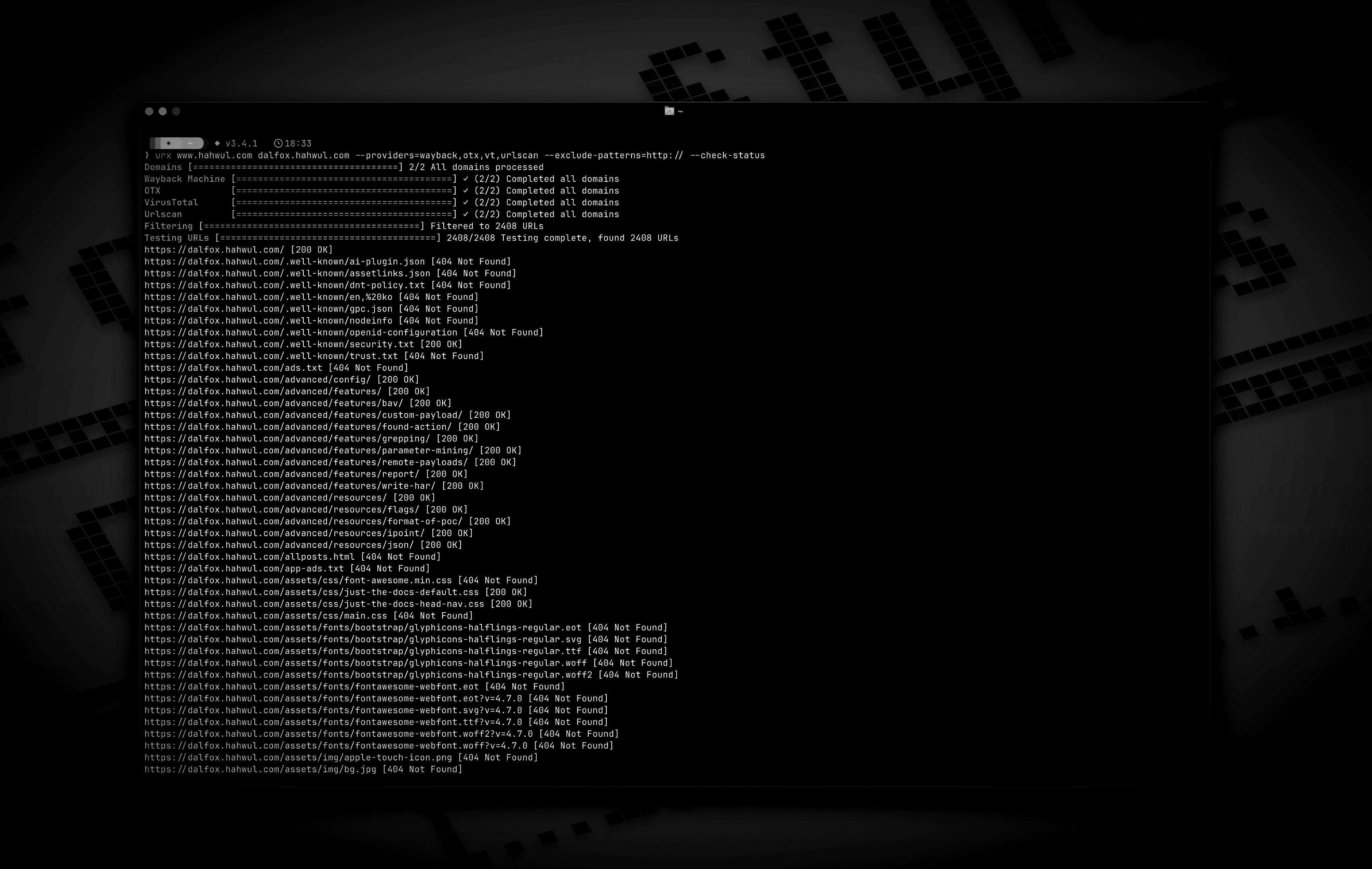
cargo install urx
### Homebrew から```bash
# https://formulae.brew.sh/formula/urx
brew install urx
git clone https://github.com/hahwul/urx.git cd urx cargo build --release
コンパイル済みバイナリは `target/release/urx` にあります。

### Docker から

[ghcr.io/hahwul/urx](https://github.com/hahwul/urx/pkgs/container/urx)

### シェル補完

`urx` は自身の補完スクリプトを生成するため、実際にインストールされているバイナリのフラグと常に一致します。```bash
# zsh — any directory on your $fpath works
urx --completions zsh > ~/.zfunc/_urx
# (make sure ~/.zfunc is on the fpath, then `compinit`)

# bash
urx --completions bash > ~/.local/share/bash-completion/completions/urx

# fish
urx --completions fish > ~/.config/fish/completions/urx.fish
powershell と elvish もサポートされています。このフラグにはターゲットドメインは不要です。
urx --manpage > ~/.local/share/man/man1/urx.1 man urx
## 使用方法

### 基本的な使用方法```bash
# Scan a single domain
urx example.com

# Scan multiple domains
urx example.com example.org

# Scan domains from a file
cat domains.txt | urx
Usage: urx [OPTIONS] [DOMAINS]... [COMMAND]
Commands: cache Inspect and maintain the URL cache: stats, list, prune, drop ..., clear
Arguments: [DOMAINS]... Domains to fetch URLs for
Options: -c, --config Config file to load --provider-config Separate provider config file holding only API keys (default: $XDG_CONFIG_HOME/urx/provider-config.toml). CLI/env > provider-config > main config. --completions Print a shell completion script (bash, zsh, fish, powershell, elvish) to stdout and exit --manpage Print the roff man page to stdout and exit -h, --help Print help -V, --version Print version
Input Options:
--files ... Read URLs directly from files (supports WARC, URLTeam compressed, and text files)
--domain-list File of newline-separated domains to scan (repeatable; merged with positional DOMAINS and stdin; # comments allowed)
Output Options:
-o, --output Output file to write results
--output-dir Write one file per domain into this directory (extension matches --format). Coexists with --output / stdout.
-f, --format Output format: "plain", "json" (one array), "jsonl" (one JSON object per line), "csv", "wordlist" (path segments and parameter names, deduplicated and sorted) [default: plain]
--stream Write URLs as each provider reports them instead of once at the end (unsorted; bypasses cache; rejects options needing the full result set)
--merge-endpoint Merge endpoints with the same path and merge URL parameters
--normalize-url Normalize URLs for better deduplication (sorts query parameters, removes trailing slashes)
--dedup-similar Collapse URLs that differ only in variable data (numeric ids, UUIDs, hashes, dates, query values)
--params Replace the URL list with every query parameter name the run saw, once each
--params-by-endpoint
One line per endpoint: the endpoint and the comma-separated union of the parameter names seen on it (id-looking path segments collapse to {id})
--fuzz-placeholder
Replace every query parameter value with VALUE, keeping one URL per parameter signature — output you can feed straight to ffuf or dalfox
Provider Options:
--providers
Providers to use (comma-separated, e.g., "wayback,cc,otx,arquivo,vt,urlscan") [default: wayback,cc,otx]
--exclude-providers <EXCLUDE_PROVIDERS>
Providers to exclude (comma-separated). Wins on conflict with --providers / --all-providers.
--all-providers
Enable every supported provider. API-keyed providers only activate when a key is available.
--list-providers
List every supported provider then exit.
--subs
Include subdomains when searching
--cc-index <CC_INDEX>
Common Crawl index to use; accepts comma-separated list to query multiple indexes in parallel (e.g. CC-MAIN-2026-17,CC-MAIN-2025-51). latest (the default) resolves the newest via collinfo.json. [default: latest]
--cdx-endpoint
Query an additional CDX index server (any pywb, OutbackCDX, or classic Internet-Archive-style CDX API) by its full API URL, e.g. https://vefsafn.is/cdx. Repeatable. Each endpoint becomes a provider with id cdx:<host> and honours --subs, --from/--to and the --archive-* filters. See "Custom CDX Endpoints" below
--cdx-dialect
Which CDX dialect the --cdx-endpoint servers speak: pywb or classic. Unset: urx probes each endpoint once and falls back to pywb when the answer is ambiguous
--from
Restrict every CDX-backed provider (wayback, cc, arquivo, --cdx-endpoint) to captures at or after DATE (YYYY/YYYYMM/YYYYMMDD/YYYYMMDDhhmmss). Alias: --wayback-from
--to
Restrict every CDX-backed provider to captures at or before DATE (same format as --from). Alias: --wayback-to
--archive-status
Keep only captures the archive recorded with this HTTP status code (e.g. "200"). Applied by the CDX index itself, so unlike --include-status it costs no extra requests. A multi-value list works on wayback only — see "Archive-side Filtering" below
--archive-exclude-status
Drop captures the archive recorded with these HTTP status codes (comma-separated, e.g. "404,500"). Multi-value works on every CDX provider
--archive-mime
Keep only captures with this recorded MIME type (e.g. "application/json"). Catches endpoints with no file extension, which -e/--extensions cannot
--archive-exclude-mime
Drop captures with these recorded MIME types (comma-separated, e.g. "text/html,image/png")
--vt-api-key <VT_API_KEY>
API key for VirusTotal (can be used multiple times for rotation, can also use URX_VT_API_KEY environment variable with comma-separated keys)
--urlscan-api-key <URLSCAN_API_KEY>
Optional API key for Urlscan; the provider also works anonymously (rate-limited ~30 req/min per IP). Can be used multiple times for rotation, or via URX_URLSCAN_API_KEY (comma-separated keys)
--github-api-key <GITHUB_API_KEY>
Personal access token for the GitHub Code Search provider (also reads URX_GITHUB_API_KEY, comma-separated for rotation)
--bevigil-api-key <BEVIGIL_API_KEY>
API key for BeVigil, which returns URLs extracted from unpacked Android apps (also reads URX_BEVIGIL_API_KEY, comma-separated for rotation). Required for the  provider
bevigilDiscovery Options: --exclude-robots Exclude robots.txt discovery --exclude-sitemap Exclude sitemap.xml discovery --archived-discovery Also read every distinct archived version of robots.txt and sitemap.xml the Wayback Machine holds --archived-discovery-limit Maximum archived documents fetched per domain by each archived provider (nested sitemaps count) [default: 50]
Display Options: -v, --verbose Show verbose output --silent Silent mode (no output) --no-progress No progress bar --no-color Disable ANSI color in the progress UI and output (NO_COLOR is also honored) --show-sources Annotate output URLs with the providers that returned them --show-meta Annotate plain-text URLs with the archive capture metadata --stats Print a per-provider summary to stderr at end of run
Filter Options:
-p, --preset
Filter Presets (e.g., "no-resources,no-images,no-audio,only-js,only-style,only-secrets,only-backup,only-config,only-api")
-e, --extensions
Filter URLs to only include those with specific extensions (comma-separated, e.g., "js,php,aspx")
--exclude-extensions <EXCLUDE_EXTENSIONS>
Filter URLs to exclude those with specific extensions (comma-separated, e.g., "html,txt")
--patterns
Filter URLs to only include those containing specific patterns (comma-separated)
--exclude-patterns <EXCLUDE_PATTERNS>
Filter URLs to exclude those containing specific patterns (comma-separated)
--match-regex
Keep only URLs matching this regular expression (repeatable, ORed; case-sensitive; never comma-split)
--filter-regex
Drop URLs matching this regular expression (repeatable; one match is enough)
--show-only-host
Only show the host part of the URLs
--show-only-path
Only show the path part of the URLs
--show-only-param
Only show the parameters part of the URLs
--min-length <MIN_LENGTH>
Minimum URL length to include
--max-length <MAX_LENGTH>
Maximum URL length to include
--strict
Enforce exact host validation (default)
--no-strict
Disable host validation (keep URLs on any host a provider returns). Wins over --strict. A target's path scope still applies: only the host check is waived
--scope-file
Bug-bounty scope file: one host pattern per line, ! to exclude, *.example.com for a wildcard (which covers the apex too), # for a comment. Repeatable and unioned; exclusions always win. See "Scope Files" below
--meta-first-seen-after
Keep URLs whose oldest archived capture is on or after DATE (YYYY/YYYYMM/YYYYMMDD/YYYYMMDDhhmmss)
--meta-first-seen-before
Keep URLs whose oldest archived capture is on or before DATE
--meta-last-seen-after
Keep URLs whose newest archived capture is on or after DATE — "still alive as of"
--meta-last-seen-before
Keep URLs whose newest archived capture is on or before DATE — "dead since"
--meta-mime
Keep only URLs whose archived MIME type is one of these (comma-separated; image/* matches any subtype)
--meta-exclude-mime
Drop URLs whose archived MIME type is one of these
--meta-status
Keep only URLs whose archived status code matches (comma-separated; 20x / 5xx patterns)
--meta-exclude-status
Drop URLs whose archived status code matches
Network Options:
--network-scope <NETWORK_SCOPE> Control which components network settings apply to (all, providers, testers, or providers,testers) [default: all]
--proxy Use proxy for HTTP requests (format: http://proxy.example.com:8080)
--proxy-auth <PROXY_AUTH> Proxy authentication credentials (format: username:password)
--insecure Skip SSL certificate verification (accept self-signed certs)
--random-agent Use a random User-Agent for HTTP requests
-H, --header <NAME: VALUE> Extra request header, repeatable; sent only on requests urx makes to the target, never to an archive
--cookie Cookie header for requests to the target; shorthand for -H "Cookie: ..."
--user-agent User-Agent for requests to the target, overriding the default and --random-agent
--timeout Request timeout in seconds [default: 120]
--retries Number of retries for failed requests [default: 2]
--parallel Maximum domains fetched concurrently per provider (and concurrent URL tests); a provider's --rate-limit is shared across them [default: 5]
--rate-limit <RATE_LIMIT> Rate limit (requests per second)
--rate-limit-by Per-provider rate overrides (e.g. vt=1,wayback=10); falls back to --rate-limit for unlisted providers
--max-time <MAX_TIME> Global ceiling on provider enumeration time in seconds (0 = unlimited) [default: 0]
Testing Options:
--check-status
Check HTTP status code of collected URLs [aliases: ----cs]
--check-title
Also record each response's HTML while checking statuses; implies --check-status
--include-status <INCLUDE_STATUS>
Include URLs with specific HTTP status codes or patterns (e.g., --is=200,30x) [aliases: ----is]
--exclude-status <EXCLUDE_STATUS>
Exclude URLs with specific HTTP status codes or patterns (e.g., --es=404,50x,5xx) [aliases: ----es]
--extract-links
Extract additional links from collected URLs (requires HTTP requests)
--extract-js-endpoints
Fetch collected JavaScript files and extract the endpoint paths and URLs found in their string literals (requires HTTP requests); with --archive-body this also mines the archived copy of each script
--max-js-files
Maximum number of files --extract-js-endpoints will fetch (0 = unlimited) [default: 500]
--archive-body
Fetch the archived body of each collected URL from the Wayback Machine and extract the links inside it (works for pages that no longer exist)
--archive-body-limit
Maximum number of archived bodies --archive-body fetches per run; bounds distinct bodies, not URLs [default: 500]
--archive-body-dir
Keep every body --archive-body replays in DIR, with an index.jsonl mapping each file back to its URL, capture and content type
--expand-specs
Fetch the API specification documents among the collected URLs (OpenAPI, Swagger, GraphQL introspection; JSON or YAML) and expand every route they document into a URL. See "Expanding API Specifications" below
--max-spec-files
Maximum number of specification documents --expand-specs will fetch (0 = unlimited) [default: 50]
Cache Options:
--incremental Enable incremental scanning mode (only return new URLs compared to previous scans)
--cache-type Cache backend: sqlite or redis [default: sqlite]
--cache-path Path for the SQLite cache database
--redis-url Redis connection URL for remote caching
--cache-ttl Cache time-to-live in seconds [default: 86400]
--no-cache Disable caching entirely
Notification Options:
--notify POST a run summary to this webhook when the run ends (repeatable; also URX_NOTIFY_URL, provider-config notify_url, or [notify].url)
--notify-on <NOTIFY_ON> When to send: new (only if URLs were emitted), always, or never [default: new]
--notify-format <NOTIFY_FORMAT> Payload shape: json (urx summary), slack ({"text"}), or discord ({"content"}) [default: json]
`--extract-links` はアンカーだけでなく、URL を持つすべてのタグを読み取ります: `<a href>`、
`<script src>`、`<link href>`、`<form action>`、``、``、
`<source src>`、`<object data>`、`<embed src>`、および `<meta http-equiv="refresh">`
のターゲットです。相対 URL はページを基準に解決され(`<base href>` を尊重)、
重複は排除され、検出されたリンクは実行の他の部分と同じフィルター
およびホスト検証を通過します。完全な表については
[docs/content/guide/cli-options.md](https://github.com/hahwul/urx/blob/main/docs/content/guide/cli-options.md) を参照してください。
`--extract-js-endpoints` はさらに一歩進んで JavaScript 自体を読み取ります:
スクリプトと思われる収集済みの各 URL が取得され、その文字列リテラルから
アプリが呼び出すパスや URL が抽出されます —
`fetch("/api/v2/users")`、`axios.post("/graphql")`、
`` `/api/orders/${id}` `` の静的プレフィックスなどです。これらは HTML には
決して現れないエンドポイントです。出力は積極的にノイズ除去され(MIME タイプ、
モジュール指定子、base64、CSS 値、正規表現の断片などは除外されます)、
各ボディは 10 MiB に制限され、取得されるファイル数は `--max-js-files` で
制限され、検出されたエンドポイントは他のすべてと同様に同じフィルターと
ホスト検証を通過します。抽出とノイズ抑制の完全なポリシーは
[docs/content/guide/cli-options.md](https://github.com/hahwul/urx/blob/main/docs/content/guide/cli-options.md#javascript-endpoint-extraction) にあります。
`--archive-body` は、ライブサイトではなく Wayback Machine が*保存した*
ボディに対して同じ抽出を行うため、何年も前に削除されたページでも
そこに含まれていたリンクが得られます。
[アーカイブされたレスポンスボディのマイニング](#mining-archived-response-bodies) を参照してください。
### 例```bash
# Save results to a file
urx example.com -o results.txt
# Output in JSON format
urx example.com -f json -o results.json
# Filter for JavaScript files only
urx example.com -e js
# Exclude HTML and text files
urx example.com --exclude-extensions html,txt
# Filter for API endpoints
urx example.com --patterns api,v1,graphql
# Exclude specific patterns
urx example.com --exclude-patterns static,images
# Use Fileter Preset (similar to --exclude-extensions=png,jpg,.....)
urx example.com -p no-images
# Use specific providers
urx example.com --providers wayback,otx
# Add the keyless Arquivo.pt (Portuguese web archive) provider
urx example.com --providers wayback,cc,otx,arquivo
# Query another CDX index server alongside the defaults (id: cdx:vefsafn.is)
urx example.is --cdx-endpoint https://vefsafn.is/cdx
# ...or on its own, rate-limited, with the archive-side filters it shares with wayback/cc
urx example.is --cdx-endpoint https://vefsafn.is/cdx --providers cdx:vefsafn.is \
--rate-limit-by cdx:vefsafn.is=1 --from 2020 --archive-status 200
# URLScan works without a key (anonymous, rate-limited); a key just raises limits
urx example.com --providers urlscan
# BeVigil: endpoints pulled out of unpacked Android apps (key required; auto-enables the provider)
URX_BEVIGIL_API_KEY=*** urx example.com
# Using VirusTotal and URLScan providers
# 1. Explicitly add to providers (with API keys via command line)
urx example.com --providers=vt,urlscan --vt-api-key=*** --urlscan-api-key=***
# 2. Using environment variables for API keys
URX_VT_API_KEY=*** URX_URLSCAN_API_KEY=*** urx example.com --providers=vt,urlscan
# 3. Auto-enabling: providers are automatically added when API keys are provided
urx example.com --vt-api-key=*** --urlscan-api-key=*** # No need to specify in --providers
# 4. Multiple API key rotation (to mitigate rate limits)
# Using repeated flags for multiple keys
urx example.com --vt-api-key=key1 --vt-api-key=key2 --vt-api-key=key3
# Using environment variables with comma-separated keys
URX_VT_API_KEY=key1,key2,key3 URX_URLSCAN_API_KEY=ukey1,ukey2 urx example.com
# Combining CLI flags and environment variables (CLI keys are used first)
URX_VT_API_KEY=env_key1,env_key2 urx example.com --vt-api-key=cli_key1 --vt-api-key=cli_key2
# URLs from robots.txt and sitemap.xml are included by default
# Exclude URLs from robots.txt files
urx example.com --exclude-robots
# Exclude URLs from sitemap
urx example.com --exclude-sitemap
# Also read every archived version of robots.txt and sitemap.xml, so paths the
# site once listed and has since removed come back
urx example.com --archived-discovery
# Only the versions captured in a given era
urx example.com --archived-discovery --from 2014 --to 2016 --exclude-sitemap
# Include subdomains
urx example.com --subs
# Check status of collected URLs
urx example.com --check-status
# Read URLs directly from a text file
urx --files urls.txt
# Combine file input with filtering
urx --files urls.txt --patterns api,admin -f json
# Extract additional links from collected URLs
# (anchors, scripts, stylesheets, form actions, iframes, images, media
# sources, objects, embeds, and meta-refresh targets)
urx example.com --extract-links
# Discovered links go through the same filters as everything else, so this
# keeps only the JavaScript the pages reference
urx example.com --extract-links -e js
# Read the collected JavaScript and pull out the API paths it calls
urx example.com --extract-js-endpoints --patterns api
# Chain them: collect the site's bundles, then mine those for endpoints
urx example.com --extract-links --extract-js-endpoints --max-js-files 100
# Mine the links inside the *archived* bodies instead — dead pages included.
# One request per distinct body; the limit bounds bodies, not URLs
urx example.com --archive-body --archive-body-limit 200 --rate-limit 5
# Network configuration
urx example.com --proxy http://localhost:8080 --timeout 60 --parallel 10 --insecure
# Advanced filtering
urx example.com -e js,php --patterns admin,login --exclude-patterns logout,static --min-length 20
# HTTP Status code based filtering (live requests: urx re-fetches each URL)
urx example.com --include-status 200,30x,405 --exclude-status 20x
# Archive-side filtering (free: the CDX index already knows these)
# Skip everything the archive recorded as a 404 — no extra requests
urx example.com --archive-exclude-status 404
# Only captures the archive served as JSON — finds extensionless API endpoints
urx example.com --archive-mime application/json
# Drop HTML to leave assets and endpoints behind
urx example.com --archive-exclude-mime text/html
# Restrict the crawl window across wayback, cc, arquivo, and any --cdx-endpoint alike
urx example.com --from 2023 --to 2024
# Disable host validation
urx example.com --strict false
# URL normalization and deduplication
# Normalize URLs by sorting query parameters and removing trailing slashes
urx example.com --normalize-url
# Combine normalization with endpoint merging for comprehensive deduplication
urx example.com --normalize-url --merge-endpoint
# URL normalization with file input
urx --files urls.txt --normalize-url
# Collapse /post/1, /post/2, /post/99999 ... into a single representative line
urx example.com --dedup-similar
# Regular-expression filtering (repeat either flag; they are never comma-split)
urx example.com --match-regex '/api/v[0-9]+/'
urx example.com --match-regex '\.php$' --match-regex '\.aspx$'
urx example.com --filter-regex '/(assets|static)/'
# Regexes are case-sensitive; ask for insensitivity explicitly
urx example.com --match-regex '(?i)admin'
# Security presets: match by path shape as well as by extension
urx example.com -p only-secrets # /.env, /.git/config, id_rsa, *.pem
urx example.com -p only-backup # *.bak, *.sql, /backup/, index.php~
urx example.com -p only-config # *.yaml, web.config, .htaccess, Dockerfile
urx example.com -p only-api # /api/, /v1/, /graphql, /swagger, *.wsdl
# Scope files: a bug bounty program's own host list, used verbatim
urx example.com --subs --scope-file scope.txt
# Metadata filters, applied after collection so every provider is covered
urx example.com --providers wayback --meta-last-seen-after 2024 --meta-exclude-mime 'image/*'
urx example.com --providers wayback --meta-mime application/json --meta-status 200
# What parameters does this target take, and where?
urx example.com --params
urx example.com --params-by-endpoint
# One templated URL per parameter signature, straight into a fuzzer
urx example.com --fuzz-placeholder FUZZ | ffuf -w - -u FUZZ
# A target-specific wordlist instead of a URL list
urx example.com --subs -f wordlist -o words.txt
# Open the API specifications the sweep found and expand every route in them
urx example.com -p only-api --expand-specs
# Status checks also keep the response head; --check-title adds the <title>
urx example.com --check-status -f jsonl
urx example.com --check-title --show-meta
# Inspect and maintain the cache
urx cache stats
urx cache drop example.com
パスへの実行スコープ設定
ターゲットはパスを指定でき、それは文字通りの意味を持ちます。urx example.com/shop は /shop 配下のサイト部分を収集します。```bash
urx example.com/shop
urx https://example.com/api/v2 # a pasted URL works too
これは後から適用されるフィルタではない。CDXインデックスはプレフィックスクエリにネイティブに応答するため、urxは`url=example.com/shop*`を送信し、アーカイブがサイトの残りをネットワーク越しに送ることはない — 大規模なターゲットでは、これが数百行と数十万行の違いになる。クエリでパスを表現できないプロバイダ(OTX、VirusTotal、urlscan、GitHub、BeVigil、ZoomEye)にはホストについて問い合わせ、その回答は後から絞り込まれる。`--subs`実行の結果も同様で、`*.host`形式とパスプレフィックスは1つのCDXクエリで組み合わせることができない。
スコープとはパス*以下*を意味する:`/shop`と`/shop/cart`は含まれ、`/shopping`は含まれない。大文字小文字は無視される。CDXサーバーはインデックスキーを構築する際にURL全体を小文字化するため、`example.com/Shop*`と`example.com/shop*`は同じ行を返し、すべて小文字で綴られる。したがって大文字小文字を区別するチェックでは、アーカイブが返したものをすべて捨ててしまう。ターゲット内のクエリ文字列やフラグメントは削除される — それらはリクエストを絞り込むものであり、スコープではない。
> 注:urxは以前、ターゲットからパスを破棄していたため、
> `urx https://example.com/shop`は`example.com`全体をスキャンしていた。現在は
> `/shop`をスキャンする。以前の動作にするにはホストだけを渡すこと。ターゲットが
> パスを持つ実行では、その旨がstderrに表示される。
### 正規表現フィルタリング
`--patterns` / `--exclude-patterns`は単純な部分文字列テストである:両側が小文字化され、すべてのメタ文字はリテラルとして扱われる。`--match-regex` / `--filter-regex`は正規表現版であり、覚えておく価値のある3つの点で異なる:
| | `--patterns` | `--match-regex` |
|---|---|---|
| マッチング | 部分文字列 | 完全な[正規表現構文](https://docs.rs/regex/latest/regex/#syntax) |
| 大文字小文字 | 区別しない(両側を小文字化) | **区別する** — オプトアウトするには`(?i)`を使用 |
| 複数の値 | カンマ区切りの1つのフラグ | フラグを繰り返す。カンマは決して分割されない |
両方の正規表現フラグは、収集された**URL文字列全体**(スキーム、ホスト、パス、クエリ)に対して評価されるため、`^https://`と`\.js$`の両方が機能する。除外が優先される:`--filter-regex`にマッチするURLは、`--match-regex`にもマッチしたとしても破棄される。不正な形式の式は、アーカイブがクエリされる前に起動時に実行を失敗させる。
### スコープファイル
バグバウンティプログラムのスコープはホストのリストであり、すべてのプラットフォームが同じ方法で記述する。`--scope-file`はそのリストをそのまま受け取る。アンカー付き正規表現の選択肢に手動で変換する必要はない — アンカーの付け方を間違えると、失敗するどころか黙ってスコープを*広げて*しまう。```text
# scope.txt — in scope
*.example.com
api.example.org
# out of scope, even though the wildcard above covers them
!admin.example.com
!*.internal.example.com
I'm ready to translate the Kitploit tool content from English to Japanese. Please provide chunk 21 of 61.```bash
urx example.com --subs --scope-file scope.txt
urx --domain-list targets.txt --subs --scope-file scope-a.txt --scope-file scope-b.txt
`*.example.com` は apex だけでなくその配下すべてにマッチします(バグバウンティでの解釈であり、プラットフォームのスコープテーブルが意味するものです)。ベアホストはそのホストに完全一致します。単独の `*` はそのファイルを純粋な拒否リストにします。除外は常に優先されます。`#` はコメントを開始します。urx が尊重できないもの — ポート、パス、途中のワイルドカード — は、黙ってスコープを広げるのではなく、ファイル名と行番号を示す起動エラーになります。このフィルタはすべてのプロバイダーと抽出されたリンクに適用され、`--strict` を置き換えるのではなく組み合わせるため、`*.example.com` のスコープ行には依然として `--subs` が必要です。
### アーカイブメタデータフィルタ
`--from`/`--to` と `--archive-*` 述語はアーカイブ自身のクエリにプッシュされるため、コストがかからず、CDX ベースのプロバイダーに限定されます — そして2つの CDX 方言は、pywb サーバー上では正の複数値リスト(`--archive-status 200,301`)が満たせないほどひどく食い違っています。8つの `--meta-*` フィルタは代わりに収集の*後*に実行され、URL ごとのキャプチャメタデータの単一のマージ済みセットに対して動作するため、すべてのプロバイダーに一律に適用されます。```bash
# Endpoints still being captured recently, with HTML and images out of the way
urx example.com --providers wayback --meta-last-seen-after 2024 --meta-exclude-mime 'text/html,image/*'
# Pages that died: nothing captured since 2019
urx example.com --providers wayback --meta-last-seen-before 2019
# JSON the archive served successfully
urx example.com --providers wayback --meta-mime application/json --meta-status 200
# First archived during 2020 (partial dates pad to the start / end of the period)
urx example.com --providers wayback --meta-first-seen-after 2020 --meta-first-seen-before 2020
メタデータを持たないURL — 非CDXプロバイダ、--files入力、キャッシュヒット — は、述語の方向によって分割される。肯定述語は存在しない値では満たせないため、そのURLは破棄される。除外は肯定的に一致するものだけを破棄するため、そのURLは残る。--verboseはこの分割を報告し、メタデータの欠如が結果セット全体を占める場合、urxは-vなしでもその旨を伝える。そうでなければキャッシュヒットによって、空の実行が「何も見つからないターゲット」のように見えてしまうからだ。
類似重複の圧縮
アーカイブは喜んで/post/1から/post/99999までを返してくる。それらは1つのエンドポイントであり、--dedup-similarはそれらに対して1行を出力する。パスセグメントは、それが完全に以下のいずれかである場合、ルートの一部ではなくデータとして扱われる:
- 数字の連続(
/post/1、/page/42)
- UUID(
/u/550e8400-e29b-41d4-a716-446655440000)
- 32/40/64文字の16進ダイジェスト(md5、sha1、sha256)
- 区切り文字付きの日付(
/blog/2024-01-02/)
- 数字を含む長い大文字小文字混在のトークン(セッションID、署名付きブロブ)
数字を単に含むだけのセグメントはそのまま残るため、/api/v1/と/api/v2/は依然として2つのエンドポイントであり、小文字のスラッグはトークンではなく散文である。クエリ文字列はパラメータ名のみでグループ化される:?q=cats&page=1と?q=dogs&page=7は圧縮されるが、?q=cats単独では圧縮されない — パラメータを削除するとリクエストが変わるからだ。
各グループの生存者は辞書順で最小のURLであるため、同じデータに対する2回の実行は同じものを出力する。--verboseは圧縮されたURLの数を報告する。このオプションは--normalize-urlおよび--merge-endpointとは独立しており、どちらとも組み合わせられる。3つとも完全な結果セットを必要とするため、いずれも--streamとは併用できない。
パラメータビューとファズビュー
--show-only-paramは各URLからクエリ文字列を切り取るだけであり、テスターが最初に尋ねる質問 — このターゲットはどのパラメータを受け取るのか? — には答えられない。3つのビューがこれに答える。それらは--dedup-similarが使用するのと同じグループ化に基づいて構築されている。```console
$ urx example.com --params
page
q
ref
sort
utm_source
$ urx example.com --params-by-endpoint
https://example.com/post/{id} ref,utm_source
https://example.com/search page,q,sort
$ urx example.com --fuzz-placeholder FUZZ
https://example.com/post/1?ref=FUZZ
https://example.com/post/2?utm_source=FUZZ
https://example.com/search?q=FUZZ&page=FUZZ
https://example.com/search?q=FUZZ&sort=FUZZ
`--params-by-endpoint` は `--dedup-similar` とまったく同じように id らしきパスセグメントを `{id}` に畳み込み、urx は1回の実行で複数のホストを日常的にスキャンするため、エンドポイントを完全な形で書き出します。`--fuzz-placeholder` はパラメータシグネチャごとに1つの URL を保持し、その実際のパスを維持します — `{id}` ではルーティングされないため — そのため出力はそのままファザーに投入できます:```bash
urx example.com --fuzz-placeholder FUZZ | ffuf -w - -u FUZZ
urx example.com --fuzz-placeholder FUZZ | dalfox pipe
3つとも完全な結果セットを必要とするため、バッチ専用であり、互いに、また --show-only-* ビューとも排他的です。
ワードリスト出力
-f wordlist は実行をターゲット固有のワードリストに変換します。実行全体で確認されたすべてのパスセグメントとクエリパラメータ名を重複排除してソートし、1行に1つの用語として出力します。```bash
urx example.com --subs -f wordlist -o words.txt
ffuf -w words.txt -u https://example.com/FUZZ
データではなくルート名のように見えるセグメントは除外され、テスト `--dedup-similar` グループを再利用します — `4711`、UUID、日付、セッショントークンでいっぱいのワードリストは、ワードリストがないよりも悪いです。なぜなら、それらの単語はそれぞれ正確に1つのターゲットにしか存在しないからです。ステムが識別子であるセグメントも同様に除外されます(`article-1234.html`)。大文字と小文字は保持されます。パスセグメントはほとんどのオリジンで大文字と小文字を区別するため、`WebResource.axd` を小文字にすると、試行されるすべての場所で404になる単語が生成されてしまいます。和集合は完全なセットに対して取る必要があるため、フォーマットはバッチ専用です。
### ストリーミング出力
デフォルトでは、urx はすべてを収集してから、フィルタリング、ソート、出力を一度に行います。大規模なターゲットでは、これは最も遅いアーカイブが完了するまで出力が一切ないことを意味します。`--stream` は、それを報告するプロバイダーが戻った瞬間に各 URL を書き込みます:```bash
# Matches start appearing immediately instead of after the slowest provider
urx big-target.com --stream | grep admin
# Line-delimited JSON stays valid while it is still being written
urx big-target.com --stream -f jsonl | jq -r 'select(.url | test("/api/")) | .url'
ストリーミング URL はバッチ実行とまったく同じフィルターを通過し、引き続き
重複排除されます。異なる点は 2 つあります:
- 順序。 結果はプロバイダーの完了順に到着するため、出力は
ソートされません。順序が必要な場合は
sort にパイプしてください。
- スコープ。 完全な結果セットを必要とするオプションは事前に拒否されます
(それぞれの名前を示すメッセージとともに):
--merge-endpoint、--dedup-similar、
--check-status /
--include-status / --exclude-status、--extract-links、
--extract-js-endpoints、--archive-body、--expand-specs、
--incremental、--show-sources、--show-meta、--meta-* フィルター、
--params、--params-by-endpoint、--fuzz-placeholder、--output-dir、および
--files。キャッシュはバイパスされます;
--format json は、JSON 配列はどのエントリが最後かを知る必要があるため jsonl の
代わりに拒否され、--format wordlist は、すべての URL が到着するまでどの用語も
新規であると判明しないため拒否されます。
このモードではバッチ結果マップが決して構築されないため、ストリーミング実行は
メモリ内に保持する量もはるかに少なくなります — すでに書き込まれた URL の
重複排除セットのみです。
アーカイブキャプチャメタデータ
CDX インデックスは URL 以上のものを記録します: すべてのキャプチャはタイムスタンプ、
アーカイブが確認した MIME タイプと HTTP ステータス、およびボディのダイジェストを
保持します。urx はそのすべてを保持するため、CDX ベースのプロバイダー — wayback、
cc、arquivo、および任意の --cdx-endpoint — は各 URL を以下とともに報告します:
フィールド 意味 first_seen最も古いキャプチャのタイムスタンプ、14 桁の CDX 形式 (YYYYMMDDhhmmss) last_seen最も新しいキャプチャのタイムスタンプ mime記録された最新のキャプチャの MIME タイプ archive_statusキャプチャ時に アーカイブ が記録した HTTP ステータス digestキャプチャ全体にわたる代表的なコンテンツダイジェスト
archive_status は status ではありません: status は --check-status の下でのみ
表示され、これは URL を今ライブで再リクエストしますが、archive_status は
クローラーがページをキャプチャしたときに得たものです。URL は archive_status が
200 でありながら今日は死んでいるということも十分あり得ます。
同じ URL が複数のキャプチャまたは複数のアーカイブから来る場合、値はマージされます:
first_seen は誰かが報告した最も古いタイムスタンプ、last_seen は最も新しいもの、
mime/archive_status はそれらを持っていた最新のキャプチャからのものです。
キャプチャインデックスを持たないプロバイダー (otx、vt、urlscan、zoomeye、
github、bevigil、robots、sitemap、および --files 入力) は URL のみを
報告します — それらのために値が捏造されることはありません。
メタデータがどのように表示されるかはフォーマットによって異なります:
json / jsonl — 各フィールドは値がある場合はキーとして現れ、ない場合は
完全に省略されます。ちょうど sources と同じです。csv — 列は少なくとも 1 つの行がその値を持つ場合にのみ追加されるため、
メタデータのない実行でも単一の url 列を生成します。- プレーンテキスト — デフォルトでは変更されず、1 行に 1 つの裸の URL なので、
既存のパイプラインは引き続き機能します。フィールドを追加するには
--show-meta を
渡してください。```bash
Rich records: when the URL was alive, and what it served
urx example.com --providers wayback -f jsonl
{"url":"https://example.com/old.php","first_seen":"20040112093000",
"last_seen":"20180722140311","mime":"text/html","archive_status":"200",
"digest":"HT2DYGA5UKZCPBSFVCV3JOBXGW2G5UUA"}
Triage by age: everything last captured before 2010
urx example.com -f jsonl | jq -r 'select(.last_seen < "20100101000000") | .url'
Opt plain output into the metadata
urx example.com --providers wayback --show-meta
ストリーミング(`--stream`)はURLのみを報告する。URLは最初に確認された時点で出力され、その`first_seen`/`last_seen`の範囲を広げるキャプチャが到着する前であるため、`--show-meta`は`--show-sources`と同じ理由でここでは拒否される。
キャッシュヒットにもメタデータは付随しない。キャッシュはURLを保存するため、キャッシュから提供されたドメインはキャプチャフィールドなしでURLを報告する。それらを再投入する実行には`--no-cache`を使うか(またはTTLを待つ)こと。
### ライブレスポンスメタデータ
`--check-status`はすでにリクエストを送信しレスポンスヘッドを待つため、そのヘッドが運ぶものは無償で得られる。`Location`、`Content-Length`、`Content-Type`がステータスコードとともに記録される。リダイレクトは依然として追跡されないため、報告されるステータスは常に要求されたURLのものであり、`location`は単に3xxがどこを指したかを示す。
`--check-title`はHTMLの`<title>`を追加する。これは無償ではない唯一のフィールドである — タイトルにはレスポンスボディが必要だからだ — そのため独自のフラグの背後にある。読み取りは二重に制限され(最大64 KiB、かつ閉じタグで停止する)、サーバーが非HTMLと宣言したボディでは完全にスキップされるため、JSON APIや画像には何のコストもかからない。タイトルは空白が圧縮され、エンティティがデコードされ、200文字に切り詰められる。`--check-title`は`--check-status`を暗黙的に含む。```bash
urx example.com --check-status -f jsonl
urx example.com --check-title --show-meta
urx example.com --check-status --is 30x -f jsonl | jq -r '.url + " -> " + .location'
出力は、アーカイブメタデータがすでに設定したルールに従います。json/jsonl/csv は常にフィールドを持ち(存在しないキーは省略され、CSV の列は既存の列の後に追加されます)、プレーンテキストは --show-meta が別途要求しない限り、1 行につき 1 つの裸の URL のままです。プレーン出力では、タイトルは引用符で囲まれます。これは、スペースを含むことが常態である唯一の値だからです。
認証済みリクエストとカスタムリクエスト
--check-status、--extract-links、--extract-js-endpoints、--expand-specs はすべて、収集された URL をターゲット自身に対して再リクエストします。-H は、それらのリクエストに必要なヘッダーを何でも与えます:```bash
urx example.com --check-status -H "Authorization: Bearer $TOKEN"
urx example.com --extract-links --cookie "session=abc; role=admin"
urx example.com --check-status --user-agent "acme-security-scan/1.0"
`-H` は繰り返し指定でき、`Name: value` の形式を取ります。不正な形式のものは、気付かれずに送信されるのではなく実行を停止させます。黙って破棄された引数は、認証済みスキャンとして読まれる匿名スキャンを残してしまうからです。`--cookie` と `--user-agent` は、対応するヘッダーの省略記法です。
**これらのヘッダーがアーカイブに到達することは決してありません。** これらはターゲットと通信するコンポーネント、すなわち上記の4つのテスター、および同様にターゲットから取得する `robots` と `sitemap` プロバイダーによってのみ送信されます。その他のすべてのプロバイダーは web.archive.org、index.commoncrawl.org、またはサードパーティ API に問い合わせます。`--archive-body` がキャプチャを再生する場合も同様です。これらのプロバイダーにターゲットのセッション Cookie を渡すことは、受け取ったものを保持するサービスに認証情報を送りつけることになり、何の利益もありません。アーカイブクエリは urx 自身の User-Agent を維持し、これは `--random-agent` によって引き続きローテーションされます。
### アーカイブされたレスポンスボディのマイニング
`--extract-links` は収集されたすべての URL をライブサイトから取得しますが、これは OSINT 調査が最も気にかけるページ、つまりもはや存在しないページを探すにはまったく不適切な場所です。`--archive-body` は代わりに Wayback Machine が保存したボディを取得します。キャプチャのタイムスタンプを持つ収集済みの各 URL について、urx はそのキャプチャを生の形式(`https://web.archive.org/web/<timestamp>id_/<url>` — `id_` フラグは Wayback ツールバーとリンク書き換えを無効にするため、ボディは元のバイト列になります)で再生し、`--extract-links` が使用するのと同じリンク抽出をそれに対して実行します。```bash
# Links from the archived bodies of everything the CDX providers found
urx example.com --archive-body
# Bound the run and pace it; the archive is one host no matter how many URLs
urx example.com --archive-body --archive-body-limit 200 --rate-limit 5
# Only the JavaScript those pages referenced back then
urx example.com --archive-body -e js
これが waymore よりもはるかに少ないリクエストで済む理由。 すべての CDX 行には
コンテンツダイジェストが付随しており、同じダイジェストを持つ 2 つのキャプチャは
バイト単位で同一のボディです。アーカイブはそれで溢れかえっています。ページのあらゆる ?utm_source= バリアント、
/ の隣にあるあらゆる /index.html、あらゆるトラッキングパラメータの順列が
同一のバイトを配信するため、数万の URL のリストは日常的に
数千の異なるボディに集約されます。waymore にはこの概念がありません — それは
URL ごとに 1 つのレスポンスをダウンロードし、雑な
-l 5000 キャップでボリュームに対処しますが、これはアーカイブを叩きつけると同時にカバレッジを切り捨てます。urx
は各ダイジェストを最初に見たときに要求し、同じバイトを再生することになる以降のすべての URL をスキップするため、同じカバレッジが異なるボディごとに 1 リクエストで済みます。--archive-body-limit(デフォルト 500)は URL ではなく異なるボディを制限します。重複は決してこれにカウントされず、--verbose は
いくつがスキップされたかを報告します。
アーカイブされた JavaScript のマイニング。 現代のアプリの API サーフェスはそのバンドル内に
文字列リテラルとして存在し、--extract-js-endpoints はそれらをライブ
サイトから取得します — そこでは頻繁に失われています。バンドルはビルドハッシュで命名されるため、
app.a3f9c2.js はサイトが再デプロイされた瞬間に 404 になり、それが名付けたエンドポイントも
一緒に消えます。2 つのフラグを一緒に実行すると、urx は代わりにアーカイブされたコピーをマイニングし、アーカイブされたページのインライン <script> ブロックをそのリンクとともに扱います:```bash
urx example.com --archive-body --extract-js-endpoints
**ボディを保持する。** リクエストはすでに行われているため、ボディをディスクに書き込むことに追加コストはかからず、リンク抽出ツールが尋ねない疑問に答えてくれる。`<!-- staging.internal -->` コメント、2019年のビルドがインライン化したトークン、フレームワークのバージョンを示すスタックトレースなどである。```bash
urx example.com --archive-body --archive-body-dir ./corpus
grep -ri "api[_-]key" ./corpus
各ファイルはそのURLとそのハッシュに基づいて命名され、corpus/index.jsonl
はすべてのファイルをそのURL、キャプチャタイムスタンプ、ダイジェスト、コンテンツタイプに
マッピングします。保存されるのはテキストライクなボディのみ — HTML、スクリプト、JSON、XML、CSS、プレーンテキスト —
なので、ディレクトリがサイトの画像やフォントで埋め尽くされることはありません。フェッチは
ダイジェストで重複排除されるため、コーパスはURLごとに1レスポンスの場合よりも
リクエストあたりのターゲットをはるかに広くカバーします。
知っておくべき詳細:
- キャプチャタイムスタンプを持つURLのみが対象となります。CDXプロバイダー(
wayback、
cc、arquivo)はそれを提供しますが、--files入力、非CDXプロバイダー、キャッシュされた
結果(キャッシュはURLのみを保存)にはありません。リプレイするものがない場合、urxはその旨を伝えます —
新鮮なキャプチャを取得するには--no-cacheを渡してください。
- 各URLの最新のキャプチャがリプレイされます。別のアーカイブから報告されたタイムスタンプは
最も近いWaybackキャプチャに割り当てられます。Wayback Machineが一度も見たことのないURLは
404を返し、スキップされます。アーカイブがエラーとして記録したキャプチャは
マイニングされません。これは
--extract-linksがライブのエラーページを無視するのとまったく同じです。
- 発見されたリンクは、他のすべてと同様のフィルター、ホスト検証、出力
変換を経由し、各ボディは10 MiBに制限されます。
--rate-limit、--rate-limit-by wayback=N、--parallel、--proxy、
--timeout、--retriesはすべてリプレイリクエストに適用されます。- コレクション後に実行されるすべてのオプションと同様、
--streamとは互換性がありません。
API仕様の展開
-p only-apiスイープは/swagger.json、/openapi.yaml、/v3/api-docsを発見しますが、
それらを開くことはありません: --extract-linksはHTMLをパースし、--extract-js-endpoints
はapplication/jsonボディを除外し、--archive-bodyはアーカイブが返すものに対して
HTMLパーサーを実行します。--expand-specsはそれらを読み取り、記述されたすべてのルートを
結果セットに展開します — 1回のリクエストで、文書化されたサーフェス全体を正確かつ
すでにパラメーター化された状態で取得できます。```bash
urx example.com -p only-api --expand-specs
urx example.com --expand-specs --max-spec-files 10 --rate-limit 2
Recover an API the live host no longer serves: read the archived document
urx example.com --archive-body --expand-specs
展開されるもの:
* **OpenAPI 3.x** — `servers[].url`(絶対、ドキュメント相対、およびテンプレート化され、
`{var}` は `variables[var].default` または最初の `enum` 値から解決される)
をすべての `paths` キーと掛け合わせたもの。パスアイテム自身の `servers` は
ドキュメントのものを上書きする。
* **Swagger 2.0** — `schemes` × `host` + `basePath`。各部分はドキュメント自身の
URL の対応する部分にフォールバックする。`ws`/`wss` は破棄される。
* **GraphQL introspection** — クエリ、ミューテーション、サブスクリプションの
各フィールドごとに 1 つの URL を、エンドポイントに `?query=…` を付けた形で
書き出す。ファイルとして保存されたスキーマはそのエンドポイントに解決される
(`/graphql/schema.json` → `/graphql`)。
JSON と YAML の両方が読み込まれる。ターゲットはまず名前で、コストなしで選ばれる
(仕様マーカーの部分文字列 — `swagger`、`openapi`、`api-docs`、`graphql`、
`introspection` — に加え、存在する場合は `json`/`yaml`/`yml` 拡張子。したがって
`swagger-ui.html` はリクエストを消費しない)。次にレスポンスの `Content-Type` で
選ばれる。パステンプレートはドキュメントが書いたとおりに出力される
(`/users/%7Bid%7D` ではなく `/users/{id}`)。ボディは 10 MiB に制限され、
32 個を超えるエイリアス参照を含む YAML ドキュメントは、展開爆弾を排除するため
パース前に拒否される。`--max-spec-files` (デフォルト 50) は取得される
ドキュメント数を制限する。`--archive-body` も有効な場合、アーカイブされた
仕様は追加のリクエストコストなしで 1 つとして読み込まれる — ボディはすでに
取得されていたからである。
### アーカイブされた robots.txt と sitemap.xml
`robots` および `sitemap` プロバイダーは*ライブ*のファイルを読み込むが、
それはサイトが今日何を隠しているか、あるいはリストしているかしか示さない。
`--archived-discovery` は Wayback Machine が保存したそれらのファイルの
すべての異なるバージョンも読み込む。2015 年の `Disallow:` は、サイトが
その後言及しなくなったパスを名指ししている — 多くの場合、それらが消えたから
ではなく、忘れられるべきものだったからである — そして古い sitemap は、
サイトがかつてクロールを望んでいたすべてをリストしている。```bash
# Every archived version of robots.txt and sitemap.xml, alongside the live ones
urx example.com --archived-discovery
# Bound it and pace it; both archived providers answer to --rate-limit-by
urx example.com --archived-discovery --archived-discovery-limit 20 --rate-limit-by robots=2,sitemap=2
# Only the versions captured in a given era
urx example.com --archived-discovery --from 2014 --to 2016
仕組みと、なぜ安価なのか:
- ドキュメントのバージョンは、ファイルごとに1回のCDXクエリで一覧化される
(
robots.txt、sitemap.xml、sitemap_index.xml、sitemap.txt)、
collapse=digest を使うことで、同じバイトを返した連続するキャプチャが
1行にまとめられる。成功として記録された行のみが要求される:インデックスは
www. と apex を1つのリストにまとめ、そうでなければ交互に現れる 301/200
の行が collapse を妨げる — github.com/robots.txt の場合、フィルタなしでは
325k行、フィルタありでは14k行で、同じ107個の異なるバージョンに対してである。
- それぞれの異なるバージョンは生の形式 (
/web/<timestamp>id_/…) で再生され、
ライブファイルと同じパーサーに渡される。2つ目のパーサーは存在しない:
2015年の robots.txt は、絶対パスやパターンスキップのガードを含め、現在の
ものとまったく同じルールで読まれる。アーカイブされた <sitemapindex> は、
その同じ時点での子へと追跡される。
- アーカイブがエラーとして記録したキャプチャ (github.com の robots.txt は
2007年の一部期間 401 だった) は、リクエストなしでスキップされ、
--verbose でのみ報告される。
--archived-discovery-limit (デフォルト50) は、各アーカイブプロバイダーが
ドメインごとに取得するドキュメント数を、新しいバージョンから順に制限する;
ネストされたサイトマップもカウントされる。--verbose は、上限によって
リストが途中で打ち切られたことを通知する。- アーカイブされたバリアントは、独自のプロバイダーインスタンスとして実行される
—
--stats と --show-sources では「Robots.txt (archived)」と
「Sitemap (archived)」— しかし既存の robots / sitemap id の下にあるため、
--exclude-robots、--exclude-sitemap、--rate-limit-by robots=N が
ライブとアーカイブ両方の読み取りを制御する。--from / --to は、どの
バージョンが対象となるかを絞り込む。
--stream と併用可能;他のプロバイダーと同様に1つのプロバイダーである。
アーカイブ側のフィルタリング
--archive-status、--archive-mime、--from、--to は、urx ではなく
アーカイブの CDX インデックスによって評価される。知っておく価値のある
2つの結果がある:
- これらは CDX ベースのプロバイダーにのみ適用される —
wayback、cc、
arquivo、および任意の --cdx-endpoint。他のプロバイダーはこれらを無視する;
いずれも有効でない場合、urx は警告を出す。
- アーカイブは1つのフィルタ方言を共有していない。Wayback Machine (および
任意の
--cdx-dialect classic エンドポイント) は値を正規表現として
扱うため、--archive-status "30." は任意の 3xx にマッチする。Common Crawl、
Arquivo.pt、pywb エンドポイントは完全一致でマッチし、そのインデックスは
繰り返されたフィルタを AND で結合する — したがって --archive-status 200,301
のような複数値の肯定リストはそこでは満たせない。urx はそれらのプロバイダーに
ついてそのフィルタをスキップする (警告付きで)、空で返ってしまうクエリを
送信する代わりに。複数値の除外は「これでもなくあれでもない」を意味し、
どこでも機能する。
クロール時にアーカイブが記録したものが欲しい場合は --archive-status を、
ターゲットの現在のステータスが欲しい場合は --check-status /
--include-status を使う;後者はすべての URL を再リクエストする。
カスタム CDX エンドポイント
pywb、OutbackCDX、または Internet Archive の CDX サーバー上に構築された
すべてのウェブアーカイブは、同じクエリ API を公開している。アーカイブごとに
プロバイダーをハードコードする代わりに、--cdx-endpoint URL はそのような
サーバーをその場でプロバイダーに変える:```bash
The Icelandic web archive, alongside the default providers
urx example.is --cdx-endpoint https://vefsafn.is/cdx
Several at once; each gets its own progress line, stats row and rate limit
urx example.com --cdx-endpoint https://vefsafn.is/cdx --cdx-endpoint http://localhost:8080/cdx
--rate-limit-by cdx:vefsafn.is=1
* プロバイダー ID は `cdx:<host>`(`cdx:vefsafn.is`)で、これは
`--exclude-providers`、`--rate-limit-by`、`--stats`、`--show-sources` が使用するものです。
エンドポイントを指定すると有効になり、`--providers` のエントリは不要です。
`--providers cdx:vefsafn.is` と指定すると単独で実行されます。`--list-providers` は
同じコマンドラインで指定されたエンドポイントを、実行時の ID とともに表示します。
* 組み込みの CDX プロバイダーが尊重するものはすべてここでも適用されます: `--subs`、
`--from`/`--to`、`--archive-*` フィルター、ページネーション、`--rate-limit`、そして
上述のキャプチャメタデータです。
* `--cdx-dialect classic|pywb` はサーバーの方言を指定します(フィールド名、フィルター
のセマンティクス、行フォーマット、ページネーション方式はすべてこれに従います —
「Archive-side Filtering」を参照)。未設定の場合、urx は実行ごとにエンドポイントを
1 回プローブし、より一般的な方言である `pywb` にフォールバックします。プローブで
判別できない場合(たとえば未知のドメインに対する空の応答)は明示的に設定してください。
* 設定ファイルでも設定できます(`cdx_endpoint = [...]`、`cdx_dialect`)。
**検証済みのエンドポイント。** 本稿執筆時点で、エンドツーエンドで動作することが確認
されている唯一の公開エンドポイントは `https://vefsafn.is/cdx`(Landsbókasafn の
アイスランド Web アーカイブ、pywb 方言)です。これについて知っておくべきことが 2 つ
あります。`limit`、`page`、`showNumPages` を無視し、すべてのクエリに対して完全な
結果セットを返しますが、urx はこれを処理します。そして、数回のリクエストの後、
Anubis スタイルのボット保護ページ(「Session Verification」)で応答し始めることが
あります。urx は CDX 行の代わりに HTML の応答を検出すると、エンドポイント名を
含むプロバイダーエラーとして報告します — これは決して「URL なし」としてカウント
されません。これに遭遇した場合は、`--rate-limit-by cdx:vefsafn.is=1` で速度を
落とすか、後で再試行してください。
**動作しないことが判明しているもの。** UK Web Archive(`webarchive.org.uk`)、
Library of Congress web archive(`webarchive.loc.gov`)、Bibliotheca Alexandrina、
および National Library of Australia(`web.archive.org.au`)はすべて、ボット保護
またはリダイレクトの背後にあり、コマンドラインクライアントからの CDX API を
ブロックします。urx はこれを回避しようとしないため、`--cdx-endpoint` をこれらに
向けると上記の HTML 応答エラーが発生します。
### キャッシュと増分スキャン
Urx は、繰り返しスキャンのパフォーマンスを向上させるためのキャッシュと、新しい
URL のみを検出するための増分スキャンをサポートしています。```bash
# Enable caching with SQLite (default)
urx example.com --cache-type sqlite --cache-path ~/.urx/cache.db
# Use Redis for distributed caching
urx example.com --cache-type redis --redis-url redis://localhost:6379
# Incremental scanning - only show new URLs since last scan
urx example.com --incremental
# Set cache TTL (time-to-live) to 12 hours
urx example.com --cache-ttl 43200
# Disable caching entirely
urx example.com --no-cache
# Combine incremental scanning with filters
urx example.com --incremental -e js,php --patterns api
# Configuration file with caching settings
urx -c example/config.toml example.com
キャッシュの管理
urx cache はデータベースに手を触れることなくキャッシュを検査・保守します。すべてのサブコマンドはスキャンと同じ --cache-type、--cache-path、--redis-url、--cache-ttl を尊重し、5つすべてが両方のバックエンドで動作します。```bash
urx cache stats # entries, domains, URLs, age span, size, expired count
urx cache list # per-domain counts, last scan, TTL remaining
urx cache list --domain '*.example.com'
urx cache prune # delete only what --cache-ttl has expired
urx cache drop example.com # rescan one target without clearing the rest
urx cache clear --yes # delete everything
machine-readable
urx cache stats -f json | jq '.expired_entries'
ドメインマッチングは大文字小文字を区別せず、パターンに `*` が含まれない限り**完全一致**です。部分文字列をデフォルトにすると、`drop example.com` が `notexample.com` も削除してしまうからです。`clear` は削除前に確認し、非対話的な stdin を想定して答えを仮定するのではなく拒否します。`drop` は何にもマッチしなかったパターンを報告し、キャッシュを参照するだけで新たに作成されることはなく、Redis はブロッキングする `KEYS` ではなく `SCAN` で走査されます(`--redis-url` 内のパスワードは出力前に伏せられます)。
#### キャッシュのユースケース```bash
# Daily monitoring - only alert on new URLs (built-in webhook, see below)
urx target.com --incremental --silent --notify https://hooks.slack.com/services/... --notify-format slack
# ...or hand the new URLs to an external notifier
urx target.com --incremental --silent | notify-tool
# Efficient domain lists processing
cat domains.txt | urx --incremental --cache-ttl 3600 > new_urls.txt
# Distributed team scanning with Redis
urx example.com --cache-type redis --redis-url redis://shared-cache:6379
# Fast re-scans during development
urx test-domain.com --cache-ttl 300 # 5-minute cache for rapid iterations
Webhook通知
--notify <URL> は実行終了時に実行結果のサマリーをWebhookへPOSTします。これにより --incremental がモニターとして機能します。cronに入れておけば、新しいものが現れたときだけWebhookが発火します。```bash
Slack incoming webhook, only when the run finds new URLs (the default)
urx target.com --incremental --silent
--notify https://hooks.slack.com/services/T000/B000/XXXX --notify-format slack
Discord, and send even when nothing is new
urx target.com --incremental --notify "$DISCORD_HOOK" --notify-format discord --notify-on always
Several receivers, urx's own JSON schema (the default format)
urx target.com --incremental --notify https://n8n.example/hook --notify https://ntfy.example/urx
Keep the webhook out of the shell history
export URX_NOTIFY_URL=https://hooks.slack.com/services/...
urx target.com --incremental --notify-format slack
- `--notify-on` はデフォルトで `new` です。実行で URL が 1 件も出力されなければ何も送信されないため、静かな cron 実行は静かなままです。`always` は無条件に送信し、`never` は設定を保持したまま送信を無効にします。
- `--notify-format json`(デフォルト)は urx のスキーマを送信します。`domains`、`incremental`、`url_count`、`new_url_count`、`elapsed_ms`、プロバイダーごとの `providers` リスト(`--stats` が出力するのと同じ数値)、そして最大 20 件の出力 URL の `sample`(それ以上見つかった場合は `sample_truncated` が設定されます)。`slack` は `{"text": ...}` を、`discord` は `{"content": ...}` を短い人間可読なメッセージとともに送信します。サービスが許容する長さを超えるメッセージは行境界で切り詰められ、`[truncated: N lines cut ...]` で終わります。
- 配信が終了コードを変えることはありません。webhook が呼ばれる時点で URL はすでに stdout か `--output` に出力されているため、webhook が死んでいても stderr への警告となり、実行は 0 で終了します。`--verbose` はレスポンスステータスを表示します。
- webhook URL は認証情報です。urx はそのスキームとホスト以上を決して出力しません — `--verbose` でも、警告でも、`--stats` でも。チェックインされる設定から除外するには、`URX_NOTIFY_URL` に入れるか、プロバイダー設定ファイルの `notify_url` として設定してください。メイン設定の `[notify].url` も機能します。優先順位は CLI/環境変数 > プロバイダー設定 > メイン設定です。
- リクエストは `--proxy`、`--proxy-auth`、`--timeout`、`--insecure` を尊重します。`--network-scope` は適用されません。これはターゲットとアーカイブに向けたトラフィックを分割するものであり、webhook はあなた自身のエンドポイントだからです。
- `--silent` でも送信されます(これが主なユースケースです)。診断情報が非表示になるだけです。
## 他のツールとの統合
Urx は他のセキュリティおよび偵察ツールとのパイプラインでうまく機能します:```bash
# Find domains, then discover URLs
echo "example.com" | urx | grep "login" > potential_targets.txt
# Combine with other tools
cat domains.txt | urx --patterns api | other-tool
インスピレーション
Urx は gau (GetAllUrls) に触発されました。これは AlienVault の Open Threat Exchange、Wayback Machine、Common Crawl から既知の URL を取得するツールです。同様のコア機能を共有しつつ、Urx はパフォーマンス、並行性、拡張されたフィルタリング機能に焦点を当てて Rust でゼロから構築されました。
コントリビュート
Urx はオープンソースプロジェクトであり、❤️ を込めて作られています。
このプロジェクトに貢献したい場合は、CONTRIBUTING.md を参照し、あなたの素晴らしい内容で Pull-Request を送ってください。


