 hahwul/gitls
🖇 URL / ユーザー / 組織のリストからgitリポジトリURLを列挙します。パイプラインに適しています。






URL/User/OrgのリストからGitリポジトリURLを列挙する。パイプラインとの親和性が高い
このツールは、github のようなリポジトリがバグバウンティのスコープに含まれている場合に利用できます。特定のリポジトリではなく、組織名やユーザー名で指定されることもあり、このツールを使用して、組織/ユーザーに含まれるすべてのパブリックリポジトリからURLを抽出できます。
これは、複数のリポジトリに対するスキャンやクローンなどのさまざまなアクションに使用できます。
🚧 注意
github api への認証なしリクエストの場合、レート制限は1時間あたり最大60リクエストです。認証なしリクエストは、リクエストを行ったユーザーではなく、発信元のIPアドレスに関連付けられます。 https://docs.github.com/en/rest/overview/resources-in-the-rest-api
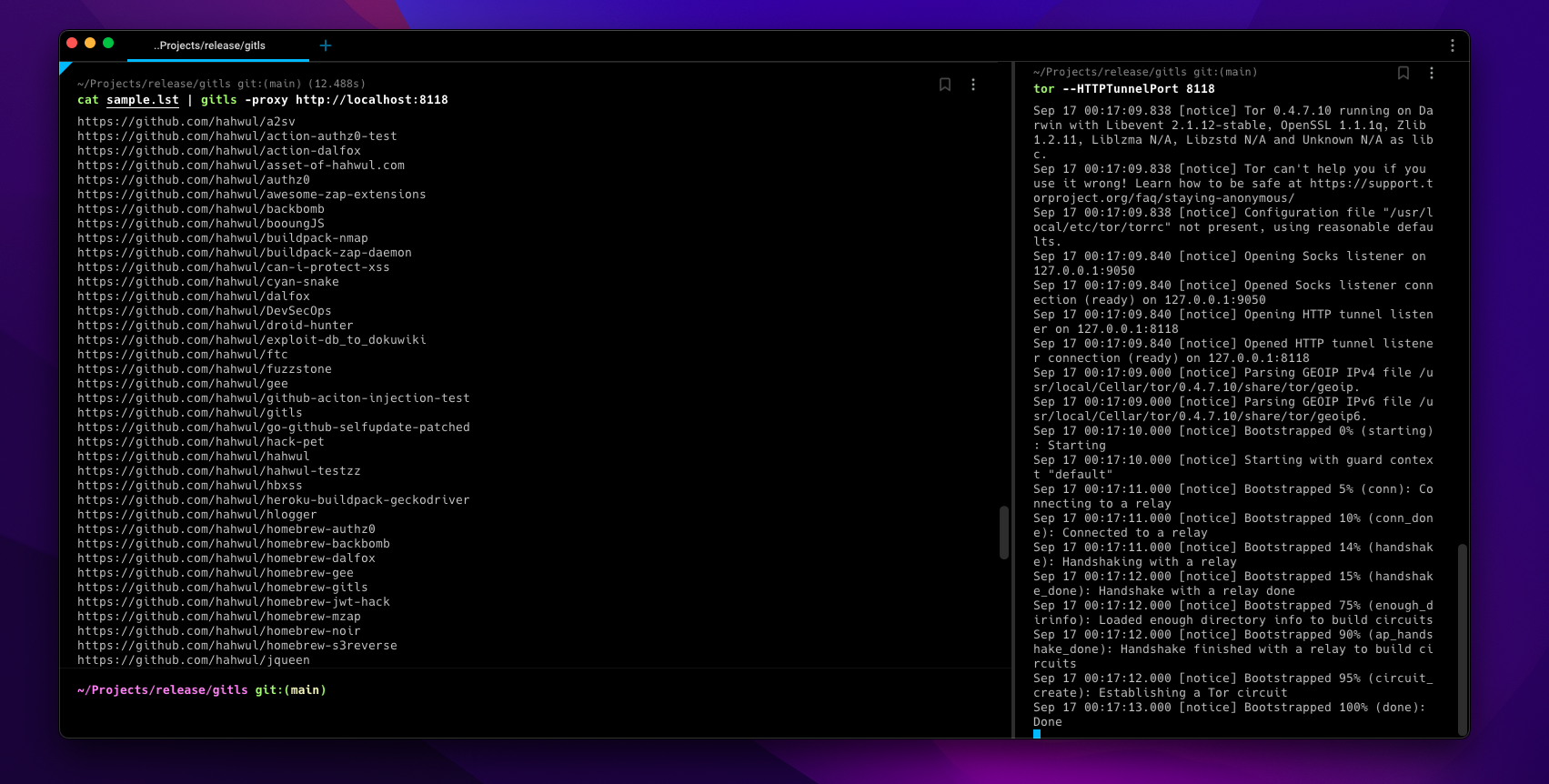
そのため、タスクが多すぎると、github からAPIが一定時間ブロックされる可能性があります。この場合、torsocks(例:torsocks gitls -l user.list)または-torオプション、-proxy http://localhost:<TOR-PORT>オプションを使用して、適切な送信先またはアクセスを選択し、任意のIPを使用できます。
▶ go install -v github.com/hahwul/gitls@latest
▶ brew tap hahwul/gitls
▶ brew install gitls
▶ sudo snap install gitls
Usage of gitls:
  -include-users
    	include repo of org users(member)
  -l string
    	List of targets (e.g -l sample.lst)
  -o string
    	write output file (optional)
  -proxy string
    	using custom proxy
  -tor
    	using tor proxy / localhost:9050
  -version
    	version of gitls
sample.lst
https://github.com/hahwul
https://github.com/tomnomnom/gron
https://github.com/tomnomnom/httprobe
https://github.com/s0md3v
サンプルファイルからリポジトリURLリストを作成
▶ gitls -l sample.lst
https://github.com/hahwul/a2sv
https://github.com/hahwul/action-dalfox
https://github.com/hahwul/asset-of-hahwul.com
https://github.com/hahwul/awesome-zap-extensions
https://github.com/hahwul/backbomb
https://github.com/hahwul/booungJS
https://github.com/hahwul/buildpack-nmap
https://github.com/hahwul/buildpack-zap-daemon
https://github.com/hahwul/can-i-protect-xss
https://github.com/hahwul/cyan-snake
https://github.com/hahwul/dalfox
https://github.com/hahwul/DevSecOps
https://github.com/hahwul/droid-hunter
https://github.com/hahwul/exploit-db_to_dokuwiki
https://github.com/hahwul/ftc
https://github.com/hahwul/gitls
https://github.com/hahwul/go-github-selfupdate-patched
https://github.com/hahwul/hack-pet
...snip...
https://github.com/hahwul/zap-cloud-scan
https://github.com/tomnomnom/gron
https://github.com/tomnomnom/httprobe
https://github.com/s0md3v/Arjun
https://github.com/s0md3v/AwesomeXSS
https://github.com/s0md3v/Blazy
https://github.com/s0md3v/Bolt
...snip...
https://github.com/s0md3v/velocity
https://github.com/s0md3v/XSStrike
https://github.com/s0md3v/Zen
https://github.com/s0md3v/zetanize
▶ echo https://github.com/paypal | ./gitls -include-users
....
https://github.com/paypal/tech-talks
https://github.com/paypal/TLS-update
https://github.com/paypal/yurita
https://github.com/ahunnargikar
https://github.com/ahunnargikar/docker-chronos-image
https://github.com/ahunnargikar/docker-tomcat7
https://github.com/ahunnargikar/DockerConDemo
https://github.com/ahunnargikar/elasticsearch-registry-backend
https://github.com/ahunnargikar/elasticsearchindex
https://github.com/ahunnargikar/jenkins-dind
https://github.com/ahunnargikar/jenkins-standalone
https://github.com/ahunnargikar/vagrant-mesos
https://github.com/ahunnargikar/vagrant_docker_registry
https://github.com/anandpalanisamy
https://github.com/anilgursel
https://github.com/anilgursel/squbs-sample
https://github.com/bluepnume
▶ gitls -l sample.lst | xargs -I % gitleaks --repo-url=% -v
▶ echo "https://github.com/paypal" | gitls | xargs -I % git clone %

