> [!WARNING]
> **このGitHubリポジトリ(<https://github.com/Genymobile/scrcpy>)が、このプロジェクトの唯一の公式
> ソースです。名前の一部に`scrcpy`が含まれている場合でも、
> 無作為なウェブサイトからリリースをダウンロードしないでください。**
# scrcpy (v5.0.1)
<img src="https://raw.githubusercontent.com/genymobile/scrcpy/HEAD/app/data/scrcpy.svg" width="128" height="128" alt="scrcpy" align="right" />
_発音は「**scr**een **c**o**py**」_
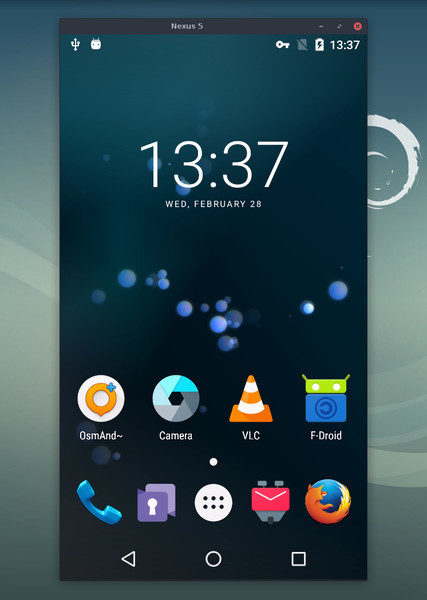
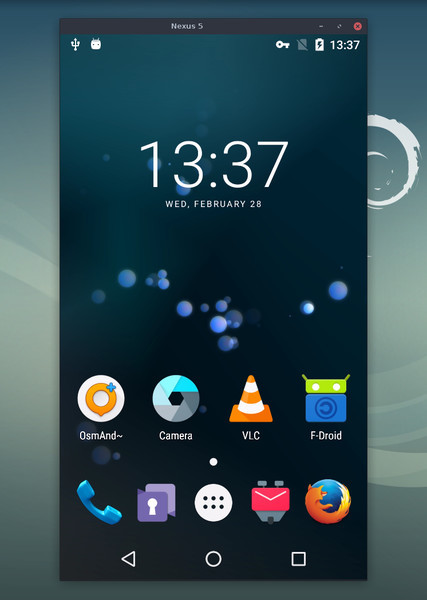
このアプリケーションは、USBまたは
[TCP/IP](https://github.com/genymobile/scrcpy/blob/master/doc/connection.md#tcpip-wireless)経由で接続されたAndroidデバイスをミラーリング(映像と音声)し、
コンピュータのキーボードとマウスを使って操作できるようにします。_root_アクセスや、
デバイスにインストールされたアプリは必要ありません。_Linux_、_Windows_、_macOS_で動作します。
[](doc/linux.md)
[](doc/windows.md)
[](doc/macos.md)
以下の点に重点を置いています:
- **軽量性**:ネイティブで、デバイスの画面のみを表示
- **パフォーマンス**:デバイスに応じて30~120fps
- **品質**:1920×1080以上
- **低遅延**:[35~70ms][lowlatency]
- **低起動時間**:最初の画像を表示するまで約1秒
- **非侵入性**:Androidデバイスに何もインストールされない
- **ユーザーメリット**:アカウント不要、広告なし、インターネット不要
- **自由**:フリーでオープンソースのソフトウェア
[lowlatency]: https://github.com/Genymobile/scrcpy/pull/646
機能には以下が含まれます:
- [音声転送](https://github.com/genymobile/scrcpy/blob/master/doc/audio.md)(Android 11+)
- [録画](https://github.com/genymobile/scrcpy/blob/master/doc/recording.md)
- [仮想ディスプレイ](https://github.com/genymobile/scrcpy/blob/master/doc/virtual-display.md)
- [Androidデバイスの画面オフ](https://github.com/genymobile/scrcpy/blob/master/doc/device.md#turn-screen-off)でのミラーリング
- 双方向の[コピー&ペースト](https://github.com/genymobile/scrcpy/blob/master/doc/control.md#copy-paste)
- [設定可能な品質](https://github.com/genymobile/scrcpy/blob/master/doc/video.md)
- [カメラミラーリング](https://github.com/genymobile/scrcpy/blob/master/doc/camera.md)(Android 12+)
- [ウェブカメラとしてのミラーリング(V4L2)](https://github.com/genymobile/scrcpy/blob/master/doc/v4l2.md)(Linuxのみ)
- 物理[キーボード][hid-keyboard]と[マウス][hid-mouse]のシミュレーション(HID)
- [ゲームパッド](https://github.com/genymobile/scrcpy/blob/master/doc/gamepad.md)のサポート
- [OTGモード](https://github.com/genymobile/scrcpy/blob/master/doc/otg.md)
- その他多数…
[hid-keyboard]: https://raw.githubusercontent.com/genymobile/scrcpy/master/doc/keyboard.md#physical-keyboard-simulation
[hid-mouse]: https://raw.githubusercontent.com/genymobile/scrcpy/master/doc/mouse.md#physical-mouse-simulation
## 前提条件
Androidデバイスには少なくともAPI 21(Android 5.0)が必要です。
[音声転送](https://github.com/genymobile/scrcpy/blob/master/doc/audio.md)はAPI >= 30(Android 11+)でサポートされています。
デバイスで[USBデバッグを有効][enable-adb]にしてください。
[enable-adb]: https://developer.android.com/studio/debug/dev-options#enable
一部のデバイス(特にXiaomi)では、次のエラーが発生する場合があります:
```
Injecting input events requires the caller (or the source of the instrumentation, if any) to have the INJECT_EVENTS permission.
```
その場合、キーボードとマウスで操作するために、[追加のオプション][control] `USB debugging (Security Settings)`(これは `USB debugging` とは別の項目です)を有効にする必要があります。このオプションを設定したら、デバイスを一度再起動する必要があります。
[control]: https://github.com/Genymobile/scrcpy/issues/70#issuecomment-373286323
[OTG モード](https://github.com/genymobile/scrcpy/blob/master/doc/otg.md)で scrcpy を実行する場合、USB デバッグは必要ないことに注意してください。
## アプリを入手する
- [Linux](https://github.com/genymobile/scrcpy/blob/master/doc/linux.md)
- [Windows](https://github.com/genymobile/scrcpy/blob/master/doc/windows.md)([実行方法](https://github.com/genymobile/scrcpy/blob/master/doc/windows.md#run)を参照)
- [macOS](https://github.com/genymobile/scrcpy/blob/master/doc/macos.md)
## 必ず知っておきたいヒント
- [解像度を下げる](https://github.com/genymobile/scrcpy/blob/master/doc/video.md#size)とパフォーマンスが大幅に向上する場合があります
(`scrcpy -m1024`)
- [_右クリック_](https://github.com/genymobile/scrcpy/blob/master/doc/mouse.md#mouse-bindings)で `BACK` がトリガーされます
- [_中クリック_](https://github.com/genymobile/scrcpy/blob/master/doc/mouse.md#mouse-bindings)で `HOME` がトリガーされます
- <kbd>Alt</kbd>+<kbd>f</kbd> で[全画面表示](https://github.com/genymobile/scrcpy/blob/master/doc/window.md#fullscreen)を切り替えます
- その他にも多数の[ショートカット](https://github.com/genymobile/scrcpy/blob/master/doc/shortcuts.md)があります
## 使用例
オプションは多数あり、個別のページに[ドキュメント化](#user-documentation)されています。
ここでは一般的な例をいくつか紹介します。
- 画面を H.265(高画質)でキャプチャし、サイズを 1920 に制限し、
フレームレートを 60fps に制限し、音声を無効化し、物理キーボードを
シミュレートしてデバイスを操作する:
```bash
scrcpy --video-codec=h265 --max-size=1920 --max-fps=60 --no-audio --keyboard=uhid
scrcpy --video-codec=h265 -m1920 --max-fps=60 --no-audio -K # 短縮版
```
- 新しい仮想ディスプレイ(デバイスのディスプレイとは別)で VLC を起動する:
```bash
scrcpy --new-display=1920x1080 --start-app=org.videolan.vlc
```
- 新しい _flex_ ディスプレイで、ビットレート 16 Mbps の H.265 を使用して VLC を起動し、
ディスプレイがオフにならないようアクティブな状態を維持する:
```bash
scrcpy --new-display -x --keep-active --start-app=org.videolan.vlc --video-codec=h265 -b16M
```
- デバイスのカメラを H.265 で 1920x1080(およびマイク)で MP4
ファイルに録画する:
```bash
scrcpy --video-source=camera --video-codec=h265 --camera-size=1920x1080 --record=file.mp4
```
- デバイスのフロントカメラをキャプチャし、コンピューター上でウェブカメラとして
公開する(Linux の場合):
```bash
scrcpy --video-source=camera --camera-size=1920x1080 --camera-facing=front --v4l2-sink=/dev/video2 --no-playback
```
- ミラーリングせずに、物理キーボードとマウスをシミュレートしてデバイスを
操作する(USB デバッグは不要):
```bash
scrcpy --otg
```
- コンピューターに接続したゲームパッドを使ってデバイスを操作する:
```bash
scrcpy --gamepad=uhid
scrcpy -G # 短縮版
```
## ユーザードキュメント
このアプリケーションは多数の機能と設定オプションを提供しています。それらは
以下のページにドキュメント化されています:
- [接続](https://github.com/genymobile/scrcpy/blob/master/doc/connection.md)
- [映像](https://github.com/genymobile/scrcpy/blob/master/doc/video.md)
- [音声](https://github.com/genymobile/scrcpy/blob/master/doc/audio.md)
- [操作](https://github.com/genymobile/scrcpy/blob/master/doc/control.md)
- [キーボード](https://github.com/genymobile/scrcpy/blob/master/doc/keyboard.md)
- [マウス](https://github.com/genymobile/scrcpy/blob/master/doc/mouse.md)
- [ゲームパッド](https://github.com/genymobile/scrcpy/blob/master/doc/gamepad.md)
- [デバイス](https://github.com/genymobile/scrcpy/blob/master/doc/device.md)
- [ウィンドウ](https://github.com/genymobile/scrcpy/blob/master/doc/window.md)
- [録画](https://github.com/genymobile/scrcpy/blob/master/doc/recording.md)
- [仮想ディスプレイ](https://github.com/genymobile/scrcpy/blob/master/doc/virtual-display.md)
- [トンネル](https://github.com/genymobile/scrcpy/blob/master/doc/tunnels.md)
- [OTG](https://github.com/genymobile/scrcpy/blob/master/doc/otg.md)
- [カメラ](https://github.com/genymobile/scrcpy/blob/master/doc/camera.md)
- [Video4Linux](https://github.com/genymobile/scrcpy/blob/master/doc/v4l2.md)
- [ショートカット](https://github.com/genymobile/scrcpy/blob/master/doc/shortcuts.md)
## リソース
- [FAQ](https://github.com/genymobile/scrcpy/blob/master/FAQ.md)
- [翻訳][wiki](必ずしも最新とは限りません)
- [ビルド手順](https://github.com/genymobile/scrcpy/blob/master/doc/build.md)
- [開発者向け](https://github.com/genymobile/scrcpy/blob/master/doc/develop.md)
- [リリース署名の検証](https://github.com/genymobile/scrcpy/blob/master/doc/verify-release.md)
[wiki]: https://github.com/Genymobile/scrcpy/wiki
## 記事
- [scrcpy の紹介][article-intro]
- [Scrcpy がワイヤレスで動作するようになりました][article-tcpip]
- [音声対応の Scrcpy 2.0][article-scrcpy2]
[article-intro]: https://blog.rom1v.com/2018/03/introducing-scrcpy/
[article-tcpip]: https://www.genymotion.com/blog/open-source-project-scrcpy-now-works-wirelessly/
[article-scrcpy2]: https://blog.rom1v.com/2023/03/scrcpy-2-0-with-audio/
## お問い合わせ
バグ報告、機能リクエスト、一般的な質問については [issue] を作成できます。
バグ報告の際は、まず [FAQ](https://github.com/genymobile/scrcpy/blob/master/FAQ.md) をお読みください。問題の解決策がすぐに見つかるかもしれません。
[issue]: https://github.com/Genymobile/scrcpy/issues
以下も利用できます:
- Reddit: [`r/scrcpy`](https://www.reddit.com/r/scrcpy)
- BlueSky: [`@scrcpy.bsky.social`](https://bsky.app/profile/scrcpy.bsky.social)
- Twitter: [`@scrcpy_app`](https://twitter.com/scrcpy_app)
## 寄付
私は _scrcpy_ の作者でありメンテナーである [@rom1v](https://github.com/rom1v) です。
このアプリケーションを気に入っていただけたら、[私のオープンソース活動を支援][donate]できます:
- [GitHub Sponsors](https://github.com/sponsors/rom1v)
- [Liberapay](https://liberapay.com/rom1v/)
- [PayPal](https://paypal.me/rom2v)
[donate]: https://blog.rom1v.com/about/#support-my-open-source-work
## ライセンス
Copyright (C) 2018 Genymobile
Copyright (C) 2018-2026 Romain Vimont
Licensed under the Apache License, Version 2.0 (the "License");
you may not use this file except in compliance with the License.
You may obtain a copy of the License at
http://www.apache.org/licenses/LICENSE-2.0
Unless required by applicable law or agreed to in writing, software
distributed under the License is distributed on an "AS IS" BASIS,
WITHOUT WARRANTIES OR CONDITIONS OF ANY KIND, either express or implied.
See the License for the specific language governing permissions and
limitations under the License.