
Skip to content
KitploitKITPLOIT
ツールエクスプロイトブログ
Log in
提出
ツールエクスプロイトブログ
提出

ハッキング、侵入テスト、サイバーセキュリティツールをあなたのセキュリティアーセナルに!

Kitploitはハッキング、サイバーセキュリティ、ペネトレーションテストのツールディレクトリです。最新のプロジェクトアップデートを見つけて、脆弱性の発見、システム分析、テストの自動化、セキュリティの強化を行いましょう。

フィードお問い合わせプライバシー© 2026 Kitploit

ツールディレクトリ

カテゴリ

すべてのカテゴリを見る
Loading categories
reburp — A Burp Suite extension that exposes the full Montoya API as a local REST API, with Swagger UI | Kitploit
ツール/GitHubGitHub/forefy/reburp
Vulnerability ScannersWeb Proxies & InterceptionScripting & AutomationAPI Security TestingWeb SecurityFuzzingPenetration TestingUtilities & FrameworksRed TeamingAI Security
GitHubforefy/reburp

reburp

A Burp Suite extension that exposes the full Montoya API as a local REST API, with Swagger UI

リポジトリを見る
123121881日前Kitploit レビュー済み

人気

すべて見る →

コミュニティで最も使われているツールを見つけましょう。

すべてのツールを探索

ツールコレクションを閲覧

すべてのツールを見る →
共有
要求された言語のコンテンツは利用できません。英語版を表示しています。

reburp

reburp

Burp's API/MCP is LIMITED - reburp is a Burp Suite extension that exposes the full Montoya API as a locally served openapi REST API, optimized for your AI agents.

reburp releases Build reburp code size reburp commit activity GitHub last commit Issues Forefy Twitter

Issues | Discussions

What is reburp

reburp turns Burp Suite into something you can script. It loads as a Java extension and serves the Montoya API over an HTTP REST API on http://127.0.0.1:9090, with an OpenAPI spec and Swagger UI. Anything you would click in Burp - reading proxy history, sending a request, editing scope, running a scan, decoding a token - becomes a JSON call an agent or a curl line can make.

It pairs with the burp-interaction agent skill so an AI assistant can drive Burp directly.

  • What reburp unlocks
  • Install
  • Load into Burp Suite
  • API docs
  • Endpoints
  • Quick start
  • Security
  • API coverage
  • Notes
  • Contributing

What reburp unlocks

Burp features your agent can now drive over REST:

  • Scanner - start an active audit or crawl, stop a running task, pull the report
  • Intruder & request engine - fuzz, plus a Turbo Intruder-style high-throughput engine (queue, pause, resume, cancel)
  • Target site map - iterate and search the whole target tree, not just proxy history
  • WebSockets - open a connection and send text/binary frames, not just read history
  • Engagement tools - generate a CSRF PoC, discover content, find references, send to decoder
  • Access-control testing - replay a request with and without its token and diff the responses, Autorize-style (BOLA/BFLA)
  • BChecks & Bambda - import custom scan rules, build filter chains, raise custom issues

Install

Grab the latest reburp-*.jar from Releases, or build it from source (requires Java 17+).

Compatibility

Each reburp release is built against a minimum Burp Suite (Montoya) version. On an older Burp, grab the matching jar from Releases.

reburpMinimum Burp Suite (Montoya)
1.1.92026.7
1.1.82026.7
1.1.72026.7
1.1.62026.7
1.1.52026.7
1.1.42026.7
1.1.32026.7
1.1.22026.7
1.1.12026.7
1.1.02026.7
1.0.x2025.12

Build from source

git clone https://github.com/forefy/reburp.git
cd reburp
./gradlew shadowJar
# Output: build/libs/reburp.jar  (plus a versioned copy, reburp-<version>.jar)

Load reburp.jar rather than the versioned copy. Burp reloads an extension from the path it was loaded from, and the versioned name changes on every release, so the unversioned one keeps reloading after an upgrade instead of quietly leaving you on the previous build.

If your JAVA_HOME isn't set, point it at your JDK:

JAVA_HOME=/path/to/jdk17 ./gradlew shadowJar

Load into Burp Suite

  1. Open Burp Suite → Extensions → Installed → Add
  2. Extension type: Java
  3. Extension file: build/libs/reburp.jar (or the reburp-*.jar you downloaded from Releases)
  4. Click Next - the extension starts automatically on port 9090

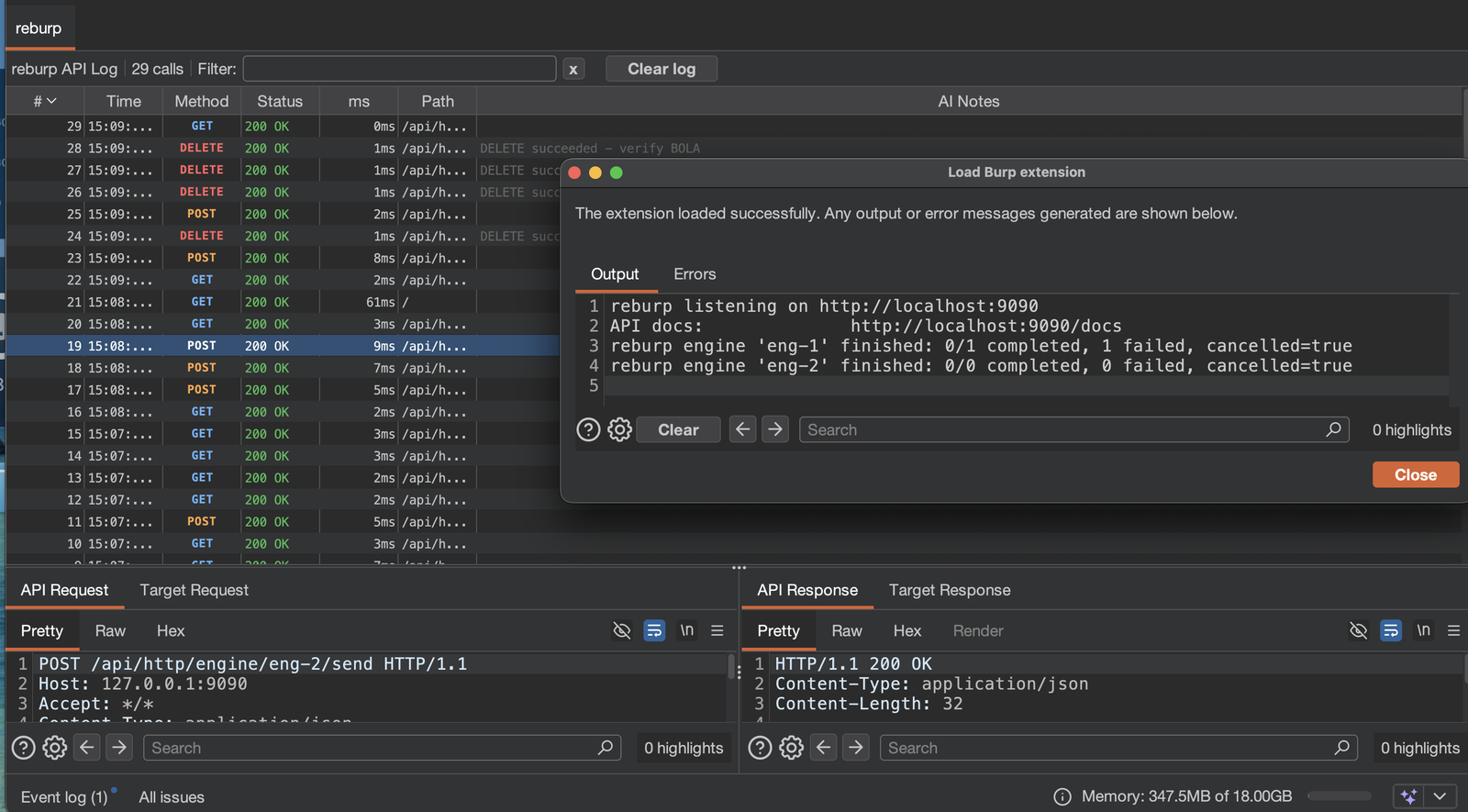
A reburp tab appears in Burp showing every REST call as it happens.
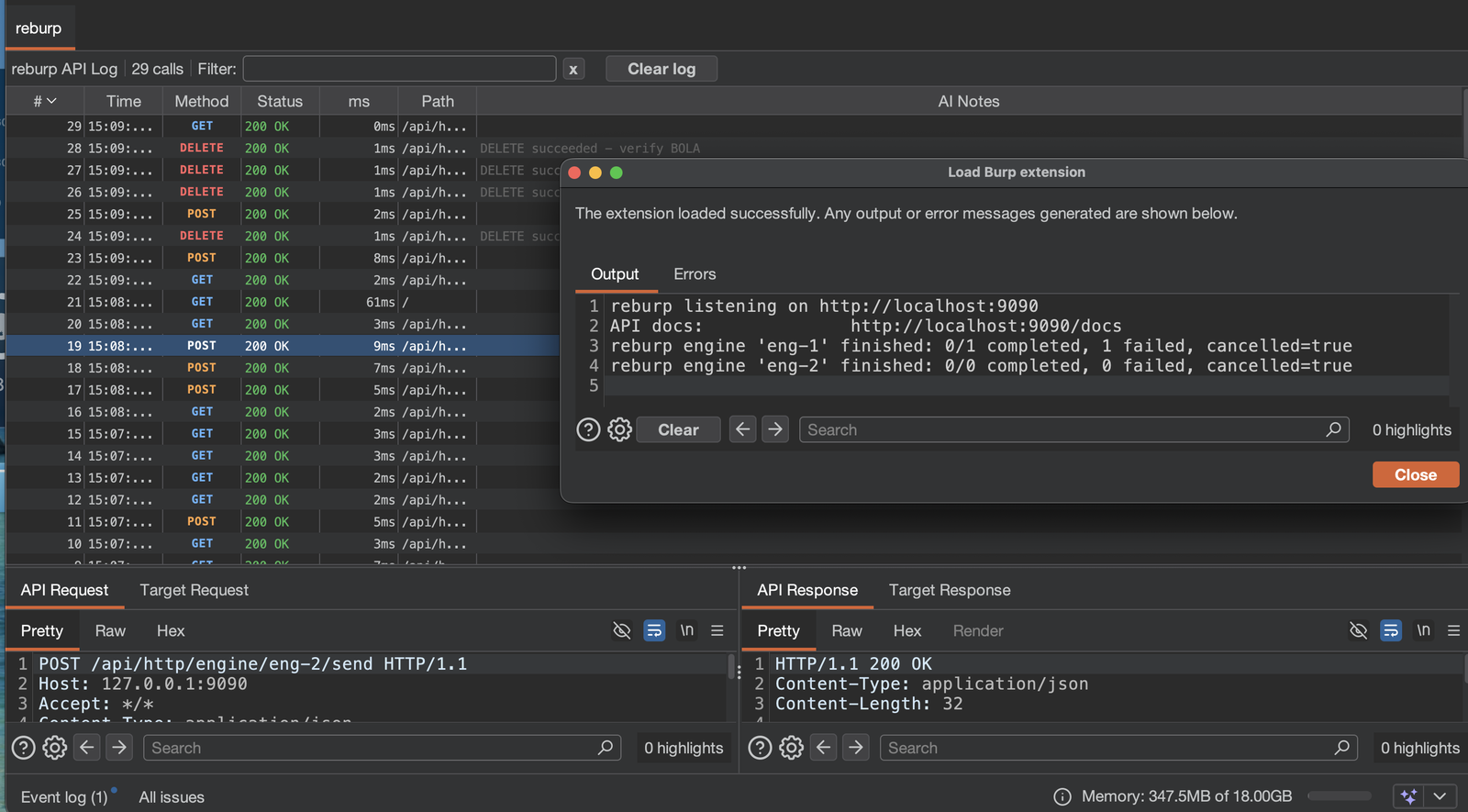
The reburp tab in Burp Suite: an API Log of GET, POST and DELETE calls with method, status, timing, target host, path and AI notes; a filter bar with a field selector, a Bodies option, an In scope only toggle and an Export button; and the selected call's target request and response below

Each row is one REST call. Selecting it shows the API request and response, plus the request and response reburp sent to the target on your behalf.

  • Host column - the target each call reached, next to its path
  • Filter - a case insensitive match against Host + Path, a single column, or every column; tick Bodies to also search the raw requests and responses
  • In scope only - keep the rows whose target is in Burp's scope
  • Export - save the rows on screen as a self-contained HTML report or a CSV file. Exports contain any cookies and tokens in the logged traffic
  • Send to Repeater / Intruder - right-click a row, or use Burp's own menu inside the request panes; the target host and port are already filled in

API docs

Once loaded, open in your browser:

  • Swagger UI: http://127.0.0.1:9090/docs
  • OpenAPI spec: http://127.0.0.1:9090/openapi.json

The spec is the source of truth for request and response shapes.

Endpoints

ツールをダウンロード


