 danialhalo/acuautomate
大規模なスコープでの自動ペネトレーションテストとバグハンティングのための非公式Acunetix CLIツール。

AcuAutomate は、非公式の Acunetix CLI ツールであり、広範囲のターゲットに対する自動ペネトレーションテストやバグハンティングを簡素化します。大規模なペンテストにおいて貴重な助けとなり、複数の Acunetix スキャンを同時に簡単に開始または停止できます。さらに、その汎用性の高い機能は、列挙ラッパーやワンライナーにシームレスに統合され、パイプライン機能を通じて効率的な制御を提供します。
git clone https://github.com/danialhalo/AcuAutomate.git
cd AcuAutomate
chmod +x AcuAutomate.py
pip3 install -r requirements.txt
AcuAutomate を使用する前に、AcuAutomate フォルダ内の設定ファイル config.json を設定する必要があります:
{
    "url": "https://localhost",
    "port": 3443,
    "api_key": "API_KEY"
}
ヘルプパラメータ (-h) を使用すると、特定のアクションに関するより詳細なヘルプにアクセスできます。
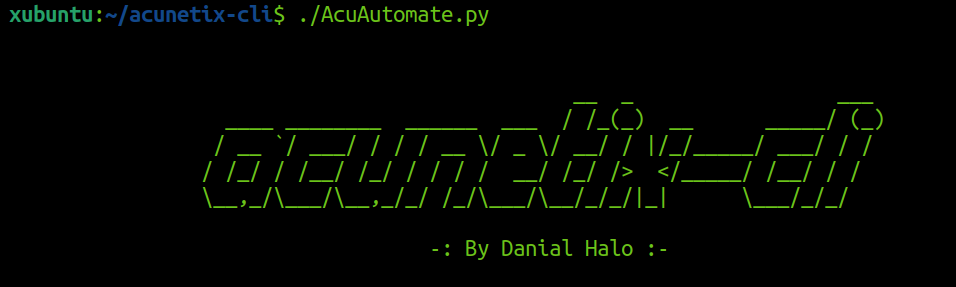
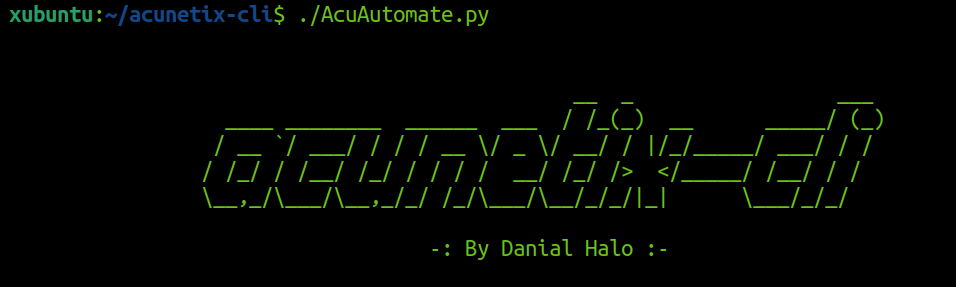
    		                               __  _                 ___
    		  ____ ________  ______  ___  / /_(_)  __      _____/ (_)
    		 / __ `/ ___/ / / / __ \/ _ \/ __/ / |/_/_____/ ___/ / /
    		/ /_/ / /__/ /_/ / / / /  __/ /_/ />  </_____/ /__/ / /
    		\__,_/\___/\__,_/_/ /_/\___/\__/_/_/|_|      \___/_/_/

    		                   -: By Danial Halo :-


usage: AcuAutomate.py [-h] {scan,stop} ...

Launch or stop a scan using Acunetix API

positional arguments:
  {scan,stop}  実行するアクション
    scan       スキャンを起動する (scan -h で詳細)
    stop       スキャンを停止する

options:
  -h, --help   このヘルプメッセージを表示して終了
スキャンを起動するには、スキャンアクションを使用します:
xubuntu:~/AcuAutomate$ ./AcuAutomate.py scan -h

usage: AcuAutomate.py scan [-h] [-p] [-d DOMAIN] [-f FILE]
                           [-t {full,high,weak,crawl,xss,sql}]

options:
  -h, --help            このヘルプメッセージを表示して終了
  -p, --pipe            パイプから読み込む
  -d DOMAIN, --domain DOMAIN
                         スキャンするドメイン
  -f FILE, --file FILE  スキャンするURLのリストを含むファイル
  -t {full,high,weak,crawl,xss,sql}, --type {full,high,weak,crawl,xss,sql}
                         高リスク脆弱性スキャン, 弱いパスワードスキャン, クロールのみ,
                         XSSスキャン, SQLインジェクションスキャン, フルスキャン (デフォルト)
ドメインは -d フラグで指定して単一サイトをスキャンできます:
./AcuAutomate.py scan -d https://www.google.com
複数のドメインをスキャンするには、ドメインをファイルに追加し、-f フラグでファイル名を指定します:
./AcuAutomate.py scan -f domains.txt
AcuAutomate は -p フラグでパイプライン入力にも対応しています:
cat domain.txt | ./AcuAutomate.py scan -p
これは素晴らしい 😍 これにより、AcuAutomate を他のツールと連携させることができます。例えば、subfinder と httpx を使用し、その出力を AcuAutomate にパイプして acunetix で大量スキャンを実行できます:
subfinder -silent -d google.com | httpx -silent | ./AcuAutomate.py scan -p
-t フラグでスキャンタイプを指定できます。以下の例では SQL 脆弱性 のみを検出します:
./AcuAutomate.py scan -d https://www.google.com -t sql
AcuAutomate は http:// または https:// を含むドメインのみを受け付けます。
stop アクションはスキャンの停止に使用します。-d フラグでドメインを指定して特定のスキャンを停止するか、-a フラグですべての実行中のスキャンを停止します。
xubuntu:~/AcuAutomate$ ./AcuAutomate.py stop -h


    		                               __  _                 ___
    		  ____ ________  ______  ___  / /_(_)  __      _____/ (_)
    		 / __ `/ ___/ / / / __ \/ _ \/ __/ / |/_/_____/ ___/ / /
    		/ /_/ / /__/ /_/ / / / /  __/ /_/ />  </_____/ /__/ / /
    		\__,_/\___/\__,_/_/ /_/\___/\__/_/_/|_|      \___/_/_/

    		                   -: By Danial Halo :-


usage: AcuAutomate.py stop [-h] [-d DOMAIN] [-a]

options:
  -h, --help            このヘルプメッセージを表示して終了
  -d DOMAIN, --domain DOMAIN
                         停止するスキャンのドメイン
  -a, --all             実行中のすべてのスキャンを停止
バグ、問題、質問、機能リクエストは「Issues」で送信するか、Twitter で私に送ってください。 @DanialHalo
