
 ドメインパスワード監査ツール (DPAT)
DPATは、Active Directoryドメインコントローラーから抽出されたパスワードハッシュを分析するPythonベースのセキュリティツールです。NTDSダンプとパスワードクラッキング結果の両方から、パスワード使用統計、ポリシー違反、セキュリティインサイトを示す包括的なHTMLレポートを生成します。
コア依存関係のインストール:
pip install -r requirements.txt
開発およびテスト用:
pip install -r requirements-dev.txt
依存関係を個別にインストールする場合:
pip install pycryptodome
poetry install
python dpat.py -n customer.ntds -c hashcat.potfile -p 8
python dpat.py -n <ntds_file> -c <cracked_file> -p <min_password_length>
-n, --ntdsfile: NTDSファイル(secretsdump.pyの出力)-c, --crackfile: パスワードクラッキング出力ファイル(hashcat.potfile、john.potなど)-p, --minpasslen: ドメインポリシーの最小パスワード長-o, --outputfile: HTMLレポートのファイル名(デフォルト: _DomainPasswordAuditReport.html)-d, --reportdirectory: 出力ディレクトリ(デフォルト: "DPAT Report")-s, --sanitize: レポート内のパスワードとハッシュをサニタイズ-g, --groupsdirectory: グループメンバーシップファイルを含むディレクトリ-m, --machineaccts: 分析にマシンアカウントを含める-k, --krbtgt: 分析にkrbtgtアカウントを含める-kz, --kerbfile: Kerberoastableアカウントを含むファイル-w, --writedb: SQLiteデータベースをディスクに書き込んで検査--no-prompt: ブラウザのプロンプトをスキップ(自動化に便利)-dbg, --debug: デバッグ出力を有効化基本分析:
python dpat.py -n customer.ntds -c hashcat.potfile -p 8
グループ分析を含める:
python dpat.py -n customer.ntds -c hashcat.potfile -p 8 -g /path/to/groups
サニタイズされたレポート:
python dpat.py -n customer.ntds -c hashcat.potfile -p 8 -s
Kerberoastableアカウントを含める:
python dpat.py -n customer.ntds -c hashcat.potfile -p 8 -kz kerberoastable.txt
NTDSファイルはsecretsdump.pyの出力形式である必要があります:
domain\username:RID:lmhash:nthash:::
Hashcat形式:
nthash:password
lmhash:password
John the Ripper形式:
$NT$nthash:password
$LM$lmhash:password
16進数エンコードされたパスワード:
nthash:$HEX[68656c6c6f]
グループメンバーシップファイルは1行に1ユーザー名を含む必要があります:
domain\username
ドメインコントローラーで、IFM(インストールメディアから)バックアップを作成:
ntdsutil "ac in ntds" "ifm" "cr fu c:\temp" q q
これにより作成されるもの:
c:\temp\Active Directory\ntds.ditc:\temp\registry\SYSTEMsecretsdump.pyを使用してバックアップを変換:
secretsdump.py -system registry/SYSTEM -ntds "Active Directory/ntds.dit" LOCAL -outputfile customer
パスワード履歴の場合(利用可能な場合):
secretsdump.py -system registry/SYSTEM -ntds "Active Directory/ntds.dit" LOCAL -outputfile customer -history
Hashcatを使用:
hashcat -m 1000 customer.ntds /path/to/wordlist
John the Ripperを使用:
john --format=NT customer.ntds
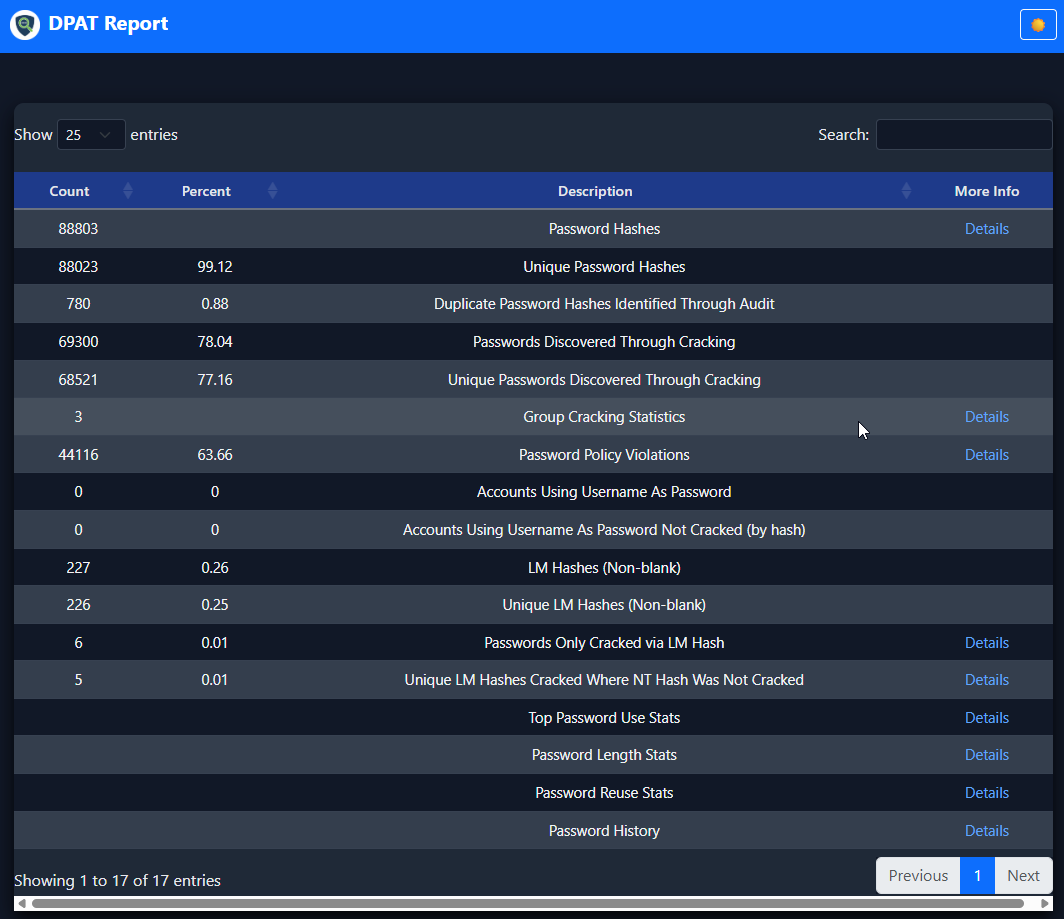
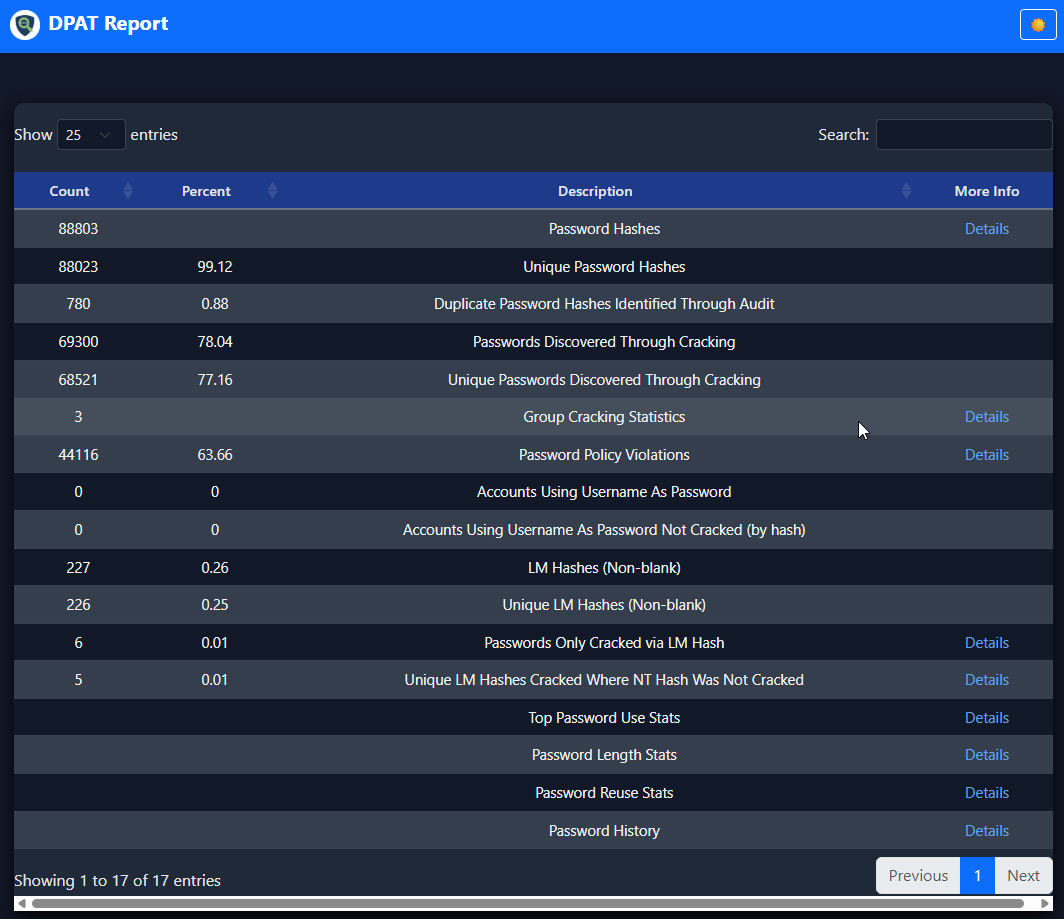
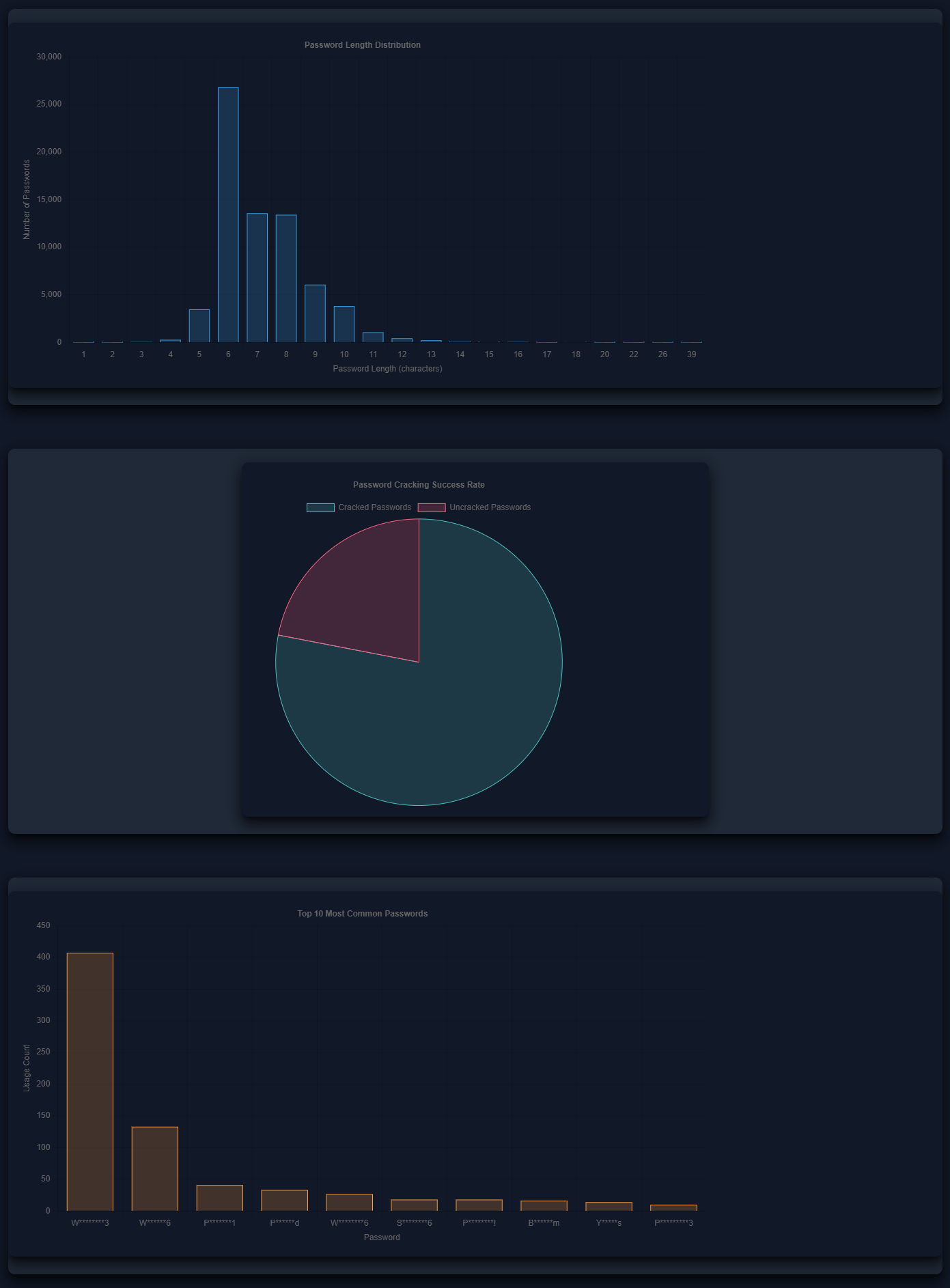
DPATは以下を含む包括的なレポートを生成します:
リポジトリにはテスト用のサンプルデータがsample_data/ディレクトリに含まれています:
customer.ntds: サンプルNTDSファイルoclHashcat.pot: サンプルクラックされたパスワードhistory/: パスワード履歴付きサンプルデータサンプルデータでテスト:
python dpat.py -n sample_data/customer.ntds -c sample_data/oclHashcat.pot -p 8
PowerShellを使用してグループメンバーシップファイルを作成:
Get-NetGroupMember -Recurse -GroupName "Domain Admins" > "Domain Admins.txt"
CypherHoundのparse-kerberoastable.pyスクリプトを使用して、拡張分析用のKerberoastableアカウントファイルを生成します。
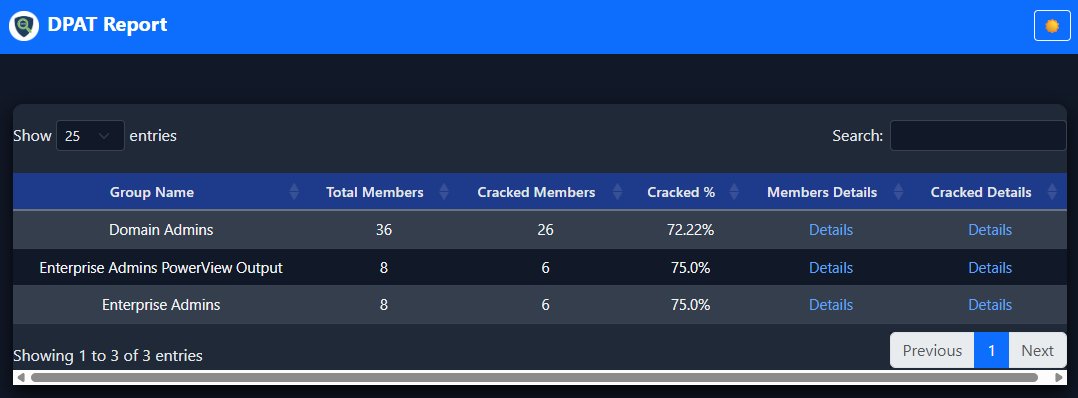
CypherHoundが生成したファイルをDPATに組み込むことで、DPATレポートにより多くの統計情報を提供できます。現在、追加の統計情報は次のとおりです:
これらの追加統計情報を提供するために利用する場合は、以下のスクリプトを使用する必要があります:
-gフラグでDPATに渡します。-kzフラグでDPATに渡します。これらは簡単なスクリプトで、上記にリンクされた使用方法があり、使用は簡単です。
-sフラグを使用して、共有に適したサニタイズされたレポートを作成:
python dpat.py -n customer.ntds -c hashcat.potfile -p 8 -s
"モジュール 'distutils' が見つかりません"
空のレポート
詳細リンクの欠落
トラブルシューティングのためにデバッグ出力を有効化:
python dpat.py -n customer.ntds -c hashcat.potfile -p 8 -dbg
テストスイートを実行:
python -m unittest tests.unit.test_core -v
python -m unittest tests.integration.test_integration -v
このプロジェクトはMITライセンスの下でライセンスされています。詳細はLICENSEファイルを参照してください。

問題、質問、コントリビューションについては、GitHub issueトラッカーをご利用ください。

