bee-san/ciphey
⚡ 鍵や暗号方式を知らなくても暗号を自動的に復号し、エンコーディングをデコードし、ハッシュを解析します ⚡
<p align="center">
  <a href="https://cdn.jsdelivr.net/gh/bee-san/Ciphey@d41d19946234477346fede14dadf8c351cc469e6/media/tui-video/out/ciphey-tui-promo.mp4"><img src="https://assets.kitploit.com/production/public/readmes/673/7997e478fcffb1efb25627ba54c13073857f3927bc487f77bf4e905af8ee8e84/5c182b65ae7b92166bf4175c31e9540f3575bfef35204b2120acd9d42870f0be-display-v1.webp" alt="ターミナル上のCiphey:Base64が4層入力され、Cipheyは「Ciphey peels back every layer of encoding」が平文かどうかを尋ね、その後Base64 → Base64 → Base64 → Base64という経路とともに出力します。クリックして1分間のツアーをご覧ください。"></a>
</p>

<h1 align="center">Ciphey</h1>

<p align="center">
  <b>エンコードまたは暗号化されたテキストを貼り付けてください。Cipheyがその方法を解明し、平文を返します。</b><br>
  鍵も、暗号名も、ヒントも不要。Base64、hex、Caesar/ROT13、Vigenère、モールス信号など計23種類を、複数層にわたって処理します。
</p>

<p align="center">
  <a href="https://crates.io/crates/ciphey"><img alt="crates.io" src="https://img.shields.io/crates/v/ciphey"></a>
  <a href="https://docs.rs/ciphey"><img alt="docs.rs" src="https://img.shields.io/docsrs/ciphey"></a>
  <a href="https://github.com/bee-san/ciphey/blob/master/LICENSE"><img alt="MIT license" src="https://img.shields.io/badge/license-MIT-blue"></a>
</p>

<p align="center">
  <a href="#install">インストール</a> ·
  <a href="#quick-start">クイックスタート</a> ·
  <a href="#features">機能</a> ·
  <a href="#use-it-as-a-library">ライブラリ</a> ·
  <a href="#mcp-server-ai-assistants">MCP</a> ·
  <a href="#documentation">ドキュメント</a> ·
  <a href="http://discord.skerritt.blog">Discord</a>
  <br><sub>▶ <a href="https://cdn.jsdelivr.net/gh/bee-san/Ciphey@d41d19946234477346fede14dadf8c351cc469e6/media/tui-video/out/ciphey-tui-promo.mp4">1分間のツアーを見る</a>(MP4、61秒)</sub>
</p>

## インストール

```bash
cargo install ciphey
```

Linux(x86_64)、macOS(Intel および Apple silicon)、Windows(x86_64)向けのビルド済みバイナリは[リリースページ](https://github.com/bee-san/Ciphey/releases/latest)にあり、それぞれ `.sha256` チェックサムが付属しています。

ソースからビルドするには、Rust ツールチェーンが必要です:

```bash
git clone https://github.com/bee-san/Ciphey
cd Ciphey
cargo build --release    # the binary is target/release/ciphey
```

またはインストールをスキップするには、[Discordサーバー](http://discord.skerritt.blog)に参加し、`#bots` に移動して `$ciphey <your text>` と入力します(`$help` でコマンド一覧を表示できます)。

## クイックスタート

```console
$ ciphey -t 'aGVsbG8gdGhlcmUgZ2VuZXJhbA=='
🕵️ I think the plaintext is Words.
Possible plaintext: 'hello there general' (y/N):
y

🥳 ciphey has decoded 64 times.

The plaintext is:
hello there general
the decoder used is Base64
```

初回実行時に、カラーテーマ、結果の表示方法、ワードリストを使用するかどうかを尋ねる短いセットアップが行われ、回答は `~/.ciphey/config.toml` に保存されます。

```bash
ciphey -t 'NTA3NjYzNzU3MjZjMjA3NjY2MjA2OTcyNjU2YzIwNzM2ZTY2Njc='   # ROT13 → hex → Base64, nothing else needed
ciphey -f secret.txt                    # read the input from a file
ciphey -d -t '...'                      # no y/N prompt: take the first plaintext found (handy in scripts)
ciphey -c 15 -t '...'                   # keep searching for up to 15 seconds (the default is 5)
ciphey -r 'flag\{' -t '...'             # only accept plaintext that matches a regex (a crib)
ciphey --wordlist words.txt -t '...'    # also accept any exact match from a wordlist
```

`ciphey --help` はすべてのオプションを一覧表示します。

## 機能

### ⚡ 高速

<a href="https://cdn.jsdelivr.net/gh/bee-san/Ciphey@d41d19946234477346fede14dadf8c351cc469e6/media/tui-video/out/fast.mp4"><img src="https://assets.kitploit.com/production/public/readmes/673/159bba837c593380b7087cd9b5854db1f11a641fc229e940d5aac07fcef4d8f2/44ee23ca554ede298904e43da81dc7795cb7856d7d8bd2c1de11b1e622c521b1-display-v1.webp" alt="ターミナルで Base64 文字列に対して time ciphey -d を実行している。Ciphey は「Ciphey is very fast」と Base64 → Hexadecimal → caesar の経路を出力し、bash は real 0m0.157s を報告する。その後グラフで、同じ入力に対する Ciphey の 0.19 秒(10 回実行の中央値)と、Python Ciphey 5.14.0 が 60 秒経っても答えを出さないことを比較している。"></a>

<sub>▶ <a href="https://cdn.jsdelivr.net/gh/bee-san/Ciphey@d41d19946234477346fede14dadf8c351cc469e6/media/tui-video/out/fast.mp4">クリップを見る</a>(16 秒)</sub>

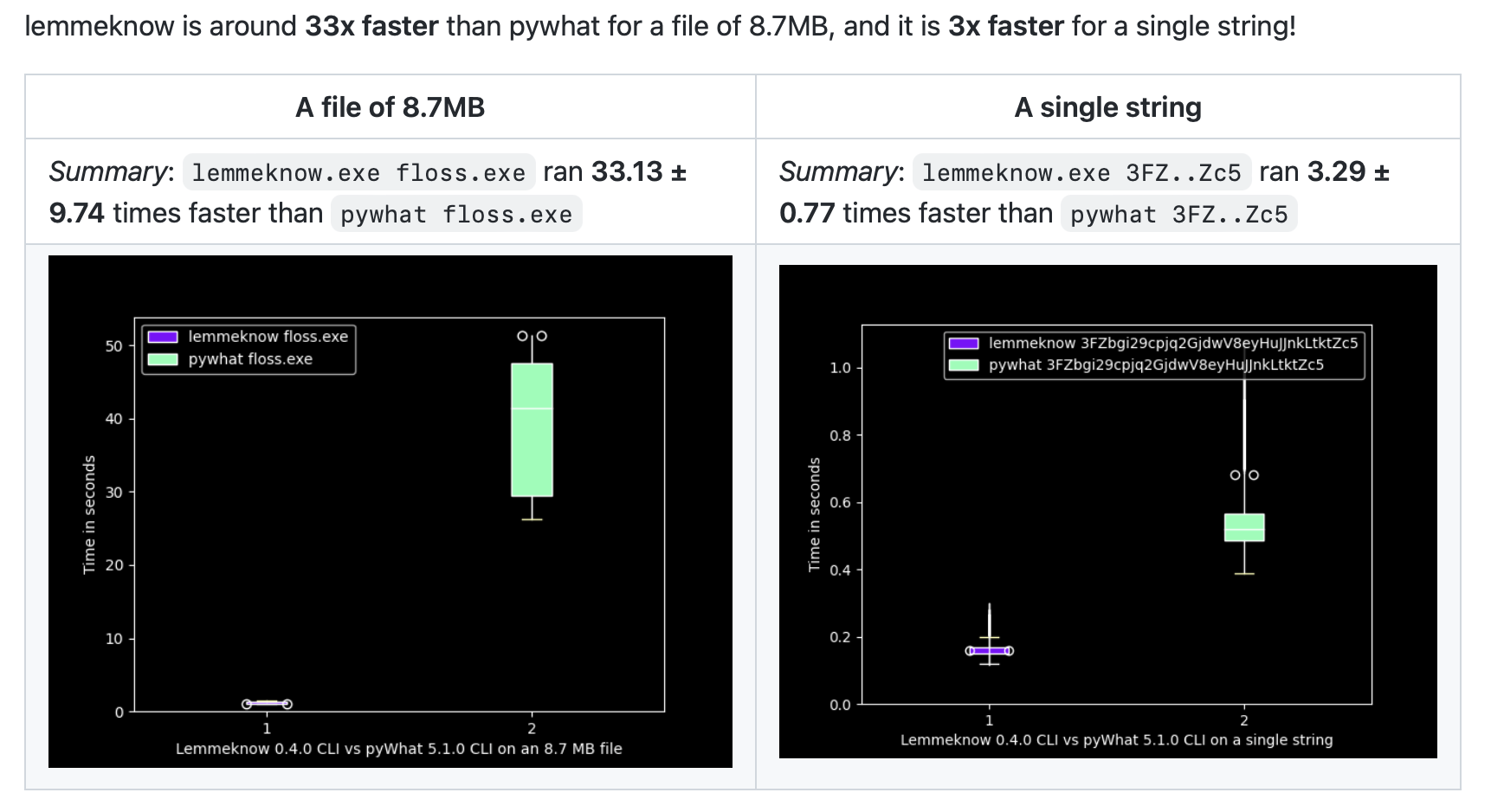
3 つの層(ROT13、次に hex、次に Base64)が 0.16 秒で剥がれます。実際の録画で bash の `time` により計測された値です。以下は、Ciphey が置き換えるバージョンである Python Ciphey 5.14 との、より多くの入力に対する同じ比較です:

| 入力 | Ciphey | Python Ciphey 5.14 |
| --- | --- | --- |
| Base64 | 0.11 秒 | 0.92 秒 |
| Hex → Base64 | 0.14 秒 | 1.02 秒 |
| ROT13 → Hex → Base64 | 0.19 秒 | 60 秒以内に答えなし |
| URL → Base64 → Hex | 0.24 秒 | 1.15 秒 |
| Base64 ×4 | 0.41 秒 | 0.78 秒 |
| Hex → Base32 → Base64 → Hex | 0.54 秒 | 0.72 秒、誤った答え |
| ROT13 → Hex → Base64 → Base32 | 1.15 秒 | 60 秒以内に答えなし |

<sub>共有の 16 CPU Linux マシン上で、入力ごとに 10 回実行(Python Ciphey は 3 回)した実時間の中央値。Ciphey は 47bd16d6 で、y/N プロンプトをオフにし、キャッシュが効かないよう実行ごとに新しい <code>$HOME</code> を使用。すべての実行は 60 秒で打ち切られた。スクリプトと生の数値は <code>media/readme-videos</code> ブランチの <a href="https://github.com/bee-san/Ciphey/tree/media/readme-videos/media/tui-video/bench"><code>media/tui-video/bench</code></a> にある。</sub>

両方が正しい答えを出す場合、Ciphey は 1.9 倍から 8.6 倍高速です。この速度はどこから来るのでしょうか?

- Rust 製です。
- A* 探索により、最も有望なデコーダーの連鎖を最初に試します。
- すべてのデコーダーは [Rayon](https://github.com/rayon-rs/rayon) と並列に実行され、最大 10 個の候補テキストを同時に処理します。
- 答えは `~/.ciphey/database.sqlite` にキャッシュされるため、同じ入力の 2 回目はミリ秒で返ります。

### 🧅 層を重ねても、鍵は不要

Ciphey は、何を見ているのかを教えてもらう必要がありません。デコーダーの連鎖(ROT13 の中の hex の中の Base64、4 層の Base64 など)を探索し、平文らしく見える最初の候補で停止します。デフォルトではその候補を表示し、受け入れる前に確認を求めます(`-d` でこれをオフにできます)。このページ冒頭のクリップは 4 層のデコードを示しています。

タイマーもあり、Ciphey が 5 秒経っても何も見つけられなければ、停止してその旨を伝えます(`-c` で制限を変更できます)。

24 個のデコーダーとクラッカーを認識します:

| 種類 | デコーダー |
| --- | --- |
| Base エンコーディング | Base64(標準および URL セーフ)、Base32、Base58(Bitcoin、Flickr、Monero、Ripple)、Base91、Base65536、Z85 |
| その他のエンコーディング | 16 進数、2 進数、URL(パーセントエンコーディング)、モールス信号、点字、A1Z26、Citrix CTX1 |
| 暗号 | Caesar(ROT13 を含む)、ROT47、Atbash、Vigenère(鍵自体を解読します)、レールフェンス、反転テキスト |
| 変わり種 | Brainfuck(プログラムを実行します)、他の記号で書かれたモールス信号や 2 進数 |

さらに追加予定です:[#1030](https://github.com/bee-san/Ciphey/issues/1030) で、まだ含まれていない 109 個のデコーダーが追跡されています。

### 🕵️ 見つけたものを理解する

<a href="https://cdn.jsdelivr.net/gh/bee-san/Ciphey@d41d19946234477346fede14dadf8c351cc469e6/media/tui-video/out/lemmeknow.mp4"><img src="https://assets.kitploit.com/production/public/readmes/673/84c20243d028a257087ba77f28e72c257dbf75119ee45f245ff2fc22dde12c3a/b020e730db61fb989370dcf80d464b8c2827a8382a10f9b94bc0cac445dd48f7-display-v1.webp" alt="Ciphey の 3 回の実行。Base64 が「mount -o username=bee,password=hunter2」にデコードされ、Mount Command With Clear Credentials と識別される。Base64 が otpauth:// リンクにデコードされ、Time-Based One-Time Password (TOTP) URI と識別される。Hex が 192.168.0.1 にデコードされ、Internet Protocol (IP) Address Version 4 と識別される。"></a>

<sub>▶ <a href="https://cdn.jsdelivr.net/gh/bee-san/Ciphey@d41d19946234477346fede14dadf8c351cc469e6/media/tui-video/out/lemmeknow.mp4">クリップを見る</a>(21秒)</sub>

すべての候補平文は、[pyWhat](https://github.com/bee-san/pyWhat) の Rust 移植版である [LemmeKnow](https://github.com/swanandx/lemmeknow) も通過します。これは120以上のフォーマットを認識します。つまり Ciphey は単に文字列をデコードするだけでなく、それが何であるかを教えてくれます。`mount` や `sshpass` コマンド内のパスワード、TOTP シークレット、GitHub トークンや Stripe キー、IP アドレスや MAC アドレス、メールアドレスや URL、暗号資産ウォレット、AWS ARN、JSON、あるいは任意の形式の CTF フラグ(`flag{…}`、`picoCTF{…}`、`DUCTF{…}`)などです。文字列に含まれる文字の種類と長さだけをチェックする LemmeKnow のパターン(例えばカード番号や電話番号)は無視されます。デコーダーのジャンクが常にそれらにマッチしてしまうからです。

```console
$ ciphey -t '3139322e3136382e302e31'
🕵️ I think the plaintext is Internet Protocol (IP) Address Version 4.
Possible plaintext: '192.168.0.1' (y/N):
```

### 🎯 Crib と正規表現モード

<a href="https://cdn.jsdelivr.net/gh/bee-san/Ciphey@d41d19946234477346fede14dadf8c351cc469e6/media/tui-video/out/crib.mp4"><img src="https://assets.kitploit.com/production/public/readmes/673/09c2bd5e4f4bf82d39a594ac92dbaefdc1546878abc64d4995bbd6484e8ee9bf/0bbe6aaae2adda71b0043dcc7d134c497722dfe5cf94815f5055e589162b27b3-display-v1.webp" alt="A terminal runs ciphey -t on a Base64 string with -r 'picoCTF\{'. Ciphey reports 'Regex matched: picoCTF\{', asks about 'picoCTF{b4s3_64_1s_fun}', and prints it as the plaintext, decoded with Base64."></a>

<sub>▶ <a href="https://cdn.jsdelivr.net/gh/bee-san/Ciphey@d41d19946234477346fede14dadf8c351cc469e6/media/tui-video/out/crib.mp4">クリップを見る</a>(14.5 秒)</sub>

答えの一部(フラグの形式、含まれていなければならない単語、どのように始まるかなど)がわかっている場合は、`-r` で正規表現として Ciphey に渡します。他のチェッカーは無効になり、一致するテキストのみが受け入れられます。これにより、他のチェッカーでは見逃してしまう平文を見つけたり、複数の候補が平文のように見える場合に目的のものだけを選んだりできます。`-r 'picoCTF\{'` を指定すると、`picoCTF{…}` フラグのみが検索を終了させます。

`--wordlist words.txt` も同様に完全一致で機能します。ファイル内の行と一致する候補は平文として扱われます。

### 🎨 あなたのターミナル向けに設計

初回起動時のセットアップでは、カラーテーマ(Capptucin、Darcula、GirlyPop、デフォルト、または独自の RGB 値)を選択し、各平文について確認するか、最後に候補のリストを取得するかを選べます。[ツアー](https://cdn.jsdelivr.net/gh/bee-san/Ciphey@d41d19946234477346fede14dadf8c351cc469e6/media/tui-video/out/ciphey-tui-promo.mp4)の 0:32 から確認できます。すべての設定は `~/.ciphey/config.toml` に保存され、後から編集できます。

### 📚 ライブラリファースト

`ciphey` バイナリは `ciphey` クレートの薄いラッパーです。[Discord ボット](https://github.com/bee-san/discord-bot)もこれを使用しており、あなたのコードからも使用できます。

## ライブラリとして使う

`perform_cracking` は、`ciphey` バイナリと同様に検索全体を実行します。

```rust
use ciphey::config::Config;
use ciphey::{perform_cracking, CipheyError};

fn main() {
    let mut config = Config::default();
    config.timeout = 5; // seconds
    config.human_checker_on = false; // never prompt on stdin
    config.api_mode = true; // don't print progress to stdout
    // config.regex = Some(r"flag\{".to_string()); // only accept plaintext matching a crib

    match perform_cracking("aGVsbG8gdGhlcmUgZ2VuZXJhbA==", config) {
        Ok(Some(result)) => {
            let path: Vec<&str> = result.path.iter().map(|step| step.decoder).collect();
            println!("{} (via {})", result.text[0], path.join(" → "));
        }
        Ok(None) => println!("no plaintext found"),
        Err(CipheyError::Timeout { secs }) => println!("gave up after {secs}s"),
        Err(e) => eprintln!("error: {e}"),
    }
}
```

これは `hello there general (via Base64)` を出力します。

### 単一デコーダー

対象が何であるか分かっている場合は、そのデコーダーを呼び出します。それぞれが `ciphey::decoders` 内の関数です。エンコーディングはデコードされて返り、暗号は解読され、鍵を必要とするものはあなたの鍵で復号できます。

```rust
use ciphey::decoders;

let decoded = decoders::base64("aGVsbG8gd29ybGQ=");
assert_eq!(decoded.candidates[0].text, "hello world");

// No key: Ciphey tries every shift and marks the one its checks accept
let cracked = decoders::caesar("Uryyb jbeyq");
let plaintext = cracked.plaintext().expect("a shift reads as English");
assert_eq!(plaintext.text, "Hello world");
assert_eq!(plaintext.key.as_deref(), Some("13"));

// With the key
let decrypted = decoders::vigenere_with_key("Rijvs uyvjn", "KEY")?;
assert_eq!(decrypted.candidates[0].text, "Hello world");
```

実行時にデコーダーを選択するには、`decode_with` にその名前またはエイリアスを渡します。`list_decoders` はすべてのデコーダーをそのエイリアス、タグ、および受け取るキーとともに一覧表示します:

```rust
use ciphey::{decode_with, list_decoders, DecodeOptions};

let cracked = decode_with("rot13", "Uryyb jbeyq", &DecodeOptions::default())?;
let decrypted = decode_with("affine", "IHHWVC SWFRCP", &DecodeOptions::with_key("a=5, b=8"))?;

for decoder in list_decoders() {
    println!("{}: {}", decoder.name, decoder.key_format.unwrap_or("no key"));
}
```

何もフィルタリングされません。デコーダが検索に渡すものをそのまま受け取ります。Cipheyの平文チェックが受け入れた候補が最初に来て `detection` を持ちます。どれも受け入れなかった場合は、マークなしのデコーディング結果が得られ、あなたが判断します(たとえば25通りのシーザーシフトすべて。ただし、キーの多いクラッカーは最良のいくつかだけを渡します)。

### 平文かどうか?

`detect_plaintext` は検索が使用するチェック(正規表現クリブ、ワードリスト、LemmeKnow、JSON、一般的なパスワード、英語およびコード)を実行し、どれがテキストを受け入れたか、そしてそれを何と見なしたかを示します:

```rust
use ciphey::detection::{detect_plaintext, CheckerKind, DetectOptions, Sensitivity};

let found = detect_plaintext("192.168.0.1", &DetectOptions::default()).unwrap();
assert_eq!(found.checker, CheckerKind::LemmeKnow);
assert_eq!(found.description, "Internet Protocol (IP) Address Version 4");
assert_eq!(found.confidence, Some(0.7)); // the format's rarity in pyWhat

// Pick the checkers and how strict the English checker is, or give a crib
let english_only = DetectOptions::new()
    .checkers([CheckerKind::English])
    .sensitivity(Sensitivity::Low);
let crib = DetectOptions::new().regex(r"^flag\{")?;
```

`cargo run --example decode` はこのすべてを順に試し、`cargo run --example decode -- list` はデコーダーの一覧を表示します。

- `perform_cracking` は `master` 上で `Result<Option<DecoderResult>, CipheyError>` を返し([#915](https://github.com/bee-san/Ciphey/pull/915))、単一デコーダー関数と検出関数は現時点では `master` にのみ存在します。crates.io での最新リリース(0.12.0)は依然として `Option<DecoderResult>` を返すため、次のリリースまでは git バージョンを使用してください: `ciphey = { git = "https://github.com/bee-san/Ciphey" }`。
- 設定はプロセス全体でグローバルです。最初の呼び出しの `Config` が以降のすべての呼び出しで使用され、単一デコーダーもそれに従います(`regex` の crib、ワードリスト)。これらがプロンプトを表示することはありません。
- API は [docs.rs](https://docs.rs/ciphey) で文書化されています。

## MCP サーバー(AI アシスタント)

<a href="https://cdn.jsdelivr.net/gh/bee-san/Ciphey@5aa9760b2912611755d037c01b9d2ed14fd3bf81/media/mcp-video/out/ciphey-mcp.mp4"><img src="https://assets.kitploit.com/production/public/readmes/673/67404d20c9782de7baa1586f0240cde7a50e100c9b6761f080c2104f94242d1d/dd2d9b2e27182c74582e74bca4cebf9ca58a72d35ff166f76ce1dc167f9b0b29-display-v1.webp" alt="AI アシスタント(Kiro CLI)に、CTF チャレンジの Base64 文字列をデコードするよう依頼します。アシスタントは MCP 経由で ciphey の decode ツールを呼び出し、平文 flag{ciphey_speaks_mcp} と使用したデコーダー(Base64 → Hexadecimal → キー 13 の caesar)を返します。その後、アシスタントはフラグを回答します。クリックして 30 秒の動画を視聴してください。"></a>

<sub>▶ <a href="https://cdn.jsdelivr.net/gh/bee-san/Ciphey@5aa9760b2912611755d037c01b9d2ed14fd3bf81/media/mcp-video/out/ciphey-mcp.mp4">動画を視聴する</a>(29.5 秒)。このチャットは ciphey-mcp を使った実際の Kiro CLI セッションを再生したものです。</sub>

`ciphey-mcp` は [Model Context Protocol](https://modelcontextprotocol.io) サーバーであり、Claude Desktop や Kiro などの AI アシスタントが Ciphey でテキストをデコードできるようにします。これは `mcp` フィーチャーの背後にあり、通常の `ciphey` ビルドには含まれません:

```sh
cargo install ciphey --features mcp --bin ciphey-mcp
# or, from a clone of this repository:
cargo install --path . --features mcp --bin ciphey-mcp
```

`mcp` 機能はまだ crates.io リリースには含まれていない(最新は 0.12.0)ため、次のリリースまでは git からインストールします: `cargo install --git https://github.com/bee-san/Ciphey ciphey --features mcp --bin ciphey-mcp`。

4 つのツールを提供します:

- `decode` は、どのようにエンコードされたかわからない `text` をデコードし、`plaintext` と使用されたデコーダの `path` を返します。これには Caesar シフトなどのキーも含まれます。オプション引数: `timeout_secs`(1〜30、デフォルト 10)と `regex`(平文が一致しなければならない crib。例: `flag\{`)。
- `decode_with` は、選択した 1 つのデコーダを `text` に対して実行します: `decoder` の id、名前、またはエイリアス(`base64`、`rot13`、`vigenere`、`xor_single_byte` など)を指定します。`key` を指定しない場合はテキストをデコードするか、すべてのキーを試して暗号を解読します。指定した場合は、キーを受け取る暗号(`13`、`LEMON`、`a=5, b=8`、`rails=3, offset=1`)に対して復号します。すべての候補デコード結果と、それぞれが Ciphey の平文チェックに合格したかどうかを返します。`regex` は `decode` と同様に機能します。
- `detect_plaintext` は、デコードせずに `text` がすでに平文であるかどうかをチェックし、どのチェッカーが受け入れたか、何と判定したか、そして LemmeKnow のフォーマットについてはその確信度を返します。オプション引数: `checkers`(`lemmeknow`、`json`、`password`、`english`、`code` のいずれか。デフォルトは 5 つすべて)、英語チェッカーの `sensitivity`(`low`、`medium`、`high`)、および `regex` crib。
- `list_decoders` は、Ciphey がサポートするエンコーディングと暗号を一覧表示し、`decode_with` が受け取る id とエイリアス、およびキーを受け取る各暗号のキー形式を示します。

`decode` の結果は次のようになります。`status` は `decoded`、`not_found`、または `timed_out` です。

```json
{
  "status": "decoded",
  "plaintext": "hello there general",
  "path": [{ "decoder": "Base64", "key": null }],
  "checker": "English Checker",
  "timeout_secs": 10
}
```

`decode_with` に `{"decoder": "rot13", "text": "Uryyb jbeyq"}` を指定すると、以下の結果が得られます。`status` は `plaintext_found`、`no_plaintext`(どの候補もチェックに合格しなかったため、自分で判断してください)、または `no_candidates`(テキストがそのデコーダーの形式ではない)のいずれかです。1つの結果には最大100個の候補と、それらのテキストの最大65,536文字が含まれます。`total_candidates` は候補の総数を示し、途中で切り詰められた候補には `truncated` が設定されます。

```json
{
  "decoder": "caesar",
  "status": "plaintext_found",
  "candidates": [
    {
      "text": "Hello world",
      "truncated": false,
      "key": "13",
      "is_plaintext": true,
      "detection": { "checker": "english", "description": "Words", "confidence": null }
    }
  ],
  "total_candidates": 1
}
```

`detect_plaintext` に `{"text": "192.168.0.1"}` を指定すると、次のようになります:

```json
{
  "is_plaintext": true,
  "detection": {
    "checker": "lemmeknow",
    "description": "Internet Protocol (IP) Address Version 4",
    "confidence": 0.7
  },
  "checkers": ["lemmeknow", "json", "password", "english", "code"]
}
```

`list_decoders` 以外のすべての呼び出しは、それぞれ独立した短命なプロセスで実行されます。入力は 65,536 文字(キーも同様)に制限され、正規表現は 1,000 に制限されます。`decode` は最大 30 秒間検索し、最大 1 GiB のメモリを使用する場合があります。`decode_with` 呼び出しは 30 秒間、`detect_plaintext` 呼び出しは 10 秒間実行でき、それぞれ 256 MiB を使用します。同時に実行できるのは最大 2 つのデコードと 4 つのその他の呼び出しです。サーバーは `~/.ciphey` を読み書きしないため、設定ファイルもキャッシュもありません。

### Claude Desktop

設定 → 開発者 → 設定を編集 を開き、サーバーを `claude_desktop_config.json` に追加してから、Claude Desktop を再起動します。Claude Desktop はシェルの `PATH` を認識しない場合があるため、`which ciphey-mcp` で表示されるフルパス(Windows では `where ciphey-mcp`、例えば `C:\\Users\\you\\.cargo\\bin\\ciphey-mcp.exe`)を使用してください。

```json
{
  "mcpServers": {
    "ciphey": {
      "command": "/Users/you/.cargo/bin/ciphey-mcp"
    }
  }
}
```

### Kiro

```sh
kiro-cli mcp add --name ciphey --command ciphey-mcp
```

または、以下のエントリを `~/.kiro/settings/mcp.json`(すべてのプロジェクト)または `.kiro/settings/mcp.json`(単一プロジェクト)に追加します。

### その他のクライアント

ほとんどの MCP クライアントは同じ `mcpServers` エントリを受け入れます。これは `ciphey-mcp` によって引数なしで起動される stdio サーバーです。

```json
{
  "mcpServers": {
    "ciphey": {
      "command": "ciphey-mcp",
      "args": []
    }
  }
}
```

## 知っておくと便利なこと

- 平文検出は完璧ではありません。英語以外のテキストは見逃されることが多く、惜しい鍵(特に Vigenère)でも英語と判定されるテキストを生成してしまうことがあります。[#1031](https://github.com/bee-san/Ciphey/issues/1031) に評価があります。答えについて何か知っている場合は、crib(`-r`)やワードリストが大いに役立ちます。
- プレフィックスがフラグ単語でないフラグ(`…CTF{…}` や `flag{…}` ではなく `SEKAI{…}` など)は、それ自身のシーザーシフトと見分けがつかないため、シーザー、ROT13、Atbash の下では Ciphey はどれが正しいかを判別できません。フォーマットを crib として渡してください: `-r 'SEKAI\{'`。
- キャッシュされた答えが間違っている場合は、`~/.ciphey/database.sqlite` を削除してキャッシュをクリアしてください。
- 行き詰まったら、[Discord](http://discord.skerritt.blog) の `#coded-messages` で質問してください。

## ドキュメント

- [docs.rs の API ドキュメント](https://docs.rs/ciphey)
- [`docs/` フォルダ](https://github.com/bee-san/ciphey/blob/master/docs)。[概要](https://github.com/bee-san/ciphey/blob/master/docs/ares_overview.md)、[アーキテクチャ](https://github.com/bee-san/ciphey/blob/master/docs/ares_architecture.md)、[A* 探索の仕組み](https://github.com/bee-san/ciphey/blob/master/docs/astar.md)、[平文の検出方法](https://github.com/bee-san/ciphey/blob/master/docs/plaintext-detection.md)を含みます
- Notion 上の [Ciphey 2 ドキュメント](https://broadleaf-angora-7db.notion.site/Ciphey2-32d5eea5d38b40c5b95a9442b4425710)
- Rust への書き換えについてのブログ記事 [Introducing Ares](https://skerritt.blog/introducing-ares/)(Ciphey になる前は Ares と呼ばれていました)

## コントリビューション

バグ報告、アイデア、プルリクエストは [issues](https://github.com/bee-san/Ciphey/issues) で歓迎します。新しいデコーダーは最初のコントリビューションとして最適です。[#1030](https://github.com/bee-san/Ciphey/issues/1030) から1つ選び、[`src/decoders/`](https://github.com/bee-san/ciphey/blob/master/src/decoders) にある既存のものの形をコピーしてください。[プロジェクトをスポンサー](https://github.com/sponsors/bee-san)することもできます。

<a href="https://github.com/bee-san/Ciphey/graphs/contributors"><img src="https://contrib.rocks/image?repo=bee-san/Ciphey" alt="Ciphey に貢献した人々のアバター"></a>

## クレジット

- [@swanandx](https://github.com/swanandx) による [LemmeKnow](https://github.com/swanandx/lemmeknow) が Ciphey の発見内容を識別し、[gibberish-or-not](https://github.com/bee-san/gibberish-or-not) が英語かどうかを判定します。
- [Rayon](https://github.com/rayon-rs/rayon) がデコーダーを並列実行します。
- Ciphey は Python プロジェクトとして始まりました。Python 版 Ciphey 5.x は今も [PyPI](https://pypi.org/project/ciphey/) にあります。携わったすべての方々に感謝します。
- 動画は実際のターミナル録画から [HyperFrames](https://hyperframes.heygen.com/) で作成されています。ソース、録画、ビルドスクリプトは `media/readme-videos` ブランチの [`media/tui-video`](https://github.com/bee-san/Ciphey/tree/media/readme-videos/media/tui-video) にあります。

## AI の利用

AI は2つの目的で使用しています:

1. TUI は完全に vibe coding で作られています。
2. 私は AI に、世の中のあらゆる CTF チャレンジを何時間もかけて調査させました。15,071 個の CTF のリストを作成し、その後すべての CTF を調べて writeup を探しました。それらの writeup の中からエンコード/デコードに関連するものを探し、そこからテストを作成しました。これによりテストカバレッジを向上させ、すべての CTF のエンコード/デコードチャレンジがこのツールで解けることを確認できるようになりました。

## ライセンス

MIT。[LICENSE](https://github.com/bee-san/ciphey/blob/master/LICENSE) を参照してください。