 austinjump-sec/api-spy-api-probe
再帰的/多重操作、APIの発見と列挙、JSファイルのスクレイピング、APIのHTTPメソッドの一覧化に特化した、1つのコマンドで実行できる強力なディレクトリブルートフォースツール。これはAPI専用というわけではありません。ただ、このツールが特に得意とする分野がAPIなのです。

API偵察とペネトレーションテスト用に設計された強力なディレクトリブルートフォースツールです。隠れたAPIエンドポイントを自動的に発見し、再帰的なサブスキャンを実行し、より深いAPI列挙のためにHTTPメソッドを調査します。
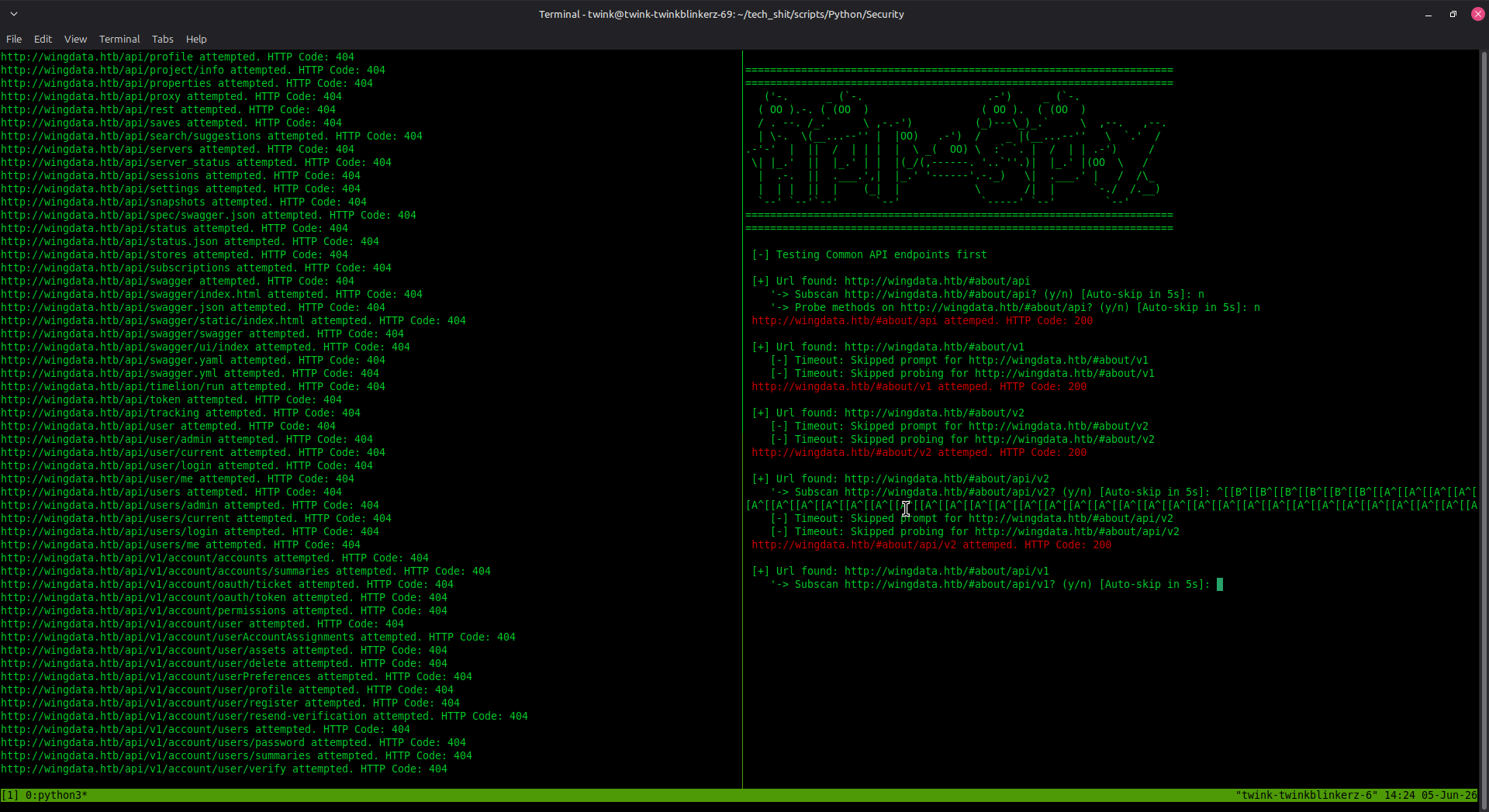
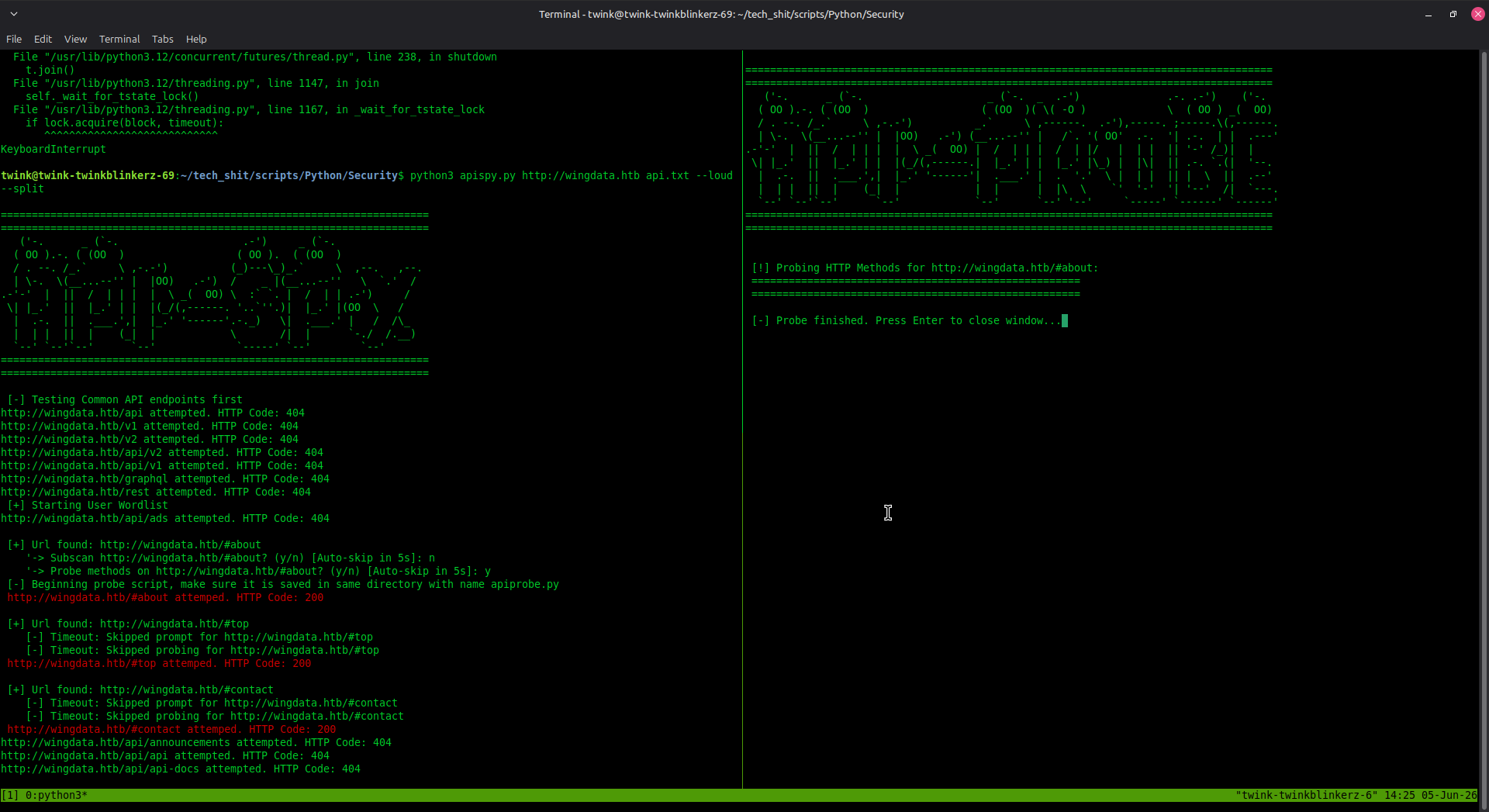
✨ 主な機能:
requests ライブラリtmux(オプション、--split フラグ用)xfce-terminal(Linuxデスクトップ環境用)# Clone the repository
git clone https://github.com/austinjump-sec/API-SPY.git
cd API-SPY
# Install dependencies
pip install requests
# Make scripts executable (optional)
chmod +x apispy.py apiprobe.py
python3 apispy.py <baseUrl> <wordlist> [OPTIONS]
| 引数 | 説明 |
|---|---|
<baseUrl> | 対象URL(例:http://example.com または http://api.example.com) |
<wordlist> | エンドポイントを含むワードリストファイルへのパス(1行に1つ) |
| 引数 | 説明 |
|---|---|
--t<number> | スレッド数(最大150、デフォルト:1) |
--split | 新しいターミナルウィンドウの代わりにtmuxスプリットウィンドウを使用 |
--debug | 通常は非表示のエラーメッセージを表示 |
--loud | 404以外を返すものを強調しながら、成功メッセージとエラーの両方を含むすべてのメッセージを表示 |
--js | JavaScriptファイルをスキャンし、見つかったファイルから一般的なハードコードされたAPIエンドポイントをスクレイピング |
python3 apispy.py http://api.example.com wordlist.txt
python3 apispy.py http://api.example.com wordlist.txt -t10
python3 apispy.py http://api.example.com wordlist.txt -t5 --split
python3 apispy.py http://api.example.com/v1 wordlist.txt -t20
このツールは、事前定義された一般的なAPIパスのセットをテストすることから始めます:
api、v1、v2、api/v1、api/v2、graphql、rest# で始まるコメントは無視)200、401、403 で応答するエンドポイントを特定エンドポイントが見つかると、次のプロンプトが表示されます:
'-> Subscan <url>? (y/n) [Auto-skip in 5s]:
y/yes を選択すると、同じワードリストでそのエンドポイントを再帰的にスキャンしますサブスキャン後、次のプロンプトが表示されます:
'-> Probe methods on <url>? (y/n) [Auto-skip in 5s]:
apiprobe.py を起動しますAllow ヘッダーのヒントを表示[+] Url found: http://api.example.com/v1 ← 200 OK (accessible)
'-> Subscan http://api.example.com/v1? (y/n) [Auto-skip in 0s]:
[-] Timeout: Skipped prompt for http://api.example.com/v1?
'-> Probe methods on http://api.example.com/v1? (y/n) [Auto-skip in 4s]:
[-] Url found but not permitted (403 ERR): ... ← Forbidden but exists
[-] Url found but not permitted (401 ERR): ... ← Requires authentication
[+] GET     -> STATUS: 200 OK (Size: 1024)
[-] POST    -> STATUS: 405 (Size: 0)
[Header Hint] Allow: GET, HEAD, OPTIONS
エンドポイントを1行に1つずつ含むシンプルなテキストファイルを作成します:
admin
users
api/users
v1/products
v2/customers
/api/v1/auth
/graphql
search
data
config
注: # で始まる行はコメントとして扱われ、無視されます。
API-SPYで使用できる人気のAPIワードリスト:
# Stealth mode (low threads)
python3 apispy.py http://target.com wordlist.txt -t3

# Balanced mode
python3 apispy.py http://target.com wordlist.txt -t15

# Aggressive mode
python3 apispy.py http://target.com wordlist.txt -t50
timeout=5 を変更してカスタマイズしますワードリストのパスが正しく、ファイルが存在することを確認してください:
ls -la /path/to/wordlist.txt
サブスキャン時には、以下を確認してください:
apispy.pyapiprobe.py--split が失敗する場合:
sudo apt install tmuxtmux new-session -s scancurl http://your-url/check_status() 関数のリクエストタイムアウトを増やす⚠️ 法的および倫理的:
ソースコードを編集してタイムアウト値を調整します:
def ask_subscan(url, wordlist, timeout=10): # Change from 5 to 10 seconds
特定のAPIパスを対象としたワードリストを作成します:
# Admin endpoints only
grep -i "admin" full-wordlist.txt > admin-wordlist.txt

# v1 API only
grep "v1" full-wordlist.txt > v1-wordlist.txt
ループで複数のターゲットをスキャンします:
for target in http://target1.com http://target2.com http://target3.com; do
    python3 apispy.py "$target" wordlist.txt -t10
done
コントリビューションを歓迎します!お気軽に:
このツールは、教育および許可されたセキュリティテストの目的でのみ提供されます。システムをスキャンする前に適切な許可を得ていることを確認する責任は利用者にあります。コンピュータシステムへの不正アクセスは違法です。
このプロジェクトは、セキュリティ研究および許可されたテスト目的のために現状有姿(as-is)で提供されます。
作成者: austinjump-sec
リポジトリ: austinjump-sec/API-SPY
