 artofscripting/masscan-report
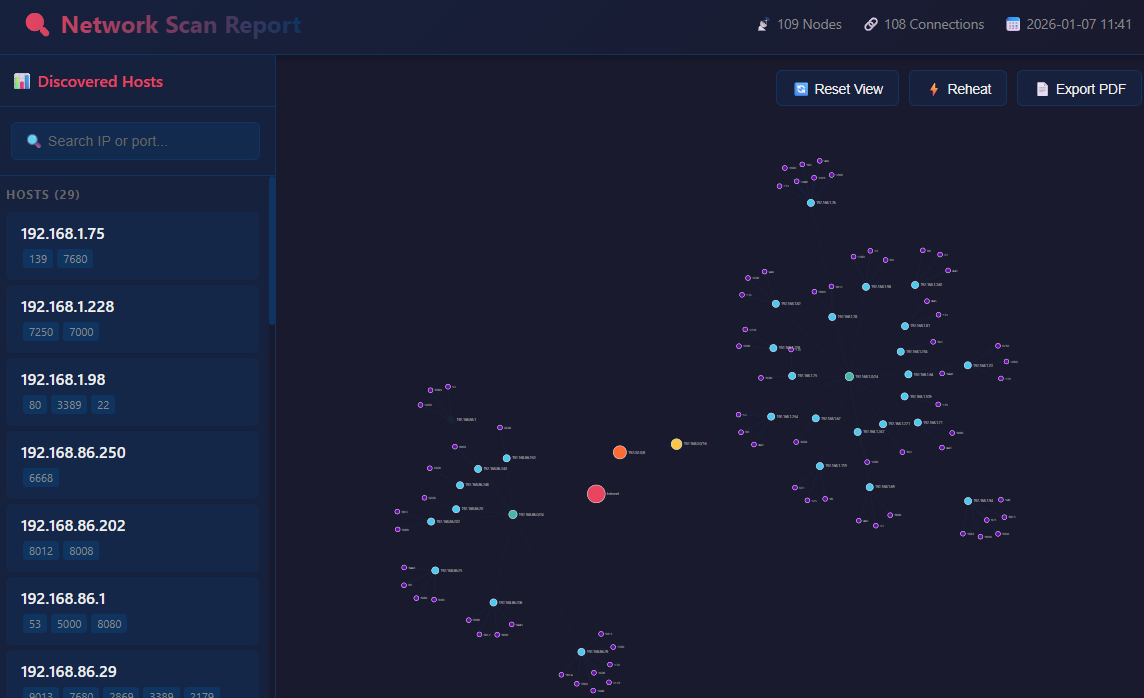
masscanのJSON出力から対話的なReactベースのHTML可視化を生成するPythonツール。D3.jsのフォース指向ネットワークグラフを備えています。

masscanのJSON出力からインタラクティブなReactベースのHTML可視化を生成するPythonツール。D3.jsのフォース指向ネットワークグラフを搭載しています。


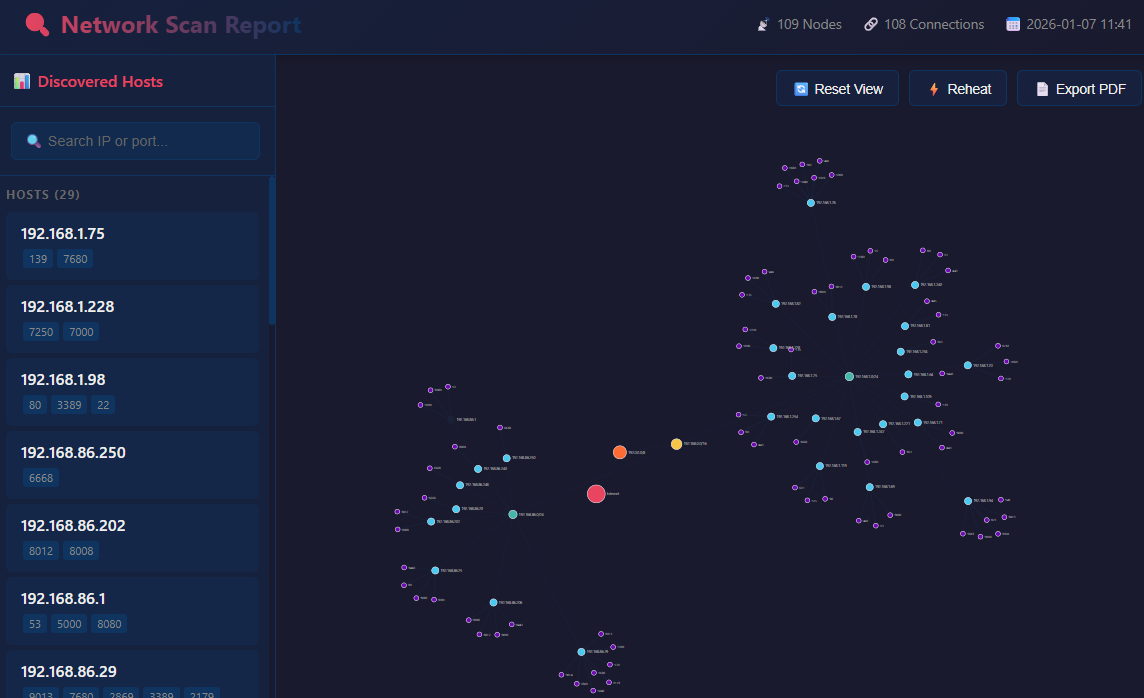
: を使用してポートのみを検索(例: :443)* でパターンマッチング(例: :*443, :80*, :*8*)# Clone or download the project
cd masscan_report
# Install dependencies (optional, only needed for PDF generation in development)
pip install pyinstaller # Only if building exe
dist/ フォルダから masscan_report.exe をダウンロード - Pythonのインストールは不要です。
# Using Python
python masscan_report.py <input_json> [-o output.html]

# Using executable
masscan_report.exe <input_json> [-o output.html]
# Generate report with default output (report.html)
python masscan_report.py scans/home.json

# Specify custom output file
python masscan_report.py scans/network_scan.json -o network_report.html

# Using the executable
.\dist\masscan_report.exe .\scans\home.192.168.10000.json
このツールはmasscanのJSON出力形式を想定しています:
[
  {"ip": "192.168.1.1", "timestamp": "1234567890", "ports": [
    {"port": 80, "proto": "tcp", "status": "open", "reason": "syn-ack", "ttl": 64}
  ]},
  {"ip": "192.168.1.1", "timestamp": "1234567891", "ports": [
    {"port": 443, "proto": "tcp", "status": "open", "reason": "syn-ack", "ttl": 64}
  ]}
]
masscanで生成するには:
masscan 192.168.1.0/24 -p1-65535 --rate 1000 -oJ scan_results.json
| アクション | 効果 |
|---|---|
| ノードをクリック(グラフ) | 情報モーダルを開く |
| ホストをクリック(サイドバー) | ホストとポートをハイライト |
| ノードをドラッグ | ノードの位置を変更 |
| マウスホイール | ズームイン/アウト |
| クリック+ドラッグ(背景) | ビューをパン |
| 🔄 ビューをリセット | ズームと位置をリセット |
| ⚡ 再加熱 | フォースシミュレーションを再活性化 |
| 📄 PDFをエクスポート | PDFレポートを生成 |
| パターン | 一致内容 |
|---|---|
192.168 | "192.168" を含むIP |
:443 | ポート443と完全一致 |
:*443 | 443で終わるポート(例: 8443) |
:443* | 443で始まるポート |
:*8* | 8を含むポート(例: 80, 8080, 443) |
masscan_report/
├── masscan_report.py      # Main script
├── port_descriptions.py   # Port database (6700+ lines)
├── scans/                  # Sample scan files
│   ├── home.json
│   └── home.192.168.10000.json
├── dist/
│   └── masscan_report.exe # Standalone executable
├── report.html            # Generated output
└── README.md
port_descriptions.py には130以上の一般的なポートの詳細情報が含まれています:
pip install pyinstaller
pyinstaller --onefile --name masscan_report --add-data "port_descriptions.py;." masscan_report.py
実行可能ファイルは dist/masscan_report.exe に作成されます。
MITライセンス
貢献歓迎!お気軽にIssueやプルリクエストを送ってください。

