
 7thsamurai/steganography
C++を使用したシンプルな画像ステガノグラフィツールで、Least-Significant-Bitエンコーディングを用いてファイルを画像内に暗号化して隠します。

シンプルなC++の暗号化およびステガノグラフィツールです。パスワードで保護された暗号化を使用してファイルの内容を安全にし、その後、LSB(最下位ビット) エンコーディングを用いて画像のピクセルデータに埋め込みます。Linux、MacOS、Windowsシステムに対応。
$ ./steganography encode -i data/orig.png -e data/jekyll_and_hyde.zip -o output.png
Password: 1234
* Image size: 640x426 pixels
* Encoding level: Low (Default)
* Max embed size: 132.38 KiB
* Embed size: 61.77 KiB
* Encrypted embed size: 61.78 KiB
* Generated CRC32 checksum
* Generated encryption key with PBKDF2-HMAC-SHA-256 (20000 rounds)
* Encrypted embed with AES-256-CBC
* Embedded jekyll_and_hyde.zip into image
* Sucessfully wrote to output.png
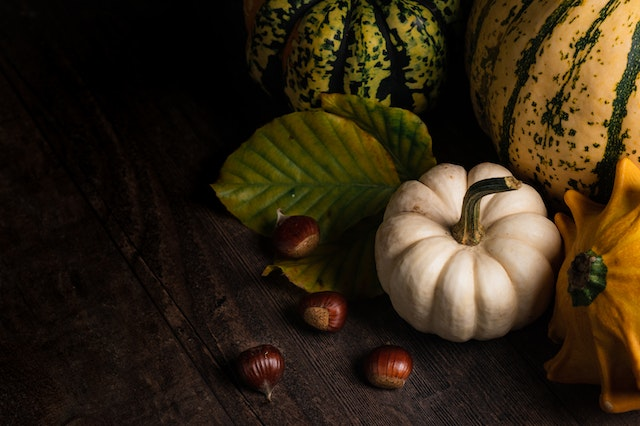
元の画像:
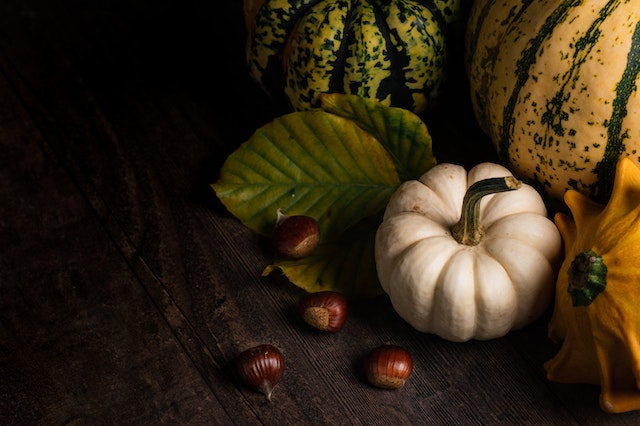
本「ジキル博士とハイド氏」の全内容を含むZIPを埋め込んだ画像:
$ ./steganography decode -i output.png -o "out - jekyll_and_hyde.zip"
Password: 1234
* Image size: 640x426 pixels
* Generated decryption key with PBKDF2-HMAC-SHA-256 (20000 rounds)
* Sucessfully decrypted header
* File signatures match
* Detected embed jekyll_and_hyde.zip
* Encoding level: Low (Default)
* Encrypted embed size: 61.78 KiB
* Successfully decrypted the embed
* Decrypted embed size: 61.77 KiB
* CRC32 checksum matches
* Successfully wrote to out - jekyll_and_hyde.zip
$ mkdir build
$ cd build
$ cmake -DCMAKE_BUILD_TYPE=Release ..
$ make -j 4
Usage: steganography [-h] {decode,encode}

Optional arguments:
  -h, --help   	shows help message and exits
  -v, --version	prints version information and exits

Subcommands:
  decode        Decodes and extracts an embed-file from an image
  encode        Encodes an embed-file into an image
Usage: encode [-h] --input VAR --output VAR --embed VAR [--passwd VAR]

Encodes an embed-file into an image

Optional arguments:
  -h, --help   	shows help message and exits
  -v, --version	prints version information and exits
  -i, --input  	specify the input image. [required]
  -o, --output 	specify the output image. [required]
  -e, --embed  	specify the file to embed. [required]
  -p, --passwd 	specify the encryption password.
Usage: decode [-h] --input VAR [--output VAR] [--passwd VAR]

Decodes and extracts an embed-file from an image

Optional arguments:
  -h, --help   	shows help message and exits
  -v, --version	prints version information and exits
  -i, --input  	specify the input image. [required]
  -o, --output 	specify the output file. [default: ""]
  -p, --passwd 	specify the encryption password.
プログラムは、まず**/dev/urandomからバイナリデータを読み取って、ランダムな 128ビットのパスワードソルト と 128ビットのAES初期化ベクトル を生成します。次に、ユーザーが入力した文字列に PBKDF2-HMAC-SHA-256 を適用して暗号化キーを生成する際に、その パスワードソルト をパラメータとして使用します。埋め込むファイルの CRC32 ハッシュを計算し、ヘッダーに保存してデータの有効性を確認するためのチェックサムとして機能させます。次に、埋め込むファイルのバイナリデータを PKCS #7 アルゴリズムを使用してパディングし、その後、先に生成した 初期化ベクトル を使用して、ヘッダーとパディングされたデータをCBCモード**の AES-256 で暗号化します。そして、ランダムなオフセットを選択し、データの各ビットを画像のピクセルデータに格納することで、実際に画像内にデータをエンコードします。これは、各ピクセルの各チャンネルバイトの 最下位ビット を設定することで実現します。
デコード処理は、上記で説明したエンコード処理とまったく同じですが、逆の順序で行われます。唯一の違いは、デコード時には、プログラムがデータの抽出と復号化を試みた後、ヘッダーセクションの一部の情報を比較して抽出プロセスを検証しようとすることです。比較されるヘッダーフィールドは、このプログラム独自の4バイトのファイルシグネチャと、復号化されたデータの CRC32 ハッシュです。これらのフィールドのいずれかが正しい値と一致しない場合、復号化処理は失敗します。これは、復号化しようとしているファイルに実際に埋め込みが含まれていない場合、入力したパスワードが間違っている場合、または画像ファイルが何らかの形で破損している場合にのみ発生します。
画像にデータが埋め込まれていることを検出することは簡単なタスクですが、理論的には、それがこのプログラムによって行われたことを知る方法はなく、理論的には、パスワードを知らなければデータを復号化する既知の方法はないはずです(もちろん、何百万年もかけて復号化しようとする場合は別ですが)。
このプログラムを、他人の目から隠したい重要なデータを暗号化・隠蔽するために使用しないでください。これは、私が楽しみのために作成した単なる概念実証プログラムです。私は暗号研究者ではありません。ただの趣味人です。自己責任で使用してください。
このソフトウェアはMITライセンスの下で提供されています。Copyright © 2022 Zach Collins
