 synacktiv/octoscan
Octoscan GitHub एक्शन वर्कफ़्लो के लिए एक स्थैतिक भेद्यता स्कैनर है।

Octoscan GitHub एक्शन वर्कफ़्लो के लिए एक स्थैतिक भेद्यता स्कैनर है।

$ go mod tidy
$ go build
या Docker के साथ:
$ docker pull ghcr.io/synacktiv/octoscan:latest
Octoscan को स्थानीय git रिपॉजिटरी के विरुद्ध चलाया जा सकता है या आप dl एक्शन के साथ सभी वर्कफ़्लो डाउनलोड कर सकते हैं:
$ octoscan dl -h
Octoscan.

Usage:
	octoscan dl [options] --org <org> [--repo <repo> --token <pat> --default-branch --max-branches <num> --path <path> --output-dir <dir> --include-archives]

Options:
	-h, --help  						Show help
	-d, --debug  						Debug output
	--verbose  						Verbose output
	--org <org>  						Organizations to target
	--repo <repo>  						Repository to target
	--token <pat>  						GHP to authenticate to GitHub
	--default-branch  					Only download workflows from the default branch
	--max-branches <num>  					Limit the number of branches to download
	--path <path>  						GitHub file path to download [default: .github/workflows]
	--output-dir <dir>  					Output dir where to download files [default: octoscan-output]
	--include-archives  					Also download archived repositories
./octoscan dl --token ghp_<token> --org apache --repo incubator-answer
यदि आप नहीं जानते कि क्या चलाना है, तो बस यह चलाएँ:
./octoscan scan path/to/repos/ --disable-rules shellcheck,local-action --filter-triggers external
यह false positives को कम करेगा और सबसे दिलचस्प परिणाम देगा।
यदि आपने dl कमांड के साथ वर्कफ़्लो डाउनलोड किए हैं, तो आपके पास डुप्लिकेट वर्कफ़्लो हो सकते हैं, क्योंकि डिफ़ॉल्ट रूप से octoscan सभी ब्रांचों के सभी वर्कफ़्लो डाउनलोड करता है। डुप्लिकेट वर्कफ़्लो को हटाने और विश्लेषण को तेज़ करने के लिए आप विश्लेषण चलाने से पहले fdupes कमांड का उपयोग कर सकते हैं:
fdupes -n -r -N -d path/to/repo
$ octoscan scan -h
octoscan

Usage:
	octoscan scan [options] --list-rules
	octoscan scan [options] <target>
	octoscan scan [options] <target> [--debug-rules --filter-triggers=<triggers> --filter-run --ignore=<pattern> ((--disable-rules | --enable-rules ) <rules>) --config-file <config>]

Options:
	-h, --help
	-v, --version
	-d, --debug
	--verbose
	--format <format>  				Output format, json, sarif or custom template to format error messages in Go template syntax. See https://github.com/rhysd/actionlint/tree/main/docs/usage.md#format
	--oneline 					Use one line per one error. Useful for reading error messages from programs

Args:
	<target>					Target File or directory to scan
	--filter-triggers <triggers>			Scan workflows with specific triggers (comma separated list: "push,pull_request_target" or pre-configured: external/allnopr)
	--filter-run					Search for expression injection only in run shell scripts.
	--ignore <pattern>				Regular expression matching to error messages you want to ignore.
	--disable-rules <rules>				Disable specific rules. Split on ","
	--enable-rules <rules>				Enable specific rules, this will disable all other rules. Split on ","
	--debug-rules					Enable debug rules.
	--config-file <config>				Config file.

Examples:
	$ octoscan scan ci.yml --disable-rules shellcheck,local-action --filter-triggers external
इस टूल का उपयोग सीधे GitHub एक्शन के रूप में भी किया जा सकता है, ताकि push/pull_request ईवेंट पर आपकी रिपॉजिटरी स्कैन हो सके। अधिक जानकारी के लिए कृपया इस रिपॉजिटरी को देखें।
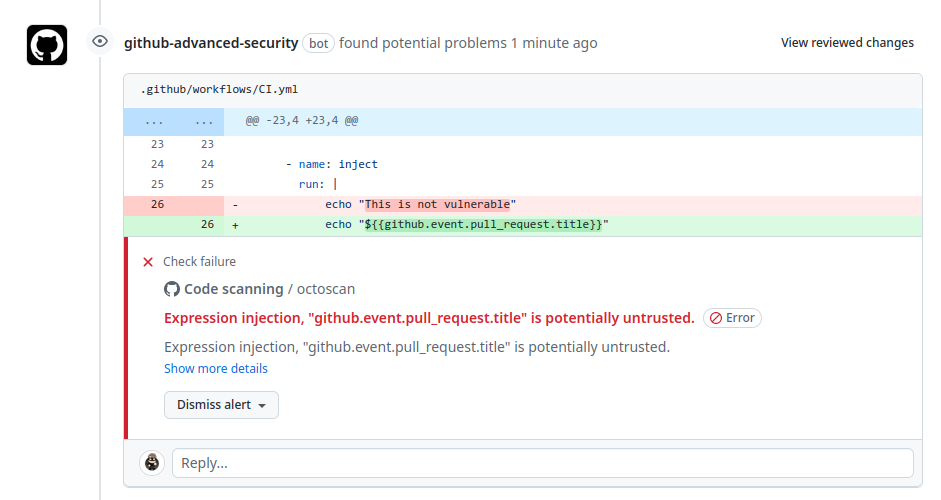
नियमों की पूरी सूची इस कमांड से देखी जा सकती है:
$ octoscan scan --list-rules
2024/08/07 16:50:48 [INFO] Available rules
- shellcheck
	Checks for shell script sources in "run:" using shellcheck
- credentials
	Checks for credentials in "services:" configuration
- dangerous-action
	Check for dangerous actions.
- dangerous-checkout
	Check for dangerous checkout.
- expression-injection
	Check for expression injection.
- dangerous-write
	Check for dangerous write operation on $GITHUB_OUTPUT or $GITHUB_ENV.
- local-action
	Check for local actions.
- runner-label
	Checks for GitHub-hosted and preset self-hosted runner labels in "runs-on:"
- unsecure-commands
	Check 'ACTIONS_ALLOW_UNSECURE_COMMANDS' env variable.
- known-vulnerability
	Check for known vulnerabilities.
- bot-check
	Check for if statements that are based on a bot identity.
- dangerous-artefact
	Check for workflow that upload artefacts containing sensitive files.
- debug-external-trigger
	Check for workflow that can be externally triggered.
- debug-artefacts
	Check for workflow that upload artefacts.
- debug-js-exec
	Check for workflow that execute system commands in JS scripts.
- debug-oidc-action
	Check for OIDC actions.
- repo-jacking
	Verify that external actions are pointing to a valid GitHub user or organization.
workflow_run या pull_request_target जैसे ट्रिगर विशेषाधिकार प्राप्त संदर्भ में चलते हैं, क्योंकि उनके पास secrets तक पढ़ने की पहुँच होती है और संभावित रूप से लक्षित रिपॉजिटरी पर लिखने की पहुँच होती है। अविश्वसनीय कोड पर स्पष्ट checkout करने से उस संदर्भ में हमलावर का कोड डाउनलोड हो जाएगा।

यह नियम उपयोगकर्ता को चेतावनी देता है यदि कोई खतरनाक एक्शन उपयोग किया जाता है। यह मुख्य रूप से अविश्वसनीय artifacts पर केंद्रित है।
विभिन्न वर्कफ़्लो के बीच डेटा पास करने के लिए artifacts का उपयोग करना आम प्रथा है। हम अक्सर इसका सामना workflow_run ट्रिगर के साथ करते हैं, जहाँ ट्रिगर करने वाला वर्कफ़्लो कुछ डेटा तैयार करता है जिसे बाद में ट्रिगर किए गए वर्कफ़्लो को भेजा जाता है। इस artifact डेटा की अविश्वसनीय प्रकृति को देखते हुए, इसे सावधानी से संभालना और इसे संभावित खतरे के रूप में पहचानना महत्वपूर्ण है। यह भेद्यता इस तथ्य से उत्पन्न होती है कि बाहरी संस्थाएँ, जैसे दुर्भावनापूर्ण हमलावर, artifact डेटा की सामग्री को प्रभावित कर सकती हैं।

