 poshbotio/poshbot
Powershell-आधारित बॉट फ्रेमवर्क

| Azure Pipelines | GitHub Actions | Documentation | PS Gallery | License |
|---|---|---|---|---|
 |  |  |
PoshBot एक MIT-लाइसेंस प्राप्त ओपन सोर्स प्रोजेक्ट है। निरंतर विकास प्रायोजकों के समर्थन से संभव हो पाया है। यदि आप प्रायोजक बनना चाहते हैं, तो आप GitHub Sponsors या Patreon के माध्यम से ऐसा कर सकते हैं।

कुछ गहन गाइड चाहते हैं? Leanpub पर ChatOps the Easy Way देखें!
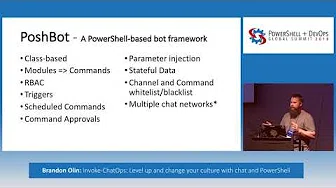
PoshBot एक चैट बॉट है जो PowerShell में लिखा गया है। यह PowerShell 5.0 में शुरू की गई क्लासेस का व्यापक उपयोग करता है। PowerShell मॉड्यूल को PoshBot में लोड किया जाता है और वे तुरंत बॉट कमांड के रूप में उपलब्ध हो जाते हैं। PoshBot वर्तमान में शानदार ChatOps अनुभव प्रदान करने के लिए Slack से कनेक्ट हो सकता है।
लगभग वह सब कुछ जो आप चाहते हैं :) नहीं, सच में। PoshBot PowerShell मॉड्यूल से फ़ंक्शन या cmdlets को निष्पादित करता है। सर्वर से कनेक्ट करने और स्थिति रिपोर्ट करने, कोड डिप्लॉय करने, रनबुक निष्पादित करने, APIs क्वेरी करने आदि के लिए PoshBot का उपयोग करें। यदि आप इसे PowerShell में लिख सकते हैं, तो PoshBot इसे निष्पादित कर सकता है।
विस्तृत दस्तावेज़ ReadTheDocs पर उपलब्ध है।
PoshBot को स्रोत से बनाने के बारे में दस्तावेज़ के लिए Building PoshBot देखें।
प्रत्येक रिलीज़ के विस्तृत बदलाव रिलीज़ नोट्स में दर्ज हैं।
अभी शुरू करने के लिए, अपने बॉट के लिए SLACK-API-TOKEN प्राप्त करें:
https://my.slack.com/services/new/bot
# Install the module from PSGallery
Install-Module -Name PoshBot -Repository PSGallery

# Import the module
Import-Module -Name PoshBot

# Create a bot configuration
$botParams = @{
    Name = 'name'
    BotAdmins = @('<SLACK-CHAT-HANDLE>')
    CommandPrefix = '!'
    LogLevel = 'Info'
    BackendConfiguration = @{
        Name = 'SlackBackend'
        Token = '<SLACK-API-TOKEN>'
    }
    AlternateCommandPrefixes = 'bender', 'hal'
}

$myBotConfig = New-PoshBotConfiguration @botParams

# Start a new instance of PoshBot interactively or in a job.
Start-PoshBot -Configuration $myBotConfig #-AsJob
मूल उपयोग:
# Create a Slack backend
$backendConfig = @{Name = 'SlackBackend'; Token = '<SLACK-API-TOKEN>'}
$backend = New-PoshBotSlackBackend -Configuration $backendConfig

# Create a PoshBot configuration
$pbc = New-PoshBotConfiguration -BotAdmins @('<MY-SLACK-HANDLE>') -BackendConfiguration $backendConfig

# Save configuration
Save-PoshBotConfiguration -InputObject $pbc -Path .\PoshBotConfig.psd1

# Load configuration
$pbc = Get-PoshBotConfiguration -Path .\PoshBotConfig.psd1

# Create an instance of the bot
$bot = New-PoshBotInstance -Configuration $pbc -Backend $backend

# Start the bot
$bot.Start()

# Available commands
Get-Command -Module PoshBot

CommandType     Name                                               Version    Source
-----------     ----                                               -------    ------
Function        Get-PoshBot                                        0.12.0     poshbot
Function        Get-PoshBotConfiguration                           0.12.0     poshbot
Function        Get-PoshBotStatefulData                            0.12.0     poshbot
Function        New-PoshBotCardResponse                            0.12.0     poshbot
Function        New-PoshBotConfiguration                           0.12.0     poshbot
Function        New-PoshBotDiscordBackend                          0.12.0     poshbot
Function        New-PoshBotFileUpload                              0.12.0     poshbot
Function        New-PoshBotInstance                                0.12.0     poshbot
Function        New-PoshBotMiddlewareHook                          0.12.0     poshbot
Function        New-PoshBotScheduledTask                           0.12.0     poshbot
Function        New-PoshBotSlackBackend                            0.12.0     poshbot
Function        New-PoshBotTeamsBackend                            0.12.0     poshbot
Function        New-PoshBotTextResponse                            0.12.0     poshbot
Function        Remove-PoshBotStatefulData                         0.12.0     poshbot
Function        Save-PoshBotConfiguration                          0.12.0     poshbot
Function        Set-PoshBotStatefulData                            0.12.0     poshbot
Function        Start-PoshBot                                      0.12.0     poshbot
Function        Stop-Poshbot                                       0.12.0     poshbot
