 orange-cyberdefense/graphcat
पासवर्ड क्रैकिंग परिणामों के आधार पर ग्राफ और चार्ट जनरेट करें

hashcat (और john) की potfile और ntds पर ग्राफ़ और चार्ट उत्पन्न करने के लिए सरल स्क्रिप्ट।
git clone https://github.com/Orange-Cyberdefense/graphcat
cd graphcat
pip install .
$ graphcat.py -h
usage: graphcat.py [-h] -potfile hashcat.potfile -hashfile hashfile.txt [-john] [-format FORMAT] [-export-charts] [-output-dir OUTPUT_DIR] [-debug]

Password Cracking Graph Reporting

options:
  -h, --help            show this help message and exit
  -potfile hashcat.potfile
                        Hashcat Potfile
  -hashfile hashfile.txt
                        File containing hashes (one per line)
  -john                 John potfile
  -format FORMAT        hashfile format (default 3): 1 for hash; 2 for username:hash; 3 for secretsdump (username:uid:lm:ntlm)
  -export-charts        Output also charts in png
  -output-dir OUTPUT_DIR
                        Output directory
  -debug                Turn DEBUG output ON
Graphcat को बस -potfile (डिफ़ॉल्ट hashcat है, लेकिन john potfile जमा करने के लिए -john का उपयोग कर सकते हैं) के साथ एक potfile और -hashfile के साथ एक hashfile चाहिए। hashfile -format फ़्लैग के साथ 3 उपलब्ध प्रारूपों में से एक विशिष्ट प्रारूप में होनी चाहिए। डिफ़ॉल्ट Secretsdump है।
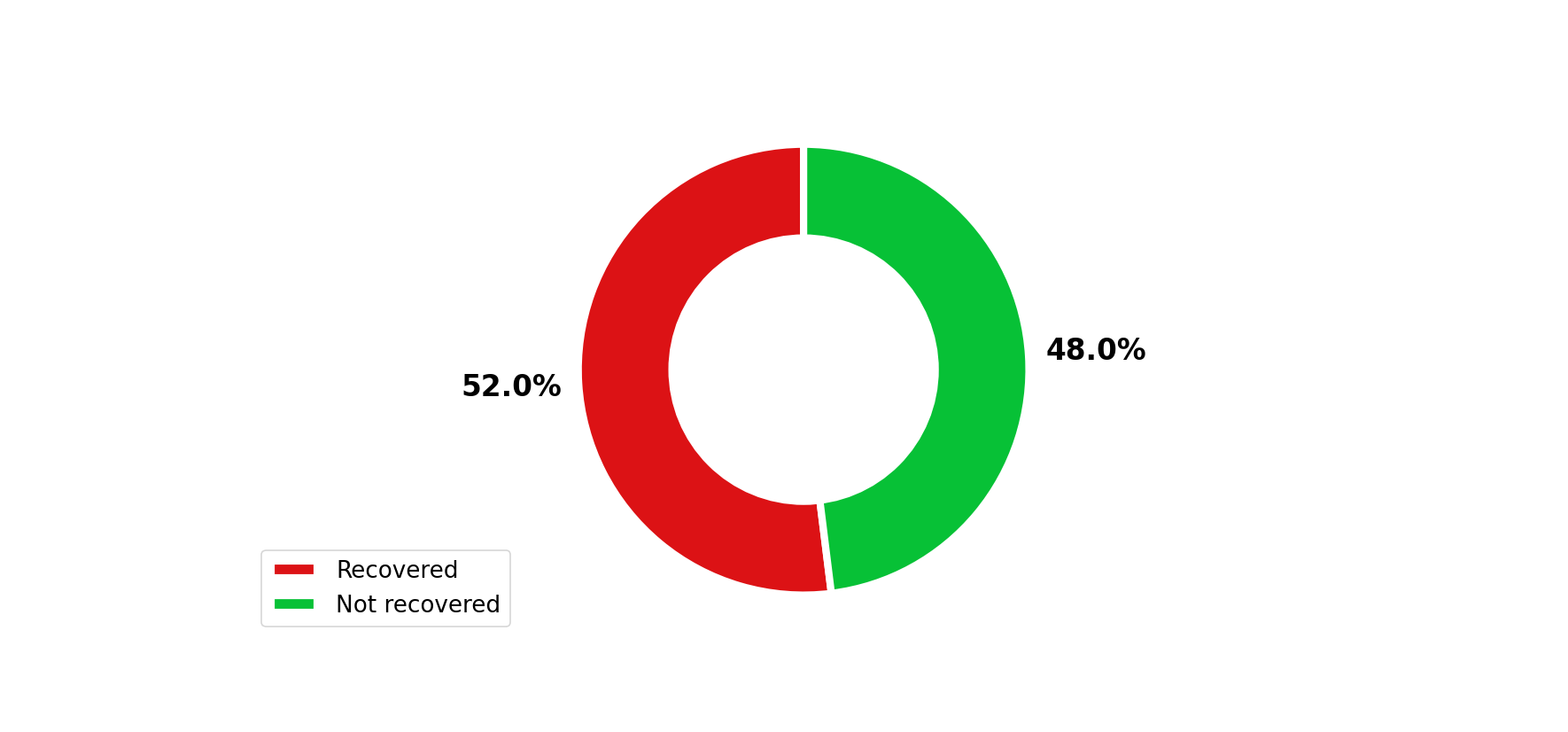
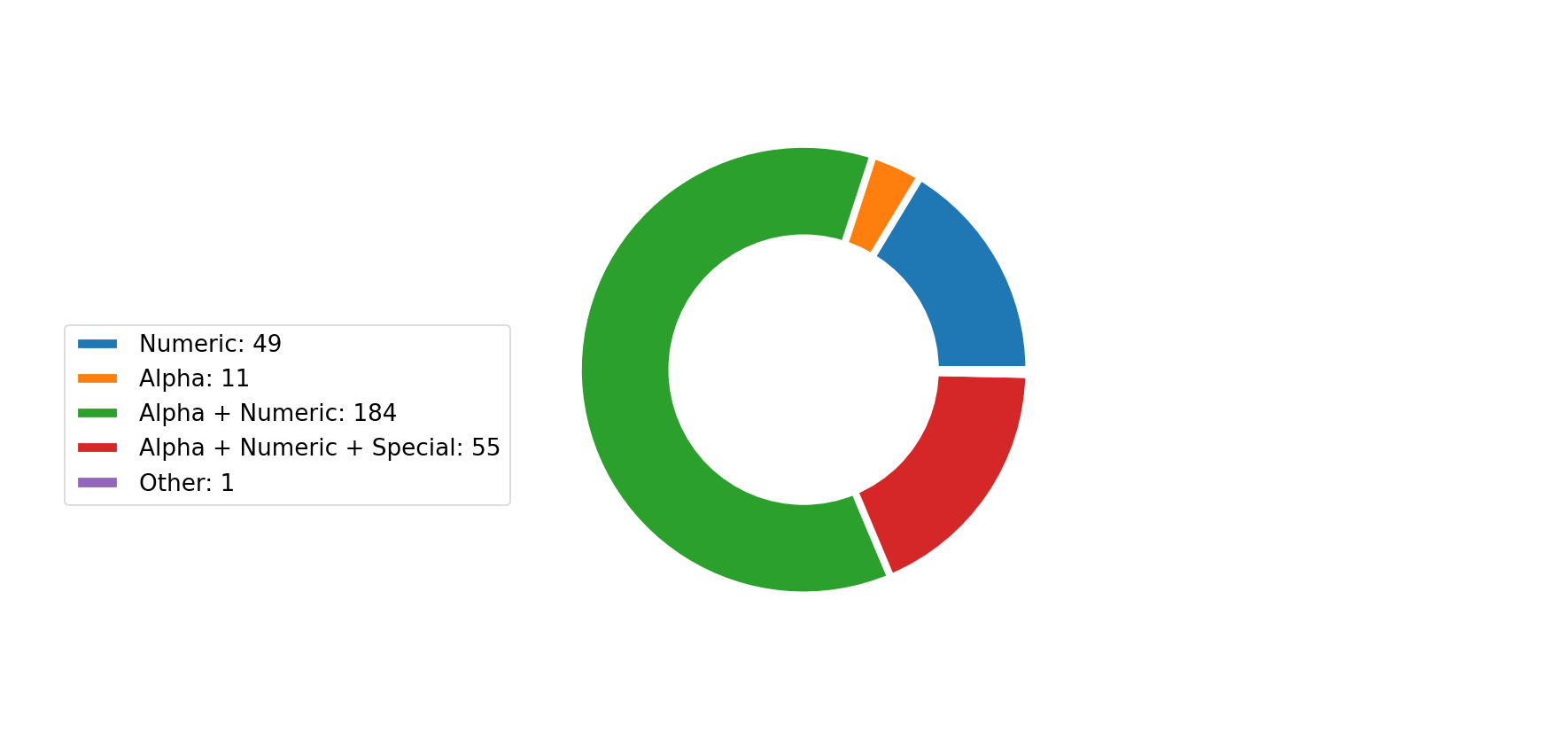
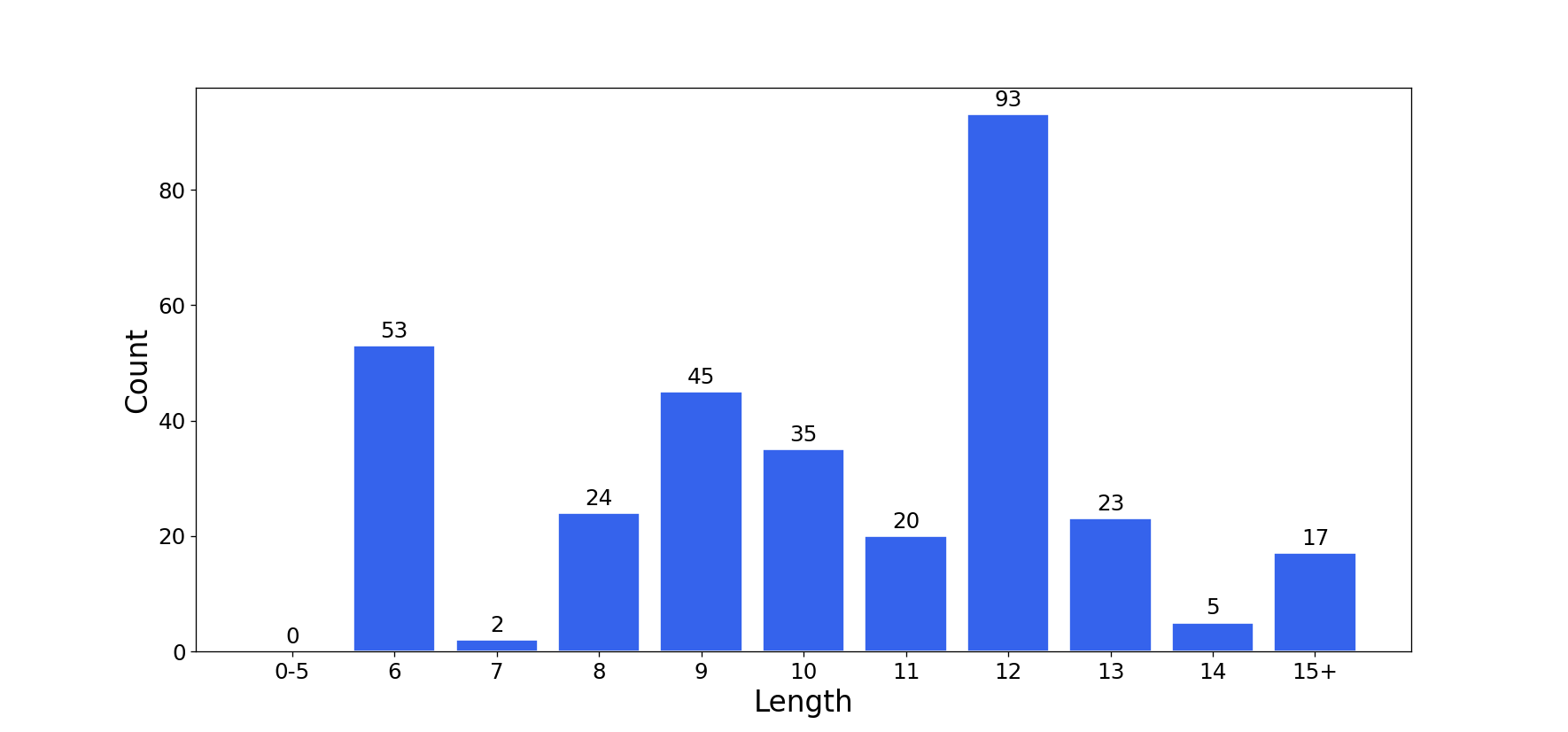
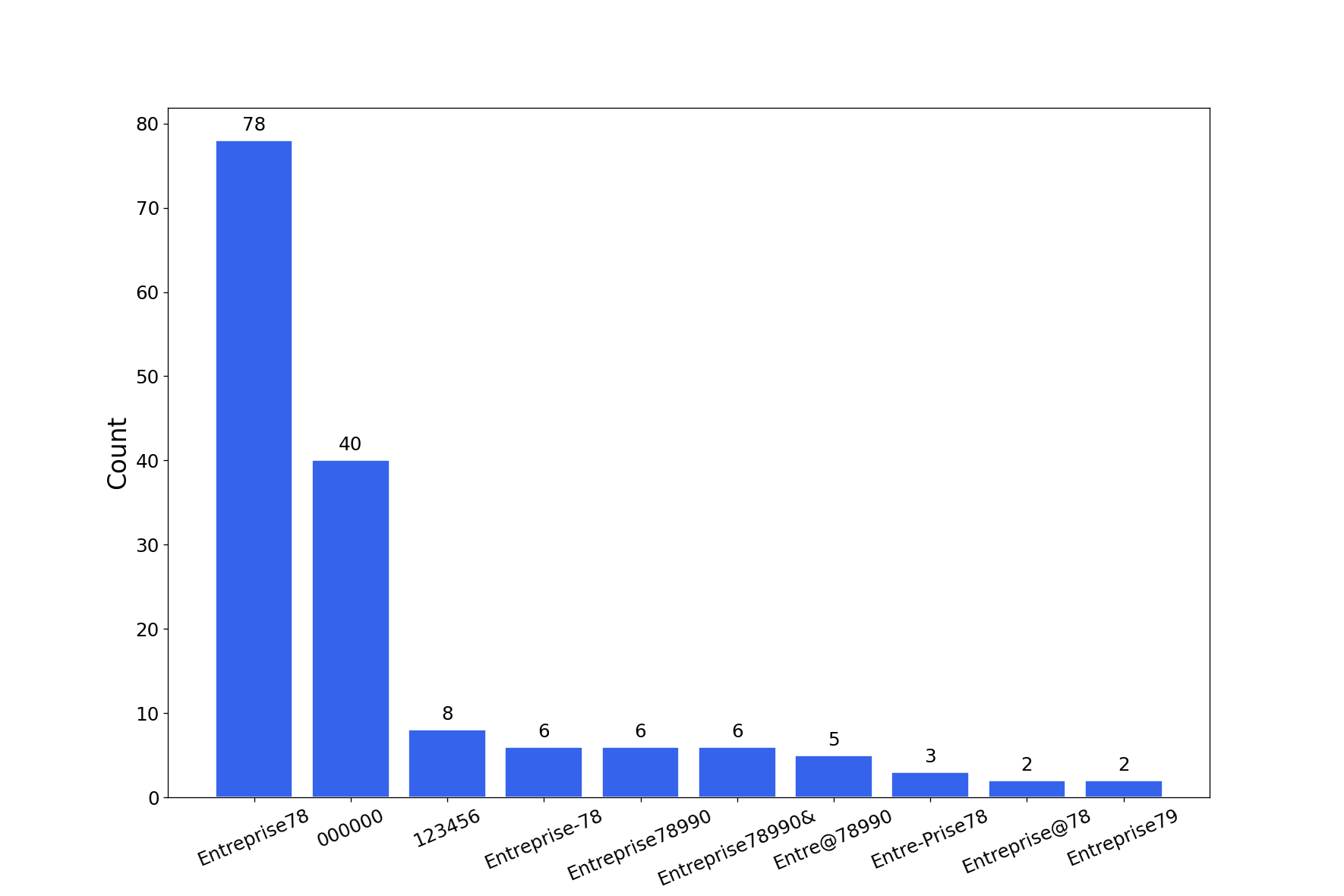
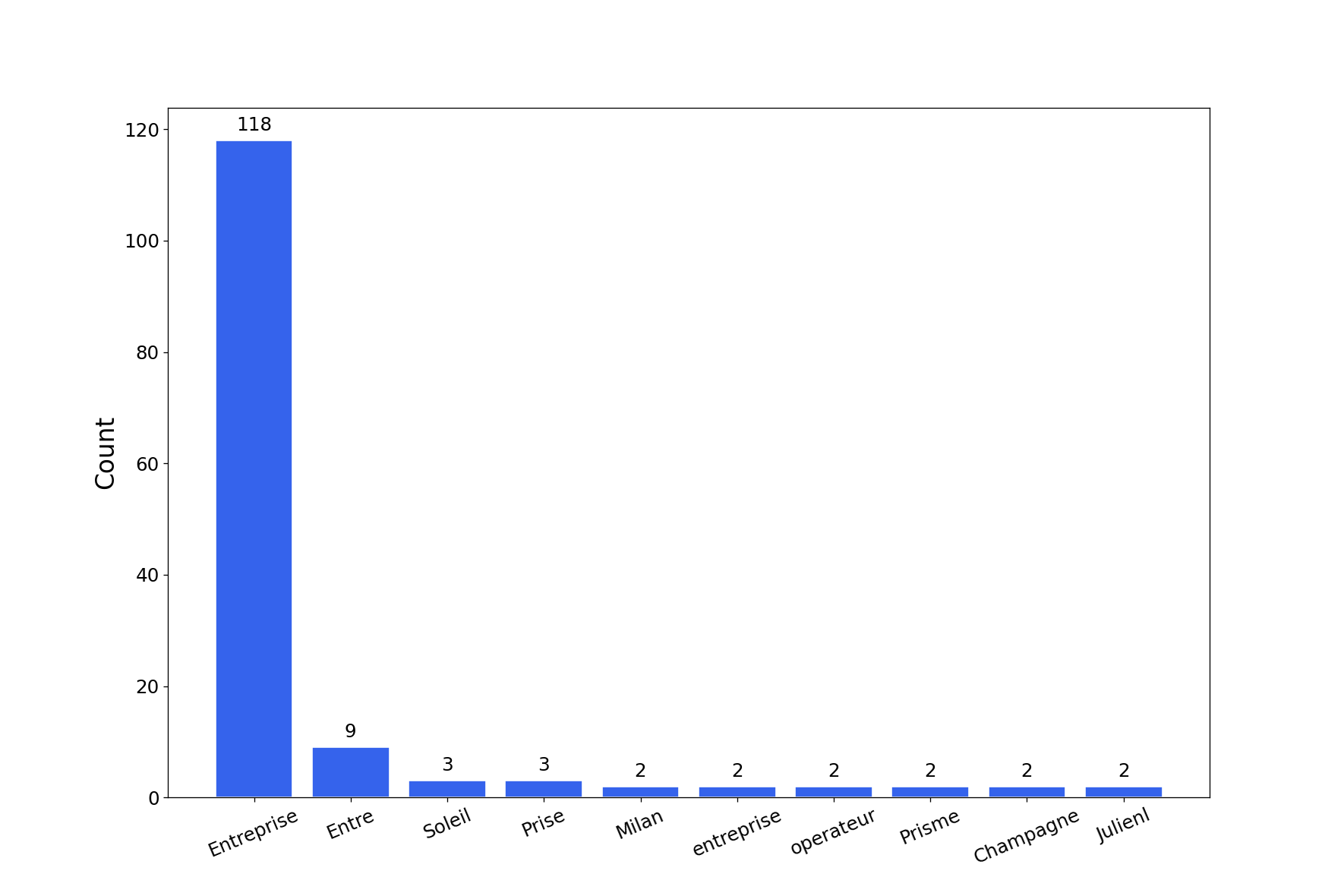
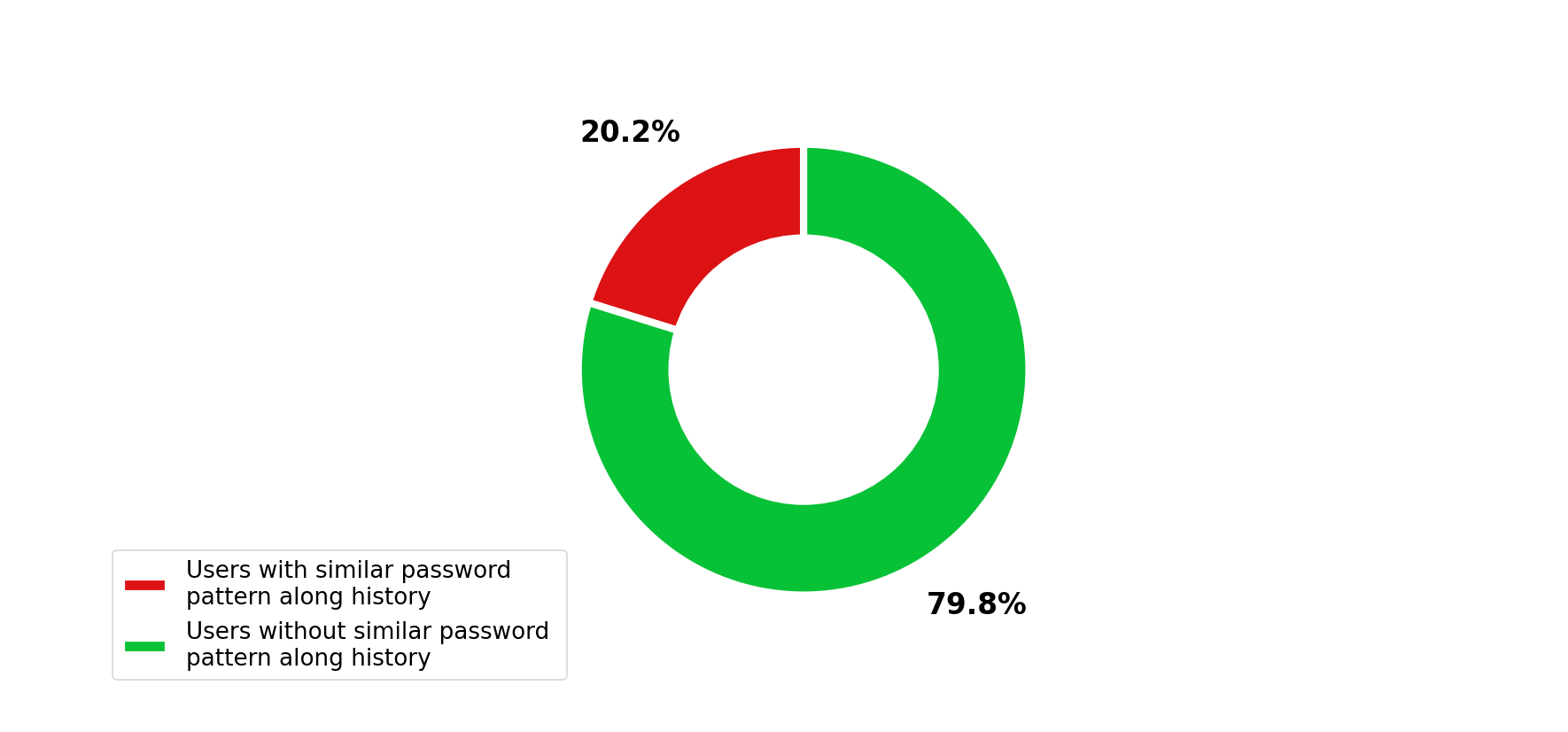
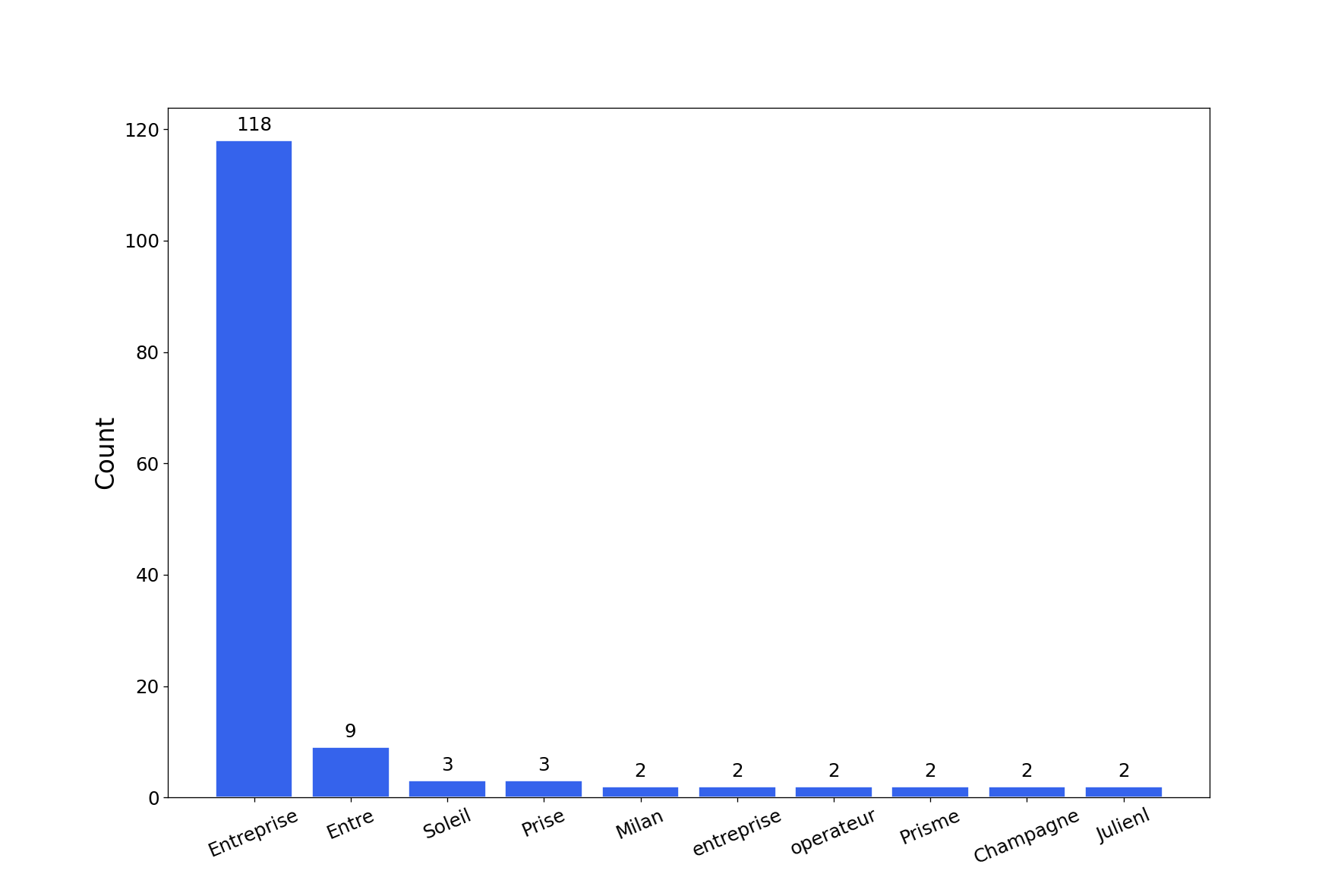
यह उपकरण कई पासवर्ड क्रैकिंग चार्ट के साथ एक रिपोर्ट उत्पन्न करेगा। आप -export-charts फ़्लैग के साथ png में चार्ट प्राप्त कर सकते हैं।
$ graphcat.py -hashfile entreprise.local.ntds -potfile hashcat.pot
[-] Parsing potfile
[-] 164 entries in potfile
[-] Parsing hashfile
[-] 1600 entries in hashfile
[-] Generating graphs...
[-] Generating report...
[-] Report available at graphcat_1672941324.pdf
1: केवल हैश
aad3b435b51404eeaad3b435b51404ee
aad3b435b51404eeaad3b435b51404ee
aad3b435b51404eeaad3b435b51404ee
2: उपयोगकर्ता नाम + हैश
test1:aad3b435b51404eeaad3b435b51404ee
test2:aad3b435b51404eeaad3b435b51404ee
test3:aad3b435b51404eeaad3b435b51404ee
3: Secretsdump
waza.local\test1:4268:aad3b435b51404eeaad3b435b51404ee:aad3b435b51404eeaad3b435b51404ee:::
waza.local\test2:4269:aad3b435b51404eeaad3b435b51404ee:aad3b435b51404eeaad3b435b51404ee:::
waza.local\test3:4270:aad3b435b51404eeaad3b435b51404ee:aad3b435b51404eeaad3b435b51404ee:::
यदि कोई हैश हैश फ़ाइल में एक से अधिक बार आता है, तो उसे उतनी बार गिना जाएगा।
इसके अलावा, यदि आप पासवर्ड इतिहास (secretsdump कमांड में -history) के साथ secretsdump सबमिट करते हैं, तो यह पासवर्ड इतिहास में समानता का विश्लेषण करेगा