 ngwg/ceasta
रिवर्स इंजीनियरिंग टूल जिसमें अंतर्निहित MCP सर्वर है: एक AI आपकी बाइनरी को डीबग कर सकता है, केवल पढ़ नहीं सकता — ब्रेकपॉइंट, स्टेपिंग, मेमोरी, फंक्शन कॉलिंग। डिसअसेंबलर + डीकंपाइलर + x64dbg-शैली डीबगर एक में। windows gui, linux cli।


एक डिसअसेम्बलर, डीकम्पाइलर और डीबगर एक साथ — विंडोज़ और लिनक्स के लिए




ida-शैली लिस्टिंग, एक डीकम्पाइलर, एक फ़ंक्शन ग्राफ़, एक x64dbg-शैली डीबगर, lua प्लगइन्स, और एक अंतर्निहित MCP सर्वर ताकि आप एक AI को किसी बाइनरी पर इंगित कर सकें — एक छोटा प्रोग्राम, सब कुछ वेंडर किया हुआ, बनाने के लिए कुछ भी इंस्टॉल नहीं करना।
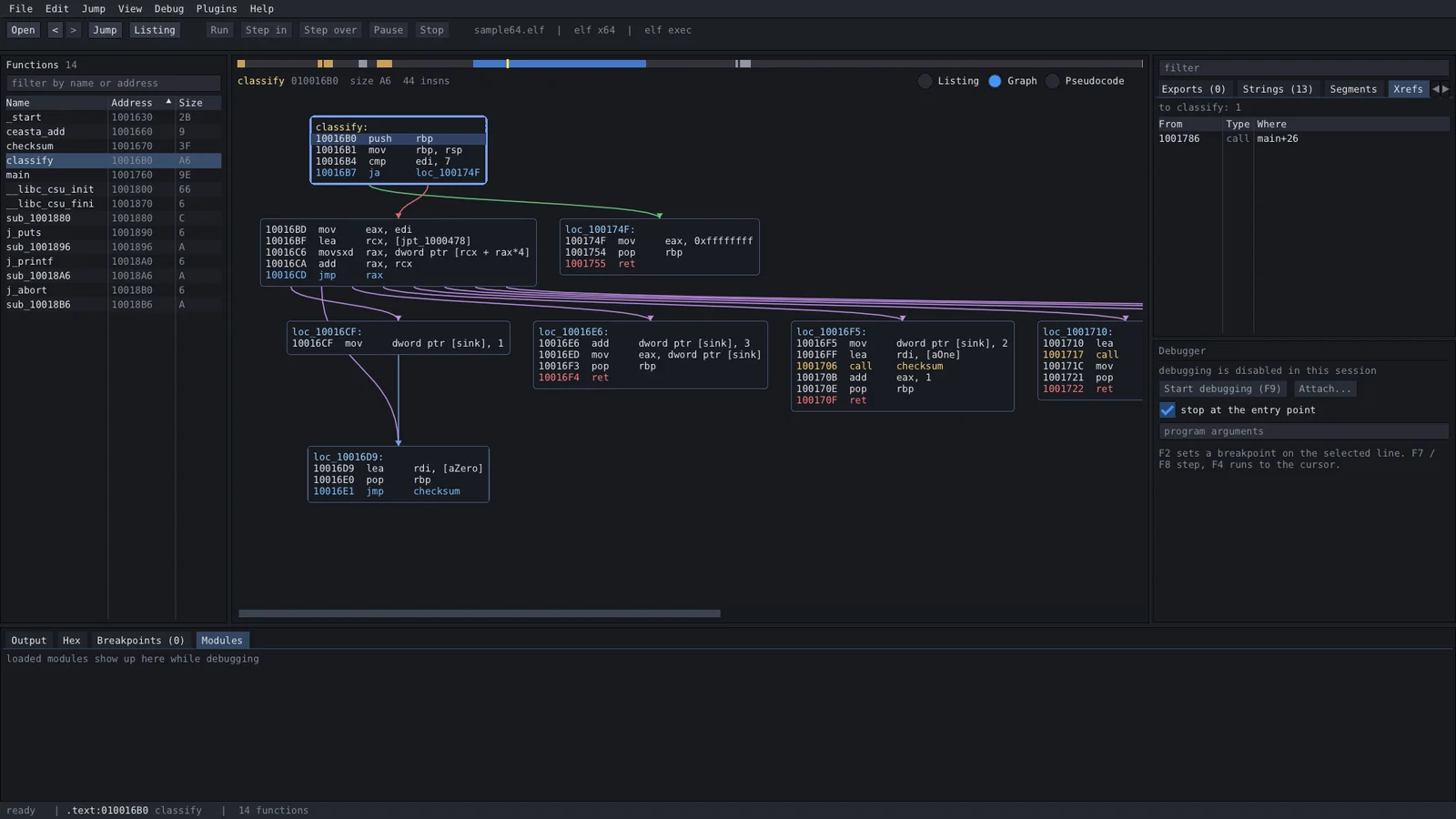
ceasta वही कोड कच्चे बाइट्स से लेकर पठनीय c तक दिखाता है, ताकि आप जिस भी स्तर की ज़रूरत हो उस पर जा सकें:
; assembly - the real instructions  // pseudocode (f5) - reconstructed c

checksum proc                       int checksum(int rdi)
  movzx   edx, byte ptr [rdi]       {
  test    dl, dl                        rdx = *(char*)rdi;
  je      loc_1191                      if (rdx == 0) {
  mov     eax, 0x1505                       return 0x1505;
loc_1179:                               }
  mov     ecx, eax                      rax = 0x1505;
  shl     ecx, 5                        do {
  add     eax, ecx                          rax = rax + (rax << 5) + rdx;
  add     rdi, 1                            rdi = rdi + 1;
  movzx   edx, dl                           rdx = *(char*)rdi;
  add     eax, edx                      } while (rdx != 0);
  movzx   edx, byte ptr [rdi]           return rax;
  test    dl, dl                    }
  jne     loc_1179
  ret
loc_1191:
  mov     eax, 0x1505
  ret
यह djb2 है (5381 0x1505 है, और (h << 5) + h यानी h * 33)। डीकम्पाइलर best-effort है: अभी तक कोई टाइप या स्ट्रक्चर नहीं, इसलिए आप रजिस्टर और कास्ट पढ़ते हैं — किसी रूटीन को जल्दी समझने के लिए बढ़िया, जबकि लिस्टिंग ही सत्य का स्रोत बनी रहती है।
इसे releases पेज से लें:
| फ़ाइल | प्लेटफ़ॉर्म | आपको क्या मिलता है |
|---|---|---|
ceasta-x.y.z-setup.exe | windows 10/11 x64 | पूरा ऐप, आपके यूज़र के लिए इंस्टॉल होता है (कोई एडमिन नहीं), स्टार्ट मेनू + वैकल्पिक "open with ceasta" |
ceasta-x.y.z-windows-x64.zip | windows x64 | पूरा ऐप, पोर्टेबल — unzip करें और ceasta.exe चलाएँ |
ceasta-cli-x.y.z-linux-x64.tar.gz | linux x64 | ceasta-cli + प्लगइन्स: विश्लेषण, डिसअसेम्बली, डीकम्पाइलर, स्क्रिप्टिंग, टर्मिनल डीबगर (लिनक्स पर) |
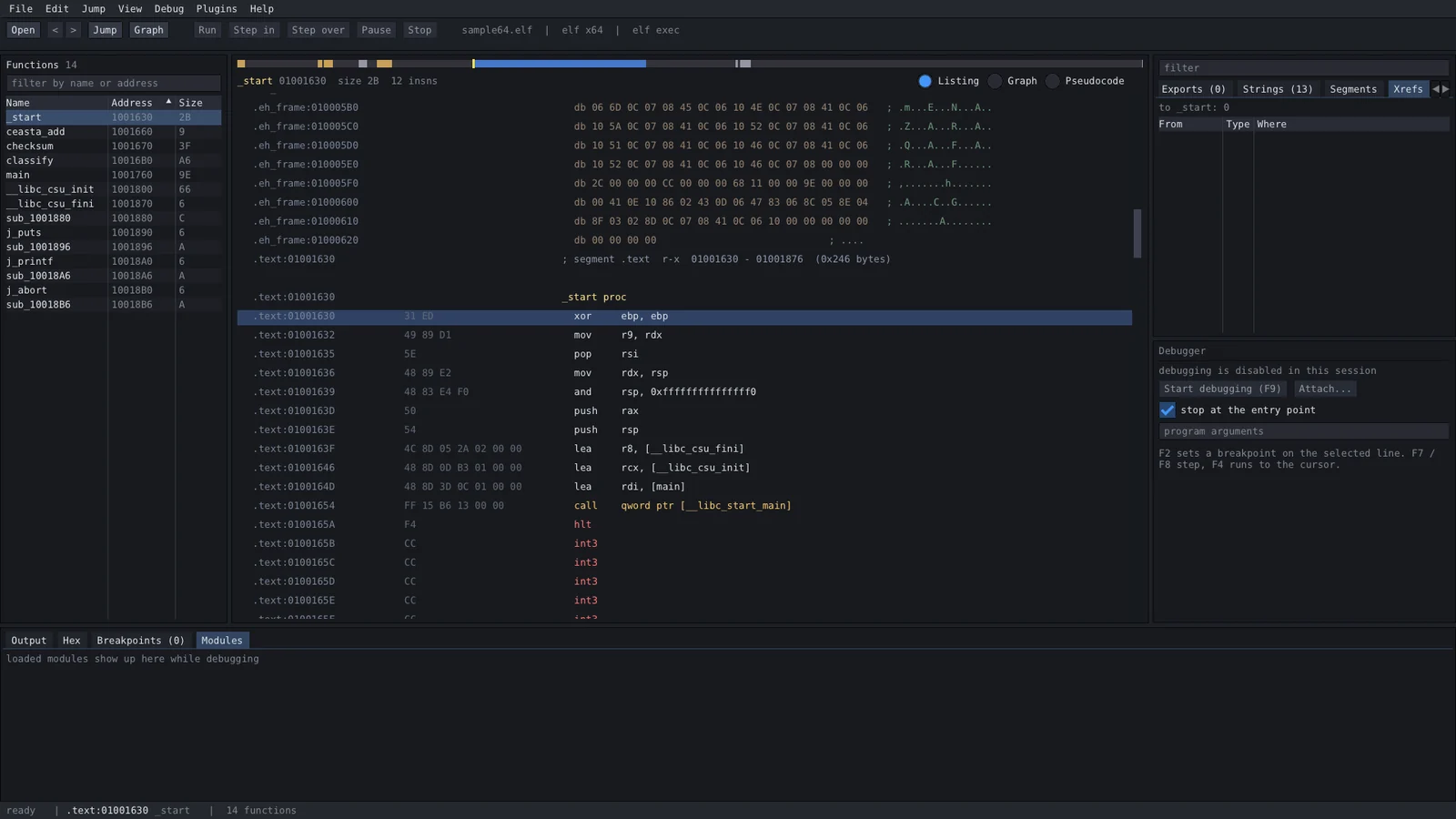
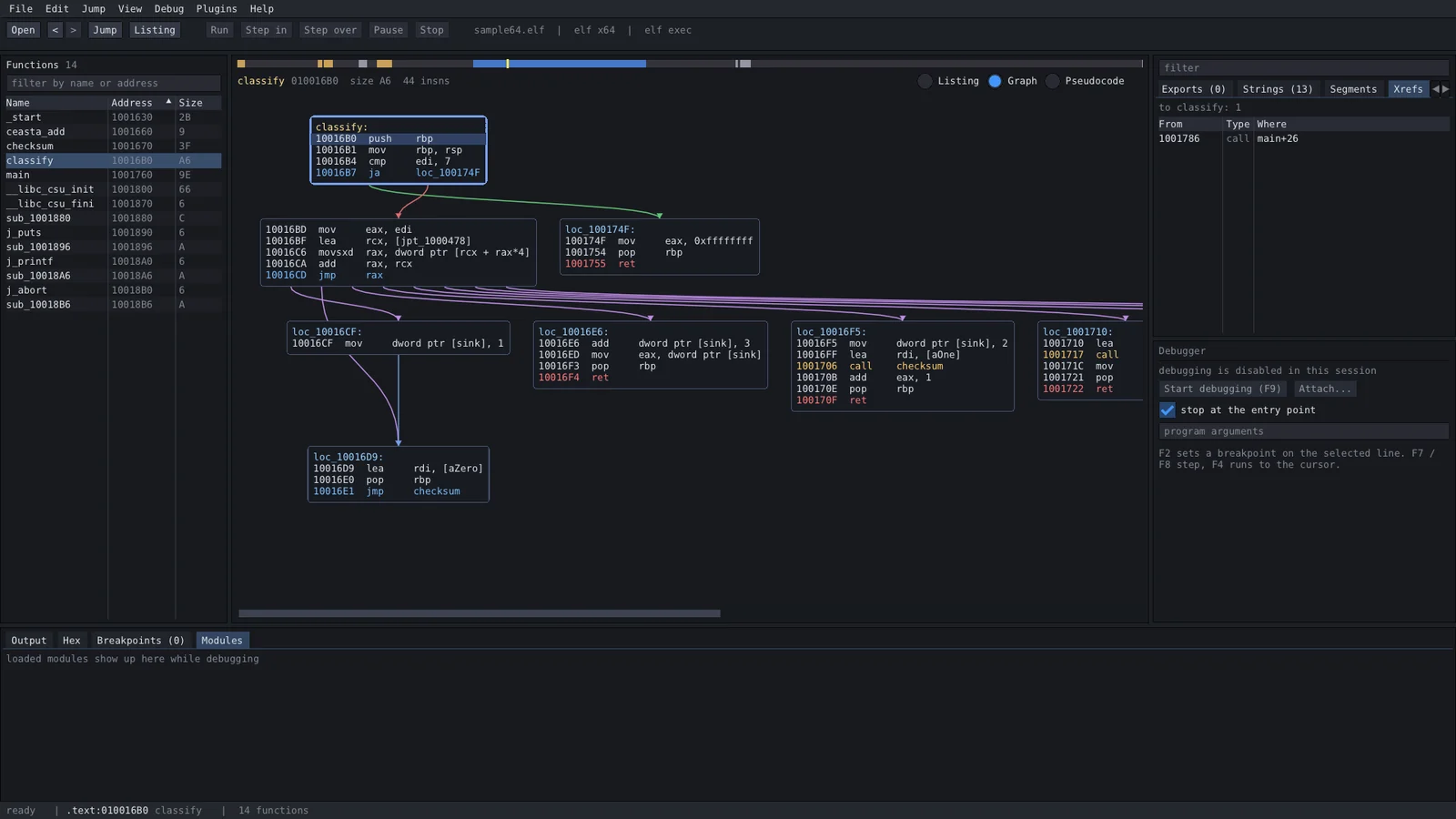
ceasta-cli dbg) — breakpoints, stepping, registers, memory। बुनियादी पर असली; single-threaded targets पर सबसे अच्छाcall decrypt "..."), indirect call targets को xrefs के रूप में रिकॉर्ड करें (trace)sigmake / sigapply)<binary>.ceasta में भीceasta-cliएक विंडो, कुछ भी इधर-उधर तैरता नहीं:
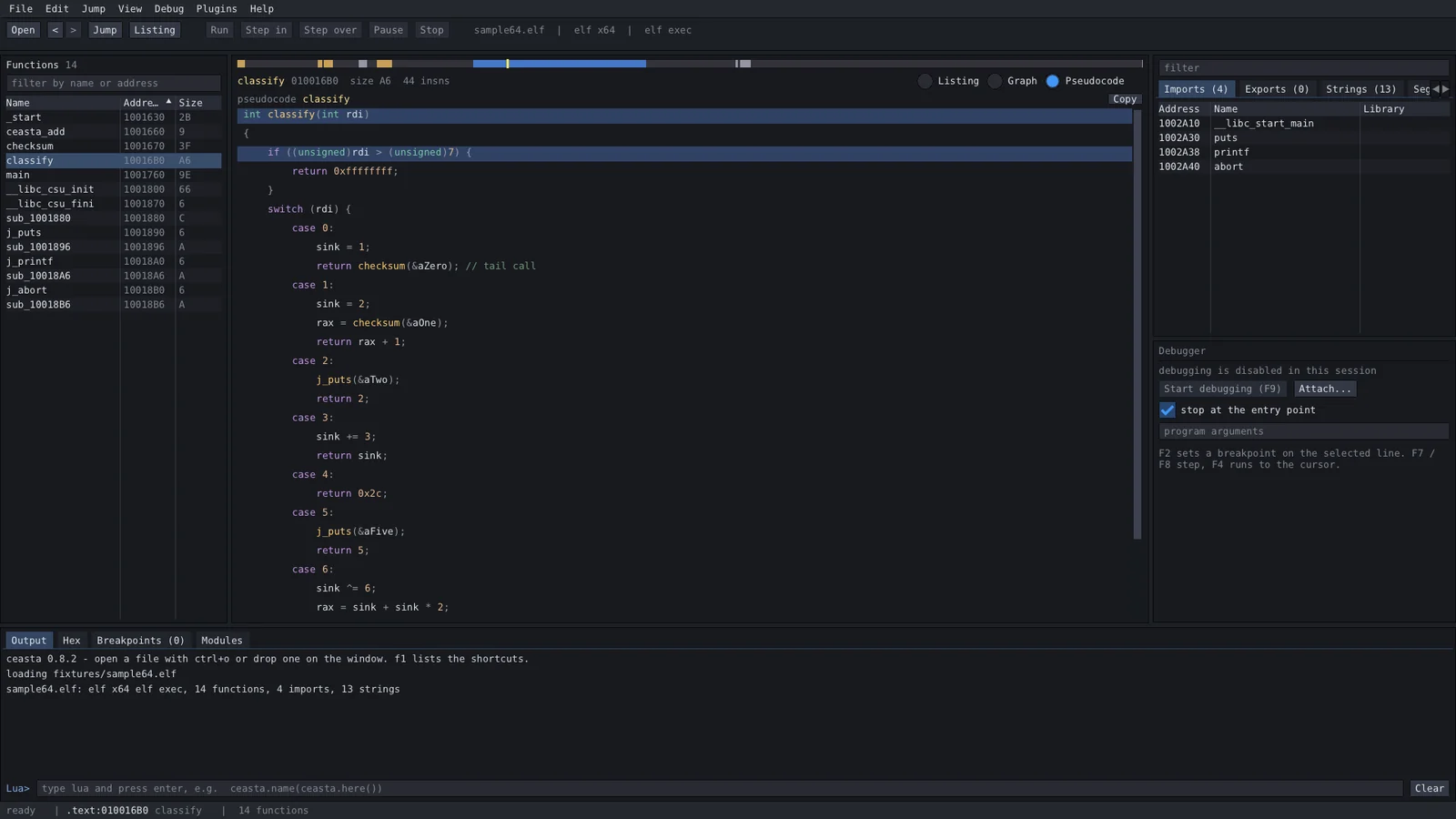
डीकम्पाइलर (f5):
| key | क्या | key | क्या |
|---|---|---|---|
| ctrl+o | फ़ाइल खोलें | space | listing / graph |
| g | पते या नाम पर जाएँ | f5 | pseudocode (decompiler) |
| enter / double click | operand का अनुसरण करें | alt+b | bytes खोजें |
| esc / ctrl+enter | back / forward | f9 | डीबगिंग शुरू करें / जारी रखें |
| n | rename | f7 / f8 | step into / over |
| ; | comment | f4 | run to cursor |
| x | यहाँ के references | f2 | breakpoint टॉगल करें |
| ctrl+s | नाम और कमेंट सहेजें | f1 | सभी शॉर्टकट |
प्लगइन्स plugins/ (प्रोग्राम के बगल में) या %APPDATA%\ceasta\plugins में lua फ़ाइलें हैं। वे plugins मेनू में कमांड जोड़ते हैं। पाँच इसके साथ आते हैं: file summary, crypto finder, wrapper namer, strings report, call tracer (debugger)।
ceasta.register_command("Count calls", function()
    local n = 0
    for _, fn in ipairs(ceasta.functions()) do
        n = n + #ceasta.xrefs_to(fn.addr)
    end
    ceasta.log(n .. " references to functions")
end)
पूरा api lua scripting guide में है। output पैनल में एक lua प्रॉम्प्ट भी है — ceasta.name(ceasta.here()) आज़माएँ।
ceasta-cli info file.exe            format, entry, segments
ceasta-cli funcs file.exe           functions
ceasta-cli disasm file.exe main 40  listing from a name or address
ceasta-cli graph file.exe start     basic blocks of a function
ceasta-cli decompile file.exe main  pseudocode for a function
ceasta-cli xrefs file.exe CreateFileW
ceasta-cli find file.exe "48 8b ?? 05"
ceasta-cli run file.exe script.lua  run a plugin / script
ceasta-cli dbg ./program [args]     interactive debugger (linux + windows)
ceasta-cli diff old.exe new.exe     match functions, show what changed
ceasta-cli sigmake libc.a lib.sig   make signatures from a file with symbols
ceasta-cli sigapply stripped lib.sig  name matching functions
ceasta-cli mcp file.exe             serve the file to an AI over MCP
ceasta के अंतर्निहित MCP सर्वर के ज़रिए किसी AI (Claude Code, Claude Desktop, Cursor, ...) को बाइनरी पर इंगित करें:
claude mcp add ceasta -- ceasta-cli mcp /path/to/target.exe
यह डीकम्पाइल कर सकता है, xrefs पढ़ सकता है, फ़ंक्शन rename कर सकता है, बिल्ड्स diff कर सकता है, और — --allow-debug के साथ — breakpoints सेट कर सकता है, step कर सकता है, मेमोरी पढ़ सकता है और चल रहे प्रोग्राम में किसी फ़ंक्शन को कॉल भी कर सकता है। डीबगर टूल्स और सुरक्षा नोट्स सहित पूरी गाइड connect an AI में है।
gui केवल windows के लिए है, लेकिन कमांड लाइन टूल विश्लेषण, डिसअसेम्बली, डीकम्पाइलर, स्क्रिप्टिंग और एक टर्मिनल डीबगर करता है। ceasta-cli-x.y.z-linux-x64.tar.gz लें, अनपैक करें और चलाएँ — और कुछ इंस्टॉल नहीं करना:
tar xzf ceasta-cli-*-linux-x64.tar.gz
cd ceasta-cli-*-linux-x64

./ceasta-cli info /bin/ls                   format, entry, function / import / string counts
./ceasta-cli decompile /bin/ls start        pseudocode for the entry point
./ceasta-cli run /bin/ls plugins/hello.lua  run a lua plugin
./ceasta-cli dbg ./program                  debug it (break, step, registers, memory)
यह elf (x86 / x64) और windows pe फ़ाइलें दोनों पढ़ता है, इसलिए आप लिनक्स से भी एक windows exe देख सकते हैं।
टर्मिनल डीबगर (dbg) एक ptrace डीबगर है जिसमें ceasta के नाम, डिसअसेम्बली और डीकम्पाइलर अंतर्निहित हैं:
(ceasta) b main            break at a name or address
(ceasta) c                 continue
(ceasta) ni / si           step over / into      until <addr>  run to
(ceasta) r                 registers             k  stack       x <addr>  memory
(ceasta) u                 disassemble here (with names)
(ceasta) dec               decompile the function you're stopped in
(ceasta) lua ...           run lua against the live process
ज़रूरत का सब कुछ रेपो में है — बस एक कम्पाइलर, कुछ भी फ़ेच नहीं करना।
windows
ceasta.sln खोलें, Release | x64 चुनें, बिल्ड करें → build\msvc\Releasecmake -S . -B build फिर cmake --build build --config Releasepowershell -ExecutionPolicy Bypass -File installer\package.ps1linux (core + cli, gui केवल windows के लिए)
cmake -S . -B build && cmake --build build -j
src/app.* — state, actions और मुख्य लेआउटsrc/ui/ — प्रति पैनल एक फ़ाइल (top_bar, left_panel, ida_view, graph_view, pseudo_view, right_panel, cpu_panel, bottom_panel, status_bar, dialogs)src/widgets/ — छोटे साझा हिस्से (nav_band, splitter)src/core/ — कोई ui नहीं: loaders (binary, pe, elf), disasm (capstone), analysis, database, decompiler, lua_host, debugger (win32) + debugger_linux (ptrace), ossrc/cli/ — ceasta-cli और dbg टर्मिनल डीबगरplugins/ — इसके साथ आने वाले lua प्लगइन्सdocs/ — lua guide, changelog, third-party licenses, screenshotsinstaller/ — inno setup स्क्रिप्ट और पैकेजिंगthird_party/ — imgui, capstone (केवल x86), lua 5.4ceasta GPLv3 है। वेंडर की गई लाइब्रेरीज़ अपने स्वयं के (permissive) लाइसेंस रखती हैं — dear imgui और lua MIT हैं, capstone BSD है; विवरण docs/THIRD_PARTY_NOTICES.md में।
